
Browser Tools
Learn how to manage multi-account environments using fingerprint browsers, session isolation and browser automation tools.
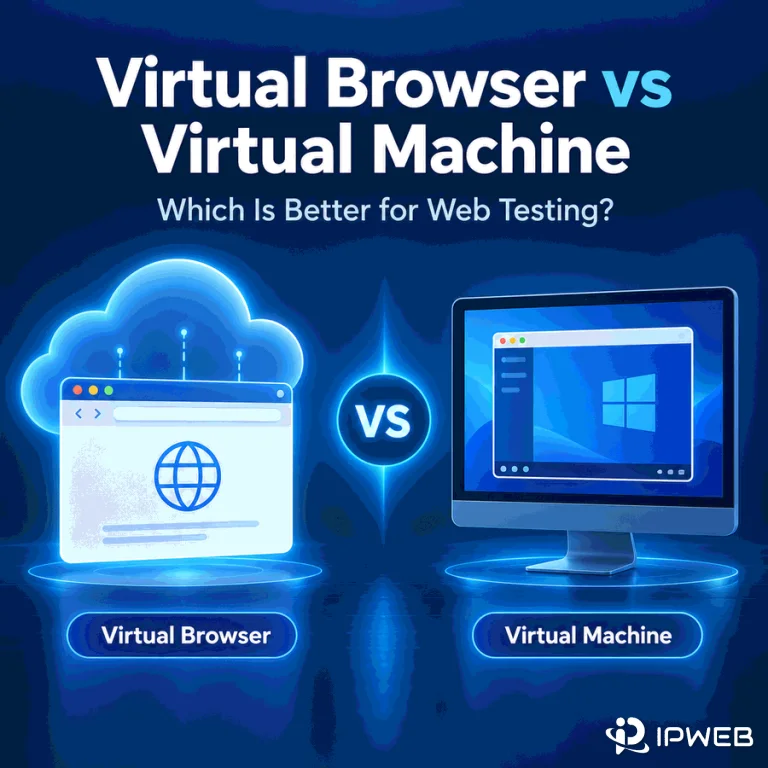
Virtual Browser vs Virtual Machine: Which Is Better for Web Testing?
A browser-specific bug can disappear when the browser version, operating system, or network path changes. That makes the test environment part of the evidence. A virtual browser can give you fast access to another browser or browser-and-OS combination, while a virtual machine gives you control over an entire guest operating system. The terms overlap, but they are not interchangeable. In web testing, virtual browser is best treated as an access model: you receive a browser session that runs in a provider-managed or isolated environment. The underlying session may run on a VM, container, real machine, or device depending on the...
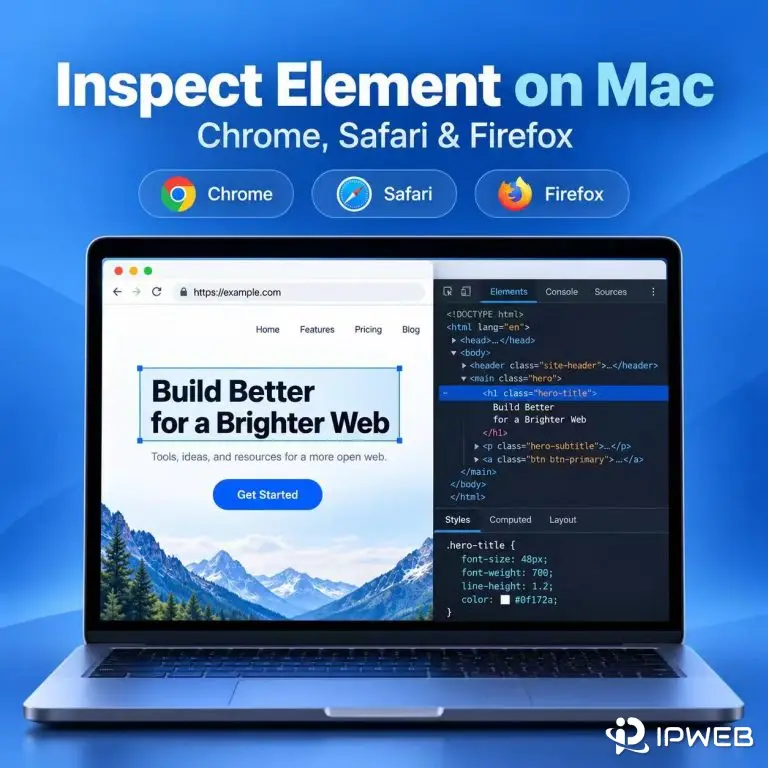
How to Inspect Element on Mac and Check Page Data
On a Mac, you can inspect a webpage in Chrome, Safari, or Firefox from the context menu or with a keyboard shortcut. Opening DevTools is only the first step: the Elements and Network panels can also show whether a visible field is already in the page HTML, added after JavaScript runs, or returned by a separate request. Use the browser and page state that match the task you are checking. A product price, search result, listing, or other public field can appear differently before and after filters, pagination, or client-side rendering. Quick Answer To Inspect Element on a Mac, Control-click...
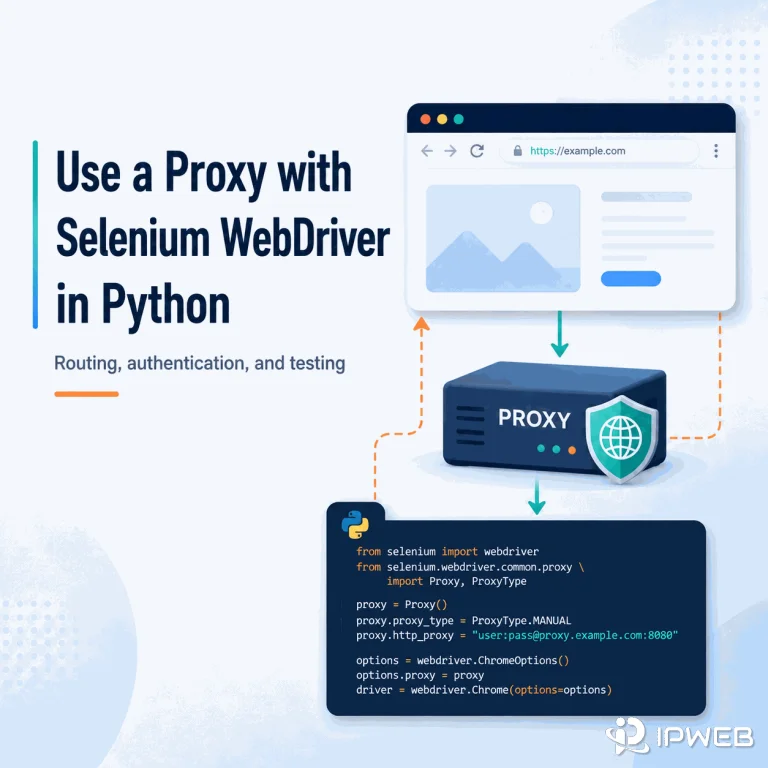
How to Use a Proxy with Selenium WebDriver in Python
A Selenium script can control Chrome correctly and still send every browser request through your normal internet connection. If the workflow needs a different network route for regional QA, public-web testing, or another authorized browser task, the proxy has to be attached to the WebDriver session itself and then verified inside that same browser. Quick Answer For a proxy that only needs a host and port, set Selenium's Proxy object on ChromeOptions before creating the driver. For a username/password proxy, current Selenium 4 can combine the proxy capability with a WebDriver BiDi authentication handler; Python's high-level BiDi network authentication API...
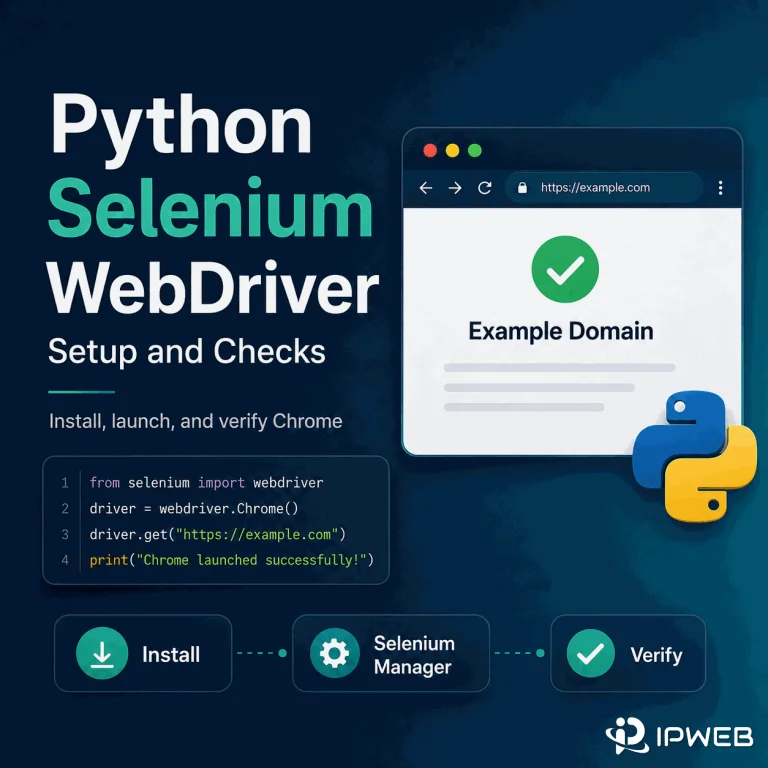
Python Selenium WebDriver: Setup and Checks
Setting up Selenium WebDriver with Python is simpler than many older tutorials suggest. Install the Selenium package, make sure a supported browser such as Chrome is available, then create a WebDriver session and verify that the browser can load and interact with a known page. Quick Answer Install Selenium with python -m pip install -U selenium, then start Chrome with webdriver.Chrome(). In modern Selenium, Selenium Manager usually handles driver discovery or download automatically when you do not provide a driver yourself. After the browser opens, confirm the URL, title, and a known element, then close the session with driver.quit(). Add...
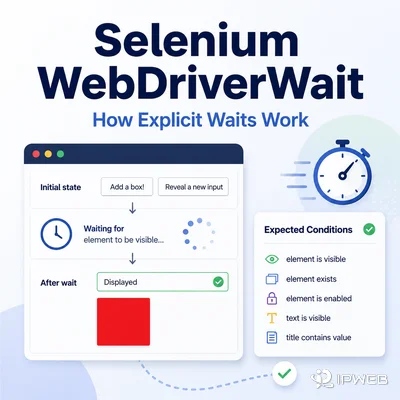
Selenium WebDriverWait: How Explicit Waits Work
Dynamic pages can change after the initial load. A Selenium command may therefore run before the element or browser state it needs is ready. WebDriverWait solves this by waiting for a specific condition instead of pausing for an arbitrary number of seconds. Quick Answer Selenium WebDriverWait is an explicit wait utility that repeatedly checks a browser condition until that condition becomes true or a timeout is reached. It is useful for JavaScript-rendered elements, delayed visibility, clickability, text changes, alerts, and other dynamic states. Unlike a fixed sleep, it can continue as soon as the required state is ready. Key Takeaways...
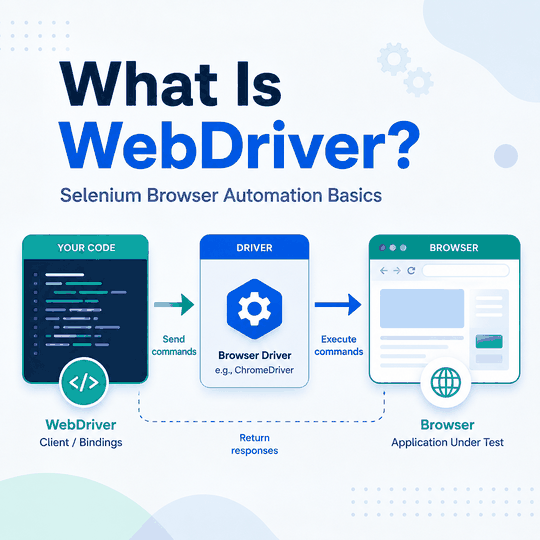
What Is WebDriver? Selenium Browser Basics
Web pages that depend on JavaScript, clicks, form input, or browser state often need more than a plain HTTP request. WebDriver gives test and automation code a standardized way to open a browser, interact with page elements, and inspect the result. Quick Answer WebDriver is a standardized way for software to control a web browser through commands such as opening a page, finding an element, clicking, typing, reading text, and closing the session. Selenium WebDriver is the best-known implementation used for browser testing and automation. WebDriver is useful when a workflow depends on real browser behavior, including JavaScript rendering and...
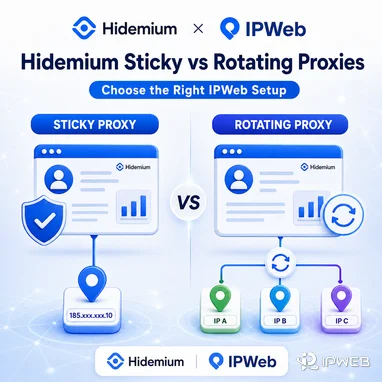
Rotating vs Sticky Proxies in Hidemium: Which IPWeb Proxy Setup Is Right for You?
If you're using IPWeb proxies with Hidemium Antidetect Browser, one of the first decisions is whether your browser profile should use a sticky proxy or a rotating proxy. The difference is simple: Sticky proxy: keeps the same IP address for a defined session. Rotating proxy: automatically changes the exit IP over time or between connections. For Hidemium users, sticky proxies are generally better when a browser profile needs a consistent network identity, while rotating proxies are more suitable for research, data collection and workflows that benefit from IP diversity. This guide explains when to use each IPWeb proxy type with...
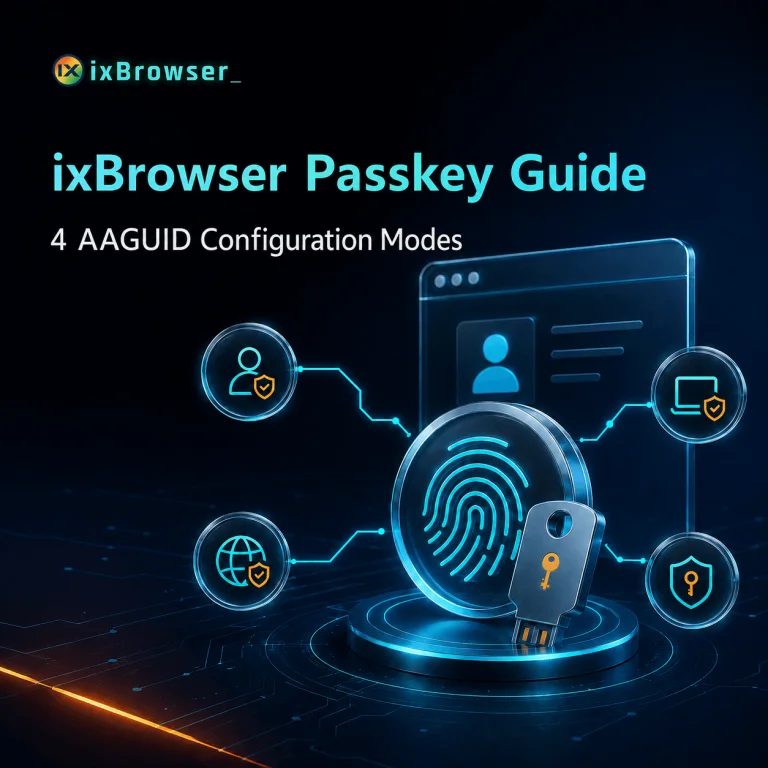
ixBrowser Exclusively Launches Passkey Module Feature
In 2026, Google Ads and Amazon are accelerating the mandatory rollout of Passkey. Starting July 15, Google Ads requires Passkey for sensitive operations (e.g., adding users, modifying billing); from August 5, API new refresh tokens must be authenticated with Passkey; and from August 19, Passkey will be mandatory for all Admin, Billing, and Standard users. Amazon, meanwhile, fully opened Passkey login for Seller Central to global sellers in July and plans to mandate it for some stores starting in the second half of this year. These timelines make it clear: Passkey has moved from optional to mandatory. For multi-account operators,...

MostLogin Honest Review 2026
MostLogin is one of the more ambitious newcomers in the antidetect-browser market. Instead of offering only isolated browser profiles, it combines desktop fingerprints, team collaboration, automation APIs, Android cloud phones, and AI-agent integration in one platform. That breadth is its biggest advantage - and also the reason to approach it carefully. MostLogin looks remarkably capable for its price, but it is still a young product without the long operating history or extensive independent testing of established competitors. Review basis: MostLogin's desktop client experience, published pricing, and available third-party reports reviewed. Quick verdict Overall rating: 8.6/10 MostLogin is an attractive choice...

CAPTCHA Solver for Proxy & Automation Teams | CaptchaAI
A proxy may keep the IP stable, the browser may remain connected, and the automation script may be running exactly as expected. Then a CAPTCHA appears—and the entire workflow pauses. That is where CaptchaAI fits. CaptchaAI adds a dedicated CAPTCHA-handling layer to proxy-based and browser automation workflows. It works alongside the proxy, browser profile, and automation software already in use, so teams can handle supported CAPTCHA challenges without rebuilding their complete setup. The Missing Layer in Proxy Automation A proxy and a CAPTCHA solver solve two different problems. The proxy controls the network route and IP address. The automation platform...
FlashID Review 2026: Best Anti-Detect Browser for Managing Multiple Accounts at Scale
In today's hyperconnected world, cross-border e-commerce and social media marketing have become essential growth drivers for modern businesses. However, global teams often face serious challenges such as: Complex and risky multi-account management Expensive physical device setups with limited scalability Frequent account suspensions disrupting operations Repetitive manual tasks that drain productivity Fragmented tools (browser + proxy + device) leading to inconsistent environments and increased detection risk FlashID was built to solve these problems. It provides an integrated, secure, cloud-based environment that unifies browser, proxy, and device layers into one system, empowers teams to manage multiple accounts, automate workflows, and scale operations...
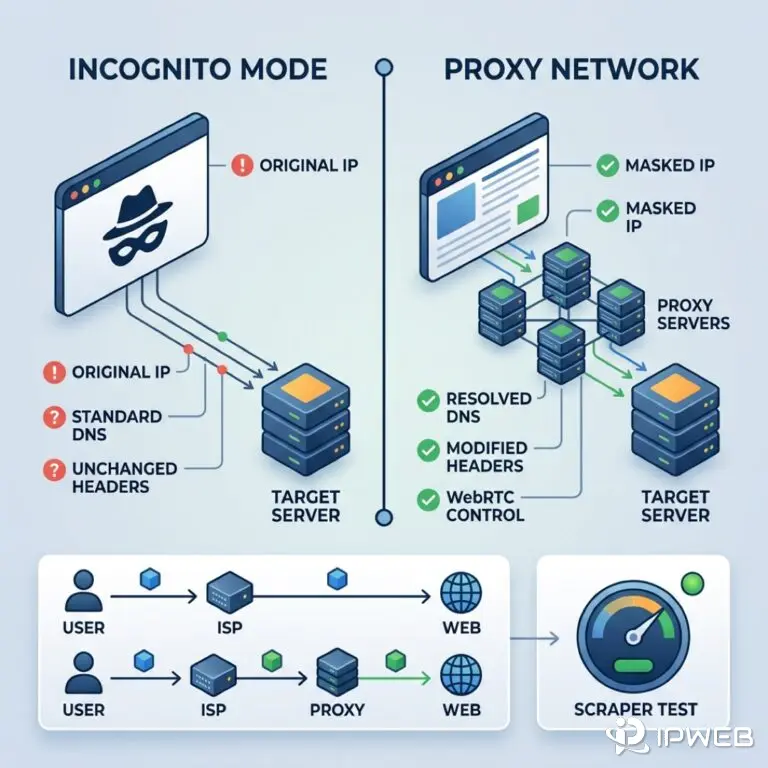
Chrome Incognito vs Proxy: IP, DNS, and Header Differences
Table of Contents 1. What Chrome Incognito Actually Does (and Doesn't Do) 2. What a Web Browser Anonymous Proxy Changes 3. Side-by-Side Comparison: Incognito vs. Proxy vs. Both 4. The WebRTC and DNS Leak Problem in Chrome 5. Why E-Commerce and Ad Verification Teams Need More Than Incognito 6. How to Test Your Chrome Anonymity (Step-by-Step) 7. Frequently Asked Questions (FAQ) Many teams assume a Chrome private window lets them browse anonymously. It does not. Incognito browsing only isolates local session state — your exit IP, DNS queries, and network fingerprint stay on the wire. Scraping, ad verification, or multi-account...