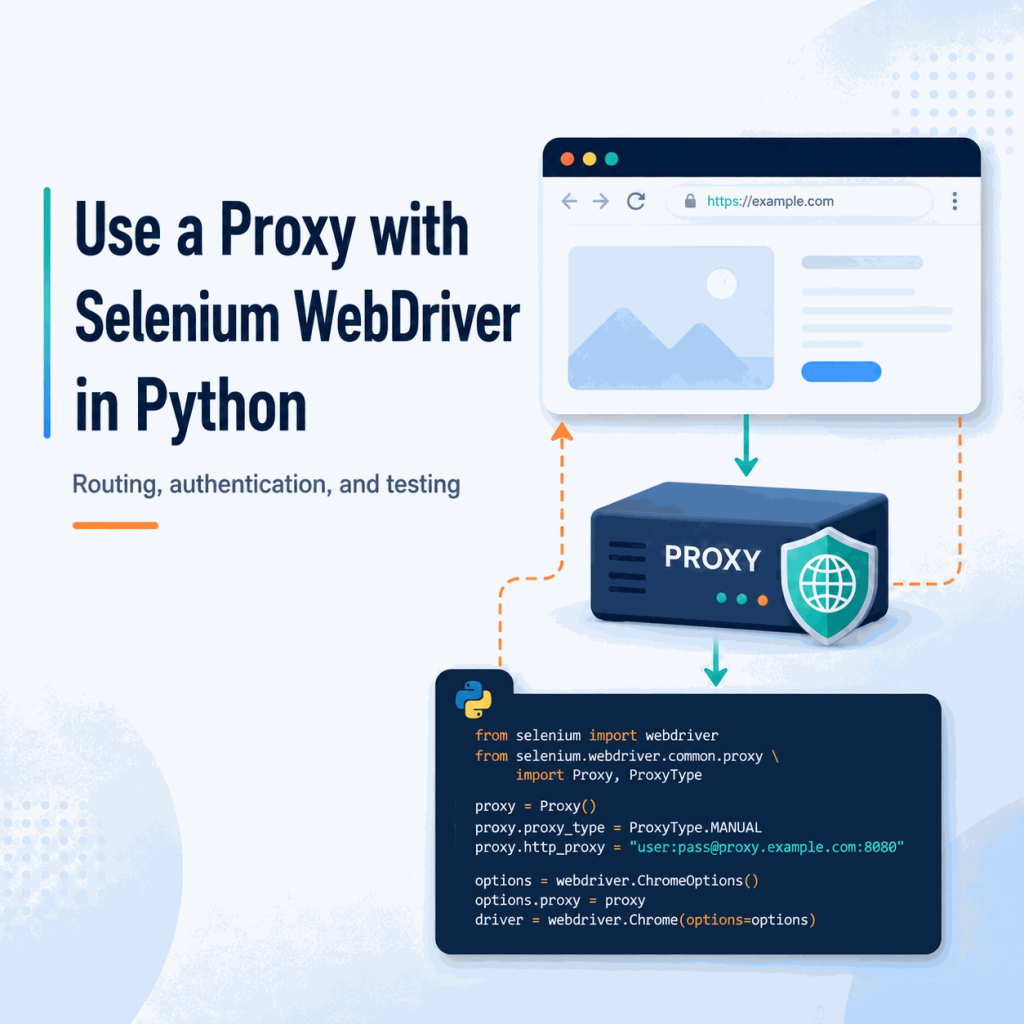
A Selenium script can control Chrome correctly and still send every browser request through your normal internet connection. If the workflow needs a different network route for regional QA, public-web testing, or another authorized browser task, the proxy has to be attached to the WebDriver session itself and then verified inside that same browser.
For a proxy that only needs a host and port, set Selenium's Proxy object on ChromeOptions before creating the driver. For a username/password proxy, current Selenium 4 can combine the proxy capability with a WebDriver BiDi authentication handler; Python's high-level BiDi network authentication API was added in Selenium 4.45. After the browser starts, open an IP-check endpoint inside that Selenium session and confirm that the visible IP changed before running the real workflow.
A proxy changes the browser's network route. It does not automatically change cookies, account state, browser fingerprint, device identity, or a website's access policy.
- Configure the proxy before
webdriver.Chrome()creates the browser session. - Use Selenium's standard
Proxycapability for host-and-port routing instead of relying on old driver-manager workarounds. - HTTP proxy credentials are a separate problem from proxy routing; do not assume
user:pass@host:portwill work as a universal Selenium setting. - On Selenium 4.45+, WebDriver BiDi can handle authentication challenges programmatically when BiDi is enabled.
- Verify the route inside the controlled browser, not in a separate browser or terminal.
- Treat proxy choice as session configuration: when you need another route, creating a new WebDriver session is the clearest pattern.
What a Selenium Proxy Changes
A Selenium proxy changes the network path used by the browser session that WebDriver launches. Requests leave through the configured proxy endpoint, so the destination normally sees the proxy's public IP rather than the public IP of the machine running Selenium.
This setting is narrower than the entire browser environment. A different IP address does not automatically change cookies, account region, language, timezone, WebRTC behavior, device characteristics, or application permissions. That distinction matters when a page still behaves differently after the visible IP has changed.
Selenium's current Browser Options documentation exposes proxy configuration as a WebDriver capability. In Python, the standard path is to create a Proxy object and attach it to the browser options before the session starts.
What You Need Before You Start
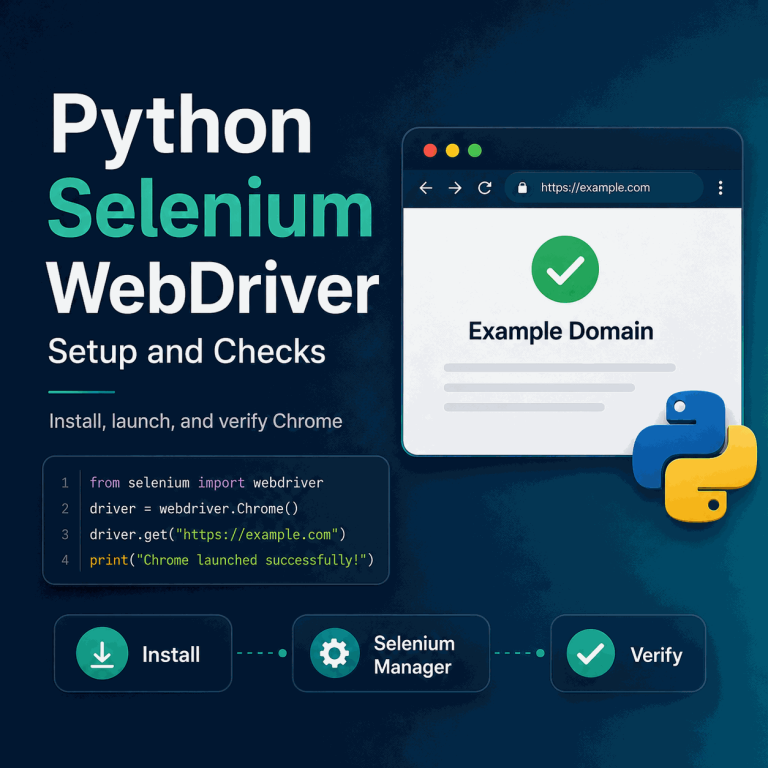
Make sure your Selenium setup works before adding proxy routing. If you have not tested the browser session yet, start with the Python Selenium WebDriver setup guide. Once the browser starts normally, you can add the proxy endpoint and verify the visible IP.
| Value | Example | Why it matters |
|---|---|---|
| Host | proxy.example.com |
The proxy gateway Selenium will send browser traffic to. |
| Port | 8080 |
The listening port for the selected proxy protocol. |
| Protocol | HTTP, HTTPS, or SOCKS5 | The browser configuration must match the endpoint type your provider supplies. |
| Username | your_username |
Required when the proxy authenticates with credentials. |
| Password | your_password |
Used together with the username for an authenticated proxy. |
| Expected route | Country, ASN, or known exit IP | Gives you something concrete to compare against after the browser opens. |
Do not hard-code production credentials in a repository. Environment variables or a secrets manager make it easier to keep the script reusable without exposing the proxy password.
Set an Unauthenticated Proxy with Selenium
For a proxy that does not require username/password authentication, Selenium's built-in proxy capability is enough. The current Python API exposes manual HTTP, SSL, and SOCKS settings through selenium.webdriver.common.proxy.Proxy.
from selenium import webdriver
from selenium.webdriver.common.by import By
from selenium.webdriver.common.proxy import Proxy, ProxyType

PROXY_SERVER = "proxy.example.com:8080"

proxy = Proxy({
    "proxyType": ProxyType.MANUAL,
    "httpProxy": PROXY_SERVER,
    "sslProxy": PROXY_SERVER,
})

options = webdriver.ChromeOptions()
options.proxy = proxy

driver = webdriver.Chrome(options=options)

try:
    driver.get("https://httpbin.org/ip")
    print(driver.find_element(By.TAG_NAME, "body").text)
finally:
    driver.quit()
The same endpoint is used above for HTTP and HTTPS destination traffic. If your provider gives different endpoints or protocols, use the values supplied for that account rather than assuming one host and port applies to everything.
Chrome-Only Shortcut: --proxy-server
Chrome also accepts a proxy server through a command-line argument. This is convenient for a simple host-and-port proxy, but it does not solve username/password authentication by itself.
from selenium import webdriver

options = webdriver.ChromeOptions()
options.add_argument("--proxy-server=http://proxy.example.com:8080")

driver = webdriver.Chrome(options=options)
For reusable Selenium code, the standard Proxy capability is easier to reason about because the network setting lives with the WebDriver options instead of a browser-specific command-line flag.
Verify the Proxy Inside the Selenium Browser
A proxy setup is not confirmed until the controlled browser shows the expected route. Run the check inside the same Selenium session because a proxy configured for WebDriver does not automatically apply to your normal browser, terminal, or another Python HTTP client.
driver.get("https://httpbin.org/ip")

visible_ip = driver.find_element(By.TAG_NAME, "body").text
print(visible_ip)
Compare the returned IP with your direct connection or the route information supplied by the proxy service. If the IP remains unchanged, check the active Selenium options before changing unrelated browser settings.
For a broader validation workflow, IPWeb's guide on how to check if a proxy is working explains how to compare the visible IP, country, ISP, ASN, protocol, and test environment. The important rule is the same: test in the exact browser or application where the proxy is configured.
Use an Authenticated Proxy with WebDriver BiDi
Username/password proxy authentication is separate from setting the proxy address. Selenium's HTTP and SSL proxy fields define where traffic should go, but they do not expose generic HTTP proxy username and password fields. Current WebDriver BiDi provides a cleaner way to answer the authentication challenge after the proxy requests credentials.
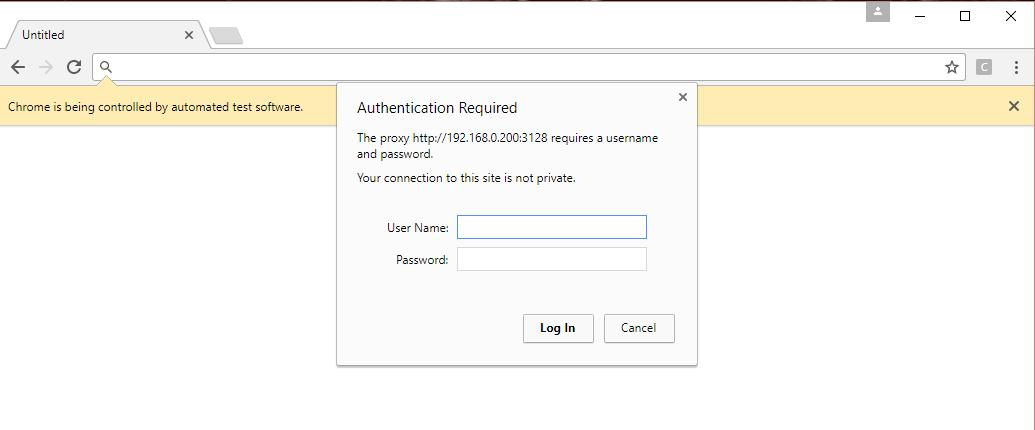
Python gained high-level BiDi network request, response, and authentication handlers in Selenium 4.45. The current API exposes driver.network.add_auth_handler(username, password). WebDriver BiDi's network specification treats both normal HTTP authentication and a 407 Proxy Authentication Required response as authentication challenges.
Update Selenium before using this approach:
python -m pip install -U seleniumThen enable BiDi, attach the proxy route, register the authentication handler, and navigate only after the handler is ready:
import os

from selenium import webdriver
from selenium.webdriver.common.by import By
from selenium.webdriver.common.proxy import Proxy, ProxyType

PROXY_HOST = "proxy.example.com"
PROXY_PORT = "8080"
PROXY_USERNAME = os.environ["PROXY_USERNAME"]
PROXY_PASSWORD = os.environ["PROXY_PASSWORD"]

proxy = Proxy({
    "proxyType": ProxyType.MANUAL,
    "httpProxy": f"{PROXY_HOST}:{PROXY_PORT}",
    "sslProxy": f"{PROXY_HOST}:{PROXY_PORT}",
})

options = webdriver.ChromeOptions()
options.enable_bidi = True
options.proxy = proxy

driver = webdriver.Chrome(options=options)
auth_handler_id = driver.network.add_auth_handler(
    PROXY_USERNAME,
    PROXY_PASSWORD,
)

try:
    driver.get("https://httpbin.org/ip")
    print(driver.find_element(By.TAG_NAME, "body").text)
finally:
    driver.network.remove_auth_handler(auth_handler_id)
    driver.quit()
This example targets current Selenium with WebDriver BiDi enabled. BiDi support is still evolving across browsers and remote environments, so test the exact browser, Selenium version, and Grid or CI configuration you plan to use before treating the setup as production-ready.
If your proxy service supports source-IP allowlisting, that can be simpler in a server or CI environment with a stable public egress IP because the browser does not need to answer a credential challenge. IP allowlisting and proxy username/password authentication authorize different parts of the connection; the IP allowlisting guide explains the distinction.
Use an IPWeb Proxy Endpoint
An IPWeb proxy string may be presented in the form host:port:username:password. For Selenium, split those values instead of pasting the entire four-part string into httpProxy.
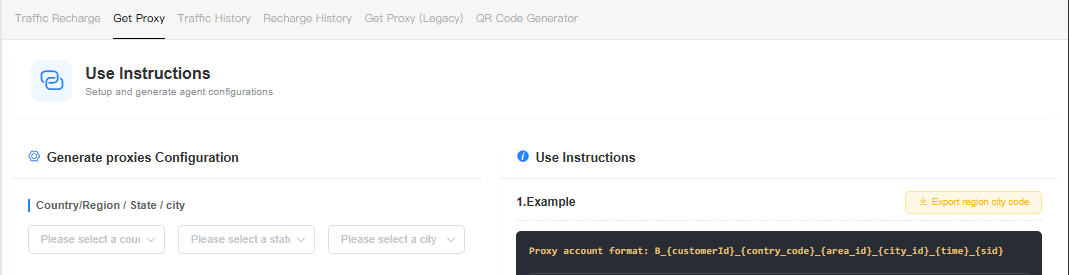
gate1.ipweb.cc:7778:your_username:your_passwordThat example maps to:
| Field | Value |
|---|---|
| Proxy host | gate1.ipweb.cc |
| Proxy port | 7778 |
| Username | your_username |
| Password | your_password |
Use the host and port in Selenium's proxy capability, then supply the username and password through the authentication method that fits the environment. Keep real credentials in environment variables rather than in screenshots, source control, or published code.
What About SOCKS5 Proxies?
Selenium's Python proxy API also exposes SOCKS settings, including SOCKS username, password, and version fields. A SOCKS5 configuration can look like this:
from selenium import webdriver
from selenium.webdriver.common.proxy import Proxy, ProxyType

proxy = Proxy({
    "proxyType": ProxyType.MANUAL,
    "socksProxy": "proxy.example.com:1080",
    "socksVersion": 5,
    "socksUsername": "your_username",
    "socksPassword": "your_password",
})

options = webdriver.ChromeOptions()
options.proxy = proxy

driver = webdriver.Chrome(options=options)
Browser and provider behavior can differ, especially around SOCKS authentication, DNS handling, and remote WebDriver environments. Confirm that SOCKS5 is enabled for the endpoint and verify the visible route before building the rest of the workflow.
Rotate Proxies Between Selenium Sessions
When you need a different route, the clearest pattern is to create a new WebDriver session with a new proxy configuration. The proxy capability is supplied when the browser session is created, so session-level rotation keeps the code predictable and avoids trying to mutate a live browser's network setup.
from selenium import webdriver
from selenium.webdriver.common.by import By
from selenium.webdriver.common.proxy import Proxy, ProxyType

proxy_servers = [
    "proxy-a.example.com:8080",
    "proxy-b.example.com:8080",
    "proxy-c.example.com:8080",
]

for proxy_server in proxy_servers:
    proxy = Proxy({
        "proxyType": ProxyType.MANUAL,
        "httpProxy": proxy_server,
        "sslProxy": proxy_server,
    })

    options = webdriver.ChromeOptions()
    options.proxy = proxy

    driver = webdriver.Chrome(options=options)

    try:
        driver.get("https://httpbin.org/ip")
        print(driver.find_element(By.TAG_NAME, "body").text)
    finally:
        driver.quit()
Do not rotate simply because rotation is available. A multi-step workflow may need the same exit route for the whole browser session, while a regional comparison may intentionally use separate sessions for different routes. If the proxy provider offers gateway-managed rotation or sticky sessions, use those session rules instead of inventing client-side switching logic.
Which Proxy Type Fits a Selenium Workflow?
The better proxy type depends on whether the Selenium workflow needs route diversity, session continuity, or a simple infrastructure-level connection. Choose based on the browser task rather than assuming one proxy category is best for every script.
| Workflow | Route style | Why it fits | What to watch for |
|---|---|---|---|
| Regional QA or public-page comparison | Residential route with location and session controls | Useful when separate sessions need different approved country or city routes. | Keep locale, cookies, and account state separate from the IP result. |
| Short independent browser jobs | Rotating or short sticky sessions | Lets each new browser task start with a controlled route. | Verify whether the provider rotates by request, session, or credential rule. |
| Long multi-step test | Stable or sticky route | Keeps the same egress path while the browser moves through several steps. | Do not change the route halfway through a workflow that depends on continuity. |
| Internal or infrastructure QA | Datacenter or organization-managed proxy | Often simpler when the goal is controlled network routing rather than residential location. | Confirm firewall, authentication, and corporate policy requirements. |
For authorized regional checks and public-web workflows that need location targeting plus rotating or sticky session controls, IPWeb Dynamic Residential Proxies support HTTP, HTTPS, and SOCKS5 endpoints. Start with a small route check in Selenium before increasing the number of browser sessions.
Common Selenium Proxy Errors
Proxy failures become easier to diagnose when routing, authentication, browser startup, and page timing are treated as separate layers. Increasing a timeout will not fix a wrong password, and changing proxy providers will not fix a Selenium session that never received the proxy setting.
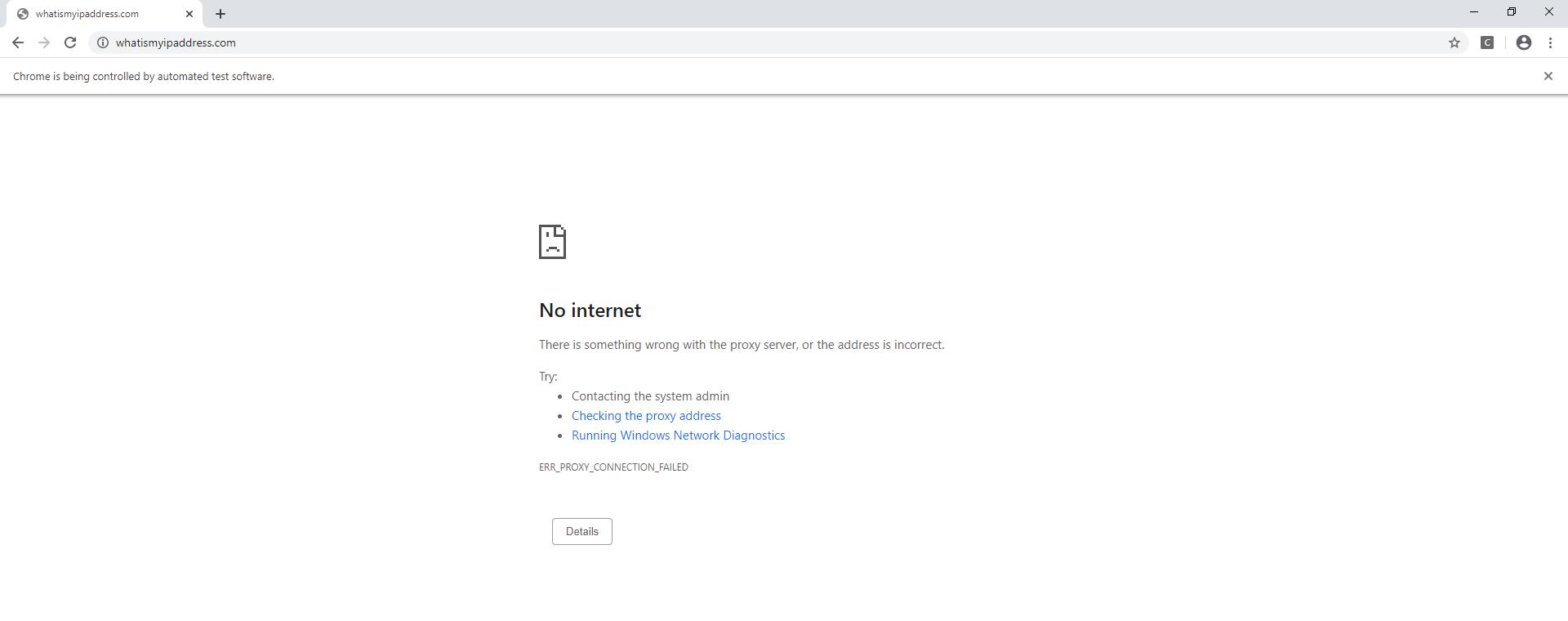
ERR_PROXY_CONNECTION_FAILED indicates that Chrome could not establish a connection to the configured proxy endpoint. Source: Seif Fahmy on Stack Overflow, CC BY-SA 4.0.| Problem | Likely Cause | How to Check | What to Do Next |
|---|---|---|---|
407 Proxy Authentication Required |
Credentials are missing, wrong, or the auth handler was not active before navigation. | Confirm username/password values and whether BiDi is enabled. | Register the authentication handler before the first proxied navigation. |
ERR_PROXY_CONNECTION_FAILED |
Wrong host, port, protocol, unreachable gateway, or blocked outbound connection. | Recheck the endpoint and test whether the machine can reach the proxy gateway. | Correct the endpoint or network rule before debugging Selenium locators. |
| Your normal IP still appears | The proxy was not applied to the WebDriver session being tested. | Open the IP test inside the same controlled browser window. | Inspect options.proxy and create a new driver after correcting it. |
| Navigation times out | Slow route, unavailable proxy, slow target, or page-load behavior. | Test the proxy against a simple IP endpoint before the target page. | Separate network latency from element waits and page-specific loading issues. |
| Selenium Manager cannot obtain ChromeDriver | The machine cannot reach Selenium's driver metadata or download endpoints. | Check Selenium Manager logs and the machine's outbound network path. | Use a current Selenium version and configure Selenium Manager's own proxy with SE_PROXY when required. |
| IP changes but page behavior does not | The page may also depend on cookies, account settings, language, timezone, or application policy. | Confirm the route first, then inspect non-IP state separately. | Do not assume another proxy will fix a non-network cause. |
If the proxy route is working but Selenium still tries to use an element before it is ready, handle that separately with an explicit wait. See the Selenium WebDriverWait guide for condition-based waits and timing issues.
When Selenium Manager Needs Its Own Proxy
Selenium Manager may need network access before the browser session exists so it can discover or download a compatible driver. Its current configuration supports an HTTP proxy through the SE_PROXY environment variable, including an authenticated value such as myuser:mypass@myproxy:port.
# Linux / macOS
export SE_PROXY="myuser:mypass@myproxy:port"

# Windows PowerShell
$env:SE_PROXY="myuser:mypass@myproxy:port"
This setting is for Selenium Manager's own network connection. It is separate from the proxy capability used by the Chrome session you create afterward.
Practical Selenium Proxy Checklist
- Confirm Selenium and the browser start normally without the proxy first.
- Copy the proxy host, port, protocol, and authentication method exactly.
- Attach the proxy to
ChromeOptionsbefore creatingwebdriver.Chrome(). - For an authenticated HTTP proxy on current Selenium, enable BiDi and register the auth handler before navigation.
- Keep usernames and passwords in environment variables or a secrets manager.
- Open an IP-check endpoint inside the same Selenium browser session.
- Confirm the visible IP and expected country or network before testing the target page.
- Use a new WebDriver session when you deliberately need a different route.
- Troubleshoot proxy routing before changing locators, waits, or page logic.
Frequently Asked Questions
Proxy class for manual HTTP, SSL, SOCKS, PAC, system, and other supported proxy modes. Configure it on the browser options before the WebDriver session starts.Final Thoughts
A reliable Selenium proxy setup has four separate steps: configure the route, handle authentication when required, verify the visible IP inside the same WebDriver session, and only then run the browser workflow. Current Selenium makes the first step straightforward with the standard Proxy capability, while newer WebDriver BiDi network APIs give Python a maintained path for authentication challenges.
Keep proxy routing in its proper scope. It can change the network path used by Selenium, but it cannot guarantee that a website will accept the connection or override account, application, legal, or platform-level rules. When a test fails after the route is confirmed, inspect the actual browser and response state before changing the proxy again.