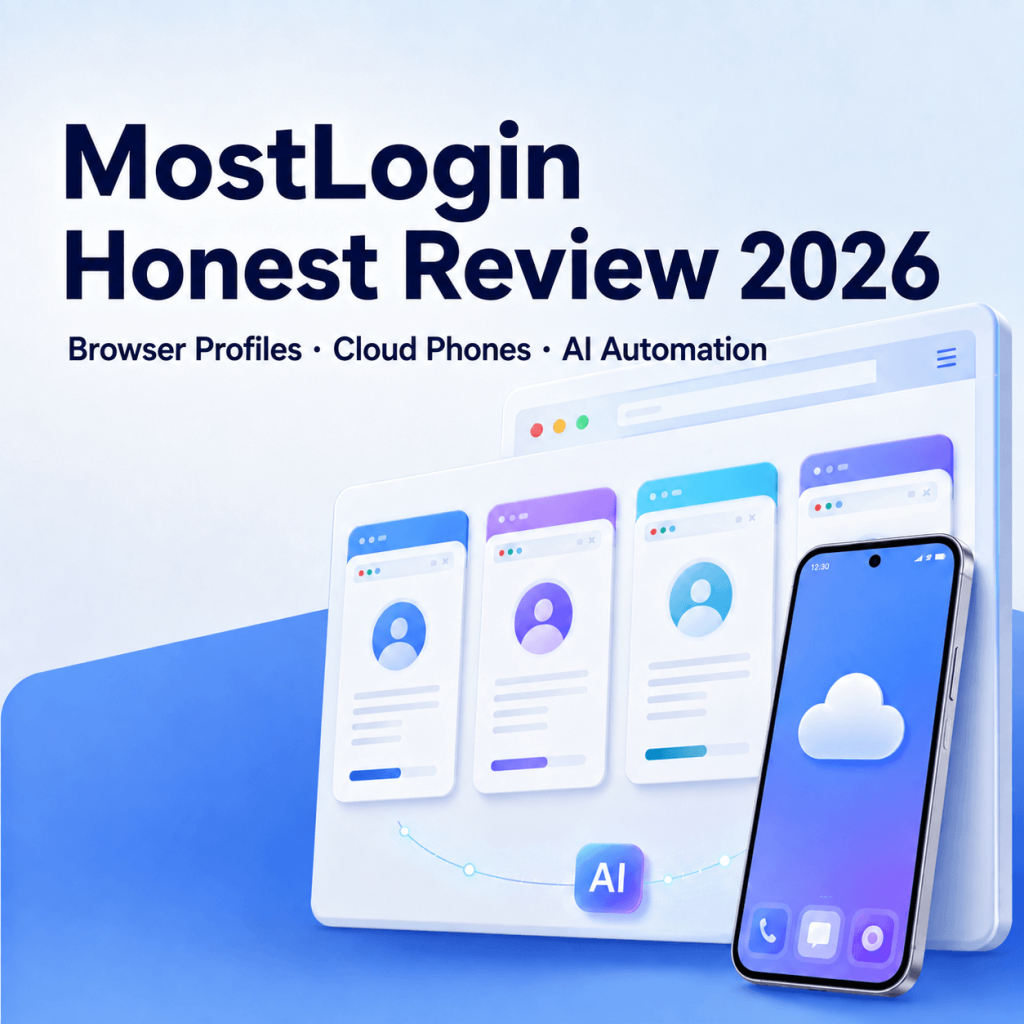
MostLogin is one of the more ambitious newcomers in the antidetect-browser market. Instead of offering only isolated browser profiles, it combines desktop fingerprints, team collaboration, automation APIs, Android cloud phones, and AI-agent integration in one platform.
That breadth is its biggest advantage – and also the reason to approach it carefully. MostLogin looks remarkably capable for its price, but it is still a young product without the long operating history or extensive independent testing of established competitors.
Review basis: MostLogin’s desktop client experience, published pricing, and available third-party reports reviewed.
Quick verdict
MostLogin is an attractive choice for cost-conscious users who want browser profiles and cloud phones in one workspace. Its low pricing, user friendly interface, API access on every plan, and AI integration give it considerable potential.
However, fingerprint consistency, synchronization, security maturity, and large-scale reliability still need more independent validation. It is sensible to test MostLogin with low-risk workflows before migrating valuable accounts or sensitive client data.
| Category | Rating |
|---|---|
| Browser fingerprinting | 7.5/10 |
| User friendliness | 8/10 |
| Pricing | 9/10 |
| Automation | 7/10 |
| Cloud phone | 8/10 |
| Ecosystem | 7/10 |
| AI capabilities | 8/10 |
1. Antidetect browser and fingerprint quality
MostLogin provides the core controls expected from a modern antidetect browser. Each profile has separate cookies, cache, local storage, proxy settings, and fingerprint parameters. Configurable signals include the operating system, user agent, language, timezone, screen resolution, fonts, Canvas, WebGL, AudioContext, and WebRTC behavior. It also includes features such as port-scan protection and proxy-IP-based location settings.
This is strong feature coverage, but a long settings list does not automatically produce a convincing fingerprint. The important question is whether all those values remain internally consistent. A Windows user agent paired with implausible graphics, fonts, screen properties, or network behavior can be more suspicious than an ordinary browser. MostLogin shows a very good quality of browser fingerprints by some famous test platforms like BrowserScan, ToDetect, and etc.
Verdict: The fingerprint controls are comprehensive, but high-value users should test profiles with multiple fingerprint-checking services and the actual target platform before deployment. No antidetect browser can guarantee that accounts will be undetectable or immune from suspension.
2. Is MostLogin user-friendly?
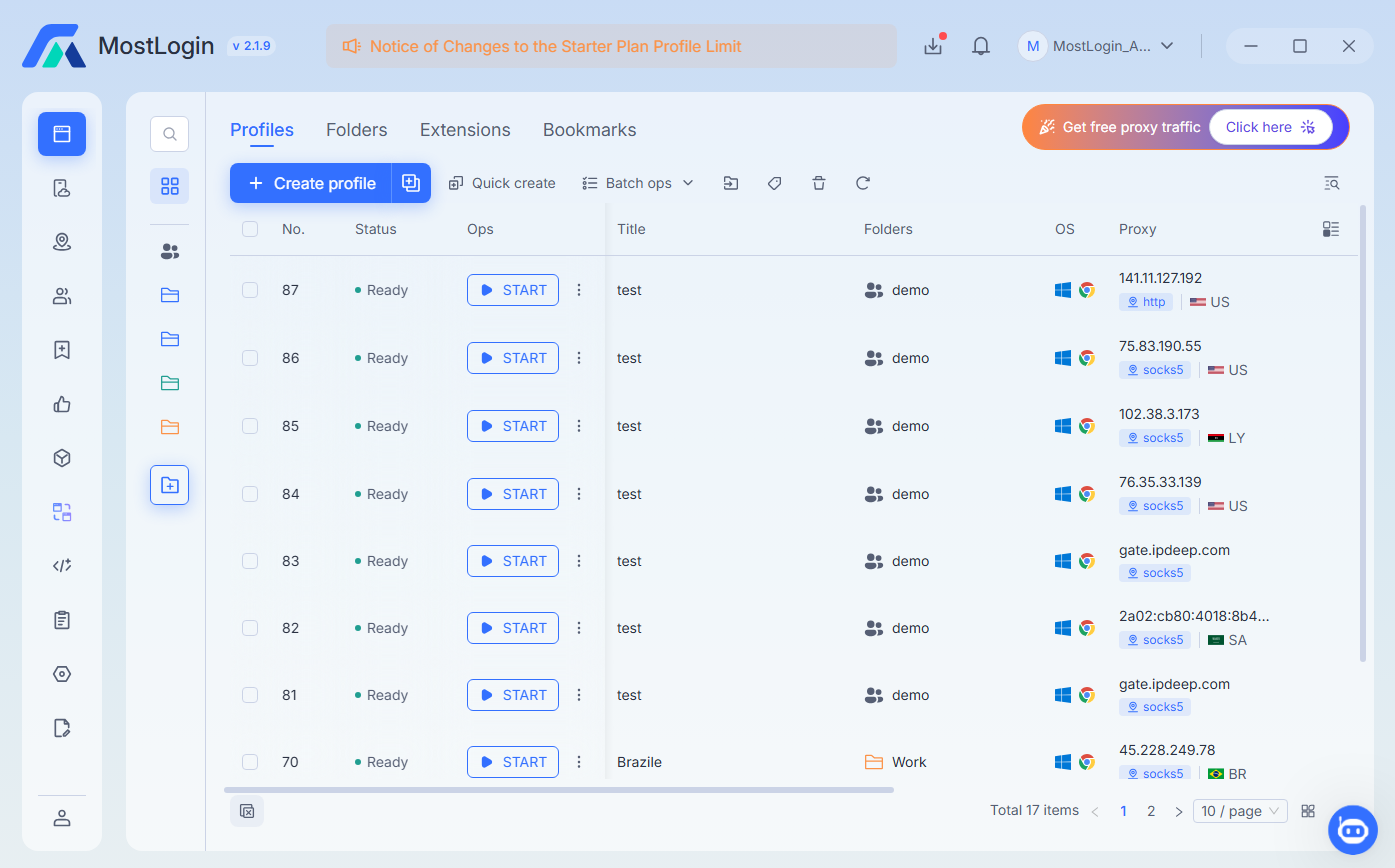
MostLogin’s interface is relatively approachable. Profiles, proxies, tags, team access, and cloud phones are brought together in one desktop application. Beginners can use recommended fingerprint settings, while experienced operators can customize individual parameters.
Batch profile management and proxy parsing reduce repetitive setup. Profiles can be shared across devices, and the product supports Windows and macOS clients.
The downside is that the product has accumulated several layers – profiles, environments, proxies, teams, cloud phones, billing balances, and automation. The basic workflow is easy, but operating the full platform requires some learning. Bookmark synchronization also has personal, shared, and member-specific modes. In shared mode, the last person to close the profile determines the saved bookmark state, so teams need clear procedures to avoid accidental overwrites.
Verdict: Friendly enough for beginners at small and large scale. Just want to mention that teams should establish clear rules for profile ownership, proxy assignment, and synchronized data.
3. Pricing and value
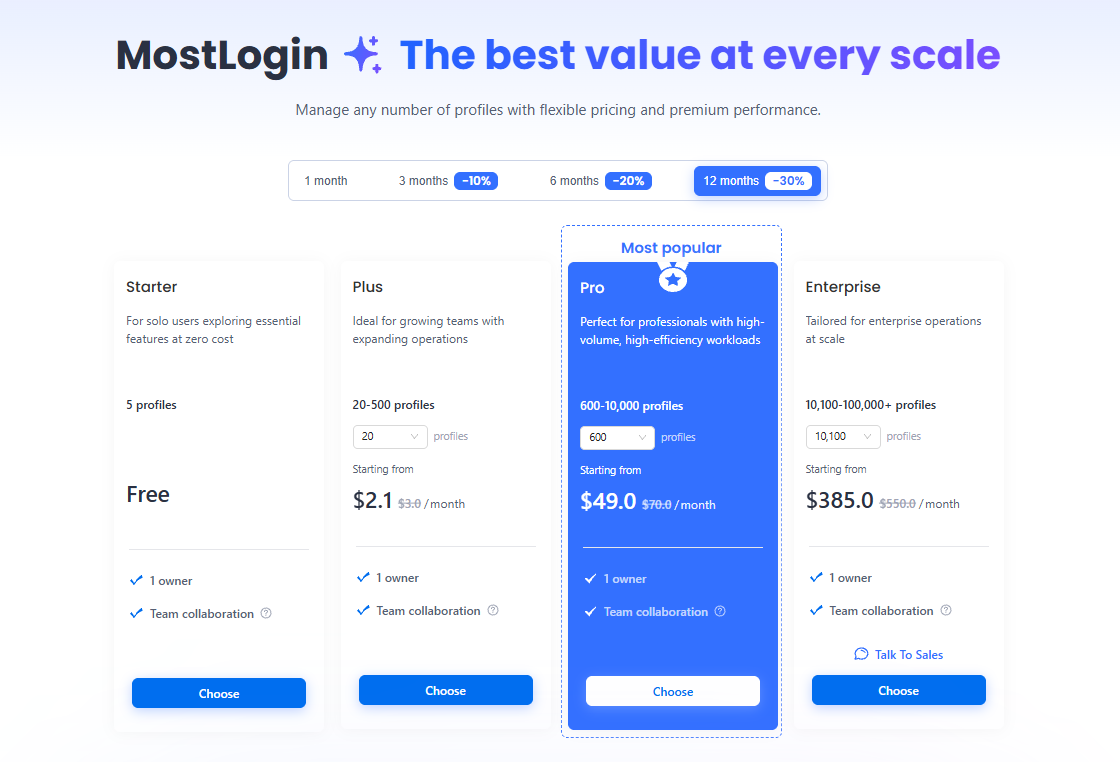
Pricing is arguably MostLogin’s strongest selling point. At the time of writing, the published plans include:
- Starter: five profiles for free.
- Team: 20-500 profiles, starting at $3 per month on monthly billing or an advertised $2.10 monthly equivalent with the annual discount.
- Pro: 600-10,000 profiles, starting at $70 per month or $49 monthly equivalent on an annual term.
- Enterprise: 10,100-100,000+ profiles, starting at $550 per month or $385 monthly equivalent annually.
API access is included across all plans, although published local API rate limits rise from two requests per second on Starter to 20 per second on Enterprise. Discounts are advertised for three-, six-, and twelve-month commitments.
The pricing is unusually aggressive, especially for hundreds or thousands of profiles. Buyers should still calculate the complete operating cost: proxies are separate, cloud phones have their own device and environment charges, and annual pricing requires a longer commitment to a comparatively new platform.
Verdict: Excellent profile-to-price value. Start monthly or free, validate performance, and only then consider an annual commitment.
4. Automation
MostLogin has a documented REST API and local API for profile creation, proxy configuration, fingerprint updates, profile launching, and session management. Its documentation also references integration with Selenium and Puppeteer. The browser-profile API exposes a detailed profile model, which is encouraging for developers building internal tools.
What is currently missing is an established, mature no-code automation layer. MostLogin’s published feature comparison marks RPA workflows as coming soon. This puts it behind products that already provide visual automation builders, task marketplaces, or long-tested synchronization tools.
The API rate limits could also matter at scale. Two to ten requests per second is enough for ordinary administration, but large fleets may need queues, retries, and careful concurrency management.
Verdict: Promising for technical teams comfortable with APIs, Selenium, or Puppeteer.
5. Cloud phone
The cloud-phone product is a genuine differentiator. It provides remote Android environments for workflows that depend on mobile apps rather than browser sessions. A recommended fingerprint is applied automatically, with customization available when required.
MostLogin publishes two device-billing models:
- Subscription: $25 per device per month before longer-term discounts.
- On-demand rental: $0.10 per 15 minutes, capped at $1.60 per device per day.
Each Android environment also costs approximately $0.02-$0.03 per 24 hours. Cloud phones currently require a working SOCKS5 proxy. MostLogin warns that suspended rental devices may continue accumulating charges and that unpaid environments can be deleted.
The combination of browser profiles and Android devices is convenient for teams managing both websites and mobile applications. Nevertheless, a cloud Android environment should not automatically be treated as indistinguishable from physical hardware. Platforms can evaluate device attestation, sensors, network reputation, behavior, and other signals beyond the visible fingerprint.
Verdict: One of MostLogin’s most useful features, particularly for mixed web-and-mobile operations. Test the target apps carefully before scaling.
6. Ecosystem and team operations
MostLogin supports HTTP, HTTPS, and SOCKS proxies for browser profiles, along with dynamic proxy extraction and third-party provider integrations. Proxy assets can be private, viewable by the team, or editable by the team. Profiles can be grouped, tagged, shared, synchronized, and controlled through permissions.
The ecosystem is still smaller than those of older competitors. There are fewer community templates, tutorials, third-party integrations, experienced consultants, and long-term troubleshooting discussions. Much of the available content comes from MostLogin itself, proxy companies, or direct competitors, all of which have commercial incentives.
Windows and macOS support covers most desktop teams, but there is no native mobile management app listed on the official download page. Linux users are also not served by the current public desktop downloads.
Verdict: The core ecosystem is functional, especially around proxies and team collaboration.
7. AI perspective
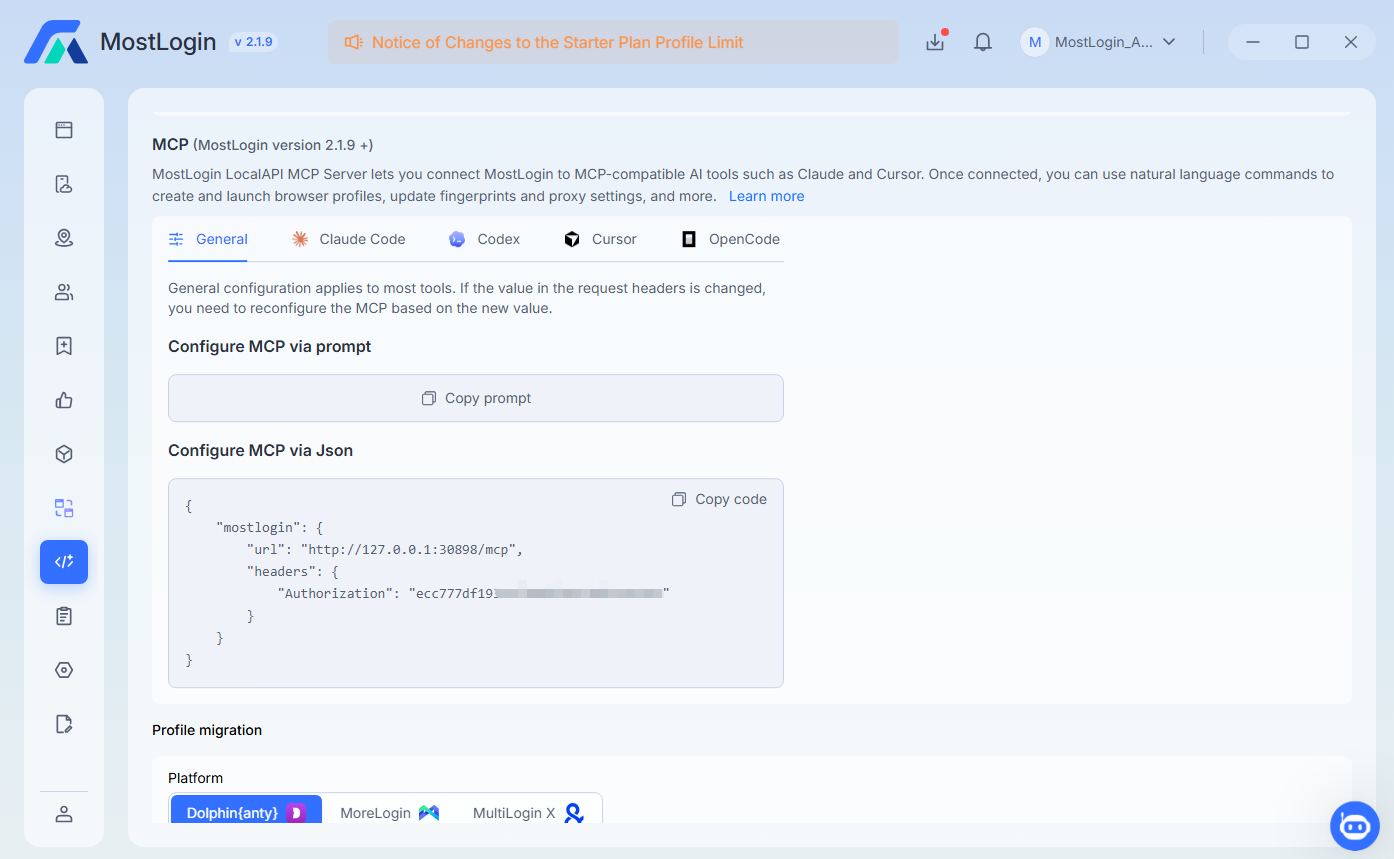
MostLogin’s most interesting forward-looking feature is its MCP server. MCP allows compatible AI tools – including Codex, Claude Code, Cursor, and OpenCode – to interact with the local MostLogin API.
In practical terms, an AI agent can receive natural-language instructions to create profiles, configure proxies, update fingerprints, launch environments, or manage cookies and user agents. This is more meaningful than simply adding a chatbot to the interface: MCP can make MostLogin part of a larger agent-driven workflow.
Verdict: The MCP integration is innovative and potentially valuable for developers and the users who prefer no-code automation. Today it is best viewed as an automation interface, not autonomous account-management intelligence.
Pros and cons
Pros
- Very competitive pricing, including a useful free plan.
- Browser profiles and Android cloud phones in one product.
- Detailed fingerprint and proxy controls.
- API access included on every plan.
- Batch management and team permissions.
- Windows and macOS support.
- Forward-looking MCP integration for AI agents.
- Flexible cloud-phone subscription and on-demand billing.
Cons
- No published built-in no-code RPA system yet.
- No publicly listed Linux or mobile management client.
Final verdict: Is MostLogin worth using?
Yes – MostLogin is worth using. It offers an unusually broad toolkit at a very low entry price, and its combination of browser profiles, cloud phones, API automation, and AI-agent connectivity is genuinely compelling.
The sensible approach is to create a small group of profiles, use high-quality consistent proxies, test synchronization across devices, check fingerprint behavior after browser updates, and monitor the environments for several weeks. If they remain stable, scale gradually.
MostLogin offers one of the most ambitious feature sets per dollar – and could become a serious competitor if its reliability matures as quickly as its feature list.