
When a QA script, regional test, or approved data workflow sends repeated requests from the same corporate network, the destination may start returning different content, CAPTCHA challenges, or 403 Forbidden responses. The issue is not always the IP address alone. Header handling, DNS behavior, session consistency, proxy protocol, request rate, and IP reputation can all shape how a connection is evaluated.
An anonymous proxy server routes traffic through an intermediary gateway, so the destination usually sees the proxy's exit IP instead of the client's direct public IP. That sounds simple, but in production, the details matter. A proxy server also needs to handle HTTP headers, HTTPS tunnels, SOCKS5 traffic, DNS resolution, authentication, and session behavior in a predictable way.
This guide looks at the server-side of anonymous proxies: how proxy gateways work, how HTTP and SOCKS5 differ, how proxy pools are managed, and what teams should test before using anonymous proxy servers in real business workflows. For a broader explanation of proxy anonymity levels, read our guide to what an anonymous proxy is.
- An anonymous proxy server works as a gateway between your client and the destination server, so the destination normally sees the proxy exit IP instead of your direct public IP.
- HTTP proxies can control forwarding behavior and header policy, while HTTPS traffic commonly uses the
CONNECTmethod to create a tunnel. - SOCKS5 relays TCP traffic and can support UDP without reading HTTP headers, but it does not guarantee full anonymity on its own.
- Production proxy setups usually rely on authenticated endpoints, exit IP pools, session rules, health checks, and location controls.
- DNS behavior, WebRTC, TLS fingerprints, browser signals, request patterns, and IP reputation can still affect how a connection is classified.
- 1. What Is an Anonymous Proxy Server?
- 2. How Anonymous Proxy Servers Work
- 3. HTTP, HTTPS CONNECT, and SOCKS5
- 4. Datacenter vs. Residential Proxy Servers
- 5. Business Use Cases for Anonymous Proxy Servers
- 6. How to Configure and Test a Proxy Server
- 7. Preventing IP and Metadata Leaks
- 8. How to Choose an Anonymous Proxy Service
- 9. Frequently Asked Questions
1. What Is an Anonymous Proxy Server?
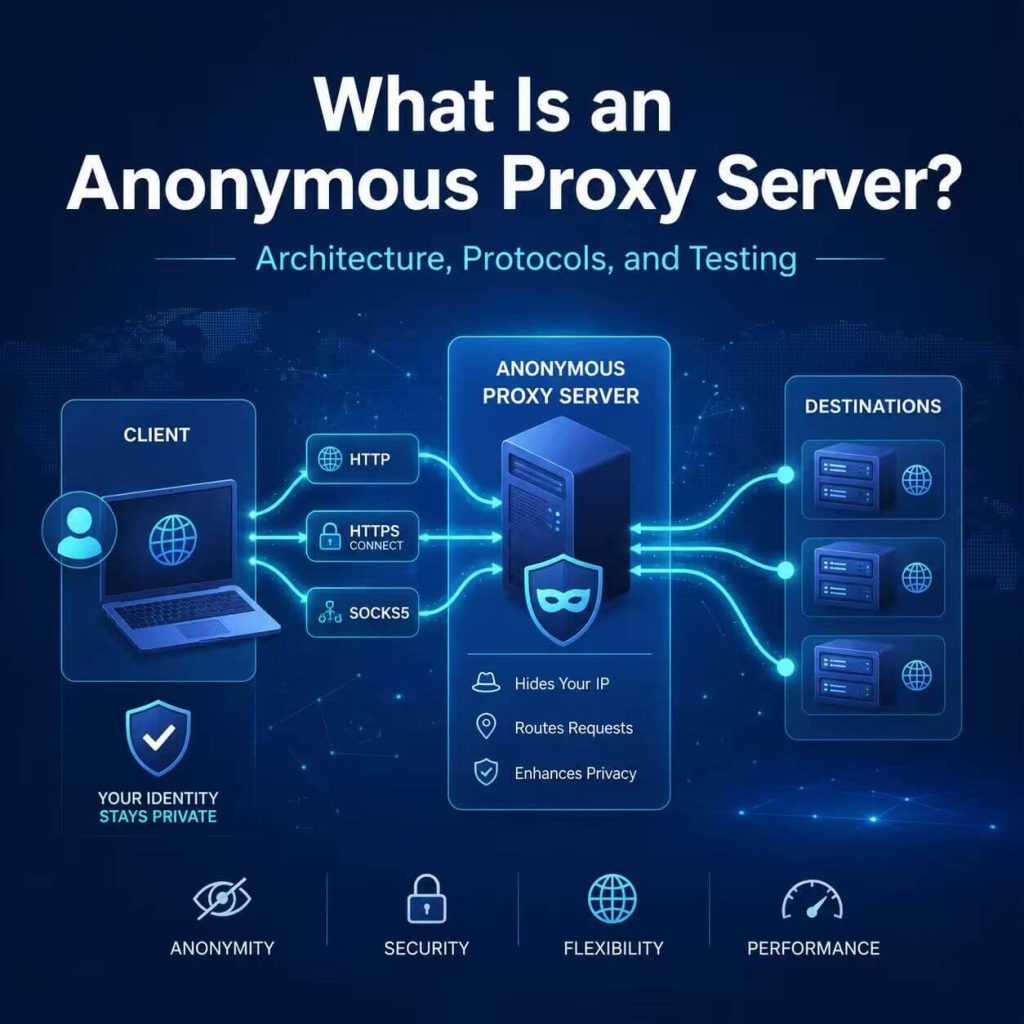
An anonymous proxy server is a gateway, or a managed group of gateways, that accepts client connections and forwards requests to destination hosts through a separate network connection. Instead of seeing the client's direct public IP, the destination typically logs the proxy's exit IP as the connecting address.
This is different from browser private mode, a lightweight browser extension, or a public web proxy page. Those tools may help with basic browsing scenarios, but server-side proxy infrastructure is built for programmatic clients, QA runners, API testing, browser automation, ad verification, and approved public web data workflows.
In a typical setup, your client connects to an authenticated proxy endpoint. The gateway checks the credentials, applies location or session rules, selects an exit IP, and opens a connection to the destination. Depending on the proxy type and protocol, the gateway may also control forwarding fields such as Via, Forwarded, or X-Forwarded-For.
The word anonymous needs a little context. In proxy terminology, it usually means the destination does not directly see the client's original public IP. It does not mean the traffic is impossible to classify as proxy traffic. Websites can still look at IP reputation, TLS behavior, DNS patterns, browser signals, and request consistency.
2. How Anonymous Proxy Servers Work
At a basic level, an anonymous proxy server separates the client connection from the destination connection. Your client does not open a direct connection to the target host. Instead, it connects to the proxy endpoint, and the proxy creates a separate outbound connection from its own network.
That separation changes what the destination can see:
- Connection IP: The destination normally sees the proxy exit IP as the peer address. Server software may expose this value through variables such as
REMOTE_ADDR. - Forwarding fields: Some HTTP intermediaries may add fields such as
Via,Forwarded, orX-Forwarded-For. Whether they appear depends on the proxy setup and policy. - Session behavior: A proxy server may keep the same exit IP for a session, assign a new IP per request, or rotate based on time, region, or authentication parameters.
- DNS path: Depending on the client and protocol, DNS resolution may happen locally or through the proxy path. This matters for privacy, consistency, and location testing.
For real-world business use, a single proxy address is rarely enough. Production proxy infrastructure usually uses gateway endpoints connected to a larger exit pool. This lets teams manage authentication, location targeting, session rules, rate controls, and health checks without manually handling every exit IP.
An anonymous proxy describes how a proxy connection behaves. An anonymous proxy server is the infrastructure that provides that behavior. The server layer includes authentication, protocol support, exit IP selection, routing policy, session control, and operational monitoring.
3. HTTP, HTTPS CONNECT, and SOCKS5
The protocol you choose affects what the proxy server can see, whether it can modify HTTP headers, and how traffic is tunneled. The most common cases are plain HTTP forwarding, HTTPS through CONNECT, and SOCKS5.
HTTP Forward Proxy
An HTTP forward proxy understands HTTP messages. For plain HTTP traffic, it can read the request line, inspect headers, forward the request, and apply gateway policies. That is why HTTP proxies can affect fields such as Via, Forwarded, and X-Forwarded-For.
This is useful, but it also means HTTP proxy behavior should be tested carefully. A proxy may hide the client IP at the network level while still adding forwarding fields that reveal intermediary routing. In internal systems, those fields may be helpful for logging or routing. In external testing, they may be metadata you do not want to expose.
HTTPS Through CONNECT
For HTTPS destinations, clients commonly use the HTTP CONNECT method. The client asks the proxy to open a tunnel to the destination host and port. After that tunnel is established, TLS is negotiated between the client and the destination.
In a normal tunnel, the proxy can see connection metadata such as the requested host and port, but it does not read or rewrite the encrypted HTTP headers inside the TLS session. The destination sees the proxy exit IP as the connecting IP, while the application data remains protected by HTTPS between the client and destination.
SOCKS5 Proxy Server
SOCKS5 works below the HTTP application layer. It can relay TCP connections and may support UDP associations, but it does not interpret HTTP headers. Because of that, a SOCKS5 proxy does not normally inject HTTP fields such as Via or X-Forwarded-For.
Still, SOCKS5 is not a complete anonymity solution by itself. The client application may resolve DNS locally, expose browser-level signals, leak WebRTC data, or produce TLS fingerprints that do not match the declared browser profile. SOCKS5 can be a strong fit for many workflows, but it should be tested as part of the full request path.
| Criteria | HTTP Forward Proxy | HTTPS CONNECT | SOCKS5 |
|---|---|---|---|
| HTTP header visibility | Can read and modify plain HTTP headers | Normally cannot read encrypted HTTP headers after the tunnel is created | Does not interpret HTTP headers |
| Common use | HTTP APIs, gateway policy, controlled forwarding | HTTPS websites and APIs | General TCP clients, custom applications, non-HTTP workflows |
| Possible proxy fields | Via, Forwarded, or X-Forwarded-For, depending on policy |
Not inside the encrypted HTTP request in a normal tunnel | No HTTP proxy fields by default |
| Common risk | Unwanted forwarding headers | Metadata plus TLS and browser signals | DNS or application traffic outside the proxy path |
4. Datacenter vs. Residential Proxy Servers
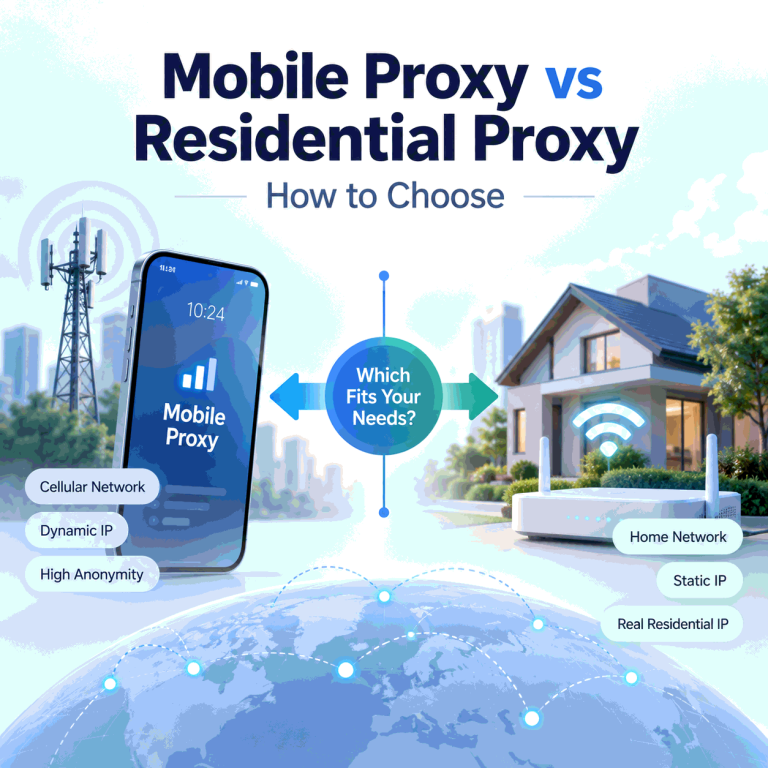
An anonymous proxy server can use different types of exit IPs. Two common options are datacenter proxy servers and residential proxy servers. The difference matters because destinations can evaluate not only the headers on a request, but also the network behind the exit IP.
Datacenter proxy servers use IPs tied to hosting providers, cloud platforms, or data center networks. They are often fast, stable, and cost-effective. On some consumer-facing websites, though, data center ASNs may be treated differently from ordinary access networks, especially when traffic volume is high or request patterns look unusual.
Residential proxy servers use IP addresses associated with consumer internet service providers. They can be useful for regional testing, localization checks, ad verification, and approved public web data workflows where the request environment needs to reflect consumer network conditions. That said, residential IPs are not automatically “undetectable” or “high anonymity.” Proxy configuration, traffic behavior, and compliance practices still matter.
| Feature | Datacenter Proxy Servers | Residential Proxy Servers |
|---|---|---|
| IP source | Hosting, cloud, or data center networks | Consumer ISP networks |
| Performance profile | Often fast, predictable, and scalable | Can vary by network, region, and session quality |
| Network perception | May be easier to classify as infrastructure traffic | Often closer to ordinary consumer network conditions |
| Best fit | Speed-focused testing, stable APIs, controlled environments | Regional QA, localization checks, ad verification, compliant public data workflows |
| Important limitation | Network reputation and traffic patterns still matter | Residential IP type does not guarantee anonymity or access success |
For speed-focused workloads, dedicated datacenter proxies can offer stable capacity and predictable performance. For workflows that need broader regional coverage and session control, dynamic residential proxies may be a better fit. The right choice depends on the target environment, request volume, protocol requirements, and acceptable-use rules.
5. Business Use Cases for Anonymous Proxy Servers
Organizations use anonymous proxy servers for legitimate technical and commercial workflows. These workflows should still follow website terms, rate limits, robots directives, privacy rules, contractual restrictions, and applicable laws.
Regional Website and API Testing
QA teams often need to verify how a website, app, or API behaves from different countries, states, cities, or networks. An anonymous proxy service can provide controlled regional routing, making it easier to test language selection, localized pages, CDN behavior, currency display, and regional availability.
Public Web Data Workflows
For approved public web data workflows, proxy servers can help spread requests across managed infrastructure instead of concentrating everything on a single corporate IP. This does not remove the need for rate limits, authorization checks, or data protection review. It simply gives teams more control over routing, session consistency, and geographic coverage.
Ad Verification and Brand Safety
Ad verification teams may need to check how ads, landing pages, and brand placements appear in different regions. Residential or regional proxy servers can help reproduce network conditions from approved locations, so teams can confirm campaigns display correctly and brand assets appear as intended.
Search and SERP Quality Checks
Search results can vary by location, language, device, and network environment. Proxy servers can support localized search testing and SERP quality checks when teams need to compare how public results appear across regions. For structured search result collection, a managed SERP API can reduce the amount of proxy and parsing infrastructure a team has to maintain.
Automation and Browser Testing
Developers can test their own applications under different network conditions, proxy protocols, and session models. This is useful for debugging login flows, content delivery, API behavior, localization, and availability from approved regions.
6. How to Configure and Test a Proxy Server
Before using an anonymous proxy server in production, test the exact client, protocol, proxy endpoint, DNS settings, and session model you plan to run. A basic test should confirm the visible exit IP, review outgoing headers, and check whether any traffic is bypassing the proxy path.
The Python example below routes requests through an authenticated HTTP proxy and checks both the exit IP and visible headers:
from pprint import pprint

import requests

proxy_url = "http://username:password@proxy.example.com:port"

proxies = {
    "http": proxy_url,
    "https": proxy_url,
}

endpoints = {
    "exit_ip": "https://httpbin.org/ip",
    "headers": "https://httpbin.org/headers",
}

for name, url in endpoints.items():
    try:
        response = requests.get(
            url,
            proxies=proxies,
            timeout=15,
        )
        response.raise_for_status()
        print(f"\n{name}:")
        pprint(response.json())
    except requests.RequestException as exc:
        print(f"{name} check failed: {exc}")
Run the same test once with the proxy enabled and once with a direct connection. Compare the visible IP address and check whether fields such as Via, Forwarded, or X-Forwarded-For appear. If the exit IP does not change, the client may not be using the proxy correctly.
- It does not prove that DNS resolution follows the proxy path.
- It does not test WebRTC exposure in a real browser.
- It does not evaluate TLS or browser fingerprints.
- It does not guarantee that every destination will treat the connection as ordinary user traffic.
- It does not replace a compliance review for your specific workflow.
For browser-based workflows, test the same proxy configuration in the actual automation environment you plan to use. A proxy that works in a simple Python request may behave differently in Playwright, Puppeteer, Selenium, or a fingerprint browser profile.
7. Preventing IP and Metadata Leaks
Anonymous proxy servers mainly change the network path and the visible connection IP. They do not automatically fix every privacy or consistency issue in the client environment. A production check should include DNS, WebRTC, TLS, browser, and session behavior.
- DNS behavior: Some applications resolve hostnames locally before opening a proxy connection. This can expose resolver or location metadata outside the proxy path. Use remote DNS resolution where supported, and confirm how your client handles DNS for HTTP, HTTPS, and SOCKS5 connections.
- WebRTC exposure: Browsers may expose local or public IP-related information through WebRTC behavior, depending on configuration. In browser automation, review WebRTC settings and test for leaks in the same environment you plan to use in production.
- TLS fingerprints: TLS ClientHello details can differ between browsers, programming libraries, and automation tools. A request that claims to be Chrome but uses a non-browser TLS fingerprint may look inconsistent.
- Browser and JavaScript signals: Screen properties, automation indicators, storage behavior, timezone, language settings, and device APIs can all affect how a session is evaluated.
- Request and session consistency: Abrupt location changes, unusual request rates, inconsistent cookies, or repeated failed actions can trigger challenges even when proxy headers look clean.
That is why proxy troubleshooting should not stop at “does the IP change?” A complete check should follow the full request path from the client application to the destination server.
8. How to Choose an Anonymous Proxy Service
The best anonymous proxy service depends on the workload. A team running regional QA tests may need stable sessions and city-level targeting. A team checking SERP differences may need country-level coverage and structured output. A team using browser automation may need proxy support that works reliably with its browser environment.
Use these criteria when evaluating anonymous proxy servers:
- IP type: Decide whether datacenter, residential, ISP, or mobile IPs match your workload and target environment.
- Protocol support: Confirm whether your client needs HTTP, HTTPS tunneling, SOCKS5, or UDP support.
- Location controls: Check whether the service supports country, state, city, or ASN-level targeting when needed.
- Session model: Use stable sessions for continuity and new sessions for independent requests, depending on the workflow.
- Authentication: Review whether the service supports username-password authentication, IP allowlisting, or both.
- Operational quality: Test latency, connection success rate, location accuracy, concurrency, and support response under your actual workload.
- Compliance controls: Review acceptable-use policies, abuse handling, sourcing practices, and data protection requirements.
For high-volume workflows that need broad regional coverage and managed session control, unlimited residential proxies may be useful when traffic volume is less predictable. For workflows that need automatic retries, JavaScript rendering, or structured extraction, a managed web scraping API can reduce the amount of proxy and browser infrastructure a team needs to maintain directly.
An anonymous proxy server is part of a network architecture, not a complete privacy guarantee. The quality of the setup depends on protocol choice, proxy configuration, IP source, DNS behavior, browser environment, session consistency, and compliant usage.
9. Frequently Asked Questions
An anonymous proxy server is a gateway that forwards traffic on behalf of a client, so the destination normally sees the proxy's exit IP instead of the client's direct public IP. Teams use it for regional testing, QA, ad verification, and approved data workflows.
An anonymous proxy describes the behavior of hiding the client's direct IP from the destination. An anonymous proxy server is the infrastructure that provides that behavior, including authentication, routing, protocol support, exit IP selection, and session control.
No. SOCKS5 does not normally inject HTTP headers because it does not interpret HTTP traffic, but anonymity still depends on DNS handling, client configuration, WebRTC behavior, TLS fingerprints, the exit IP, and whether the application is using the proxy correctly.
A proxy server does not automatically encrypt application traffic. HTTPS provides TLS encryption between the client and the destination through a tunnel, while plain HTTP remains readable to intermediaries. SOCKS5 also does not add encryption by itself.
Yes. A destination may evaluate IP reputation, ASN ownership, TLS fingerprints, browser signals, DNS behavior, WebRTC exposure, request patterns, and session consistency. Removing obvious proxy headers is only one part of the overall signal set.
No. Residential proxy servers can better reflect consumer network conditions, while datacenter proxy servers often provide speed and predictable capacity. The better choice depends on the workload, target environment, location requirements, and compliance rules.
Compare direct and proxied requests using IP and header echo tools. Check whether the exit IP changes and whether fields such as Via, Forwarded, or X-Forwarded-For appear. For browser workflows, also test DNS, WebRTC, and browser fingerprint behavior.
An anonymous proxy service is useful when a team needs managed proxy infrastructure for regional testing, localization checks, ad verification, public web data workflows, or application testing under different network conditions. It should always be used within applicable laws, website terms, and authorization requirements.