
- 1. What an Anonymous Web Proxy Actually Does
- 2. Anonymous vs. Elite Web Proxies: HTTP Header Matrix
- 3. The Architecture: Client → Web Proxy → Target Node
- 4. Why Shared Anonymous Proxy Sites Burn Out Fast
- 5. Anonymous Web Surfing vs. Production Scraping
- 6. How to Test Your Proxy Anonymity Level
- 7. When an Anonymous Web Proxy is Enough (And When to Upgrade)
- 8. Frequently Asked Questions (FAQ)
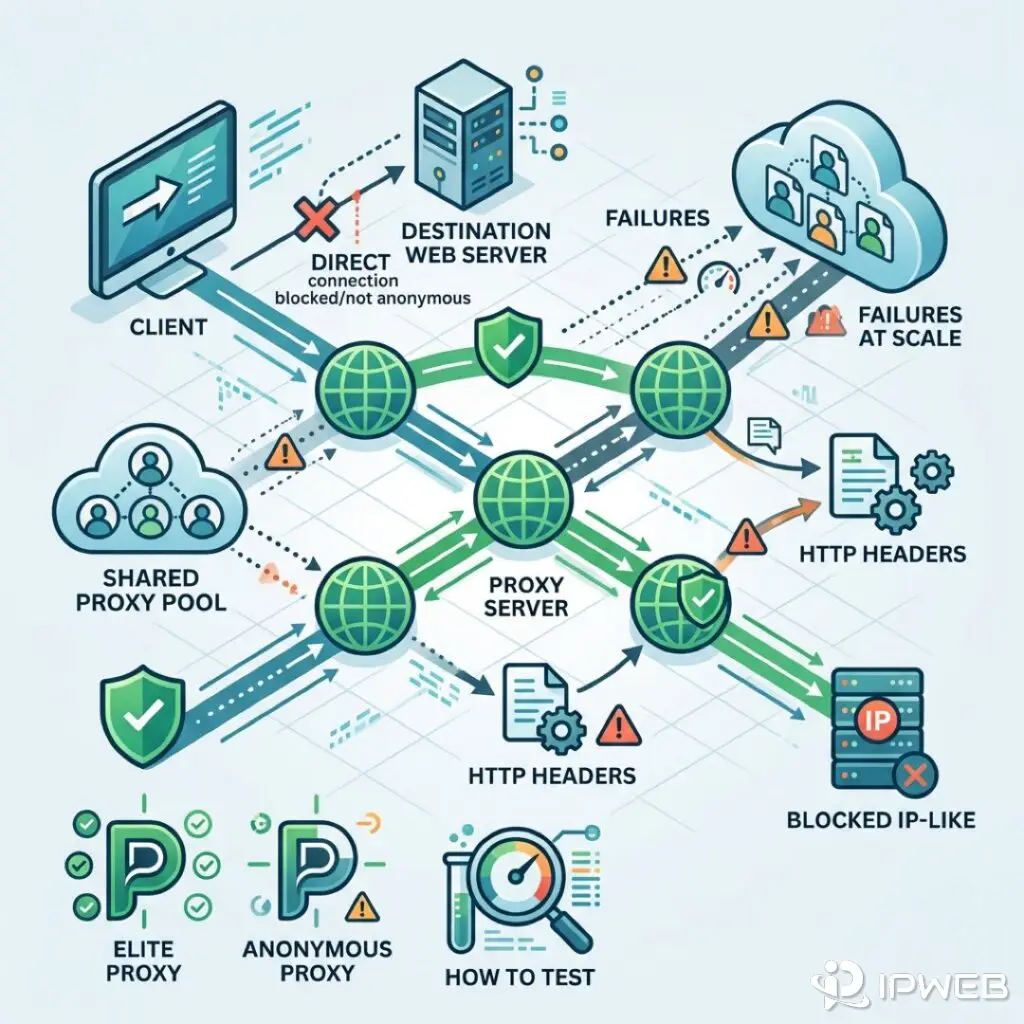
A shared anonymous web proxy acts as a middleman for your connection. It strips your original IP address and forwards your request to the target site. But many still leak their identity through HTTP headers or TCP fingerprints — and enterprise anti-bot systems pick up on those signals fast.
- Header leaks: Anonymous proxies hide your IP but often announce themselves in HTTP headers like
ViaandX-Forwarded-For. - Extra hop: Routing traffic through a proxy adds latency. It creates a second TCP handshake and a new packet path.
- Elite vs. anonymous: Elite proxies strip out these identifying headers, making requests look like they came from a real user.
- Scale limits: Shared web proxies burn out fast in production. You run into exhausted IP pools, noisy neighbors, and entire subnet bans.
1. What an Anonymous Web Proxy Actually Does
At the network level, an anonymous web proxy is a forward proxy. It’s a middleman machine that takes your HTTP request and sends it to the target website. When you point a scraper or headless browser at the proxy, your client no longer resolves the target's DNS directly. The proxy handles the entire fetch and returns the response to you.
This setup is fine for basic geo-targeting. But when you start debugging timeouts and blocks in production, you need to understand exactly how each hop rewrites headers and routes packets.
The HTTP Forwarding Path (Step-by-Step)
When your app runs through a web proxy, the request follows a fixed sequence:
- Client Connection: Your client — a Python script, Node.js worker, or Puppeteer instance — opens a TCP connection to the proxy server’s IP address.
- Tunnel Establishment (HTTPS): For encrypted traffic, your client sends an HTTP
CONNECTrequest. This tells the proxy to open a raw TCP/IP tunnel directly to the target server, as defined in RFC 9110 Section 9.3.6. The proxy passes the encrypted data through without reading it. - Header Modification (HTTP): For unencrypted traffic, the proxy intercepts the request. It can then rewrite HTTP headers, stripping out data that identifies your client.
- Target Execution: The proxy opens its own TCP connection to the target server and sends your request. The target’s logs show the proxy’s IP, not yours.
- Response Relay: The target sends its response back to the proxy. The proxy then forwards that response back to your client.
Proxy Browsing vs. Direct Connections
Using a proxy splits the connection. Your machine talks to the proxy; the proxy talks to the target. The trade-off is latency, especially when the proxy node sits far from both you and the destination server.
Target sites also see a datacenter IP, not a residential one from a home ISP. The connection's TCP/IP fingerprint (MTU, TTL) often looks like a standard Linux server. That’s an instant red flag for advanced WAFs like Akamai Bot Manager or Cloudflare.
2. Anonymous vs. Elite Web Proxies: HTTP Header Matrix
The gap between proxy tiers comes down to HTTP headers. Target sites read X-Forwarded-For, Via, and similar fields to spot load balancers and proxies.
An anonymous web proxy hides your IP but still shouts its identity. Elite proxies strip those headers out. The request looks like a direct client connection. This is the baseline for scraping pipelines. Still, elite datacenter IPs burn out fast at scale.
| Proxy Type | REMOTE_ADDR (Target Sees) |
X-Forwarded-For |
Via / Forwarded |
WAF Detection Risk |
|---|---|---|---|---|
| Transparent | Exit IP | Client's Real IP | Proxy Hostname | Very High |
| Anonymous | Exit IP | Blank or Random IP | Proxy Hostname | High |
| Elite (High Anonymity) | Exit IP | Stripped (None) | Stripped (None) | Low (Header-based) |
Transparent Proxies (Exposing the Original IP)
IT teams spin up transparent proxies for internal corporate caching or content filtering. They do not provide anonymity. These servers intercept traffic but append your actual IP address to the X-Forwarded-For (XFF) header. XFF is the standard way targets identify the originating client. For web scraping or ad verification, transparent proxies are entirely useless.
Anonymous Internet Proxies (Hiding IP, Revealing Infrastructure)
An internet anonymous proxy successfully masks your real IP address. The target server sees the proxy's IP in the REMOTE_ADDR field. The proxy also ensures your actual IP stays out of the X-Forwarded-For header.
However, these proxies follow strict RFC compliance. They announce their presence. They inject headers like Via: 1.1 proxy.example.com to track message forwards and avoid request loops. Your identity remains hidden, but the target server knows the request routes through a proxy. Modern anti-bot systems on e-commerce platforms will instantly rate-limit or block requests carrying these headers.
Elite Proxies (High Anonymity)
Elite proxies strip out proxy-identifying headers like Via, X-Forwarded-For, Forwarded, and Client-IP. To the target, the request looks like a direct hit from the exit IP.
For data extraction pipelines, elite configuration is the floor — not the ceiling. Elite datacenter IPs still burn out fast when you share the subnet or hammer the target.
3. The Architecture: Client → Web Proxy → Target Node
Look at a standard deployment to see why an anonymous web proxy burns out at scale. Traffic starts at your client script. If you write in Python, you might spin up the requests library like this:
import requests

proxies = {
  "http": "http://user:pass@192.0.2.50:8080",
  "https": "http://user:pass@192.0.2.50:8080",
}

headers = {
    "User-Agent": "Mozilla/5.0 (Windows NT 10.0; Win64; x64) AppleWebKit/537.36 (KHTML, like Gecko) Chrome/120.0.0.0 Safari/537.36"
}

try:
    response = requests.get("https://target-ecommerce-site.com", proxies=proxies, headers=headers, timeout=10)
    print(response.status_code)
except requests.exceptions.ProxyError:
    print("Proxy connection failed or node is overloaded.")
- The Client Node: Your local machine or cloud server (like AWS or GCP) running the script.
- The Proxy Gateway: A static datacenter server (e.g.,
192.0.2.50) that routes your requests. - The Target Node: The e-commerce site or ad network you want to scrape.
Here, the Proxy Gateway acts as a single point of failure. Send 10,000 requests through this one node, and the target sees 10,000 hits coming from exactly 192.0.2.50. You cross every human behavior threshold instantly. The site throws up a CAPTCHA wall or hands out an IP ban — no matter how perfectly you forge your User-Agent headers.
4. Why Shared Anonymous Proxy Sites Burn Out Fast
Developers often buy lists from shared datacenter pools to dodge single-node limits. But routing through those online anonymous proxy sites carries significant risks for scrapers. They still burn out fast under production load.
IP Pool Exhaustion and Subnet Bans
Datacenter proxies sit in contiguous blocks — like a /24 subnet with 256 IPs. When a target's web application firewall (WAF) catches a scraper on 192.0.2.15, it rarely stops at one IP. It bans the entire 192.0.2.0/24 subnet. If your anonymous internet proxy provider relies on these sequential blocks, one blocklist update wipes out your entire proxy pool.
TCP/IP and TLS Fingerprinting
Modern defense systems look past HTTP headers. They inspect packets straight at the transport layer.
- TCP/IP OS Detection: Tools like
p0for Nmap perform remote OS detection. They examine TCP ISN sampling, options support, and initial window sizes. A WAF easily spots the difference between a Linux server in an AWS datacenter and a Windows laptop on a residential ISP. - JA3/JA4 TLS Fingerprinting: When you tunnel HTTPS traffic via HTTP
CONNECT, the proxy just relays raw TCP bytes. It does not terminate TLS (RFC 9110 §9.3.6). The TLS Client Hello comes from your scraper, not the proxy daemon. WAFs analyze that fingerprint. A Pythonrequestsstack looks nothing like Chrome. This triggers blocks even if your exit IP and headers look clean. Browser privacy modes cannot fix a mismatched TLS stack. You have to understand the differences between Chrome Incognito and a network proxy to actually harden your setup against detection.
The "Noisy Neighbor" Problem in Shared Pools
Route through a shared proxy browsing service, and you share exit nodes with strangers. One noisy neighbor triggers a CAPTCHA wall on an IP. You inherit that bad reputation on the very next request. Your reCAPTCHA v3 score tanks — and you eat their blocks.
| Symptom | Root Cause | Engineering Solution |
|---|---|---|
| HTTP 403 Forbidden | Target WAF flagged a datacenter ASN or mismatched TCP/TLS fingerprint. | Route through residential IPs with native ISP ASN routing. |
| HTTP 429 Too Many Requests | You hit concurrency limits for that specific proxy exit IP. | Rotate IPs on every request and respect Retry-After headers. |
| Endless CAPTCHA Loops | The IP carries a bad reputation score from noisy neighbors in a shared pool. | Spin up dedicated IPs or use a rotating pool with high IP purity. |
| Connection Timeout | The proxy node overloaded, or the target silently dropped the connection. | Build in exponential backoff and retry with a fresh proxy node. |
Note: RFC 6585 formally defines the HTTP 429 status code for clients sending too many requests in a given timeframe. In proxy scraping, a 429 simply means your current exit IP burned out for that time window.
5. Anonymous Web Surfing vs. Production Scraping
Checking a single QA tab in another country is not the same job as spinning up 500 concurrent scrape threads. Production scraping demands real proxy anonymity for production. You need IP rotation, clean headers, and proxy pools that do not burn out overnight.
The Threshold for E-Commerce and Ad Verification
Ad verification teams must simulate real user behavior. This detects click fraud and verifies ad placements. E-commerce sellers face a similar hurdle. They need to monitor competitor pricing across global regions — like the US, UK, or BR — without triggering localized price cloaking.
Target platforms run strict anti-bot systems designed to block datacenter traffic. Route an anonymous web proxy through a known hosting provider ASN, and you fail these checks instantly. Modern platforms demand residential ASNs. Your requests must originate from IPs assigned to standard home internet service providers.
Why Web Proxies Fail at High Concurrency
Scale up a static proxy list, and you run into socket exhaustion. A single Linux proxy server has roughly 65,000 ephemeral ports for outbound connections. Push thousands of concurrent requests through a basic web proxy, and connections stuck in a TIME_WAIT state eat up those ports fast. The proxy daemon starts dropping packets. Your application code throws ECONNRESET, socket hang up, or Timeout errors.
6. How to Test Your Proxy Anonymity Level
Before you ship any proxy infrastructure to production, verify its anonymity level and IP reputation. Never blindly trust a provider's "elite" classification.
Developers can run a quick diagnostic using tools like 008ip's IP anonymity checker. Route your proxy traffic through 008ip.com to instantly verify:
- Header Leaks: Check if the proxy injects
ViaorX-Forwarded-Forheaders. - IP Reputation: See if major spam blocklists flag the IP.
- ASN Classification: Check whether the IP registers as Datacenter (DCH) or Residential (ISP).
- Geographic Accuracy: Confirm the IP resolves to the right city, state, and country.
You can also run a quick terminal diagnostic to check your external IP and headers:
curl -x http://user:pass@proxy-ip:port https://008ip.com/en/network-test
7. When an Anonymous Web Proxy is Enough (And When to Upgrade)
A standard anonymous web proxy works fine for basic uptime monitoring. You can use it for low-volume data extraction on non-defended domains. It also handles localized QA testing — like verifying language switches based on geographic IPs.
But static web proxies become an engineering dead end at scale. If your operations involve high concurrency, strict anti-bot systems, or multi-account management, you need a different setup.
The architectural upgrade is a Rotating Residential Proxy Network. Instead of managing a list of static IPs, you connect to a single proxy gateway. The provider dynamically routes each HTTP request to a different residential IP. These IPs come from real ISP users worldwide.
This approach solves the subnet ban problem. Residential IPs spread across massive, non-contiguous blocks. It also fixes TCP/IP fingerprinting, since requests originate from actual consumer devices. If you build enterprise-grade scraping or ad verification pipelines, exploring IPWeb's rotating residential proxy network is your next step. It guarantees high-concurrency success without burning out your infrastructure.
8. Frequently Asked Questions (FAQ)
An anonymous web proxy usually runs on a datacenter server. It hides your real IP but still reveals its origin through a datacenter ASN. A residential proxy, on the other hand, routes your traffic through a real home user's device. This gives you an ISP-assigned IP address that target servers trust.
Yes. If a proxy isn't "elite," it leaks headers like Via or X-Forwarded-For that announce its presence. Even with an elite proxy, servers can still detect it. They can analyze the IP's ASN to flag it as a datacenter address, run TCP/IP fingerprinting, or check its JA3 TLS signature.
HTTP headers send metadata with every request. If a proxy fails to strip out identifying headers, the target server can see your original IP address. It can also learn that the request was routed through a proxy, which compromises your anonymity.
Free proxy pools are shared by thousands of users and get abused heavily. Target websites quickly identify these overused IPs and add them to permanent blocklists. That's why your requests immediately get blocked with HTTP 403s, 429s, or CAPTCHA challenges.
No, not without encryption. Unless you're using HTTPS, the proxy server owner can intercept, read, and log your traffic. For sensitive API data, you must establish a TLS tunnel (using the HTTP CONNECT method) and stick to trusted, professionally managed proxy providers.