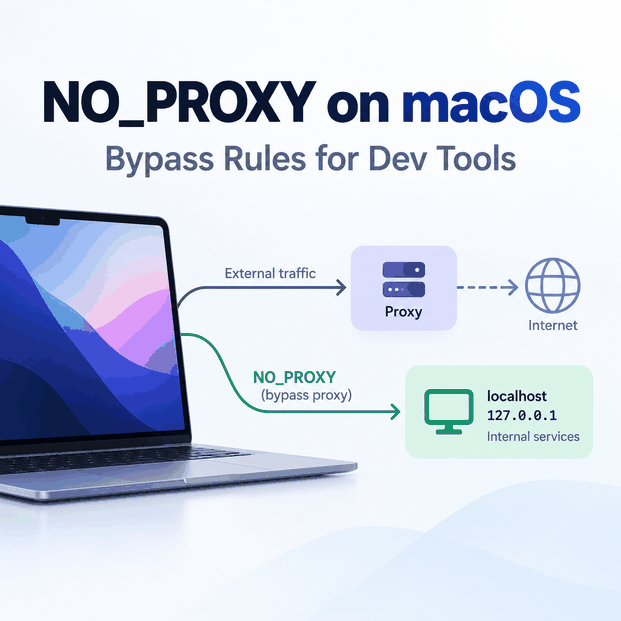
On macOS, system proxy settings and shell environment variables can exist at the same time. If a terminal command ignores the GUI proxy, sends localhost through a proxy, or unexpectedly connects directly, check the variables inherited by that exact process.
The key distinction is routing scope. macOS network settings can affect supported applications at the system level, while command-line tools and developer runtimes may read http_proxy, https_proxy, and NO_PROXY from the shell environment instead.
On macOS, NO_PROXY is a comma-separated bypass list used by many command-line tools and libraries. Add only hosts that should connect directly, such as localhost, loopback addresses, or specific internal domains. Configure the proxy separately with variables such as http_proxy and https_proxy, then verify the route from the same shell and tool. For cURL, http_proxy must be lowercase, while NO_PROXY and no_proxy are both supported.
NO_PROXYdefines bypass exceptions; it does not configure a proxy server by itself.- Shell proxy variables and macOS system proxy settings are separate routing layers and may affect different applications.
- For cURL, use lowercase
http_proxy; other proxy variables have different case-handling rules. - Keep bypass entries narrow. A broad domain suffix or network range can make requests skip the proxy unexpectedly.
- Verify the effective route from the same terminal session, runtime, or CI process that will run the workflow.
Why NO_PROXY Matters on Mac
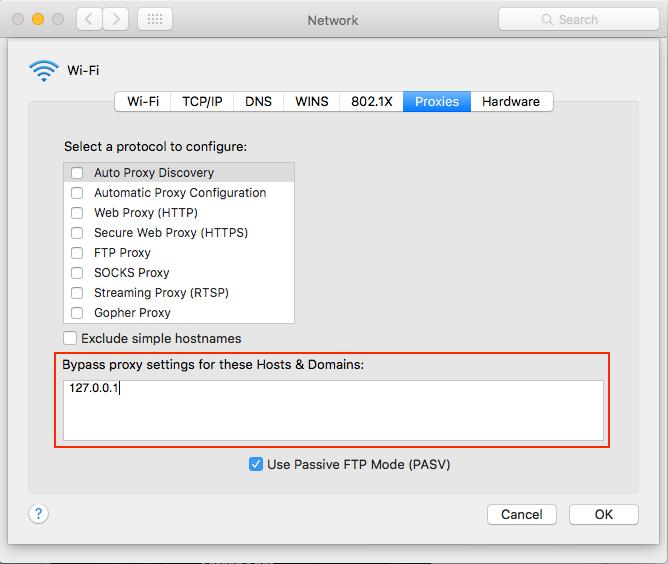
A developer tool may use shell variables even when Safari or another app is following macOS system proxy settings. That difference is why a browser can show the expected route while cURL, a package manager, a build task, or a background process behaves differently.
If you need the macOS GUI path for HTTP, HTTPS, or SOCKS configuration, use the Mac Proxy Settings guide. This workflow stays at the command-line and process-environment layer.
How Proxy Environment Variables Fit Together
http_proxy and https_proxy tell supported tools which proxy endpoint to use. NO_PROXY or no_proxy lists destinations that should connect directly instead.
Case handling is tool-specific. For cURL, http_proxy is intentionally accepted only in lowercase. Other protocol variables can be used in uppercase, and cURL supports both NO_PROXY and no_proxy. See the Everything cURL proxy environment variable documentation for the current matching and case rules.
Environment variables are inherited by processes. If you change them in one terminal tab, an already-running application, another shell, or a CI worker may not receive the same values.
| Setting | Role | Important note |
|---|---|---|
http_proxy | Proxy endpoint for supported HTTP requests | cURL requires the variable name in lowercase |
https_proxy / HTTPS_PROXY | Proxy endpoint for supported HTTPS requests | Confirm which form the specific tool or runtime reads |
NO_PROXY / no_proxy | Direct-connection exceptions | Keep entries narrow and test the exact client |
| macOS system proxy | Network-service proxy configuration | Do not assume every command-line tool inherits it |
How to Set NO_PROXY on macOS
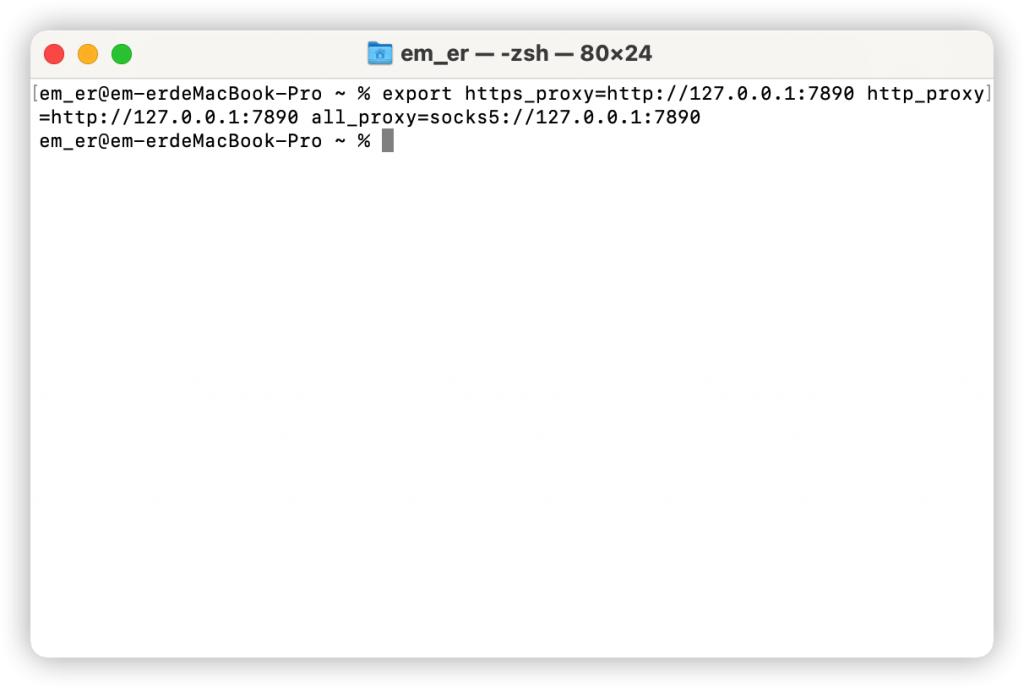
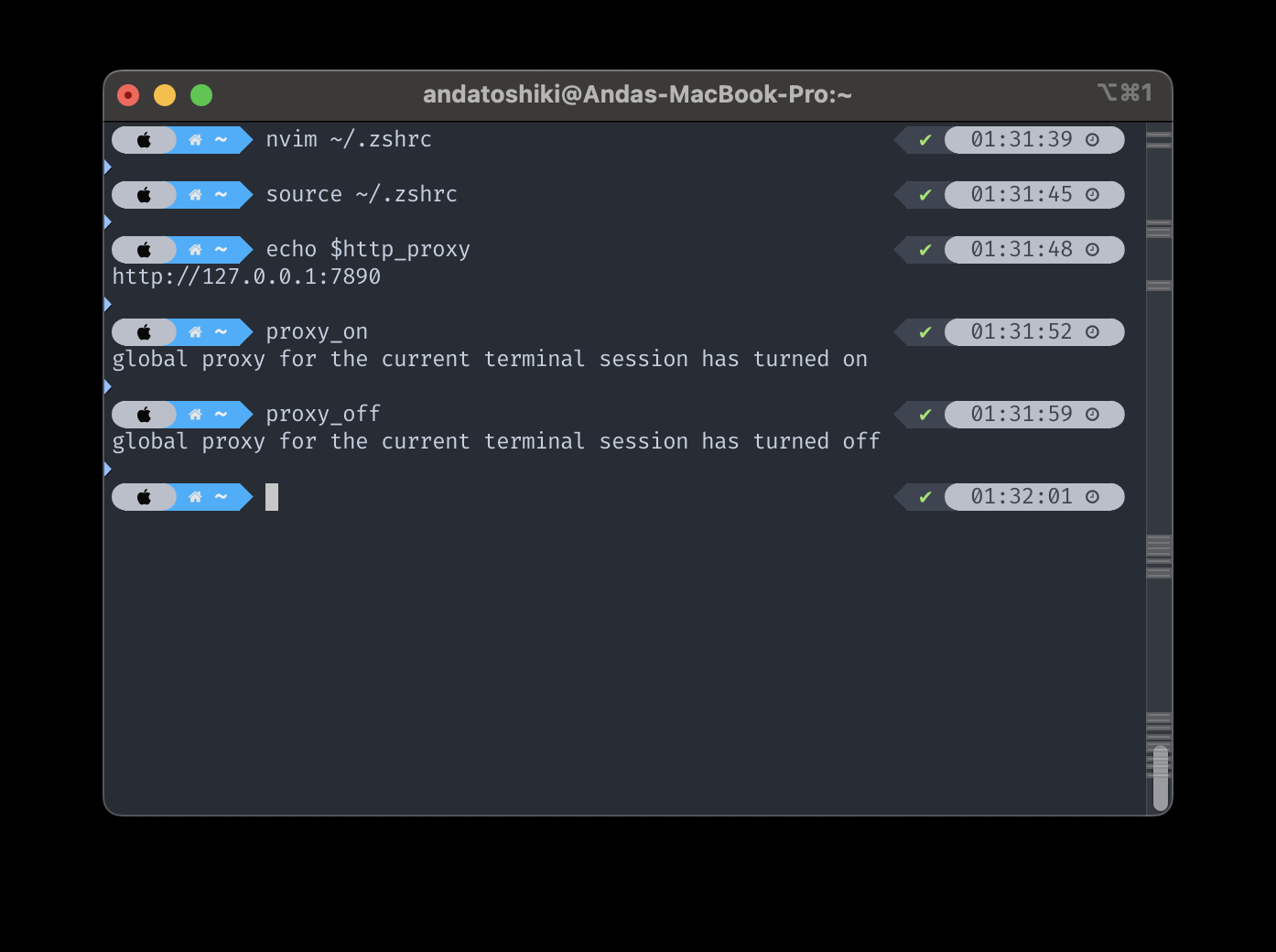
Set the variables in the terminal session that will run the command. The following example sends supported HTTP and HTTPS requests through one proxy while keeping localhost, loopback addresses, and one internal domain suffix on the direct route.
export http_proxy="http://proxy.example.com:8080"
export https_proxy="http://proxy.example.com:8080"
export NO_PROXY="localhost,127.0.0.1,::1,.internal.example"
Check what the current shell exposes before testing a request:
env | grep -i proxyTo remove the proxy variables from the current shell, unset the forms that may have been defined:
unset http_proxy https_proxy HTTP_PROXY HTTPS_PROXY NO_PROXY no_proxyIf you want the same values in future zsh sessions, add the required export lines to ~/.zshrc, then reload that file with source ~/.zshrc. Keep credentials out of shared repositories and screenshots.
What to Put in a NO_PROXY List
Start with destinations that genuinely need a direct route. Common local entries include localhost, 127.0.0.1, and ::1. Add internal hostnames or domains only when those services should not use the proxy.
For cURL, entries are comma-separated. A leading dot can match a domain suffix, so .internal.example can cover hosts below that suffix. cURL also supports CIDR notation in NO_PROXY on current versions, such as 10.0.0.0/8. An entry of * disables proxy use for all hosts, so use it only when a fully direct route is intentional.
| Entry | Typical purpose | Review point |
|---|---|---|
localhost | Local development service by hostname | Also test the loopback IP if the application may use it |
127.0.0.1 | IPv4 loopback | Does not automatically cover other local addresses |
::1 | IPv6 loopback | Keep it when local services can resolve over IPv6 |
.internal.example | Internal domain suffix in cURL-style matching | A suffix can match more hosts than one exact hostname |
10.0.0.0/8 | Private network range in cURL versions that support CIDR | Use only when the entire range should bypass the proxy |
How to Verify the Actual Route
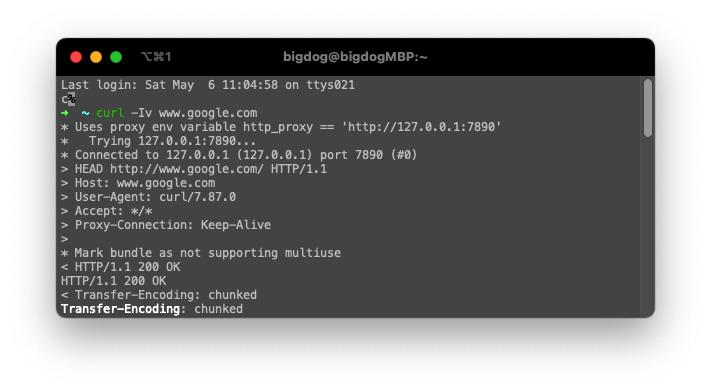
Verify the environment and the route from the same terminal session that runs the workflow. If proxy variables are configured, a public IP endpoint should normally show the proxy exit IP. Temporarily adding that endpoint to NO_PROXY should make the request connect directly instead.
env | grep -i proxy
curl -sS https://api.ipify.org ; echo
NO_PROXY="api.ipify.org" curl -sS https://api.ipify.org ; echo
Compare the two public IP results and keep the proxy host, port, target, and terminal session constant. For a broader validation sequence that also checks location, ASN, protocol, and application scope, use How to Check If a Proxy Is Working.
Different tools can apply different environment-variable and bypass rules, so repeat the verification in the actual client rather than assuming a successful cURL test proves another runtime uses the same route.
Common Failure Patterns
A local service may fail because it was sent through the proxy. A public API may skip the proxy because a domain suffix or network range is too broad. A CI task may behave differently because it did not inherit the variables from your interactive shell.
Another common mistake is mixing macOS system proxy settings with shell variables and testing in different applications. If Safari follows the system proxy but the terminal has no proxy environment variables, the two requests can legitimately leave through different routes.
Do not copy one tool's environment-variable casing rules to every runtime. For example, Go's net/http proxy handling accepts HTTP_PROXY, HTTPS_PROXY, and NO_PROXY or their lowercase equivalents, while other tools document different conventions. Check the exact client when a route behaves differently.
If the route is configured correctly but the request returns a proxy-authentication error, tunnel error, timeout, or another connection failure, use the Proxy Error guide to classify the failure separately.
Frequently Asked Questions
export NO_PROXY="localhost,127.0.0.1,::1,.internal.example". Set the proxy itself separately with the environment variables supported by your client, then verify the route from that same shell.NO_PROXY is commonly used by command-line tools and libraries, while graphical applications may use macOS system proxy settings or their own configuration. Check the behavior of the exact application.localhost, 127.0.0.1, and ::1 as needed because hostname, IPv4, and IPv6 loopback requests are not always treated identically.NO_PROXY entry, the process may not have inherited your proxy variables, or the client may use its own proxy configuration. Check the current environment and the tool's proxy precedence rules.NO_PROXY only controls whether selected destinations bypass a proxy in supported tools. It does not change account requirements, permissions, legal availability, platform policy, or a target server's response rules.noproxy setting whose default comes from NO_PROXY. Homebrew documents lowercase no_proxy for downloads performed through tools such as cURL, Git, and SVN. pip can read proxy configuration from environment variables, but its own proxy and configuration options can also affect the request path. Test the same package manager you are troubleshooting instead of assuming a successful cURL test proves the same behavior.Final Thoughts
Use NO_PROXY when a macOS developer workflow needs selected local or internal destinations to connect directly while other supported requests use a proxy. Keep the list narrow, document each exception, and verify the route from the same shell, runtime, or CI process that sends the real request.