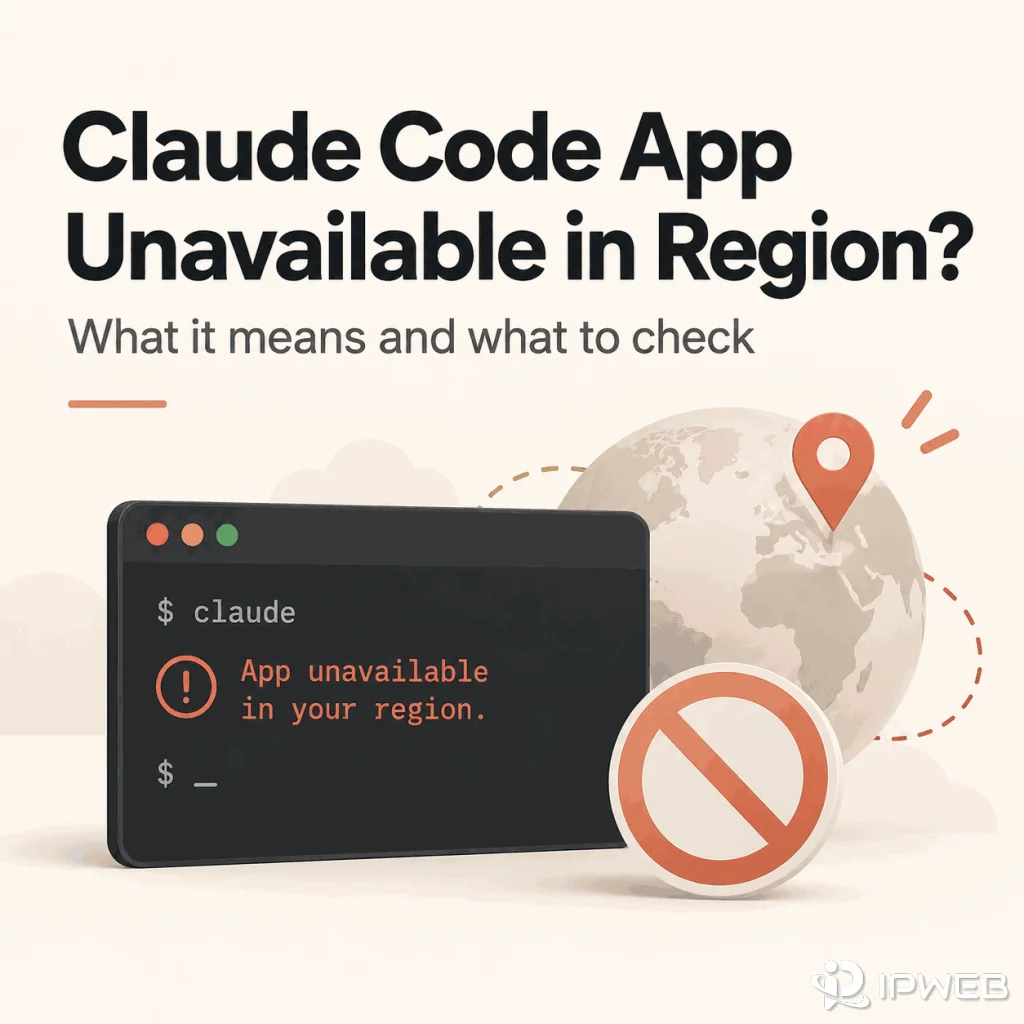
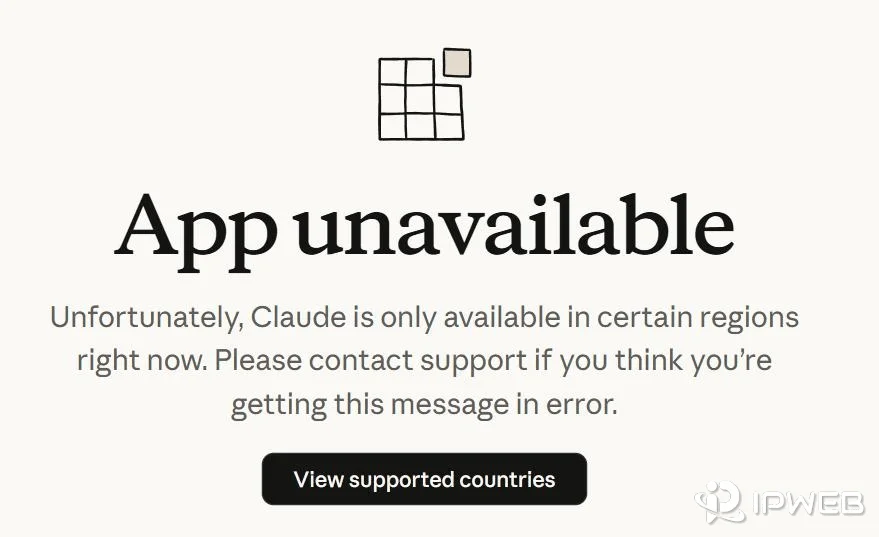
The exact Claude Code message “App unavailable in region” is not the same as a generic terminal timeout, an OAuth callback failure, or a 403 after login. Anthropic's current Claude Code troubleshooting documentation treats this message as a regional availability result, so the first task is to confirm that this is the error you actually received.
Do not broaden the diagnosis too early. Record where the message appeared, the exact text, the Claude Code version or installer step, and whether the terminal is local, WSL, SSH, a container, or a managed workstation. Those details help separate a real region result from the neighboring login and network errors covered by the other Claude troubleshooting pages.
If Claude Code shows the exact message “App unavailable in region”, treat it as a Claude Code regional-availability result and check Anthropic's current supported-country guidance. Do not keep retrying OAuth, switching shells, or changing network routes as if it were a normal login error. If an installer returns HTML but the page does not contain that region message, the failure may instead involve network routing, a temporary service issue, or the installation path.
- “App unavailable in region” is a specific Claude Code availability message, not a generic authentication error.
- Use Anthropic's supported-country page as the policy source, then diagnose the CLI or installer symptom separately.
- If claude.ai login fails, diagnose the web login separately.
- If Claude Code shows OAuth, invalid-code, callback, or 403 errors, use the Claude Code login troubleshooting path instead.
- If an installer returns HTML without the region message, network routing or a temporary service problem can still be relevant.
- A proxy or alternate route can provide diagnostic evidence, but it cannot make an officially unsupported region supported.
Last verified: September 2026. Regional availability, installer behavior, and supported installation methods can change. The checks below use Anthropic's current documentation and commands that can be reproduced without executing a downloaded installer during diagnosis.
- Policy: checked against Anthropic's current supported-country page.
- Product behavior: checked against current Claude Code installation, error, and network documentation.
- Real-world failure patterns: compared with public reports in Anthropic's official
anthropics/claude-codeGitHub repository. - Reproducibility: the installer checks below save the response for inspection instead of piping downloaded content directly into a shell.
What the “App Unavailable in Region” Message Means
Anthropic's current Claude Code installation and login troubleshooting lists App unavailable in region as a distinct error and states that Claude Code is not available in the user's country in that case. That makes the exact wording more important than a broad assumption such as “Claude Code cannot connect.”
The same troubleshooting page also documents a related but different installation symptom: the install command can return HTML instead of an installer script. If that HTML page contains “App unavailable in region”, it is a regional-availability result. If it does not, Anthropic notes that network issues, regional routing, or a temporary service disruption may be involved instead.
| Observed result | Primary interpretation | Next path |
|---|---|---|
App unavailable in region |
Claude Code regional availability | Check current supported-country policy |
| Installer returns HTML containing the region message | Regional availability surfaced during installation | Do not treat it as a shell syntax problem |
| Installer returns HTML without the region message | Could be installation delivery, routing, or temporary service trouble | Check network and alternative install method |
| OAuth error, invalid code, callback failure, or 403 | Authentication / authorization | Use Claude Code login troubleshooting |
| claude.ai browser login fails | Claude web account / session | Use Claude web login troubleshooting |
Confirm Where the Message Appeared
Record the surface that produced the message before changing settings. The text may appear while running an install command, launching Claude Code, or opening an HTML response returned by the installer. A message shown in a browser login page, API response, or unrelated desktop app belongs to a different diagnostic surface.
For a local-environment check, Anthropic's current Claude Code getting-started guide documents the supported installation paths and the basic claude --version verification step. If that check fails, fix the installation first; a missing or broken binary is not evidence of a regional restriction.
For platform requirements and supported installation methods, Anthropic's official Claude Code advanced setup guide documents supported operating systems, shell requirements, native installation, Homebrew, WinGet, and installation verification. Use it to confirm that the local environment itself is supported before treating a setup symptom as a region error.
If Claude Code itself launches and then fails during browser authorization, returns an invalid OAuth code, waits after browser approval, or shows a 403, use the separate Claude Code login and OAuth troubleshooting guide. Those errors are authentication problems, not evidence that the country is unsupported.
If the problem occurs before Claude Code authorization because claude.ai itself cannot sign in, treat it as a browser-account problem rather than a Claude Code region result. Browser sessions, email links, verification codes, and Google sign-in belong to a different diagnostic path.
Check Country Availability Without Repeating the Main Guide
Use Anthropic's current supported countries and regions page as the policy reference. If you need a broader explanation of Claude country availability beyond the CLI symptom, see IPWeb's Claude country availability guide.
The useful distinction here is narrower: Claude Code produced a region-specific error inside a CLI or installation workflow. Once current official availability explains that exact message, further shell, OAuth, DNS, or proxy changes are no longer the primary diagnosis.
- Exact error text, including whether it says
App unavailable in region. - Where it appeared: installer response, terminal launch, browser page, or another surface.
- Claude Code version if the CLI is already installed.
- Operating system and whether the shell is local, WSL, SSH, containerized, or managed.
- Account type only if the product has already reached an authenticated step.
- Timestamp and current official availability result.
Verify the Result With Reproducible Checks
Use an evidence hierarchy instead of changing several variables at once. The strongest evidence is the exact Claude Code message plus Anthropic's current country policy. Installer headers, terminal diagnostics, and network details are supporting evidence that help explain where the failure occurred; they do not override an official availability restriction.
| Evidence | What It Can Establish | What It Cannot Establish |
|---|---|---|
Exact App unavailable in region text |
Claude Code surfaced a region-specific availability result | Why a country is unsupported or when policy will change |
| Anthropic supported-country page | Current official availability policy | The health of your local shell, proxy, DNS, or TLS path |
| Installer response captured without execution | Whether the install endpoint returned a script, HTML, or a region message | Whether OAuth would succeed later |
claude doctor and claude --version |
Local installation and environment diagnostics when Claude Code is already installed | Official country eligibility |
| Visible IP country, ISP, ASN, and route | Network-path context when the error is generic rather than region-specific | A change to Anthropic's supported-region policy |
Windows: capture the installer response without running it
On Windows, use curl.exe explicitly so PowerShell aliases do not change the command's behavior. This saves the response to a text file for inspection instead of piping it into PowerShell.
curl.exe -L -D claude-install-headers.txt ^
  -o claude-install-response.txt ^
  https://claude.ai/install.ps1

findstr /i /c:"App unavailable in region" claude-install-response.txt
macOS or Linux: capture the installer response without running it
curl -L -D claude-install-headers.txt \
  -o claude-install-response.txt \
  https://claude.ai/install.sh

grep -i "App unavailable in region" claude-install-response.txt
If Claude Code is already installed, verify the binary and collect its built-in diagnostic report before reinstalling:
claude --version
claude doctor
Anthropic's current installation and authentication troubleshooting guide recommends claude doctor for a diagnostic report when normal installation or authentication checks do not resolve the issue. Do not paste API keys, OAuth codes, session cookies, or other credentials into a public issue or support screenshot.
Two Real-World Cases That Clarify the Diagnosis
Public bug reports in Anthropic's own Claude Code repository show why the exact response matters more than a generic country note.
In Anthropic Claude Code issue #17813, the official macOS install command failed with a shell syntax error because the URL returned HTML instead of a shell script. The captured HTML identified the page as App unavailable in region | Claude and used the canonical region-unavailable URL. That is strong evidence that the installer failure was caused by a region response, not by Bash syntax.
In Anthropic Claude Code issue #62971, the CLI showed an Unable to connect to Anthropic services message that included the standard country-availability note, while the reporter was in the United States and direct curl connectivity to the API succeeded. The report associated the failure with conflicting network routes left by VPN software. The lesson is that a generic connection screen mentioning supported countries is not equivalent to the exact App unavailable in region page.
Exact region page + official country policy = strong regional-availability evidence. A generic connection error that merely mentions country availability is weaker evidence and should be separated from DNS, routing, proxy, TLS, and local network problems.
Separate Region Errors From Login and OAuth Errors
A regional availability error should not absorb every Claude Code authentication symptom. Browser authorization, terminal callback, expired or truncated login codes, subscription roles, Console roles, and credential precedence are separate mechanisms. If the terminal says OAuth error: Invalid code, 403 Forbidden, or waits after browser approval, diagnose authentication rather than regional availability.
Anthropic's official Claude Code error reference is also useful when the symptom is an HTTP error or connection failure rather than the exact regional-availability message. It separates request, authentication, rate-limit, overload, and connection errors from installation-region results.
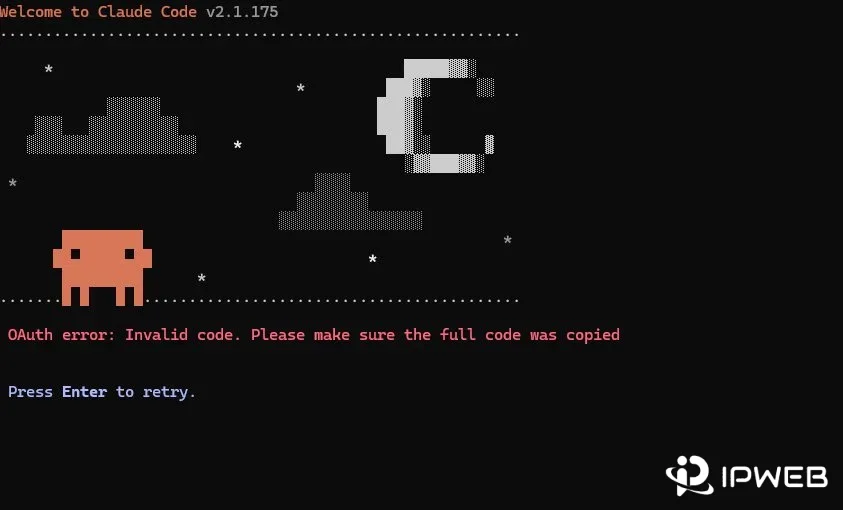
The practical distinction is simple: an explicit region page points to availability policy, while OAuth and 403 messages point to authentication or authorization. Treating them as the same failure leads to unnecessary shell and network changes.
When Network Evidence Still Matters
Network evidence has a narrow role. Anthropic notes that when an installer returns HTML without the explicit region message, network issues, regional routing, or a temporary service disruption may be responsible. In that case, keep the shell and install method constant while checking whether the request reaches the expected endpoint. Anthropic's official Claude Code network configuration guide documents supported proxy environment variables, certificate handling, and the network destinations that Claude Code needs to reach.
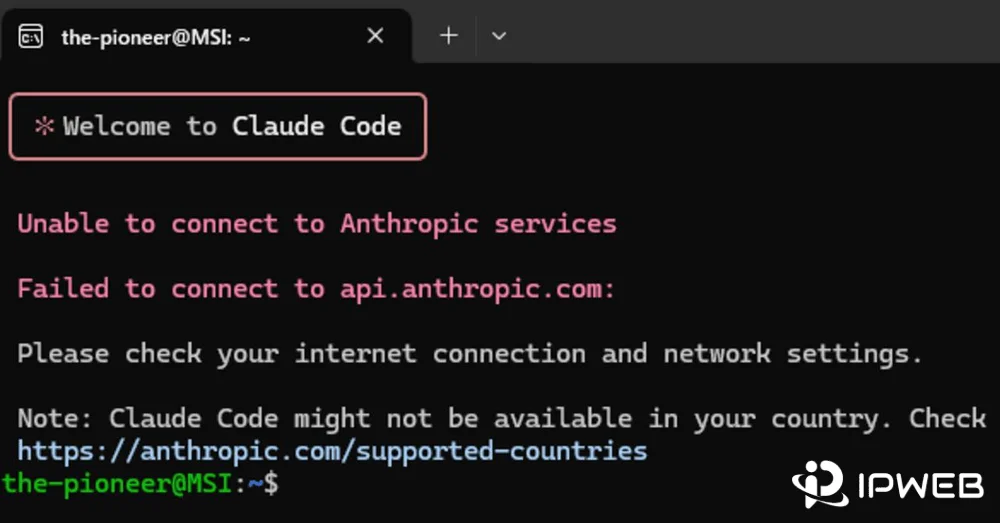
For a generic connection failure or 5xx response, check the official Claude Status page before changing the local environment. A documented service incident is direct evidence of a platform-side problem; a healthy status page only means you should continue with local or network-path diagnostics.
If a proxy, VPN, corporate gateway, or secure web gateway is already part of the environment, record that fact but do not change routes merely because Claude Code displays an official region error. Anthropic's current network configuration documentation explains supported proxy environment variables, certificate handling, and the destinations Claude Code needs to reach.
If Anthropic currently supports your location but Claude Code still reports a regional error, compare the visible IP country, ISP, ASN, and network path before treating it as an account problem. Geolocation databases can disagree, so compare more than one lookup source and keep Anthropic's supported-country policy as the controlling reference.
Know When to Stop Troubleshooting
Stop changing shells, browsers, DNS settings, or network routes when the exact error and current official availability guidance already explain the result. An alternative install method can help when the installer delivery path is broken, but it does not change an official region restriction.
If the installer returned generic HTML rather than the region message, Anthropic suggests retrying after a short wait or using an alternative installation method such as Homebrew on macOS or WinGet on Windows; the current commands are maintained in Anthropic's official setup documentation. If the exact region message persists even though the current official country list appears to support your location, preserve the error, timestamp, environment, and redacted network context before escalating to Anthropic support.
Frequently Asked Questions
Not by itself. Anthropic's current Claude Code troubleshooting documentation treats that exact message as a regional availability result. If the installer returns HTML but does not contain that message, then installation delivery, routing, or a temporary service problem may be more relevant.
Do not infer Claude Code availability only from a working web session. Treat the exact Claude Code message and current Anthropic availability guidance as the relevant evidence for the CLI workflow. Keep ordinary claude.ai login problems in the separate web-login troubleshooting path.
Read the returned page before assuming the shell command is wrong. If the page says App unavailable in region, Anthropic classifies it as a country-availability result. If it does not, network issues, regional routing, or a temporary service disruption may be involved.
Anthropic documents Homebrew on macOS and WinGet on Windows as alternative installation methods when the normal install path returns generic HTML or otherwise fails. An alternative installer does not change an official App unavailable in region result.
No network route should be presented as a way to change Anthropic's availability policy. A route can help document network behavior when the failure is not an official region message, but it cannot turn an unsupported location into a supported one.
Compare the visible IP, country, ISP, and ASN across more than one source because geolocation databases can disagree. Treat that as network evidence only. If Anthropic's exact region message and current availability policy already explain the result, an IP lookup does not override that policy.
Those belong to Claude Code authentication, not regional availability. Use the dedicated Claude Code login troubleshooting path for browser OAuth, terminal callbacks, invalid codes, roles, credential precedence, and 403 errors.
This guide can distinguish documented region responses from neighboring install, authentication, and network failures, but it cannot determine why Anthropic supports or excludes a country, predict future policy changes, or verify account-level enforcement that is not exposed in the error message. When the evidence conflicts, preserve the raw response and use Anthropic support as the final escalation path.
Final Thoughts
Start with the strongest evidence: the exact error text and Anthropic's current supported-country policy. If both point to regional availability, stop treating the problem as a normal OAuth, shell, or network failure.
If the message is different, capture the installer response without executing it, verify the local installation with claude --version and claude doctor, check the official service status, and then follow the matching authentication or network path. This produces a cleaner diagnosis and a more useful support record than changing several variables at once.