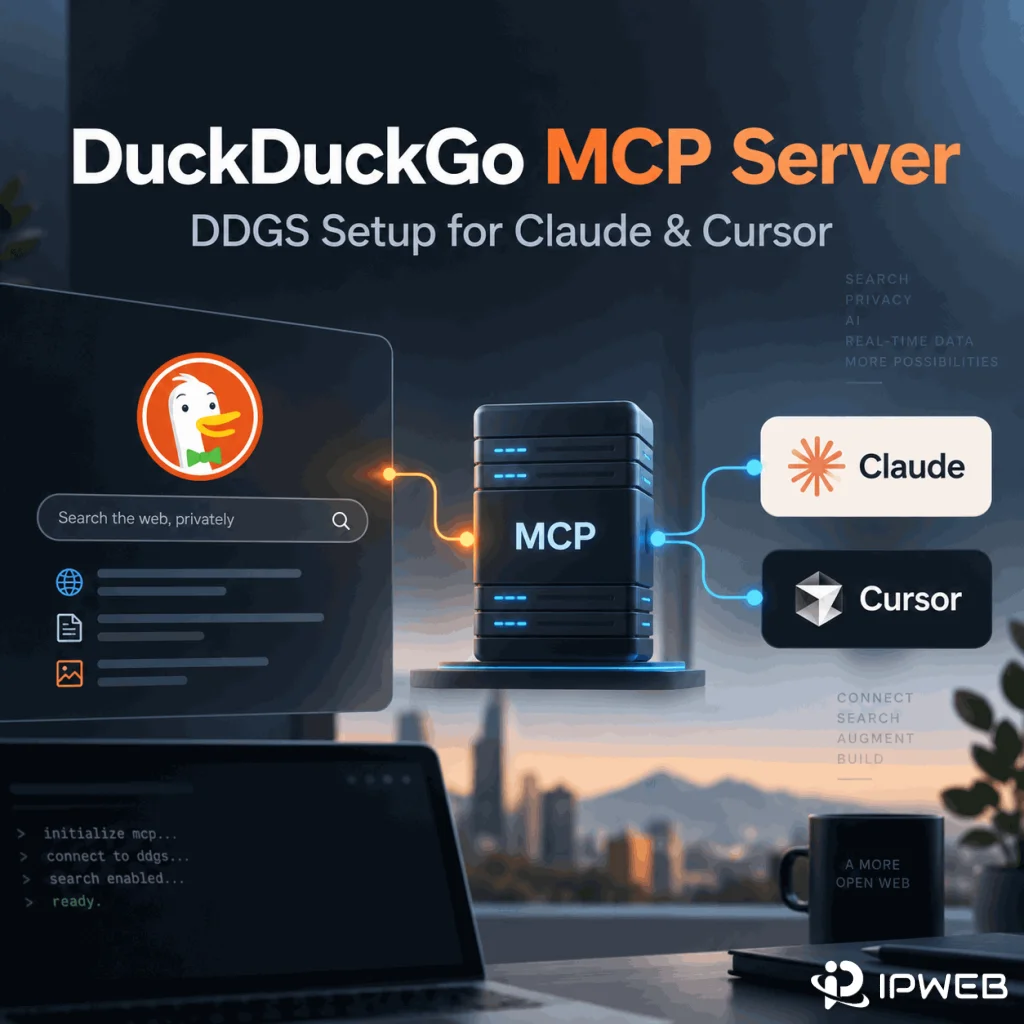
Searching for a DuckDuckGo MCP server can lead to several different projects and an easy misunderstanding: DuckDuckGo does not currently document an official MCP server for its search engine. The most reproducible setup today is the third-party ddgs package, which includes its own MCP server and can use DuckDuckGo as one of several search backends.
This guide shows how to install the DDGS MCP server, connect it to MCP clients such as Claude Desktop or Cursor, use DuckDuckGo as your search backend, and resolve common local setup failures.
You can expose DuckDuckGo-backed search to an MCP client by installing the third-party DDGS package with pip install -U "ddgs[mcp]" and starting its local stdio server with ddgs mcp. DDGS is not an official DuckDuckGo SDK: it is a metasearch library, and its MCP tools default to backend="auto". If your workflow specifically requires DuckDuckGo results, verify that the tool call uses the duckduckgo backend instead of assuming the default always does.
- DuckDuckGo does not currently document an official MCP server; this guide uses the third-party DDGS project.
- Install the built-in MCP support with
pip install -U "ddgs[mcp]". ddgs mcpstarts a local MCP server using stdio transport.- The built-in server exposes text, image, news, video, book-search, and URL-content extraction tools.
- DDGS is a metasearch layer. DuckDuckGo is one backend, and MCP search tools currently default to
auto. - A working terminal command does not guarantee that a desktop MCP client sees the same Python environment or PATH.
Is There an Official DuckDuckGo MCP Server?
DuckDuckGo does not currently document an official MCP server for DuckDuckGo Search. Many repositories and packages use names such as “DuckDuckGo MCP,” “DDG MCP,” or “DuckDuckGo Search MCP,” but those names usually refer to community projects or third-party libraries.
The setup in this guide uses DDGS, a third-party metasearch library that now ships its own MCP server. DDGS can use DuckDuckGo as a search backend, but it is not maintained by DuckDuckGo and should not be described as an official DuckDuckGo API or official DuckDuckGo MCP product.
If your main question is about API access rather than MCP integration, see our guide to DuckDuckGo Search API and DDGS. That article owns the API, Python-library, and structured-search-data intent; this page focuses on MCP setup and client integration.
What Is the DDGS MCP Server?
DDGS is a metasearch library. Its current package documentation includes a built-in MCP server that communicates over stdio. Instead of running a web endpoint that your MCP client calls over HTTP, the client launches the local ddgs mcp process and exchanges MCP messages through standard input and output.
The current DDGS MCP implementation exposes the following tools:
| MCP tool | What it does | Typical output |
|---|---|---|
search_text |
Searches the web for text results | Titles, URLs, and snippets |
search_images |
Runs image search | Image URLs, titles, and source information |
search_news |
Runs news search | News URLs, sources, dates, and titles |
search_videos |
Runs video search | Video links and metadata |
search_books |
Runs book search | Book titles, authors, and metadata |
extract_content |
Fetches and extracts content from a URL | Markdown, plain text, rich text, HTML, or raw content |
That makes the MCP server broader than a single DuckDuckGo search wrapper. The client can expose several kinds of search and content-retrieval operations to an AI assistant through one local server.
DDGS Is Not DuckDuckGo-Only
This is the most important implementation detail to understand before testing results. DDGS is not a DuckDuckGo-only package. Its current text-search backends include DuckDuckGo alongside other engines such as Bing, Brave, Google, Mojeek, Startpage, Yahoo, Yandex, Wikipedia, and others.
The MCP source code currently defines the backend parameter with a default value of auto. That means a successful DDGS MCP search does not automatically prove that the results came from DuckDuckGo.
If your test specifically requires DuckDuckGo-backed results, verify the tool arguments and use backend="duckduckgo" when the MCP client gives you control over tool parameters. Do not describe every DDGS result as a DuckDuckGo result simply because the package historically grew out of DuckDuckGo-focused tooling.
This also explains why two DDGS MCP runs can behave differently when one uses auto and another explicitly selects DuckDuckGo.
How to Install the DDGS MCP Server
The built-in MCP server is an optional DDGS dependency. Install the MCP extra rather than only the base package:
pip install -U "ddgs[mcp]"On Windows, if multiple Python installations are present, using the Python launcher can make it clearer which interpreter receives the package:
py -m pip install -U "ddgs[mcp]"After installation, verify that the CLI is available:
ddgs --helpThen start the MCP server:
ddgs mcpThe package documents this as a stdio transport. In normal desktop-client use, you usually do not leave this command running manually in a separate terminal. Instead, configure the MCP client so it launches ddgs mcp as its local server process.
Connect DDGS to Claude Desktop
The DDGS package documentation provides a simple MCP client configuration using the ddgs command and the mcp argument:
{
  "mcpServers": {
    "ddgs": {
      "command": "ddgs",
      "args": ["mcp"]
    }
  }
}
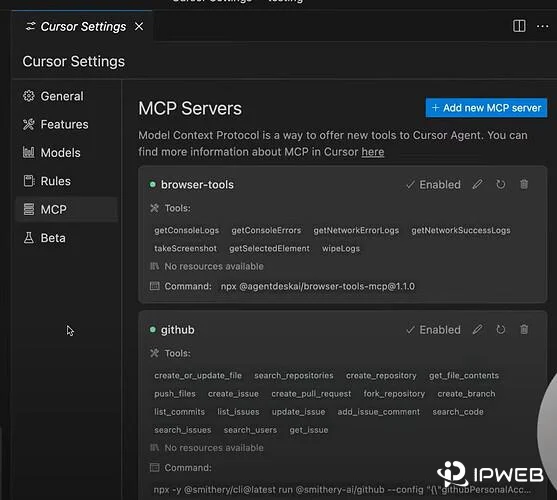
Add the server entry to the MCP configuration used by your Claude Desktop version, save the file, and fully restart the application. The exact settings label or config-file location can change between client releases, so treat the command and arguments as the stable part of the setup rather than relying on a screenshot of one particular UI version.
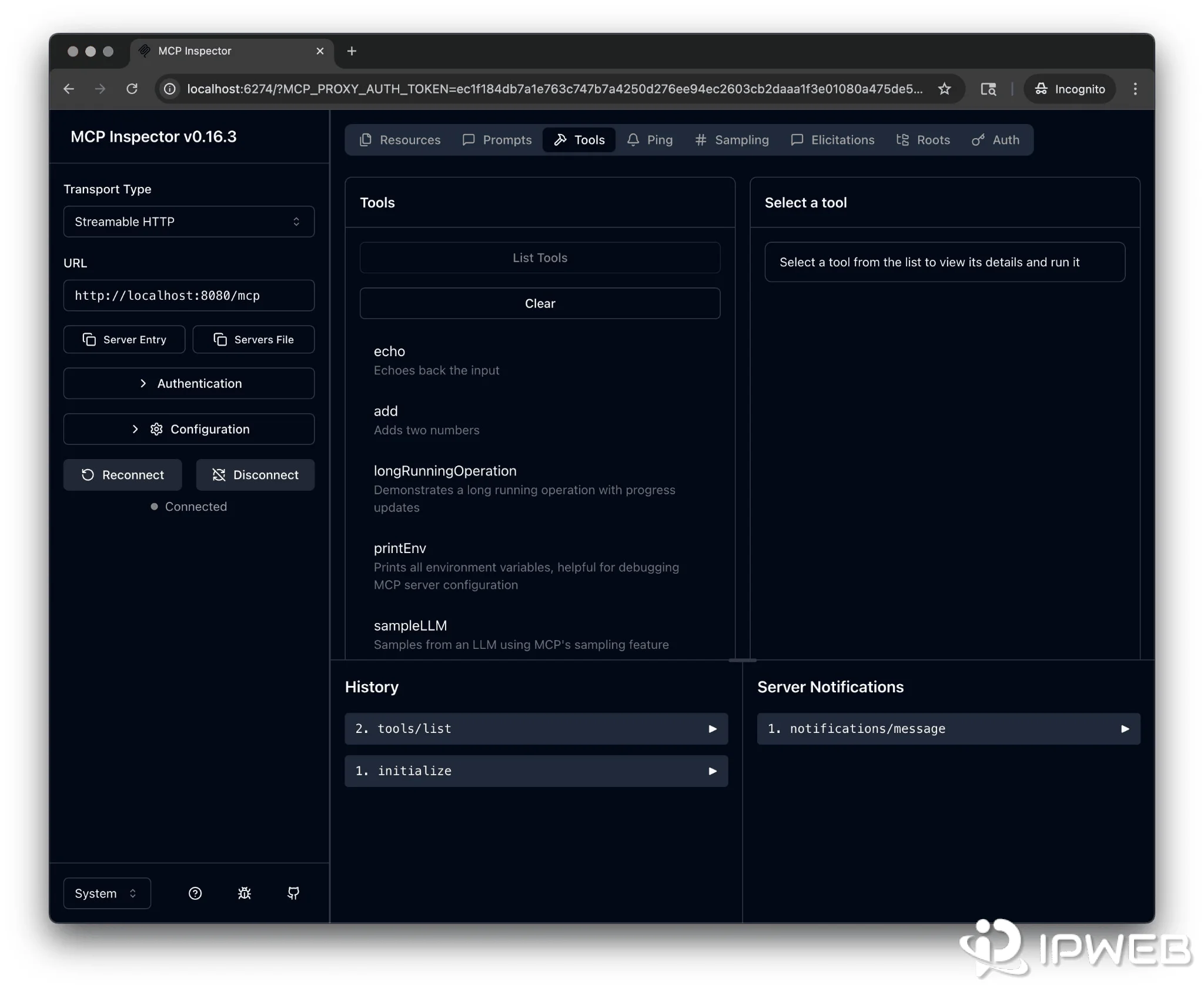
After restart, check whether the client exposes tools such as search_text, search_news, and extract_content. If the tools do not appear, troubleshoot the process launch before troubleshooting search quality.
Connect DDGS to Cursor or Another MCP Client
The same process applies to Cursor and other MCP-compatible clients that support local stdio servers. Register a server whose executable is ddgs and whose argument list contains mcp.
Do not convert the stdio command into an invented localhost URL unless you intentionally run a different HTTP-based MCP wrapper. The built-in DDGS MCP server documented here is not the same thing as the package's separate FastAPI server.
| Setting | Value | Why it matters |
|---|---|---|
| Transport | stdio | The MCP client launches a local process rather than connecting to an HTTP URL |
| Command | ddgs |
Starts the DDGS CLI installed in the client's environment |
| Arguments | ["mcp"] |
Tells the DDGS CLI to start its MCP server |
Run Your First Search Through MCP
Once the tools are visible, start with a simple request that makes the expected output easy to inspect. For example:
Search the web for the latest Python release notes and return five sources.A typical flow looks like this:
AI client → search_text → DDGS → selected search backend → structured results → AI client
If you specifically need DuckDuckGo-backed results, a natural-language request such as “search DuckDuckGo” may not be enough by itself. The AI client decides how it calls the tool. For a reproducible backend test, inspect the tool invocation and confirm that the backend parameter is actually set to duckduckgo.
A tool-argument object for a controlled test could look like this:
{
  "query": "python mcp server examples",
  "region": "us-en",
  "max_results": 5,
  "backend": "duckduckgo"
}
This is a tool-parameter example rather than a command you paste into a terminal. Whether you can set those arguments directly depends on the MCP client or debugging tool you are using.
DDGS MCP Search Parameters You Should Know
The current search_text MCP tool exposes several parameters that matter for reproducible testing.
| Parameter | Example | Purpose |
|---|---|---|
query |
python mcp server |
The search query |
region |
us-en |
Regional search context |
safesearch |
moderate |
Safe-search level |
timelimit |
w |
Limits results by time when supported |
max_results |
10 |
Maximum result count |
page |
1 |
Result page number |
backend |
duckduckgo |
Selects a specific search backend instead of auto |
The image, news, video, and book tools expose related parameters, while extract_content accepts a URL and an output format. Check the current package documentation or source before depending on an option in production because tool schemas can change between releases.
Built-In DDGS MCP vs Community DuckDuckGo MCP Servers
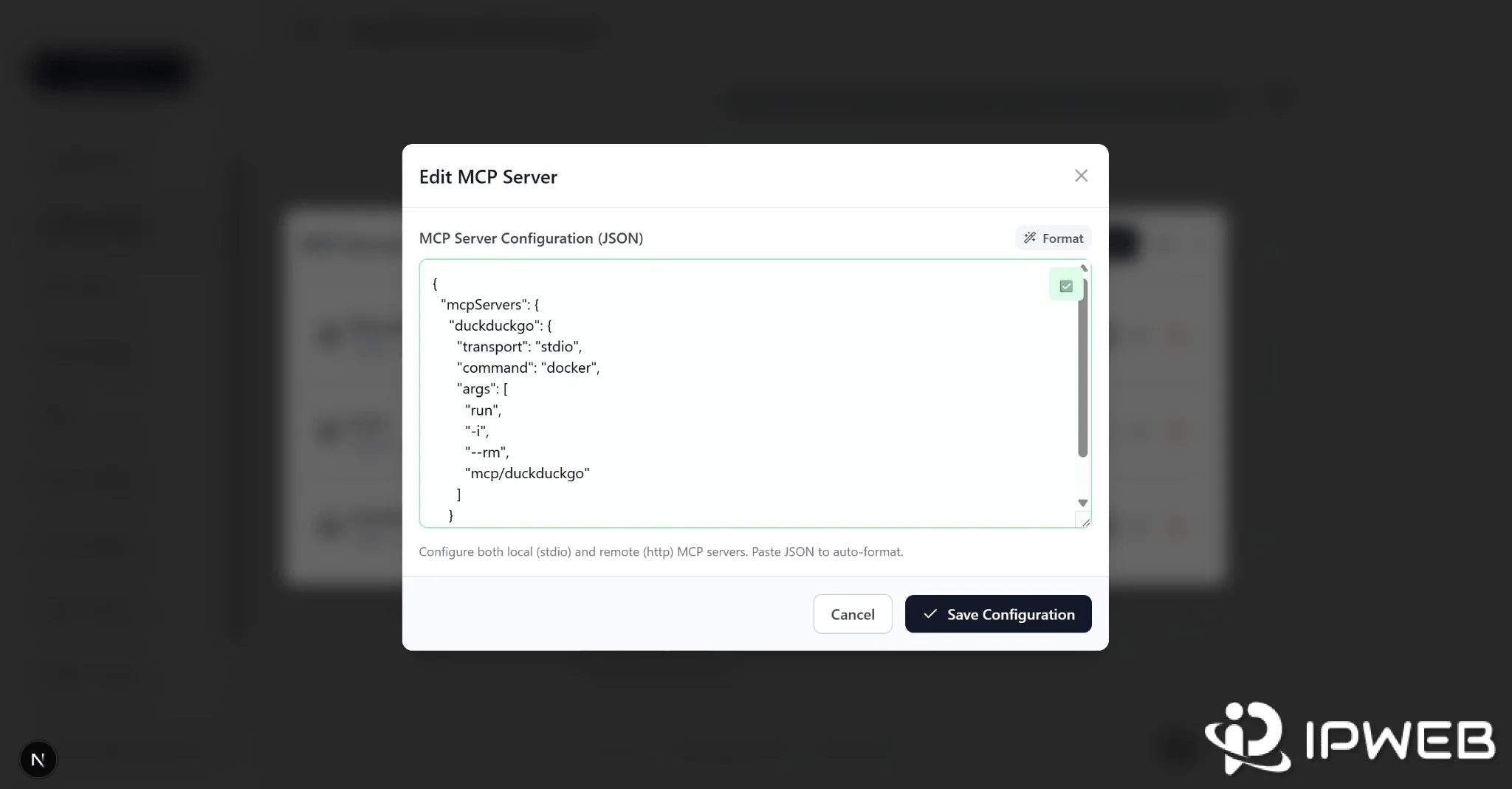
Search results for “DuckDuckGo MCP server” also surface standalone community projects. Some wrap DuckDuckGo-focused search behavior; others wrap DDGS; some use stdio while others expose an HTTP endpoint.
| Option | Maintainer | Typical setup | DuckDuckGo-only? |
|---|---|---|---|
| Built-in DDGS MCP | DDGS project | ddgs[mcp] + ddgs mcp |
No; DDGS is metasearch |
| Standalone community MCP package | Third-party developer | Varies by package | Sometimes |
| Hosted remote MCP service | Third party | Remote URL, account, or API key | Varies |
For this tutorial, the built-in DDGS MCP server is the clearest reproducible example because the MCP feature, tool list, client configuration, and search-backend options are documented in the same package.
Why Is the DuckDuckGo MCP Server Not Working?
ddgs Command Not Found
First confirm that the MCP extra was installed into the Python environment you intend to use. On Windows, check whether the CLI can be resolved:
where ddgsIf the package is installed but the command is not found, the Python Scripts directory may not be on PATH, or the package may have been installed into a different virtual environment.
The Server Starts, but No MCP Tools Appear
Check the client configuration for JSON syntax errors, confirm that the command really points to the DDGS executable, then fully restart the MCP client. A configuration that looks correct but launches the wrong Python environment can fail before the tool list is registered.
ddgs mcp Works in a Terminal but Not in the Desktop App
GUI applications do not always inherit the same PATH as your terminal session. If the desktop client cannot resolve ddgs, use the absolute path to the executable in the MCP configuration instead of relying on PATH.
On Windows, where ddgs can show the executable path. Do not copy another user's path because Python installation directories differ between systems.
The Search Works, but Results Are Not Clearly From DuckDuckGo
Inspect the backend argument. The current MCP search tools default to auto, and DDGS supports multiple engines. For a DuckDuckGo-specific test, explicitly select duckduckgo where your MCP tooling allows you to control the tool arguments.
Search Returns No Results or Fails Intermittently
DDGS depends on third-party search backends rather than a guaranteed DuckDuckGo Search API contract. Backend changes, request limits, network errors, or package regressions can therefore affect results even when your MCP configuration has not changed.
Backend rate limits or request refusals: DDGS can occasionally receive 403 or rate-limit responses from upstream search backends. If results become empty or intermittent, first reduce request frequency, retry with an appropriate delay, confirm the selected backend, and check whether the failure is backend-specific. DDGS supports proxy configuration, but use a different network route only when it is part of an authorized testing or data workflow rather than treating proxy rotation as a substitute for responsible request pacing.
If the failure is specifically an HTTP 403 response, use our Python 403 troubleshooting guide to separate request, permission, server, and network-route causes before changing the MCP configuration.
If network routing is already part of an approved automated-search workflow, see our web scraping proxy guide for route testing, request-rate considerations, and proxy validation in Python-based workflows.
When an authorized research or regional-testing workflow specifically requires a different residential network route, IPWeb's dynamic residential proxies support HTTP(S) and SOCKS5 connections that can be configured for compatible Python and automation tools. Keep request pacing, permissions, and backend diagnostics separate from the routing decision.
Before rewriting your client configuration, compare three layers separately: whether the MCP process starts, whether the tool call reaches DDGS, and whether the selected search backend returns data.
extract_content Fails for a URL
Content extraction is a separate outbound web request. A search result being returned does not guarantee that the target URL can be fetched or extracted successfully. The destination can respond with an error, block automated requests, redirect unexpectedly, or return content that the extractor cannot parse as expected.
Security and Reliability Considerations
Installing an MCP server gives an AI client access to a local tool process, so treat package provenance and tool permissions as part of the setup. DDGS is a third-party project, not an official DuckDuckGo component.
- Check the current package and repository before upgrading or changing versions.
- Treat search results and extracted webpage content as untrusted external input.
- Do not treat instructions found inside a webpage as trusted system or developer instructions.
- Use the smallest tool set needed for the workflow, especially when URL fetching is enabled.
- Retest backend behavior after DDGS or an upstream search interface changes.
The current DDGS MCP source shows that extract_content can fetch a supplied URL and return extracted content. That is useful for research workflows, but it also means the MCP client can bring arbitrary external webpage text into the model context. Keep that boundary explicit.
Frequently Asked Questions
ddgs mcp server. That does not turn DDGS into an official DuckDuckGo API.auto. If you need a DuckDuckGo-specific test, verify that the tool call actually selects duckduckgo.ddgs with the argument mcp.mcp as its argument. The exact settings screen can change between Cursor versions.ddgs mcp work in a terminal but not in my MCP client?extract_content, which can fetch a URL and return extracted content in several formats. Treat fetched webpage text as untrusted input and expect some sites to reject or limit automated requests.Final Thoughts
A “DuckDuckGo MCP server” is best understood as an integration layer, not an official DuckDuckGo developer product. The DDGS package provides a practical built-in MCP server, but DDGS remains a third-party metasearch library and can use search backends other than DuckDuckGo.
For a reliable setup, separate the layers: first confirm that ddgs mcp launches, then confirm that the MCP client sees the tools, and finally verify which backend the search tool actually uses. That makes troubleshooting much easier than treating every failed or unexpected result as a DuckDuckGo problem.
If your workflow requires a strictly DuckDuckGo-only MCP path rather than DDGS metasearch with backend="auto", use a DuckDuckGo-focused community wrapper or explicitly enforce backend="duckduckgo", then verify the actual tool calls and returned provider behavior before relying on it.