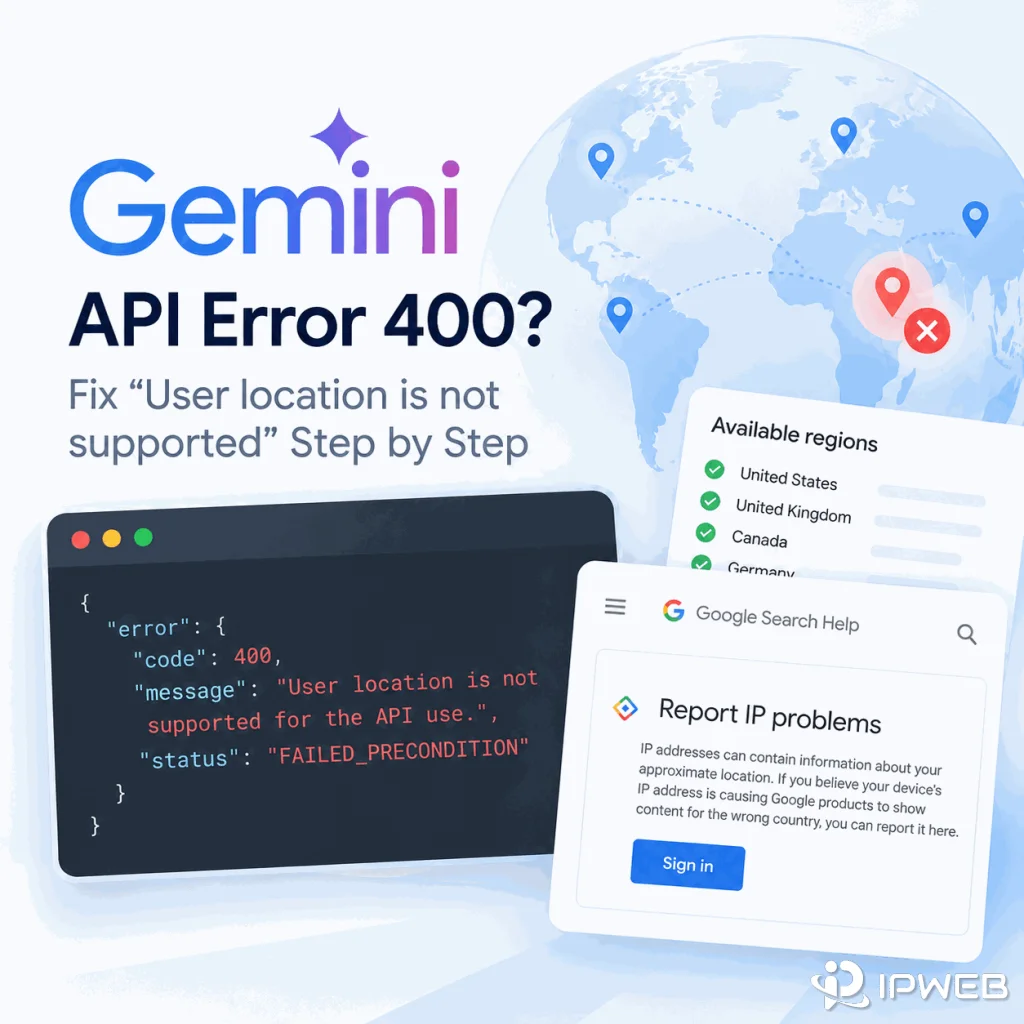
The Gemini API can return a 400 FAILED_PRECONDITION error with the message User location is not supported for the API use. The confusing cases are not always requests from unsupported countries. Recent reports on the Google AI Developers Forum include production servers in Japan, Canada, India, and Germany—countries that appear on Google’s current Gemini API availability list—while the same API key works from another network or over a different IP address family.
The fastest way to diagnose this error is to treat the request’s runtime egress as a separate variable from your own physical location. Keep the API key, project, endpoint, model, and request stable, then compare the public IP, country, ASN, IPv4/IPv6 path, and result from each runtime.
If Gemini API returns 400 FAILED_PRECONDITION with User location is not supported for the API use, first confirm that the runtime making the request is in a supported region. Then record its public IPv4, IPv6, country, ASN, and hosting provider.
Run the same request with the same API key from another network and, where possible, compare IPv4 and IPv6 separately. If one path returns HTTP 200 while another returns the location error, the evidence points toward the source network or IP classification rather than a generic API-key failure. Google’s current forum guidance for this scenario includes trying another network, asking the host for another IP, and testing IPv4 versus IPv6.
FAILED_PRECONDITIONis a 400-class error, not the same as a 401 authentication error or a 403 permission error.- The location that matters for a server-side request can be the runtime’s egress location, not the developer’s physical location.
- A server physically hosted in a supported country can still return the error if the source IP or one address family is classified differently.
- A same-key, same-endpoint A/B test is more useful than repeatedly creating new API keys.
- IPv4 and IPv6 should be tested separately before making permanent network changes.
- If the IP appears misclassified, Google provides an official Report IP problems workflow.
Confirm the Exact Error First
Start by saving the complete HTTP status and JSON response. A typical report looks like this:
{
  "error": {
    "code": 400,
    "message": "User location is not supported for the API use.",
    "status": "FAILED_PRECONDITION"
  }
}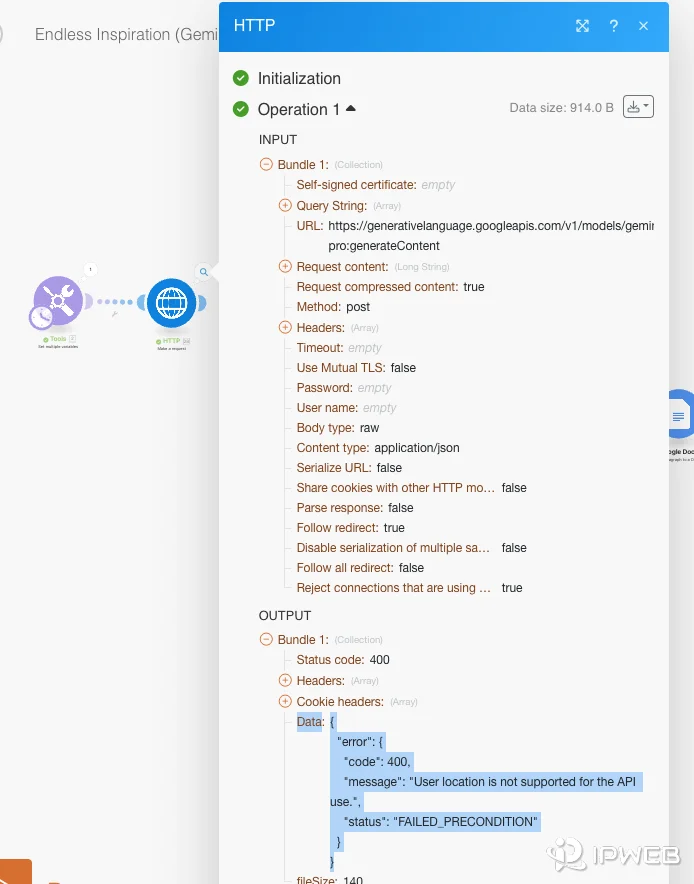
The exact combination matters. Google’s current Gemini API error reference classifies failed_precondition as an HTTP 400 error, while authentication failures are 401 and permission failures are 403. That means a location-related FAILED_PRECONDITION should not be diagnosed as though it were automatically an invalid key or IAM problem.
If your response is actually 403 PERMISSION_DENIED, use the dedicated Google AI Studio and Gemini API 403 troubleshooting guide instead. If you only want to confirm whether the Gemini API is officially available where your runtime is located, start with Is the Gemini API Available in My Region?
What Does FAILED_PRECONDITION Mean Here?
Google’s public API error documentation describes failed_precondition as a request that cannot be processed because a prerequisite has not been met. For this exact error, the service is explicitly reporting location support as the unmet prerequisite.
Google does not publish a detailed algorithm describing how every Gemini Developer API request is assigned to a country. That is why it is important not to turn one error into an unsupported claim such as “Google blocks this hosting company” or “Gemini always uses this geolocation database.” The evidence you can verify is the request path, the egress addresses, and whether the result changes when only one network variable changes.
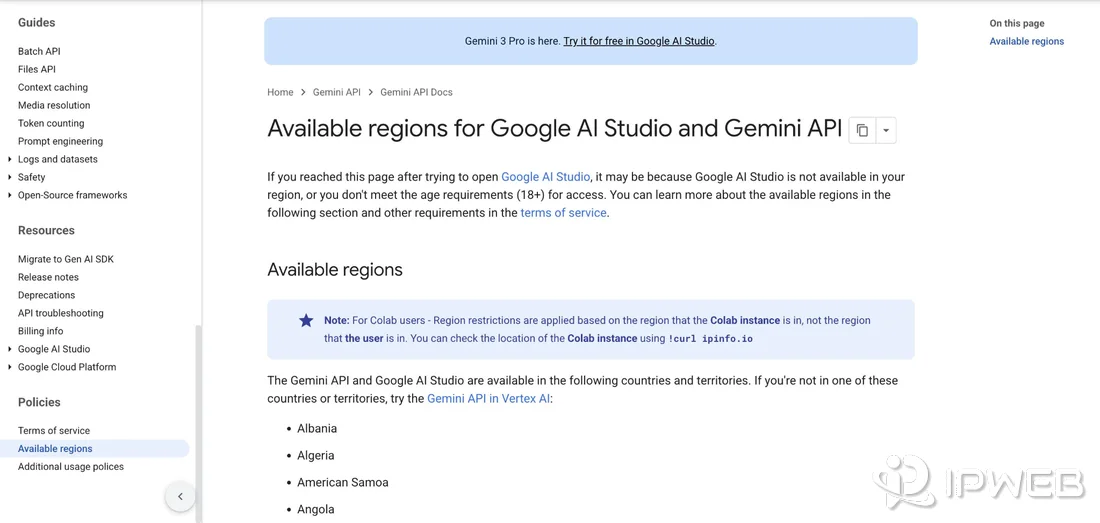
Google’s official available-regions page also makes one runtime distinction explicit: for Colab, region restrictions are based on the region of the Colab instance, not the user’s location. The same diagnostic principle is useful for other server-side workloads: inspect the runtime that actually sends the request.
Check Where the API Request Actually Originates
A common mistake is to verify the developer’s laptop location while the failing request is made from a VPS, cloud VM, CI runner, container platform, or production backend. Those are different network origins.
| Where you are | Where the request runs | What to inspect |
|---|---|---|
| Your laptop in a supported country | Local laptop | Local public IPv4/IPv6 and ISP |
| Your laptop in a supported country | Cloud VM in another region | VM egress IP, country, ASN, and address family |
| Your laptop anywhere | CI/CD runner | Runner region and public egress |
| Your laptop anywhere | Colab instance | Instance region; Google explicitly documents this distinction |
| Your laptop anywhere | Production container or server | Actual outbound IP used by the running service |
Use a public network lookup from the same runtime that makes the API call. IPWeb’s What Is My IP? guide explains how to interpret visible IP, country, ISP or organization, and ASN fields.
echo "IPv4 egress:"
curl -4 -sS https://ipinfo.io

echo
echo "IPv6 egress:"
curl -6 -sS https://ipinfo.io
If the IPv6 request fails because the runtime has no IPv6 connectivity, record that as “IPv6 unavailable” rather than treating the command failure as evidence of the Gemini problem.
Compare IPv4 and IPv6 Separately
IPv4 and IPv6 can follow different routes and can be classified differently. This is not theoretical in the current Gemini API reports. A Google AI Developers Forum report from an OVHcloud server in Frankfurt documented the same API key and endpoint returning HTTP 200 over forced IPv4 but HTTP 400 User location is not supported over IPv6.
A forum responder from Google also suggested switching between IPv6 and IPv4 as one troubleshooting step for this error. Use that as a diagnostic comparison, not as a reason to permanently disable IPv6 across the server before you understand the result.
You can run a narrow test against the Gemini API model-list endpoint:
echo "IPv4 Gemini API test:"
curl -4 -sS -w "\nHTTP %{http_code}\n" \
  -H "x-goog-api-key: $GEMINI_API_KEY" \
  "https://generativelanguage.googleapis.com/v1beta/models"

echo
echo "IPv6 Gemini API test:"
curl -6 -sS -w "\nHTTP %{http_code}\n" \
  -H "x-goog-api-key: $GEMINI_API_KEY" \
  "https://generativelanguage.googleapis.com/v1beta/models"
If IPv4 returns 200 and IPv6 returns the exact location error, you have a much stronger reproduction than “the API sometimes fails.” Record both source addresses and timestamps. If your production application uses a different Gemini endpoint, repeat the comparison against the actual endpoint after the basic test.
| IPv4 result | IPv6 result | Interpretation |
|---|---|---|
| 200 | 400 location unsupported | Investigate IPv6 address/prefix classification or routing |
| 400 location unsupported | 200 | Investigate IPv4 address classification or route |
| 400 | 400 | The issue is not isolated to one address family |
| 200 | 200 | The current network test does not reproduce the location failure |
| 200 | IPv6 unavailable | No IPv6 comparison is possible on that runtime |
Run a Same-Key, Same-Request Network Test
The best next test changes only the source network. Keep the API key, Google Cloud project, endpoint, model, request body, and application version the same.
One recent Google AI Developers Forum report did exactly this: the same Gemini API key and /v1beta/models endpoint returned HTTP 200 from a local network in Taiwan but HTTP 400 FAILED_PRECONDITION from a Linode instance in Tokyo. The post identifies the only changed variable as the source network/IP.
| Variable | Test A | Test B |
|---|---|---|
| API key | Same | Same |
| Project | Same | Same |
| Endpoint | Same | Same |
| Request body/model | Same | Same |
| Runtime network | Local or known-good network | Failing server or cloud runtime |
| Result | Record status and response | Record status and response |
If Test A returns 200 and Test B returns the exact location error, stop rotating API keys blindly. The result does not prove why Google classified the server path that way, but it does make the network origin the highest-value variable to investigate next.
What If the Server Is Already in a Supported Country?
Check Google’s current Gemini API available-regions page before assuming the country is supported. As of the current list, Canada, Germany, India, Japan, Taiwan, and many other regions are included.
Recent Google AI Developers Forum reports describe the exact 400 location error from servers reported in Tokyo, Toronto, Chennai, and Frankfurt. These community reports do not prove a single global root cause, but they show why “my server is physically in a supported country” is not enough to close the diagnosis.
A cloud provider’s control panel location, reverse DNS, and a third-party IP lookup can all be useful evidence, but they do not tell you exactly how every Google backend classifies that address. If the same source address keeps reproducing the failure, record the IP and ASN and move to an IP-classification report rather than repeatedly changing application code.
Check IP Country, ASN, and Hosting Provider
For each failing runtime, save four network fields together: public IP, country, ASN, and hosting provider. If IPv4 and IPv6 are both available, record each address separately.
If public lookup tools disagree about the country or region, use Why Is My IP Location Wrong? to understand common reasons such as reassigned ranges, stale databases, provider registration, and routing differences. Do not treat a single third-party geolocation result as proof of how Google sees the same address.
- Public IPv4 and IPv6
- Country and region from at least one lookup
- ASN and network organization
- Hosting provider and advertised server location
- Exact UTC test time
- Whether a VPN, proxy, NAT gateway, or other egress layer is intentionally in use
If you intentionally route the API through a proxy during QA, verify that the application is actually using that route before comparing results. IPWeb’s proxy verification checklist is useful for that narrow case. Otherwise, keep the baseline direct so you do not introduce another network variable.
Do Not Confuse Location Errors With API-Key Errors
Google’s current API error reference separates 400 failed_precondition, 401 authentication errors, and 403 permission_denied. Keep those classes separate during diagnosis.
This distinction is especially important in September 2026 because Google’s current API-key documentation says Gemini API keys are transitioning from Standard keys to authorization keys and that Standard-key support is being phased out. A key-policy problem can therefore exist at the same time as a network problem, but it should produce its own authentication or permission evidence rather than being assumed from the location message alone.
If the same key succeeds from one network and fails with the exact location error from another, that is strong evidence against a simple “bad key everywhere” explanation. If the key fails everywhere with 401 or 403, solve that error first.
When to Report an IP Problem
Google provides an official Report IP problems workflow for cases where an IP address appears to cause Google products to infer the wrong country. Google says IP addresses can be used to infer a device’s approximate country and that submitted reports may be passed to engineering when necessary.
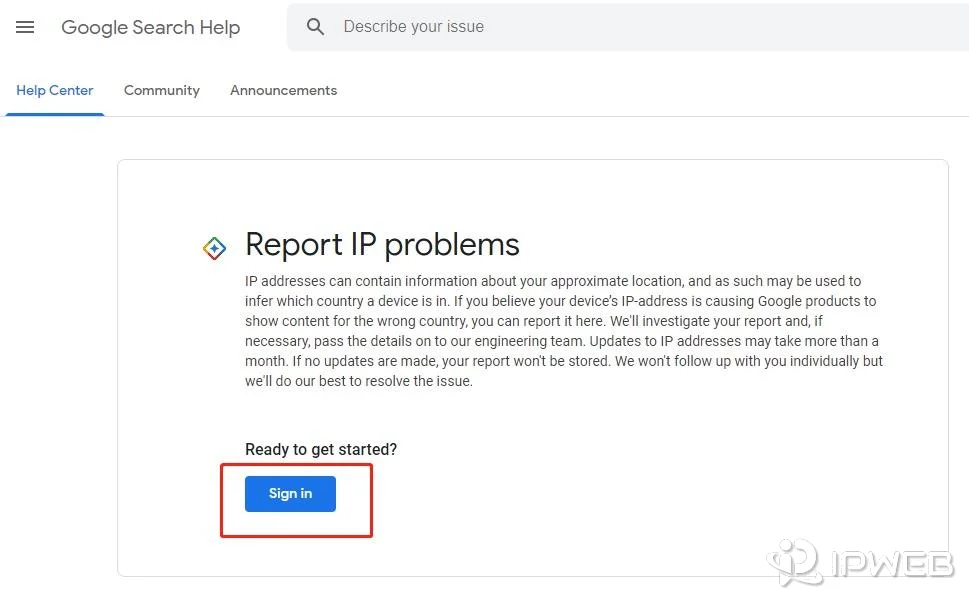
Google also warns that updates can take more than a month and that there is no individual follow-up. Treat the form as an escalation path, not an instant fix.
In the current Gemini API forum discussion, a Google responder also suggested three temporary diagnostic actions: try another network, ask the host for another IP, and compare IPv4 with IPv6. These are useful because each can test whether the result follows the source address. They are not guarantees that a different IP will permanently solve the problem.
What to Include in a Reproducible Report
A short report with exact network evidence is more useful than “Gemini thinks I am in the wrong country.” Include the request origin and a controlled comparison.
UTC timestamp:
Exact HTTP status:
Exact error message:
API endpoint:
Model (if applicable):
Runtime / host:
Server city and country:
Public IPv4:
Public IPv6:
ASN / network:
Hosting provider:
Same API key from another network:
IPv4 result:
IPv6 result:
Recent network or IP changes:
Do not paste a live API key into a forum post, screenshot, ticket, or public log. Redact credentials and any sensitive project information while preserving the fields needed to reproduce the network result.
The strongest report looks like this: same API key, same endpoint, same request, local network HTTP 200, server network HTTP 400; or same server and key, IPv4 HTTP 200, IPv6 HTTP 400. Those comparisons narrow the problem without guessing at Google’s internal classification system.
What Not to Do During Testing
- Do not rotate multiple API keys, models, endpoints, and networks at the same time.
- Do not permanently disable IPv6 system-wide based on one test; first use a temporary forced-IPv4/IPv6 comparison.
- Do not assume a cloud dashboard’s server city is the same as the location Google assigns to the egress IP.
- Do not treat a third-party IP lookup as authoritative proof of Google’s own classification.
- Do not add a VPN or proxy to the baseline test unless you are deliberately testing that route.
- Do not confuse a 400 location
FAILED_PRECONDITIONwith 401 authentication, 403 permission, or 429 rate-limit errors.
Change one variable at a time and save the exact result. That discipline is what turns an intermittent production complaint into a useful network reproduction.
Frequently Asked Questions
FAILED_PRECONDITION and reporting location support as the unmet prerequisite. Check the official region list, then inspect the public egress IP and address family of the runtime that actually sends the request.!curl ipinfo.io for checking a Colab instance location because Colab restrictions are based on the instance region rather than the user’s region.Final Thoughts
The Gemini API User location is not supported for the API use error is easiest to diagnose when you separate runtime location from user location. Confirm the exact 400 FAILED_PRECONDITION, verify the official supported-region list, and then test the actual server egress rather than assuming the developer’s physical location controls the result.
The highest-value comparisons are same key and request across two networks, or the same server tested separately over IPv4 and IPv6. If the failure follows one source IP or address family, record the IP, ASN, provider, UTC timestamps, and sanitized response, then use Google’s IP-reporting path or your hosting provider as appropriate. If both network paths fail with a different error class, move to the matching authentication, permission, or broader Gemini API troubleshooting workflow.