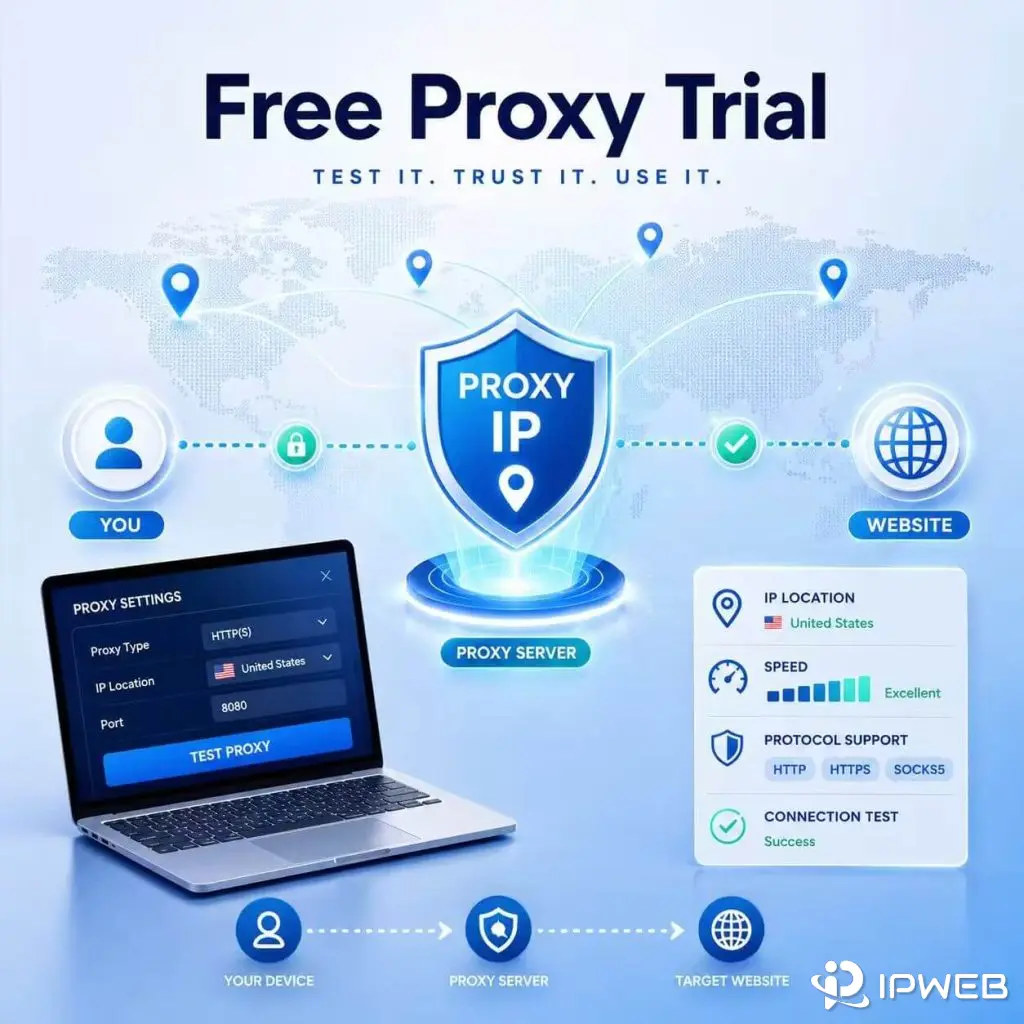
Need to test a proxy before paying? IPWeb offers a free proxy trial with 1GB of traffic for 24 hours, with no payment method required. You can use the trial to check location, protocol compatibility, connection quality, and your own browser, application, or workflow.
Register an account, then contact customer service through the chat icon in the bottom-right corner to request access. Trial proxy types and locations depend on current availability, so include your preferred country, protocol, and proxy type when you apply.
IPWeb offers a free proxy trial with 1GB of traffic for 24 hours and no payment method required. New users can register an account and contact customer service to request trial access. Available proxy types and locations depend on current inventory, so include your preferred country, protocol, and proxy type when requesting the trial.
- 1GB of proxy traffic
- 24 hours of access
- Coverage across 220+ countries and regions
- HTTP, HTTPS, SOCKS5, and SOCKS5H support
- No payment method required
Create your IPWeb account, then contact customer service to request the 1GB, 24-hour free proxy trial. No payment method is required.
Create an AccountWhat Is Included in the IPWeb Free Proxy Trial?
The trial is designed to let you verify a proxy in your own environment before choosing a paid plan. The main terms are simple:
| Trial Detail | IPWeb Free Trial |
|---|---|
| Traffic | 1GB |
| Duration | 24 hours after activation |
| Payment method | Not required |
| Locations | 220+ countries and regions, subject to trial availability |
| Protocols | HTTP, HTTPS, SOCKS5, and SOCKS5H |
| Activation | Create an account, then contact customer service |
| Proxy type | Subject to current trial inventory |
In short: the IPWeb proxy free trial gives eligible new users 1GB for 24 hours without requiring a payment method.
What You Can Do with the Free Proxy Trial
The trial is designed to help you evaluate the proxy in the environment where you plan to use it. Instead of testing an unknown IP from a public proxy list, you can connect the proxy to your own browser, application, script, or compatible software.
| What You Need to Check | How the Trial Helps |
|---|---|
| Location | Confirm that the IP matches the country or region needed for your task. |
| Connection quality | Check page loading, response time, and connection stability. |
| Protocol compatibility | Make sure your browser or application works with the required protocol. |
| Software setup | Verify that authentication and connection details work in your tool. |
| Real workflow | Run a small version of the task you expect to use after purchasing. |
The goal is not to use the entire 1GB as quickly as possible. Use the trial to answer the questions that matter before you choose a plan.
Can I Test Residential Proxies for Free?
You can request a residential proxy configuration when applying for the IPWeb free proxy trial. Trial proxy types and locations depend on current availability, so tell customer service whether you want to test dynamic residential proxies, static residential proxies, or another available proxy type.
A residential proxy free trial is most useful when you test it in the same browser, application, or workflow you plan to use after purchase. Check the visible IP, selected location, protocol support, session behavior, and connection stability instead of judging the trial only by whether one page loads successfully.
Choose Your Location, Protocol, and Proxy Type
Before contacting customer service, decide what you need to test. Clear requirements make it easier for the support team to prepare a suitable proxy configuration.
| Your Requirement | What to Tell Support |
|---|---|
| Regional website or page test | The country or region you need. |
| Browser or application setup | The tool you use and whether it requires HTTP, HTTPS, SOCKS5, or SOCKS5H. |
| Stable session | How long the IP needs to remain consistent. |
| Multiple-request workflow | How requests should use or change the proxy IP during the test. |
For a browser profile, account environment, or another task that needs the same IP throughout the session, ask customer service whether a stable residential configuration is suitable for your test.
Free-trial locations and proxy types depend on current availability, so include your preferred option when you contact support.
How to Get the 1GB Free Proxy Trial
- Create an IPWeb account.
- Sign in to your account.
- Click the customer service icon in the bottom-right corner.
- Ask for the 24-hour, 1GB free proxy trial.
- Send your target location, protocol, proxy type, and testing tool.
Hi, I would like to request the 24-hour, 1GB free proxy trial. I need a proxy from [country or region] with [HTTP, HTTPS, SOCKS5, or SOCKS5H] support for [browser, application, script, or use case].
Once the trial is activated, customer service will provide the connection details you need to add the proxy to your setup.
What to Test During the 24 Hours
Start with the checks that could affect your decision to purchase. A proxy that connects successfully may still be unsuitable if the location is wrong, the protocol does not work with your software, or the connection is unstable during the real task.
- Confirm that the visible IP changed. Connect to the proxy, then use WhatIsMyIP to check that the proxy IP appears instead of your normal public IP.
- Review the network information. Use IPinfo to check the detected country, region, ISP, and ASN.
- Open the browser, application, or website you actually plan to use.
- Repeat the task several times and watch for failed connections, timeouts, location mismatches, or unexpected IP changes.
- Confirm that the authentication format and selected protocol work correctly in your tool.
The most useful result is not simply seeing a different IP address. It is confirming that the proxy works reliably in the workflow you plan to run after the trial.
Frequently Asked Questions
Start Your Free Proxy Trial
Create an account, then click the customer service icon in the bottom-right corner. Ask for the 1GB, 24-hour free proxy trial and send the location, protocol, proxy type, and tool you want to test. No payment method is required to request trial access.