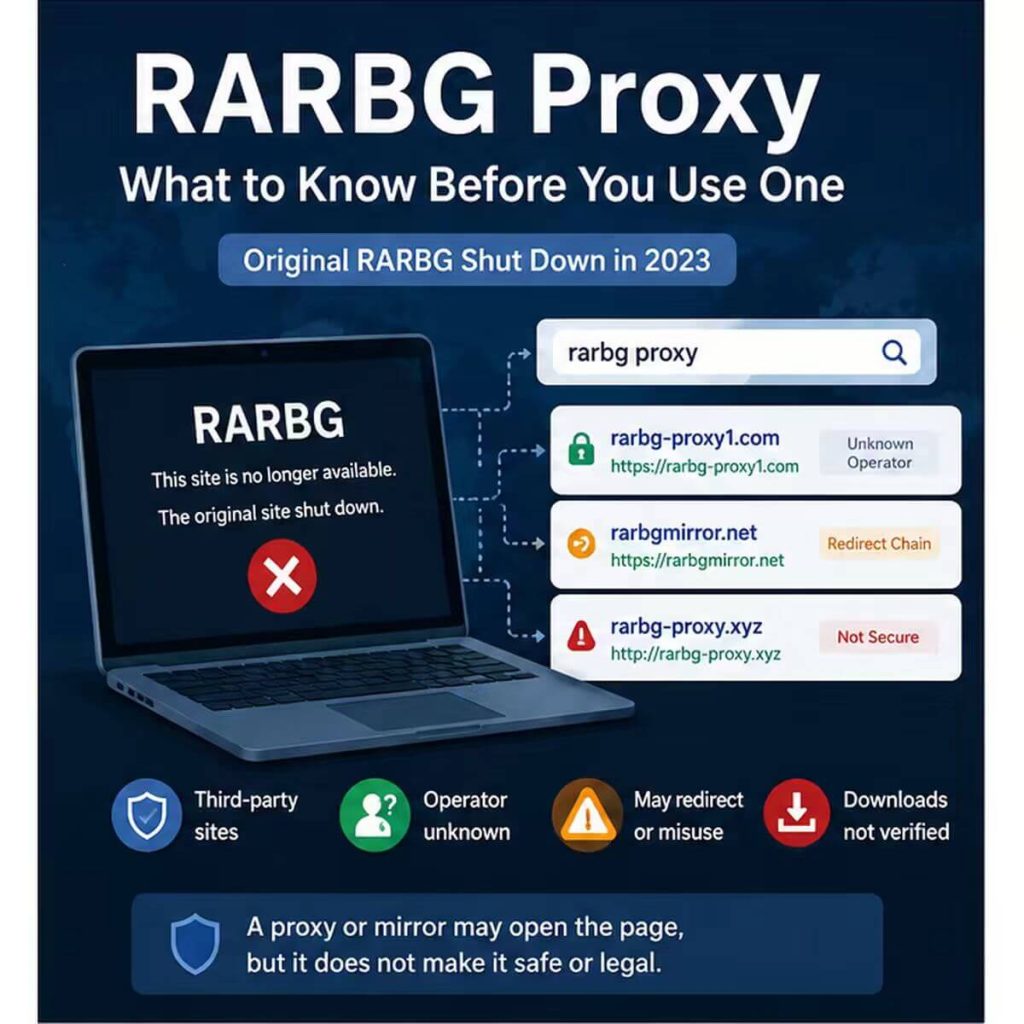
Search for a RARBG proxy today and you will find pages that look familiar but are not the original service. RARBG closed in May 2023, so current results are generally third-party mirrors, clone sites, web proxy pages, or link lists operated by unrelated parties.
This guide does not publish a live RARBG proxy list. Instead, it explains what the term means, why these pages change so often, how a mirror differs from a proxy server, and which trust and network signals to check before relying on any result.
A RARBG proxy is a broad label for a third-party mirror, web proxy page, proxy-link list, or network route associated with the former RARBG name. It should not be assumed to be official or safe. Check the domain, certificate, redirects, page behavior, and network route before using it for any permitted research or testing.
- RARBG shut down in 2023; current pages using the name are not the original service.
- A mirror site is a destination, while a proxy server changes the network route used to reach a destination.
- Clone domains and proxy lists can become stale, change ownership, or redirect to unrelated pages.
- A working proxy route does not prove that the destination is trustworthy or permitted to use.
- Check the domain, HTTPS certificate, redirects, visible IP, ASN, DNS behavior, and page activity separately.
What Is a RARBG Proxy?
A RARBG proxy is not one specific technology. Search results use the phrase for several different things: a site that copies the old RARBG interface, a browser-based page that fetches another site, a list of mirror domains, or a normal proxy server configured in a browser or application.
The original RARBG operation ended in May 2023. TorrentFreak reported the shutdown and noted that the closure would likely attract copycat sites using the recognizable name. A current domain that includes “RARBG” should therefore be treated as a separate third-party destination rather than a continuation of the original service.
The most important distinction is simple: a mirror is the site you visit, while a proxy is the route your traffic takes. Changing the route does not verify who operates the destination.
Why RARBG Proxy Sites Change So Often
RARBG proxy and mirror pages are unstable because domains can expire, change ownership, be parked, redirect elsewhere, or be copied by another operator. A link that worked when a list was published may later point to a different page or stop resolving entirely.
The shutdown also created an opportunity for lookalike sites. TorrentFreak later documented how RARBG knockoffs attracted former users after the original site closed. That history is why a “working” label is not enough evidence on its own.
| Signal | What to Check | Why It Matters |
|---|---|---|
| Domain registration | Creation date, registrar, status, and recent changes | A newly registered or recently changed domain may be unrelated to the original site |
| HTTPS certificate | Correct hostname, validity period, and browser warnings | A valid certificate encrypts the connection but does not prove the operator is trustworthy |
| Redirect chain | Unexpected ad pages, shorteners, pop-ups, and unrelated domains | Multiple redirects can conceal tracking or unsafe destinations |
| Page behavior | Forced downloads, credential prompts, notification requests, and aggressive scripts | Unexpected actions are stronger warning signs than the visual design of the page |
| Network route | Visible IP, country, ASN, and DNS behavior in the same test environment | This confirms the route you are using, not the safety of the destination |
RARBG Proxy vs Mirror Site vs VPN
The phrase “RARBG proxy” often mixes the destination and the connection method. Separate them before deciding what you are actually testing.
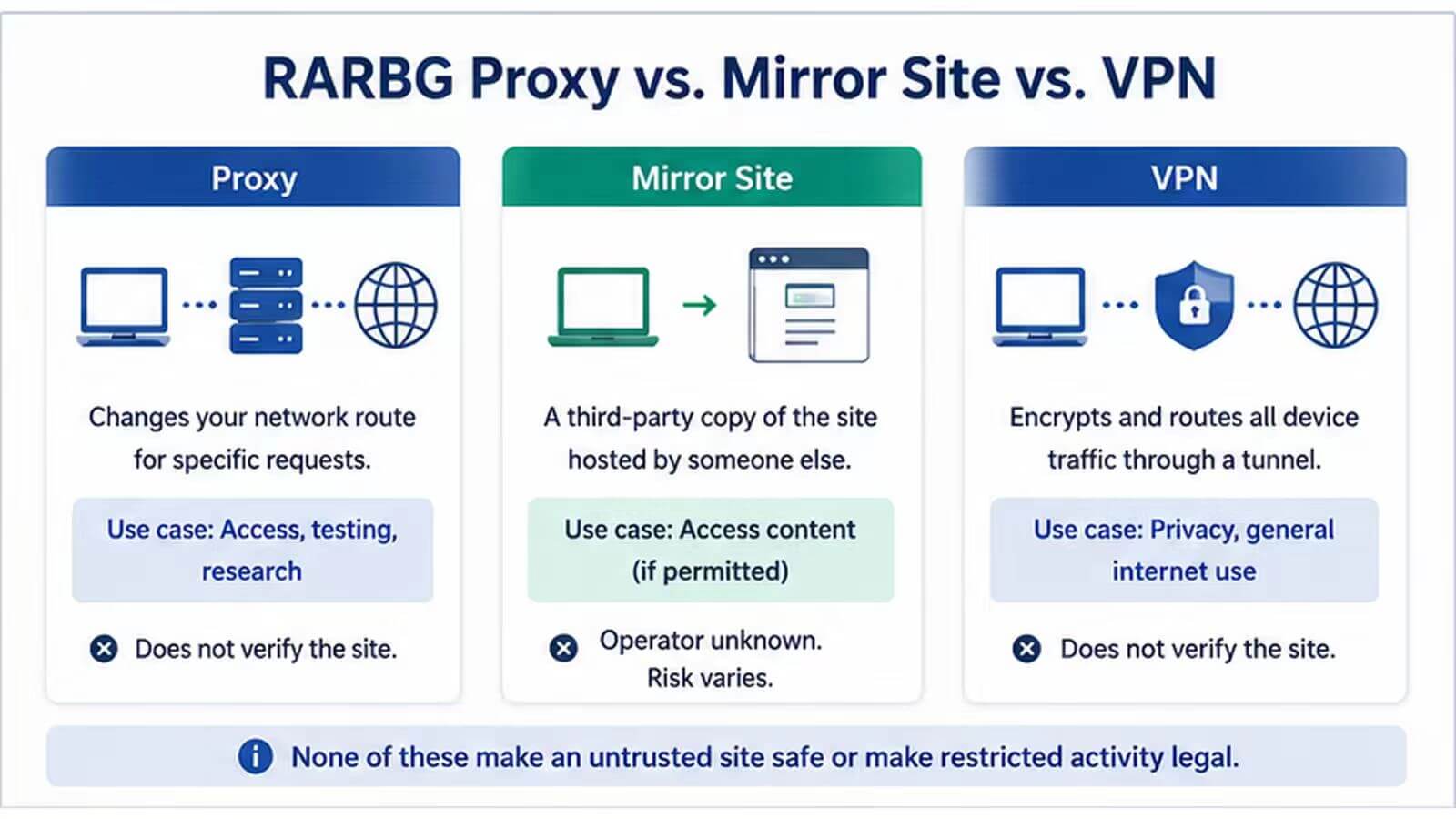
| Term | What It Is | What It Does Not Prove |
|---|---|---|
| Proxy server | A network intermediary that forwards selected traffic through another IP route | That the destination is official, safe, or permitted |
| Mirror site | A third-party site that copies or imitates another site's interface or index | That it is connected to the original operators |
| Web proxy page | A browser-based service that fetches a destination on the user's behalf | That requests are private or that page content is unchanged |
| VPN | A tunnel that usually routes broader device traffic through a VPN network | That a mirror is trustworthy or that an activity is lawful |
To verify whether your own browser, application, or script is actually using a configured proxy, follow IPWeb's guide on how to check if a proxy is working. If the visible IP changes but the reported location looks wrong, see why an IP location can differ across lookup tools.
Risks to Check Before Trusting a RARBG Proxy Site
The main question is not simply whether the page loads. You also need to know whether the domain, redirects, and page behavior are trustworthy enough for the limited task you are performing.
| Risk | Warning Sign | Practical Check |
|---|---|---|
| Stale or repurposed domain | The page no longer matches the link description | Review current registration data with the ICANN Lookup tool |
| Lookalike or clone site | The design appears familiar but ownership is unclear | Compare the domain, registration date, certificate, and external reputation signals |
| Unsafe page behavior | Forced downloads, fake buttons, repeated pop-ups, or notification prompts | Leave the page without downloading files or entering personal information |
| Phishing or credential collection | The site asks for an account, payment, email, or password unexpectedly | Do not submit credentials to an unknown mirror or public web proxy |
| Misleading security result | The page uses HTTPS but behaves suspiciously | Remember that HTTPS protects the connection; it does not certify the operator or content |
| Copyright or policy exposure | The proposed workflow involves restricted or copyrighted material | Stop and review applicable law, source terms, and permitted use before continuing |
Google's Safe Browsing Site Status tool can provide one additional reputation signal for a domain. A clean result is not a guarantee, so combine it with registration, redirect, certificate, and page-behavior checks.
A Safer Evaluation Workflow
For legitimate security review, brand-protection research, availability checks, or public metadata analysis, define the permitted scope before opening unknown mirror pages. Keep the task focused on the information you are authorized to review.
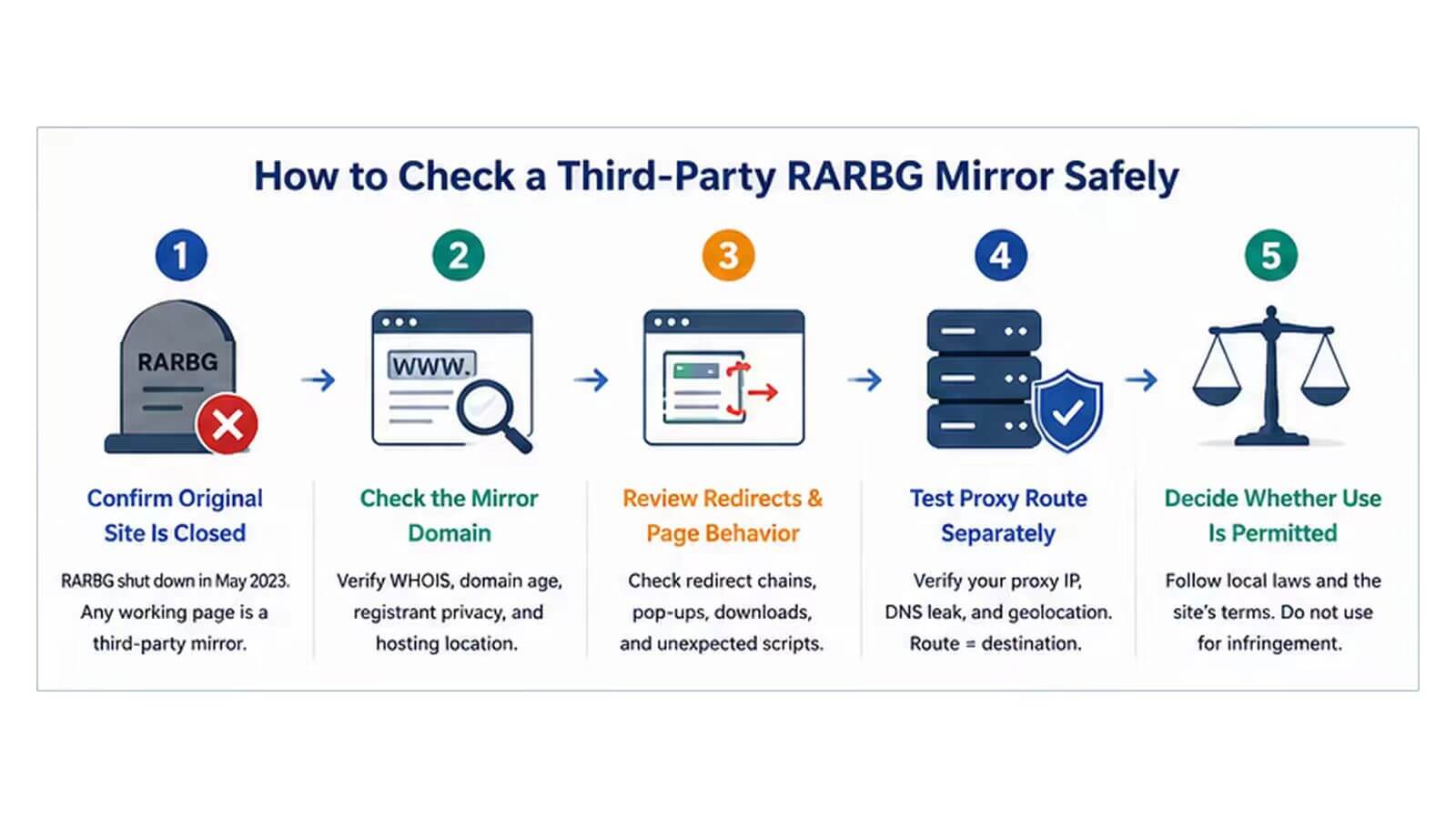
- Define the research purpose and permitted scope.
- Record the exact domain and the source of the link.
- Check registration data, HTTPS warnings, and redirects before interacting with the page.
- Use an isolated browser profile without saved credentials or personal data.
- Avoid downloads, account sign-ins, payment forms, and notification permissions.
- If a proxy is involved, verify the visible IP, ASN, DNS behavior, and region in the same browser or application.
- Record the timestamp, status code, final URL, and unusual page behavior.
- Stop if the page requests access or data outside the approved scope.
When a Proxy Helps—and When It Does Not
A proxy can help with network-layer testing. For example, it can show how a public page responds from another permitted region, separate a controlled research route from a normal office connection, or confirm whether an application is using the intended IP path.
A proxy cannot verify the operator behind a mirror, inspect every script, validate downloaded content, or decide whether a workflow is lawful. It also cannot override account rules, platform policies, copyright restrictions, or local law.
For authorized regional QA or public-web research that genuinely requires changing residential routes, IPWeb Dynamic Residential Proxies can provide a managed network-routing option. They do not evaluate the trustworthiness or legal status of a third-party destination.
Frequently Asked Questions
Final Thoughts
A current RARBG proxy result should be treated as a third-party domain, not as the original service. Start by identifying whether the result is a mirror, web proxy page, link list, or network proxy, then evaluate the domain and page behavior separately from the route.
For permitted testing, verify the destination first and the network path second. A proxy can confirm or change routing, but trust, security, and compliance require their own checks.