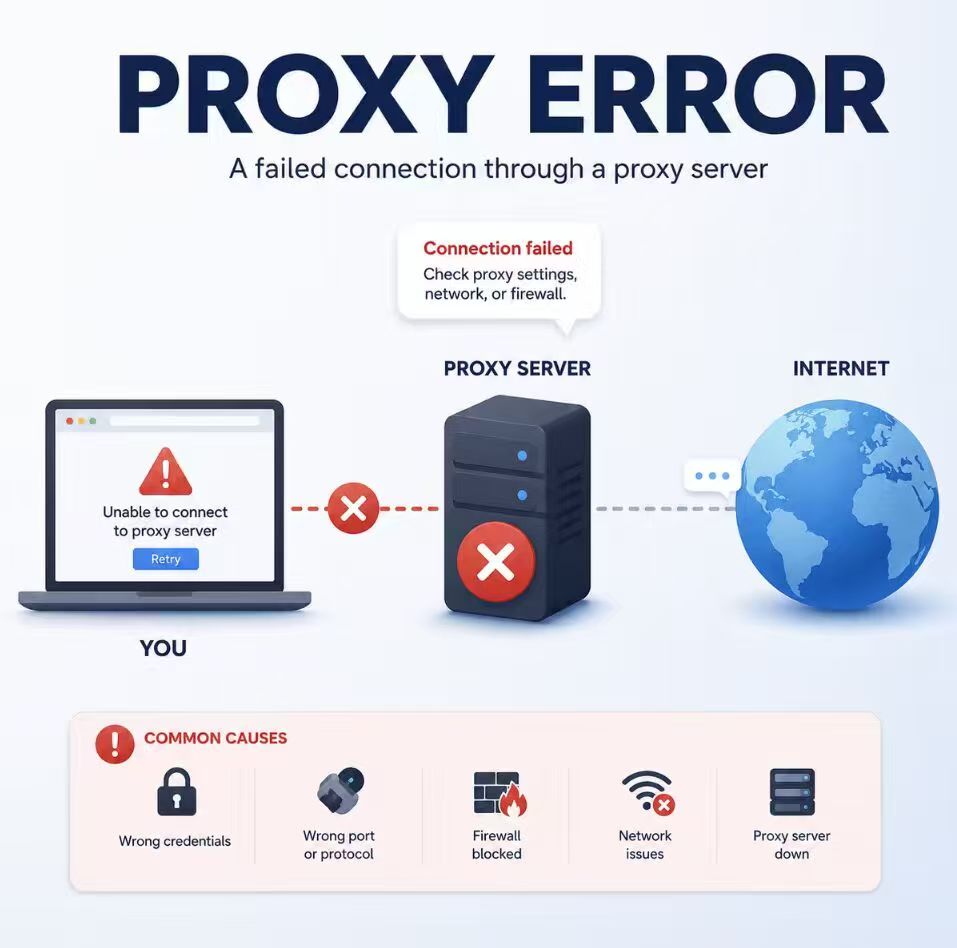
A proxy error can stop a browser, API request, automation script, or desktop application from reaching its destination. The fastest way to diagnose it is to capture the exact error and identify whether the failure begins at the client, proxy endpoint, authentication layer, network path, or destination.
A proxy error means a request failed somewhere along the path between the client, proxy server, and destination. Common causes include incorrect credentials, a closed port, protocol mismatch, blocked network traffic, local routing, DNS resolution outside the intended path, or a destination-side failure.
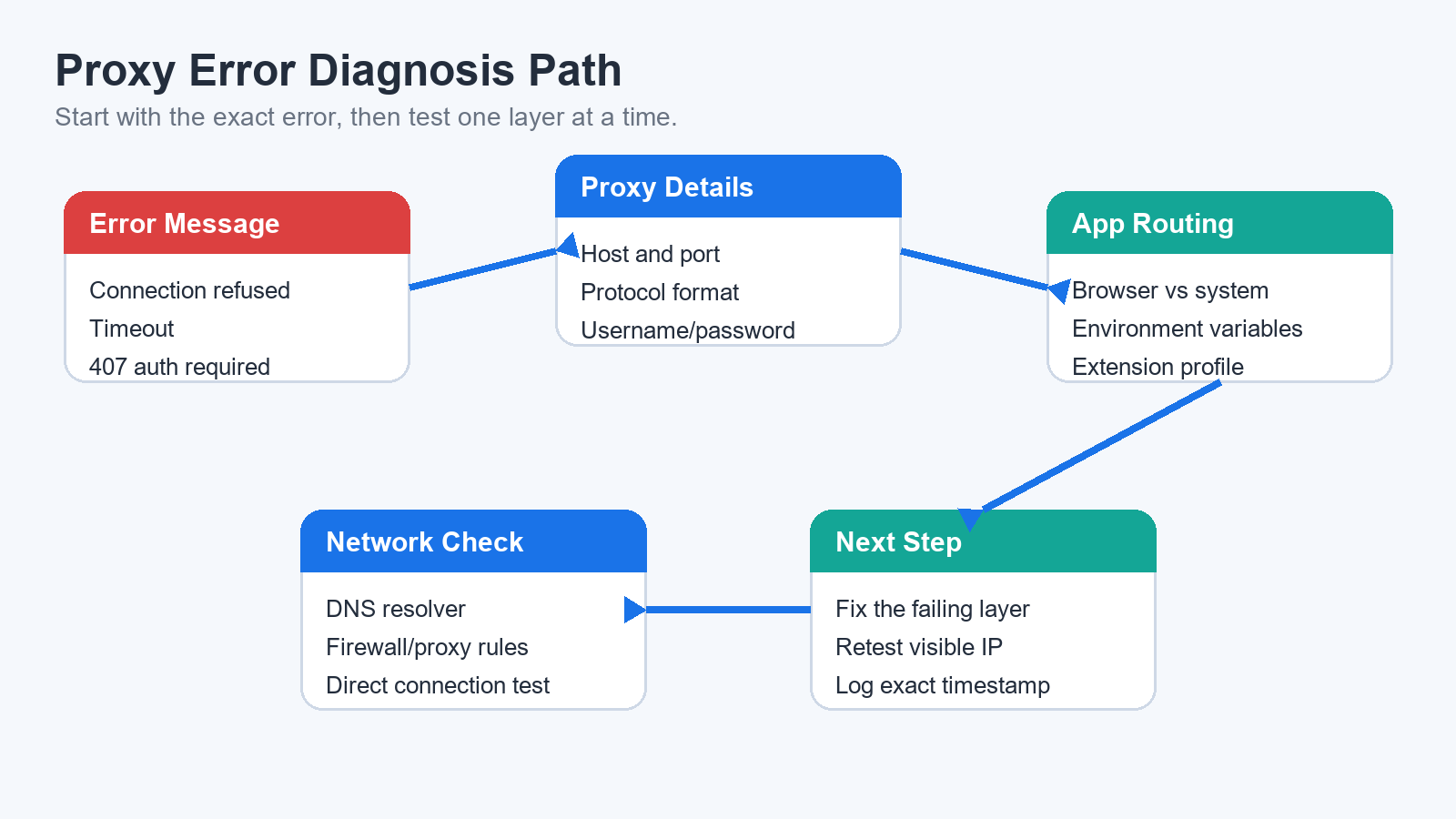
- Read and record the exact error before changing any settings.
- A timeout, connection refusal, 407 response, and tunnel failure point to different layers.
- Confirm host, port, protocol, credentials, and application routing before replacing the proxy.
- After the error is fixed, validate the route in the same application that originally failed.
What Does a Proxy Error Mean?
A proxy error does not describe one specific technical failure. It means the client did not complete the request through the expected proxy path.
The connection may fail before the proxy accepts it, while the proxy checks authentication, while the proxy connects to the destination, or after the destination returns a response. Each stage produces different symptoms and requires a different test.
Common Proxy Error Messages
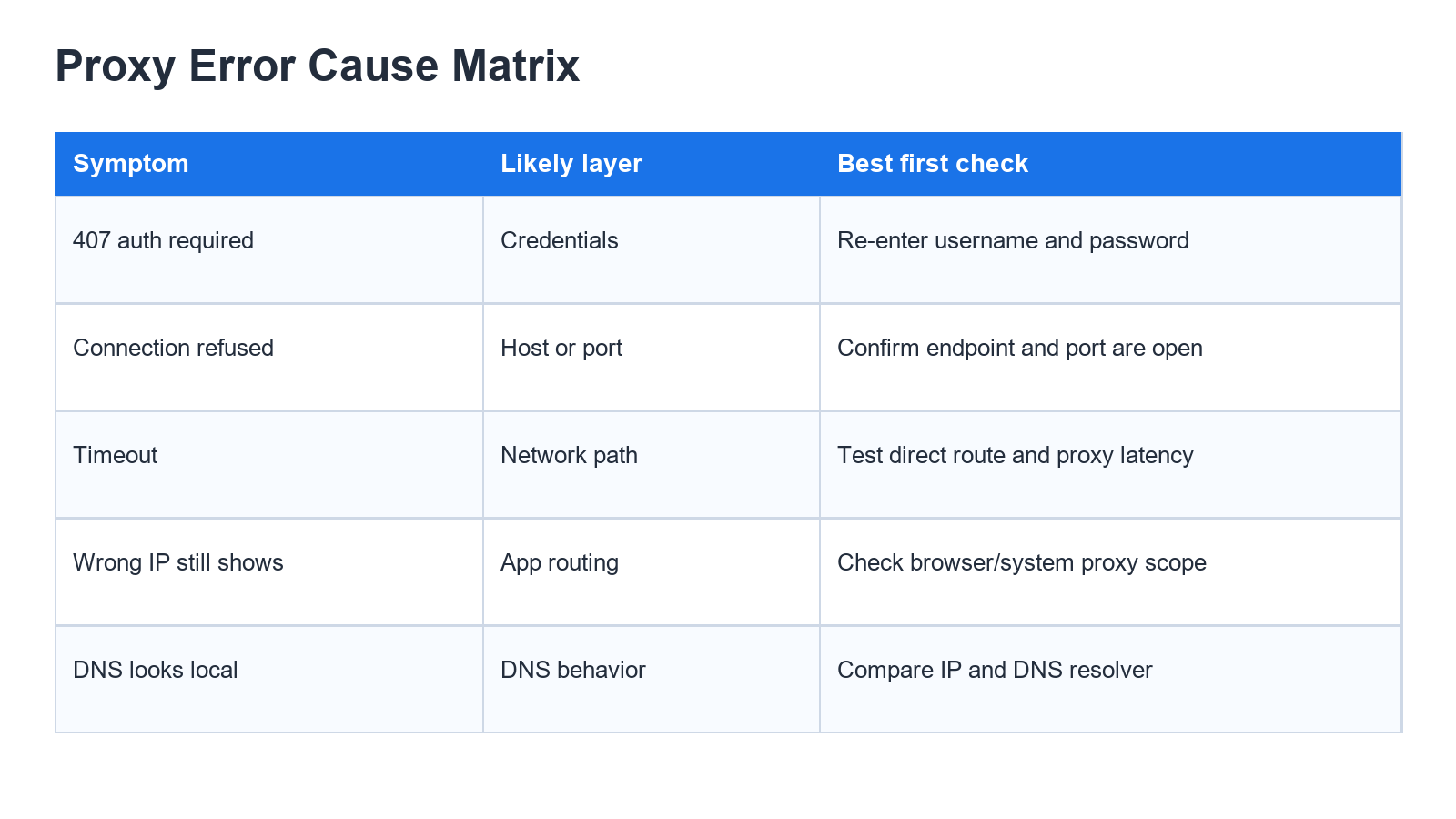
The exact wording is usually the best clue. A 407 response, connection refusal, timeout, and tunnel failure should not be treated as the same problem.
| Error or Symptom | Likely Layer | What to Check First | Next Step |
|---|---|---|---|
| 407 Proxy Authentication Required | Authentication | Username, password, account status, allowlist, and authentication format | Confirm the credentials and inspect the authentication method requested by the proxy. |
| ERR_PROXY_CONNECTION_FAILED | Proxy endpoint | Proxy hostname, port, service availability, and local network access | Test whether the proxy port is reachable before changing browser settings. |
| ERR_TUNNEL_CONNECTION_FAILED | CONNECT tunnel or protocol | Proxy protocol, authentication, destination access, and tunnel support | Run a verbose proxy request and inspect where the tunnel setup fails. |
| Proxy server is refusing connections | Endpoint or firewall | Host, port, service status, firewall, and IP allowlist | Confirm that the service is listening and that the client network is permitted. |
| Connection refused | Endpoint | Wrong port, inactive service, rejected network, or local firewall | Test the same endpoint from another permitted network or client. |
| Connection timed out | Network path | Blocked port, latency, destination reachability, and client timeout | Test the proxy port first, then repeat the request with verbose output. |
| The original IP still appears | Application routing | Whether the failing browser, app, or script actually uses the proxy | Confirm that the affected browser, app, or script is configured to use the proxy, then verify the visible IP in the same application. |
| DNS resolution follows a different path | DNS configuration | Browser secure DNS, operating-system DNS, app-specific DNS, and proxy protocol | Identify where the destination hostname is resolved before calling it a leak. |
For HTTP authentication errors, MDN explains 407 Proxy Authentication Required. The accompanying Proxy-Authenticate header indicates which authentication method the proxy expects.
How to Check a Proxy Error Step by Step
Run the checks in the same browser, application, terminal, or HTTP client where the error appeared. A proxy working in one application does not prove that another application uses the same route.
1. Record the Exact Error
Copy the full message, status code, timestamp, and application name before changing anything. Also note whether the failure affects every destination or only one website or API.
2. Verify the Proxy Fields
Check the hostname, port, protocol, username, password, and IP allowlist. Confirm whether the client expects HTTP, HTTPS, SOCKS4, or SOCKS5 syntax.
A protocol mismatch can look like an offline proxy even when the endpoint is active.
3. Test Whether the Proxy Port Is Reachable
On Windows PowerShell, replace the sample host and port:
Test-NetConnection proxy.example.com -Port 8080Focus on the TcpTestSucceeded result:
Truemeans the TCP port was reachable from that machine.Falsemeans the request did not establish a TCP connection to that host and port.
A successful port test does not prove that credentials, protocol, or destination routing are correct. It only confirms that the client reached the port.
4. Run a Verbose Proxy Request
Use curl to see where the request fails. Replace the sample credentials and endpoint:
curl -v --proxy "http://USER:PASS@HOST:PORT" "https://httpbin.org/ip"On Windows PowerShell, use curl.exe when curl is mapped to another command:
curl.exe -v --proxy "http://USER:PASS@HOST:PORT" "https://httpbin.org/ip"The verbose output can help distinguish:
- A failure to resolve or reach the proxy host
- A connection refusal or timeout
- A 407 authentication response
- A CONNECT tunnel failure
- A TLS failure after the tunnel is established
- An HTTP response returned by the destination
Verbose output may contain endpoint details. Do not publish logs that expose proxy usernames, passwords, authorization headers, or private network addresses.
5. Compare Direct and Proxy Results
Test the destination without the proxy. If the direct request also fails, the destination, local network, DNS service, or application may be the actual source of the problem.
If the direct request works but the proxy request fails, continue checking authentication, protocol, firewall rules, proxy availability, and destination support.
6. Confirm the Fix in the Original Application
After changing one setting, retest in the same browser, application, or runtime where the error occurred. Do not assume that a successful terminal command automatically fixes an app with separate proxy settings.
For a complete route validation after the error is corrected, use the guide to checking whether a proxy is working.
- Record the exact error, timestamp, application, and destination.
- Confirm host, port, protocol, username, password, and allowlist settings.
- Test whether the proxy port is reachable.
- Run one verbose request and identify the failing stage.
- Compare the destination with and without the proxy.
- Change only one setting at a time.
- Confirm the final route in the original application.
How to Check Whether a Firewall Blocks the Proxy
A firewall can block the proxy port before authentication or HTTP traffic begins. This may be a local operating-system rule, security application, router rule, company network policy, cloud firewall, or proxy-side allowlist.
Use the following order:
- Test the proxy host and port from the affected machine.
- Test the same endpoint from another permitted network.
- Review whether a VPN, security tool, or corporate network changed recently.
- Confirm whether the proxy provider requires the client IP to be allowlisted.
- Check whether only one port is blocked or the entire proxy host is unreachable.
If the endpoint works from another network but not the original one, the proxy may be healthy while a local or upstream network rule blocks the connection.
Temporarily disabling security controls is not the preferred first test. Review logs, create a narrow approved rule where appropriate, and restore the original configuration after testing.
When the Proxy Is Not the Problem
A destination can fail even when the client-configured forward proxy is working correctly. The remote service may be overloaded, unavailable, rate limited, or unable to reach one of its own upstream servers.
A 502 response often belongs to an upstream or reverse-proxy path operated by the destination rather than the forward proxy configured in your browser or script. The same visible status can therefore come from a different part of the network chain.
Microsoft Learn’s guidance on 502 errors in Application Request Routing shows how connection resets, timeouts, and upstream server failures can produce gateway errors.
Account state, service policy, regional availability, request limits, and compliance rules can also affect the result. A proxy changes the network path, but it does not override account restrictions or destination-side policies.
How to Prevent Repeat Proxy Errors
Keep the proxy endpoint, protocol, authentication method, application scope, and validation process documented. When an error appears, compare the current configuration with the last known working state instead of rebuilding it from memory.
For team workflows, log proxy changes separately from application changes. Record:
- Credential rotations
- Proxy endpoint or port changes
- Application releases
- Extension or browser updates
- VPN and security-software changes
- Firewall and allowlist updates
Use capped retries and reasonable timeouts. Unlimited immediate retries can turn one temporary failure into a larger application problem and make the original error harder to identify.
Frequently Asked Questions
Final Thoughts
A proxy error becomes easier to diagnose when the exact message is mapped to the correct layer. Check the proxy fields, port reachability, authentication, application route, firewall, DNS behavior, and destination in that order. Once the request works again, confirm the route in the same application that originally failed.