Understanding reCAPTCHA matters for developers, QA teams, and data workflow owners because verification can change how a normal browser test, form submission, or public-data workflow behaves. The useful first step is to understand what reCAPTCHA checks, how its main versions differ, and what a challenge does—and does not—tell you.
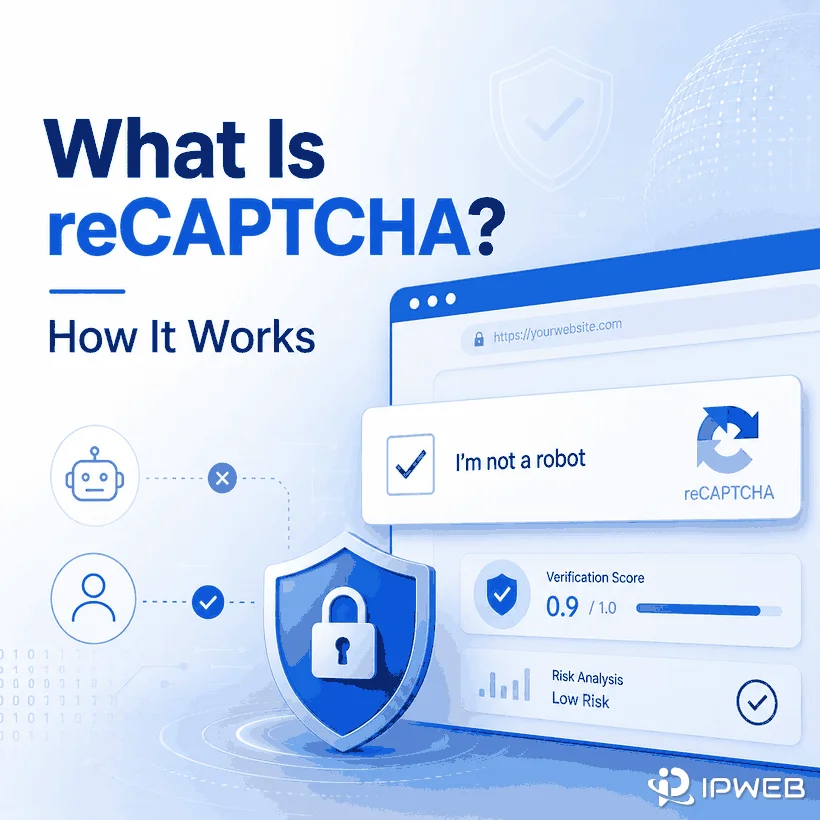
reCAPTCHA is Google's anti-abuse service for helping websites distinguish legitimate human interactions from automated or suspicious activity. Depending on the version and site configuration, it may show a checkbox or challenge, run without a visible prompt, or return a risk score that the website uses in its own decision logic.
- CAPTCHA is a general human-verification concept; reCAPTCHA is Google's implementation of that concept.
- reCAPTCHA v2 can use a checkbox or invisible verification and may present an additional challenge, while v3 returns a score without interrupting the user.
- A reCAPTCHA challenge does not prove that a user is malicious or that a proxy is the sole cause.
- Browser state, routing, request behavior, and application behavior are useful diagnostic variables, but Google does not publish every signal used in its risk analysis.
- This guide focuses on diagnosis and compliant workflow decisions, not CAPTCHA solving, bypassing, or evasion.
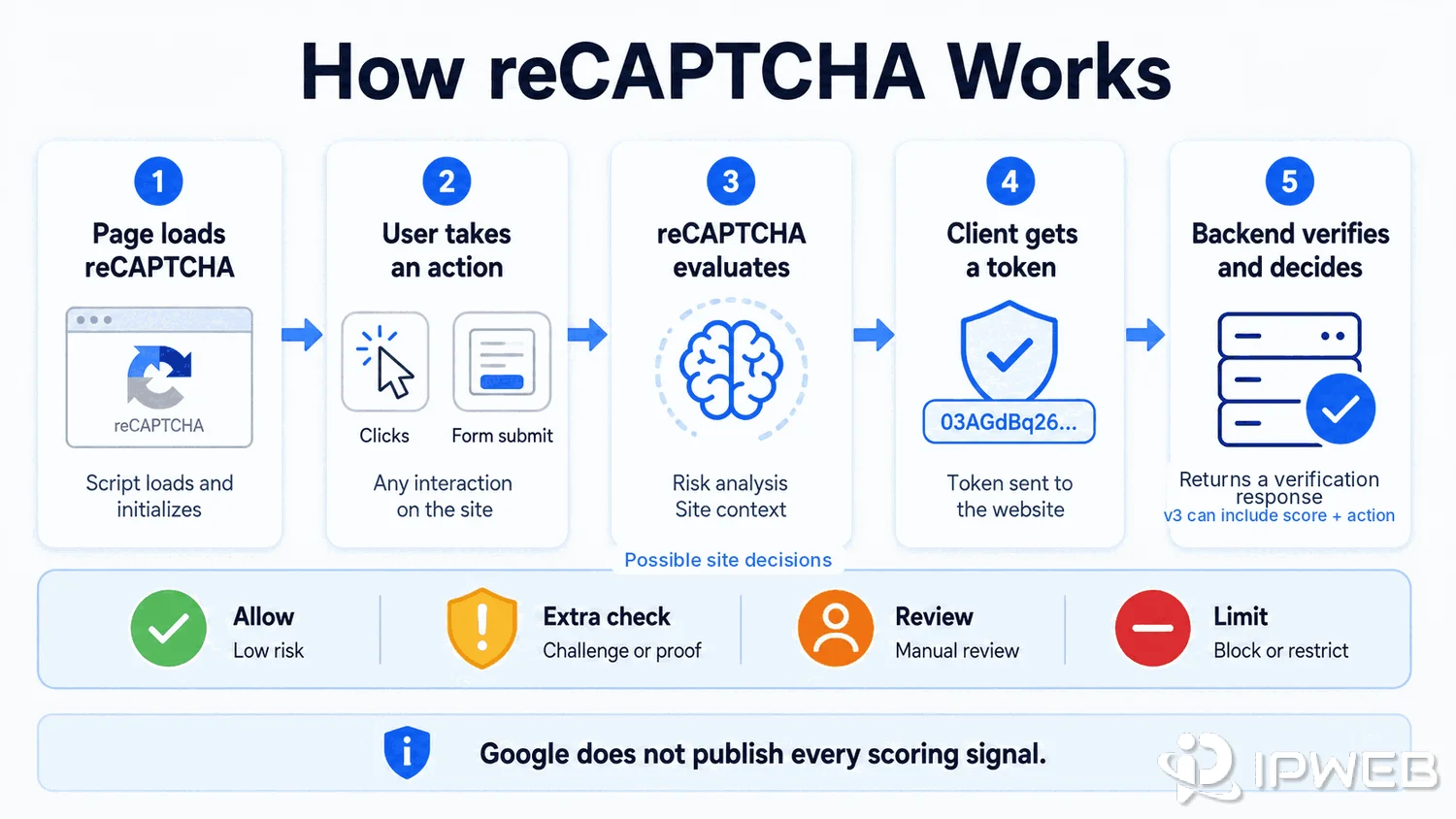
How reCAPTCHA Works
CAPTCHA stands for Completely Automated Public Turing test to tell Computers and Humans Apart. reCAPTCHA is Google's CAPTCHA service, designed to protect websites from spam and abuse by using advanced risk analysis to distinguish legitimate interactions from automated activity.
At a high level, a protected page loads the reCAPTCHA integration, the user or browser performs an action, and reCAPTCHA evaluates that interaction. The client receives a response token, which the website verifies on its backend before deciding how to handle the request. With reCAPTCHA v3, the verification response also includes a score and an action value that the site can use in its own risk rules.
Google does not publish every signal used in its risk analysis, and implementation details vary by site. That is why a verification prompt should be treated as a risk-control decision rather than proof that one specific browser setting, IP address, or user behavior caused it.
reCAPTCHA v2 and v3 in Plain Terms
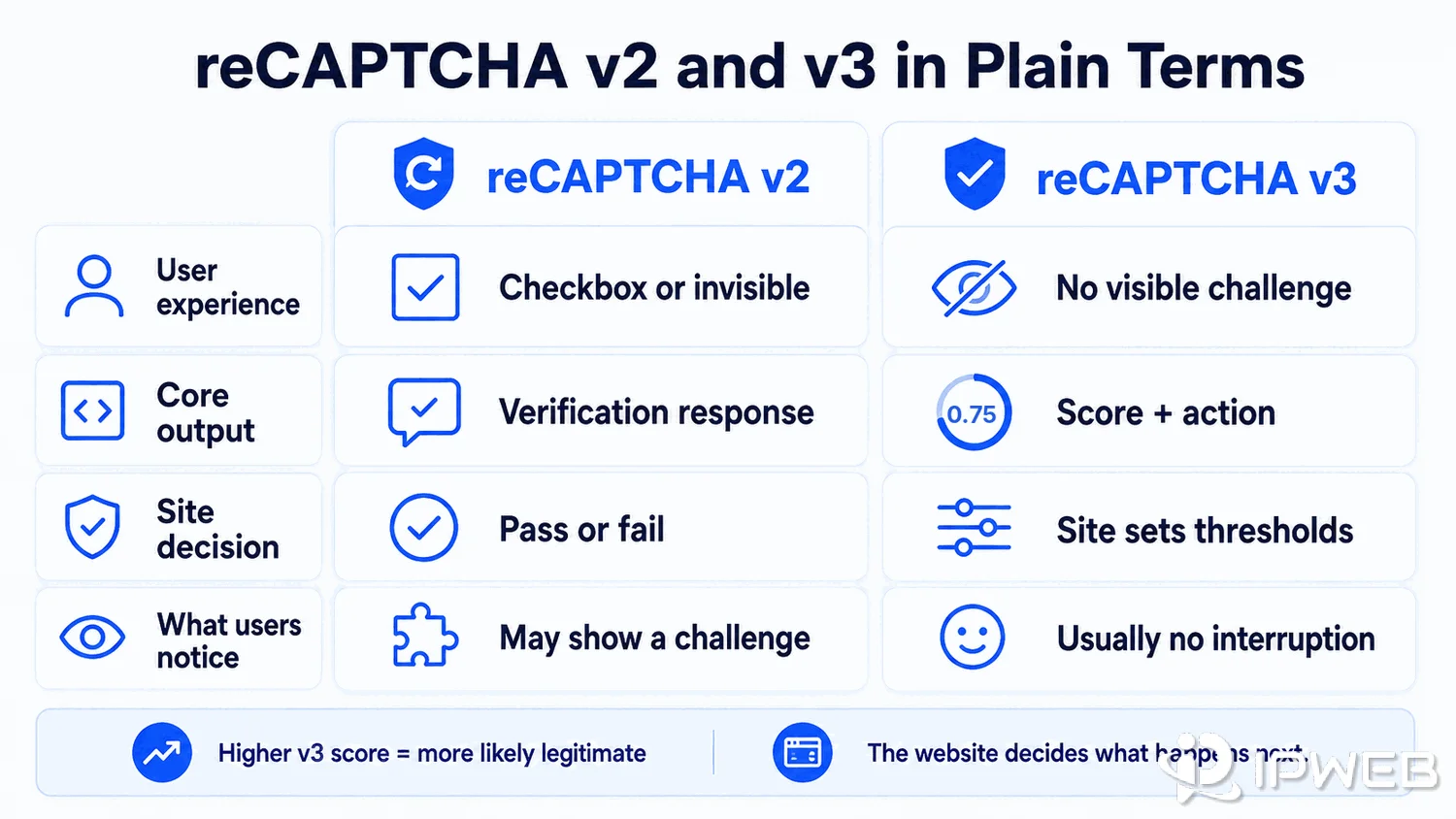
Google's reCAPTCHA documentation describes several available types. The two most familiar web versions are v2 and v3, but they create very different user experiences.
| Feature | reCAPTCHA v2 | reCAPTCHA v3 |
|---|---|---|
| User experience | May use an “I'm not a robot” checkbox or invisible verification, with an additional challenge when needed. | Runs without a visible CAPTCHA challenge. |
| Core output | A verification response that the site validates on its backend. | A score from 0.0 to 1.0 plus an action value after backend verification. |
| Site decision | The site decides what to do after verification succeeds or fails. | The site chooses thresholds and follow-up actions based on its own risk tolerance. |
| What users notice | A checkbox, image/audio challenge, or sometimes no extra prompt. | Usually no visible interruption. |
For v3, Google explains that a higher score indicates an interaction that is more likely to be legitimate. The score itself does not automatically decide whether a request is allowed; the website defines what happens next, such as allowing the action, requesting additional verification, sending it for review, or applying limits.
Why reCAPTCHA Appears in Testing and Data Workflows
Websites commonly deploy reCAPTCHA around actions where automated abuse would be costly, including logins, account creation, forms, checkout flows, search interfaces, password resets, and other sensitive interactions. In a QA or data workflow, a visible challenge may therefore be part of the site's normal protection logic rather than a network error.
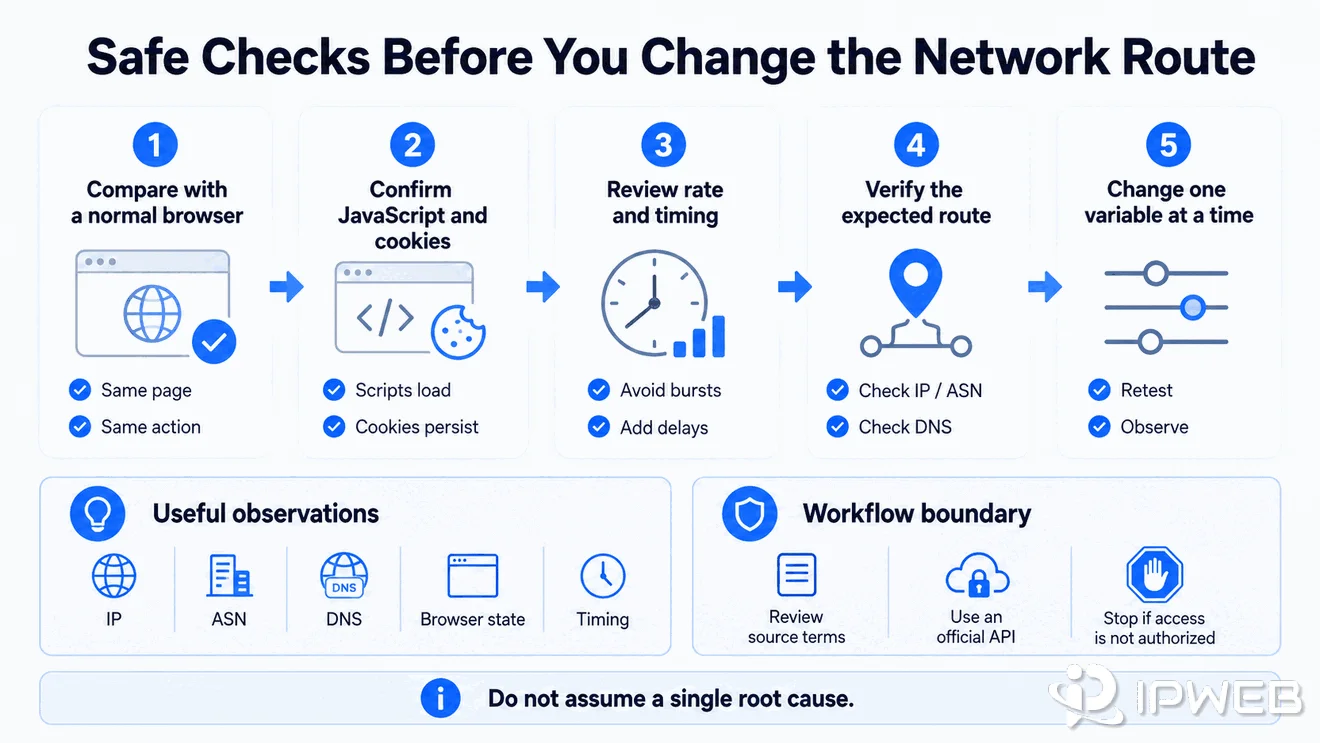
If challenges keep appearing during automated testing, investigate the full request path instead of blaming a single root cause upfront. Check whether the same action works in a normal browser, whether JavaScript and cookies are functioning, whether retries are too aggressive, and whether the application is actually using the intended network route. IP, ASN, DNS, browser state, and request timing can all be useful diagnostic observations, but they should not be presented as confirmed reCAPTCHA scoring signals unless Google documents them.
For public-data workflows, repeated verification is also a reason to review permission and source terms. If an official API or authorized data path exists, that may be more appropriate than repeatedly retrying a protected browser flow. IPWeb's guide to web scraping legality and permission boundaries covers those considerations in more detail.
What reCAPTCHA Does Not Prove
A reCAPTCHA challenge does not prove that a specific user is malicious. Legitimate users can encounter verification when a website wants more confidence before allowing an action, and automated QA can behave differently from an ordinary interactive session.
It also does not prove that the IP address is the only problem. A proxy changes the network route, but it does not automatically change application state, cookies, JavaScript execution, browser behavior, account status, request timing, or the site's own access policy. Replacing an IP without isolating those variables can make diagnosis harder rather than easier.
Safe Checks Before You Change the Network Route
Start with the simplest comparison: open the same page and perform the same allowed action in a normal browser session. Confirm that JavaScript loads, cookies are available, the browser profile is stable, and the application is not retrying requests unexpectedly.
Next, verify the route actually used by the application. Check the visible IP and basic network information, then compare the result with the route you intended to configure. If you need a step-by-step method, use the proxy route verification checklist before changing multiple variables at once.
Finally, compare outcomes one variable at a time. A challenge that appears only in one browser profile, one application path, or one request pattern gives you a much stronger diagnostic clue than repeatedly changing proxies. For reCAPTCHA integration details, use Google's documentation as the source of truth because production behavior still depends on the site's own implementation and policy.
Frequently Asked Questions
Final Thoughts
reCAPTCHA is best understood as a website risk-control layer, not simply an image puzzle and not a proxy error. For developers and QA teams, the most useful response to repeated verification is to compare browser state, application behavior, network routing, request timing, and permission boundaries one variable at a time. That produces a clearer diagnosis without turning a definition article into a bypass guide.