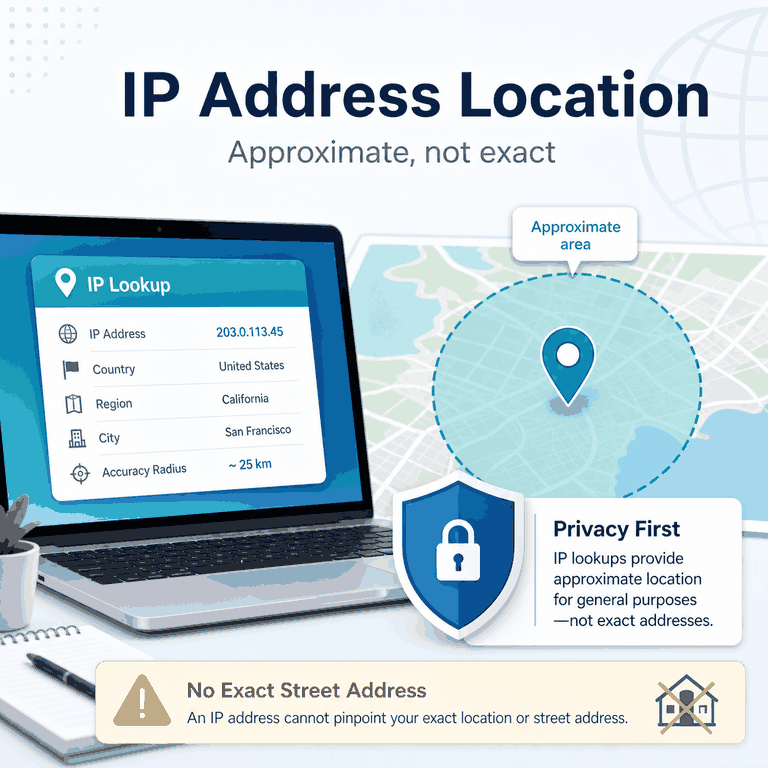
Searching for “track IP address exact location” usually comes from one of two concerns. You may want to understand what your own IP address reveals, or you may have seen a tool claim it can locate someone from an IP address.
The reality is narrower. IP lookup can provide useful network context, but it is not a street-address tracker.
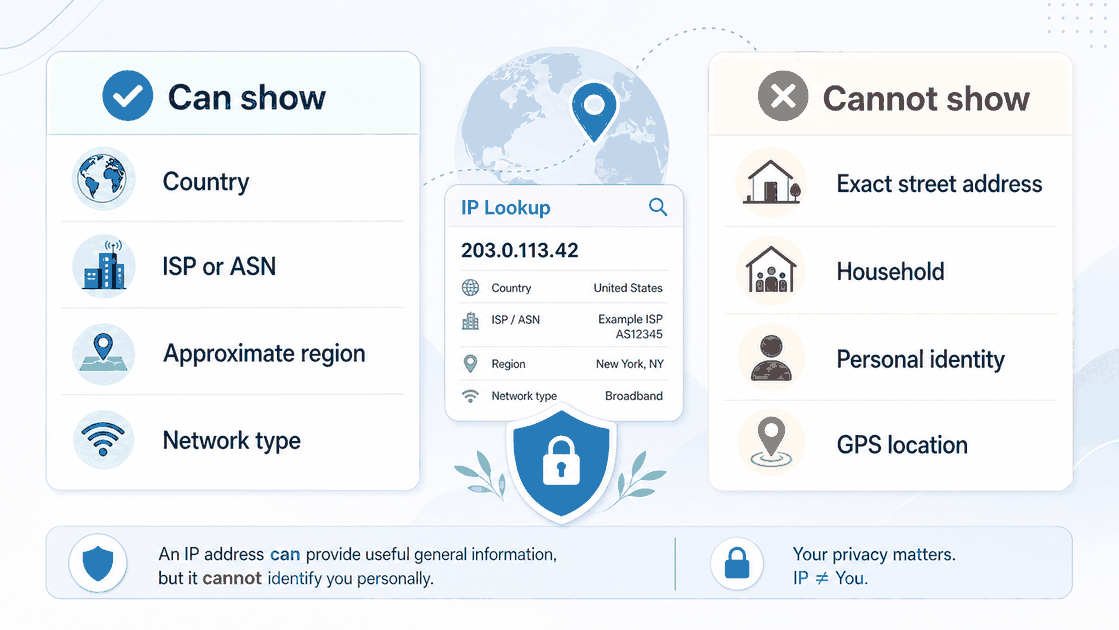
An IP address may point to a country, region, city estimate, ISP, hosting provider, mobile carrier, autonomous system, or network type. It normally cannot reveal a precise home, apartment, office desk, GPS coordinate, or individual person.
If you only need to check your current visible IP and basic network information, start with the broader What Is My IP? IP Lookup Guide.
No. A normal public IP lookup cannot track an exact physical location or street address. It can usually show approximate network information such as a country, region, city estimate, ISP, ASN, or network type. IP geolocation is database-based and should not be treated as a precise identity, household, or GPS record.
- IP location is an estimate based on network and geolocation databases, not GPS.
- An IP address may show a country, region, city estimate, ISP, ASN, and network type.
- A normal IP lookup cannot reveal an exact street address, household, or personal identity.
- City-level results can differ across tools because databases, routing, and ISP records vary.
- Country-level results are often more dependable than city-level estimates, but they are not guaranteed.
- Use IP location for broad network context, not for identifying or targeting a person.
What IP Location Can Actually Show
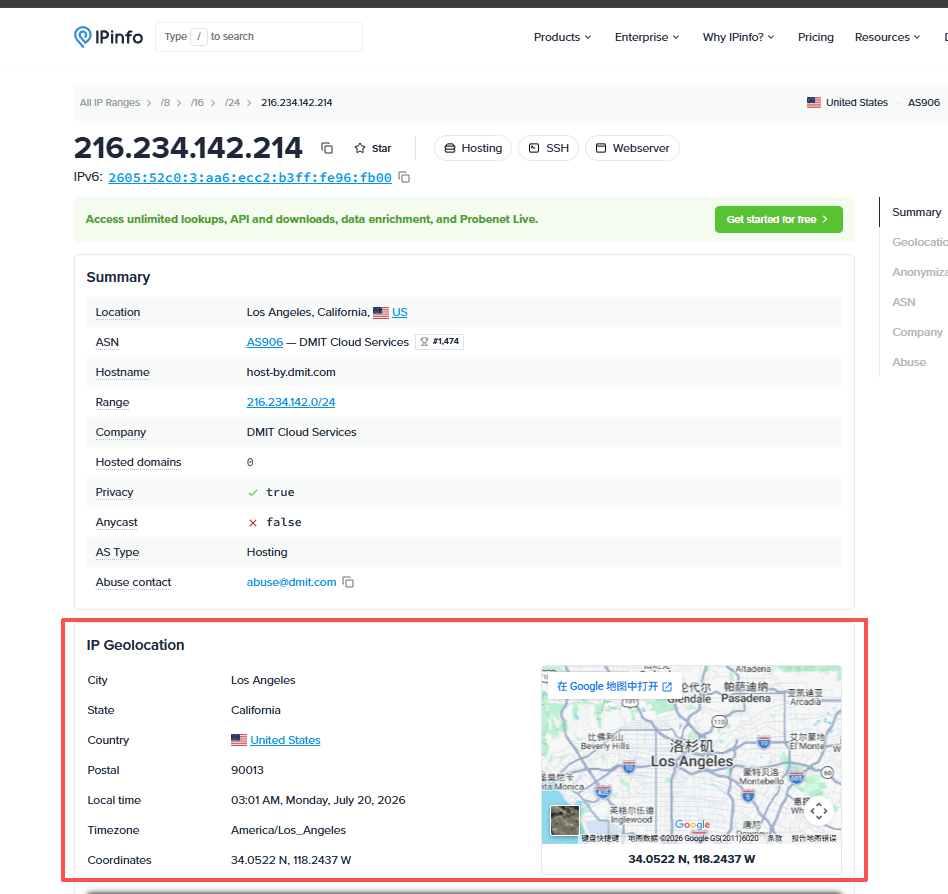
IP location can show where a network appears to connect to the internet. This can be useful for troubleshooting, regional testing, analytics, security review, and basic proxy checks. It is not the same as locating a device or person.
| Lookup Field | What It Means | How to Read It |
|---|---|---|
| Country | The country associated with the IP address in a geolocation database. | Often more reliable than region- or city-level estimates, but still not guaranteed. |
| Region or city | An estimated area linked to the IP range, ISP, mobile gateway, or routing point. | Useful as a hint, but not proof of a user’s physical location. |
| ISP or organization | The network provider, company, carrier, or hosting network associated with the IP. | Helps distinguish residential, mobile, office, proxy, or datacenter networks. |
| ASN | The autonomous system that announces the route for the IP range. | Useful for understanding network routing and resource ownership. |
| Latitude and longitude | Database coordinates associated with the estimated network area. | Do not interpret them as the live coordinates of a device. |
| Accuracy radius | An estimated area surrounding the returned coordinates. | Read it as approximate coverage, not as a pinpoint location. |
ICANN defines an IP address as a numeric value used by the Internet Protocol to identify a device and route packets to their intended destination. Its official Internet Protocol address definition explains this networking role.
That routing function is different from a personal identity or exact-location record.
Why IP Location Is Not Exact
IP location is approximate because it is based on databases and network signals. A lookup provider may use ISP registration data, routing information, commercial data sources, user-submitted corrections, and historical observations.
None of these sources is the same as live GPS or a device location service.
MaxMind’s geolocation accuracy documentation explains that IP geolocation cannot guarantee perfect accuracy and is not precise enough to identify a household, individual, or street address. Coordinates should be interpreted with an accuracy radius rather than treated as an exact point.
Several network realities make exact location impossible from a normal public IP lookup:
- ISP routing: A home connection may exit through a provider facility in another city.
- Mobile networks: Mobile traffic can route through carrier gateways far from the device.
- Shared IP addresses: Many users can appear behind the same public IP because of NAT or carrier-grade NAT.
- Corporate networks: Employees in several offices may share an exit point registered to one location.
- Datacenter networks: Server IPs often show a hosting facility or network owner rather than the user of an application.
- Proxy and VPN services: The visible IP may belong to the proxy or VPN endpoint instead of the original connection.
- Database timing: Recently reassigned IP ranges may continue to appear under older location records.
- Database methodology: Different providers may assign different confidence levels or geographic labels to the same IP range.
What an IP Address Cannot Show
An IP address cannot reveal everything people often assume it can. It may be enough to route traffic and estimate a network area, but it does not provide a complete personal profile by itself.
| Question | Short Answer | Why |
|---|---|---|
| Can an IP address show an exact street address? | No. | Public IP geolocation maps a network range or routing area, not a home, apartment, or building. |
| Can an IP address identify a person? | Not by itself. | It may identify a provider or network organization, but not a specific user without additional records and an appropriate legal process. |
| Can an IP lookup show a GPS location? | No. | GPS comes from device sensors and permissioned location services, not from a public IP lookup. |
| Can an IP address show a city? | Sometimes. | The city is an estimate and may represent an ISP facility, carrier gateway, datacenter, or network registration area. |
| Can an IP address show a subscriber name? | Not through a normal public lookup. | Public lookup databases generally provide network and registration information rather than private customer records. |
| Can an IP address show network owner information? | Often. | Regional internet registries and routing records can identify the organization managing an IP range or ASN. |
ARIN’s Whois and RDAP documentation explains how IP address and ASN registration records can identify the organization associated with an internet number resource.
These records describe network allocation and registration. They do not provide the exact physical location or personal identity of an end user.
Why Different IP Lookup Tools Disagree
Different IP lookup tools may disagree because they rely on different data providers, update schedules, correction processes, confidence rules, and geographic models.
One tool may show one city, while another shows a nearby city, a region, or only the country.
Disagreement is especially common when an IP belongs to:
- A mobile carrier.
- A corporate network.
- A VPN or proxy endpoint.
- A hosting or datacenter network.
- A recently reassigned IP range.
- A network with centralized routing in another city.
When results conflict, compare the more stable fields first:
- Country.
- ISP or organization.
- ASN.
- Network type.
- Accuracy radius or confidence level when available.
City, postal code, and coordinate assumptions should be treated with more caution. For a deeper troubleshooting path, see Why Is My IP Location Wrong?.
Safe Ways to Use IP Location Data
IP location data is most useful for broad technical and business decisions. It can support legitimate workflows when the team understands its limitations and avoids treating network information as personal-location proof.
- Proxy checks: Confirm whether a browser, application, or script shows the expected visible IP.
- Regional quality assurance: Check whether a public website returns the expected country or regional version.
- Fraud and abuse review: Use IP location and network type as contextual signals alongside account, device, transaction, and behavioral evidence—not as proof by themselves.
- Analytics: Group traffic by broad geography or network category for reporting.
- Security triage: Review the ASN, hosting provider, carrier, or network category during an incident investigation.
- Network troubleshooting: Check whether routing, VPN, proxy, or ISP behavior explains an unexpected country or region result.
For IPWeb users, this matters when checking whether a proxy route is active. The practical test is to compare the visible IP, country, ISP, ASN, and network type before and after applying the proxy.
If the visible IP does not change as expected, follow the proxy validation steps in How to Check If a Proxy Is Working.
Do not expect city-level IP lookup data to behave like GPS, and do not use it to identify or target a person.
Privacy and Safety Checklist
A responsible IP lookup workflow should explain uncertainty clearly. If a tool or report claims that an IP address can pinpoint a person, street address, or exact GPS location, treat that claim with skepticism.
- Check whether the result is country-, region-, city-, or coordinate-based.
- Look for an accuracy radius or confidence score when available.
- Compare multiple lookup tools before judging a city-level mismatch.
- Review the ISP, ASN, and network type before focusing on city labels.
- Consider whether the IP belongs to a mobile, corporate, proxy, VPN, or datacenter network.
- Never treat IP location as proof of a person’s identity or exact address.
- Use legal and privacy review before combining IP data with personal or account information.
- Do not publish or act on precise-location claims that the underlying data cannot support.
Frequently Asked Questions
Final Thoughts
An IP address can reveal useful information about a network, but it is not a personal locator.
Treat IP lookup as a broad diagnostic signal: useful for country, ISP, ASN, network type, and approximate regional checks; less dependable for city precision; and unsuitable for exact street-address, GPS, or personal-identity claims.
Reading the result within those limits keeps IP geolocation useful without turning it into something the underlying data cannot support.