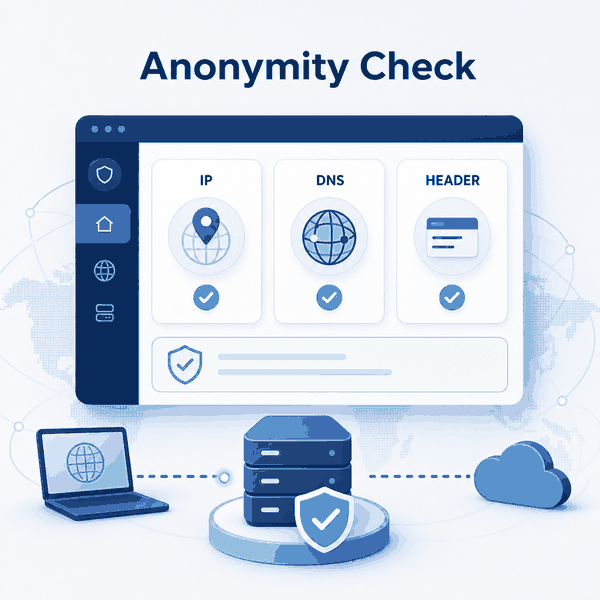
An anonymity check is a practical review of what a website can observe when your browser or application connects through a proxy. It is not a universal score or a guarantee that every website will classify the connection in the same way.
A useful check compares the visible IP, ASN, DNS behavior, WebRTC information, forwarding headers, reputation data, and browser context in the same environment where the proxy will actually run.
This guide explains how to check proxy anonymity without relying on one result or changing several settings at once. The goal is to identify routing errors, unexpected network signals, and configuration mismatches before using the proxy for authorized testing, quality assurance, or public web workflows.
A proxy anonymity checker should test more than the visible IP address. A practical anonymity check verifies the public IP and ASN, DNS behavior, browser WebRTC information, forwarding headers, network reputation, and relevant browser settings. A mismatch can indicate a configuration issue, but no single result proves complete anonymity or guarantees how every website will classify the connection.
- Run the check in the same browser, device, application, or script that will use the proxy.
- Do not treat one IP lookup result as a complete anonymity test.
- Review IP routing, DNS, WebRTC, headers, ASN, and reputation as separate signals.
- A geographic mismatch is a diagnostic clue, not automatic proof of an IP or DNS leak.
- Forwarding headers may be legitimate parts of trusted infrastructure and should not be removed without review.
- Use the results to correct configuration problems rather than making absolute claims about anonymity.
What Should an Anonymity Check Test?
A useful anonymity check reviews the complete connection environment rather than only the proxy endpoint. The visible IP may be correct while another layer behaves differently from the routing setup you intended to test.
Begin with a basic public IP check. IPWeb’s What Is My IP page can help confirm which IP address, country, region, ASN, and organization are visible from the current browser.
After confirming the visible IP, review the layers that a basic lookup does not fully cover:
- DNS behavior: Which resolver handles domain-name requests in the tested environment.
- WebRTC information: Whether the browser exposes unexpected ICE candidate or network information.
- Forwarding headers: Whether a gateway, reverse proxy, load balancer, or application adds routing metadata.
- ASN and network type: Whether the visible IP belongs to the expected residential, mobile, enterprise, carrier, or datacenter network.
- Reputation classification: How IP intelligence providers categorize the endpoint.
- Browser context: Relevant locale, timezone, language, extensions, and session settings.
For a broader explanation of proxy architecture and anonymity levels, see the guide to anonymous web proxies.
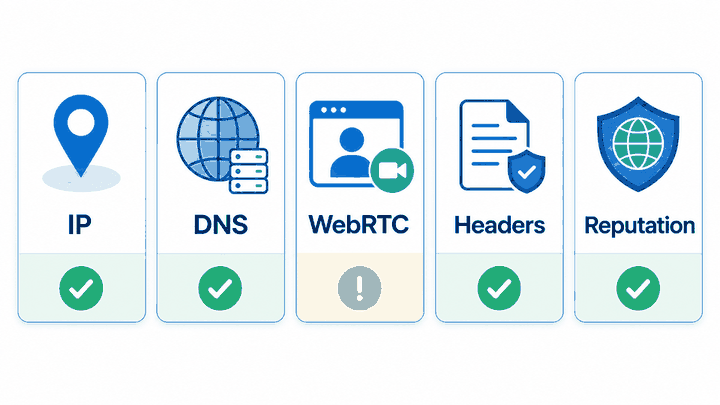
Proxy Anonymity Test Matrix
Each test answers a different question. When results disagree, treat the difference as a diagnostic clue rather than a final verdict.
| Test | What You Are Checking | Expected Result | Warning Sign |
|---|---|---|---|
| Visible IP | The public IP address shown to the website. | The IP matches the configured proxy endpoint or selected region. | The direct network IP still appears when the application is expected to use the proxy. |
| ASN and organization | The network owner and category associated with the visible IP. | The ASN and organization match the proxy type and endpoint you expected. | An unrelated network or unexpected category appears. |
| DNS resolver | How DNS requests are resolved in the tested browser or application. | The resolver behavior matches the intended browser, operating system, network, or proxy configuration. | The resolver unexpectedly exposes the original network or differs from the routing setup you intended to test. |
| WebRTC | Network information exposed through browser real-time communication features. | No unexpected ICE candidate or network information appears in the tested browser. | The browser exposes information that does not match the intended test environment. |
| Forwarding headers | HTTP fields added by gateways, reverse proxies, load balancers, or application infrastructure. | Headers match the trusted infrastructure design and do not expose unexpected client or routing information. | Forwarding fields expose unexpected information or appear outside the intended trusted proxy chain. |
| Reputation | How IP intelligence systems classify the visible endpoint. | The classification is suitable for the authorized workflow being tested. | The IP is repeatedly classified as a proxy, hosting network, anonymizing service, or higher-risk endpoint. |
| Browser context | Relevant timezone, language, locale, extensions, cookies, and session settings. | The environment is consistent with the test configuration and contains no unrelated extensions or stale sessions. | Unexpected settings or session data make the test difficult to reproduce. |
Browser-based checks may include WebRTC when a real browser is part of the workflow. The MDN WebRTC API reference explains the browser communication features behind these network signals.
WebRTC results vary by browser, operating system, network interface, and privacy settings. Unexpected information should be investigated, but it should not automatically be treated as proof that the original public IP has been exposed.
How to Check Proxy Anonymity Step by Step
Run the test in the same environment that will use the proxy. A clean result in another browser, device, or command-line tool may not describe what happens in the actual application.
- Open the browser profile, application, or script that will use the proxy.
- Record the direct public IP before applying the proxy when a comparison is required.
- Enable the proxy and confirm the visible public IP changes to the expected endpoint.
- Record the visible country, region, ASN, organization, and network category.
- Check DNS behavior from the same browser or application environment.
- Review unexpected WebRTC or ICE candidate information when the workflow uses a browser.
- Inspect outgoing request headers when testing server-side requests, applications, gateways, or automated clients.
- Record timezone, language, and browser locale when relevant, but do not treat a mismatch as proof of an IP or DNS leak.
- Compare reputation results from more than one IP intelligence source.
- Change one setting at a time and document which result changed.
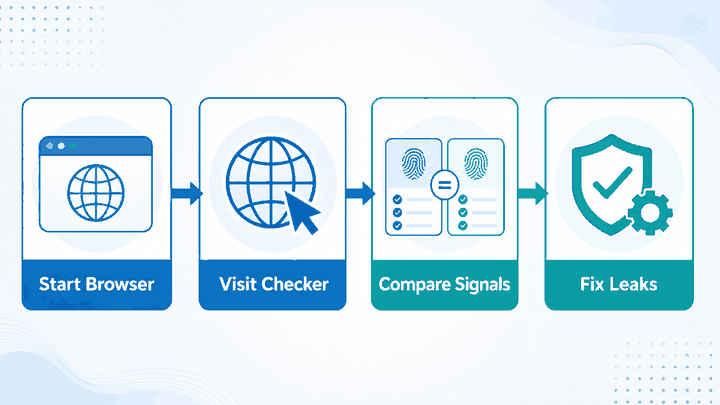
Testing one layer at a time matters. If you change the proxy endpoint, DNS provider, browser profile, extensions, and session simultaneously, you will not know which change affected the result.
How to Interpret the Results
If the visible IP is unchanged, the proxy may not be applied to the browser or application being tested. Check the proxy host, port, credentials, protocol, and whether the client routes the relevant traffic through the proxy.
If the visible IP changes, the basic proxy route is working. That result does not automatically confirm the behavior of DNS, WebRTC, headers, browser sessions, or IP reputation databases.
If DNS behavior differs from the route you expected, first identify which component handles DNS:
- The operating system.
- The browser’s secure DNS or DNS-over-HTTPS setting.
- The local network or router.
- The proxy application or client.
- A corporate gateway or public DNS provider.
A resolver located in another city or country does not automatically mean the original IP is exposed. The important question is whether the DNS path matches the configuration the workflow was intended to use.
If the browser exposes unexpected WebRTC or ICE candidate information, compare the result across the actual browser version, privacy settings, and network interfaces. Do not assume every local or private address represents a public IP leak.
If headers contain proxy-related information, inspect the application and infrastructure path. The standardized Forwarded header and the commonly used X-Forwarded-For header may be added by trusted gateways, reverse proxies, and load balancers.
Forwarding headers may be necessary for routing, logs, rate controls, and security systems. Review where they are added and how the application uses them before removing or changing them.
If the anonymity check looks consistent but a website still displays a warning, see the separate guide to anonymous proxy detected. A site may rely on different IP intelligence, session history, account information, request timing, or platform-specific risk rules.
Common Mistakes When Checking Anonymity
Treating a Changed IP as a Complete Test
A changed IP confirms that the browser or application is using a different network route. It does not prove that DNS, WebRTC, headers, browser state, and reputation all match the intended environment.
Testing in the Wrong Application
If the proxy will run in Chrome, do not rely only on a command-line IP check. If the proxy is configured inside one application, do not assume every other application on the device uses the same route.
Assuming Geographic Differences Always Mean a Leak
IP, DNS, timezone, and language data may come from different systems. A difference can be worth investigating, but it is not automatic proof that the direct IP or personal location has been exposed.
Removing Forwarding Headers Without Reviewing the Infrastructure
Forwarding headers may be required by reverse proxies, gateways, logging systems, security tools, and application routing. Removing them without understanding the trusted network path can break functionality or reduce useful diagnostics.
Trusting a Single Checker
Different anonymity checkers test different signals and use different databases. One may focus on the visible IP, while another checks DNS, WebRTC, headers, ASN, or reputation.
Expecting a Guarantee of Complete Anonymity
No checker can guarantee how every website will classify a session. Account context, cookies, device information, request behavior, and source-specific rules can still affect the result.
Frequently Asked Questions
Final Thoughts
A useful proxy anonymity check separates routing from classification. First confirm that the intended browser or application uses the proxy and shows the expected public IP.
Then review DNS behavior, WebRTC information, forwarding headers, ASN, browser context, and reputation as separate signals. A difference may identify a configuration issue, but it should not be treated as automatic proof of an IP leak or personal-location exposure.
No single checker can guarantee complete anonymity. Compare multiple results, test in the real environment, and change one layer at a time so you can identify which adjustment affected the outcome.