
Incognito mode hides your browsing history from anyone sharing your laptop. It does not hide your scraper from Amazon, your seller account from eBay, or your ad verification run from Meta. For production work, you need to route traffic through a proxy — a rotating exit IP, elite headers with no Via leak, and DNS that stays on-path every session.
Here is what anonymous browsing actually changes at the network layer. We look at why Incognito and anonymous web proxy shortcuts fall short, and what you need to spin up before your next scraping or e-commerce workflow goes live.
- Browser private mode wipes local data only. It never rotates your IP or strips identifying HTTP headers.
- Production workloads require you to route through proxies. Use residential or carefully managed datacenter IPs with elite header behavior.
- Anonymous web surfing through shared web proxies breaks under volume. Thousands of users hammer the same IPs, and the shared pool burns out fast.
- Sites detect proxies using IP reputation,
ViaorX-Forwarded-Forleaks, TLS fingerprint mismatches, and DNS or WebRTC inconsistencies. - Run an anonymity check using the exact proxy config you plan to ship to production — not your home connection.
1. What Anonymous Browsing Really Means (and What It Doesn't)
People say anonymous browsing when they want to hide from websites. But target servers track you at every layer. They log your IP at the network level. They read your HTTP headers, TLS fingerprints, DNS paths, and JavaScript signals.
Private mode only wipes local storage. It clears cookies, cache, and session data on your device (Chrome Help — Browse in Incognito). It does not route your traffic. Your ISP and the target site still see your real client IP. To change that, you have to send requests through a proxy server.
Proxy browsing means routing traffic through a middleman machine. The target site sees the proxy's exit IP instead of yours. This sets the baseline for business-grade data collection. But a new IP alone is not enough. If your proxy injects Via headers, sites flag you. If your browser leaks your real IP through WebRTC, your setup burns out. You need elite headers to stay hidden.
Three levels people confuse
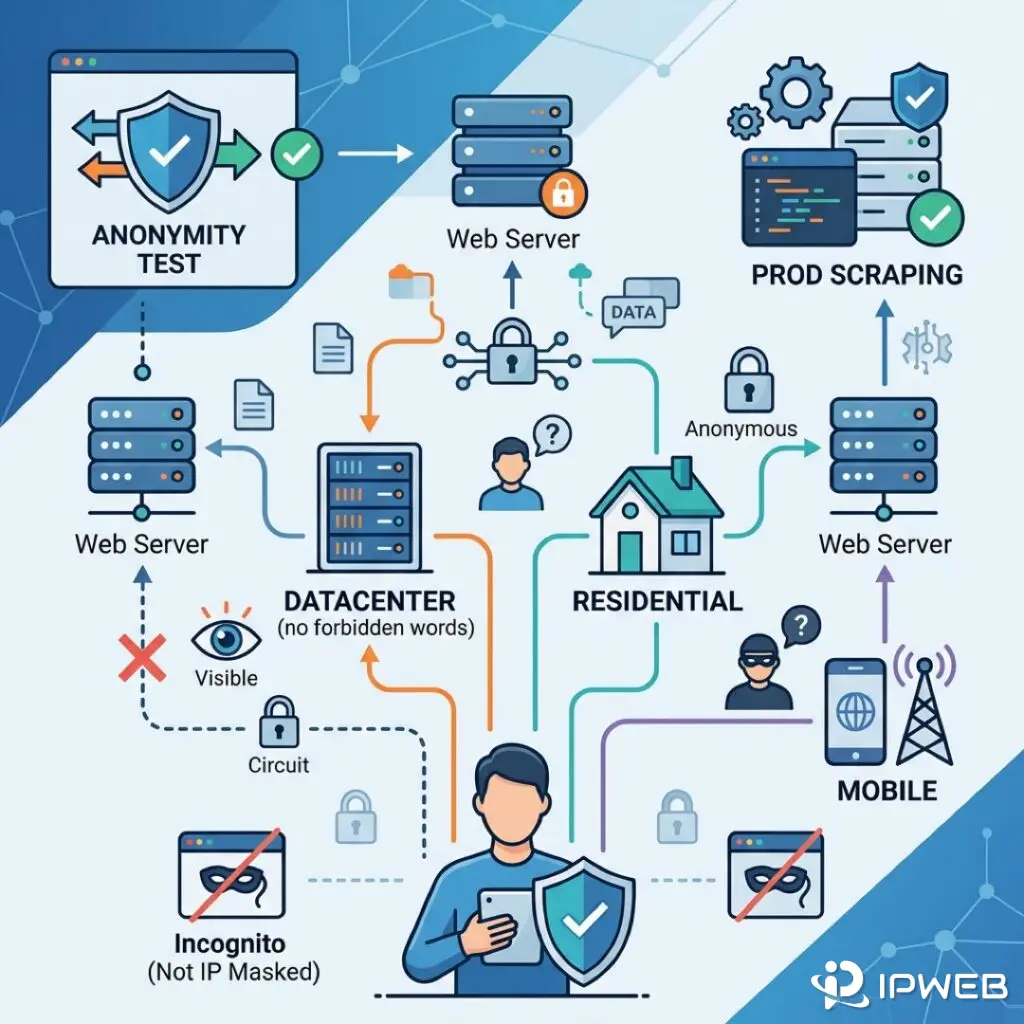
- Local privacy: Incognito windows, container tabs, and cleared cookies. This only hides activity on your own device.
- Network anonymity: Routing through a proxy pool changes your exit IP. We focus on this layer for legitimate testing and data collection.
- Session integrity: Locking in a session with sticky IPs, cookie jars, and consistent headers. This stops your connection from jumping between countries mid-flow.
2. Browser Privacy vs Proxy Anonymity (Incognito / Private Mode)
Incognito browsing is where most people start when they want to browse anonymously. Chrome, Firefox, and Safari market this mode as private. For developers, the reality is simple. Incognito does not change the request your server receives.
Open an Incognito window and hit a product page. The site logs the exact same IP, User-Agent, Accept-Language, and TLS parameters as a normal window. Close one Incognito tab, and cookies still persist until you shut every open Incognito window. Multi-account sellers who rely on Incognito alone still get linked. Platforms easily correlate IP subnets, device fingerprints, and payment metadata.
For a side-by-side breakdown — same URL, three setups (normal browser, Incognito, proxied) — check out our guide on Chrome Incognito vs Proxy: IP, DNS, and Header Differences.
| Method | Changes Exit IP | Hides Local History | Fits Production Scraping |
|---|---|---|---|
| Normal browser | No | No | No |
| Incognito / Private mode | No | Yes | No |
| Anonymous web proxy (shared) | Yes | Partial | Rarely |
| Residential proxy (rotating/sticky) | Yes | N/A (tooling layer) | Yes |
3. Anonymous Proxy Types: Web, Datacenter, Residential
Once you move past browser-only tricks, true anonymous browsing comes down to the proxy type you run. You generally choose between an anonymous web proxy, datacenter IPs, or a residential network. These setups handle everything from casual anonymous web surfing to automated proxy browsing.
Anonymous web proxy (HTTP forward proxy)
An anonymous web proxy sits between your client and the target site to forward HTTP requests. Free shared pools look fine for quick anonymous web surfing. But they hammer the same exit IPs until the pool burns out. E-commerce anti-bot systems flag those ranges within hours. To see why shared pools fail at scale, read Anonymous Web Proxy: How It Works, Why It Fails at Scale.
Datacenter proxies
Datacenter IPs run cheap and fast. They work well for low-friction targets or early-stage prototyping. However, major retailers, social platforms, and search engines maintain aggressive datacenter IP blocklists. Treat them as a budget tier. Do not rely on them for revenue-critical flows.
Residential proxies
Residential IPs come from consumer ISP allocations. They cost more, but they match how real users appear on the network. Lock in a sticky session when you need to hold a login. Rotate IPs on every request when you scrape catalog pages at volume. Make sure your header behavior stays elite. Strip out Via or X-Forwarded-For headers that advertise the proxy hop (RFC 9110 §7.6.3 documents the standard forwarding headers sites inspect).
4. When Sites Detect Your Proxy (and How to Fix It)
Target sites do not flip a single "proxy detected" switch. They score your risk based on IP reputation, request velocity, and header anomalies. Watch out for these common triggers:
- IP reputation: The site flags your ASN as a datacenter, or other tenants already burned out your subnet.
- Header leaks: Transparent servers append forwarding headers, exposing your real IP to the target.
- DNS mismatch: Your browser resolves DNS locally, but your HTTP traffic exits through a US proxy. Strict targets catch this immediately.
- TLS/JA3 fingerprint: Your headless scraper uses default cipher suites. These look completely different from a standard residential Chrome build.
Before you ship to production, route your scraper through the proxy endpoint. Check what the open internet actually sees. The 008ip free network testing tool exposes your IP, DNS, and header-level signals. You can test everything without sending a single request to your actual target.
If you still hit CAPTCHA walls after switching proxies, the issue is usually your IP reputation or TLS fingerprint. A simple browser privacy toggle will not save you. Swap to a cleaner proxy pool. Throttle your concurrency. Finally, align your timezone and locale headers with the proxy's physical location.
5. How to Choose Anonymous Proxies for Production
Buying proxies for anonymous browsing at a business scale narrows down to four main choices:
- Geo granularity: Do you just need a country-level IP? Or do you need city and ASN targeting for localized SERP checks?
- Session model: Rotate IPs on every request for scraping throughput, or lock in a sticky session for authenticated seller dashboards.
- Protocol: Use HTTP CONNECT for standard browser tooling. Spin up SOCKS5 for UDP support, or when routing apps that ignore system proxy settings.
- Compliance and logging: Check if the provider logs URLs or IPs. This matters heavily for GDPR-facing data collection in the EU.
Free online anonymous proxy sites and anonymous browser online widgets lock you into shared IPs. You cannot audit these addresses. Beyond the high detection risk, you lose control over TLS termination and logging. Read our full breakdown of these dangers in Online Anonymous Proxy Sites: Risks for Scrapers and Sellers.
Enterprise residential networks — like IPWeb's rotating residential proxy network — target teams that need geographic precision. They offer strict session control and native support for automation frameworks. Pair these networks with pre-flight anonymity checks, and set conservative rate limits when you spin up a new pool.