
A proxy can change the IP address that a destination server sees, but that does not automatically make a connection anonymous. A sudden CAPTCHA or 403 Forbidden response may be related to request volume, IP reputation, session inconsistency, automation signals, access rules, or proxy detection. HTTP headers are only one part of that decision.
For development, testing, and permitted data workflows, the practical question is not simply whether traffic passes through a proxy. You also need to understand which connection details reach the destination, how the proxy protocol works, and what other signals remain visible.
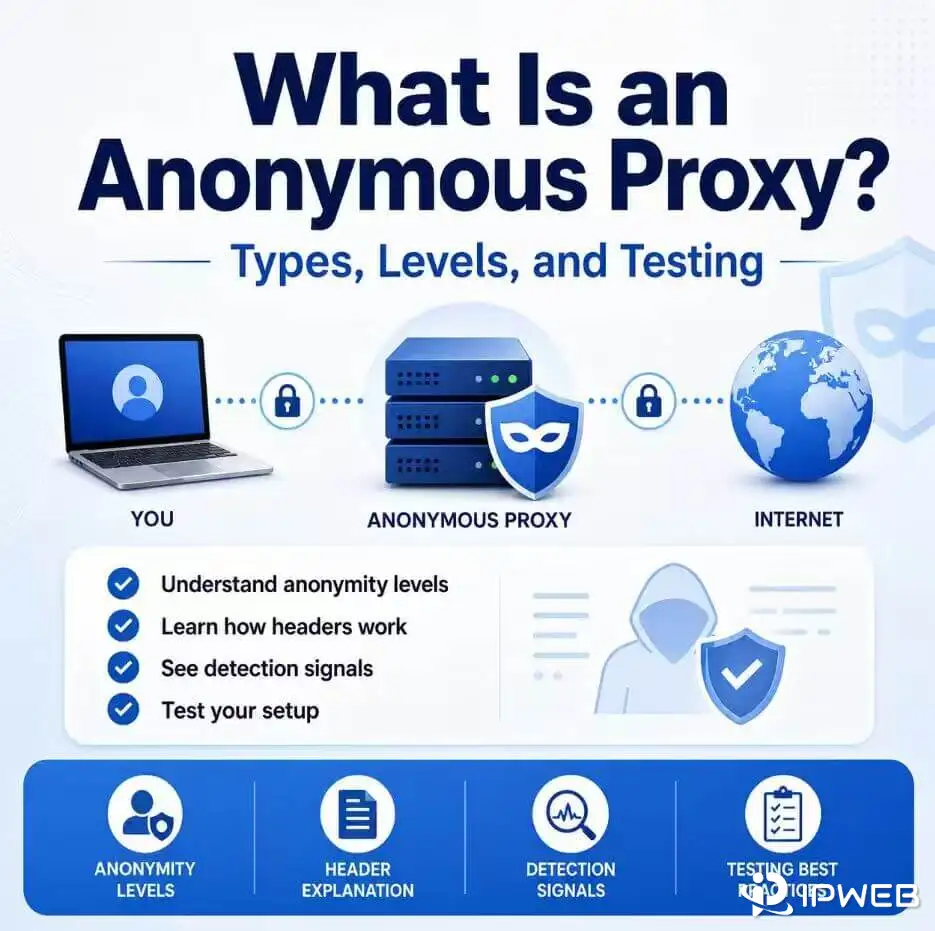
- An anonymous proxy forwards traffic through an intermediary so the destination normally sees the proxy's connection IP instead of the client's direct public IP.
- Transparent, anonymous, and elite are common industry labels, not formal IETF anonymity standards.
Via,X-Forwarded-For, and the standardizedForwardedfield can reveal information about intermediary routing, but their presence depends on the proxy architecture and configuration.- SOCKS5 forwards TCP or UDP traffic without interpreting HTTP semantics, but it does not guarantee complete anonymity or encrypt traffic by itself.
- Websites can also evaluate IP reputation, TLS characteristics, browser signals, DNS behavior, request patterns, and session consistency.
- 1. What Is an Anonymous Proxy?
- 2. How an Anonymous Proxy Handles IP Addresses and Headers
- 3. Transparent, Anonymous, and Elite Proxies
- 4. HTTP, HTTPS CONNECT, and SOCKS5
- 5. How Websites Can Still Identify Proxy Traffic
- 6. Legitimate Business Use Cases
- 7. How to Test a Proxy Configuration
- 8. How to Choose an Anonymous Proxy
- 9. Frequently Asked Questions
1. What Is an Anonymous Proxy?
An anonymous proxy is an intermediary that sends requests to a destination on behalf of a client while preventing the destination from directly seeing the client's original public IP address. At the network connection level, the destination generally sees the proxy's exit IP as the peer address.
The word anonymous should be interpreted carefully. It usually describes how the proxy handles the source IP and obvious forwarding information. It does not mean that a website has no other way to infer that a proxy or automated client is being used.
An anonymous proxy is also different from browser private mode. Incognito or private browsing mainly limits local history, cookies, and stored session data. It does not replace your public IP address. For that distinction, see our guide to anonymous browsing and proxy anonymity.
2. How an Anonymous Proxy Handles IP Addresses and Headers
When a client connects directly to a server, the server can obtain the peer IP from the underlying network connection. Server software may expose this value through an environment variable such as REMOTE_ADDR. It is connection metadata, not an HTTP header.
Intermediaries can also add HTTP fields that describe the forwarding path:
Via: HTTP intermediaries use this field to describe protocol hops and forwarding. RFC 9110 defines its syntax and requires conforming HTTP proxies to add appropriateViainformation when forwarding messages.X-Forwarded-For: This widely used, non-standard field can carry one or more client and proxy addresses. However, values supplied by untrusted clients or intermediaries can be spoofed, so the field should only be interpreted within a defined trust boundary. MDN documents its security and privacy considerations.Forwarded: This is the standardized field for passing information such as the originating address, proxy address, host, or protocol. Whether it is included depends on the deployment and privacy policy.
A plain HTTP forward proxy can inspect and modify HTTP messages because the requests are not protected by end-to-end TLS. A simplified forwarded request might look like this:
GET /api/data HTTP/1.1
Host: example.com
User-Agent: Mozilla/5.0
Accept: application/json
Via: 1.1 proxy.example
Not every proxy adds X-Forwarded-For, and its presence does not automatically prove that the listed address is accurate. Likewise, the absence of these fields only removes one class of visible proxy signals.
3. Transparent, Anonymous, and Elite Proxies
Proxy providers and testing sites often group proxies into three categories. These labels are useful for comparison, but they are not a formal IETF standard and the numbering can vary between sources.
Transparent Proxy
A transparent proxy does not attempt to conceal that an intermediary is present. Depending on the configuration, it may pass client information in fields such as X-Forwarded-For or Forwarded. Transparent proxies are commonly used for organizational gateways, caching, filtering, or controlled network administration.
Anonymous Proxy
An anonymous proxy normally prevents the destination from directly receiving the client's original public IP address. The destination may still see evidence of an intermediary, such as a Via field or an exit IP associated with proxy infrastructure.
Elite or High-Anonymity Proxy
In industry terminology, an elite or high-anonymity proxy aims to avoid exposing the client's IP and obvious proxy-identifying fields. This can make the HTTP request appear closer to a direct connection, but it does not make proxy use impossible to infer. IP ownership, TLS behavior, browser characteristics, and request patterns can still provide additional signals.
| Industry Category | Client IP Visible to Destination? | Obvious Proxy Fields? | Typical Purpose | Important Limitation |
|---|---|---|---|---|
| Transparent | May be passed in forwarding fields | Usually | Caching, filtering, managed gateways | Not designed to conceal intermediary use |
| Anonymous | Normally hidden | May be present | General proxy routing and regional testing | The destination may still identify a proxy |
| Elite / High Anonymity | Normally hidden | Aims to avoid obvious fields | Controlled testing and data workflows | Does not remove non-header detection signals |
4. HTTP, HTTPS CONNECT, and SOCKS5
The protocol and connection method determine what a proxy can see or change.
Plain HTTP Forward Proxy
With unencrypted HTTP, a forward proxy can read the request line and headers, forward the message, and add appropriate intermediary information. The destination receives an HTTP message created or forwarded by the proxy.
HTTPS Through an HTTP CONNECT Tunnel
For HTTPS, clients commonly send a CONNECT request to the proxy and then establish TLS through the resulting tunnel. After the tunnel is created, the proxy normally forwards encrypted bytes in both directions. It can see the requested tunnel destination and connection metadata, but it cannot read or rewrite the encrypted HTTP headers inside the TLS session unless it terminates TLS using an explicitly trusted interception setup.
SOCKS5
RFC 1928 describes SOCKS5 as a conceptual shim between the application and transport layers. It can relay TCP connections and support UDP associations without interpreting HTTP-specific fields. As a result, SOCKS5 does not normally inject HTTP fields such as Via.
However, SOCKS5 is not automatically an “elite” proxy and it does not encrypt application traffic by itself. DNS resolution, client configuration, application behavior, and direct network paths can still disclose information. Use remote DNS resolution where supported and confirm that all intended traffic actually uses the proxy.
5. How Websites Can Still Identify Proxy Traffic
Removing obvious forwarding fields does not make a request indistinguishable from ordinary browser traffic. Modern security and traffic-management systems can evaluate multiple signals together:
- IP ownership and reputation: The destination can classify the exit IP by ASN, hosting provider, historical activity, geographic location, or known proxy usage.
- TLS characteristics: TLS ClientHello details can be summarized using fingerprints such as JA3 or JA4. Cloudflare documents the use of JA3 and JA4 fingerprints as bot-management signals.
- Browser and JavaScript signals: Screen properties, browser APIs, automation indicators, storage behavior, and other client-side characteristics can reveal inconsistencies.
- DNS and WebRTC behavior: In some browser and network configurations, DNS or WebRTC traffic can use a path that differs from the configured application proxy. RFC 8828 explains privacy considerations for WebRTC IP address handling.
- Request and session patterns: Very high request rates, abrupt location changes, inconsistent cookies, or unusual navigation sequences can trigger access controls even when the IP and headers appear normal.
This is why a CAPTCHA or 403 response should not be treated as proof of one specific failure. Diagnose the complete request path, not just the proxy header set.
6. Legitimate Business Use Cases
Organizations use anonymous proxy infrastructure for legitimate commercial and technical tasks, subject to website terms, authorization requirements, privacy rules, and applicable law.
- Localized Website and API Testing: QA teams can verify language, regional availability, routing, and content behavior from approved locations without relying on employees' home connections.
- Public Web Data Workflows: Teams may route permitted requests across managed infrastructure to improve geographic coverage and avoid concentrating all traffic on a corporate IP. Rate limits, robots directives, contractual restrictions, and data-protection rules still apply.
- Ad and Brand Verification: Authorized teams can compare how campaigns, landing pages, and brand assets appear across regions and network environments.
- Security and Availability Testing: Developers can test how their own systems respond to different networks, proxy protocols, and failure conditions.
When a target requires JavaScript rendering, retries, or structured extraction, a managed web scraping API may reduce the amount of proxy and browser infrastructure a team needs to operate directly.
7. How to Test a Proxy Configuration
Test the exact client, protocol, proxy endpoint, and DNS settings you plan to use. A basic check should compare the visible exit IP and request headers before and after enabling the proxy.
from pprint import pprint

import requests

proxy_url = "http://username:password@proxy-host:port"
proxies = {
    "http": proxy_url,
    "https": proxy_url,
}

endpoints = {
    "exit_ip": "https://httpbin.org/ip",
    "headers": "https://httpbin.org/headers",
}

for name, url in endpoints.items():
    try:
        response = requests.get(
            url,
            proxies=proxies,
            timeout=15,
        )
        response.raise_for_status()
        print(f"\n{name}:")
        pprint(response.json())
    except requests.RequestException as exc:
        print(f"{name} check failed: {exc}")
Compare the result with a direct request made without the proxies argument. Confirm that the exit IP changes and review whether fields such as Via, Forwarded, or X-Forwarded-For appear.
- It does not test browser WebRTC exposure.
- It does not prove that DNS resolution follows the proxy path.
- It does not evaluate TLS or browser fingerprints.
- It does not guarantee that a destination will classify the connection as non-proxy traffic.
8. How to Choose an Anonymous Proxy
Choose a proxy according to the workload rather than the anonymity label alone.
- IP type: Datacenter IPs can provide high speed and predictable capacity, while residential IPs use addresses associated with consumer ISP networks. The underlying routing architecture varies by provider.
- Location controls: Confirm whether you need country, state, city, or ASN targeting and whether the advertised locations match your testing requirements.
- Session model: Use stable sessions when a permitted workflow needs continuity. Use new sessions when independent requests should not share state.
- Protocol support: Check whether your client requires HTTP, HTTPS tunneling, SOCKS5, or UDP support.
- Compliance and consent: Review how the provider sources addresses, handles abuse, retains logs, and enforces acceptable-use requirements.
- Operational quality: Measure connection success, latency, geographic accuracy, support response, and capacity under your real workload.
For high-volume, geographically distributed workloads, a managed dynamic residential proxy network can provide location and session controls. Teams should still apply conservative request rates and use proxies only for authorized, compliant purposes.
For a narrower explanation of browser-based intermediaries and their limitations, read how an anonymous web proxy works.