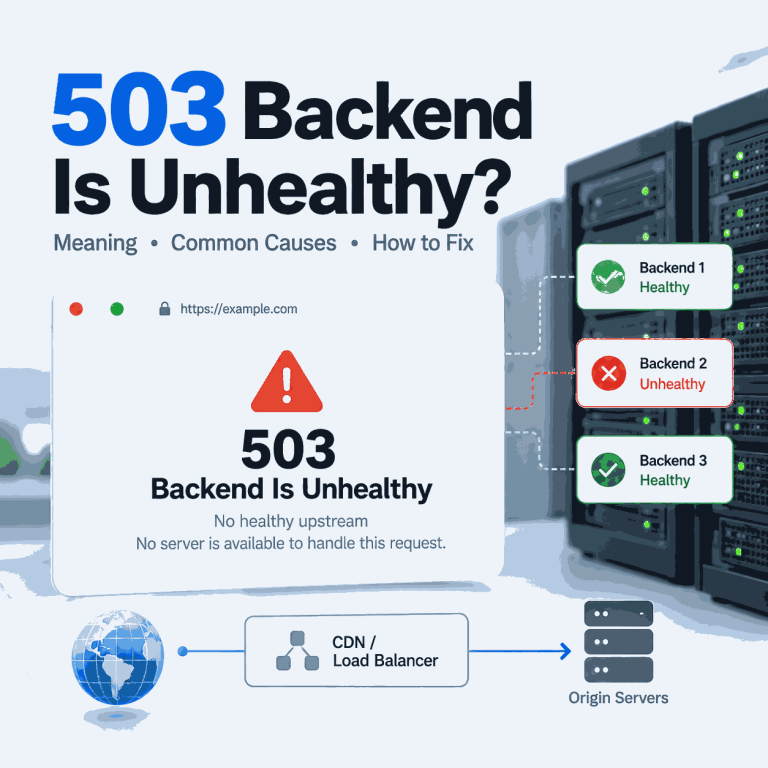
An HTTP 503 Service Unavailable error means the server is temporarily not ready to handle the request. The website, API, CDN, load balancer, or upstream service may be overloaded, under maintenance, restarting, or intentionally reducing new work until it recovers.
For a normal visitor, a 503 often appears as a temporary error page. Developers, QA teams, proxy users, and public web data workflows should treat it as an availability signal—not as a valid page response and not as immediate proof that the browser, crawler, or proxy is broken.
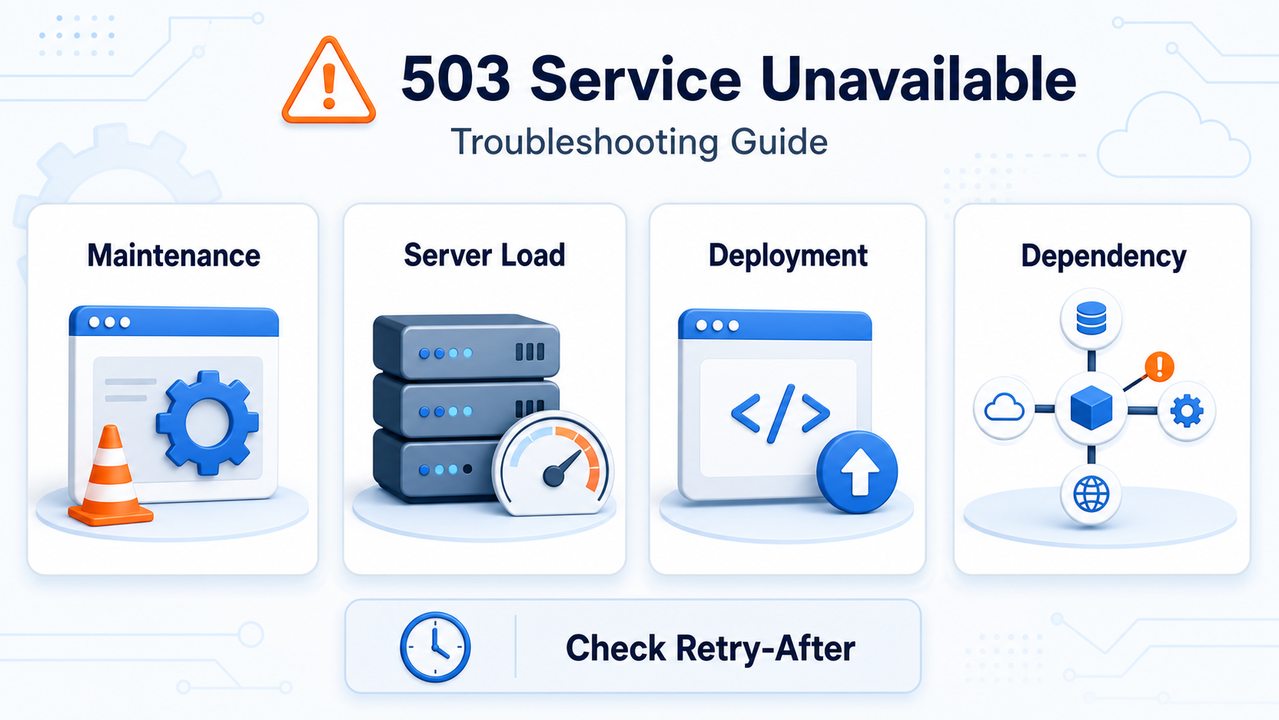
HTTP 503 Service Unavailable is a server error status code that means the service is not ready to handle the request right now. Common causes include maintenance, temporary overload, deployment problems, and dependency failures. A server may include a Retry-After header to suggest when the client should try again.
- HTTP 503 usually means temporary service unavailability, not a missing page.
- Common causes include maintenance, traffic spikes, deployment issues, dependency failures, and capacity limits.
- If
Retry-Afteris present, clients and crawlers should respect it instead of retrying immediately. - In web data workflows, log 503 responses separately and do not save them as valid content.
- A route-specific 503 does not automatically prove that a proxy IP has been blocked.
- A proxy can help compare network paths, but it cannot repair an overloaded or unavailable server.
What HTTP 503 Means
HTTP 503 means the server cannot handle the request at this moment. The server may still be reachable, but the service behind the page or API endpoint is temporarily overloaded, restarting, under maintenance, or waiting for a required dependency.
In a healthy architecture, a 503 can be a protective response. Instead of continuing to accept work until the system fails more severely, the service temporarily refuses new requests and gives itself time to recover.
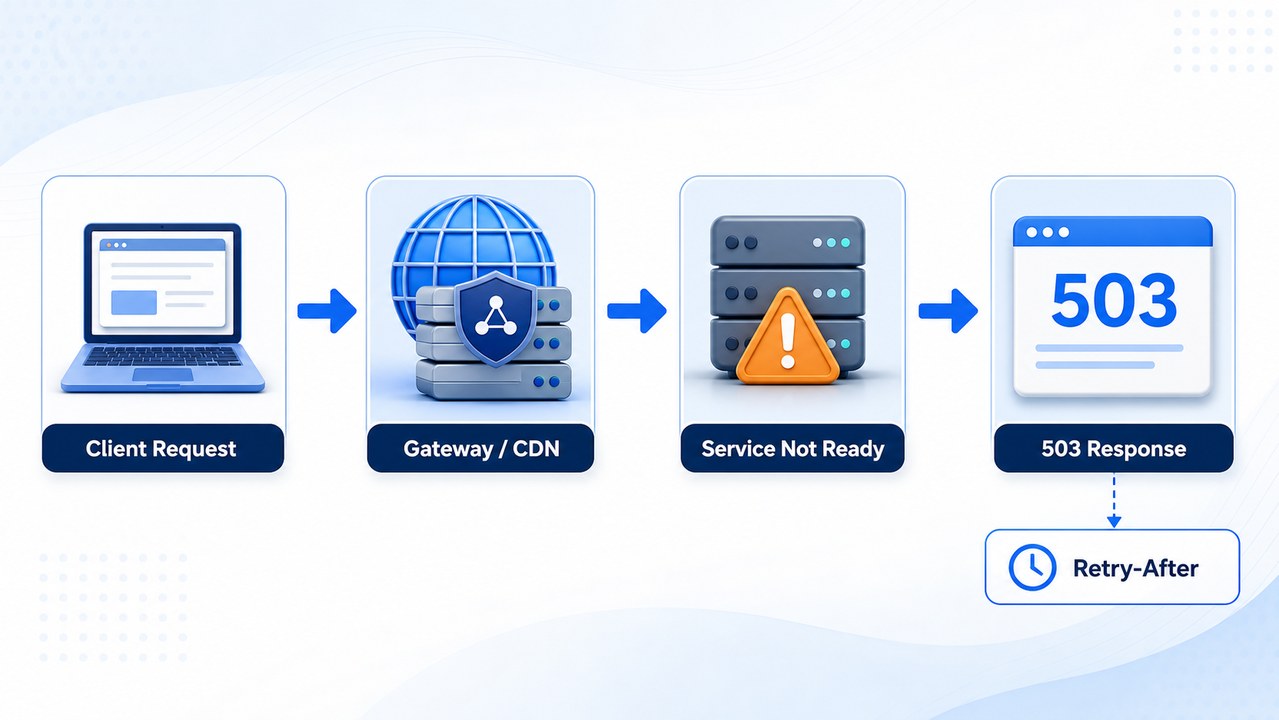
A 503 should not be confused with a 404. A 404 means the requested resource was not found. A 503 means the resource or service may exist, but it cannot be served at that moment.
How 503 Differs From Nearby Gateway Errors
A 502 means a gateway received an invalid upstream response. A 504 means a gateway waited too long for an upstream response. A 503 is different because the service itself is temporarily not ready to accept the request.
For gateway-specific failures, see the complete 502 Bad Gateway troubleshooting guide.
Common Causes of HTTP 503 Errors
A 503 response can come from several layers of a web system. The status code tells you that a service is currently unavailable, but it does not identify the exact cause by itself.
| Cause | What It Looks Like | What to Check |
|---|---|---|
| Scheduled maintenance | The site shows a maintenance page or planned downtime message. | Status page, maintenance window, deployment notes, and Retry-After. |
| Traffic overload | Errors increase during peak traffic or sudden request spikes. | CPU, memory, queue depth, connection pools, autoscaling events, and load balancer metrics. |
| Deployment or restart | 503 errors appear shortly after a release, restart, or container rollout. | Release logs, health checks, container status, and failed readiness probes. |
| Dependency failure | The application is online but cannot complete requests that rely on another service. | Database, cache, queue, internal API, payment, or search service availability. |
| Capacity protection or backpressure | The service temporarily rejects new work to protect the remaining capacity. | Request concurrency, queue limits, worker availability, connection pools, and recovery behavior. |
| Route-specific service response | The same URL returns 503 only from one network, proxy endpoint, region, or IP type. | Response body, headers, DNS, CDN behavior, region, session state, request rate, and proxy route. |
Some platforms use status codes inconsistently. A website may return 503 for route-specific capacity protection, maintenance at one edge location, or another application rule. Compare the response body and headers before describing the result as a blocked proxy IP. A direct IP or policy refusal may instead appear as 403, 429, a verification page, or a platform-specific message.
A 503 normally describes temporary service unavailability or insufficient service capacity. If the service is available but one client is sending requests too frequently, 429 Too Many Requests is usually the more precise response. Real platforms do not always use status codes consistently, so inspect the response rather than relying on the number alone.
How to Check a 503 Error
Start by determining whether the error is widespread, temporary, tied to one route, or limited to one client environment.
Checks for Website Visitors
- Wait briefly and refresh once rather than reloading continuously.
- Check the website’s public status page or maintenance notice.
- Open another page on the same website to see whether one endpoint or the full service is affected.
- Try another browser or private window to rule out a cached error page or extension issue.
- Test another network to determine whether the error is regional or route-specific.
Checks for Developers and Website Owners
- Inspect
Retry-After, cache headers, CDN headers, request IDs, and the response body. - Check application logs, readiness probes, queue depth, CPU, memory, worker capacity, and dependency health.
- Compare the error time with recent deployments, restarts, certificate updates, or infrastructure changes.
- Check whether a CDN, gateway, load balancer, or origin service generated the response.
- Review cache behavior so a temporary 503 page does not remain visible after recovery.
Checks When the 503 Appears Only Through a Proxy
- Test the same URL through the local network without a proxy.
- Keep the URL, method, headers, account, and request body unchanged.
- Confirm that the proxy is active using the guide on how to check whether a proxy is working.
- Compare one different approved proxy endpoint, region, or network type.
- Inspect whether the status, response body, headers, or edge location changes.
- Reduce request frequency and concurrency before repeating the comparison.
A change in result shows that the request path matters. It does not, by itself, prove that the original proxy IP was blocked. The difference may involve a regional edge service, session state, route quality, network classification, or a platform-specific policy.
Inspect the Response with curl
curl -i -L \
  --connect-timeout 10 \
  --max-time 30 \
  "https://example.com/"
Check the final status code, Retry-After, cache headers, CDN or gateway headers, request ID, redirect chain, and response body. Remove cookies, authorization headers, proxy credentials, and other sensitive information before sharing the output.
Why Retry-After Matters
The Retry-After header can tell a client how long to wait before making another request. It may contain a number of seconds or an HTTP date.
HTTP/1.1 503 Service Unavailable
Retry-After: 120
Content-Type: text/html
When this header is present, respect it. Retrying sooner can add pressure to an already overloaded service, create noisy logs, and make automated workflows less reliable.
If the header is missing, use conservative exponential backoff with a capped retry count instead of immediate repeated attempts. Website owners should also review cache headers so the temporary 503 page does not remain cached after the service recovers.
503 Errors in Web Data Workflows
In public web data workflows, a crawler 503 error should be logged as a temporary availability problem. It should not be saved as successful content, converted into an empty result, or retried indefinitely.
A practical workflow should record:
- The URL and HTTP method.
- The status code and a limited response sample.
- The response headers and request ID.
- The timestamp and retry number.
- The proxy endpoint or route identifier when used.
- The final URL and redirect chain.
If 503 errors appear through every approved route, the target service is more likely overloaded, under maintenance, or unable to reach a dependency. If the error appears only through one proxy route, compare the same request directly and through one alternative endpoint.
Where a permitted workflow genuinely requires independent regional requests, rotating residential proxies can provide different public network routes for controlled comparison. They should be used with conservative request intervals and must not be used to ignore Retry-After, service capacity limits, website terms, or access policies.
What Not to Do
- Do not retry in a tight loop or ignore a valid
Retry-Aftervalue. - Do not save a 503 response page as successful web content.
- Do not send concentrated high-concurrency requests through one route when the service is already showing capacity problems.
- Do not assume that changing from a datacenter route to a residential route proves that the original IP was blocked.
- Do not increase request frequency or continuously switch routes to ignore service readiness or access rules.
Frequently Asked Questions
Retry-After is a response header that may tell the client how long to wait before sending another request. It can be expressed as seconds or as an HTTP date.Retry-After is present, the workflow should respect it whenever possible.Final Thoughts
HTTP 503 Service Unavailable is best understood as a temporary readiness or capacity problem. The service may be under maintenance, overloaded, restarting, protecting its remaining capacity, or waiting for a dependency to recover.
Start with the response headers and service health. Then compare direct and proxied requests only when the error is limited to one route. Respect Retry-After, reduce concurrency, and preserve enough evidence to identify whether the problem is service-wide or route-specific.
For permitted public web data workflows that genuinely require regional route comparison, rotating proxy routes can improve test coverage. They do not repair an unavailable server and should always be combined with conservative request intervals, capped retries, and the website’s supported access requirements.