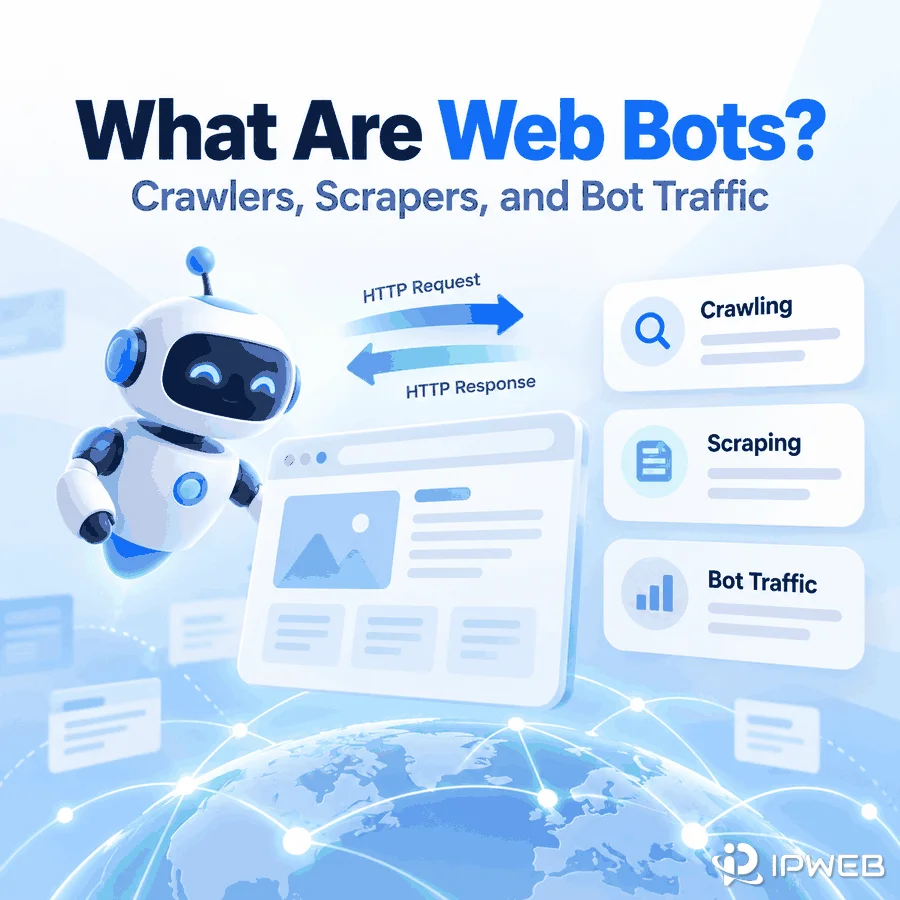
A crawler that discovers product pages, a scraper that extracts prices, an uptime checker that tests a URL every few minutes, and a browser script that clicks through a QA flow can all be called web bots. The label is broad because it describes automation, not one specific job.
A more useful way to understand bots is to ask three questions: what task is being repeated, what request pattern the software creates, and what output it produces. That framework makes it easier to tell a crawler from a scraper, understand bot traffic, and diagnose where a workflow is actually failing.
A web bot is an automated software client that performs repeatable tasks by sending requests, processing responses, and producing an output. Crawlers discover URLs, scrapers extract selected data, monitors check a page or service repeatedly, and browser automation interacts with rendered pages. A bot is not automatically malicious; the purpose, data, request behavior, and source rules determine whether a workflow is appropriate.
- “Bot” describes automated behavior, not one specific tool or risk level.
- A practical bot model is task → request → response → logic → output.
- Crawlers primarily discover pages, while scrapers primarily extract selected fields.
- Bot traffic simply means traffic generated by automated clients rather than direct human browsing.
What Is a Web Bot?
A web bot is software that performs web actions automatically. It can request a page, call an API, follow links, read a response, interact with a browser, record a result, or repeat the same check on a schedule.
The useful distinction is not “human versus robot” in the abstract. It is whether a software client is carrying out a repeatable task without a person manually performing every request or browser action.
That is why very different tools can all be bots. Googlebot is a crawler used by Google Search to discover and fetch web content. Google documents separate smartphone and desktop crawler types, both operating as automated clients. A monitoring script that checks whether a page still returns HTTP 200 is also a bot, even though its goal is completely different from search crawling.
A practical definition for web data work is: a bot is an automated client with a task, a request pattern, and an output. The output may be a URL list, a structured record, a health alert, a test result, or an error log.
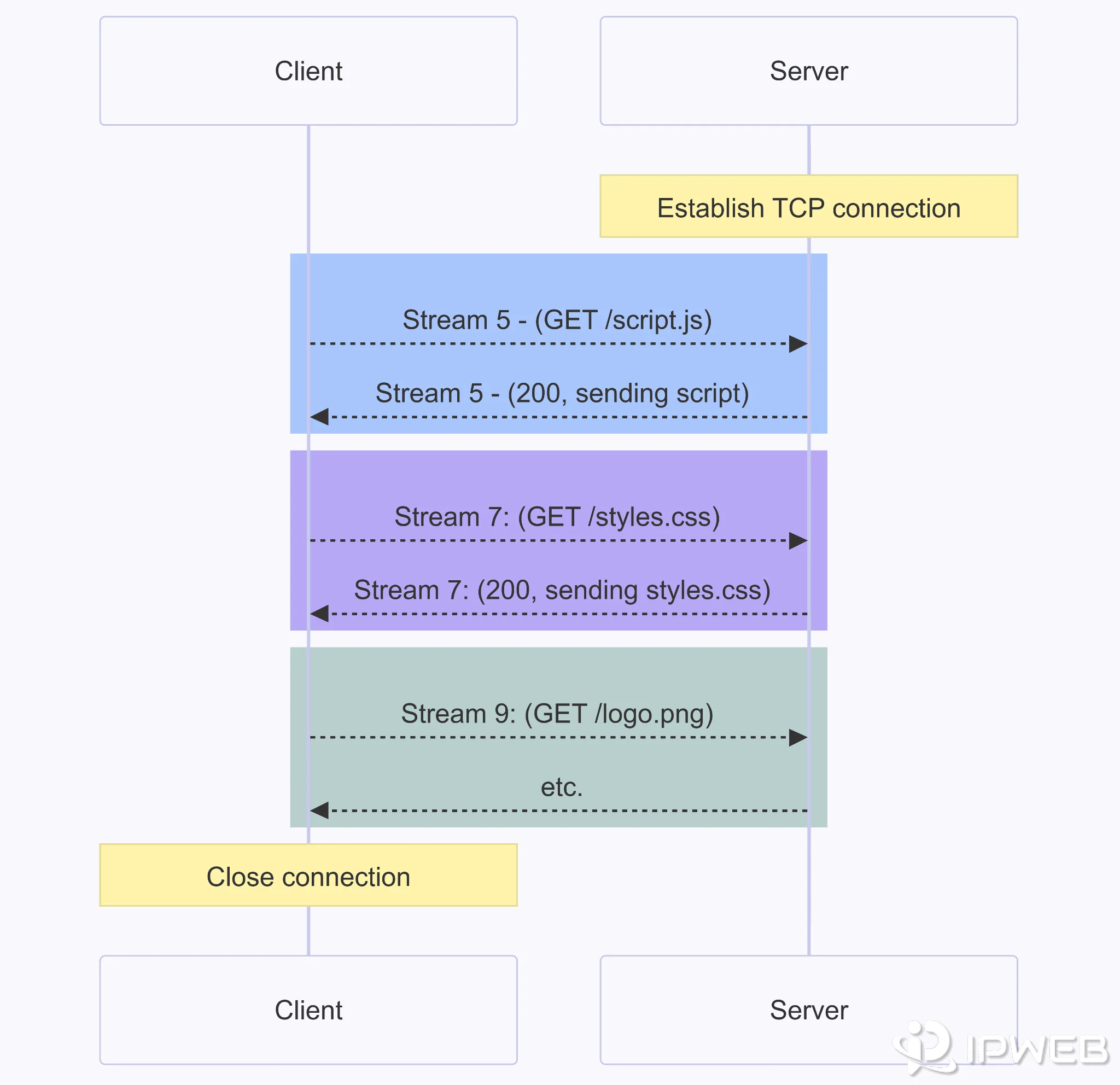
How Does a Web Bot Work?
Most web bots can be reduced to the same basic loop: define a task, send a request, receive a response, apply logic, save an output, and decide whether to repeat. The details change, but the loop remains useful for understanding crawlers, scrapers, monitors, and browser automation.
At the protocol level, a bot can act like any other web client. MDN’s HTTP overview describes HTTP as a client-server protocol in which clients send requests and servers return responses. A web browser is one kind of client; an automated program can be another.
| Stage | Question | Example |
|---|---|---|
| Task | What should the software accomplish? | Check whether a public status page is available. |
| Request | What page, API, or browser action is needed? | Send a GET request to the status URL. |
| Response | What did the server return? | HTTP 200, 404, 429, 5xx, HTML, JSON, or another response. |
| Logic | What should happen next? | Record success, retry later, follow a link, or flag an error. |
| Output | What result should be saved? | Status record, URL, extracted field, screenshot, or alert. |
This model is useful when a workflow breaks because it separates failures that are often mixed together. A crawler can send valid requests but discover the wrong URLs. A scraper can reach the correct page but extract the wrong field. A browser test can load the page successfully but fail on a JavaScript interaction. “The bot failed” is usually too vague to diagnose any of those cases.
A Minimal Monitoring Bot Example
The following Python example performs a simple availability check against example.com. It does not crawl links or extract data; it sends one request and records a few response fields.
import requests

url = "https://example.com/"

response = requests.get(
    url,
    timeout=10,
    headers={"User-Agent": "ExampleMonitor/1.0"},
)

print({
    "status_code": response.status_code,
    "final_url": response.url,
    "content_type": response.headers.get("content-type"),
    "bytes": len(response.content),
})
The important part is not the amount of code. It is the workflow: the task is to check a URL, the request is automated, the response is inspected, and the output is recorded. Adding a schedule would turn the same logic into a recurring monitoring bot.
Common Types of Web Bots
For web data and testing teams, four categories cover most practical cases: crawlers, scrapers, monitoring bots, and browser automation. They can overlap inside one system, but their primary outputs are different.
| Bot type | Primary job | Typical input | Typical output |
|---|---|---|---|
| Web crawler | Discover and revisit URLs | Seed URL, sitemap, directory, or existing URL list | URL list, crawl map, redirect record, or page status |
| Web scraper | Extract selected information | Known URL or crawler output | CSV, JSON, database record, or structured fields |
| Monitoring bot | Check a page or service repeatedly | URL, endpoint, or expected page state | Status history, change record, or alert |
| Browser automation | Interact with a rendered page | Browser session plus scripted actions | Test result, screenshot, browser state, or extracted value |
Search crawlers are a familiar example. Google’s Googlebot documentation describes Googlebot as web crawlers used by Google Search. Search crawling is only one bot use case, but it shows why “bot” should not be treated as a synonym for malicious traffic.
Scrapers solve a different problem. If the goal is to convert page content into structured records, IPWeb’s guide to what web scraping is covers the extraction workflow, validation steps, and output formats in more detail.
Browser automation is useful when a result depends on rendered JavaScript or user-interface state rather than only the initial HTML response. IPWeb’s WebDriver guide explains the browser-control layer without treating it as the same thing as crawling or scraping.
Crawler vs Scraper: Why the Difference Matters
A crawler primarily answers “Which pages exist?” A scraper primarily answers “What information is on those pages?” Many systems use both, which is why the terms are often blurred.
Consider a public product category. A crawler may start from the category page, follow relevant links, remove duplicates, and produce a list of product URLs. A scraper can then visit the selected URLs and extract fields such as title, displayed price, availability, and source URL.
The distinction matters most when something goes wrong. If a product never appears in the final dataset, the crawler may have failed to discover its URL, or the scraper may have received the URL and failed to extract its fields. Those are different failures with different fixes.
For the full comparison, including outputs, a working Python example, and common failure modes, see Web Scraper vs Web Crawler. This parent guide keeps the distinction short so it does not duplicate that page.
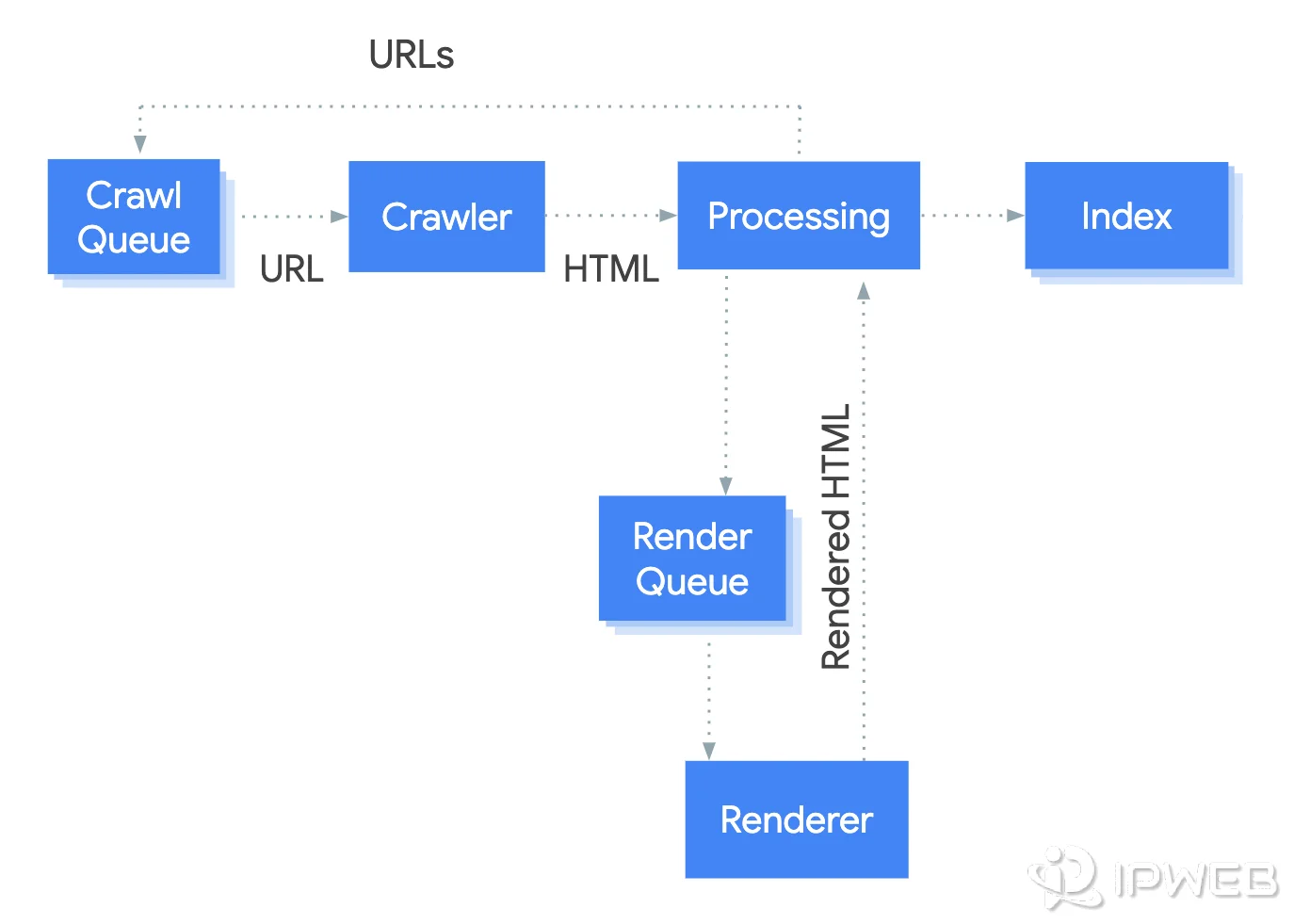
What Does Bot Traffic Mean?
Bot traffic is website or application traffic generated by automated clients rather than direct human browsing. The term describes the source of the requests; it does not tell you whether the traffic is useful, unwanted, permitted, or harmful.
A search crawler visiting pages produces bot traffic. So does an uptime checker, an automated browser test, or a scraper. The same label can therefore describe very different request patterns and business purposes.
This is also why a sudden increase in requests should not be classified from volume alone. To understand what the traffic represents, a site owner may need to examine request paths, timing, user-agent information, source networks, sessions, and the behavior surrounding the requests. Detailed bot-detection methods are a separate topic; this article only establishes what bot traffic means.
Useful Automation vs Risky Bot Activity
Automation is not a compliance conclusion. A useful bot normally has a defined task, a known source, controlled request behavior, and an output that can be reviewed. Risk increases when automation touches restricted data, private areas, account actions, payments, engagement manipulation, or other protected workflows.
Before running an automated web workflow, review at least five things: the purpose, the data involved, the source rules, the request rate, and the action being automated. If a safer first-party API or documented access method exists, compare it with direct page automation before building more infrastructure.
For crawlers, robots.txt is one part of that review. Google explains that robots.txt manages crawler access to URLs, while the Robots Exclusion Protocol in RFC 9309 also makes clear that these rules are not a form of access authorization. In practice, the site’s terms of service, privacy obligations, data permissions, data sensitivity, and intended use still need separate consideration.
- Define the exact pages, endpoints, or browser states the bot needs.
- Define the output before collecting anything: URLs, fields, status codes, screenshots, or alerts.
- Review the source’s documented rules and any first-party API options.
- Set request pacing, retry limits, and stop conditions instead of retrying indefinitely.
- Log enough information to tell a routing problem from a discovery, extraction, rendering, or application-logic problem.
Common Misconceptions About Web Bots
Does Using a Proxy Change What a Bot Is?
No. A proxy can change the network route and visible public IP for traffic sent through that route, but it does not change the underlying automation. A crawler remains a crawler, a scraper remains a scraper, and a browser automation script remains automated.
If the visible IP changes as expected but the same failure continues, check the browser state, cookies, account state, request timing, source rules, or application logic instead of assuming the route is the only cause. If the question is specifically about proxy-detection signals, see IPWeb’s guide on how websites identify proxies.
| Misconception | Better interpretation |
|---|---|
| All bots are malicious. | Automation itself is neutral. Search crawlers, monitoring systems, QA tools, and data workflows can all generate bot traffic. |
| A crawler and a scraper are the same thing. | A crawler focuses on discovering pages; a scraper focuses on extracting selected information. One workflow can contain both. |
| Browser automation is not a bot because it uses a real browser. | A real browser can still be controlled automatically. The browser is the client; automation determines whether actions are repeated programmatically. |
| A successful HTTP response means the bot worked correctly. | A 200 response only confirms that a response was returned. The bot may still have reached the wrong page, discovered the wrong URL, or extracted incorrect data. |
The last misconception is especially important for data workflows. Network success, page correctness, and output correctness are separate checks. A reliable bot should preserve enough logs to distinguish them.
Frequently Asked Questions
Final Thoughts
The most useful way to understand a web bot is not to start with whether it is “good” or “bad.” Start with the job: what task is automated, which requests are sent, how responses are processed, and what output is produced.
That makes the major categories easier to separate. Crawlers discover URLs, scrapers extract fields, monitors check states repeatedly, and browser automation interacts with rendered pages. When a workflow fails, diagnose the stage that failed instead of treating every problem as the same kind of bot error.