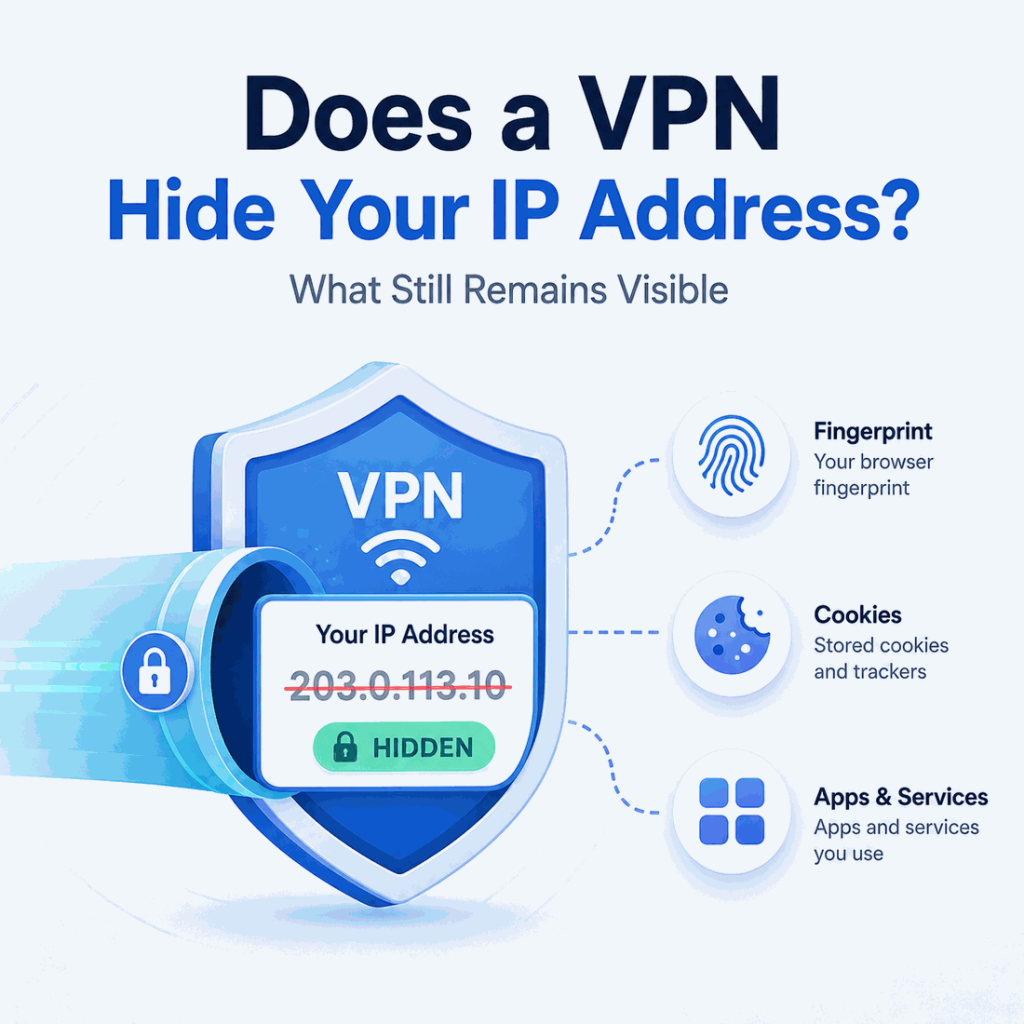
Yes. A VPN normally hides your public IP address from websites by replacing it with the VPN server's IP for traffic that goes through the tunnel. But changing the visible IP does not make the rest of your online identity disappear. Your ISP still knows the connection it provides, the VPN provider receives the tunnel from your network, and websites can still recognize accounts, cookies, browser characteristics, location permissions, and other signals.
Yes. A VPN hides your normal public IP from websites and apps whose traffic passes through the VPN tunnel. Those destinations see the VPN server's public IP instead. However, your ISP and VPN provider still know the underlying connection, and a VPN does not automatically hide GPS location, logged-in accounts, cookies, or browser fingerprints.
- A full-device VPN normally replaces the public IP seen by websites with the VPN server's IP.
- Your ISP still knows the IP address assigned to your connection and can see that you are connected to a VPN endpoint.
- A VPN changes the network route; it does not erase cookies, account history, GPS permissions, browser fingerprints, or device identifiers.
- Split tunneling, VPN disconnects, DNS configuration, IPv6, and WebRTC behavior can make the visible network signals differ from what you expect.
- Verify the actual browser, app, or script you plan to use instead of assuming every connection follows the same route.
What Changes When a VPN Hides Your IP?
Without a VPN, a website normally receives a connection from the public IP address used by your home router, office network, mobile carrier, hotel, or other internet connection. That address can usually be mapped to an ISP or network operator and an approximate geographic area.
With a VPN, the route changes. Your device first connects to the VPN server through an encrypted tunnel. The VPN server then makes the outward connection to the destination. As a result, the website usually records the VPN server's public IP rather than the public IP assigned to your local connection. Mozilla describes the same model: the destination sees the VPN gateway's IP instead of the user's actual external IP. Mozilla's VPN overview explains how device traffic is routed through the VPN provider's gateway.
Cloudflare's VPN explanation makes the network boundary clear as well: the encrypted tunnel runs between the VPN client and VPN server, while the server communicates onward to the internet. The destination therefore sees the server-side network identity, not a direct connection from the user's normal public IP.
| Signal | Without a VPN | With a VPN |
|---|---|---|
| Public IP seen by a website | Your current internet connection's public IP | Usually the VPN server's public IP |
| IP-based location | Approximate location of your ISP or network route | Approximate location associated with the VPN exit |
| Network owner / ASN | Your ISP, carrier, business, or local network provider | The ASN associated with the VPN exit network |
| Traffic between device and VPN server | No VPN tunnel | Encrypted by the VPN tunnel |
| Cookies and logged-in accounts | Still present | Still present unless separately cleared or isolated |
| Browser and device characteristics | Still observable by sites | Still observable by sites |
The practical result is narrower than full anonymity: the destination sees a different network source, while browser- and application-level identity signals can remain unchanged.
What Does a VPN Hide From Websites?
For traffic that stays inside the tunnel, the most obvious change is the public IP address. A website sees the VPN exit IP, so IP-based lookups normally return the VPN exit's country, region, ISP or hosting organization, and ASN rather than the network details of your normal connection.
That can reduce the amount of location and network information a site can infer from the original public IP. Mozilla notes that an external IP can reveal approximate location information and that routing through a VPN replaces it with the VPN server's external IP. Mozilla's IP address guide gives a useful explanation of that relationship.
Hiding the normal public IP is not the same as becoming unrecognizable to a website. If you sign in to the same account, keep the same cookies, use the same browser profile, or share identifying information, the service can still connect the session to you even though the IP changed.
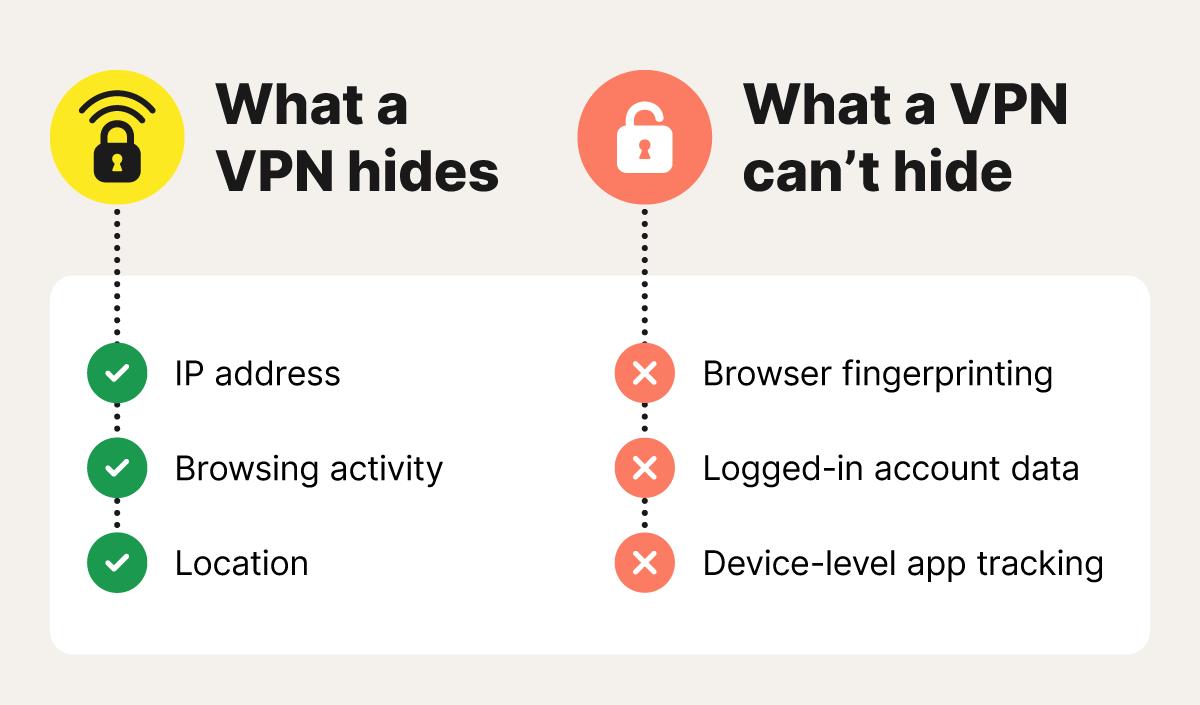
| Signal | Hidden by the VPN? | Why |
|---|---|---|
| Normal public IP | Usually yes | The website sees the VPN exit IP for tunneled traffic. |
| Approximate IP-based location | Replaced, not erased | The visible location usually follows the VPN exit IP. |
| Logged-in identity | No | The account itself identifies the session. |
| Cookies and local storage | No | A VPN does not clear browser storage. |
| Browser fingerprint | No | Browser, device, rendering, language, and other characteristics remain available to scripts. |
| GPS or precise device location | No | Location permissions and device sensors are separate from the public IP route. |
| Account and transaction history | No | Historical application data is not changed by the VPN. |
If a site classifies the visible VPN exit as VPN, proxy, hosting, Tor, or another network category, the IP can still become part of its risk or routing logic. The separate IPWeb guide on how VPN detection works explains how IP intelligence systems turn ASN, network ownership, geolocation, freshness, and other observations into classification signals.
What Can Your ISP Still See?
A VPN does not hide your assigned public IP from your ISP. The ISP is the network that provides or routes that connection, so it already knows the address or subscriber connection involved. What changes is the destination visibility of traffic that enters the VPN tunnel.
With a correctly configured VPN, the ISP can see that your device is communicating with a VPN server, along with connection timing and traffic volume. It normally cannot inspect the destination websites or application traffic carried inside the encrypted tunnel. Mozilla states that a VPN encrypts traffic between the device and VPN provider, while Cloudflare notes that the ISP sees the encrypted VPN connection rather than the activity inside it.
DNS is a separate part of the routing picture. If DNS queries follow the VPN route, the ISP does not receive those requests directly. Mozilla VPN, for example, documents routing DNS traffic through its encrypted VPN network. A device, browser, or application that sends DNS outside the intended route can expose a different set of network signals.
No. Your ISP still knows the IP address and connection it provides to you. A VPN hides that normal public IP from the websites reached through the tunnel; it does not make the underlying ISP connection unknown to the ISP itself.
What Does a VPN Not Hide?
Logged-In Accounts
If you sign in to an account, the service does not need your original IP address to know which account is active. Email providers, marketplaces, social networks, analytics dashboards, and other services can associate the session with the credentials you used.
Cookies and Browser Storage
A VPN does not clear cookies, local storage, session tokens, or browser caches. If the same browser profile keeps a persistent identifier, changing the public IP does not remove that identifier.
Browser Fingerprints
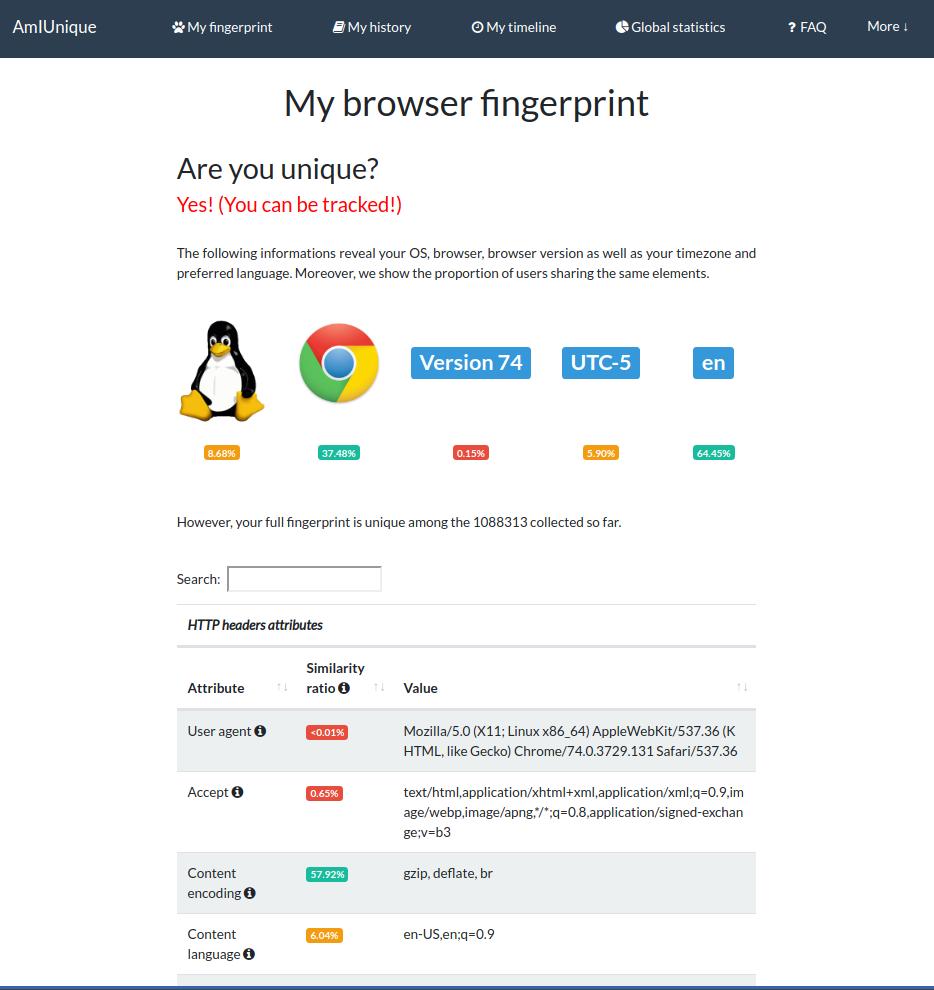
Browser and device characteristics can remain visible regardless of the network route. Screen properties, browser version, language, time zone, graphics behavior, supported APIs, and other signals can contribute to a browser fingerprint. Changing the network path does not automatically change those characteristics.
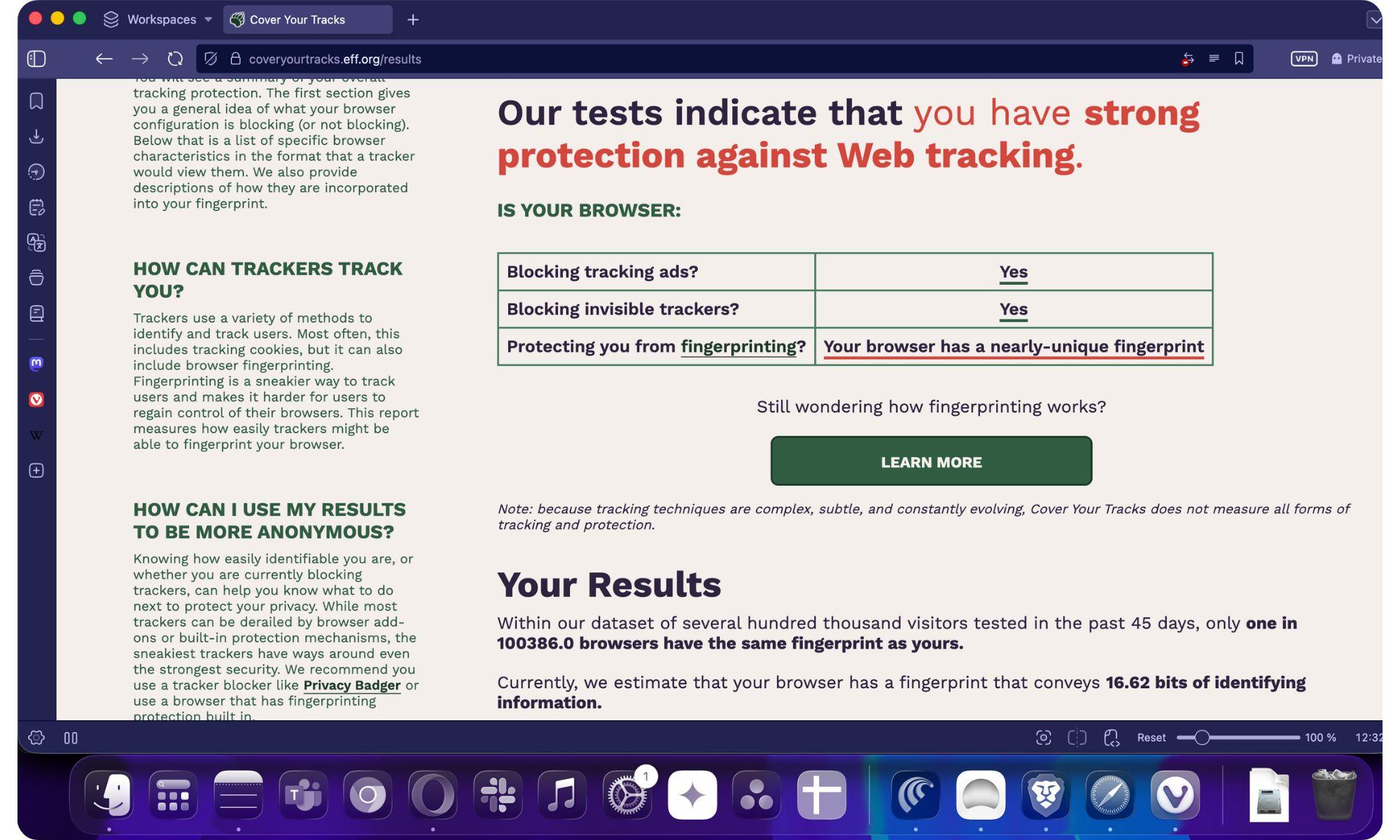
For crawler and browser-automation workflows, this distinction matters in practice. A VPN may replace the public IP correctly while the same browser fingerprint, logged-in account, cookies, session history, or request pattern remains visible to the target site. If access is challenged or restricted, the cause may therefore be broader than the IP address alone.
GPS and Device Location
An IP-based location and a device's precise location are separate data sources. A phone or browser with location permission may report GPS, Wi-Fi, or other location information that does not match the VPN exit. Changing the visible IP therefore does not guarantee that an application will report the VPN server's city as the device's physical location.
The VPN Provider
The trust boundary also moves. Your normal ISP sees an encrypted connection to the VPN server, but the VPN provider receives the tunnel from your real network connection and operates the exit route. Privacy therefore depends partly on the provider's technical design, logging policy, account model, and operational practices.
Information You Provide Yourself
Names, email addresses, delivery addresses, payment details, uploaded files, form entries, and other information intentionally submitted to a service are not hidden by changing the network route.
Why Can Your Real IP Still Leak?
A VPN can be working correctly for most traffic while a different browser, application, or protocol takes another route. One "what is my IP" result therefore cannot validate the whole environment.
Split Tunneling
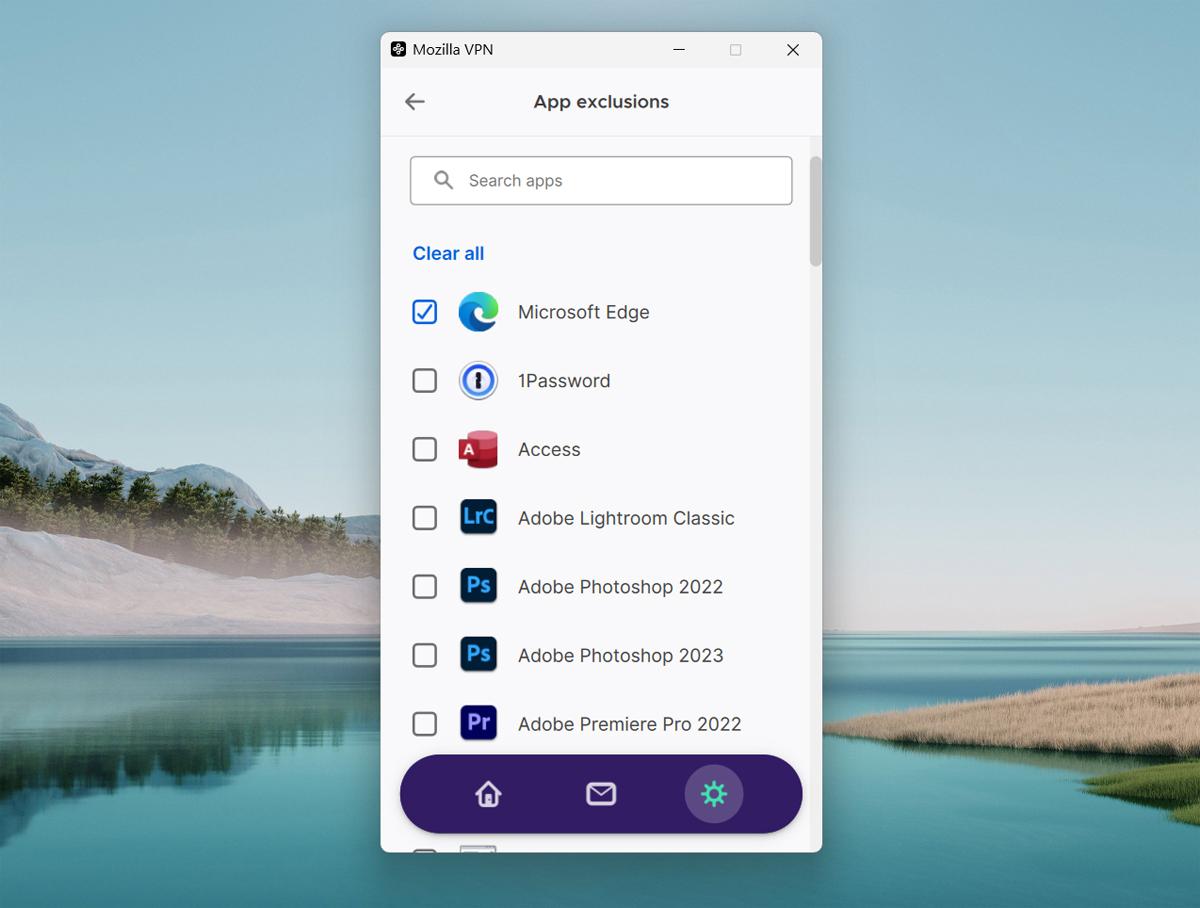
Split tunneling intentionally sends some apps or destinations through the VPN and others through the normal connection. This can be useful, but it also means the answer to "what IP am I using?" depends on which application is making the request.
VPN Disconnects
If the tunnel drops and the operating system immediately falls back to the normal route, new connections can use the regular public IP. A kill switch is designed to reduce this risk by blocking traffic when the VPN connection is unavailable, but the exact behavior depends on the VPN client and platform.
IPv4 and IPv6 Differences
A setup can appear correct over IPv4 while IPv6 follows another path. The most reliable check tests both address families when the local network and destination support IPv6.
DNS Routing
DNS does not normally reveal the public IP to a destination website in the same way an HTTP request does, but an unexpected DNS route can show that part of the connection is leaving through a different resolver or network path. That mismatch matters when validating the environment.
WebRTC
WebRTC can expose additional IP-related information through ICE candidates. MDN notes that the RTCIceCandidate.address property can reveal information about a peer's location and network topology and can contribute to fingerprinting. MDN's WebRTC documentation describes the privacy implications in more detail.
If a website still identifies the route as VPN or proxy even though the visible IP changed correctly, that does not necessarily mean the original IP leaked. The site may simply be classifying the exit network rather than observing the original IP.
How to Check Whether Your VPN Hides Your IP
Run the test from the same device, browser profile, application, container, or script that will actually use the connection. A result from one browser does not prove that a desktop app, command-line tool, or separate profile follows the same route.
Start with the public IP before connecting to the VPN, connect the VPN, then repeat the same request.
curl -s "https://api.ipify.org?format=json"import requests
response = requests.get(
"https://api.ipify.org?format=json",
timeout=10,
)
response.raise_for_status()
print(response.json())ipify documents both of these public-IP lookup patterns. If the result changes from the normal public IP to the expected VPN exit IP, the tested request is using the VPN route.
Then check the rest of the environment:
- Compare IPv4 and IPv6 results.
- Check the country, region, ASN, and organization associated with the visible IP.
- Check DNS resolver behavior.
- Test WebRTC in the same browser profile.
- Disconnect the VPN and confirm what happens to active and new connections.
- Repeat the test from any app or script that uses split tunneling or custom network settings.
A changed public IP confirms that the tested request used a different exit route. Other applications may still use another path, and browser or account signals do not automatically change with the network location.
VPN vs Proxy for IP Routing
Both VPNs and proxies can make a destination see a different public IP, but they apply that route at different scopes. A full-device VPN normally routes traffic for the operating system or selected applications through one tunnel. A proxy is commonly assigned to a specific browser, browser profile, application, crawler, or request workflow.
If you are deciding between the two models, Residential VPN vs Residential Proxy compares routing scope, session control, ASN and DNS checks, and browser-level validation in more detail.
| Requirement | VPN | Proxy |
|---|---|---|
| Change the public IP for most device traffic | Usually a strong fit | Depends on whether each application supports proxy configuration |
| Assign a different route to one browser profile | Possible with app routing or separate environments | Usually more direct |
| Use different exit routes for separate requests or jobs | Usually less granular | Usually more granular |
| Encrypt traffic between client and routing endpoint | Core VPN behavior | Depends on proxy protocol and connection design |
| Control sticky or rotating sessions | Provider-dependent | Common in residential proxy services |
For public web data and regional QA workflows that need per-request or per-session route control, IPWeb dynamic residential proxies use a different model from a device-wide VPN: the proxy route can be assigned to the browser, application, or data workflow that actually needs it.
Common Misunderstandings
"If My IP Changes, I Am Anonymous"
No. An IP change removes one direct network identifier from the destination's view, but accounts, cookies, fingerprints, and other signals can still connect sessions together.
"A VPN Hides My IP From My ISP"
No. The ISP provides or routes your internet connection and therefore knows the network address or subscriber connection involved. What the VPN hides is the traffic inside the encrypted tunnel and your normal public IP from the destinations reached through that tunnel.
"A VPN Hides My Exact Physical Location"
It changes IP-based location. It does not automatically change GPS, Wi-Fi location, account addresses, device permissions, or other location sources.
"Every App Uses the Same VPN Route"
Not always. Split tunneling, browser-only VPN features, custom proxy settings, containers, virtual machines, and applications with their own networking can produce different visible IPs on the same device. Browser extensions need particular attention because a product labeled as a VPN extension may affect only browser traffic rather than creating a device-wide tunnel. Proxy Extension vs VPN Extension explains how to tell the difference.
"A Residential-Looking VPN IP Cannot Be Detected"
Residential network classification and VPN detection are different questions. An exit can appear residential while still carrying other signals that a detection provider or destination associates with VPN or proxy use. The reverse is also possible: a clean route can be misclassified or become stale in a vendor database.
Frequently Asked Questions
Final Thoughts
A VPN does hide the normal public IP from websites and apps whose traffic stays inside the tunnel. What it does not do is erase the rest of the environment. Your ISP still knows the connection it provides, the VPN provider operates the tunnel endpoint, and websites can still use accounts, cookies, browser characteristics, location permissions, and other signals.
Verify the exact route you plan to use. Check the public IP, IPv4 and IPv6 behavior, DNS, WebRTC, ASN, and application routing in the same environment that will run the task. A changed IP is a useful result; it is not a complete privacy diagnosis.