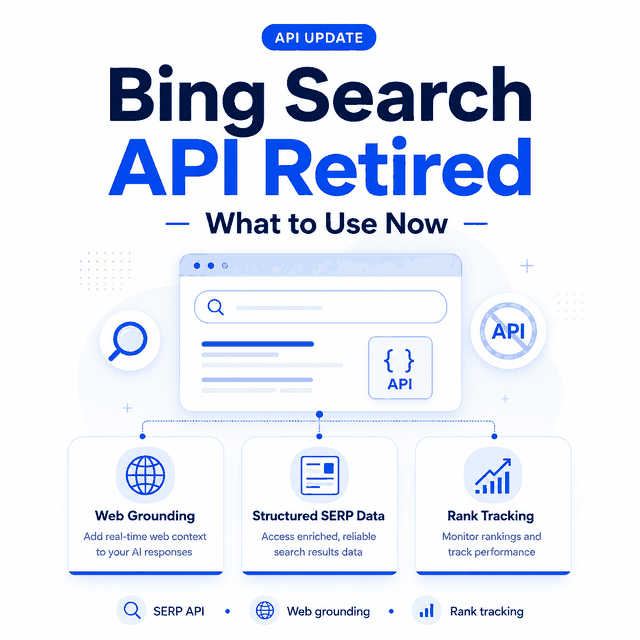
Microsoft retired the legacy Bing Search APIs in 2025, so older Web Search API keys, SDK examples, and pricing pages are no longer a reliable starting point for a new project. The right replacement now depends on whether you need AI web grounding, structured Bing result data, recurring rank monitoring, or a reviewed public-data workflow.
The old Bing Search API path is no longer a simple "get a Bing API key and start pulling web results" workflow. Microsoft announced the retirement of Bing Search APIs effective August 11, 2025, which means teams now need to choose between current Microsoft Bing offerings, a third-party Bing SERP API, a rank tracking workflow, or a compliant public-data collection process.
For most SEO, monitoring, and search-result research teams, the practical question is not only "where is the Bing Search API documentation?" It is "which source gives me the Bing result fields I need, with stable location, device, timestamp, and compliance controls?"
- The legacy Bing Search APIs are retired, so new projects need a current Microsoft web-grounding option, a SERP data source, or a rank-monitoring workflow instead.
- Check Microsoft sources before budgeting around a
bing search api key, because older Bing Web Search API assumptions may no longer apply. - Use a Bing SERP API when you need structured public search result snapshots, SERP features, related questions, or localized result data.
- Use a Bing rank tracker when the job is keyword-position monitoring rather than full search-result collection.
- Avoid treating direct scraping as the default. It can create legal, stability, and data-quality problems if it is not designed and reviewed carefully.
- What People Mean by Bing Search API
- What Changed After Bing Search API Retirement
- Official Bing Options vs SERP API vs Scraping
- When a Bing SERP API Is the Better Fit
- What About Bing Image, News, and Visual Search APIs?
- Data Fields and Validation Checks
- Common Migration Mistakes
- Frequently Asked Questions
- Which Bing Search Option Should You Use?
- Final Thoughts
What People Mean by Bing Search API
People use bing search api for several different jobs. Some want an official Microsoft API for web search. Others search for a bing api key, API pricing, or documentation because they are maintaining an older integration. SEO teams often mean a bing serp api that returns organic results, ads, related searches, questions, and result metadata.
Those are different workflows. Microsoft web-grounding tools are designed to bring current public-web information into supported AI applications. A SERP API is usually designed to return public search result pages as structured data. A rank tracker is narrower: it checks where a domain or URL appears for a keyword under a fixed set of conditions. If your main goal is position monitoring, see how to check Bing rankings accurately.
That distinction matters because the right answer changes by use case. A customer-facing app, a search intelligence dashboard, and a scheduled ranking monitor should not be built from the same assumptions.
What Changed After Bing Search API Retirement
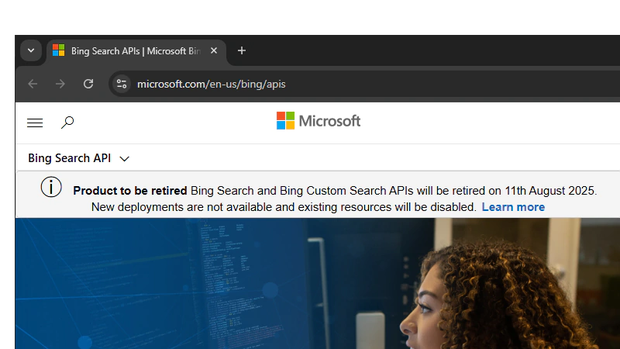
Microsoft announced that Bing Search APIs retired on August 11, 2025. Existing instances were decommissioned, so an old Bing Web Search API key, SDK sample, or cached pricing page should not be treated as a current implementation path.
For a Microsoft-supported path in 2026, start with the current Microsoft Foundry web-grounding options.
Microsoft documents both Web Search and Grounding with Bing Search on the current agents platform. These tools are designed for AI grounding rather than as drop-in replacements for the retired Bing Web Search API.
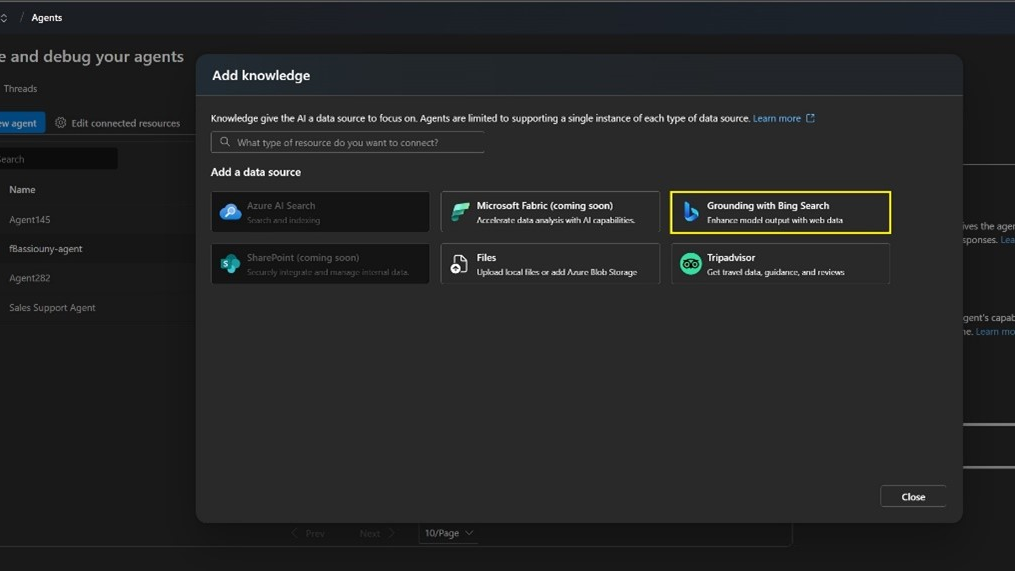
That distinction matters because Grounding with Bing Search does not expose the raw grounding content to developers or end users.
If your application needs normalized positions, titles, URLs, snippets, SERP features, locations, devices, and timestamps as a dataset, a SERP API is usually the more direct fit. Use a rank-tracking workflow when the main requirement is monitoring position changes over time.
Official Bing Options vs SERP API vs Scraping
| Option | Best fit | Typical data | Main risk |
|---|---|---|---|
| Microsoft Foundry Web Search / Grounding with Bing Search | AI applications that need current public-web grounding inside Microsoft Foundry | Model-grounding context and cited responses; raw result access depends on the tool | Not a drop-in replacement for the retired Web Search API; review current tool behavior and terms |
| Bing SERP API | SEO research, SERP monitoring, competitive visibility, related questions, and result snapshots | Organic results, ads, local packs, related searches, questions, timestamps, location, device | Vendor quality and field consistency vary |
| Rank tracker | Tracking a site or page position over time | Keyword, URL, position, device, location, date, movement | Too narrow for full SERP analysis |
| Direct scraping | Custom research when no API fits and review approves it | Whatever your collector can safely capture | Compliance, blocking, unstable HTML, and data QA |
If your team needs current public-web grounding inside a Microsoft Foundry application, start with Microsoft. If the job is "show me what public Bing results looked like for this query, in this location, on this date," a SERP API is often the more direct fit. If the job is "did our page move from position 8 to position 5?" use a rank tracker or see IPWeb's guide to rank tracking APIs.
When a Bing SERP API Is the Better Fit
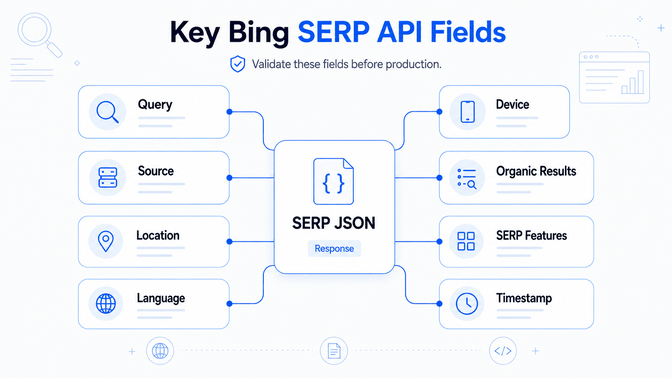
A Bing SERP API is useful when the output needs to look like structured search-result data instead of a generic search answer. Common use cases include:
- Monitoring organic visibility across Bing queries.
- Checking whether ads, local results, related searches, or answer-style modules appear.
- Collecting result titles, URLs, snippets, ranking positions, and timestamps.
- Comparing desktop and mobile result layouts.
- Auditing market, language, and location differences.
Teams evaluating scrape bing search, scraping bing search results, or a bing scraper are usually trying to solve the same underlying problem: collecting public result data consistently enough to compare it over time. Define the allowed scope, required fields, request rate, and validation method before choosing the collection layer.
For broader SERP concepts, see IPWeb's guide to what a SERP API is. For official search API comparisons, see Google Search API vs SERP API.
What About Bing Image, News, and Visual Search APIs?
The legacy Bing portfolio also included specialized search services for images, news, visual search, and related search experiences. If you are maintaining an older integration, verify each dependency separately instead of assuming that a general web-search replacement covers every result type.
News workflows need different freshness, source, licensing, and validation rules from ordinary web results. IPWeb's News API vs web scraping comparison explains when a structured feed is a better fit than page-level collection.
Image and visual-search workflows also need their own field definitions. A consumer reverse-image lookup, an image-search feature inside an application, and structured image-result monitoring are different jobs, even when they all begin with Bing.
Data Fields and Validation Checks
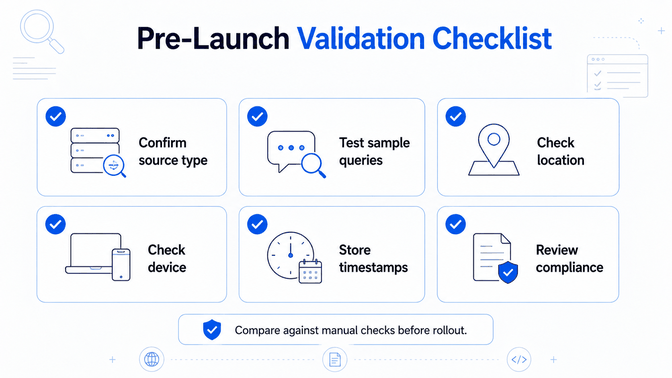
Before choosing a provider or migration path, define the fields your workflow actually needs. A practical Bing SERP response plan may include:
| Field | Why it matters |
|---|---|
| Query | Confirms the exact keyword sent to the source |
| Engine/source | Separates Bing web, news, image, and other result types |
| Location and language | Explains regional result differences |
| Device | Separates desktop and mobile layouts |
| Organic results | Stores rank, title, URL, display URL, and snippet |
| SERP features | Captures ads, local packs, related questions, and related searches |
| Timestamp | Makes audits and trend comparisons possible |
| Raw evidence link or snapshot | Helps debug disputed results |
Run small tests before moving production jobs. Compare results against manual checks. Confirm that location and device settings behave as expected, and store timestamps in a consistent timezone.
For controlled regional browser checks or permitted collection workflows where your team manages the request path directly, dynamic residential proxies can provide selectable residential locations for comparing localized search visibility.
If two providers report different rankings, inspect the raw result context instead of assuming one number is universally correct.
Common Migration Mistakes
The first mistake is assuming old bing web search api code can be revived by finding a different API key page. Retirement changes the planning question. Start from current supported options.
The second mistake is choosing a SERP API without defining fields. A cheap endpoint is not useful if it omits related questions, local modules, ads, timestamps, or device context that your reports require.
The third mistake is mixing rank tracking and SERP collection. A rank tracker is excellent for keyword position monitoring, but it may not capture every result block needed for competitive SERP analysis.
The fourth mistake is ignoring policy review. Public-data workflows still need terms review, rate control, source attribution, and data minimization. A proxy or API does not remove those obligations. If the workflow requires direct network access rather than a managed SERP service, compare the available infrastructure first; IPWeb's guide on choosing a proxy service for web data explains the tradeoffs between residential, datacenter, ISP, and mobile routes.
Frequently Asked Questions
Which Bing Search Option Should You Use?
Use Microsoft Foundry Web Search or Grounding with Bing Search when the goal is to give an AI application current public-web context inside Microsoft's supported agent environment. Use a Bing SERP API when the output itself needs to be structured search-result data. Use a rank-tracking workflow when recurring keyword positions, history, and change reporting are the main requirement.
If you manage a permitted collection or regional validation workflow directly, define the fields, location, device, request controls, and evidence you need before choosing proxy infrastructure or another collection layer. Start with the required output rather than the old endpoint name.
Final Thoughts
The legacy Bing Search APIs are no longer available, so new integrations should not be planned around old API names, keys, SDK samples, or cached pricing pages.
Choose the replacement by the output you actually need. Microsoft Foundry web-grounding tools fit AI applications that need current public-web context. Bing SERP APIs fit structured search-result snapshots, while rank-tracking workflows fit recurring position monitoring.
Before production rollout, test a small set of queries and validate the fields, location, device behavior, timestamps, and compliance requirements. A clear output specification makes the replacement decision much easier than trying to recreate the retired API one endpoint at a time.