If you are comparing a residential VPN with a residential proxy, the confusing part is not the word "residential." Both can make traffic appear from a residential-looking IP address. The real difference is how traffic is routed, how much control you get per browser or application, and how easy the setup is to validate.
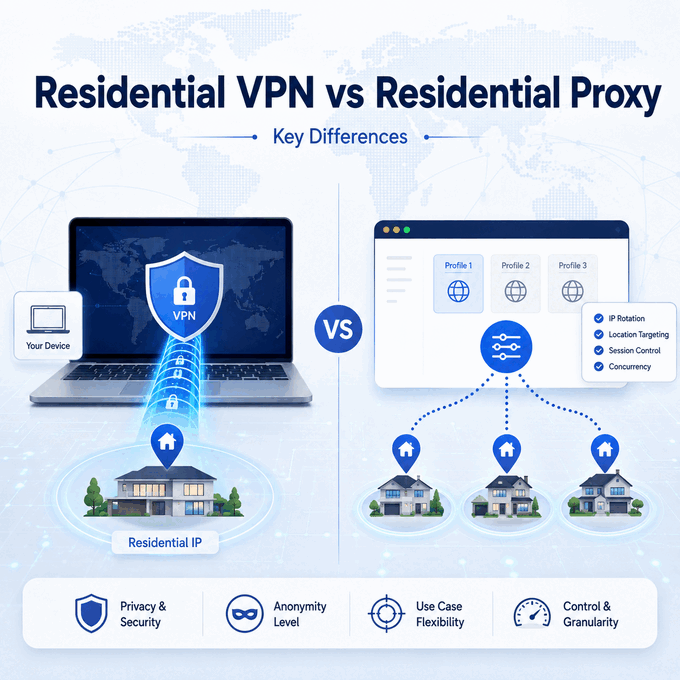
A residential VPN routes device or app traffic through a VPN tunnel that may exit through a residential IP address. A residential proxy routes selected browser or application traffic through a proxy endpoint, which usually gives teams more control over sessions, locations, and per-task validation. Neither option guarantees access, removes platform rules, or hides every browser, DNS, or account signal.
- A residential VPN is usually better for whole-device routing when you want one tunnel for many apps.
- A residential proxy is usually better for browser QA, web data workflows, and tasks that need per-profile or per-request control.
- The visible IP is only one signal; DNS, WebRTC, ASN, cookies, browser profile state, and account history can still matter.
- A residential-looking IP does not make a workflow compliant or undetectable by itself.
- The right choice depends on routing scope, session stability, validation needs, and whether you need one environment or many.
What Does Residential VPN Mean?
A residential VPN is a VPN service whose traffic exits through an IP address associated with a residential or consumer ISP network rather than a typical datacenter VPN endpoint. In other words, a residential IP VPN still uses a VPN tunnel, but the destination sees the VPN exit IP instead of the user's original network IP. How that exit address is sourced varies by provider, so the ASN and network classification should be verified rather than assumed.
A VPN with a residential IP can look similar to a residential proxy at the destination, but the workflow is different. A VPN normally works at the device or operating-system level. Once it is active, many apps may use the same tunnel unless split tunneling or app-specific routing is configured. A proxy is usually configured inside a browser, crawler, application, automation tool, or profile manager.
For ordinary browsing, that distinction may feel small. For public web data collection, regional QA, marketplace monitoring, ad verification, or browser profile testing, it matters a lot. Teams often need to know exactly which task used which IP, how long a session stayed stable, whether DNS followed the same route, and whether one browser profile can be separated from another.
Residential VPN vs Residential Proxy: Quick Comparison
The simplest way to compare them is to ask what you need to control. If you need one protected route for a laptop or phone, a VPN-style setup may be enough. If you need many controlled environments, a residential proxy is usually easier to test and scale.
| Factor | Residential VPN | Residential Proxy |
|---|---|---|
| Routing scope | Often device-wide or app-wide | Usually browser, profile, request, or tool-level |
| Main control point | VPN client or operating-system network settings | Proxy host, port, authentication, session, and location settings |
| Residential IP use | One residential-looking exit route at a time in many setups | One or many residential proxy endpoints, depending on provider and plan |
| Session control | Often limited unless the VPN supports dedicated or static endpoints | Often supports sticky sessions, rotation, or controlled endpoint selection |
| Browser profile fit | Can work, but may route multiple profiles through the same tunnel | Better fit when each profile or workflow needs its own route |
| DNS and WebRTC checks | Must be checked separately | Must be checked separately |
| Best fit | Whole-device routing and simple location testing | Web QA, public data workflows, automation tools, and multi-profile testing |
In short: a residential VPN is usually simpler for device-wide routing, while a residential proxy provides more granular control over individual browsers, profiles, sessions, and requests.
How Traffic Routing Is Different
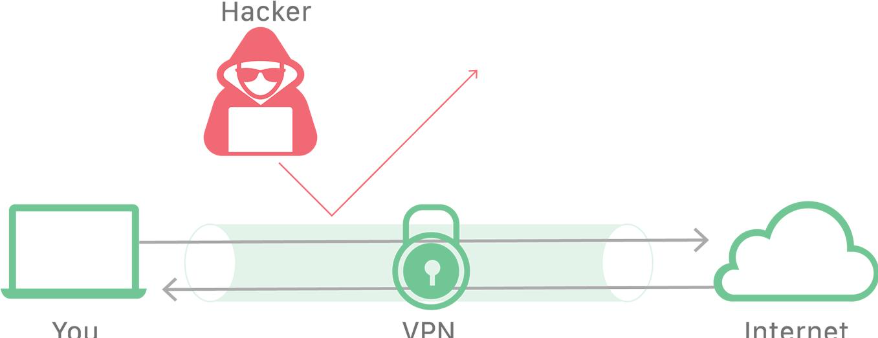
A VPN creates an encrypted tunnel between your device and the VPN server. After the tunnel is active, traffic may travel through that route unless the VPN client, operating system, or app uses another path. This can be convenient because you configure it once and many apps follow the same route. Cloudflare's VPN overview describes this client-to-server encrypted tunnel model in more detail.
A proxy is more explicit. You usually add a proxy server address, port, protocol, username, and password to a browser, profile manager, script, scraper, or desktop app. That setup is less invisible, but it gives you a clearer boundary: this browser profile uses this proxy; another profile can use a different proxy; a script can route only selected requests through a specific endpoint.
This is why a residential proxy is often better for workflow separation. If a QA team needs to compare how a public page appears from several regions, it can assign different proxy endpoints to different browser profiles. If a data team needs stable sessions for product pages but rotating sessions for search-result sampling, it can choose routing rules by task instead of turning one VPN tunnel on or off.
The practical distinction is routing scope: a VPN usually applies one tunnel across a device or selected apps, while a proxy can be assigned to a specific browser, profile, application, or request workflow.
IP Source, ASN, DNS, and Browser Signals
The IP address is only the most visible part of the setup. A residential IP may show an ISP or consumer-network ASN, while a datacenter VPN endpoint may show a hosting network. But a site or risk system may also look at DNS resolver behavior, WebRTC information, browser fingerprints, cookies, time zone, language settings, account history, and request patterns. MDN notes that WebRTC ICE candidate addresses can expose network information and may be used for fingerprinting.
If you want to understand how IP intelligence services turn network signals into VPN, proxy, hosting, Tor, and risk classifications, see how VPN detection APIs work.
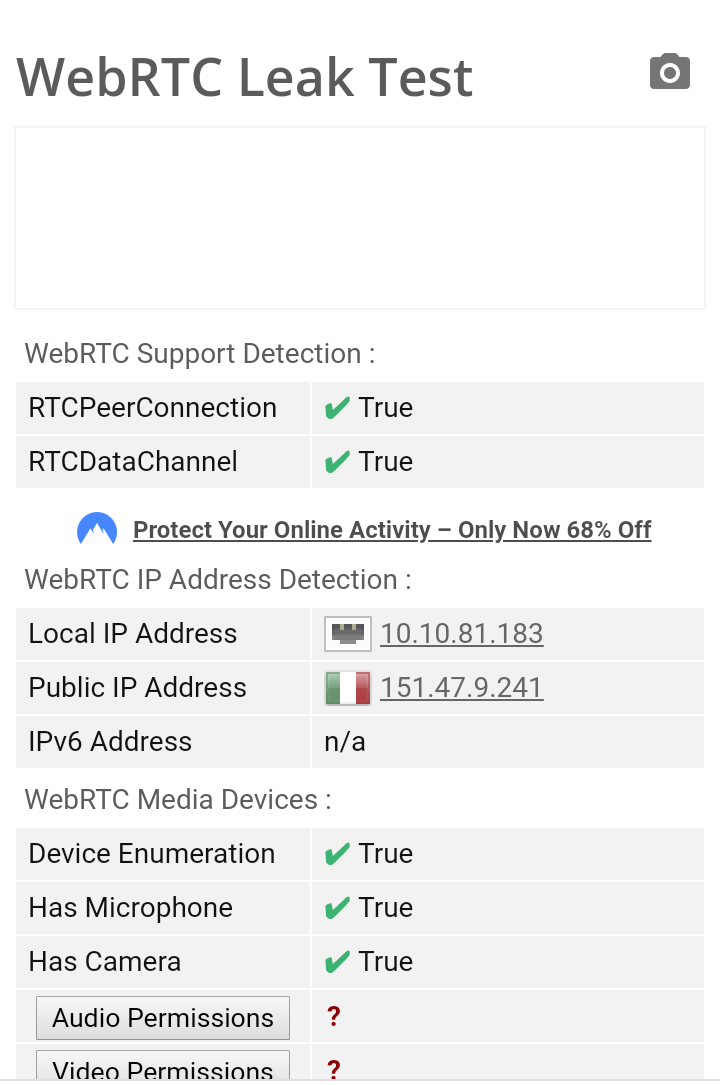
That is why "residential" should not be treated as a magic label. A residential VPN can still be inconsistent if DNS uses a different route, the browser leaks a local network address, or the account history does not match the current location. A residential proxy can also be flagged if the IP has poor reputation, the session changes too often, or the browser environment does not match the network route.
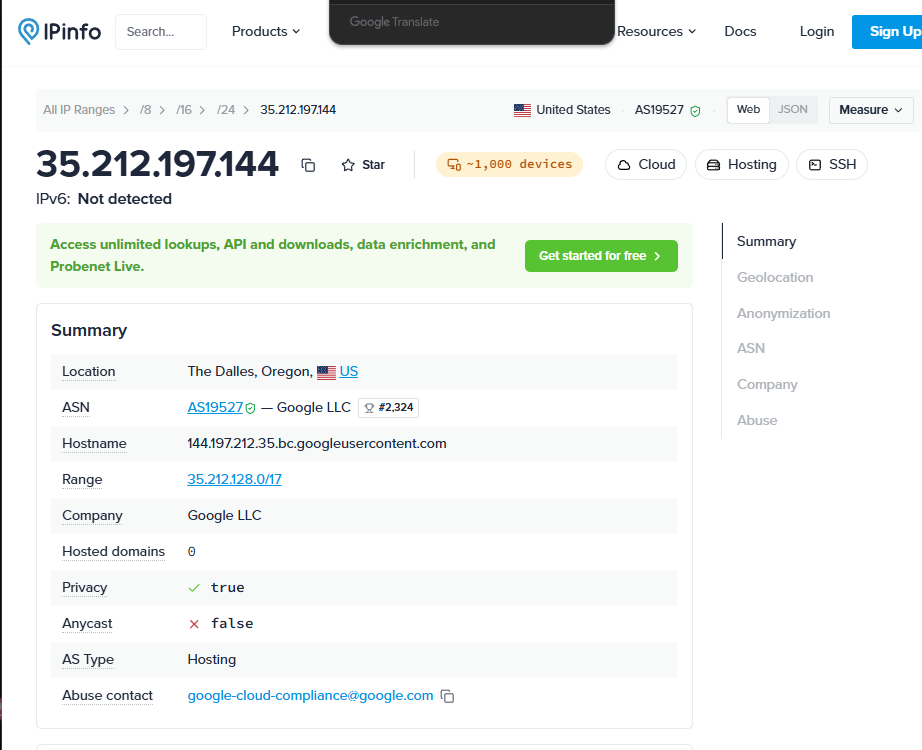
For practical work, validate the full environment instead of checking only the visible IP. Confirm the visible IP, country, region, ASN, DNS route, WebRTC behavior, and browser profile settings. IPWeb's anonymous proxy detected guide explains how IP classification, ASN, DNS, browser, and session signals can be checked separately.
When a Residential VPN Makes Sense
A residential VPN can make sense when the job is simple and device-level. For example, a person may want one tunnel for a laptop, one location setting for ordinary browsing, or one route for an app that does not support proxy configuration.
It can also be useful when the team does not need many separate browser profiles or request-level rules. If the requirement is "route this device through one residential-looking exit IP and verify the visible location," a VPN-style tool may be the simpler option.
The tradeoff is control. A VPN is less convenient when every profile needs a different location, when a task needs sticky sessions, when only one app should use the route, or when reporting must map each request to a specific endpoint. Split tunneling can help in some environments, but it adds configuration complexity and may still be less transparent than proxy-level routing.
When a Residential Proxy Makes More Sense
A residential proxy usually makes more sense when the work is operational, repeated, or multi-environment. Common examples include public search-result checks, ad verification, price monitoring QA, browser profile testing, regional page validation, and web data workflows where route validation is part of the process.
The main advantage is precision. A proxy can be assigned to a single browser profile, scraper job, or application. Many proxy setups also support session rules, such as keeping the same exit IP for a period of time or rotating IPs between tasks. For workflows that require many changing residential IPs, dynamic residential proxies may be more practical than manually switching a VPN location.
That does not mean a proxy automatically solves every problem. A proxy changes the network path for the configured app or request. It does not automatically change browser fingerprints, cookies, login history, device signals, JavaScript behavior, or platform policy limits. Treat the proxy as one layer in the environment, not the whole environment.
In this comparison, "residential proxy" refers to a proxy route whose exit IP is associated with a residential or consumer ISP network; session behavior such as rotating or sticky assignment is a separate configuration choice.
How to Validate the Setup
Validation should answer one practical question: does the environment behave the way you think it behaves? Do not stop after seeing a new IP address.
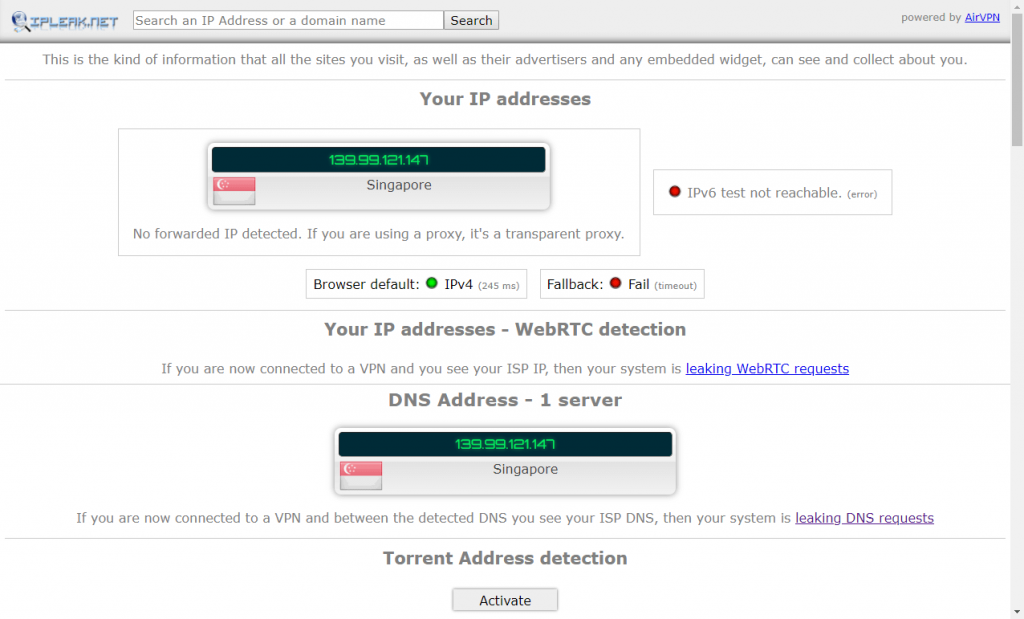
Use this checklist:
- Check the visible IP address in the same browser, profile, or app that will run the task.
- Confirm the country, region, ISP or ASN, and time zone expectations.
- Check whether DNS follows the intended route.
- Check whether WebRTC exposes a local or original network signal.
- Confirm whether the session stays stable long enough for the workflow.
- Test one controlled task before scaling to many profiles or requests.
- Record the endpoint, timestamp, location, tool, and result so later failures can be traced.
If a test fails, isolate the layer. A wrong country may mean the exit route is not the one you selected. A DNS mismatch may mean the app or operating system is still using another resolver. A repeated verification message may involve account, browser, or behavior signals rather than the IP address alone.
Common Mistakes
The first mistake is assuming that "residential" means "undetectable." It does not. Residential IP source can reduce some mismatch signals, but it cannot guarantee trust.
The second mistake is comparing a residential VPN and residential proxy only by location. Location matters, but routing scope matters more. Whole-device routing and per-profile routing solve different problems.
The third mistake is using a VPN and a proxy at the same time without a clear reason. Stacking routes can make troubleshooting harder because you may not know which layer controls DNS, visible IP, or connection failures.
The fourth mistake is ignoring compliance. A proxy or VPN can help with network-layer testing and public web QA, but it cannot override a website's terms, account rules, legal restrictions, or access policies.
Frequently Asked Questions
Final Thoughts
Residential VPNs and residential proxies overlap in one area: both can provide a residential-looking exit IP. The better choice depends on the workflow. If you need simple whole-device routing, a residential VPN may be enough. If you need controlled sessions, separate browser profiles, location QA, or repeatable public web data checks, a residential proxy usually gives you clearer control and better auditability.
The safest next step is to test the actual environment you plan to use. Check visible IP, DNS, WebRTC, ASN, session stability, and browser profile settings before assuming the route is working.