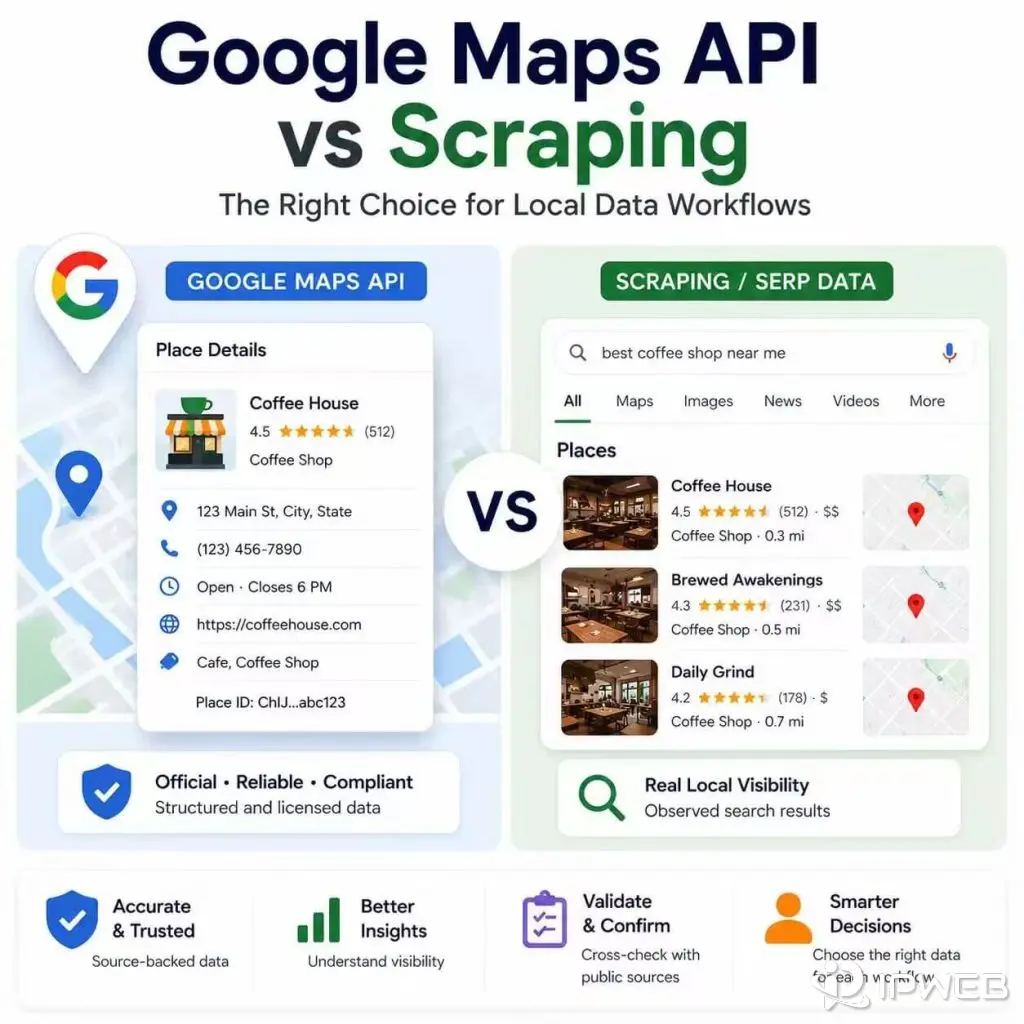
Local data projects often begin with a simple request: find businesses, verify addresses, compare listings, or track local search visibility. The difficult part is choosing the right source. Google Maps Platform APIs, local SERP data, public business pages, and manual checks can all support local-data work, but they answer different questions.
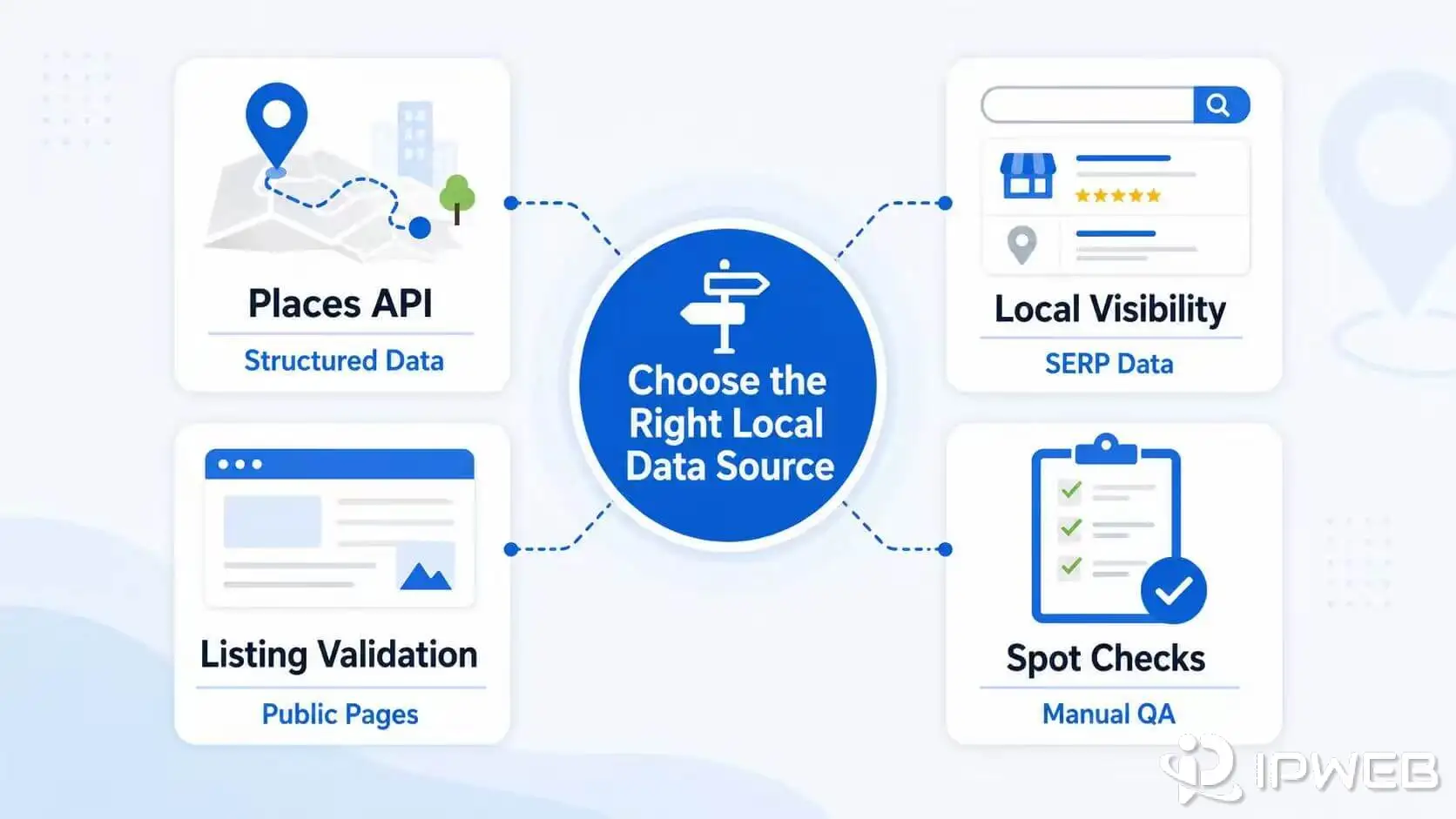
Use Google Maps Platform APIs when you need documented place, geocoding, routing, autocomplete, or map functions inside an application. Use local SERP data when you need to observe how local results appear for a specific query, location, language, or device. Use public-page checks only for permitted validation tasks, such as confirming a business website, visible contact detail, canonical URL, or structured data.
- “Google Maps API” is not one product. Maps, Places, Geocoding, Routes, and Autocomplete solve different jobs.
- Official APIs provide structured fields and documented request formats, but they do not reproduce every visible local-search result.
- Local SERP data is better for ranking, local-pack, and result-layout questions.
- Direct page scraping has higher maintenance and policy risk because layouts, access rules, and rendered elements can change.
- The most reliable workflow often combines one primary source with a small validation sample instead of treating all sources as interchangeable.
Start With the Local Data Job
The phrase “local data” can refer to several outputs: coordinates, place IDs, formatted addresses, opening hours, route estimates, local-pack positions, screenshots, public website details, or evidence that a listing has changed. These outputs should not be treated as the same dataset.
Start by writing down the exact question your workflow must answer. For example:
- Do I need a stable business identifier or a visible search position?
- Am I building a customer-facing map or checking how a result appears?
- Do I need structured fields, screenshots, source-page evidence, or all three?
- Will the data be displayed to users, stored internally, or used only for quality assurance?
Once the output is clear, the source choice becomes easier.
When Google Maps Platform Is the Right Source
Google Maps Platform is the right starting point when the workflow needs supported map and place functions. The platform includes separate products for maps, places, geocoding, routes, address validation, and autocomplete.
Choose the specific API that matches the job rather than treating “Google Maps API” as a single product.
For example, the Places API can return structured place records, while the Geocoding API converts addresses and coordinates. Routes products calculate route information, and map SDKs render maps inside applications.
Official APIs are usually the better fit when you need:
- documented request and response formats;
- place IDs and structured location fields;
- geocoding, reverse geocoding, autocomplete, or routing;
- production integration with quotas, billing controls, and error handling;
- a supported data source for an application rather than a visual snapshot of search results.
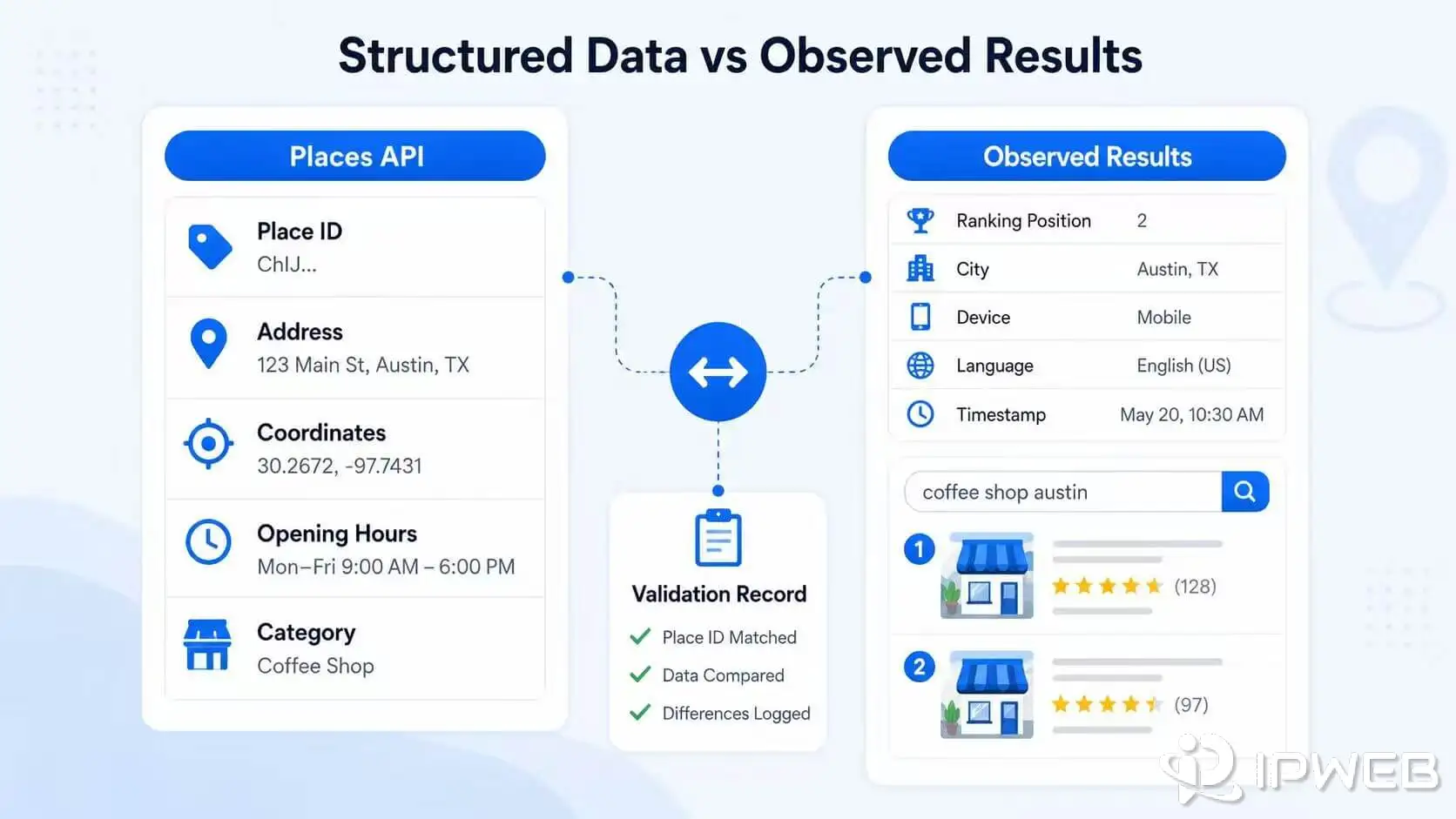
An API response is not the same as the visible order of results in Google Search or a local pack. It also does not mean every returned field can be stored or displayed without restrictions.
Review the relevant product documentation, field requirements, attribution rules, and current Places API policies before implementation.
What Scraping Means in Local Data Workflows
“Scraping” is often used too broadly. In local-data projects, it may describe three different activities:
- Local SERP collection: recording which businesses and result features appear for a query in a defined location.
- Public business-page checks: validating information on a company’s own public website, such as an address, phone number, canonical URL, or structured data.
- Direct parsing of Google Maps pages: extracting rendered page elements from Google Maps itself.
These are not equivalent. Local SERP data answers visibility questions. Public business-page checks support listing quality assurance. Direct page parsing is more fragile because page layouts, rendered elements, access controls, and platform rules can change.
A local SERP API may be a better option than maintaining a browser-based parser when the goal is to compare results by query, city, language, device, or timestamp.
This workflow still needs a clear schema and validation process because search results can vary between requests.
Google Maps API vs Scraping Comparison
| Source | Best for | Main limitation | Operational priority |
|---|---|---|---|
| Google Maps Platform APIs | Place lookup, map display, geocoding, autocomplete, routing, and structured location fields | Does not reproduce every visible local-search layout or ranking position | Choose the correct product, request only needed fields, and review usage requirements |
| Local SERP API | Local-pack visibility, ranking snapshots, result features, and query-by-location comparisons | Observed results can vary by location, device, language, time, and search context | Store the full query context and compare trends rather than one isolated result |
| Public business-page check | Validating website addresses, phone numbers, canonical URLs, structured data, and visible notices | Each website has a different structure and access policy | Limit collection to required public fields and preserve the source URL and timestamp |
| Direct Google Maps page parsing | Narrow visual checks when no supported source answers the question | Higher policy, maintenance, rendering, and breakage risk | Review applicable terms and avoid making it the default production source |
| Manual QA sample | High-value verification and investigation of conflicting records | Does not scale | Use a repeatable sample and document what was checked |
The strongest difference is not “API versus automation.” It is whether you need an official structured record, an observed search result, or evidence from a public source page. Selecting a source by output type prevents misleading comparisons later.
Choose the Right Workflow
Workflow 1: Store Locator or Business Directory
Use Places, Geocoding, or related Google Maps Platform services when the product needs location search, coordinates, place identifiers, map rendering, or address suggestions. Store your own business data separately and keep Google-provided fields clearly identified.
Workflow 2: Local SEO Visibility Tracking
Use local SERP data when the goal is to measure whether a business appears for a query. It can also show which local-pack positions are visible and how result features differ by city or device.
Preserve the query, location, language, device, timestamp, and source type for every record.
Workflow 3: Listing Consistency and Data QA
Use an official API as the primary reference when it provides the required field. Compare a controlled sample against the business’s public website or another permitted source.
Flag conflicts for review instead of automatically overwriting one source with another.
You can simplify the decision process with the workflow reference table below. It pairs each common local-data task with a primary source and a practical validation method.
| Workflow | Primary source | Validation source | Avoid |
|---|---|---|---|
| Map or store-locator feature | Google Maps Platform API | Internal business database | Using a rendered search page as the application backend |
| Local ranking comparison | Local SERP data | Manual result sample | Treating one result as a stable ranking |
| Address or website verification | Place or geocoding data, depending on the field | Official public business website | Merging conflicting values without review |
| Large-scale listing audit | Structured API or licensed dataset | Risk-based page samples | Collecting every visible field simply because it is present |
Practical Validation Checks
Local data can look precise while still being misleading. Business names change, listings merge, service-area businesses may not show a street address, place identifiers can change, and search results can shift by context.
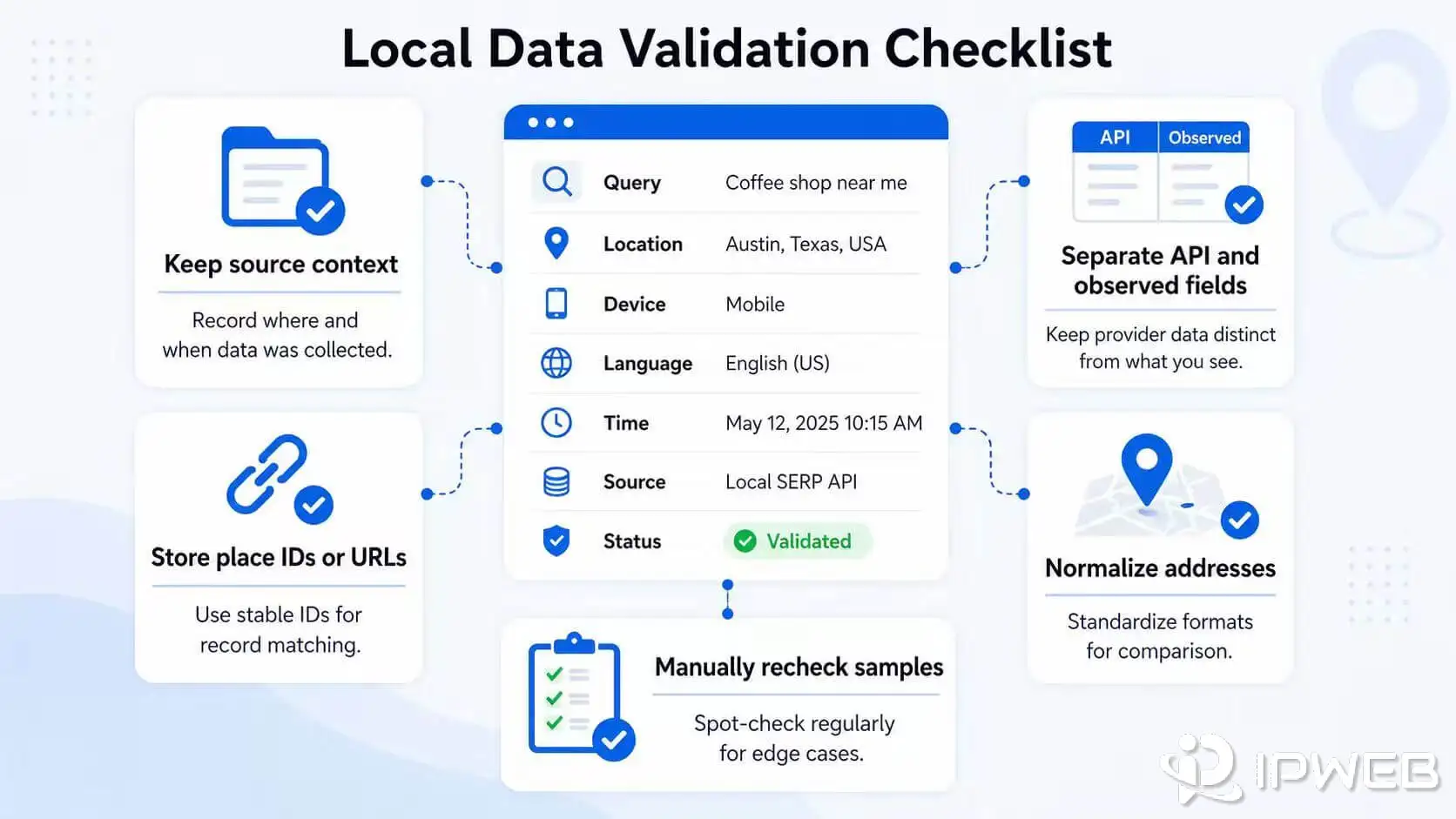
- Store the original query, coordinates or city, language, device type, and timestamp.
- Keep place IDs, source URLs, and source types in separate fields.
- Record which fields came from an official API and which came from an observed page.
- Do not treat ranking position, place details, and profile completeness as the same metric.
- Normalize phone numbers and addresses before comparing records.
- Flag missing or conflicting values instead of silently replacing them.
- Recheck a sample manually before acting on high-impact changes.
For Places API requests, request only the fields the workflow actually needs. Google’s current Places documentation uses field masks for methods such as Text Search, Nearby Search, and Place Details. This reduces unnecessary response data and helps control processing and billing.
Common Mistakes
Calling Every Local Source “Google Maps Data”
A place record, a local-pack result, a business website, and a rendered Maps page are different sources. Mixing them removes the context needed to explain why two records disagree.
Choosing a Method Before Defining the Output
Teams often select scraping or an API first and only later decide what fields they need. Reverse that order. Define the business question, required fields, update frequency, and validation rule before choosing the source.
Assuming an API Result Is a Ranking Report
Place-search APIs return records based on their product behavior. They should not automatically be interpreted as the visible local ranking for a user’s Google Search query.
Collecting More Fields Than the Workflow Uses
Extra fields increase cost, storage, privacy, and validation complexity. A smaller schema with clear ownership is usually more useful than a large unverified dataset.
Using Proxies as a Substitute for Source Rules
Regional proxy routes may help test permitted public responses from different locations, especially when a local SERP workflow needs country-, state-, or city-level comparison. A dynamic residential proxy can provide broader regional coverage for these tests, but it does not change API terms, account restrictions, access controls, or data-use requirements. The workflow still needs conservative request behavior, source-specific rules, and documented validation.
The workflow still needs conservative request behavior, source-specific rules, and documented validation.
Frequently Asked Questions
Final Thoughts
Do not choose a source simply because it is easier to access. Choose it because it matches the output you need: official APIs for supported place functions, local SERP data for visible search behavior, and public-page checks for narrow validation.
Keep every source labeled, preserve the request context, and validate important conflicts. If your workflow depends on location-specific public search results, review how a SERP API structures query, location, device, and timestamp data before building the monitoring layer.