
If a Python GET request returns a 403 error, the script usually reached an HTTP server, CDN, WAF, or origin application that understood the request but refused to fulfill it. That is different from a timeout, DNS failure, TLS failure, or broken proxy connection.
For developers and data teams, the next question is not "which header should I copy from a browser?" The useful question is what access rule, request detail, session state, or route signal caused the refusal.
If a Python GET request returns a 403 error, an HTTP client such as requests, urllib, or an application wrapper has received a refusal from the server, CDN, WAF, or origin application. Inspect the status code, response body, headers, authentication state, cookies, method, request headers, rate pattern, and route evidence before retrying.
If the resource is private, account-restricted, legally restricted, or blocked by an explicit site policy, the correct fix is permission, an official API, or stopping the request, not a proxy workaround.
- A 403 means the request was understood but refused; it does not automatically mean Python is broken.
- In
requests,response.status_code == 403andresponse.raise_for_status()are two different ways the same refusal may surface. - In
urllib, a 403 can appear asurllib.error.HTTPError: HTTP Error 403: Forbidden. - Before changing headers or proxies, compare the Python request with a known allowed browser or API request.
- A proxy route test can show whether the response changes by network path, but it cannot grant access to private or disallowed content.
What "Request Failed With Status Code 403" Means in Python
The phrase request failed with status code 403 usually comes from application code, a framework wrapper, or a log message around an HTTP client. The wording varies, but the meaning is the same: the remote server returned HTTP 403.
RFC 9110 defines 403 as a refusal after the server understood the request. It also notes that a server may describe the reason in the response body. That body matters because a JSON API, CDN edge, WAF page, or application template can all explain different causes. For the broader HTTP meaning and non-Python causes, use IPWeb's 403 Forbidden guide.
In Python, the same event may appear as:
response.status_codeis403inrequests;requests.exceptions.HTTPErrorafterresponse.raise_for_status();urllib.error.HTTPError: HTTP Error 403: Forbidden;- a wrapper message such as
response not successful: received status code 403; - an SDK message such as
response status code does not indicate success 403 forbidden.
Those messages describe the symptom, not the root cause.
First Capture the Response Evidence
Start by logging the response safely. Avoid dumping secrets, cookies, bearer tokens, or full private payloads into logs.
import requests

url = "https://example.com/public-page"
response = requests.get(url, timeout=20)

print("status:", response.status_code)
print("content-type:", response.headers.get("content-type"))
print("server:", response.headers.get("server"))
print("via:", response.headers.get("via"))
print("body preview:", response.text[:300])
This small check tells you whether the response looks like an origin application, CDN edge page, JSON API error, login wall, WAF denial, or static server permission response.
Do not start with ten retries. If the same unauthorized request is repeated quickly, you may add rate-limit noise on top of the original issue.
How requests Surfaces a 403
The requests library does not raise an exception just because a response is 403. A response object can exist with status_code == 403. An exception is raised when your code calls raise_for_status(); the Requests documentation shows the same distinction between inspecting a response and raising for an unsuccessful status.
import requests

response = requests.get("https://example.com/data", timeout=20)

if response.status_code == 403:
    print("Forbidden:", response.text[:300])
else:
    response.raise_for_status()
If you see a stack trace from raise_for_status(), the stack trace is not the root cause. It only tells you your code chose to convert the HTTP 403 response into an exception.
| Python Symptom | Likely Source | First Check | What Not to Assume |
|---|---|---|---|
response.status_code == 403 | requests response object | Response body and headers | That the request never reached the server |
requests.exceptions.HTTPError | raise_for_status() | Original response object | That the exception caused the 403 |
urllib.error.HTTPError | urllib.request.urlopen() | Error body, code, and URL | That urllib is blocked by default |
response not successful: received status code 403 | App wrapper or SDK | Wrapper logs and upstream response | That the wrapper owns the denial |
| 403 only through one proxy route | Network path or policy difference | Same request across routes | That a proxy proves access is allowed |
How urllib Surfaces HTTP Error 403 Forbidden
With urllib, an HTTP 403 usually appears as an HTTPError. Python's urllib.error.HTTPError documentation describes it as an exception that can also act like a file-like response, which means you can inspect the response body instead of discarding the evidence.
from urllib import request, error

try:
    request.urlopen("https://example.com/data", timeout=20)
except error.HTTPError as exc:
    if exc.code == 403:
        body = exc.read(300).decode("utf-8", errors="replace")
        print("Forbidden:", body)
This is useful when a log says urllib error httperror http error 403 forbidden. The diagnostic step is to inspect the error response, not to hide the exception and retry blindly.
Compare Python With a Known Allowed Request
Many Python 403 errors come from a mismatch between what your script sends and what the server expects. Compare the Python request with a known allowed request, such as an official API example, a documented SDK call, or a browser request that you are authorized to make.
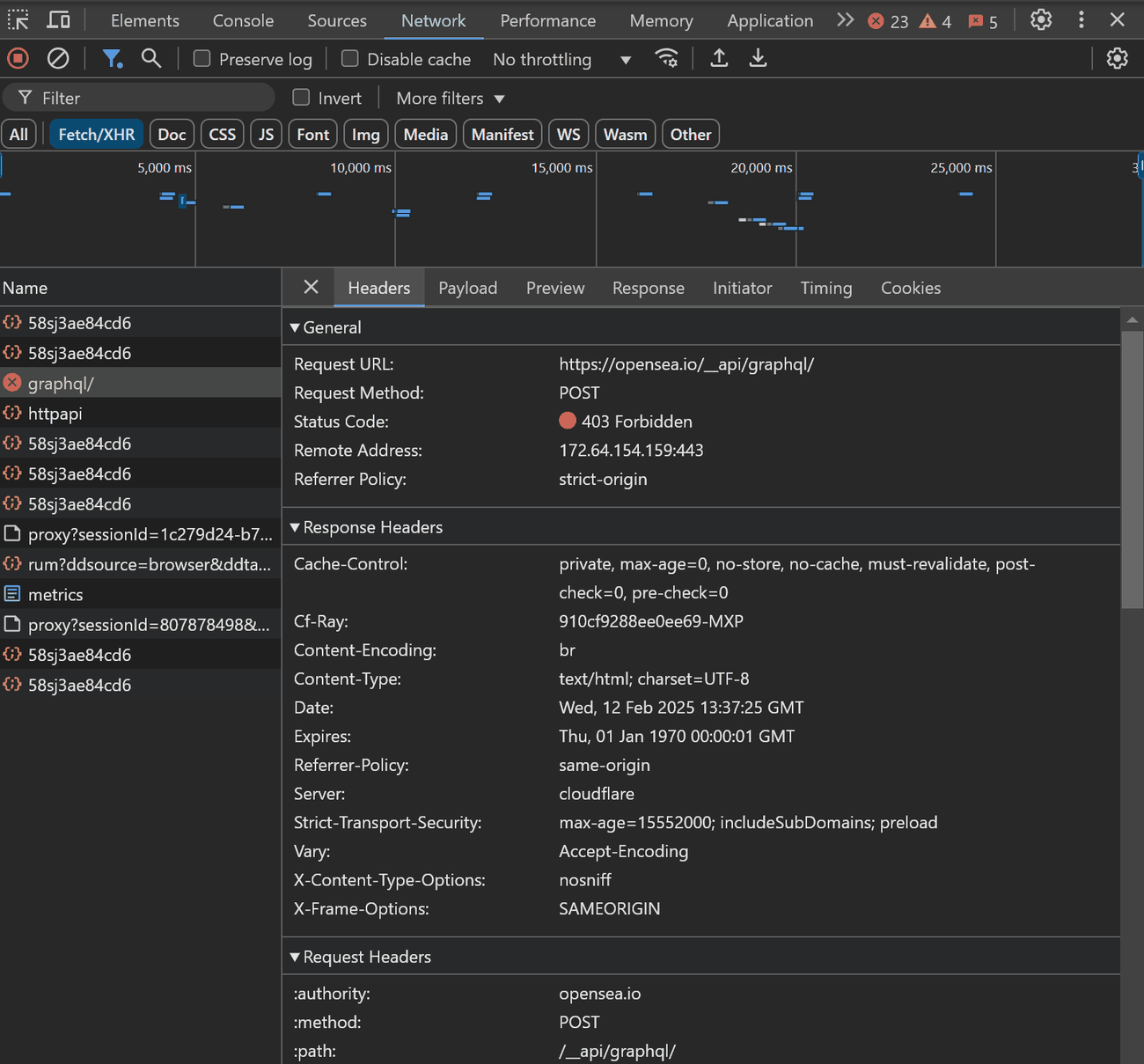
Check these differences:
- URL path, query parameters, and trailing slash;
- HTTP method, especially
GETversusPOST; - authentication header, API key, bearer token, or signed URL;
- cookie and session state;
AcceptandContent-Typeheaders;- CSRF token or form token for application routes;
- request body encoding;
- redirect behavior;
- rate and concurrency;
- whether the endpoint is meant for browser users, API clients, or logged-in accounts.
This comparison often explains a python get request 403 error without touching proxy settings at all.
Headers, Cookies, and Sessions
Headers can matter, but random browser-header copying is a weak diagnostic habit. It can hide the real issue and may conflict with a site's access rules.
Use headers to match documented requirements:
import requests

session = requests.Session()
session.headers.update({
    "Accept": "application/json",
    "Authorization": "Bearer YOUR_TOKEN_HERE",
})

response = session.get("https://api.example.com/v1/items", timeout=20)
print(response.status_code)
For a public HTML page, cookies and session state can matter if the page requires consent, login, region selection, or a signed session. For a JSON API, authentication and accepted media type are more likely to matter.
If the site requires login, a token, or a signed URL, do not treat the 403 as a scraping obstacle. Treat it as an access-control decision. If it is unclear whether the request is missing authentication or is authenticated but still refused, use the 401 vs 403 guide to separate those two cases.
When the 403 Comes From a CDN or WAF
Sometimes Python receives a 403 from a CDN or WAF before the origin application handles the request. The response body or headers may mention Cloudflare, CloudFront, a WAF rule, a bot-control feature, or a CDN edge.
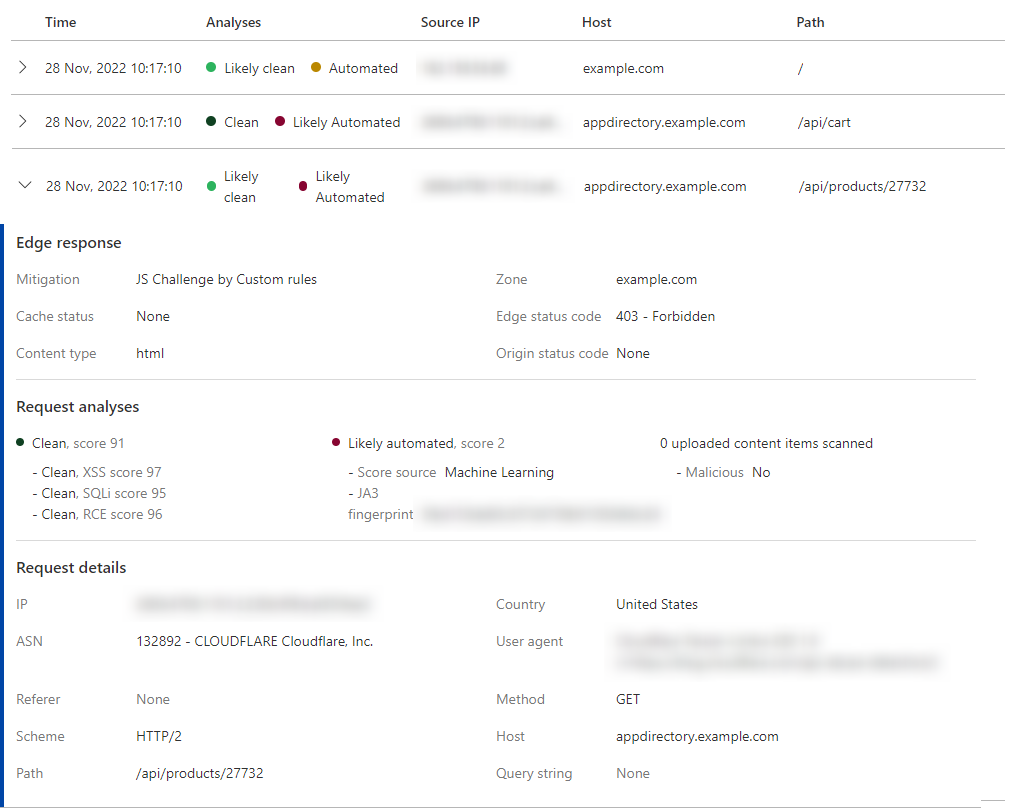
At that point, keep the Python evidence and move to the layer-specific checks in IPWeb's CDN 403 Errors guide:
- exact URL and method;
- timestamp;
- status code and body preview;
- response headers;
- request headers without secrets;
- whether the same request works in a browser;
- whether the response changes by region or route.
When a CDN or WAF returns the 403, keep the diagnosis focused on whether the Python request is valid, authorized, and consistent with the intended access path. Use response evidence and available CDN or WAF logs to identify the refusing layer before changing the request.
Proxy Route Checks for Python 403 Errors
A proxy can help answer one narrow question: does the same valid request receive a different response from a different network path? If a proxy is already part of the workflow and you are not sure whether the Python process is actually using it, first verify the route with How to Check If a Proxy Is Working.
Keep the request constant while changing the route:
import requests

proxies = {
    "http": "http://USER:PASS@proxy.example:8000",
    "https": "http://USER:PASS@proxy.example:8000",
}

response = requests.get(
    "https://example.com/public-page",
    proxies=proxies,
    timeout=20,
)

print(response.status_code)
print(response.headers.get("server"))
print(response.text[:200])
When an authorized public-data test genuinely requires comparing the same request across different residential network paths or regions, IPWeb's Dynamic Residential Proxies can provide the routing variable for that controlled comparison. If route diversity is not part of the diagnostic question, there is no reason to add a proxy. A proxy does not make private data public, fix bad credentials, replace signed access controls, or override a site's policy.
If every route returns the same 403, the cause is probably request format, authentication, origin permissions, private content, or policy. If one route differs, record the country, ASN, visible IP, response headers, and body label, then decide whether the difference is allowed and operationally useful.
A Practical Python 403 Checklist
Use this order before changing large parts of your client:
- Confirm the URL and method are correct.
- Print the status code, safe response headers, and a short body preview.
- Check whether the response is JSON, HTML, CDN-branded, or app-branded.
- Compare the Python request with a documented allowed request.
- Verify authentication, cookies, sessions, CSRF tokens, and signed URLs.
- Check rate, concurrency, and timing.
- Compare browser behavior only when you are authorized to access the page.
- Test proxy route differences only after the request itself is valid.
- Stop if the content is private, prohibited, legally restricted, or outside the intended access model.
Common Mistakes to Avoid
Avoid these shortcuts:
- assuming a 403 means the proxy is broken;
- calling
raise_for_status()and losing the original response context; - copying a full browser header set without understanding which header matters;
- logging tokens, cookies, or private response bodies;
- retrying aggressively before classifying the refusal;
- treating a WAF or CAPTCHA response as a code bug;
- using proxy rotation as a substitute for permission or an official API.
The fastest fix is often not a new IP. It is the correct endpoint, method, token, cookie, session, or API access path.
When to Use Related IPWeb Guides
If the Python request cannot connect through the configured route, returns proxy-authentication or tunnel errors, or fails before a target HTTP response is available, use IPWeb's Proxy Error guide. That is a different failure path from a genuine target-server 403.
For broader public web data workflows where proxy type, session behavior, regional QA, and route testing are part of the project design, use the web scraping proxy guide. A Python 403 should still be diagnosed from the response evidence first rather than treated as a reason to add proxy infrastructure.
Frequently Asked Questions
requests.get() return 403?requests.get() can return 403 when the URL, method, authentication, cookies, headers, session state, rate pattern, route, or access policy does not match what the server allows. Inspect the response before changing headers or proxies.response.raise_for_status() show a 403 error?raise_for_status() converts an HTTP error response into a Python exception. The exception did not cause the refusal; the server already returned 403.urllib.error.HTTPError: HTTP Error 403: Forbidden mean?urllib received an HTTP 403 response and raised HTTPError. You can inspect exc.code and read a safe preview of the response body to understand what layer refused the request.Final Thoughts
A Python 403 Forbidden error is easier to solve when you separate the HTTP response from the Python wrapper. Capture the response evidence, compare it with an allowed request, check authentication and session state, and use route testing only for a narrow network-path question.
When the denial is real access control, the right answer is not more retries. It is permission, a documented API, a corrected request, or stopping the workflow.