Choosing the wrong proxy type can waste budget before a workflow even starts. Some teams pay for rotating residential traffic when one stable datacenter IP would be enough. Others use datacenter routes for location-sensitive testing and then spend hours troubleshooting inconsistent results.
The best proxy service is not automatically the provider with the largest IP pool or the lowest advertised price. It is the service whose proxy type, location controls, session behavior, authentication, and pricing model match the work you actually need to run.
For regional QA, public web data workflows, backend checks, and authorized testing, ask which setup offers the right balance of route type, stability, scale, and cost—not simply which provider claims to be the best.
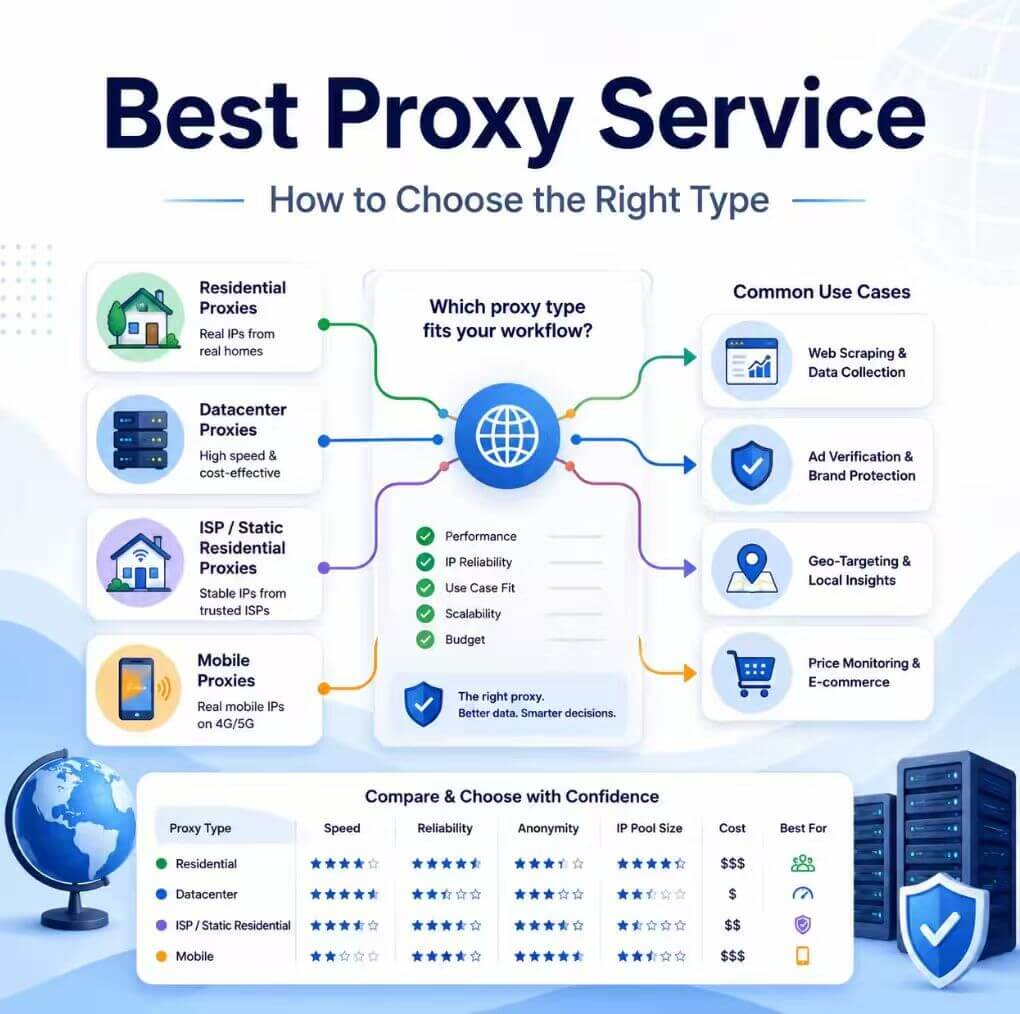
For location-sensitive public web checks, rotating residential proxies are often the best starting point. Stable backend requests and allowlisting usually fit a static datacenter proxy. Long browser sessions may need a sticky or static ISP route. Decide on the required route behavior before comparing providers.
- Choose the proxy type before comparing proxy providers.
- Match rotation, session length, and location controls to the real workflow.
- Compare the full operating cost, not only the headline price.
- Test the proxy from the browser, script, or server that will use it.
- A proxy changes the network route; it does not solve every account, access, or policy problem.
Best Proxy Service by Use Case
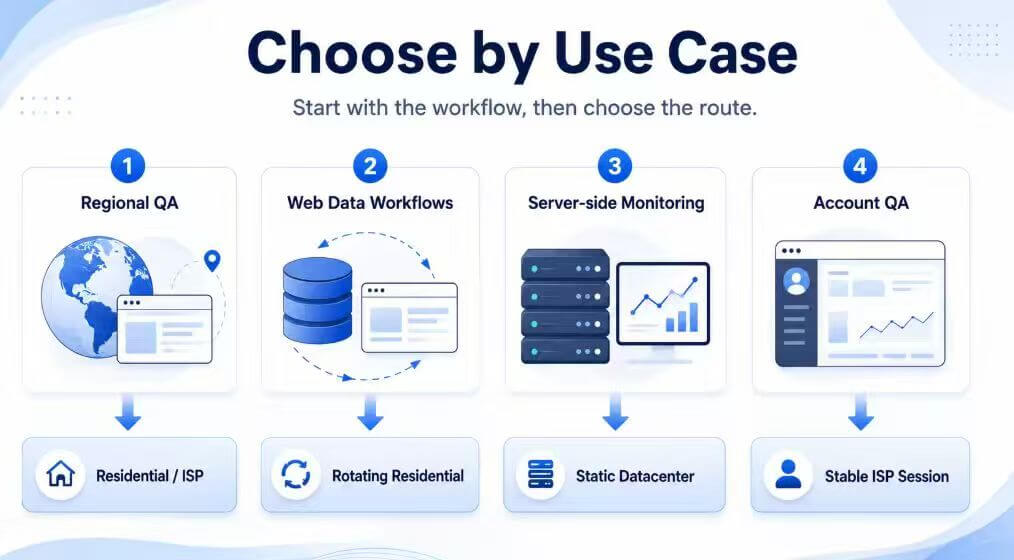
A useful buyer guide should give a direct recommendation, not only a feature list. The table below shows a practical starting point for common workflows. Adjust the choice for target sensitivity, request volume, location needs, and session length.
| Workflow | Best Starting Point | Why It Fits | Primary Check |
|---|---|---|---|
| Regional page QA | Rotating residential proxy | Offers regional routing through consumer-network IPs | Country or city targeting accuracy |
| Large public web data workflow | Rotating or unlimited residential service | Supports wider route distribution and scalable traffic models | Rotation control, concurrency, and error rate |
| Long-running browser or account QA | Sticky ISP or static residential proxy | Keeps the route more consistent during a stateful session | Session duration and profile consistency |
| Backend API or server checks | Static datacenter proxy | Provides a stable endpoint and straightforward allowlisting | Uptime, latency, and IP stability |
| High-speed, lower-sensitivity tasks | Datacenter proxy | Usually offers simple integration and predictable server-side performance | Target compatibility and IP reputation |
For example, IPWeb's dynamic residential proxies are better suited to changing regional routes and distributed public web checks. For stable backend routing, allowlisting, or repeated requests from one known endpoint, static datacenter proxies are usually easier to operate.
Once the use case is clear, compare the network characteristics behind each option—not just the provider name.
Choose the Proxy Type Before the Provider
Comparing brands before deciding on proxy type often leads to the wrong purchase. A large residential pool does not help when one stable server IP is enough.
A dedicated datacenter endpoint may be reliable. However, it is a poor fit when the workflow depends on residential location signals or many independent regional checks.
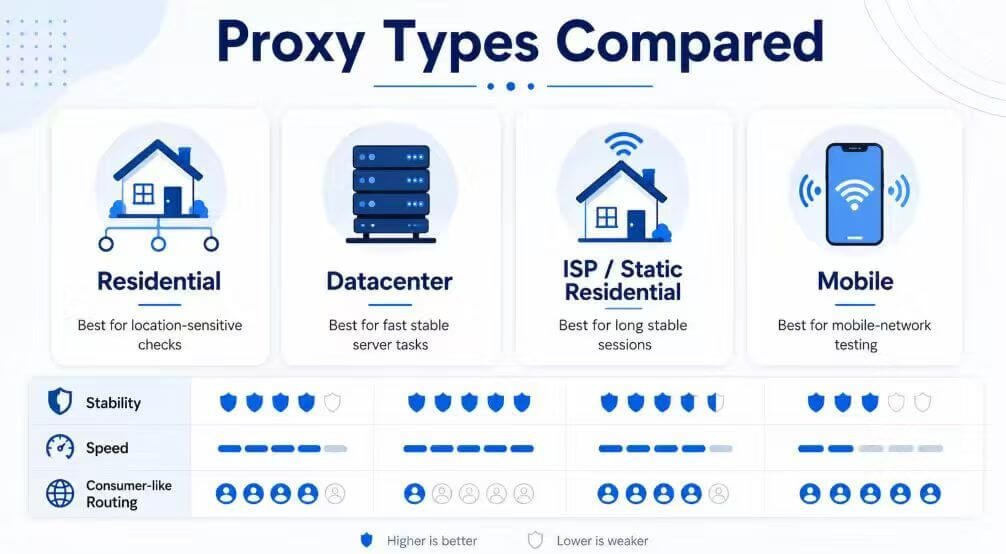
| Proxy Type | Better For | Less Suitable For | Buying Question |
|---|---|---|---|
| Rotating residential | Regional sampling and distributed public web requests | Workflows that must keep one route for the full session | Can rotation be controlled by request or session? |
| Static residential / ISP | Long sessions that need a stable ISP-style route | Tasks that require frequent IP changes | How long does the IP remain assigned and stable? |
| Datacenter | Fast server-side tasks and lower-cost scaling | Targets that treat hosting networks differently | Does the target accept the ASN and network type? |
| Dedicated datacenter | Allowlisting, backend checks, and one-customer IP use | Workflows needing many residential locations | Is the IP genuinely dedicated to one customer? |
| Mobile | Authorized testing that specifically requires mobile-carrier routing | Routine tasks where residential or datacenter routes are sufficient | Which countries, carriers, and session rules are available? |
For a deeper explanation of these tradeoffs, see the guides to residential vs datacenter proxies and static vs rotating residential proxies.
With the route type defined, provider comparison becomes more practical and less dependent on marketing claims.
How to Compare Proxy Providers
Once the required proxy type is clear, compare providers on factors that affect daily operation. Marketing claims such as “premium proxy” or “best proxy provider” are not enough on their own.
A provider should explain what the IPs are, how sessions behave, how locations are selected, and what happens when an endpoint fails.
| Evaluation Factor | What Good Looks Like | Warning Sign |
|---|---|---|
| IP type clarity | Residential, ISP, mobile, and datacenter routes are clearly separated | Every product is described only as a “premium IP” |
| Location control | Country, region, city, or ASN options are documented where available | Location claims cannot be checked independently |
| Session control | Rotation and sticky-session rules are easy to understand | The IP changes unpredictably during stateful work |
| Protocols and authentication | HTTP, HTTPS, SOCKS5, credentials, and allowlisting are documented | Protocol limits or credential formats are unclear |
| Capacity | Concurrency, bandwidth, traffic limits, and fair-use rules are visible | The plan promises unlimited scale without operating details |
| Support and replacement | Failed routes can be reported, diagnosed, and replaced | There is no clear replacement or support process |
| Acceptable-use boundaries | Permitted and restricted uses are stated clearly | Marketing focuses on evasion or guaranteed access |
The best residential proxy provider is not simply the one with the largest pool. Look for verifiable location controls, predictable rotation, clear session rules, and support that matches the workflow.
Private proxy service terminology also needs checking. Some providers use “private” to mean a dedicated IP. Others mean a smaller shared pool or private login credentials. Ask who else can use the route and whether the IP remains assigned to your account.
After provider controls are clear, compare the pricing model with the way the workflow actually consumes traffic and IPs.
Proxy Pricing Models and Real Cost
Proxy services are commonly sold by traffic, IP, port, bandwidth, or subscription period. The cheapest model depends on how the workflow consumes the service.
A low per-GB rate may not be economical for continuous traffic. An unlimited plan may also be unnecessary for a small regional QA task.
| Pricing Model | Common Service Type | Better For | Cost Risk |
|---|---|---|---|
| Per GB | Rotating residential, ISP, mobile, or datacenter pools | Variable traffic and smaller projects | Costs rise quickly if pages or responses are large |
| Per IP | Static residential or dedicated datacenter | Stable endpoints and allowlisting | Unused IPs still create monthly cost |
| Monthly unlimited plan | Unlimited residential or port-based services | Continuous, predictable, high-volume use | The plan may include bandwidth, port, or concurrency conditions |
| Custom enterprise plan | Large managed pools and API products | High concurrency, support, and negotiated capacity | It can be difficult to compare without a usage forecast |
IPWeb's published starting points include dynamic residential traffic from $1.20 per GB and dedicated datacenter IPs from $3.80 per IP. These are starting prices, not the complete cost of a workflow.
Session requirements, locations, traffic volume, concurrency, and support needs can change which plan is more economical.
Before buying, estimate monthly traffic, the number of stable IPs required, expected concurrency, and the cost of failed jobs. A slightly higher unit price can be cheaper overall when it reduces integration time, route failures, and manual replacement work.
Once the expected monthly cost is clear, validate the route in the real environment before committing to a larger plan.
How to Test a Proxy Service Before Buying
Test the proxy in the real environment rather than relying only on a provider dashboard. A route may appear active but still fail in the actual browser, script, or server.
Common causes include authentication errors, unsupported protocols, DNS behavior, and incorrect session settings.
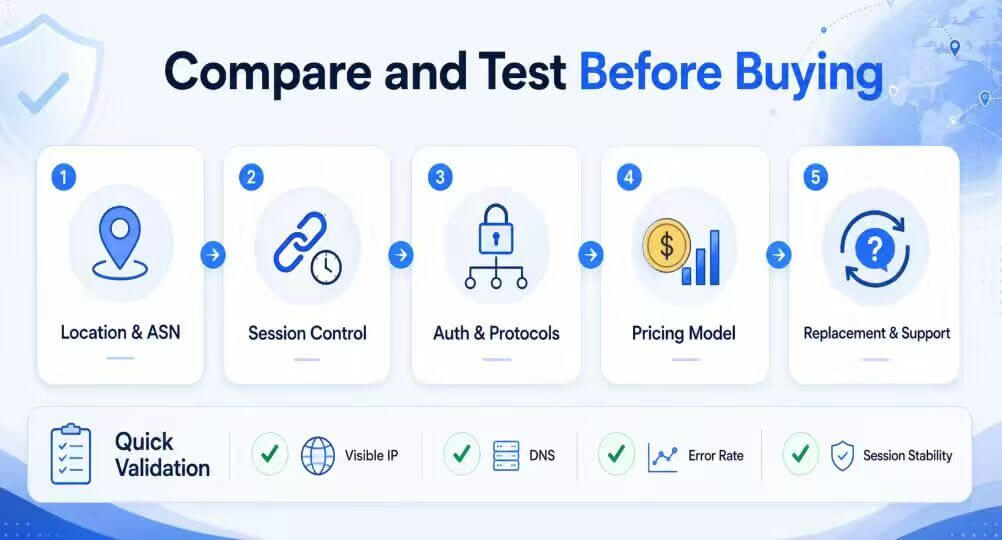
- Confirm the protocol, endpoint, port, and authentication format.
- Compare the direct visible IP with the proxied visible IP.
- Check the reported country, region, ASN, and organization.
- Repeat the request to verify rotation or session persistence.
- Record connection errors, proxy authentication errors, and target status codes separately.
You can inspect the visible IP and network details with IPinfo.For a more complete workflow, follow IPWeb's guide on how to check if a proxy is working.
Why Free Proxy Lists Are Not a Managed Service
A free proxy list is a collection of endpoints, not a complete proxy service. It may not provide reliable ownership information, authentication, predictable uptime, location accuracy, replacement rules, or support.
That makes free endpoints difficult to use in a business workflow where the route must be explainable and repeatable.
Free endpoints may still be useful for disposable technical experiments. They should not be the default choice for production traffic, accounts, credentials, or sensitive business operations.
For endpoint review criteria, see IPWeb's proxy list quality checks guide.
When a Proxy Service Will Not Solve the Problem
A proxy changes the network route and visible IP. It cannot guarantee access to every website or repair a closed service.
It also cannot restore a restricted account, correct browser-profile inconsistencies, or make prohibited data use acceptable.
Websites may evaluate cookies, browser signals, request patterns, account history, headers, and platform rules in addition to the IP address.
For public web data work, review site terms, request limits, and applicable law. The robots.txt protocol is documented in RFC 9309.
Frequently Asked Questions
Final Thoughts
Choose the best proxy service by working backward from the task. First define whether the route must be residential or datacenter, changing or stable, regional or fixed, and traffic-based or IP-based.
Then compare providers on verifiable controls, support, and total operating cost. Test the selected route in the real workflow before increasing usage.
If you need to compare rotating residential and static datacenter routes, contact IPWeb support to request test access matched to your target locations, expected traffic, session length, and concurrency requirements.