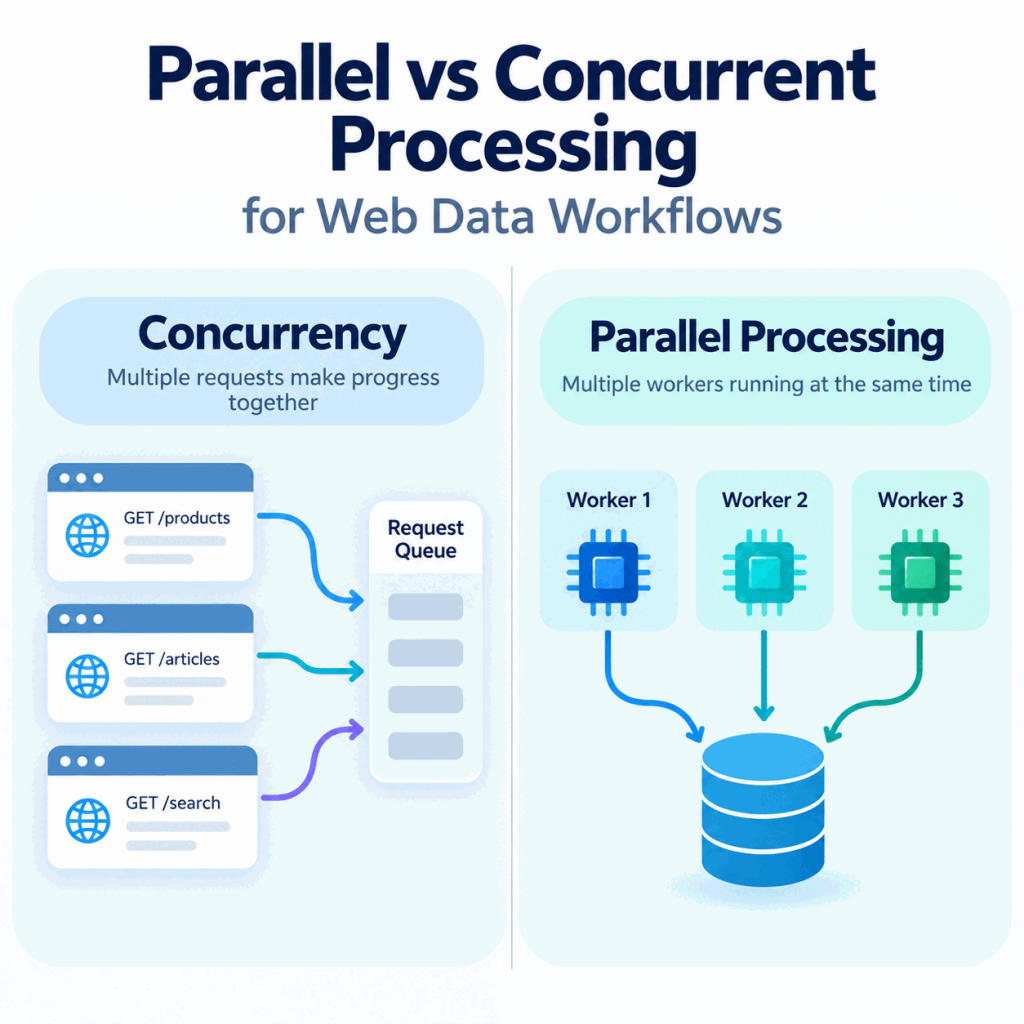
Web data workflows often slow down or fail because one stage spends time waiting while another becomes overloaded, retries too aggressively, or processes work faster than the next stage can accept it.
For crawlers, APIs, browser rendering, parsing, and ETL-style data movement, the practical choice between concurrency and parallelism depends on whether the bottleneck is mostly network waiting, local compute, memory, or downstream capacity.
Concurrent processing and parallel processing are related but not the same. Concurrency keeps multiple tasks in progress during the same period, which is useful when crawlers or APIs spend time waiting on network I/O. Parallelism executes multiple tasks at the same time and is better suited to CPU-heavy parsing, rendering, transformation, or worker-based processing. Most web data workflows use a hybrid model: bounded concurrency for I/O, bounded parallelism for local compute, and explicit limits for retries, queues, browser sessions, and per-source load.
- Concurrency overlaps work in progress; parallelism executes work at the same time.
- Web crawlers often need controlled request concurrency, not unlimited parallel speed.
- Parsing, rendering, transformation, and loading may each need different worker limits.
- Higher concurrency is useful only when valid records per minute improve without worse errors.
- Retry budgets, timeouts, queue caps, and per-source limits prevent faster workflows from becoming failure loops.
- Proxy routes do not replace rate limits, source policies, or backpressure controls.
Why This Distinction Matters in Web Data Work
In web data work, the question is rarely whether a system can do more things at once. The useful question is which kind of work should overlap, which work should truly run in parallel, and where the limit should stop before the workflow creates noisy failures.
A crawler that opens 200 URLs at once may finish faster on a small test set, but it can also create duplicate retries, timeout storms, blocked queues, memory pressure, or uneven load on a public site. A data pipeline that parses every response on one worker may be polite to the source but too slow for downstream use. Both problems are execution-model problems.
Web scraping, API collection, browser rendering, parsing, and ETL stages can sit in the same workflow while stressing different resources. Treat each stage separately: identify whether it is waiting on a remote system, consuming local CPU or memory, or blocking a downstream queue, then set limits around that bottleneck.
Concurrency vs Parallelism in Plain Terms
Concurrency means a workflow can manage multiple tasks that are in progress during the same period. Those tasks may be waiting on network I/O, sleeping between retries, sitting in a queue, or waiting for a browser page to load. They overlap in time, even if one CPU core is not literally executing all of them at the same instant.
Parallelism means work is actually being executed at the same time, usually across multiple cores, processes, machines, browser instances, or worker slots. Parallel work is useful when the bottleneck is CPU, memory-isolated rendering, image processing, parsing, transformation, or another task that consumes local compute.
In everyday wording, simultaneous means happening at the exact same time. Concurrent means overlapping in progress. A crawler can be concurrent when many requests are in flight, while only some of the local parsing work is parallel. That distinction matters because network waiting, browser rendering, parsing, and loading data do not hit the same bottleneck.
| Concept | Plain meaning | Web data example | Main risk |
|---|---|---|---|
| Sequential | One task finishes before the next starts | Validate one URL or one proxy route manually | Too slow for large batches |
| Concurrent | Many tasks overlap in progress | Keep several API calls or URL fetches in flight | Rate-limit errors, retry storms, uneven load |
| Parallel | Several tasks execute at the same time | Run parsing or rendering workers across cores | CPU, memory, and browser instability |
| Hybrid | Overlap I/O and parallelize heavier stages | Fetch concurrently, parse in workers, load in batches | Harder observability and backpressure |
Where Web Data Workflows Use Each Model
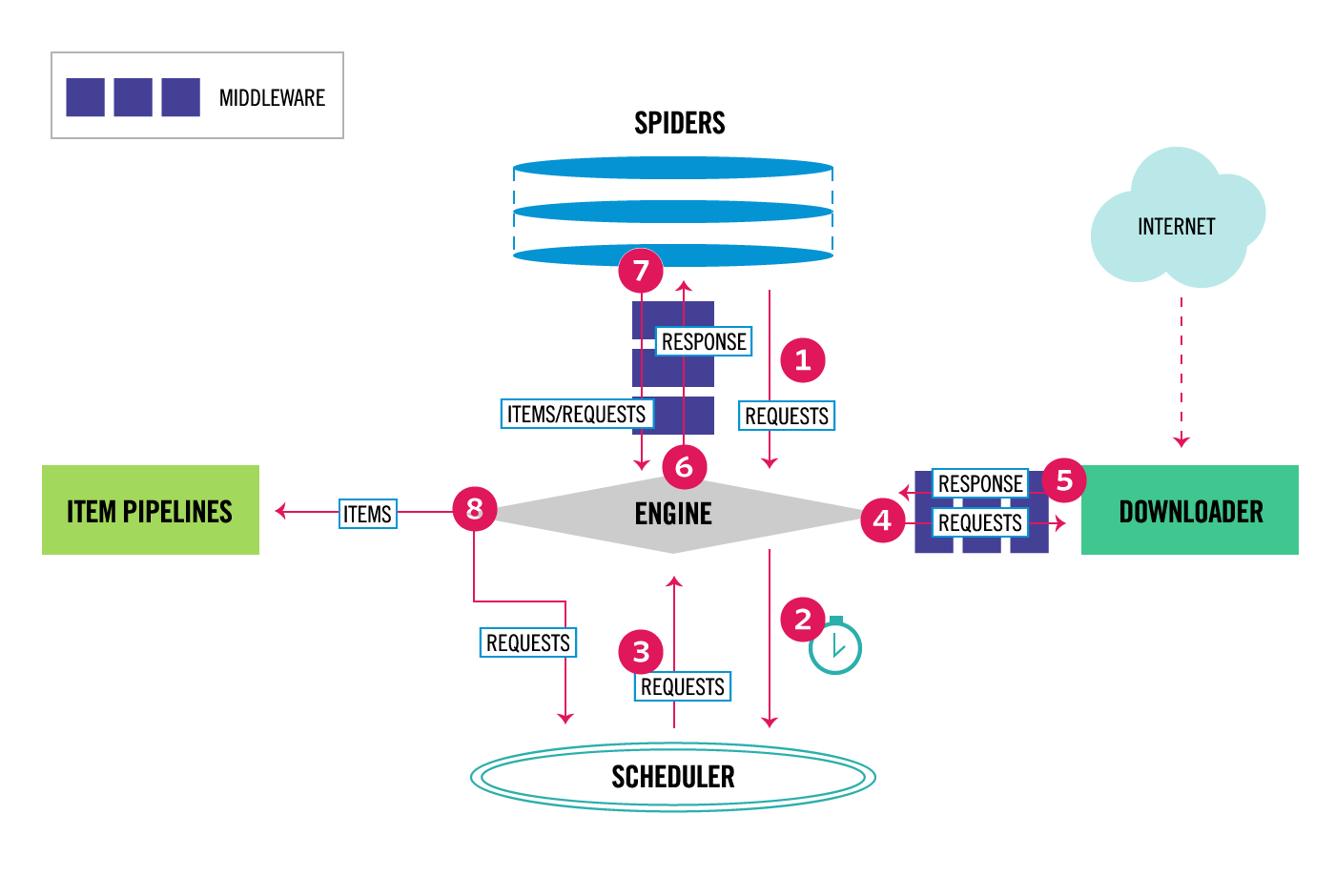
Request collection is usually I/O-bound. A crawler waits on DNS, TCP, TLS, server response time, redirects, and response bodies. For that stage, controlled concurrency is often more useful than pure CPU parallelism because the local machine is mostly waiting.
Parsing and transformation can be different. If each response needs expensive HTML parsing, extraction rules, deduplication, normalization, or enrichment, CPU-bound work may need parallel workers. A single process that fetches quickly but parses slowly will simply move the queue from the network stage to the transformation stage.
Browser rendering is the expensive middle case. Running many browser sessions in parallel may help when dynamic pages must execute JavaScript, but every session consumes CPU and memory. That is why rendering concurrency should be capped separately from simple HTTP request concurrency. The web scraping dynamic content workflow helps diagnose when rendering is actually required, while the Python Selenium WebDriver setup guide covers the browser-session layer.
ETL stages also have different pressure points. Extraction may need request concurrency; transformation may need parallel parsing; loading may need batch size and transaction control. For the broader path from page access through extraction, validation, and storage, see the web scraping workflow.
How to Choose Sequential, Concurrent, Parallel, or Hybrid
Start with the bottleneck you can observe, not the word that sounds faster. If a job spends most of its time waiting for remote responses, increase controlled concurrency slowly. If CPU is high while queues grow, move parsing or transformation into a bounded worker pool. If memory rises with every rendered page, lower browser-session parallelism before adding retries.
Sequential processing is still useful for first-run validation, sensitive targets, small jobs, and source-specific debugging. It gives you clean evidence: one URL, one response, one parse result, one load attempt. Use it when you do not yet trust the request, parser, session, or destination schema.
Concurrent processing fits I/O-heavy work such as fetching public pages, calling APIs, checking job status, or waiting for scheduled results. Parallel processing fits heavier local work such as rendering multiple browser sessions, parsing large documents, transforming records, or computing fingerprints for deduplication.
Most production workflows are hybrid. A queue feeds a limited number of request workers. Successful responses move to parsing workers. Bad responses enter a retry budget. Valid records load in controlled batches. The design is not 'turn concurrency up'; it is 'put a cap on every stage that can fail differently.'
| Situation | Best starting model | Limit to set first | What to watch |
|---|---|---|---|
| New source or new parser | Sequential | One URL or one record | Response shape and parse accuracy |
| Many slow network requests | Concurrent | In-flight requests per host or queue | Latency, status codes, retry rate |
| Heavy parsing or normalization | Parallel | Worker count per machine | CPU, memory, queue depth |
| Rendered dynamic pages | Bounded parallel | Browser sessions and timeouts | Memory, crashes, navigation time |
| Full data pipeline | Hybrid | Per-stage queue and batch caps | Backpressure and load failures |
Minimal Hybrid Example: Concurrent Fetching + Parallel Parsing
A small hybrid pipeline can keep network requests in flight with a bounded concurrency limit, then hand CPU-heavy parsing to a separate process pool. The example below uses only the Python standard library so the two stages stay easy to see.
import asyncio
from concurrent.futures import ProcessPoolExecutor
from urllib.request import urlopen

MAX_FETCHES = 4

def fetch(url):
    with urlopen(url, timeout=10) as response:
        return response.read().decode("utf-8", errors="ignore")

def parse(html):
    # Replace this with your real CPU-heavy parsing logic.
    return {"link_count": html.count("<a ")}

async def fetch_one(url, semaphore):
    async with semaphore:
        return await asyncio.to_thread(fetch, url)

async def run_pipeline(urls):
    semaphore = asyncio.Semaphore(MAX_FETCHES)
    pages = await asyncio.gather(
        *(fetch_one(url, semaphore) for url in urls)
    )

    loop = asyncio.get_running_loop()
    with ProcessPoolExecutor() as pool:
        return await asyncio.gather(
            *(loop.run_in_executor(pool, parse, page) for page in pages)
        )

if __name__ == "__main__":
    urls = ["https://example.com", "https://example.org"]
    print(asyncio.run(run_pipeline(urls)))
The semaphore caps the fetch stage so network work can overlap without growing without limit. The process pool isolates parsing from the I/O stage and can use multiple CPU cores when parsing becomes the bottleneck. In production, add source-specific limits, retries, queue caps, and timeout handling instead of increasing both stages together.
Limits That Keep Throughput From Turning Into Failure
Concurrency limits are not only performance settings. They are reliability and compliance controls. Scrapy, for example, exposes settings such as CONCURRENT_REQUESTS and CONCURRENT_REQUESTS_PER_DOMAIN; its AutoThrottle documentation explains how response latency and target concurrency are used to adjust download delays while standard concurrency limits are still respected.
Crawler platforms expose similar controls from another angle. Crawlee's BrowserCrawler options include maxConcurrency, minConcurrency, maxRequestsPerMinute, retry limits, and timeouts. Its documentation also warns that setting minimum concurrency too high for available memory and CPU can slow or crash a crawler. That is exactly the kind of failure a safe workflow should prevent.
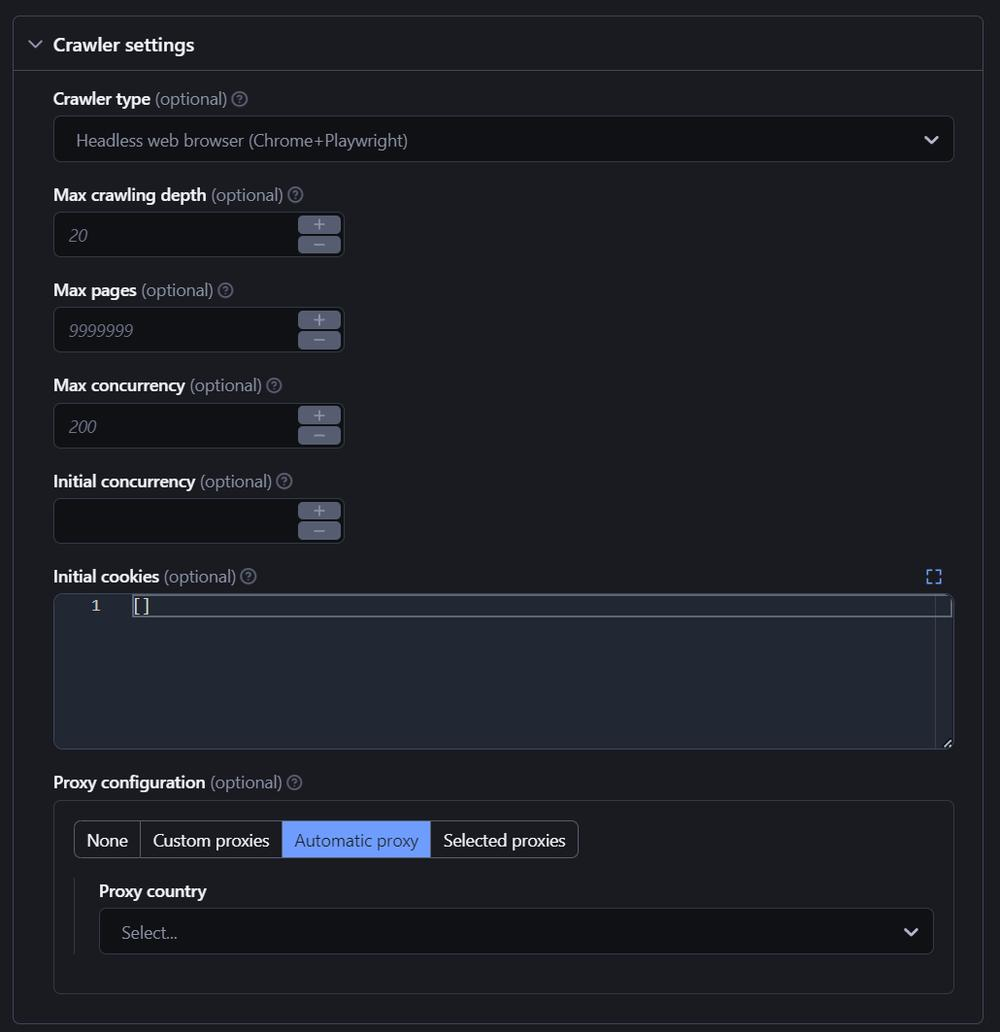
A practical limit set includes at least five caps: in-flight requests, per-host or per-source concurrency, retry attempts, request timeout, and queue size. Rendering workflows need an additional browser-session cap. Loading workflows need batch-size and transaction limits.
Do not use proxies as a shortcut around limits. A proxy route can be part of route validation, regional QA, or source separation, but it does not remove the need to respect platform rules, source stability, rate limits, and data-access boundaries. If you need to validate many proxy endpoints, use the proxy list quality checks workflow separately from crawler concurrency tuning.
What to Measure Before You Raise the Number
Before increasing concurrency, record the current baseline. At minimum, track request count, success rate, median and high-percentile latency, status-code distribution, retry count, timeout count, queue depth, CPU, memory, and loaded-record count. A higher request rate is not an improvement if valid records per minute stay flat.
Look for backpressure. If the fetch queue drains quickly but the parse queue grows, the parser is the bottleneck. If parsing is fast but the load stage stalls, the database or warehouse may need smaller batches. If browser memory rises after each page, the rendering stage needs fewer sessions or better cleanup.
Measure by source or domain, not only by the whole job. One slow source can distort global averages. One source may tolerate a small number of in-flight requests while another needs stricter delays. Source-level metrics also make it easier to explain why a workflow slowed down without blaming every component at once.
A Safe Rollout Pattern
Use a small staged rollout instead of jumping from one worker to a large pool. Start sequentially to verify response shape and parser accuracy. Move to a low concurrency cap. Add retry budgets and timeouts. Separate rendering sessions from simple HTTP requests. Add parallel transformation workers only when parsing or normalization becomes the bottleneck.
Raise one number at a time and keep the previous result. The important comparison is not whether the job feels faster; it is whether clean records per minute increased without a worse error mix, larger retry queue, or unstable memory profile.
A good final design has explicit caps, not accidental speed. It should be possible to answer: how many requests can be in flight, how many browser sessions can run, how many retries are allowed, how large the queues can become, and when the workflow slows down instead of pushing harder.
Frequently Asked Questions
Final Thoughts
Parallelism and concurrency are useful only when they match the bottleneck. For web data workflows, the best design usually combines low-risk concurrency for network waiting, bounded parallelism for heavier local work, and clear limits that slow the system down before errors multiply. Start with measurement, raise one cap at a time, and treat faster throughput as an improvement only when clean output increases without a worse error profile.