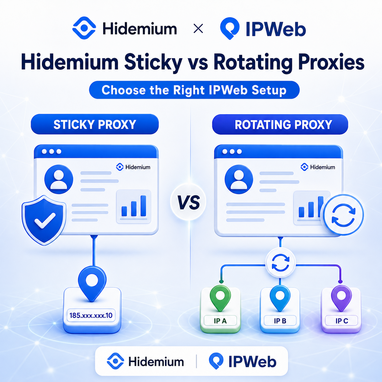
If you’re using IPWeb proxies with Hidemium Antidetect Browser, one of the first decisions is whether your browser profile should use a sticky proxy or a rotating proxy.
The difference is simple:
- Sticky proxy: keeps the same IP address for a defined session.
- Rotating proxy: automatically changes the exit IP over time or between connections.
For Hidemium users, sticky proxies are generally better when a browser profile needs a consistent network identity, while rotating proxies are more suitable for research, data collection and workflows that benefit from IP diversity.
This guide explains when to use each IPWeb proxy type with Hidemium and how to choose the right setup for your workflow.
Rotating vs Sticky Proxies: Quick Comparison
| Feature | Sticky Proxy | Rotating Proxy |
|---|---|---|
| IP behavior | Same IP during a session | IP changes automatically |
| Session consistency | High | Lower |
| Best for | Long browser sessions | Research and repeated requests |
| Geo consistency | Easier to maintain | Depends on proxy pool |
| Hidemium use case | Persistent browser profiles | Research and automated workflows |
| Main advantage | Stable network identity | Larger IP diversity |
The most important question is:
Does your Hidemium profile need to keep the same IP throughout the session?
If yes, choose a sticky proxy.
If not, and your workflow benefits from accessing the web through multiple IP addresses, rotating proxies may be the better option.
When Should You Use a Sticky Proxy with Hidemium?
A sticky proxy keeps the same IP address for a specific period instead of changing it continuously.
This makes it a natural fit for Hidemium profiles that are designed to maintain a consistent browser environment.
A typical setup looks like:
Hidemium Profile → IPWeb Sticky Proxy → Website
Sticky proxies can be useful for:
- long browser sessions;
- localized website testing;
- e-commerce workflows;
- advertising and landing-page QA;
- region-specific browsing;
- environments where IP consistency matters.
Example
Suppose you create a Hidemium profile for testing how a website appears to visitors in the United States.
A logical configuration could be:
Because the IP remains stable, the network location is less likely to change unexpectedly during the browsing session.
When sticky proxies make the most sense
Choose a sticky IPWeb proxy if your priority is:
Stable IP + stable Hidemium profile + consistent location
For session-based browser workflows, this is often the simplest configuration.
When Should You Use a Rotating Proxy with Hidemium?
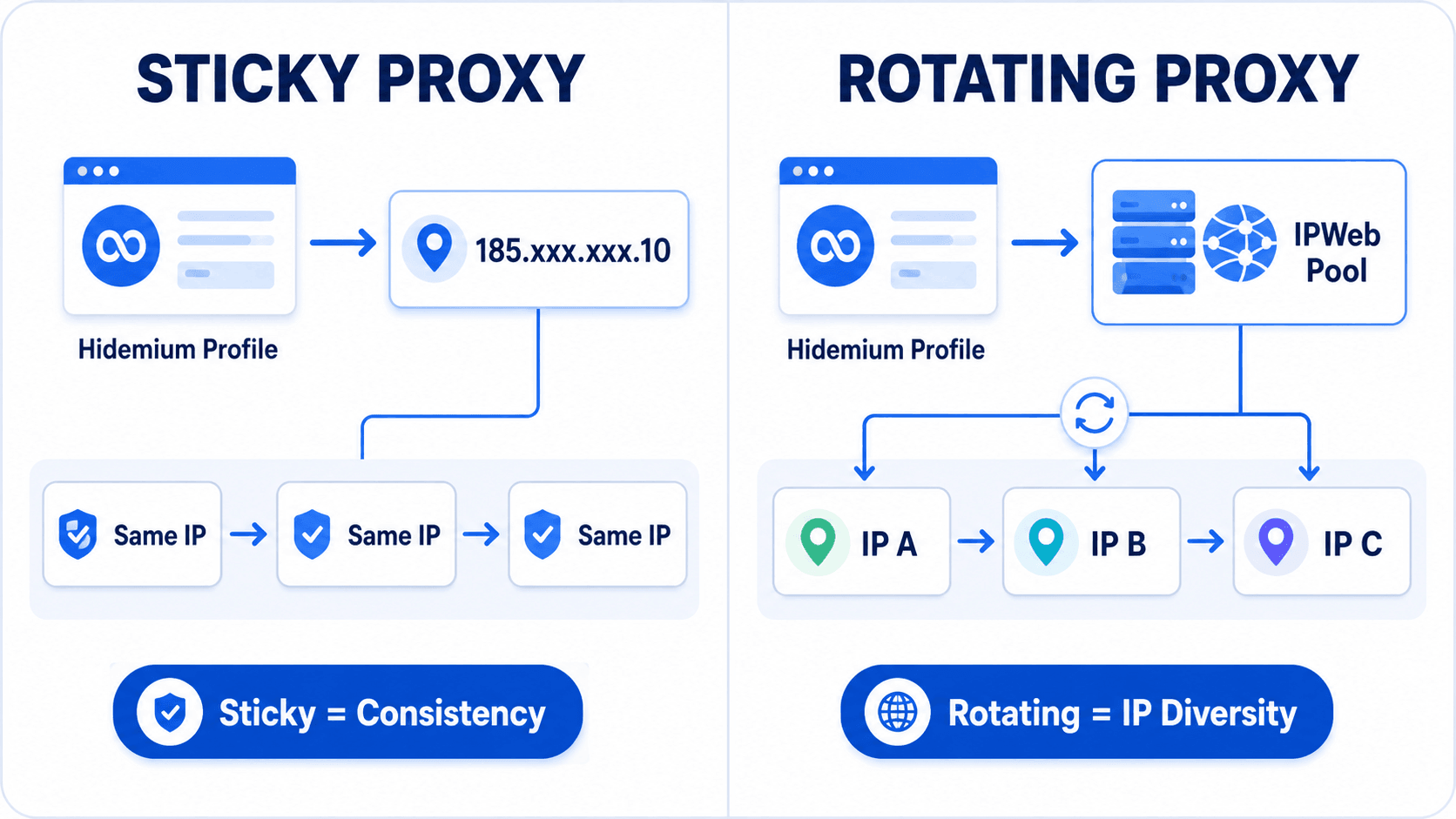
A rotating proxy changes the exit IP automatically based on the proxy configuration.
Instead of relying on one IP for the entire session, your connection can use multiple addresses from a proxy pool.
This is useful when IP diversity is more important than maintaining one long network identity.
Typical use cases include:
- web research;
- public data collection;
- search result monitoring;
- localization research;
- website availability testing;
- approved automation workflows;
- accessing public information from different network locations.
A typical setup looks like:
Hidemium Profile → IPWeb Rotating Proxy Pool → Multiple IPs → Target Website
Hidemium continues to provide the isolated browser environment, while IPWeb handles the proxy routing and IP rotation.
When rotating proxies make the most sense
Choose a rotating IPWeb proxy if your priority is:
More IPs + broader geographic access + repeated web requests
For workflows that do not require a single persistent IP, rotation can offer more flexibility.
Sticky vs Rotating: Which Is Better for Hidemium?
Neither option is universally better.
The right proxy depends on what the Hidemium profile is being used for.
Choose Sticky Proxies If You Need:
- a stable IP during a browser session;
- consistent geo-location;
- a persistent profile-to-IP relationship;
- longer browsing sessions.
Choose Rotating Proxies If You Need:
- access to a larger proxy pool;
- different IP addresses over time;
- public web research;
- repeated data-access workflows;
- geo-distributed testing.
A simple rule is:
Need consistency? Choose sticky. Need IP diversity? Choose rotating.
Why Proxy Location Matters in Hidemium
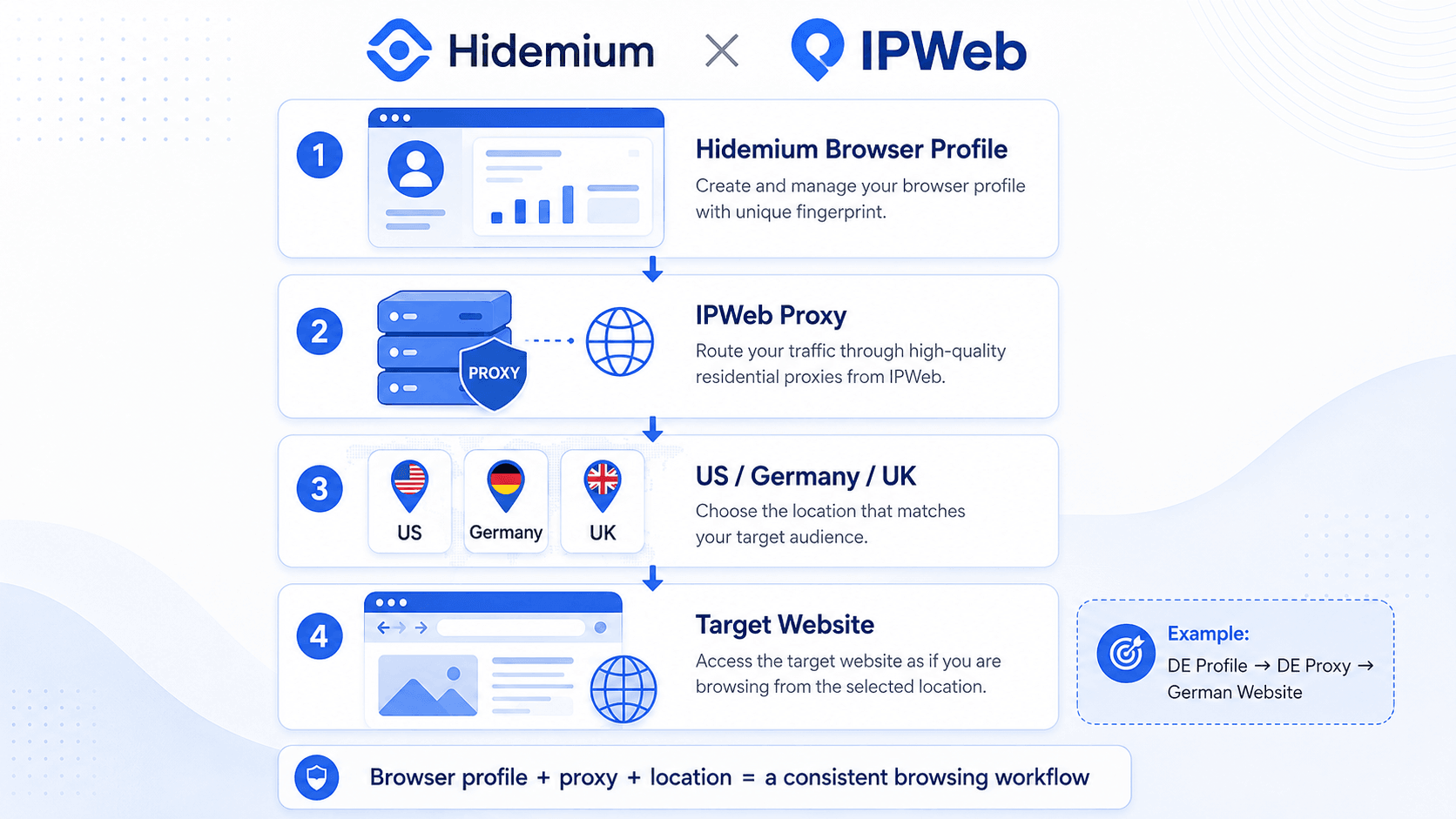
Proxy type is only part of the configuration.
Proxy location also matters.
If your Hidemium profile is configured for a specific geographic workflow, the IP location should normally support that same use case.
For example:
Germany browser profile → Germany IPWeb proxy → German website version
or:
US browser profile → US IPWeb proxy → US search results
Keeping the browser environment and proxy location aligned creates a more predictable setup for localization, QA and market research.
Residential, ISP or Datacenter Proxy?
After deciding between sticky and rotating sessions, you may also need to choose the underlying proxy type.
Residential Proxies
Residential proxies use IP addresses associated with residential networks.
They can be useful when broad geographic coverage and residential IP availability are important.
ISP Proxies
ISP proxies can be suitable when you want a relatively stable IP connection while still using an ISP-associated network.
They can pair well with Hidemium profiles that require longer sessions.
Datacenter Proxies
Datacenter proxies are typically infrastructure-based and can be useful for workflows where speed and efficiency are more important than residential network characteristics.
The best option depends on your workflow.
Hidemium manages the browser environment. IPWeb manages the proxy connection.
That separation allows users to choose the proxy infrastructure that best matches each Hidemium profile.
Example Hidemium + IPWeb Setups
Here are three simple examples.
Example 1: Long-Term US Browser Session
Example 2: Localization Research
Example 3: Public Web Research
The ideal configuration is not determined by Hidemium alone. It depends on how the browser profile and proxy connection are expected to behave together.
How Hidemium and IPWeb Work Together
Hidemium and IPWeb solve different parts of the same workflow.
Hidemium Antidetect Browser provides isolated browser profiles and browser environment management.
IPWeb provides proxy infrastructure that determines how those profiles connect to the internet.
Together, the workflow becomes:
Browser Profile → Proxy Connection → Target Website
If you need a persistent network identity, use a sticky proxy.
If you need greater IP diversity, use a rotating proxy.
You can explore available proxy options at IPWeb and connect the appropriate proxy configuration to Hidemium Antidetect Browser.
>>Read more : How to Configure IPWeb Proxies in Hidemium Antidetect Browser
Frequently Asked Questions
Is a sticky proxy better for Hidemium?
A sticky proxy is usually more suitable when a Hidemium browser profile needs to maintain the same IP address throughout a session.
Can I use rotating proxies with Hidemium?
Yes. Rotating proxies can be used when the proxy endpoint and protocol are compatible with the Hidemium proxy configuration.
Should every Hidemium profile use a different proxy?
Not necessarily, but separate proxy configurations can make different browser environments easier to organize when workflows require independent network identities.
Is residential or ISP proxy better for Hidemium?
It depends on the use case. Residential proxies can provide wider geographic coverage, while ISP proxies may be useful when longer and more stable sessions are preferred.
Which IPWeb proxy should I choose?
Use a sticky proxy when session consistency matters. Choose a rotating proxy when IP diversity and repeated web access are more important.