
Yandex image search is useful when a team needs to inspect public image results, compare visual search output across regions, or validate where an image appears on the open web. The difficult part is not entering a query into Yandex Images. It is choosing the right source, identifying which fields are reliable, and keeping the result set consistent enough for comparison.
Reliable Yandex image data starts with a clear distinction between text image search and reverse image search. From there, the workflow depends on whether the task needs browser-based review, an official API, a structured SERP API, or a limited custom collection method.
Yandex image search returns image results for a text query, while Yandex reverse image search starts from an image URL or uploaded image and looks for exact, similar, or related visual matches. For public data workflows, treat Yandex Images as a visual SERP source: choose an official API, SERP API, or compliant collection method, then validate source URLs, image URLs, thumbnails, dimensions, page titles, language, region, safe-search settings, and result freshness before using the data.
Yandex image searchandYandex reverse image searchare related but not the same workflow.- Text image search starts with a query; reverse image search starts with an image, image URL, or image identifier.
- The safest data workflow is to use an official API or a structured SERP API when it meets the project requirements.
- Image SERP data needs validation because thumbnails, source pages, duplicate images, dimensions, and snippets can change.
- A proxy can support regional network testing, but it cannot make restricted content usable, override copyright rules, or guarantee a stable Yandex result set.
What Yandex Image Search Is
Yandex image search is the image vertical of Yandex Search. A user enters a text query and receives image results, related searches, source pages, thumbnails, and other visual search elements. In a normal browser session, that experience is built for human discovery.
In a business data workflow, the same result page becomes a visual SERP source. A team may want to check which images appear for a brand term, how product images are represented in different markets, whether source pages are relevant, or how image results change when language, region, and safe-search settings change.
That does not mean every Yandex Images query should become an automated collection job. The source still has rules, limits, and result variation. Treat it the way you would treat any search-result data source: define the use case, choose the collection method, record the request context, and validate the output before drawing conclusions.
Yandex Search API documentation describes both text-to-image and image-to-image search. Depending on the method, responses can include image URLs, page URLs, page titles, dimensions, passages, host information, and pagination data. Those fields make Yandex Images useful for structured validation as well as browser-based discovery.
Yandex Image Search vs Reverse Image Search
The main difference is the input.
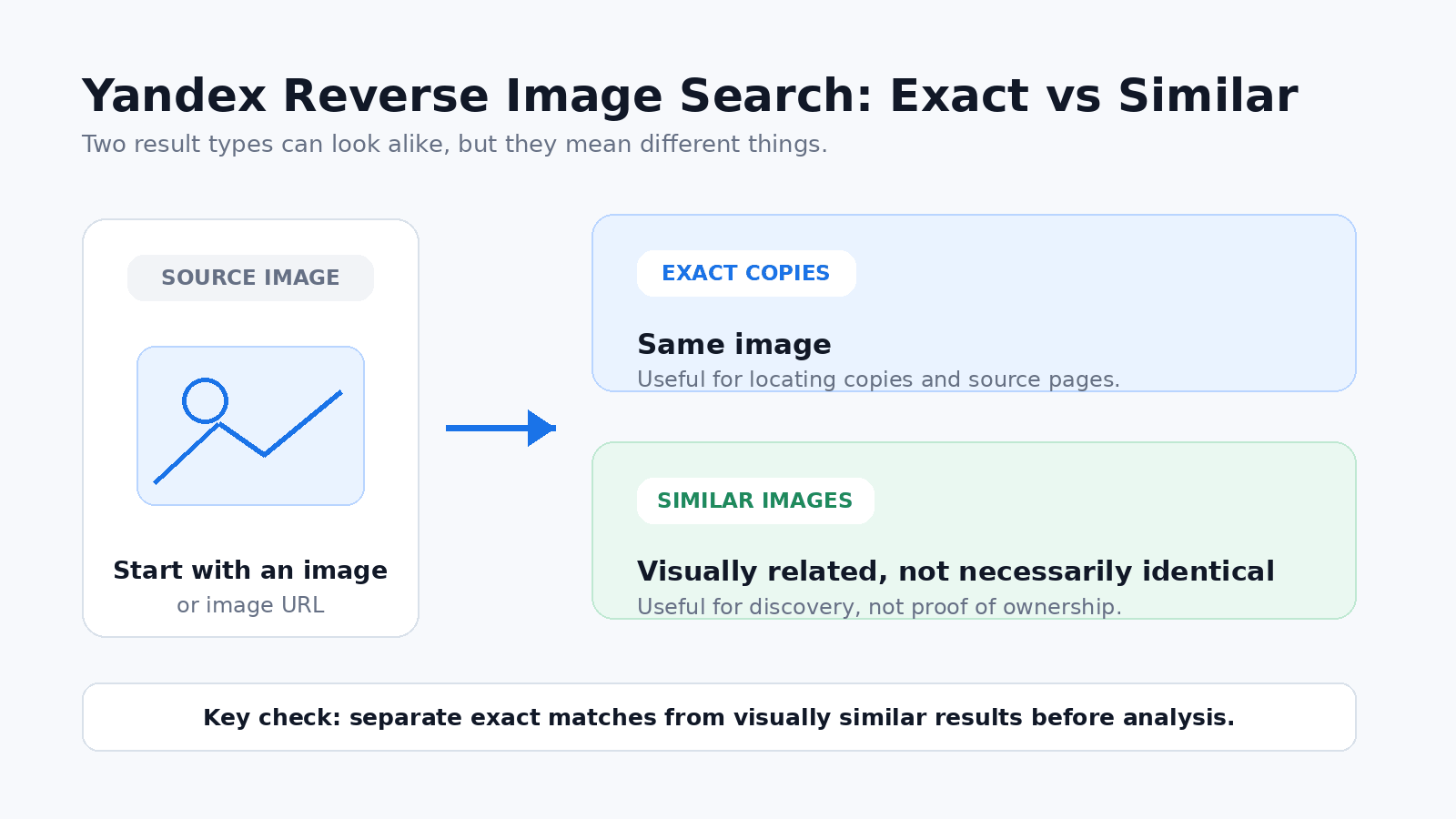
Text image search asks, "What images match this query?" Reverse image search asks, "Where does this image, or something visually similar, appear?" That distinction affects the request, the result fields, and the quality checks.
| Workflow | Starting input | Typical result | Best use case | Main validation risk |
|---|---|---|---|---|
| Yandex image search | Text query | Image results, source pages, thumbnails, related visual results | Brand monitoring, visual SERP checks, image presence research | Query wording, region, language, and safe-search settings change the result set |
| Yandex reverse image search | Image URL, uploaded image, image data, or image identifier | Exact matches, similar images, source pages, object or product-like clusters | Source discovery, duplicate checks, visual match review | Similarity is not proof of ownership, origin, or permission |
| Yandex image API workflow | Structured request parameters | XML or JSON data, depending on method and endpoint | Repeatable reporting, QA, and integration into data pipelines | Missing fields, changed layout, pagination drift, and source-page changes |
Yandex's image-search help describes reverse image results in terms of exact copies and similar images. That is useful for manual review, but repeatable data work also needs stored request parameters and a clear distinction between exact matches and visually similar but unrelated results.
How to Use Yandex Reverse Image Search
For a manual check, start with Yandex Images and use the image-search control to provide a source image. Depending on the interface available, that may mean uploading a local image or providing an image that Yandex can use as the visual query.
- Provide the source image. Use the original file or a stable image URL when the interface or API supports it.
- Review exact and similar matches separately. Exact copies are more useful for duplicate or source checks, while visually similar images may only share objects, composition, colors, or product features.
- Open the source pages. Confirm that the page actually contains the image and that the title, domain, and surrounding context match the result preview.
- Record the search context. For repeatable checks, keep the source image, timestamp, region or domain context, safe-search setting, and the result pages reviewed.
Reverse image search is best treated as a discovery and verification tool. A visual match can help locate copies or related images, but it does not establish ownership, licensing status, or permission to reuse an image.
API and Scraping Options
There are three practical source choices for Yandex image search data.
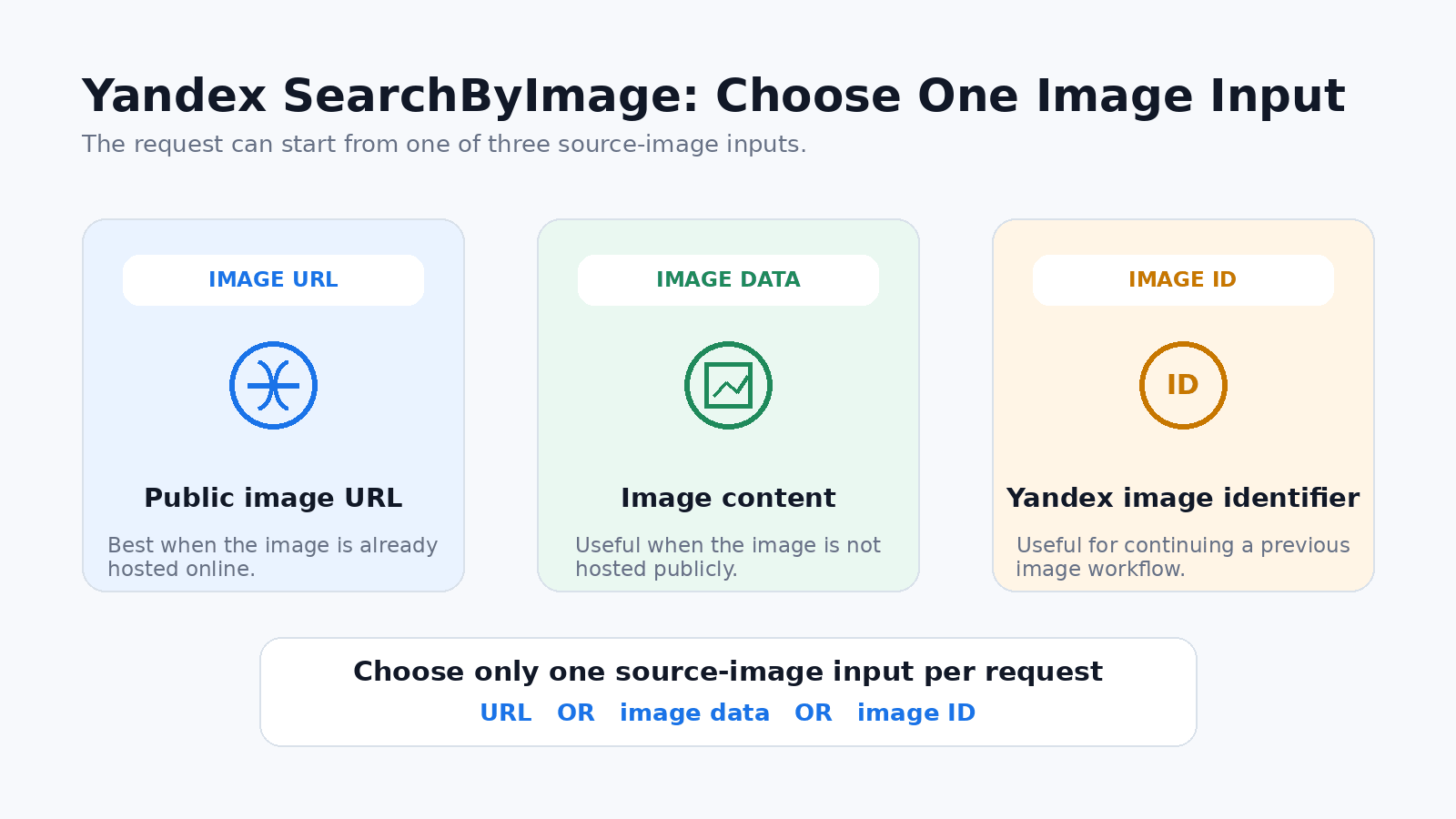
The first is the official Yandex Search API. It supports text-to-image and image-to-image search. Text image search can return XML, while image-based search returns JSON. Depending on the method, requests can include query text, family mode, page number, image specifications, site restrictions, a folder ID, an image URL, image data, or a content-based image retrieval ID.
The second is a structured SERP API. SerpApi's Yandex Images API documentation, for example, describes text queries, Yandex domain settings, filters, pagination, and structured image-result fields such as thumbnails, source URLs, titles, snippets, original image links, and image sizes.
The third option is custom collection. This may be appropriate for a limited internal test, but it carries more maintenance risk. Image result pages change, JavaScript rendering may matter, and raw HTML does not automatically identify which result field is reliable. Keep custom collection focused on public pages, respect applicable rules, and validate the parsed output against a manual browser sample.
Minimal Yandex reverse-image API request
Yandex's REST method for image-to-image search uses POST https://searchapi.api.cloud.yandex.net/v2/image/search_by_image. The request can send one source-image field: url, data, or id.
curl -X POST 'https://searchapi.api.cloud.yandex.net/v2/image/search_by_image' \
  -H 'Authorization: Api-Key <API_KEY>' \
  -H 'Content-Type: application/json' \
  -d '{
    "folderId": "<FOLDER_ID>",
    "url": "https://example.com/image.jpg",
    "page": "0",
    "familyMode": "FAMILY_MODE_MODERATE"
  }'
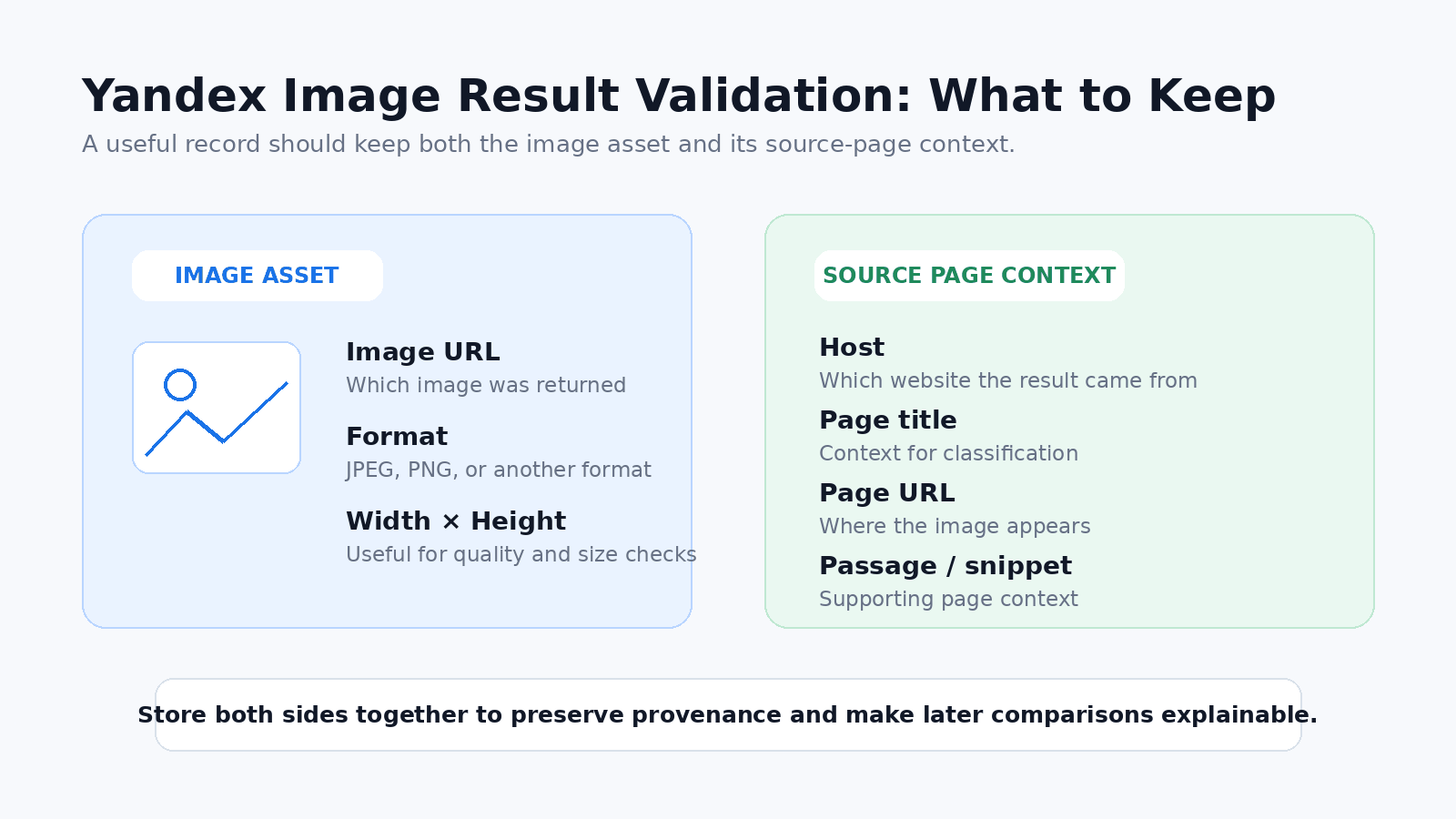
Replace the placeholders with your Yandex Cloud credentials and a public source-image URL. The response can include the matched image URL, format, width, height, text passage, host, page title, and page URL. Store those fields together with the request context instead of treating the returned image alone as the complete record.
For production reporting, the important question is repeatability. A useful workflow records the query or source image, region or domain context, language, safe-search setting, page, timestamp, source URL, image URL, and parsing version so later result sets can be compared on the same basis.
What Fields to Validate
Image SERP data looks simple until you try to compare it across days or markets. A useful record needs more than the image itself.
At minimum, store the request context:
- query text or source image URL;
- search type, such as text image search or reverse image search;
- Yandex domain or region setting when available;
- language and safe-search mode;
- page number or pagination token;
- timestamp;
- device or rendering context if your source exposes it.
Then validate the result fields:
- thumbnail URL;
- original or full image URL when available;
- source page URL;
- source domain or host;
- page title;
- snippet or passage;
- image width, height, and format;
- result position;
- duplicate or near-duplicate cluster;
- similar-image or about-image tab, if reverse search is used.
| Field | Why it matters | Check before using it |
|---|---|---|
| Source page URL | Tells where the image result is presented | Confirm it opens, matches the image topic, and is not only a redirect or preview shell |
| Image URL | Points to the visual asset or preview | Separate thumbnail URLs from original image URLs |
| Page title and snippet | Provide context for classification | Do not treat snippets as stable facts without checking the page |
| Dimensions and format | Help filter low-quality or wrong-size images | Check whether dimensions come from the image asset or a preview |
| Position | Supports visual SERP monitoring | Store query context and timestamp because positions change |
| Similar-image cluster | Useful for reverse image analysis | Similar does not mean identical, owned, licensed, or safe to reuse |
One common mistake is to store only the thumbnail. A thumbnail is useful for review, but it is not enough for provenance, source analysis, or audit trails. Another mistake is treating reverse image output as a copyright answer. Reverse image search can help locate copies or similar images, but it does not prove who owns a file or whether it can be reused.
Localization, Safe Search, and Result Variation
Yandex image results can vary by query wording, domain, language, region, safe-search setting, freshness, and personalization signals. Even when a provider abstracts the request behind an API, the output is still a snapshot of a changing search system.
For clean comparisons, do not mix contexts. A result set collected from one Yandex domain should not be compared casually with a result set collected from another domain. A query collected with moderate safe search should not be compared with a query collected with strict filtering unless that difference is part of the test.
Use a simple rule: if a setting could affect what a human sees in Yandex Images, record it. If your source does not expose a setting, note that limitation in the dataset or report.
This is especially important for reverse image workflows. Similar-image results may shift as Yandex updates its index, recrawls source pages, or changes visual clustering. For recurring checks, keep screenshots or sample HTML/JSON snapshots for auditability when policy and source terms allow it.
Proxy and Compliance Limits
Proxies can support regional QA when a team needs to compare how the same public Yandex image query responds from different network locations or verify that a workflow is using the intended exit region.
A proxy does not change the Yandex index. It does not prove that an image is licensed for reuse. It does not bypass platform rules, solve CAPTCHA challenges, or guarantee that the same image results will appear every time. If Yandex or an API provider limits a request, the correct response is to review the source terms, request rate, authentication, and collection design.
Use safer checks:
- confirm that the visible exit IP and region match the intended test context;
- separate browser-based manual checks from API output;
- store the exact source method used for each dataset;
- avoid collecting private, sensitive, or unauthorized material;
- keep copyright and usage review outside the search-result collection step.
For public web data workflows, compliance is part of data quality. A dataset that cannot be used safely is not a clean dataset.
Workflow Checklist
Use this checklist before relying on Yandex image search data in a report or pipeline.
- Define the question. Are you checking image visibility, source pages, similar images, duplicates, or regional variation?
- Choose the source. Use official Yandex API, a structured SERP API, or a limited compliant collection method.
- Record the request context. Include query, image URL, domain, language, safe-search setting, page, timestamp, and source method.
- Validate result fields. Check source page URL, image URL, thumbnail, title, snippet, dimensions, position, and duplicate grouping.
- Compare against a manual sample. Open a small set of results in a browser to catch parser or field-mapping errors.
- Separate exact and similar matches. Reverse image search similarity is useful, but it is not the same as a verified duplicate.
- Document limits. Note missing fields, unstable settings, API constraints, and compliance boundaries.
The strongest workflow is boring in the best way: consistent inputs, documented settings, field validation, and clear limits. That is what makes visual SERP data useful after the first screenshot is gone.
Frequently Asked Questions
Final Thoughts
Yandex image search is most useful when text search, reverse image search, and API collection are treated as different workflows rather than interchangeable features. Each starts with a different input and requires its own validation checks.
The goal is not simply to collect more images. It is to keep clean, explainable records of what was searched, which context was used, which source pages and image fields were returned, and which limitations still apply.