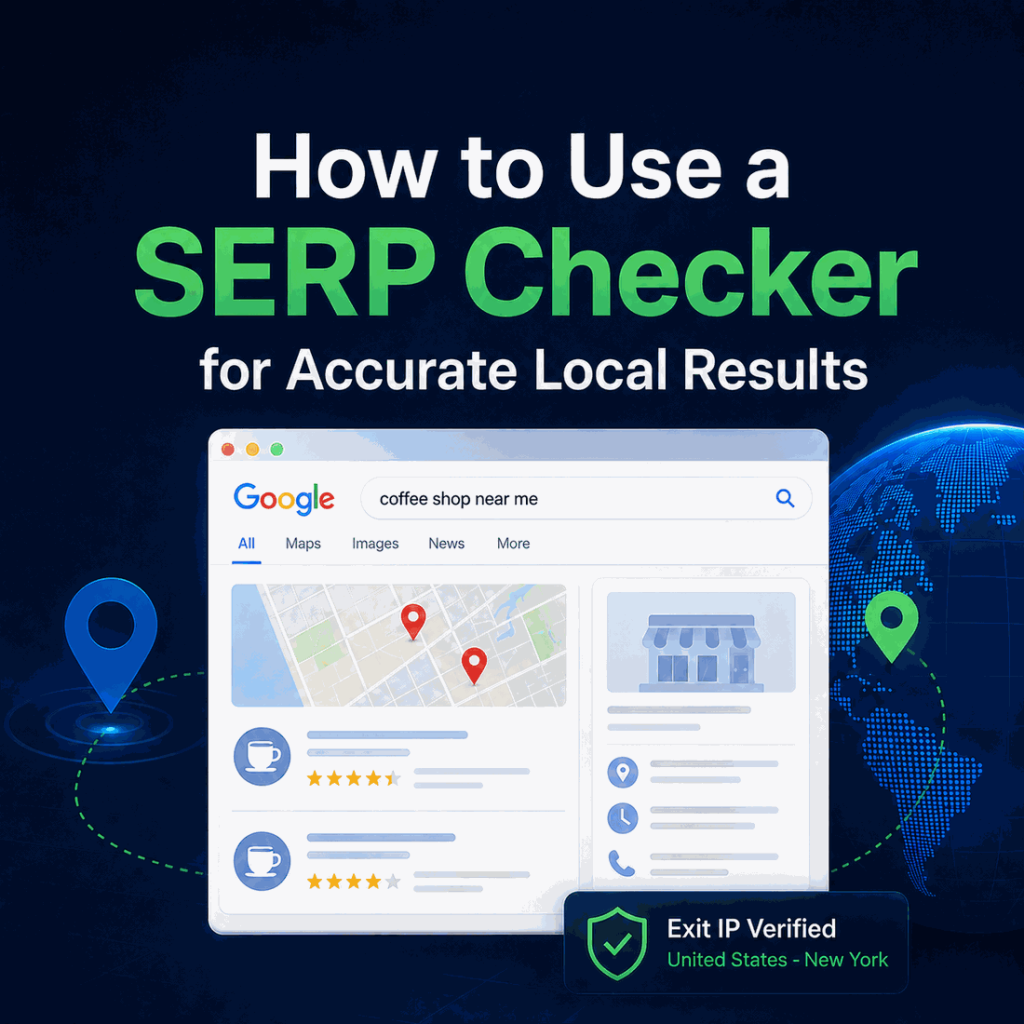
A SERP checker is most useful when it helps you reproduce and explain a search result under known conditions. For local SEO, market QA, and regional search analysis, the important question is not only what the checker returned, but whether the location, language, device, time, and network route used for the check were actually consistent.
A SERP checker captures search results for a keyword under a defined search context. For reliable local checks, record the search engine, country or city, language, device, timestamp, and visible SERP features. If a regional proxy is part of the workflow, verify the exit IP and expected location before comparing the checker output with a browser snapshot.
- Use a SERP checker for point-in-time diagnosis and QA, not as proof of long-term ranking movement.
- A rank tracker is better for recurring position history, while a SERP API is better for structured programmatic collection.
- Local SERP checks are only comparable when query, location, language, device, time, and account state are documented consistently.
- A regional proxy can help control the IP-based network-location signal, but it does not control GPS, browser language, account history, cookies, or search-engine experiments.
- When a checker result looks wrong, verify the network route and exit IP before assuming the ranking data is inaccurate.
What a SERP Checker Shows
A SERP checker shows a snapshot of a search engine results page (SERP) for a keyword under a selected search context. Depending on the tool, the output may include organic positions, ranking URLs, page titles, snippets, ads, local packs, People Also Ask, videos, images, shopping units, knowledge panels, or AI-generated result features.
The page layout matters as much as the position number. Google’s visual elements gallery for Search documents many of the result formats that can appear around standard organic listings. A checker that reports only position may miss important changes in above-the-fold visibility.

SERP Checker vs Rank Tracker vs SERP API
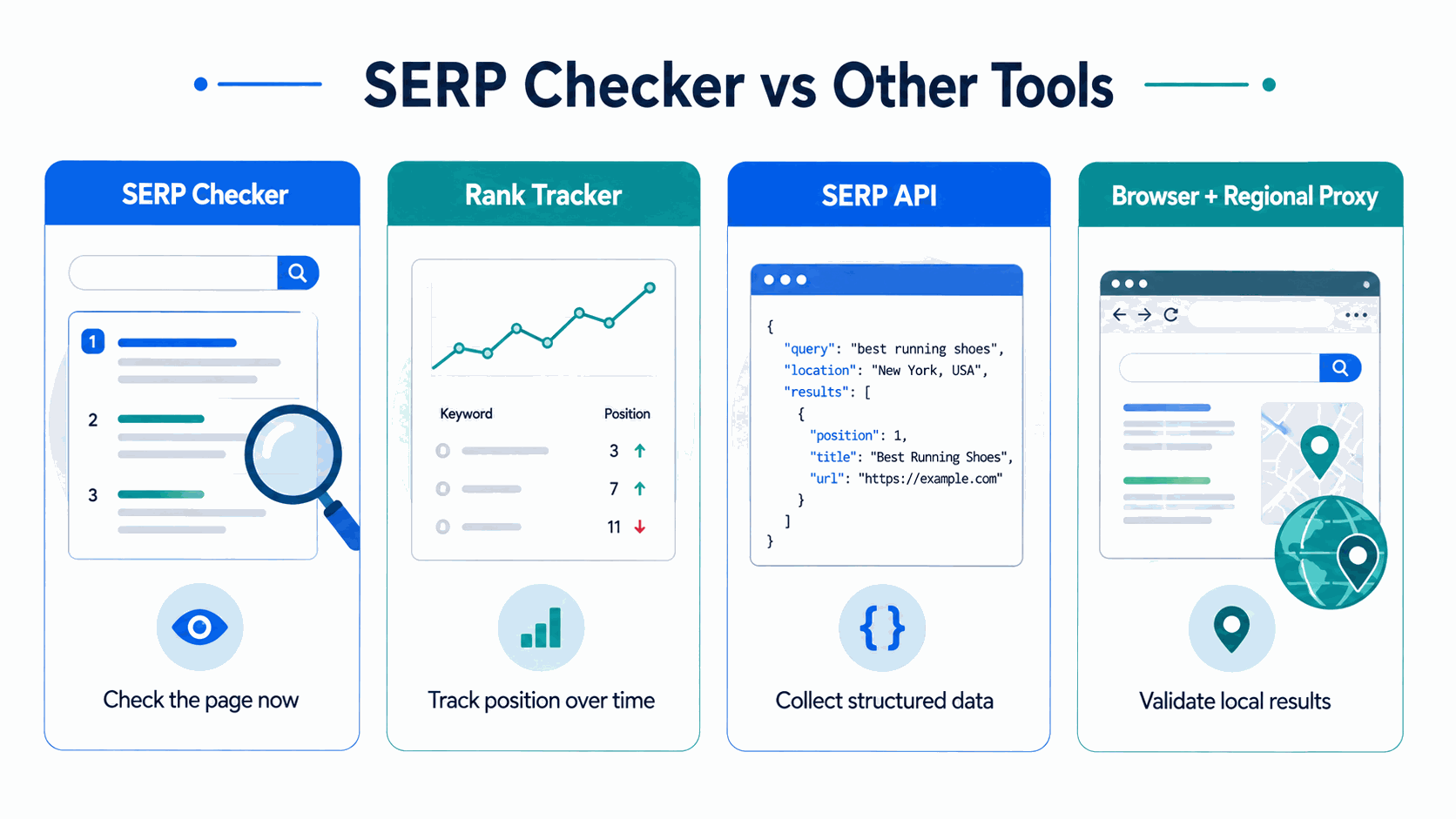
These tools can look similar, but they answer different questions. A SERP checker is designed for a point-in-time view. A rank tracker is designed to show how positions change over repeated measurements. A SERP API is designed to return structured search-result data for automated workflows.
| Method | Primary question | Best for | Typical output |
|---|---|---|---|
| SERP Checker | What does the result page look like now? | Spot checks, QA, local diagnosis | Visible SERP snapshot |
| Rank Tracker | How did positions change over time? | Recurring SEO monitoring | Position history and trends |
| SERP API | How can search-result data be collected programmatically? | Automated analysis and structured workflows | Parsed fields such as JSON |
| Browser + Regional Proxy | Does a selected network region produce a comparable public SERP? | Regional validation and debugging | Browser snapshot plus verified network context |
Google Search Console serves another purpose. Its Performance report summarizes search performance over time, but it does not reproduce the exact live SERP layout that a user saw at a specific moment.
Why a SERP Checker Can Differ From Your Browser
A checker result and a browser result can disagree even when the keyword is identical. Google explains that Search can estimate location from several signals, including device location, saved places, previous activity, and the IP address of the internet connection. The two requests may also use different languages, devices, timestamps, account states, or browser histories. See Google's documentation on how Search determines location.
For local queries, the mismatch is often easier to notice because nearby businesses, map results, delivery options, and regional commercial results can change with location. The right response is not to assume that one result is “wrong,” but to compare the inputs behind each snapshot.
A one-time difference should be treated as an observation, not as proof of a ranking change. Re-run the check under documented conditions before drawing a conclusion.
How to Validate a SERP Check With a Regional Proxy
A regional proxy can be useful when a permitted SEO or QA workflow needs to reproduce the IP-based network location of a target market. This gives you a browser-side validation point that can be compared with the location selected inside a SERP checker.
For a simple country-level comparison, Google's own Search region setting may be sufficient. A regional proxy becomes more relevant when a permitted QA workflow needs an independently controlled network route or city-level network context.
For example, if a checker is configured for New York, you can run the same query through a New York network endpoint, keep the language and device consistent, and compare the visible result layout. IPWeb dynamic residential proxies provide country- and city-level targeting for this type of regional validation.
Before interpreting the SERP, confirm that the intended route is actually active. A proxy configuration can be valid syntactically while still using an unexpected exit location. IPWeb’s Whoer IP check guide explains how to compare visible IP, ISP or ASN, DNS, browser signals, and location estimates when validating the connection.
A regional proxy verifies one part of the test environment: the IP-based network route. It does not reproduce precise device location, browser language, signed-in account history, cookies, personalization, or search-engine experiments. A matching proxy location therefore increases test consistency but does not guarantee an identical SERP.
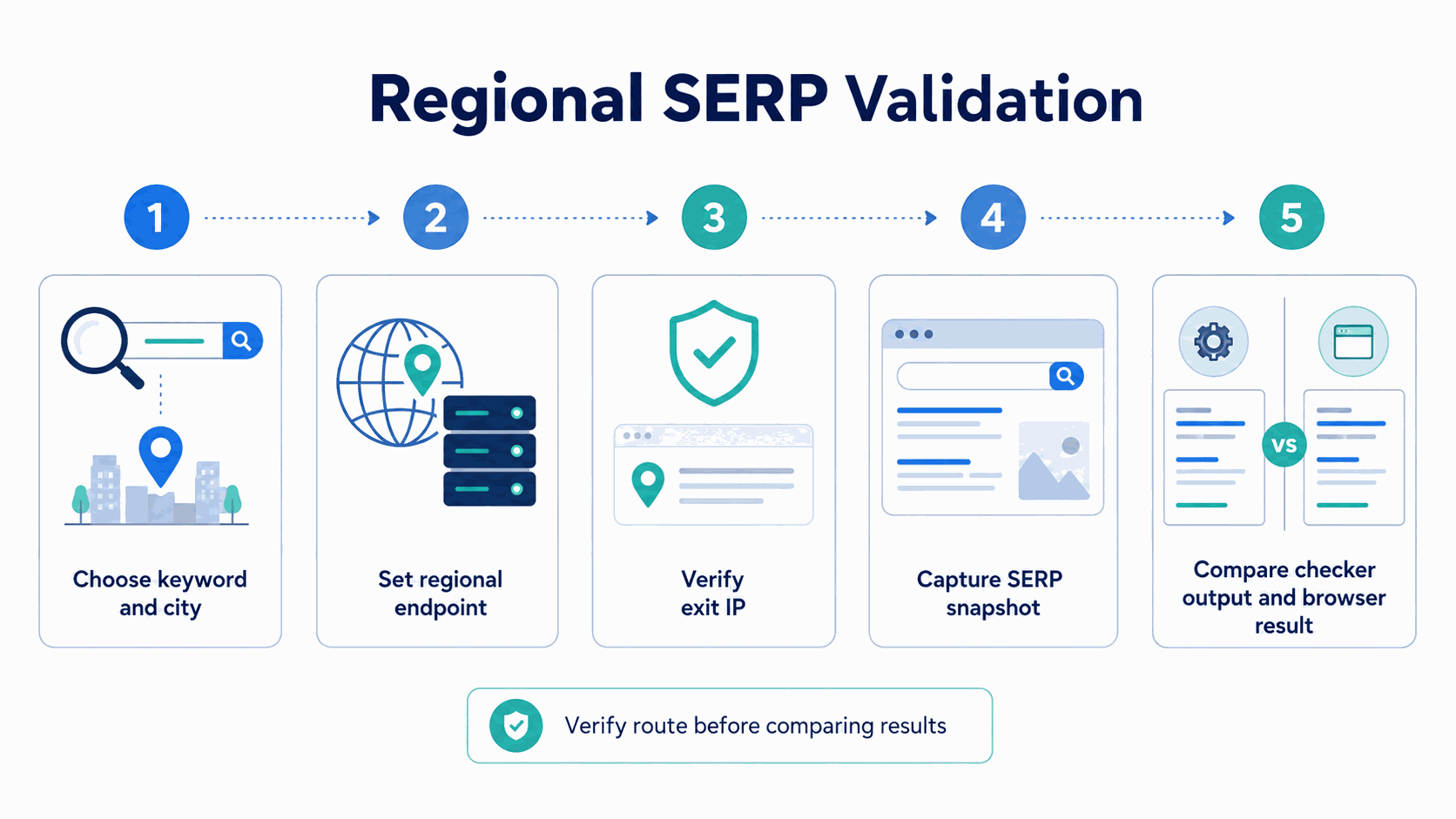
- Choose the keyword and target country or city.
- Set the same language and device profile used by the checker.
- Connect through the intended regional network endpoint.
- Verify the visible exit IP and expected location.
- Run the query and capture the full SERP, not only the first organic result.
- Record the timestamp and signed-in state.
- Compare organic results, local modules, and visible SERP features separately.
Example: Diagnosing a New York SERP Mismatch
Suppose a SERP checker is configured for New York, but a browser validation shows a different Local Pack and a different organic order. Instead of immediately treating either result as inaccurate, check the inputs in sequence.
- Confirm that both checks used the same keyword wording.
- Match desktop or mobile device settings.
- Match the search and browser language.
- Verify the browser's visible exit IP and expected New York region.
- Record whether the browser was signed in and whether cookies were present.
- Compare the timestamps so freshness is not mistaken for a location difference.
- Compare organic rankings and SERP features separately.
If the organic positions match but the Local Pack differs, the disagreement is a feature-level difference rather than necessarily a ranking error. If both the location and organic results differ, verify the network and search-context inputs before evaluating the checker itself.
How to Run a Repeatable Local SERP Check
Three Levels of SERP Validation Confidence
Not every SERP check provides the same level of evidence. A useful validation workflow can be divided into three levels depending on how much of the search context has been verified.
| Level | What is verified | Best use | Confidence limit |
|---|---|---|---|
| Level 1: Checker snapshot | Keyword and selected location inside the checker | Fast spot checks | The actual network route is not independently verified |
| Level 2: Matched search context | Keyword, location, language, device, and timestamp | More controlled comparisons | Browser-side network location may still differ |
| Level 3: Browser-validated check | Matched inputs plus verified exit IP and a browser-side SERP snapshot | Regional QA and mismatch diagnosis | Other search location and personalization signals can still differ |
Start with one fixed query and one target market. Keep the device, language, and search method consistent. If the test is designed to compare locations, change only the location-related variable whenever possible.
Capture the checker output and the browser validation result close together in time. Search pages can change quickly, especially for news-sensitive and commercial queries, so comparing results collected hours apart can introduce unnecessary noise.
Then compare the page in layers: organic rankings, local results, ads, People Also Ask, videos, shopping units, AI features, and other visible modules. This makes it easier to tell whether the disagreement is a ranking difference, a layout difference, or a location-context difference.
What to Record in a SERP Report
A useful report should make the observation reproducible. Store the keyword, search engine, country, city when relevant, language, device, timestamp, signed-in state, ranking URL, organic position, visible SERP features, top competing domains, and any network route used for validation.
| Field | Example | Why it matters |
|---|---|---|
| Keyword | best running shoes | Keeps the tested query exact |
| Country / city | New York, US | Separates regional observations |
| Language | English | Prevents language changes from being mistaken for ranking changes |
| Device | Desktop | Separates desktop and mobile layouts |
| Timestamp | 2026-08-24 10:00 ET | Ties a changing SERP to a specific observation time |
| Visible features | Local Pack, PAA, Video | Shows changes beyond organic position |
| Exit IP / route | Verified regional endpoint | Documents the network context used for validation |
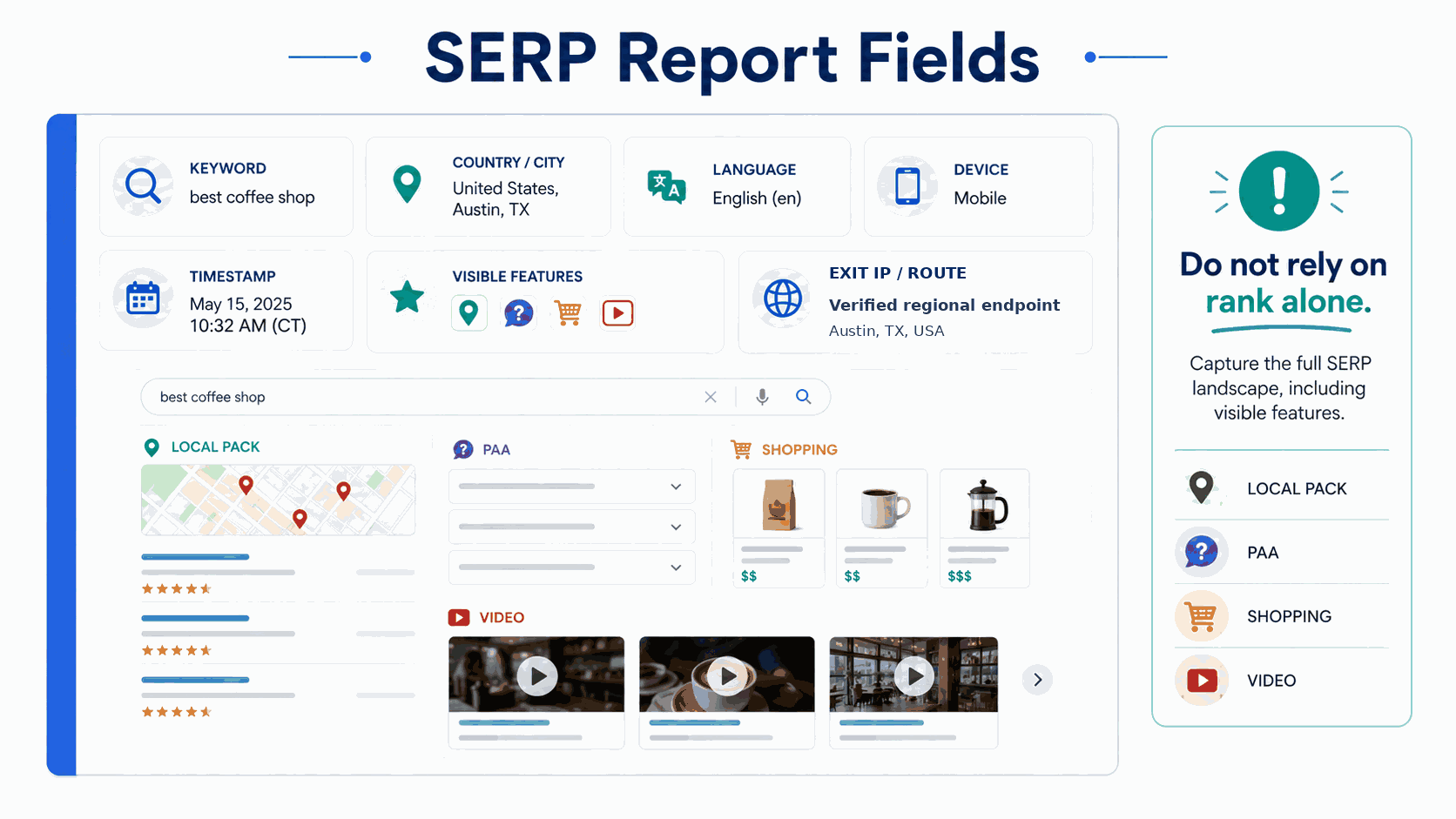
Avoid relying only on rank numbers. Always review visible SERP features such as local packs, People Also Ask, shopping results, videos, and AI modules because they can materially change above-the-fold visibility and real-world click opportunity.
Common SERP Checker Mismatches
When two SERP checks do not match, diagnose the full search context before assuming that the checker, proxy, or ranking data is wrong.
| Symptom | First check | Possible explanation |
|---|---|---|
| The checker says one city, but the browser looks different | Exit IP, region, language, device, signed-in state | The checker and browser may be using different search contexts |
| The organic rank matches, but the page looks different | Local Pack, ads, PAA, shopping, video, and AI features | The disagreement may be in page layout rather than organic ranking |
| The same checker gives different results later | Timestamp and freshness-sensitive modules | Indexes, experiments, news, shopping, or AI-assisted results may have changed |
| The proxy location matches, but the SERP still differs | Device, language, account state, cookies, and browser context | IP-based location is only one input into the search environment |
| The same city still produces different layouts | Full test context and capture timing | City-level network targeting cannot eliminate all SERP variance |
Access and Compliance Note
A SERP validation method should be evaluated separately from permission to automate access. Google states in its machine-generated traffic policy that automated queries, including scraping search results for rank checking without express permission, violate Google's policies and Terms of Service. Automated workflows should use access methods permitted by the target search service.
Frequently Asked Questions
Final Thoughts
A SERP checker is most useful as a controlled diagnostic tool. The result only becomes meaningful when the search context behind it is documented well enough to reproduce or compare.
For local SERP validation, confirm the target region, verify the network route, keep the remaining inputs consistent, and compare the full search-results layout rather than one ranking number. That produces cleaner regional observations without treating a single SERP snapshot as permanent.