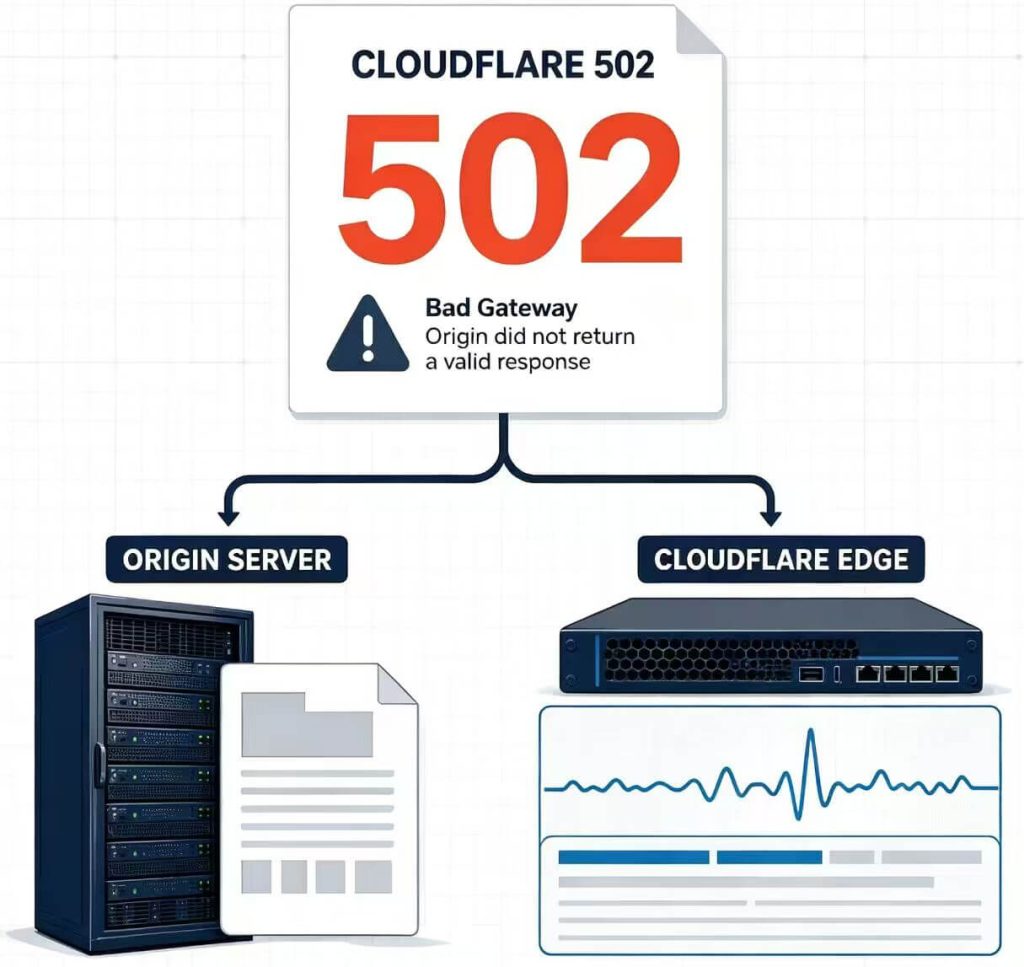
A Cloudflare 502 Bad Gateway does not identify one single failure. In most cases, the first useful question is whether the origin server returned the 502 or Cloudflare generated the error while handling the request.
That distinction determines what to check next. An origin-returned 502 sends you toward the reverse proxy, application, load balancer, protocol, and server logs. A Cloudflare-generated 502 sends you toward Cloudflare diagnostics, affected locations, Tunnel behavior, and request evidence.
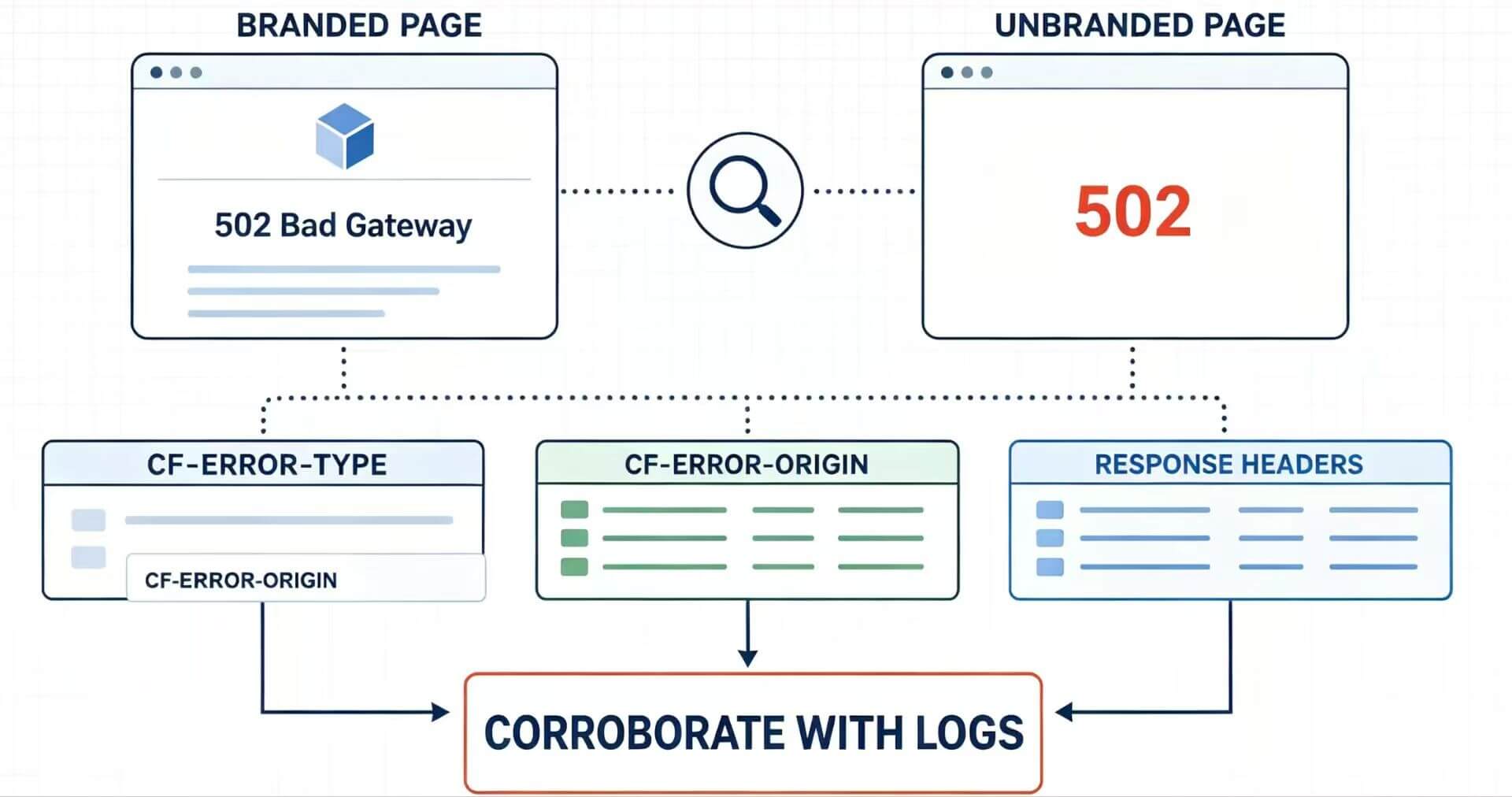
A Cloudflare 502 Bad Gateway means a gateway did not receive a valid response from an upstream server. Cloudflare documents two main paths: the origin server can return a standard 502 that Cloudflare passes to the visitor, or Cloudflare can generate the error itself. A standard Cloudflare-branded 502 normally points first toward an origin-returned error, while a blank or unbranded 502 can point toward a Cloudflare-generated response. Treat page appearance as the first clue, then confirm the failing layer with response headers, the Ray ID, timestamps, Cloudflare evidence, and origin logs.
- A Cloudflare 502 can originate from the server behind Cloudflare or from Cloudflare's own request path.
- A visitor usually cannot repair a server-side 502; the useful action is to retry later or report the exact URL and time to the site owner.
- Site owners should preserve one failed response before changing DNS, application, Tunnel, or network settings.
- Cloudflare-generated error pages can include diagnostic headers such as
cf-error-typeandcf-error-origin. - Route comparison can help isolate a path-specific failure, but it is diagnostic evidence rather than a fix for a broken origin or Cloudflare service.
Visitor or Site Owner? Start Here
The correct next step depends on whether you control the website.
| Your Situation | What the 502 Usually Means for You | Best Next Step |
|---|---|---|
| You are only visiting the website | The failure is usually somewhere in the site's server, upstream, Cloudflare, or network path rather than something you can repair locally. | Retry once later. If it persists, report the URL, approximate time, and screenshot to the site owner. |
| You own or operate the website | You need to identify whether the origin returned the 502 or Cloudflare generated it. | Capture one failed request, then correlate Cloudflare and origin evidence. |
| You operate an API or automated client | The response may be transient, but repeated retries can hide the original evidence. | Preserve the first failure, use limited backoff, and investigate persistent errors. |
Cloudflare's own 5xx guidance directs ordinary visitors to report persistent problems to the site owner. Detailed origin and Cloudflare diagnostics are primarily useful to the domain owner or infrastructure team.
Cloudflare or Origin? Find the Failing Layer First
Cloudflare's official 502 and 504 guidance separates these errors into two broad causes: a response generated by the origin web server and a response generated by Cloudflare.
A standard Cloudflare-branded 502 page normally indicates that the origin returned a standard 502 which Cloudflare forwarded. A Cloudflare-generated 502 may instead appear blank or without normal Cloudflare branding.
Do not use page appearance as the final diagnosis. Custom application pages, intermediate services, and other response handling can make visual clues less reliable. Use the page only to choose the first branch, then verify it with request evidence.
| Evidence | What It Suggests | What to Check Next |
|---|---|---|
| Standard Cloudflare-branded 502 page | The origin likely returned a standard 502 that Cloudflare forwarded. | Match the timestamp and request in origin, reverse-proxy, load-balancer, and application logs. |
| Blank or unbranded 502 page | A Cloudflare-generated response becomes more likely. | Inspect response headers, Ray ID, Cloudflare status, and affected locations. |
cf-error-type or cf-error-origin |
Cloudflare generated the error page. | Use the diagnostic category to choose the relevant DNS, Worker, origin-connectivity, or Cloudflare check. |
| Ray ID available | The request passed through Cloudflare and can be correlated with request evidence. | Pair the Ray ID with the exact timestamp, hostname, and path. |
| An authorized internal origin test also returns 502 | An origin or upstream problem is confirmed independently of the normal Cloudflare edge path. | Investigate the reverse proxy, application, load balancer, protocol, and upstream service. |
| Failures repeatedly cluster around one Cloudflare location | A regional edge or network-path issue becomes more plausible. | Compare other approved test routes and check Cloudflare incident information. |
For a broader explanation of HTTP 502 outside Cloudflare-specific environments, see IPWeb's 502 Bad Gateway guide.
Cloudflare 502 vs 504: What's the Difference?
HTTP 502 means a server acting as a gateway or proxy received an invalid response from an upstream server. HTTP 504 means the gateway did not receive the upstream response in time.
| Error | Meaning | First Diagnostic Question |
|---|---|---|
| 502 Bad Gateway | The gateway received an invalid response from an upstream server. | Which layer produced or returned the invalid upstream response? |
| 504 Gateway Timeout | The gateway did not receive an upstream response in time. | Where did the upstream response stop or exceed the allowed time? |
The HTTP definition of 502 is documented in RFC 9110. If the service itself is temporarily unavailable instead of returning a gateway error, see the HTTP 503 Service Unavailable guide.
Capture the Failed Response Before Changing Anything
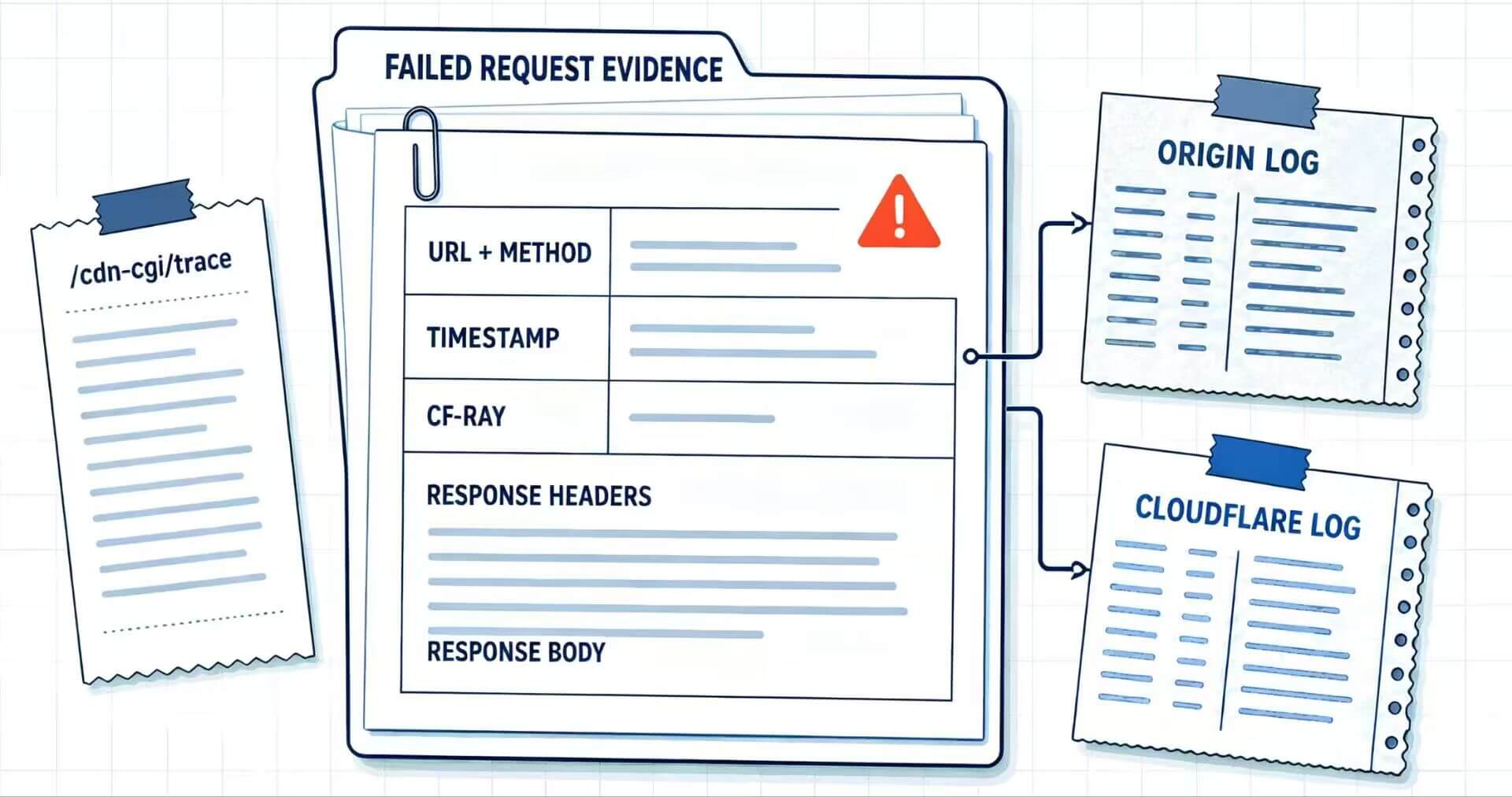
Intermittent 502 errors can disappear before anyone reviews the logs. Preserve one failed sample before restarting services, changing DNS, switching routes, or repeatedly retrying.
Record at least:
- the exact URL, request method, and timestamp with timezone;
- the HTTP status, complete response headers, and a limited copy of the response body;
- the
Cf-Rayvalue and its data-center suffix when present; - whether the page was Cloudflare-branded, custom, blank, HTML, JSON, or another format;
- the network or approved test route used;
- whether nearby URLs, hostnames, or endpoints failed at the same time.
You can use curl to save the headers and body separately:
curl -sS -D response-headers.txt -o response-body.html \
  "https://example.com/path"
On Windows PowerShell, use curl.exe if curl resolves to another shell command or alias.
Cloudflare also recommends collecting trace information for the affected hostname when escalating 502 or 504 problems:
curl -sS "https://example.com/cdn-cgi/trace"The trace output and response headers can contain request and network information. Remove sensitive data before sharing them outside the incident team.
The Cloudflare Ray ID reference explains how Ray IDs help correlate requests through Cloudflare. Use the Ray ID together with the timestamp, hostname, and path rather than treating it as a diagnosis by itself.
If the Origin Returned the 502
If the origin returned the 502, Cloudflare reached a server that itself produced a bad-gateway response. The investigation should move into the origin's gateway-to-upstream chain rather than the visitor's browser.
Check the following in order:
- Test the exact hostname and path. A healthy default virtual host does not prove the requested host or application route is healthy.
- Correlate the timestamp across logs. Match the failure in the web server, reverse proxy, load balancer, and application logs.
- Confirm that the upstream application is running. Verify that it is listening on the address and port expected by the gateway.
- Verify protocol alignment. An HTTP/HTTPS mismatch or incorrect upstream route can produce a bad response. If the failure specifically occurs during the Cloudflare-to-origin TLS handshake, diagnose Cloudflare Error 525 separately.
- Check recent operational events. Compare the failure window with deployments, restarts, crashes, resource saturation, or load-balancer changes.
- Check response integrity. Cloudflare documents malformed or broken compressed responses as one condition that can contribute to 502 errors.
Use controlled internal origin checks rather than changing several public-facing variables at once. Preserve the original hostname and request context so the test represents the failing application route.
If Cloudflare Generated the 502
If Cloudflare generated the error page, inspect Cloudflare-side evidence before changing the application unnecessarily.
Cloudflare documents cf-error-type and cf-error-origin as headers attached to Cloudflare-generated error pages rather than errors simply forwarded from an origin.
Then determine the scope of the failure:
- Does it affect one URL, one hostname, or the whole zone?
- Do failed responses share a common header or diagnostic category?
- Are errors associated with the same Cloudflare location?
- Does the problem occur from several independent network routes?
- Does Cloudflare Status show a relevant incident?
One successful retry is not enough to close an intermittent incident. Preserve failed and successful samples and compare their timestamps, Ray IDs, locations, and response headers.
Why Does Cloudflare Tunnel Return Error 502?
A Cloudflare Tunnel 502 has a more specific meaning. Cloudflare's current Tunnel troubleshooting documentation explains that the Tunnel can be connected to Cloudflare while cloudflared still cannot reach the local origin service configured for that route.
Start with the cloudflared logs and check four common causes:
- The origin service is not running. Confirm that the application is active and listening on the expected port.
- The service URL uses the wrong protocol. An origin expecting HTTPS should not be configured as an HTTP service URL, and vice versa.
- The ingress rule points to the wrong port. Compare the configured service port with the application's actual listening port.
- The local origin certificate cannot be validated. Check certificate hostname coverage, trust, and the Tunnel's origin settings.
A Tunnel marked Healthy only proves that cloudflared is connected to Cloudflare. It does not prove that the configured local application is reachable through the route.
When Route Comparison Actually Helps
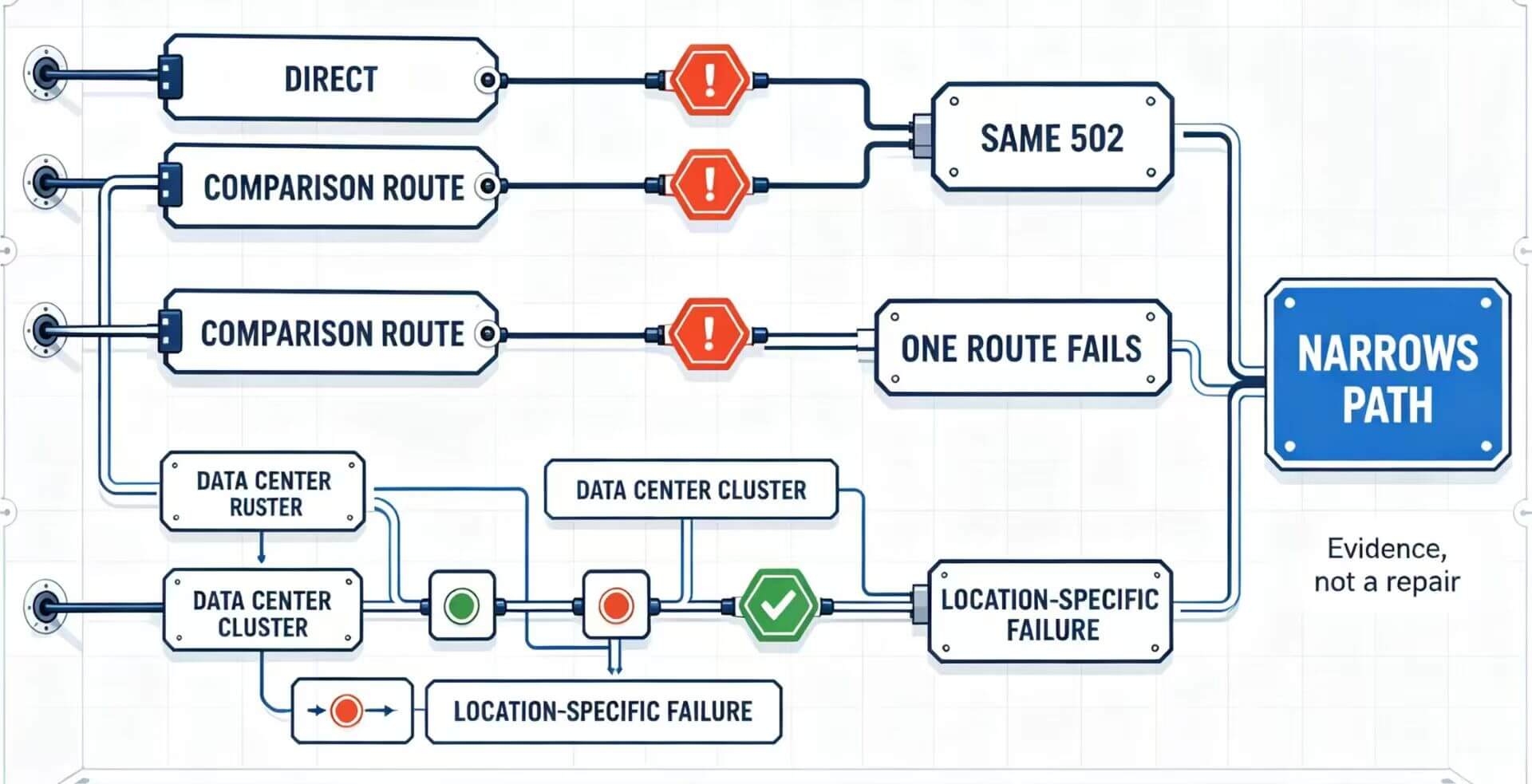
Route comparison is useful when the 502 is intermittent, limited to one network, or appears to cluster around a particular regional path. It should be used to narrow the failure scope, not as a replacement for origin or Cloudflare diagnostics.
If a 502 appears only through one proxy route, first verify that the proxy itself is configured correctly. IPWeb's How to Check If a Proxy Is Working guide shows how to confirm the visible IP and route before interpreting the 502.
For permitted regional QA and repeatable route comparisons, a Static Residential Proxy can keep the residential endpoint stable across repeated checks, reducing one variable between requests. A stable test route cannot repair an unhealthy origin, Tunnel service, or Cloudflare edge; it only makes route-specific differences easier to compare.
| Test Result | Reasonable Interpretation | What It Does Not Prove |
|---|---|---|
| Normal and alternate routes both return the same 502 | A route-specific client-side failure becomes less likely. | It does not identify whether the remaining fault is origin-side or Cloudflare-side. |
| Normal route works, one proxy route repeatedly returns 502 | The proxy endpoint or that regional path deserves investigation. | It does not prove that Cloudflare intentionally rejected the IP. |
| Failures repeatedly cluster around one Cloudflare location | A regional edge or network-path issue becomes more plausible. | It does not prove a global Cloudflare outage. |
| An authorized origin test also reproduces the 502 | An upstream origin problem exists independently of the normal edge path. | It does not rule out a separate Cloudflare configuration issue. |
If failures appear only after a verified proxy route is introduced, diagnose the route separately with the proxy error troubleshooting guide.
Frequently Asked Questions
cloudflared is connected to Cloudflare but cannot reach the local origin service defined in the route. Check whether the service is running and whether the configured protocol, port, and certificate settings match the local application.Final Thoughts
The fastest way to diagnose a Cloudflare 502 is to establish ownership before changing configuration. Determine whether the origin returned the bad-gateway response or Cloudflare generated it, then preserve the failed request and follow the evidence into the correct layer.
If the problem reproduces at the origin, investigate the upstream application and gateway chain. If Cloudflare generated the response, use its diagnostic headers, Ray IDs, affected locations, Tunnel logs, and incident information. Route comparison can narrow the scope, but it should remain evidence rather than the assumed fix.