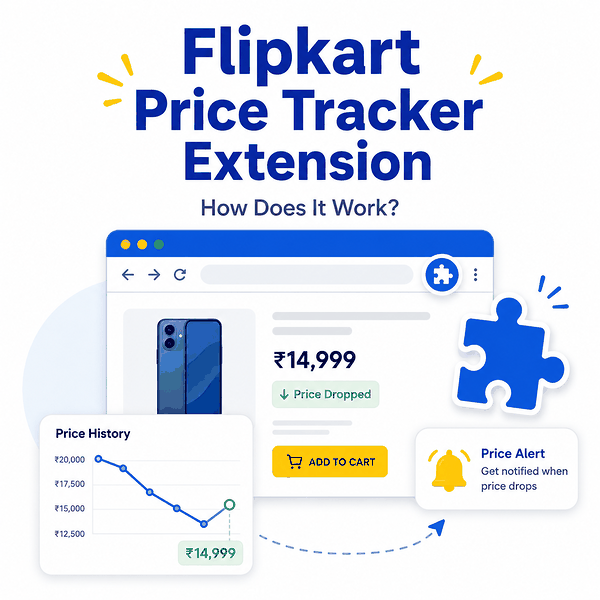
A Flipkart price tracker extension adds price-history or tracking controls to the browser while you shop. It can make a quick price check easier, but the graph is only useful when the extension is reading the correct product, variant, seller, and offer state.
A Flipkart price tracker extension usually identifies the product page you are viewing, reads or sends product details to its tracking service, and returns stored price history, a price graph, or an alert option. Before installing one, check the publisher, update history, permissions, privacy disclosure, supported Flipkart pages, and how the tool handles variants, sellers, offers, and unavailable products.
- A browser extension is best for quick price-history checks while you are already on a Flipkart product page.
- The extension may display a graph accurately and still compare different variants, sellers, or offer states unless those fields are matched.
- Review Chrome permissions before installation, especially access to Flipkart pages, tabs, browsing data, or broader website access.
- Price alerts should be treated as signals. Reopen the current Flipkart page and verify the actual product state before acting.
- For many products, repeatable reporting, or regional QA, a structured data workflow is easier to validate than a browser-only extension.
How a Flipkart Price Tracker Extension Works
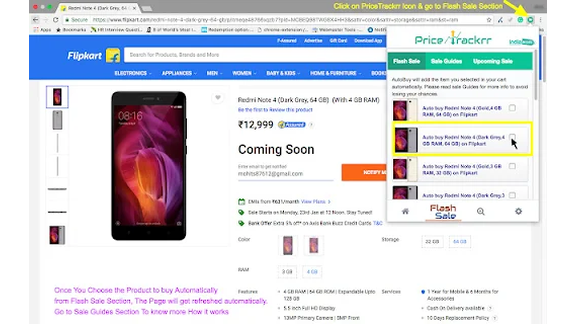
A price tracker extension sits between the product page you are viewing and the tracker service that supplies the historical data. The exact implementation varies by publisher, but the basic workflow is usually similar.
- The extension detects that the active page is a supported Flipkart product page.
- It identifies product information from the page or URL, such as a product identifier, title, selected variant, or current visible price.
- It looks up stored historical observations or sends the product to a backend tracking service.
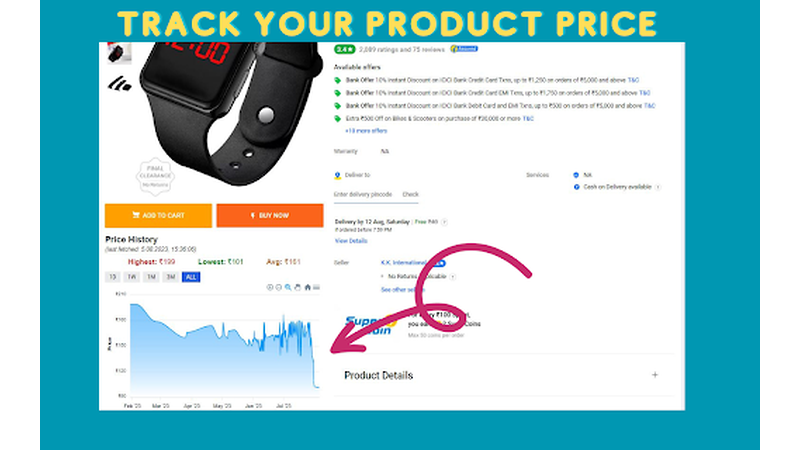
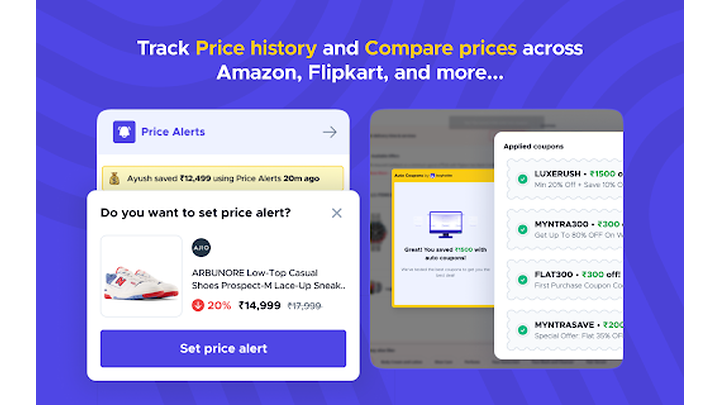
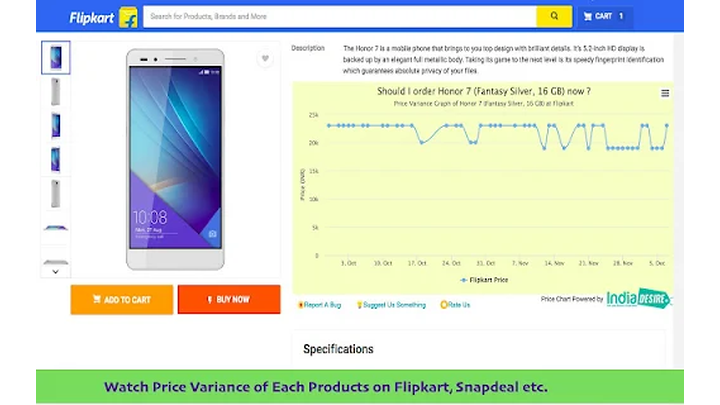
- It displays a price graph, lowest recorded price, recent changes, or an option to create a price drop alert.
- When new observations meet the alert rule, the tracker may notify you through the browser, email, or another channel depending on the service.
Current Chrome Web Store listings for Flipkart price tracking advertise features such as historical graphs and downloadable history. One listing also notes that support may vary by department, which is an important reminder that extension coverage is not automatically universal across every Flipkart page. You can review a current Flipkart price tracker extension listing on the Chrome Web Store before installing or comparing tools.
The extension interface and the stored price-history system are not necessarily the same thing. The browser add-on may simply provide a convenient view into a larger tracking service. For the broader concepts behind historical observations, lowest prices, and alerts, see IPWeb's Flipkart price tracker guide.
How to Use a Flipkart Price Tracker Extension
The controls differ by extension, but a safe price-check workflow stays simple.
- Install the extension from the browser's official extension store and review the publisher information before enabling it.
- Open the exact Flipkart product page you want to check.
- Confirm the model, size, color, storage capacity, bundle, or other selected variant before opening the extension result.
- Open the price history or price graph and compare the current observation with the recent range.
- If the extension supports alerts, choose a target price or enable the relevant notification option.
- When an alert arrives, reopen the Flipkart page and verify the current seller, stock state, delivery context, and offer conditions.
A price tracker extension is most useful when it reduces the friction of checking history. It should not replace the final page check. The price shown in an alert can depend on a seller change, selected variant, coupon, bank offer, exchange value, stock state, or delivery condition that is different from the earlier observation.
What a Good Extension Should Show
A useful Flipkart price tracker extension should provide enough context to explain what the graph actually represents. A single price line without product-state information can be difficult to trust.
| Field or feature | Why it matters | What to verify |
|---|---|---|
| Product identity | Keeps the history tied to the intended listing | URL, product ID, title, or stable identifier |
| Selected variant | Prevents different sizes, colors, or storage options from being mixed | The same variant is selected across observations |
| Price graph | Shows the direction and range of stored price observations | The plotted points refer to comparable product states |
| Lowest recorded price | Provides a historical reference point | Whether the low depended on a seller or conditional offer |
| Seller and availability | Helps explain sudden price changes or missing offers | The seller and stock state match the comparison |
| Alert rule | Defines when the extension sends a notification | Whether the rule uses a target price, percentage drop, or another trigger |
| Timestamp | Shows when the price observation was recorded | The observation is recent enough for the decision |
Table takeaway: The price graph becomes more useful when the extension also preserves enough product context to explain why the price changed.
Check Extension Permissions Before Installing
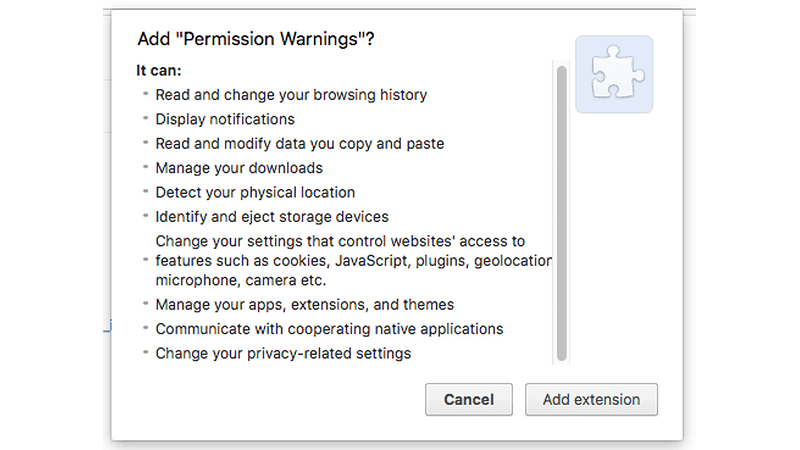
Browser extensions can need access to the pages where they run. Chrome requires extensions to declare permissions in their manifest, including API permissions, host permissions, and content-script match patterns. Some permission changes can trigger a warning before installation or at runtime.
Chrome's extension permission documentation explains that host permissions can allow an extension to interact with matching websites and, depending on the APIs used, can support actions such as reading tab properties, injecting content scripts, or making requests from extension pages. A permission warning does not automatically mean the extension is unsafe, but the requested access should make sense for the feature you are installing.
- Confirm that the publisher and extension name match the tool you intended to install.
- Check the most recent update date and whether the extension is still maintained.
- Read the permissions shown during installation instead of approving them automatically.
- Ask whether access to all websites is necessary if the feature only needs to work on Flipkart.
- Review the privacy disclosure and any linked privacy policy.
- Check ratings and recent reviews for reports of broken pages, unexpected redirects, or changed behavior.
- Remove the extension if its permissions or behavior no longer match what you need.
Google also explains that extension permission warnings describe what access an extension can receive, not a guaranteed judgment that the extension is harmful. Its Chrome Web Store permissions guidance is useful when an installation prompt includes access to websites, tabs, browsing activity, or other browser data.
How to Check If the Price Graph Is Reliable
A smooth graph can still represent mismatched observations. The first check is not whether the chart looks professional; it is whether the data points refer to the same product state.
1. Confirm the Variant
Check the exact size, color, storage capacity, model, or bundle shown on the Flipkart page. If the selected option changes, a lower value may look like a price drop even though the extension is comparing two different variants.
2. Check the Seller
Marketplace listings can show different seller offers. A graph that stores only the visible number may not make a seller change obvious. Reopen the current product page and confirm which seller is attached to the displayed price.
3. Separate Base Price from Conditional Offers
Coupons, bank discounts, exchange values, and other conditional offers can change the amount a shopper sees. Do not assume every historical low represents a universally available checkout price.
4. Check Availability and Delivery Context
An unavailable offer or different delivery context can affect what is shown on the page. If the product is being checked for a specific delivery location, keep that context consistent before comparing the new observation with an earlier one.
5. Look at the Timestamp
Price history is historical by definition. The extension may be showing a stored observation rather than the price available at this moment. Always check when the latest point was recorded.
Flipkart's Terms of Use govern use of the platform and can change over time. Any extension or data workflow should be used within the applicable platform rules and the purpose for which the data is being checked.
Extension vs Online Tracker vs Data Workflow
A browser extension is not automatically better than an online tracker, and an online tracker is not automatically better than a structured workflow. The right choice depends on how many products you are checking and how much validation you need.
| Method | Best fit | Main advantage | Main limitation |
|---|---|---|---|
| Browser extension | Quick personal shopping checks | History appears close to the product page you are viewing | Coverage, permissions, and available fields depend on the publisher |
| Online price tracker | One-off URL or product searches | No browser extension is required | May expose limited product-state details |
| Structured data workflow | Repeated checks across many products | Can retain seller, variant, availability, region, timestamp, and error state | Needs more setup and validation |
Table takeaway: Use an extension for convenience, an online tracker for occasional URL-based checks, and a structured workflow when the record itself must be repeatable and auditable.
When an Extension Is Not Enough
A browser extension is a good fit when you want to inspect one product while shopping. It becomes less suitable when the job changes from personal checking to repeatable monitoring.
Consider a structured workflow when you need to:
- check many Flipkart products on a recurring schedule;
- store the exact seller and selected variant with every price observation;
- compare availability across multiple delivery contexts;
- send validated changes into a spreadsheet, dashboard, or alert system;
- distinguish page errors from genuine price or stock changes;
- keep an audit trail of timestamps, source URLs, and validation status.
At that point, the key question becomes how the underlying product data should be collected rather than which browser extension to install. IPWeb's Flipkart API vs Scraper API comparison explains the difference between official marketplace interfaces, third-party data APIs, and permitted public-page observation.
For a broader design covering fields, alerts, and validation in multi-product monitoring, see the e-commerce price tracking API guide.
Frequently Asked Questions
Final Thoughts
A Flipkart price tracker extension is most useful when it makes a quick price-history check easier without hiding the context behind the graph. Check what the extension can access, confirm that it is reading the intended product and variant, and verify the live Flipkart page before acting on a low-price point or alert. When the job grows into repeated monitoring across many products, move from browser convenience to a workflow that keeps seller, availability, variant, timestamp, and error context with every observation.