When a team says it needs YouTube data, the next question is not "Which script should we run?" It is "Which source is the right source for this job?" A reporting dashboard, transcript enrichment task, public video monitor, and search-result research workflow can all need different levels of structure, quota control, and validation.
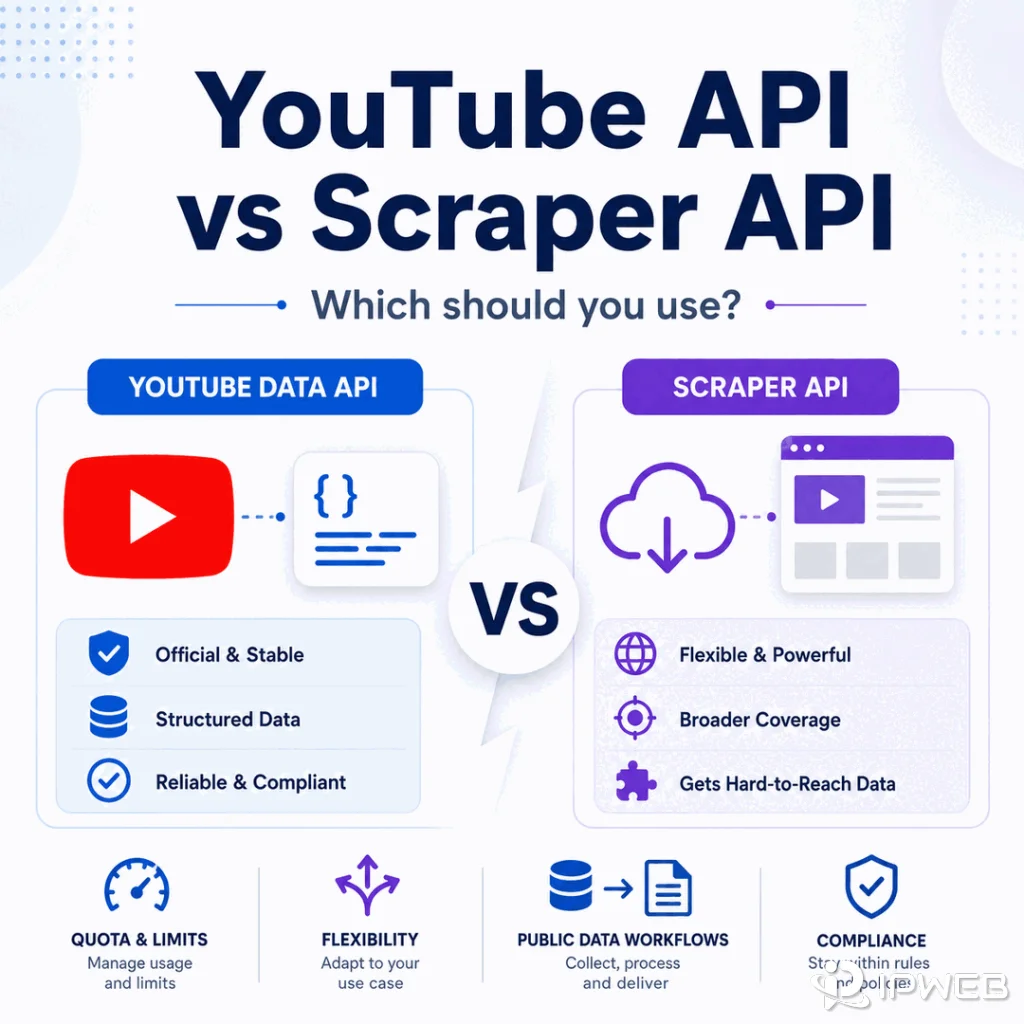
The safest starting point is the YouTube Data API. A scraper API or custom Python workflow may fit when the job needs browser-level collection, public page checks, or a workflow that the official API does not model well. The decision should be based on data type, permission, quota, reliability, and compliance, not on which method appears fastest.
Use the YouTube Data API when you need documented public metadata, stable fields, quota visibility, and a clearly supported integration path. Consider a scraper API or custom collector only when the use case requires public page rendering, search-result observation, or workflow checks outside the API's available fields, and keep proxy use limited to network QA rather than access circumvention.
- The YouTube Data API is usually the first option for video, channel, playlist, and public metadata workflows.
- A scraper API can help when a team needs rendered page context, public search results, or operational handling that a raw script would otherwise need to build.
- Quota planning matters: most YouTube Data API methods currently share a default 10,000-unit daily quota, while some methods such as
search.listuse separate quota buckets and limits. - Custom Python collection gives control, but it also adds maintenance, error handling, compliance review, and route validation work.
- Proxies can support regional QA and connection testing; they do not change API quotas, permissions, or platform rules.
- A practical workflow may be mixed: official API first, scraper API for specific gaps, with clear source logging throughout.
What Each Option Is Best For
The YouTube Data API is best for structured requests against documented YouTube resources. It gives developers a stable way to request known fields and reason about quota. If your workflow starts with a list of public video IDs and needs titles, descriptions, thumbnails, channels, or statistics where available, the official API should be the first path to evaluate.
A scraper API is a managed collection layer. It may handle browser rendering, retries, request routing, parsing, or export formats, depending on the provider. IPWeb's web scraping API guide explains this managed-collection model in more detail.
That managed layer can be useful for public page checks or research workflows, but it does not remove the need to review source permissions, platform terms, and data use.
Custom Python is the most flexible path and the easiest one to get wrong. It can be appropriate for controlled internal workflows, small research jobs, or API response normalization. Once the job becomes scheduled, high-volume, or business-critical, the real work becomes monitoring, backoff, deduplication, logging, and compliance review.
Comparison Table
Use the table below before choosing a stack. It is better to reject the wrong workflow early than to debug a fragile collector later.
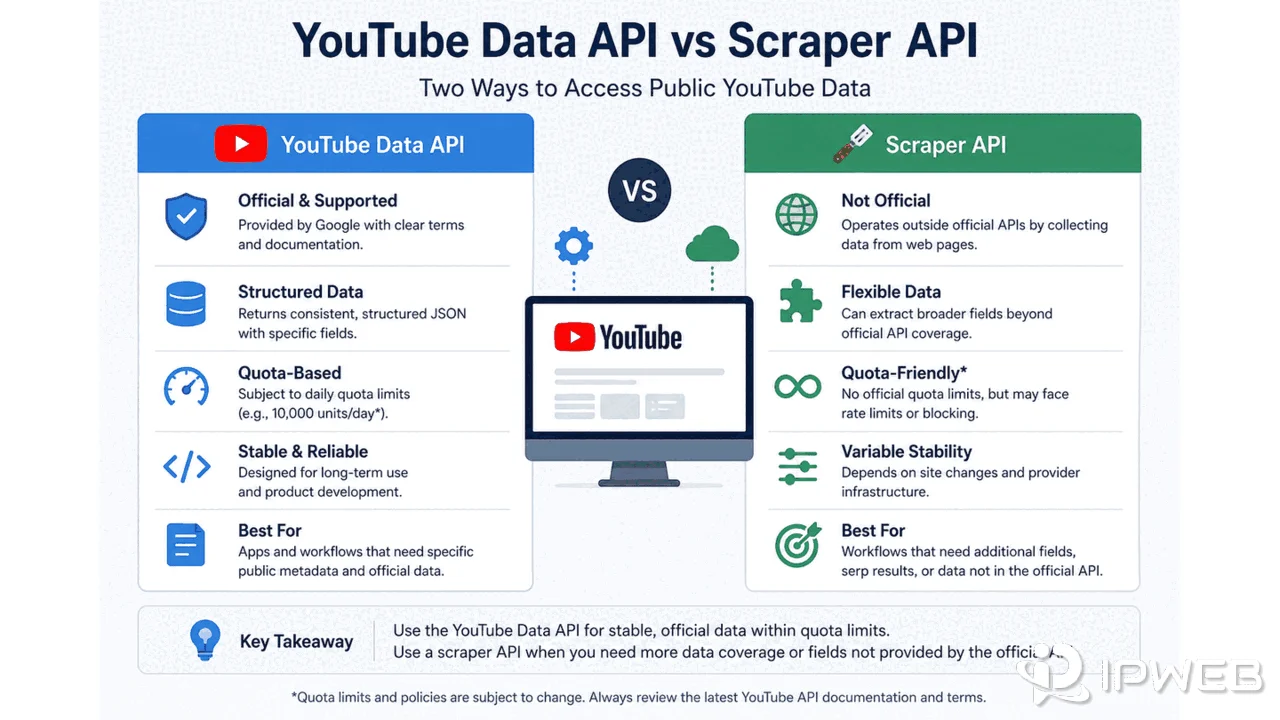
| Option | Best For | Strength | Main Limit | Proxy Role |
|---|---|---|---|---|
| YouTube Data API | Documented video, channel, playlist, and metadata fields | Stable schema and quota visibility | Limited to supported resources and allowed fields | Usually not needed except environment testing |
| Scraper API | Rendered public page checks, search-result observation, operational collection | Managed retries, parsing, or browser handling | Provider quality and compliance review still matter | Route QA and regional public-response checks |
| Custom Python workflow | Controlled internal jobs and response normalization | Maximum control over schema and logic | Higher maintenance and monitoring burden | Validate routing only after request logic is clean |
| Manual review | Low-volume audits and editorial research | Human judgment | Not scalable | Not usually relevant |
When the YouTube Data API Is the Better Choice
Choose the official API when the required field is documented and the workflow can fit inside the API model. The API is especially useful when you need repeatable data collection, clear request parameters, known response fields, and quota-aware scheduling.
For example, a team tracking public video metadata can store video ID, channel ID, publish date, title, description, thumbnail URL, response timestamp, and requested API parts. That is cleaner than scraping the same fields from rendered pages when the official endpoint already provides them.
The YouTube Data API documentation, including the videos.list endpoint and quota guidance, should be treated as the source of truth for API behavior. If an endpoint does not expose the field you want, do not assume a proxy or different network route will make that field available.
Minimal YouTube Data API Example
This Python example requests public metadata for one known video ID. It keeps the official API path explicit and returns structured fields directly.
from googleapiclient.discovery import build

API_KEY = "YOUR_API_KEY"
VIDEO_ID = "VIDEO_ID"

youtube = build("youtube", "v3", developerKey=API_KEY)

# Request documented metadata fields for one public video.
response = youtube.videos().list(
    part="snippet,statistics",
    id=VIDEO_ID,
).execute()

print(response["items"][0])
For videos.list, Google currently documents a quota cost of 1 unit per call. Quota behavior can change, so production workflows should read the current method documentation and Cloud Console limits rather than hard-code quota assumptions.
When a Scraper API or Custom Python Workflow Fits
A scraper API or custom workflow may fit when the task is about public page behavior rather than API resources. Examples include observing public search-result layouts, validating how a public page renders, extracting page-level context for QA, or comparing what a public viewer sees across regions.
Minimal Scraper API Request Example
A managed scraper API usually starts from a target public URL rather than a YouTube resource ID. The exact endpoint, authentication method, rendering options, and response format depend on the provider.
curl -X POST "https://provider.example/v1/retrieve" \
  -H "Authorization: Bearer YOUR_API_KEY" \
  -H "Content-Type: application/json" \
  -d '{
    "url": "https://www.youtube.com/watch?v=VIDEO_ID",
    "render": true,
    "format": "html"
  }'
This is a vendor-neutral template, not a ready-to-run endpoint. Compared with the official API example, the scraper request gives the collection layer more responsibility for page retrieval, rendering, retries, and output handling.
That said, "how to extract the content from a YouTube video" can mean several things. Metadata, captions, comments, page text, and transcript text are different data types. IPWeb's guide to extracting YouTube metadata and transcripts covers the implementation workflow in more depth; this page stays focused on choosing between the official API, a scraper API, and custom collection.
If you build a Python workflow, keep it traceable. Log the source URL, video ID, request method, timestamp, output fields, error state, and retry count. That makes the data easier to audit and keeps the workflow from turning into an untraceable script.
Where Proxies Fit in the Decision
Proxies belong near the network-testing layer, not at the center of the API decision. If a request is malformed, quota-limited, permission-limited, or asking for unavailable transcript data, changing the route will not fix the core issue.
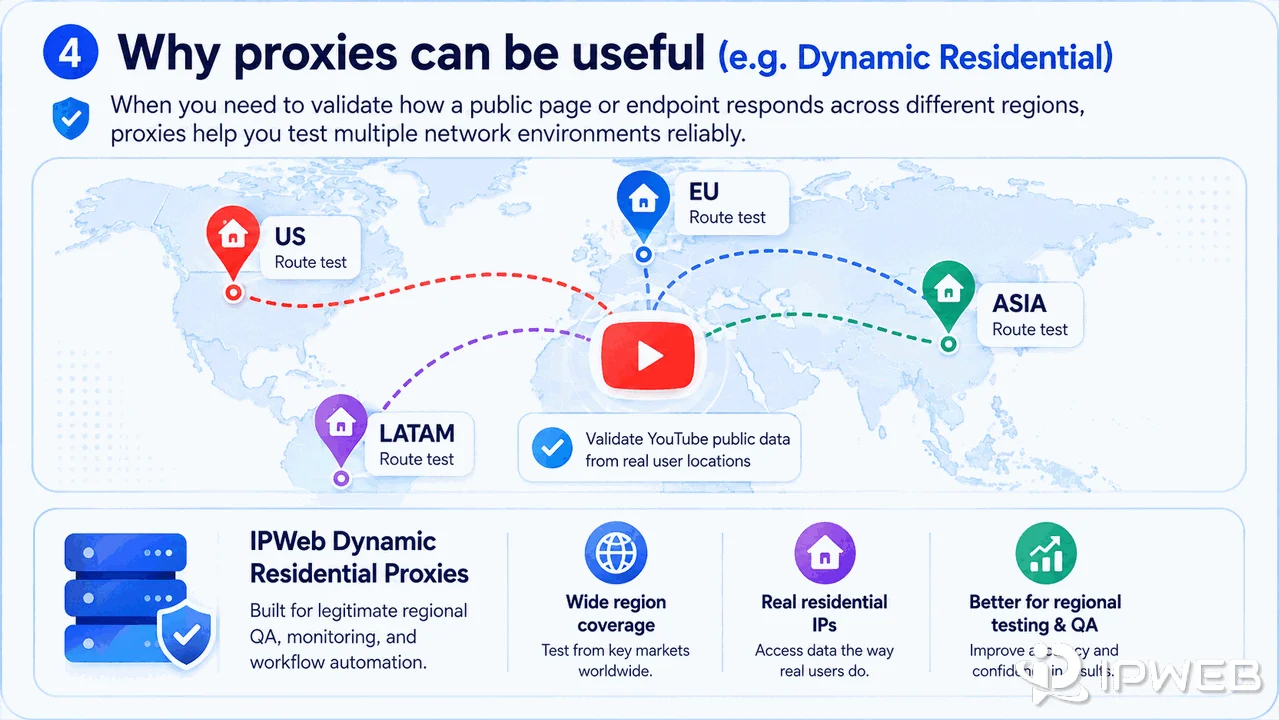
For public data workflows that genuinely require route testing, a residential proxy pool can help validate how a public page or endpoint responds from different network environments. IPWeb's Dynamic Residential Proxies may be relevant for that kind of regional QA, but the workflow still needs compliant source selection, rate control, and platform-policy review.
Before adding proxy complexity, test the request without a proxy, confirm the API response body, check quota status, and verify that the expected field exists. Then use route checks to confirm whether the remaining issue is actually network-related.
A Practical Decision Framework
Start with the data field, not the tool. Ask what you need to collect, where that field is available, whether the source is authorized, and how often the data must refresh.
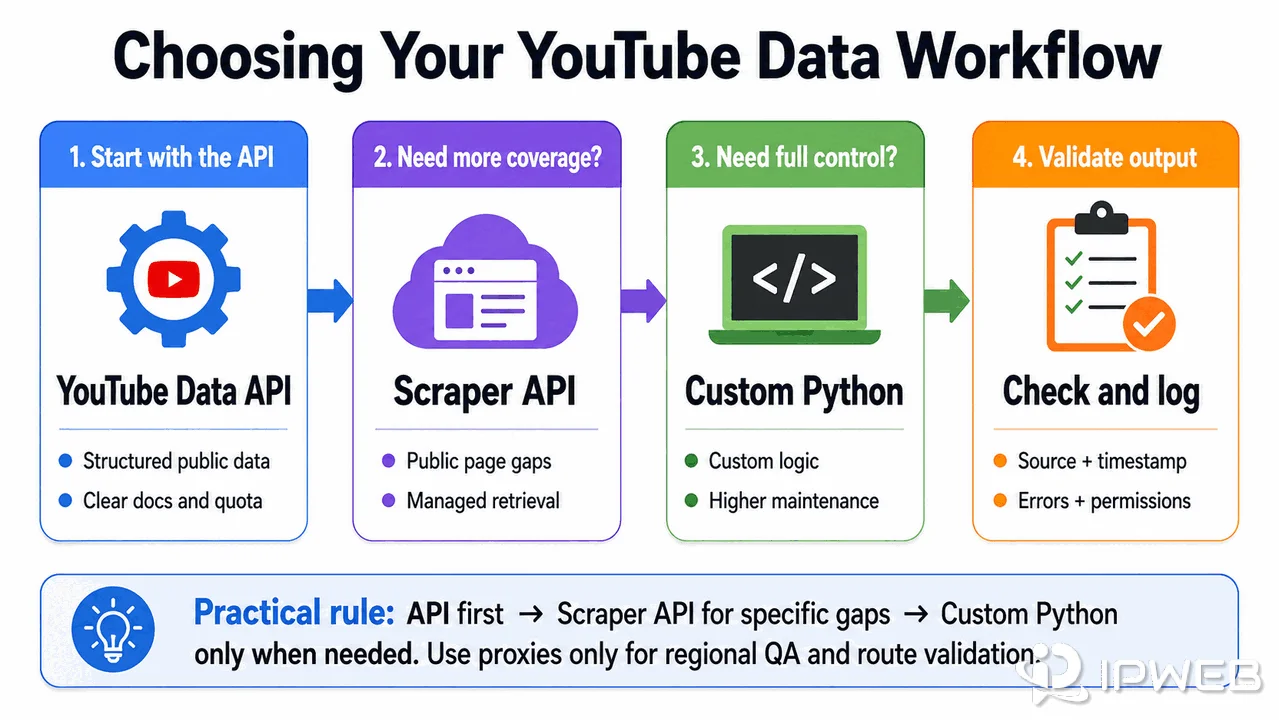
- Check whether the YouTube Data API provides the needed resource and field.
- Review quota, permission, and YouTube API Services Terms before building.
- Use a scraper API only when public page behavior or unsupported page context is the real requirement.
- Use custom Python only when the team can maintain retries, monitoring, schema changes, and compliance logs.
- Add proxies only after request logic, source choice, and output validation are already clean.
Common Mistakes
The first mistake is treating YouTube data as one object. Metadata, transcript text, comments, search results, and channel information all have different access and reliability constraints.
The second mistake is using proxies to mask a workflow design problem. A proxy may change the network path, but it will not create missing captions, expand API fields, or remove quota limits.
The third mistake is skipping source logs. If you cannot show where a record came from, when it was collected, and which method produced it, the dataset becomes harder to trust.
Frequently Asked Questions
Final Thoughts
The cleanest YouTube data workflow starts with the official API, then adds managed scraping or custom collection only when the use case genuinely requires it. Proxies can help with route validation and regional QA, but they should not become a shortcut around source, quota, or policy limits.
If you are choosing a stack, map the data field first. The right answer may be the YouTube Data API, a scraper API, a small Python normalizer, or a combination of all three.