Search results for YouTube proxy terms are messy. Some pages promise access without limits, some list web proxy sites, and some treat "YouTube unblocked" as a generic entertainment query. For a business or data team, that is not a useful way to think about proxies.
A safer YouTube proxy workflow starts with a narrower question: are you testing a network route, validating public page behavior, checking regional QA, or debugging a connection problem? A proxy can help with those network-layer tasks. It cannot make private content public, change account rules, remove API quotas, or override school, workplace, legal, or platform restrictions.
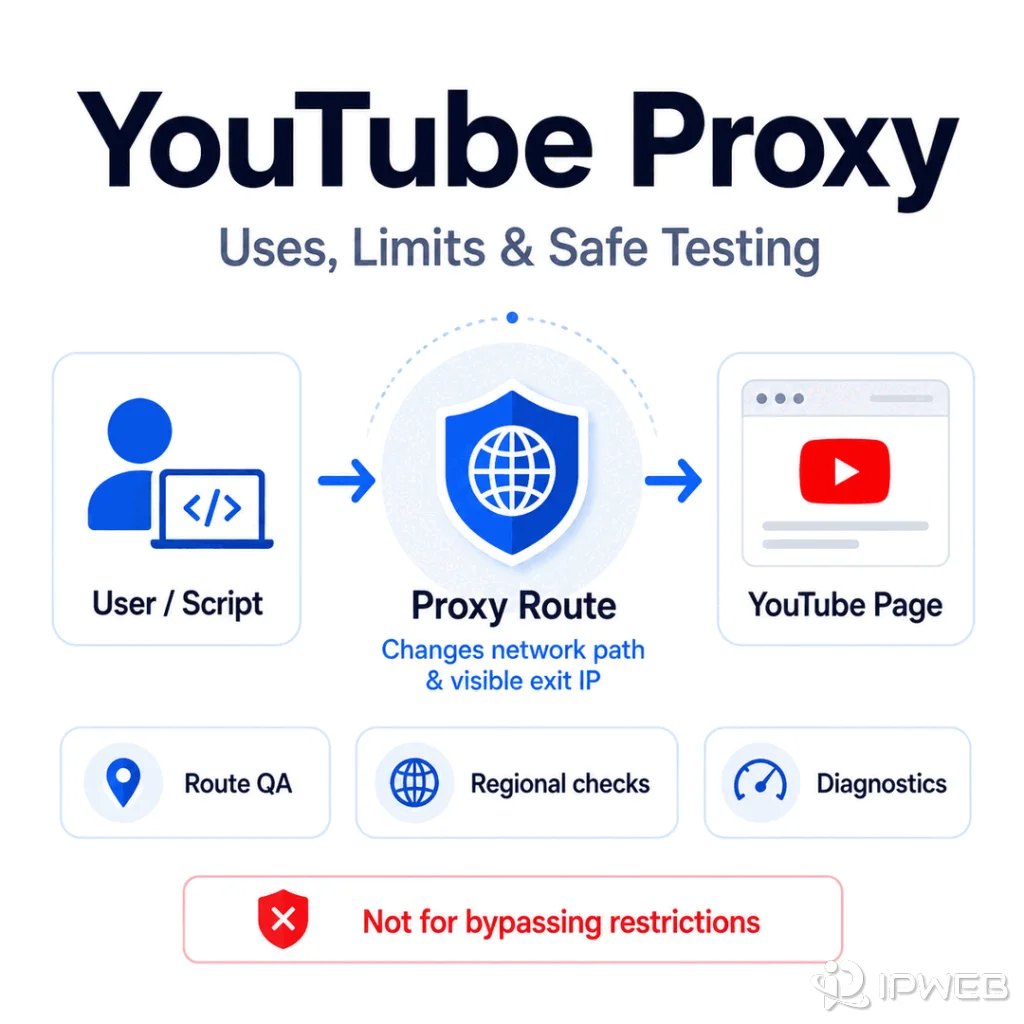
A YouTube proxy is a proxy route used to send YouTube-related requests through another network endpoint for testing, QA, or public data workflows. It can help validate routing, region-specific public responses, and proxy configuration, but it should not be treated as a way to bypass platform rules, account limits, access policies, or content permissions.
- Use a YouTube proxy only for legitimate network testing, public data QA, or troubleshooting.
- Treat "YouTube unblocked" search results carefully; many pages target access circumvention, not business-grade diagnostics.
- Use dynamic residential proxies for route diversity and regional QA; use static residential proxies when repeated tests need the same stable endpoint.
- Always test the proxy itself before blaming YouTube, the API, or your collector.
- A proxy does not change YouTube API quota, transcript availability, private-video status, account state, or platform policy.
What a YouTube Proxy Actually Does
A YouTube proxy changes the network path used by a browser, script, or application. The website or API sees the proxy's exit IP instead of the original client IP for that request path. That can be useful when a team needs to test whether a public page, API endpoint, or data workflow behaves differently from another network environment.
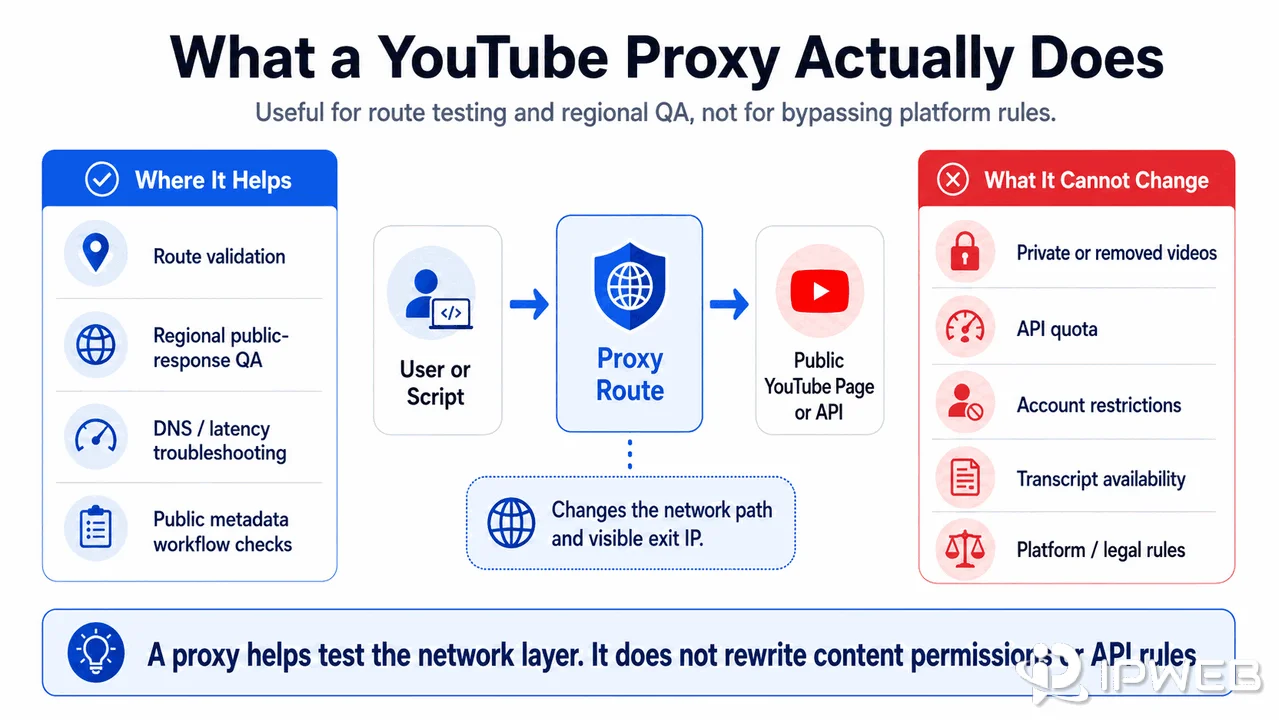
This is different from the promise implied by many "unblock" pages. A proxy may help diagnose network availability, but it cannot guarantee access to every feature, region, account state, or video. If a result page claims unlimited access without limitations, treat that as a marketing claim rather than a technical guarantee.
Safe Use Cases for YouTube Proxies
The strongest YouTube proxy testing use cases are operational and diagnostic. For example, a data team may need to confirm that a public metadata workflow is not failing because of local DNS, firewall, or routing behavior.
A QA team may compare how a public video page renders from different test regions, while a support team may reproduce a reported connection problem under a controlled route.
| Use Case | Good Proxy Fit? | Why It Fits | What to Watch For |
|---|---|---|---|
| Public page regional QA | Yes | Compares public responses from different network routes | Do not infer private or account-specific availability |
| API troubleshooting | Sometimes | Helps separate local network issues from request problems | Quota and permissions remain unchanged |
| Metadata workflow validation | Yes | Confirms route, DNS, latency, and response consistency | Source and field availability still matter |
| Access to restricted content | No | A proxy cannot override platform, legal, account, or policy limits | Do not build around access promises |
| Transcript availability | No as a primary fix | Captions depend on video settings and permissions | Treat missing captions as a data state |
Dynamic vs Static Proxies for YouTube Testing
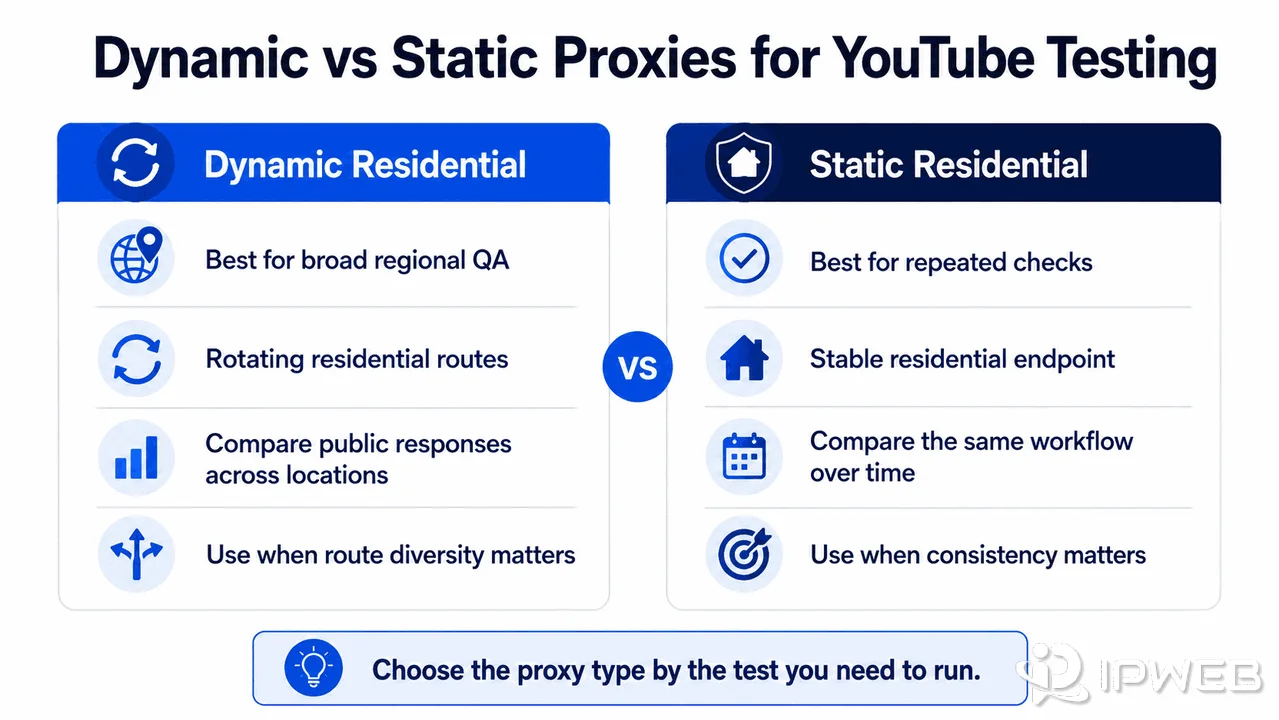
Choose the proxy type by the test you need to run. For broad regional QA, IPWeb's Dynamic Residential Proxies can provide rotating residential routes across available locations so teams can compare public responses from multiple network environments. This fits tests that need route diversity and regional coverage rather than one stable endpoint.
For repeated checks where consistency matters, IPWeb's Static Residential Proxies may fit better. A fixed residential endpoint makes it easier to compare the same public workflow over time without changing the network route between checks.
Neither option should be framed as a universal YouTube access tool. The right question is not "Which proxy unblocks YouTube?" The better question is "Which route helps me test this public workflow accurately and responsibly?"
How to Test a YouTube Proxy Safely
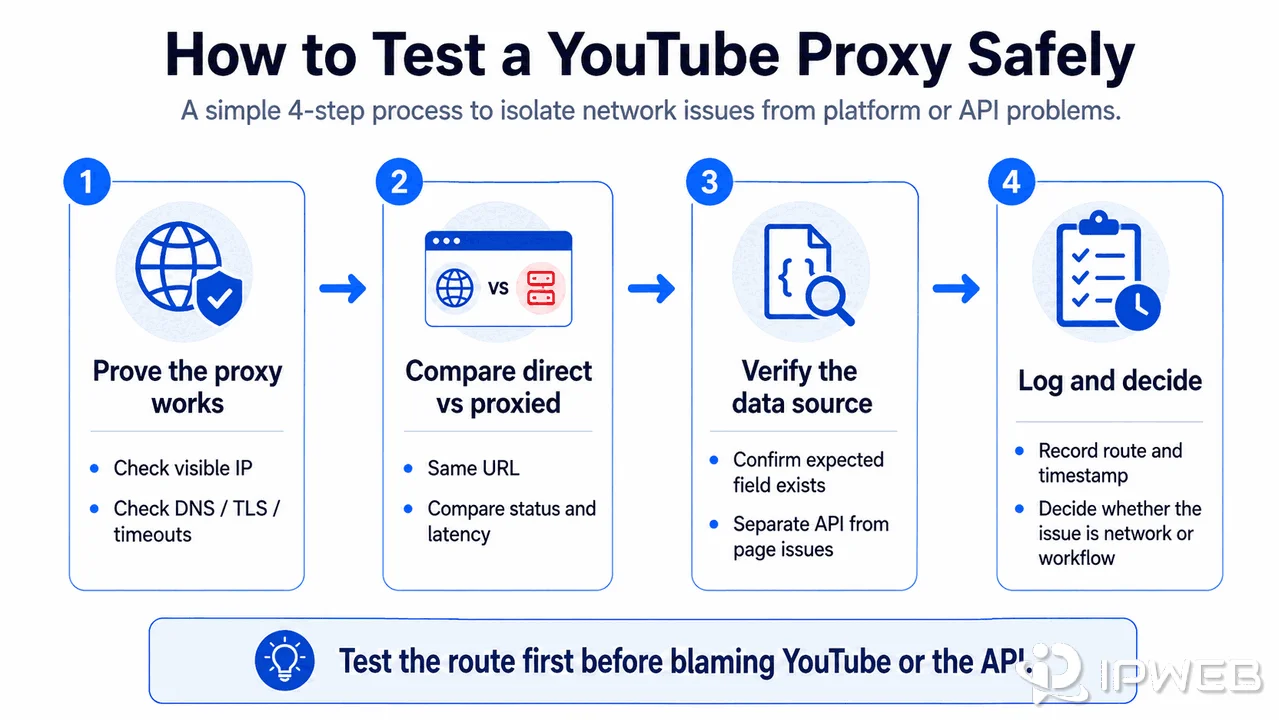
Start by proving that the proxy works outside the YouTube workflow. Check the visible IP, country, ASN, authentication, DNS behavior, TLS errors, and timeout pattern. IPWeb's guide on how to check if a proxy is working is the right first step when the route itself is uncertain.
Minimal Python Test Through a Residential Proxy
For an authorized API test, send the same documented YouTube Data API request directly and through the residential proxy, then compare the status code, latency, and response. Replace the placeholders with your own API key, public video ID, and proxy endpoint generated in your IPWeb account.
import os
import requests

proxy_url = os.environ["PROXY_URL"]
api_key = os.environ["YOUTUBE_API_KEY"]

params = {
    "part": "snippet,statistics",
    "id": "VIDEO_ID",
    "key": api_key,
}

response = requests.get(
    "https://www.googleapis.com/youtube/v3/videos",
    params=params,
    proxies={"http": proxy_url, "https": proxy_url},
    timeout=20,
)

print(response.status_code)
print(response.json())
The proxy changes the network route only. It does not change API credentials, permissions, or quota. Google documents the videos.list request at the same API endpoint used above.
- Run the same request without a proxy and record the status code.
- Run it through the proxy and compare status, latency, DNS, and response body.
- Confirm whether the expected data field exists through an authorized source.
- Separate API errors from browser-rendering problems.
- Log route, timestamp, proxy type, target URL, and observed result.
What a Proxy Cannot Fix
Proxy limits should be stated before a team builds around them. A proxy can change the route of a request, but it cannot rewrite the rules that govern the content or API.
- Private or removed videos.
- Missing transcript or caption tracks.
- API quota exhaustion.
- Invalid API keys or malformed requests.
- Account-level restrictions.
- Legal or platform availability limits.
- School, workplace, or administrator access policies.
This matters for keyword strategy too. The term youtube unblocked has high search volume, and competitors do write about it. For IPWeb, the safer article boundary is not "how to unblock YouTube." It is "what a YouTube proxy can safely test, where it helps, and where it does not."
If the problem involves metadata fields, transcript availability, API errors, or data-source selection rather than the network route, see IPWeb's YouTube data extraction guide before changing the proxy setup.
Troubleshooting Checklist
- Confirm the proxy changes the visible IP in the same browser or script environment.
- Check authentication, protocol, DNS, TLS, and timeout errors before testing YouTube.
- Compare direct and proxied requests with the same URL and headers where appropriate.
- Record status code, response body, latency, route, and timestamp.
- Verify whether the issue is API quota, permission, missing data, or network route.
- Stop testing if the workflow depends on bypassing access rules or account limits.
If the proxy route is clean but the YouTube workflow still fails, the cause is probably not the proxy. Check API parameters, quota, transcript availability, page changes, and policy constraints before rotating more IPs.
Frequently Asked Questions
Final Thoughts
Competitors write about YouTube unblocking because the search volume is large. IPWeb can cover the same keyword neighborhood more safely by owning the technical proxy boundary: route QA, public response testing, proxy diagnostics, and clear limitations.
Use a YouTube proxy when you need to test a public workflow from a different network route. Do not use it as a promise that every access, account, API, transcript, or policy issue can be solved at the network layer.