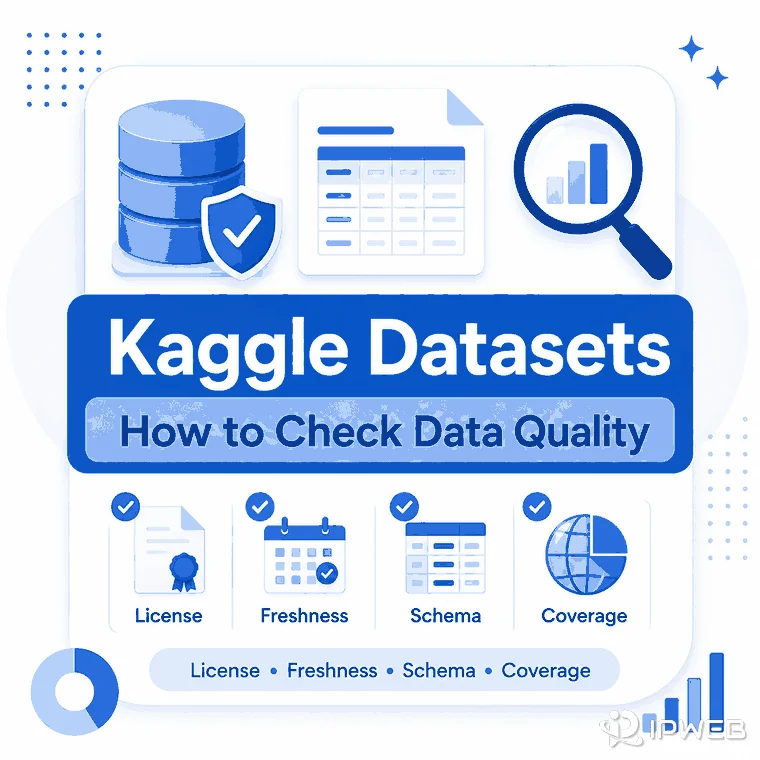
A public Kaggle dataset can look ready to use because it is easy to browse, download, and test. But popularity, download count, or a clean preview does not tell you whether the data is current, complete, well documented, or suitable for a real business workflow.
The practical question is whether the dataset is good enough for your specific job. Before using it for a model, dashboard, enrichment workflow, or internal analysis project, check its license, provenance, freshness, schema, entity coverage, data quality, and refresh path.
Kaggle datasets are best treated as public data discovery and prototyping sources, not automatically as production data feeds. Before using one, check the license, source owner, last update date, file formats, schema stability, missing fields, duplicate records, and whether the dataset can be refreshed. If the project needs current, consistent, or vertical-specific records, a managed dataset or repeatable crawler-based collection workflow may be a better fit.
- Kaggle is useful for finding example datasets, benchmarking ideas, and exploring public-data structures.
- Popularity signals such as votes or downloads do not prove legal fit, freshness, completeness, or production reliability.
- The most important checks are license, provenance, update cadence, schema quality, entity coverage, duplicates, and refresh path.
- License and source rights come before technical quality: if permitted business use or redistribution is unclear, do not treat the file as business-ready.
- A static Kaggle file can work for prototypes, but recurring business workflows usually need a repeatable source pipeline.
- If a project later collects fresh public website data, proxy infrastructure may support regional request routing, but it does not replace source licensing, data quality checks, or collection logic.
Why Kaggle Datasets Need a Quality Check
Kaggle is a large discovery platform for data science work. Many datasets are easy to browse, download, and test, which makes them useful for learning, model experiments, and early-stage analysis. The risk is that convenience can hide important questions about source rights, update history, field meaning, duplicate records, and whether the data represents the market or population you care about.
A public dataset can be technically accessible and still be wrong for your use case. A sales dataset may be synthetic, outdated, anonymized beyond usefulness, or built for teaching rather than operational forecasting. A product dataset may include useful field names but no reliable refresh method. A social or real estate dataset may be interesting as a sample, yet incomplete for region-level analysis.
That is why the first task is not downloading the file. The first task is deciding whether the dataset has a clear owner, a valid usage path, enough documentation, and a realistic update model.
What to Check Before Using a Kaggle Dataset
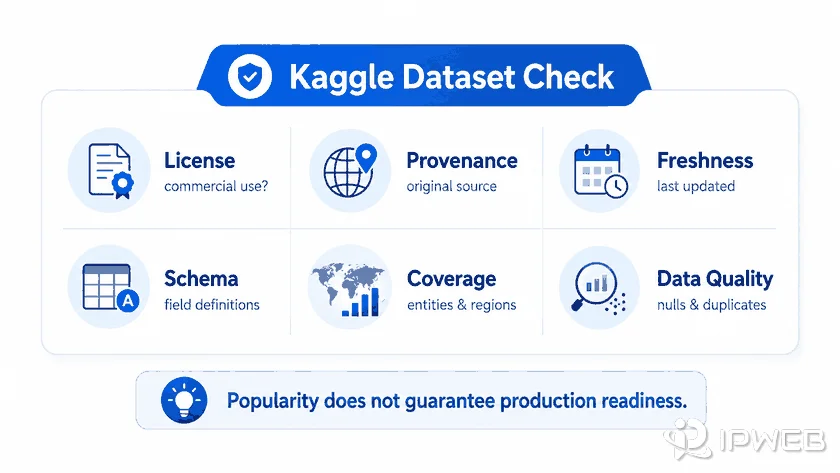
A good dataset review starts with metadata. Kaggle dataset pages commonly expose signals such as title, owner, description, license, update information, files, tags, size, and dataset URL. Those fields are not enough on their own, but they tell you where to inspect next.
Use Kaggle's official Datasets documentation as a platform reference, then inspect the license and source information on the individual dataset page. Kaggle's Terms of Use governs platform-level usage, but it does not replace the dataset-specific license or the original source owner's terms.
| Check | What to inspect | Why it matters |
|---|---|---|
| License | License name, restrictions, attribution, redistribution terms | A dataset can be public but still not usable for your commercial or redistribution use case. |
| Provenance | Original source, creator, collection method, owner credibility | You need to know whether records came from a reliable source or an unclear upload. |
| Freshness | Last updated date, version notes, refresh frequency | Old data may be fine for examples but weak for current market or model decisions. |
| Schema | Column names, field definitions, formats, nested objects | Unstable or undocumented fields increase cleaning and integration work. |
| Coverage | Geography, category, entity type, sample size, missing segments | The dataset may not represent the market or population you plan to analyze. |
| Quality | Duplicates, nulls, inconsistent IDs, outliers, broken rows | Low-quality rows can distort models, dashboards, and automated decisions. |
Do not confuse platform popularity with data quality. Votes, downloads, and views can help you find commonly used datasets, but they do not prove that the dataset is licensed for your use, still current, or complete enough for your workflow.
Kaggle Dataset vs Managed Dataset vs Crawler Workflow
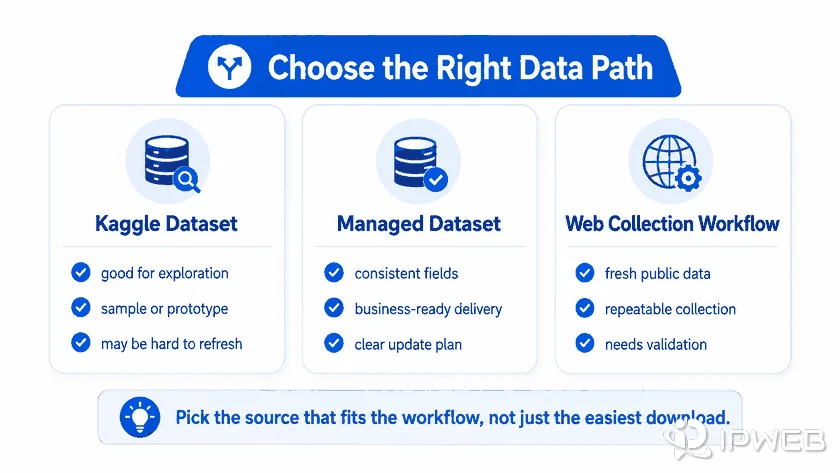
Kaggle-style datasets, managed datasets, and crawler workflows solve different problems. A static public dataset is fast to test. A managed dataset is better when the record shape, delivery format, and quality checks matter.A crawler workflow is better when the source changes and you need a repeatable way to collect, normalize, and refresh records. If you are deciding which part of the workflow discovers pages and which part extracts records, see our guide to web scrapers vs web crawlers.
| Option | Best fit | Main limitation |
|---|---|---|
| Kaggle-style public dataset | Exploration, prototypes, examples, model demos, benchmark analysis | May be outdated, narrow, poorly documented, or hard to refresh. |
| Managed dataset | Recurring records for analysis, enrichment, AI/RAG, or vertical data needs | Requires a clear business definition of fields, coverage, and delivery expectations. |
| Crawler workflow | Fresh public data from changing websites, product catalogs, listings, or directories | Needs source monitoring, parsing rules, QA, and compliance-aware collection boundaries. |
A Practical Review Workflow
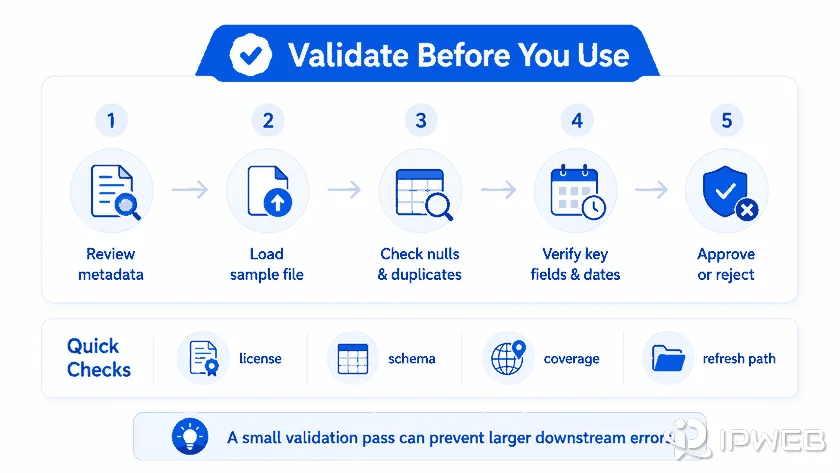
A simple review process can prevent most dataset mistakes. Start by opening the dataset page and reading the description, license, files, tags, and update history. Then inspect a small sample before importing everything. Check whether important fields are present, consistently named, and documented.
Next, test the data against the real job. If you need company enrichment, look for stable company names, IDs, domains, locations, and timestamps. If you need product intelligence, check product identity, price, currency, seller, availability, and timestamp fields.
If the records must be refreshed from public webpages rather than downloaded as a static file, it also helps to understand how web scraping turns public pages into structured data before designing the refresh pipeline.
For AI-ready data, check whether text fields preserve enough source context, deduplication signals, and metadata for retrieval. A small automated quality check can catch obvious problems before you commit to a larger import.
Quick Dataset Validation with Pandas
The example below checks row count, missing values, duplicate rows, column types, required fields, and invalid dates. Edit the file name and expected columns to match the dataset you are reviewing.
import pandas as pd

df = pd.read_csv("dataset.csv")

print("Rows:", len(df))
print("\nMissing values:")
print(df.isna().sum().sort_values(ascending=False).head(10))

print("\nDuplicate rows:", df.duplicated().sum())

print("\nColumn types:")
print(df.dtypes)

required_columns = ["id", "name", "date"]  # Edit for your dataset
missing_columns = [c for c in required_columns if c not in df.columns]
print("\nMissing required columns:", missing_columns)

if "date" in df.columns:
    parsed_dates = pd.to_datetime(df["date"], errors="coerce")
    invalid_dates = parsed_dates.isna().sum() - df["date"].isna().sum()
    print("Invalid date values:", invalid_dates)
This is only a first-pass validation. A production review should also test domain-specific rules such as valid ranges, unique IDs, category consistency, currency handling, and whether the sample reflects the population you actually need.
- Confirm that the license allows your intended use.
- Identify the original source and the dataset owner.
- Check when the dataset was last updated.
- Open the files and review field names, data types, and missing values.
- Test whether IDs, names, dates, and categories stay consistent across rows.
- Decide how the data will be refreshed if the workflow becomes recurring.
When a Sales Dataset Is Not Enough
A sales dataset can mean very different things depending on the job. Some people want a sample CSV for practice. Others want realistic transaction records, product demand signals, CRM-like account data, or revenue forecasting inputs. Those are different requirements.
A sales dataset for a tutorial can be small and static. A sales dataset for forecasting needs timestamps, product or customer identifiers, region, channel, currency, returns, promotions, and enough history to model seasonality. A dataset for lead scoring needs company or contact fields, source provenance, and permission boundaries. A generic public file rarely satisfies all of those requirements.
For a prototype or tutorial, a free public file may be enough. For recurring analysis or operational use, you may need a better-defined dataset with consistent fields and updates, or a repeatable process for collecting fresh public records from specific sources.
Where Proxy Infrastructure Fits
You do not need proxy infrastructure simply to evaluate or download a Kaggle dataset. It becomes relevant only when your workflow moves beyond a static file and repeatedly requests fresh information from public websites.
In that situation, network routing is a separate infrastructure decision from data quality. A dynamic residential proxy can support geographically distributed request routing for permitted public-page workflows, while the crawler or application still remains responsible for source selection, parsing, scheduling, deduplication, validation, and compliance.
Changing the network route does not make a weak dataset more reliable, fix an unclear license, stabilize a broken schema, or replace a proper refresh strategy. Evaluate the data source first, and add routing infrastructure only when the collection workflow actually needs it.
Frequently Asked Questions
Final Thoughts
Kaggle datasets are useful starting points, but they should pass the same review you would apply to any data source. Check the license, source, freshness, schema, coverage, and refresh path before using the data in a serious workflow. If the dataset is only a sample, keep it in the prototype lane. If the work depends on current and consistent records, move toward a managed dataset or repeatable crawler workflow with clear quality checks. Add proxy infrastructure only when the collection process genuinely needs separate routing or regional request distribution.