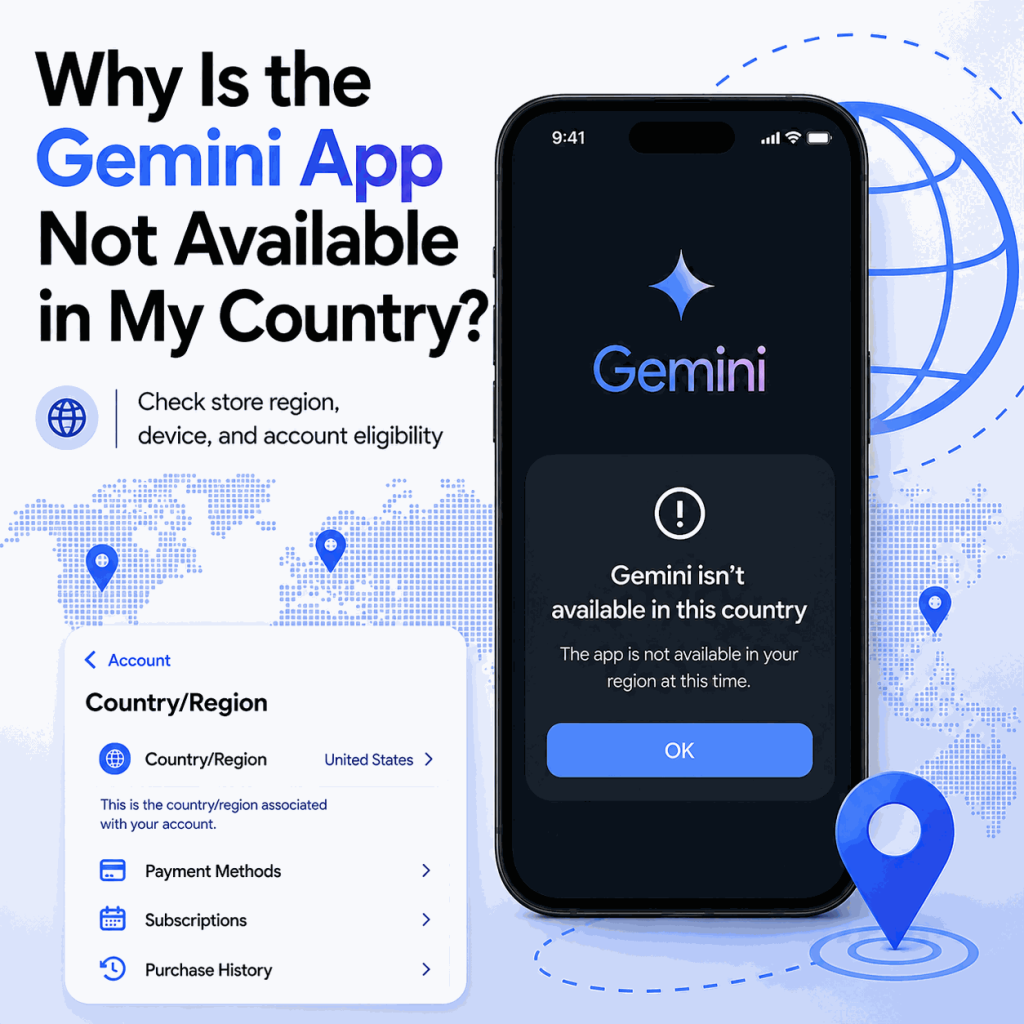
If Gemini works in a browser but the mobile app is missing, unavailable, or unsupported in your store, the problem is not automatically a network issue. Google treats Gemini web and mobile availability separately, and the app can also depend on store region, device requirements, account type, age, and rollout status.
If the Gemini app is not available in your country, first check Google's current Gemini mobile app availability. Then verify your Google Play country or Apple Account country/region, device and OS compatibility, and Google account eligibility. A working Gemini web session is useful as a control test, but it does not prove the mobile app is available for the same store account or device. Changing the network route cannot override official mobile availability or store eligibility rules. Availability lists and platform requirements can change over time, so check Google's current official help pages for the latest country, device, and account requirements.
- A Gemini web app that works does not prove the mobile app is available in the same country, store, or device.
- Google Play country or Apple Account country/region can affect which apps are available in the store.
- Device requirements, OS version, account type, age, Workspace policy, and staged rollout can also affect mobile availability.
- Avoid unofficial APKs, mirrors, or other unsupported download sources.
- Use the browser version as a control test before treating the problem as a network issue.
Separate Web Availability From App Availability
Google documents the Gemini web app and the Gemini mobile app separately. The mobile availability page currently covers more than 150 countries and also lists account and device requirements. The web app has a broader availability list, so a browser session can work even when the mobile app is not offered for the same store or device.
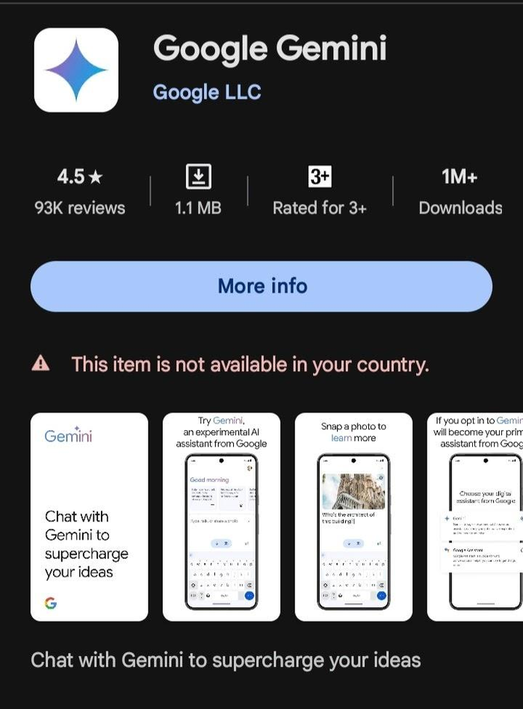
This creates a useful first split. If the web app works but the mobile app does not appear, check mobile availability, store region, account and device eligibility, and rollout timing first. If Gemini also fails in the browser, the problem is probably not limited to the mobile app. Check the Google account, browser session, service status, and network connection, or follow IPWeb's Gemini login troubleshooting steps for a more complete diagnosis.
Rollout timing can also matter. Google currently notes that the Gemini app is rolling out gradually on iPhone and iPad, so availability can lag by country, language, or account even after broader mobile support is announced. Treat the official mobile-availability page as the current source of truth rather than assuming every supported market receives the app at the same moment.
| Case | What it suggests | Next check |
|---|---|---|
| Web works, app missing | Mobile app or store-region issue | Check mobile availability and the store country/region |
| App installs but sign-in fails | Account or app sign-in issue | Check account eligibility and managed-account policy |
| Both web and app fail | Broader availability, account, browser, service, or network issue | Start with official availability and account checks |
| Company or school account fails only | Workspace or administrator policy | Ask the administrator to confirm Gemini Apps access |
Bottom line: when the web app works but the mobile app is missing, store, device, and mobile-availability checks should come before network troubleshooting.
- Confirm your country or territory appears on Google's current Gemini mobile-app availability list.
- Verify the Google Play country or Apple Account country/region used by the device.
- Confirm the device meets Gemini's current OS and hardware requirements.
- Check whether the account is personal, supervised, school, or Workspace-managed.
- Test Gemini in the browser on the same device as a control.
- If a Google Play country was changed recently, allow up to 48 hours for the profile update to take effect.
- Only investigate network-related causes after store, device, and account checks are complete.
Check Store Country and Device Eligibility
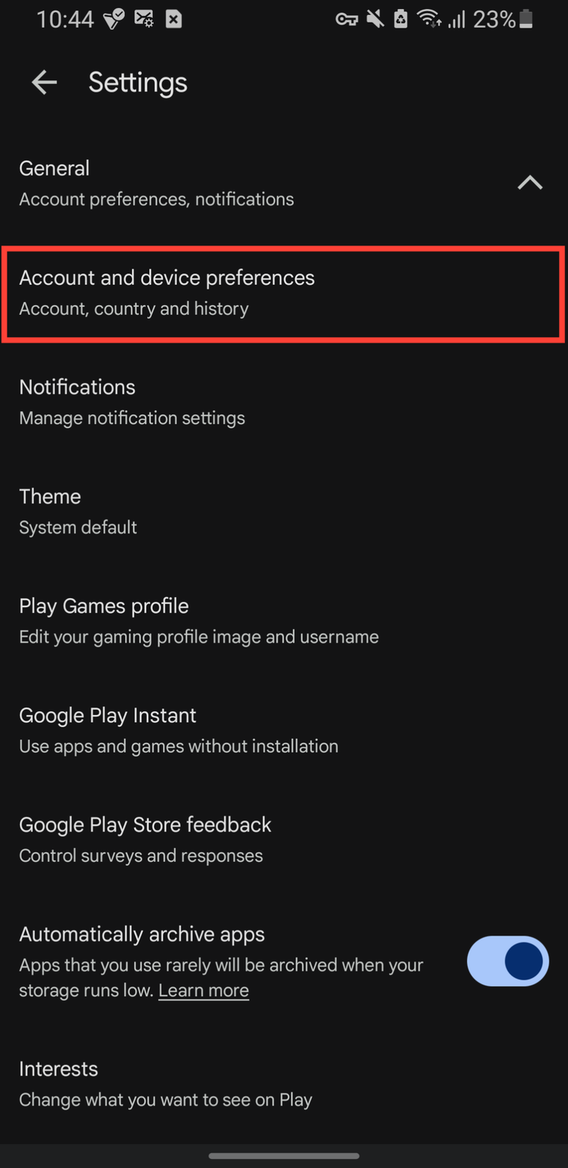
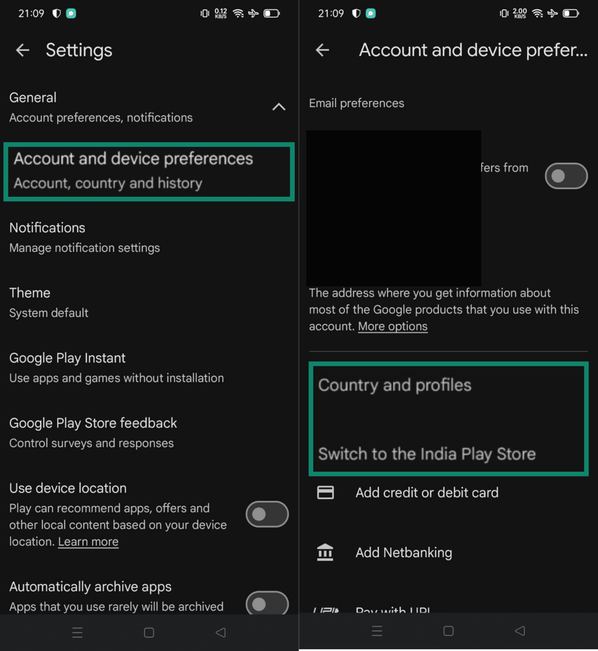
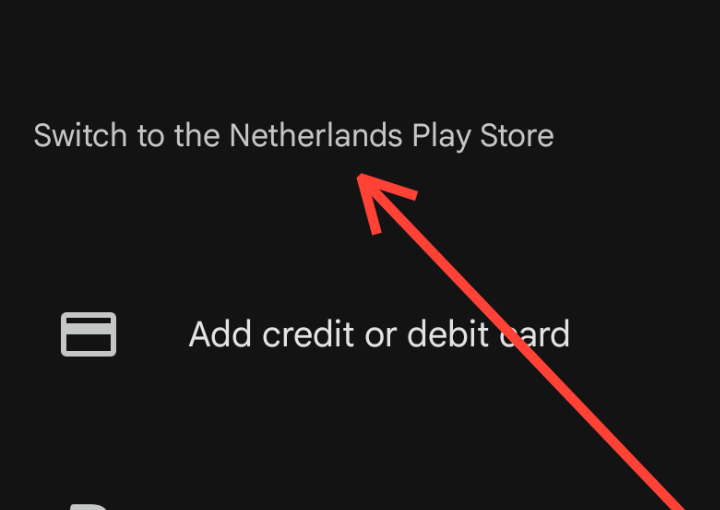
Mobile app availability can be decided before Gemini even runs. On Android, Google Play country or region affects which apps and other content appear in the Play Store. Google also notes that changing Play country can require being in the new country and using a payment method that works there. On iPhone and iPad, the Apple Account country or region is a separate store setting that can affect content availability.
Device compatibility matters too. Google's current Gemini mobile requirements include supported operating-system versions, minimum device requirements on Android, and account-specific conditions. A network change does not update those store or device settings.
Avoid unofficial downloads as a workaround. They create security risk and still do not change the account and service checks that happen after installation. If the web app is officially supported and works for the intended account, it is a safer temporary option while mobile support or store eligibility is unresolved.
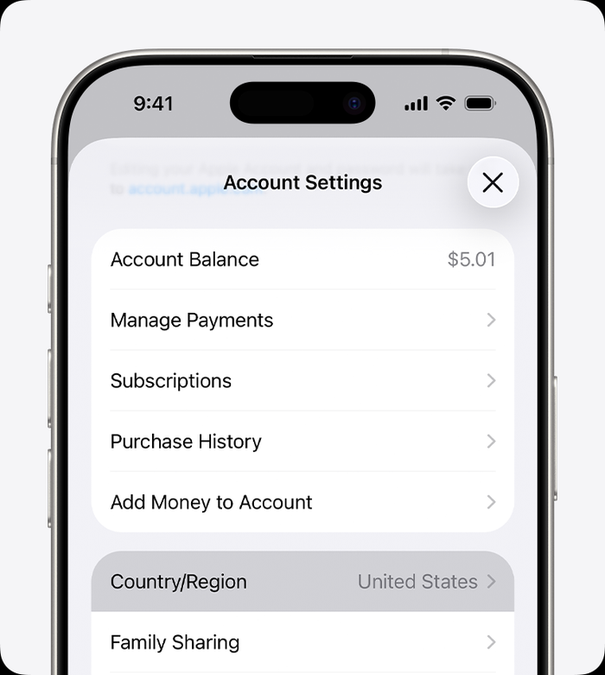
Changing store country or region can have side effects. Google Play requires at least 90 days between country changes, blocks country changes for members of a Google Family group, and notes that a Play profile update can take up to 48 hours. Old-country Play balance cannot be used in the new country, Play Points do not carry over, and some subscriptions may need to be set up again on the new payment profile. Apple uses a different workflow: before changing Apple Account country or region, you may need to spend the remaining account balance, cancel subscriptions that block the change, wait for pending purchases or refunds, and provide a valid payment method for the new region.
On Apple devices, check the Country/Region value stored with the Apple Account before assuming the visible IP location controls App Store availability.
Account Type Can Change the Answer
A personal Google account, school account, company Workspace account, and supervised account may not receive the same Gemini experience. Managed accounts can be controlled by administrators, while supervised or underage accounts can be subject to additional eligibility rules.
The fastest way to isolate this layer is to test the intended account in Gemini on the same device's browser first, then compare the mobile app. If the browser version says the account cannot use Gemini, the app-store diagnosis is secondary. If the browser works but the app does not, return to mobile availability, store region, device compatibility, and app-specific requirements.
Google's current Gemini web-app availability page lists Mainland China as Workspace only. That does not mean every Workspace account is automatically eligible: the Workspace edition, administrator settings, age requirements, and other account conditions still apply. Personal consumer Google accounts should not be treated as equivalent to managed Workspace access in that market.
Network Tests Have a Narrow Role
Network diagnostics are useful only after the app is available, the device is supported, and the account should be eligible. If the failure appears only on one ISP, office network, or mobile carrier, record the visible IP country, ASN, DNS behavior, reachability, and exact error text.
Start with a simple baseline using IPWeb's What Is My IP? guide to confirm the public IP, country, ISP, and ASN visible from the current connection. If the country shown by an IP lookup looks unexpected, Why Is My IP Location Wrong? explains why carrier routing and geolocation databases can disagree.
Treat those results as diagnostic evidence only. A different network path can help explain a reachability problem, but it cannot override Google Play country, Apple Account region, device compatibility, account eligibility, or Google's official Gemini mobile availability rules.
Frequently Asked Questions
The web app and mobile app have separate availability rules. App stores can also use store country or region, account settings, device compatibility, and OS requirements when deciding whether an app is shown.
No. Unofficial downloads create security risk and do not change Google account eligibility, mobile availability, or service-side checks.
Changing the network route may change the visible IP location, but it does not reliably change Google Play country, Apple Account region, device compatibility, account eligibility, or official Gemini mobile availability.
No. This page focuses on whether the Gemini mobile app is available for the country, store, account, and device. A sign-in failure after Gemini is already available is a separate troubleshooting problem.
The two devices may differ in operating-system version, hardware support, store region, Google or Apple account settings, managed-device policy, or rollout status. Compare those variables before assuming the network is the cause.
If you changed Google Play country or region, the profile can take up to 48 hours to update, and Google also enforces a 90-day interval between country changes. The app can still remain unavailable because of device requirements, account eligibility, or Gemini's gradual rollout. Apple Account region changes follow a different process and may require you to clear balance, subscriptions, pending purchases, or payment-method requirements before the region change is complete.

An IP lookup describes the current network connection, not the Google Play country or Apple Account country/region stored for the app store. Mobile availability can also depend on device support, account eligibility, language, and rollout status. A supported-looking IP country therefore does not prove the Gemini mobile app should appear in the store.
Final Thoughts
When the Gemini mobile app is not available, check the problem in a fixed order: mobile availability, store country or region, device compatibility, account eligibility, then network evidence. A working web session is a useful control because it helps separate a mobile-store or device problem from a broader Gemini access problem.
If the issue reaches the network layer, document what changes rather than changing several settings at once. The goal is to identify whether the result is controlled by the store, device, account, or connection instead of assuming that one network setting can change an official availability rule.