
Claude Code authentication can fail before the browser opens, after browser approval, while a login code is being returned to the terminal, or only after the CLI starts making authenticated requests. Those failures look similar from the outside, but they belong to different layers.
Keep the first reproduction small: one terminal, one Claude Code process, one browser authorization flow, and the intended account. Save the exact terminal error, CLI version, and authentication status, but never paste an OAuth URL, login code, cookie, callback value, API key, or saved credential into a public ticket.
When Claude Code login fails, first confirm that the CLI itself is current and identify the active authentication method. Then separate the browser OAuth handoff from the terminal callback. In WSL2, SSH sessions, and containers, a browser may display a login code instead of redirecting back automatically; paste that code into the terminal prompt. If login succeeds but requests return 403, check subscription or Console role, credential precedence, and any corporate proxy before changing accounts or network routes.
- Use Claude Code-specific evidence: CLI version, auth status, terminal error, callback behavior, and environment.
- Browser approval and terminal authentication completion are separate events.
- WSL2, SSH, and containers often require copying the OAuth URL or pasting a login code back into the terminal.
- An old or unrelated
ANTHROPIC_API_KEYcan take precedence over subscription OAuth and cause confusing authorization failures. - A Claude web-login problem and a Claude Code terminal-login problem should remain separate troubleshooting paths.
- Network and proxy tests are useful only after account, OAuth, and credential-state checks are controlled.
Identify the Failing Handoff
The last successful event determines the next test. If the shell cannot resolve claude, the problem is installation or PATH, not OAuth. If the CLI starts but no browser opens, the browser-launch handoff is the first failure. If the browser approves access but the terminal keeps waiting, focus on the callback or login-code return instead of repeating account login.
If claude.ai itself cannot sign in before Claude Code authorization begins, stop the CLI diagnosis and use IPWeb's Claude web login troubleshooting guide. If Claude Code shows App unavailable in region or an explicit country-availability message, handle that separately with the Claude country availability guide. Keeping those branches separate prevents a browser-session problem or regional availability result from being mistaken for a terminal OAuth failure.
| Last observed event | Most relevant layer | First evidence to collect |
|---|---|---|
claude is not found | Installation / PATH | claude --version, resolved binary path, shell |
| CLI starts but browser does not open | Browser-launch handoff | Local vs remote host, terminal type, OAuth URL behavior |
| Browser approves but terminal waits | OAuth callback / login-code return | WSL2, SSH, container, callback prompt |
OAuth error: Invalid code | Expired or truncated login code | Retry timing, full URL/code copy |
| 403 appears after login | Subscription, role, credential or network | Account type, /status, proxy state |
Login expired | Stored OAuth credential | /status, system clock, re-auth result |
Verify the CLI and Current Auth State
Start with the installed CLI rather than assuming the account is the problem. Anthropic's current Claude Code CLI reference includes direct authentication commands such as claude auth login, claude auth logout, and claude auth status. Inside an interactive Claude Code session, /login, /logout, and /status remain useful for account switching and authentication checks.
claude --version
claude auth status --text
If the command is missing or resolves to an unexpected installation, fix that before OAuth. Anthropic's installation and login troubleshooting documents PATH checks and conflicting-installation checks for macOS, Linux, Windows, and WSL. Multiple Claude Code installations can make an old binary appear to have an authentication problem when the shell is simply launching a different version.
Note: Run authentication and environment checks in the same shell session you use to launch Claude Code. Variables set temporarily in that shell are inherited by processes started from it, while a new terminal may have different values unless those variables are configured persistently. This is especially important when comparing ANTHROPIC_API_KEY, HTTP_PROXY, HTTPS_PROXY, or PATH-related behavior.
Complete the Browser OAuth Handoff
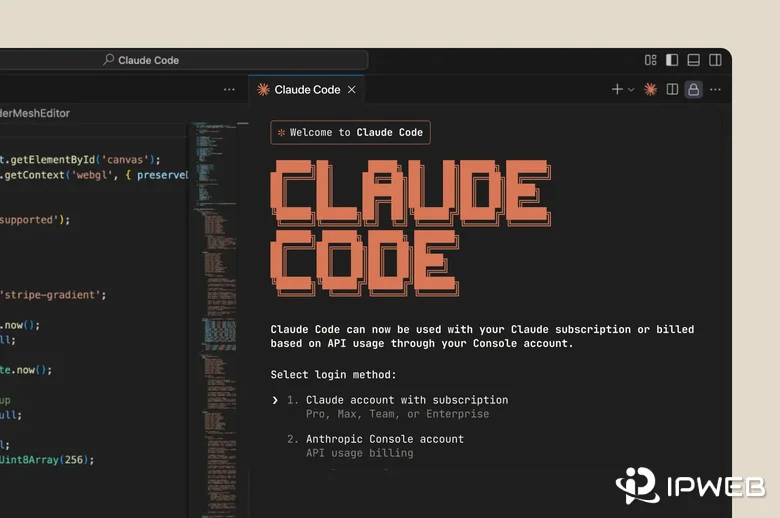
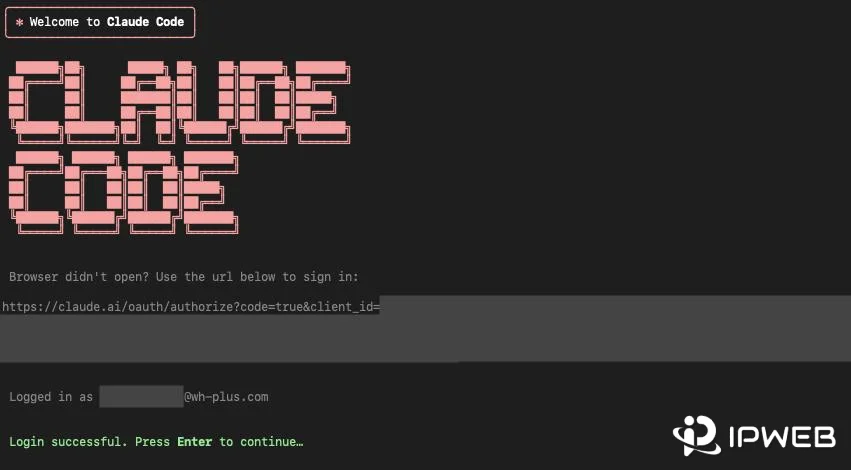
On first launch, claude normally opens a browser for authentication. Anthropic's current Claude Code authentication guide says that if the browser does not open automatically, press c at the login prompt to copy the OAuth URL and open it manually.
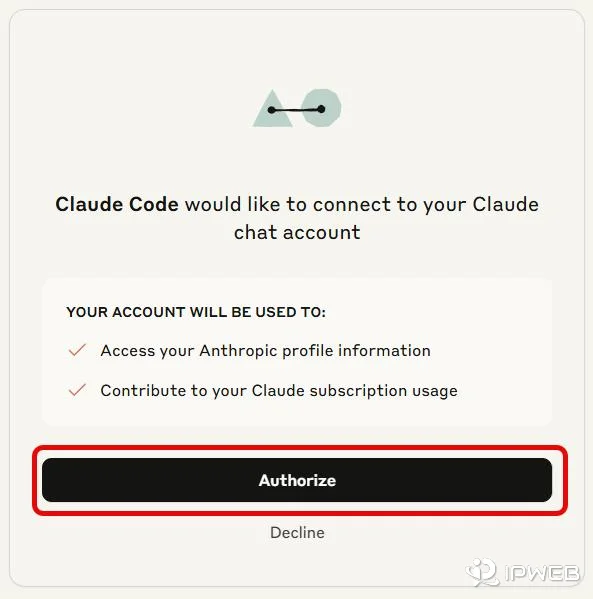
WSL2, SSH sessions, and containers need special attention. The browser often runs on a different host, so its redirect cannot reach Claude Code's local callback server. In that case, the browser can show a login code instead of redirecting back. Paste that code into the terminal at the Paste code here if prompted prompt. This is a normal fallback for remote or isolated environments, not proof that the account is broken.
claude auth loginKeep only one login attempt active. Starting several terminal auth flows at once creates multiple OAuth URLs and makes it harder to know which browser approval belongs to which process.
Fix Common Claude Code Login Errors
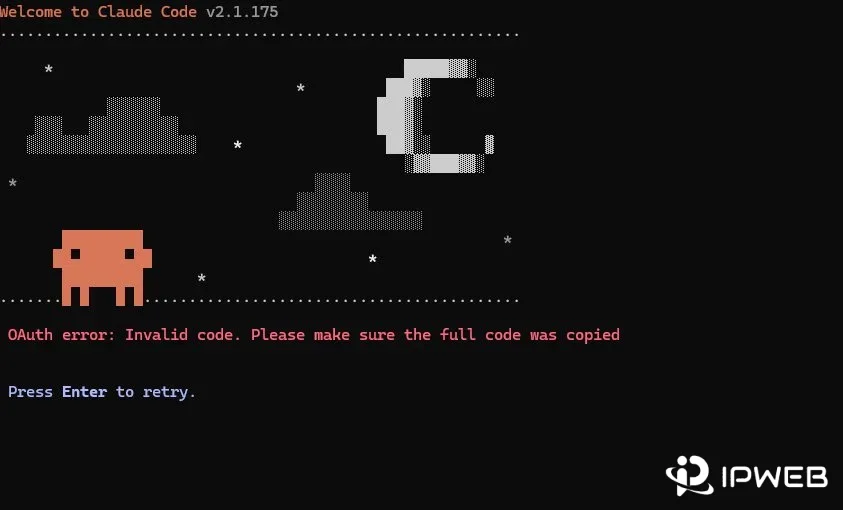
OAuth error: Invalid code
If the terminal shows OAuth error: Invalid code, Anthropic says the login code may have expired or been truncated during copy and paste. Retry promptly, use c to copy the full OAuth URL when needed, and in SSH or remote sessions open that URL in the browser on the machine you actually use for web authentication.
403 Forbidden after login
A 403 after successful login belongs to authorization or request context, not necessarily the browser handoff. Anthropic currently recommends that Pro or Max users verify that the subscription is active, while Console users should confirm that the account has the required Claude Code or Developer role. A corporate proxy can also interfere with requests after authentication.
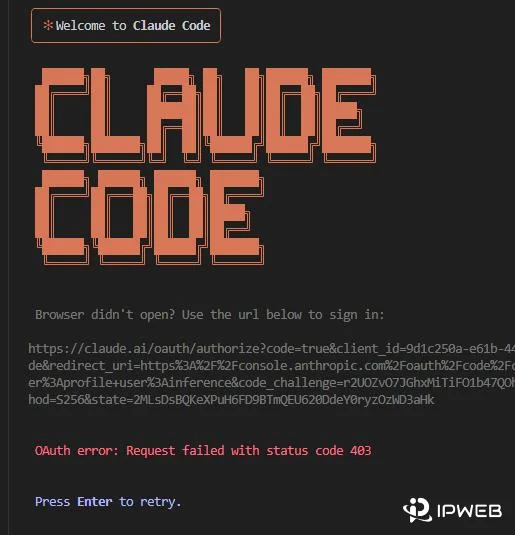
Reset a login that is stuck or expired
When the cause is unclear, Anthropic's documented reset sequence is to sign out completely, close Claude Code, restart it, and authenticate again. If Claude Code reports an expired login, re-authenticate and check that the system clock is accurate because OAuth token validation depends on correct timestamps.
claude auth logout
claude auth login
claude auth status --text
Check Credential Precedence
Claude Code can have more than one credential source available at the same time. This matters because a saved subscription login does not always win. Anthropic documents that an approved ANTHROPIC_API_KEY can take precedence over subscription OAuth. If that API key belongs to a disabled, expired, or unintended organization, Claude Code may fail even though the Claude subscription itself is valid.
Use /status or claude auth status --text to confirm which account and authentication method are active. If the goal is to use the Claude subscription and an unintended API key is present, remove the variable from the current shell and then start Claude Code again.
macOS / Linux / WSL
unset ANTHROPIC_API_KEY
claude
Windows PowerShell
Remove-Item Env:ANTHROPIC_API_KEY
claude
Do not replace OAuth with an API key simply because the error message is short. Claude Pro, Max, Team, and Enterprise subscription OAuth, Claude Console credentials, cloud-provider credentials, and CI tokens serve different environments and can have different precedence.
Check Managed Network and Proxy Settings
Move to network diagnosis only after the CLI, OAuth flow, account, and active credential source are understood. Claude Code's enterprise network configuration supports standard HTTP_PROXY, HTTPS_PROXY, and NO_PROXY variables for corporate proxy environments. Claude Code does not support SOCKS proxies through this documented proxy configuration, so use an HTTP(S) endpoint for this specific test.
From the same shell that runs Claude Code, test whether Anthropic endpoints are reachable. On Windows PowerShell, use curl.exe rather than the curl alias when you need standard curl flags.
curl -I https://api.anthropic.com
curl -sI https://downloads.claude.ai/claude-code-releases/latest
If a proxy is already configured and you are unsure whether the terminal is actually using the expected route, first verify the route with IPWeb's proxy testing guide. Keep the same shell, endpoint, and test conditions while checking the visible IP, country, ISP or ASN, and connection result.
For approved egress QA that specifically needs one stable residential HTTP(S) endpoint across repeated tests, IPWeb Static Residential Proxies can provide a fixed comparison route. Use that only as a network variable: a stable proxy cannot activate a Claude subscription, create a Console role, repair an expired OAuth code, change Anthropic's country availability, or override an employer's security policy.
Frequently Asked Questions
The browser approval and terminal completion are separate steps. In WSL2, SSH sessions, or containers, the redirect may not reach Claude Code's local callback server. If the browser shows a login code, paste it into the terminal prompt instead of starting another login flow.
Retry the login promptly because the code may have expired. Make sure the full OAuth URL or login code was copied. In a remote SSH environment, open the terminal-provided URL in your local browser and return the displayed code to the terminal if prompted.
Check the active subscription or Console role first, then confirm which credential source Claude Code is using. An unintended API key or a corporate proxy can also affect requests after the OAuth flow itself has succeeded.
It can change which credential Claude Code uses. Anthropic documents that an approved ANTHROPIC_API_KEY can take precedence over subscription OAuth. Use /status or claude auth status --text to confirm the active method before changing credentials.
The browser and Claude Code process may be on different hosts, so the browser redirect cannot reach the CLI's local callback server. Copy the OAuth URL into a browser you can use, then paste the returned login code into the terminal when prompted.
Yes. A corporate proxy can affect DNS, TLS inspection, downloads, authentication endpoints, or API requests. Claude Code supports documented HTTP(S) proxy environment variables, so confirm the approved proxy configuration and CA trust with your network administrator.
No. A proxy is not a general authentication fix. A stable route can help with an authorized network comparison after account and OAuth checks are complete, but it cannot grant account access, change a role, repair credentials, or override Anthropic availability rules.
Check every Claude Code binary your shell can find before troubleshooting authentication. On macOS, Linux, or WSL, run which -a claude; on Windows, run where.exe claude. If multiple installations are present, keep one supported installation and remove redundant or legacy copies so the shell consistently launches the expected Claude Code version. Anthropic currently recommends the native install at ~/.local/bin/claude on macOS/Linux or %USERPROFILE%\.local\bin\claude.exe on Windows.
Treat that as a regional availability result rather than an OAuth callback problem. Check Anthropic's supported-country information and use the separate Claude country-availability troubleshooting path instead of repeatedly retrying terminal login.
Final Thoughts
Claude Code login failures are easiest to solve when each handoff is tested in order: CLI availability, current credential state, browser OAuth, terminal callback, account authorization, and finally network reachability. That sequence keeps a missing role, expired code, remote-session callback, API-key override, and corporate proxy from being mixed into one generic “login failed” diagnosis.
If claude.ai web login itself is failing, move to the web-login troubleshooting path. If the error is explicitly regional, move to the country-availability path. Keep this page focused on Claude Code CLI authentication so each problem has one clear diagnosis.