A Claude API authentication error is easier to diagnose when you separate authentication, billing, permission, rate-limit, and transport failures before retrying. A 401 authentication_error and a 403 permission_error are different decisions, and neither should be treated as a generic “blocked API” response.
Start with the smallest valid Claude API request, preserve the HTTP status, error type, request ID, workspace context, and timestamp, and keep the API key itself out of logs, screenshots, chat, and support tickets.
For Claude API 401 and 403 errors, verify the authentication header, API-key state, workspace selection, and permission context before changing the network. Anthropic currently uses 401 authentication_error for malformed, revoked, or expired keys; 402 billing_error for billing problems; and 403 permission_error when the key lacks permission to use the requested resource. A proxy or route change cannot repair an invalid key or grant API permission.
401is an authentication problem; check the key, header, and secret source.402is a billing or payment problem, not a403.403is a permission decision; check organization, workspace, and resource access.- A multi-workspace identity-backed key may require the
anthropic-workspace-idheader. - Every Claude API error response includes a
request_id, and every response includes arequest-idheader. - Test DNS, TLS, proxies, or gateways only when the failure occurs before a valid HTTP API response or when transport evidence is genuinely inconsistent.
Classify the Response Before Retrying
Anthropic's current Claude API error documentation defines distinct error types for authentication, billing, permission, rate limits, server failures, and malformed requests. Read the JSON error body together with the HTTP status instead of inferring the cause from an SDK wrapper message.
| Status | Anthropic error type | First check | What not to assume |
|---|---|---|---|
400 | invalid_request_error | Request shape, required workspace header, custom spend-limit context | That the API key is invalid |
401 | authentication_error | Bearer header, key state, expiration, actual secret source | That permissions are the only problem |
402 | billing_error | Billing or payment information | That the key lacks resource permission |
403 | permission_error | Organization access, workspace settings, requested resource | That billing is the root cause |
429 | rate_limit_error | Rate limits, usage-tier spend cap, applicable workspace spend limit | That credentials are invalid |
5xx | api_error / timeout / overload | Request ID, service state, safe retry behavior | That access permissions changed |
| No HTTP response | Transport failure | DNS, TLS, proxy, firewall, gateway | That Anthropic rejected the API request |
A generic Python or HTTP client can also return a 403 for many non-Anthropic services. If the problem is a general requests or urllib 403 rather than a Claude API permission_error, use the separate Python 403 Forbidden troubleshooting guide instead of expanding generic 403 advice here.
Send the Smallest Valid Claude API Request
Anthropic's current authentication documentation uses Authorization: Bearer <key> for direct HTTP requests. The legacy x-api-key header is still supported, but new integrations should follow the current bearer-token form unless an existing integration has a specific reason not to change.
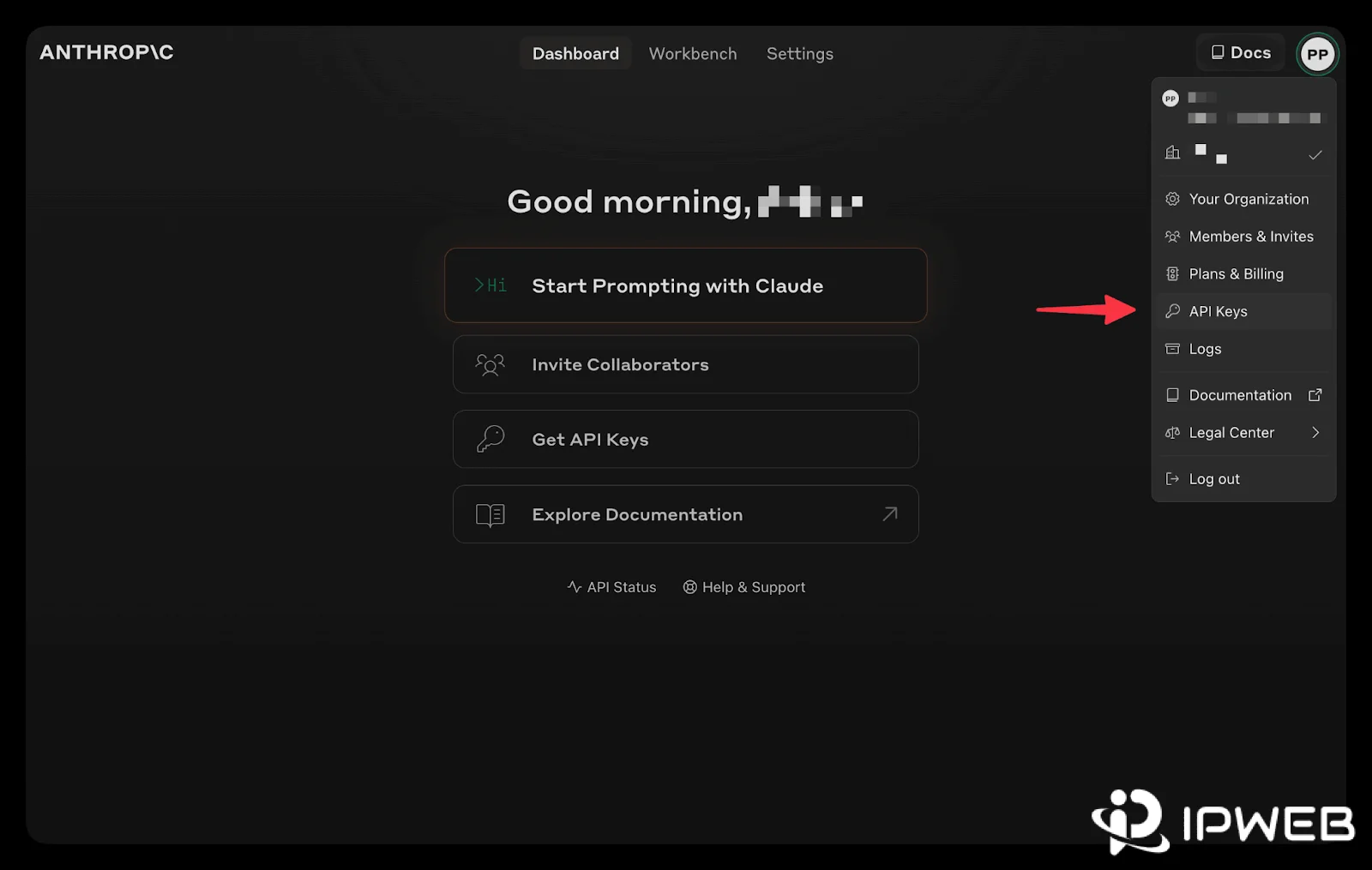
Set the key in an environment variable, then send one minimal Messages API request. The example below uses the current documented API version header and a small prompt. Replace the model only if your workspace uses another model.
export ANTHROPIC_API_KEY="YOUR_API_KEY"

curl https://api.anthropic.com/v1/messages \
  -H "Authorization: Bearer $ANTHROPIC_API_KEY" \
  -H "anthropic-version: 2023-06-01" \
  -H "content-type: application/json" \
  -d '{
    "model": "claude-sonnet-5",
    "max_tokens": 16,
    "messages": [
      {"role": "user", "content": "Reply only with OK"}
    ]
  }'
Python developers can run the same minimal check with the standard requests library. Keep the test small so a 401 or 403 can be attributed to authentication or permission rather than application logic.
import os
import requests

response = requests.post(
    "https://api.anthropic.com/v1/messages",
    headers={
        "Authorization": f"Bearer {os.environ['ANTHROPIC_API_KEY']}",
        "anthropic-version": "2023-06-01",
        "content-type": "application/json",
    },
    json={
        "model": "claude-sonnet-5",
        "max_tokens": 16,
        "messages": [
            {"role": "user", "content": "Reply only with OK"}
        ],
    },
    timeout=30,
)

print(response.status_code)
print(response.text)
If this minimal request succeeds while the application fails, compare the application's endpoint, headers, workspace context, SDK version, environment variables, and middleware one variable at a time. Do not print the API key to prove which secret source is loaded.
Fix Claude API 401 Authentication Error
Anthropic currently uses 401 authentication_error when there is a problem with the API key, including a malformed, revoked, or expired key. API keys can now be created with an expiration, and once a key expires, requests return a 401 until a new key is created.
- Confirm the request sends
Authorization: Bearer $ANTHROPIC_API_KEYor the supported legacyx-api-keyform, not both with conflicting values. - Confirm the running process is reading the intended environment variable or secret-manager entry.
- Check whether the key was disabled, deleted, revoked, archived, or expired.
- Make sure copied credentials do not contain leading or trailing whitespace.
- Retest with the minimal direct request before changing SDK middleware or network routes.
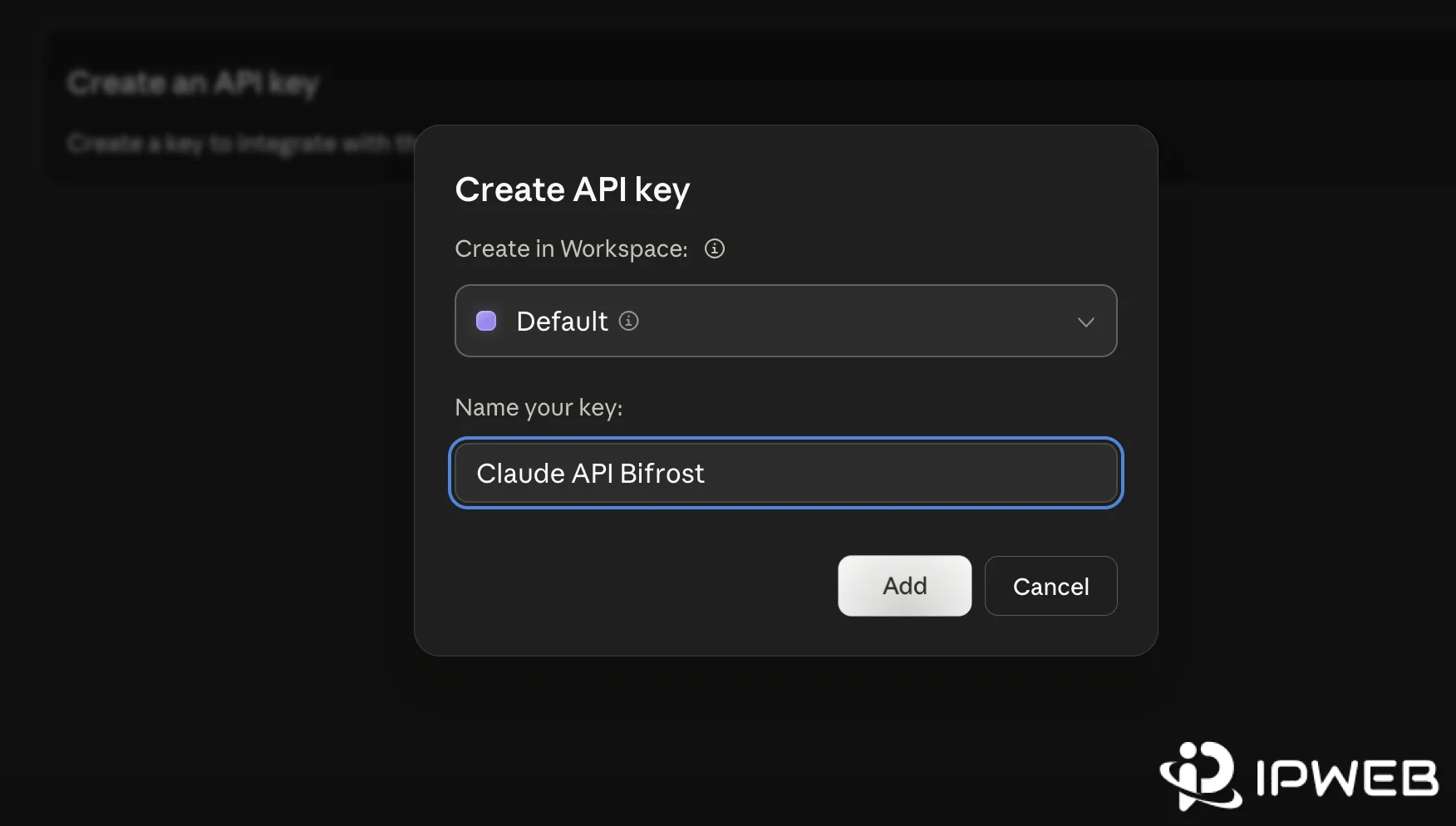
A successful Claude web session or Claude Code login does not prove that the server-side API key is valid. Web authentication, Claude Code OAuth, and Claude API keys are separate credentials. If the actual symptom is a Claude Code browser authorization, invalid-code, callback, or CLI 403 problem, use the Claude Code login troubleshooting guide.
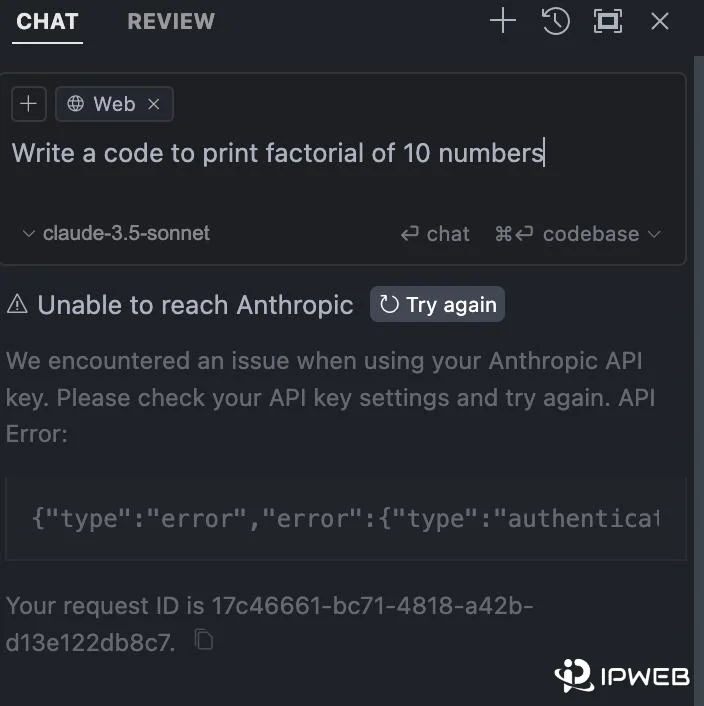
Fix Claude API 403 Permission Error
A Claude API 403 permission_error means the API key does not have permission to use the specified resource. Keep authentication and permission separate: a request can present a recognized key and still be denied access to a workspace or resource.
- Confirm the key belongs to the intended Anthropic organization.
- Confirm the user or service account still has access to the intended workspace.
- Check whether the requested resource is available to that identity and workspace.
- Confirm the application is not accidentally using a key from another environment or deployment.
- Do not classify a billing failure as 403; Anthropic currently uses
402 billing_errorfor billing or payment problems.
Repeated retries do not grant permission. Preserve the original error body and request ID, fix the access context, then retest the same minimal request.
Check Workspace Selection and 400 Errors
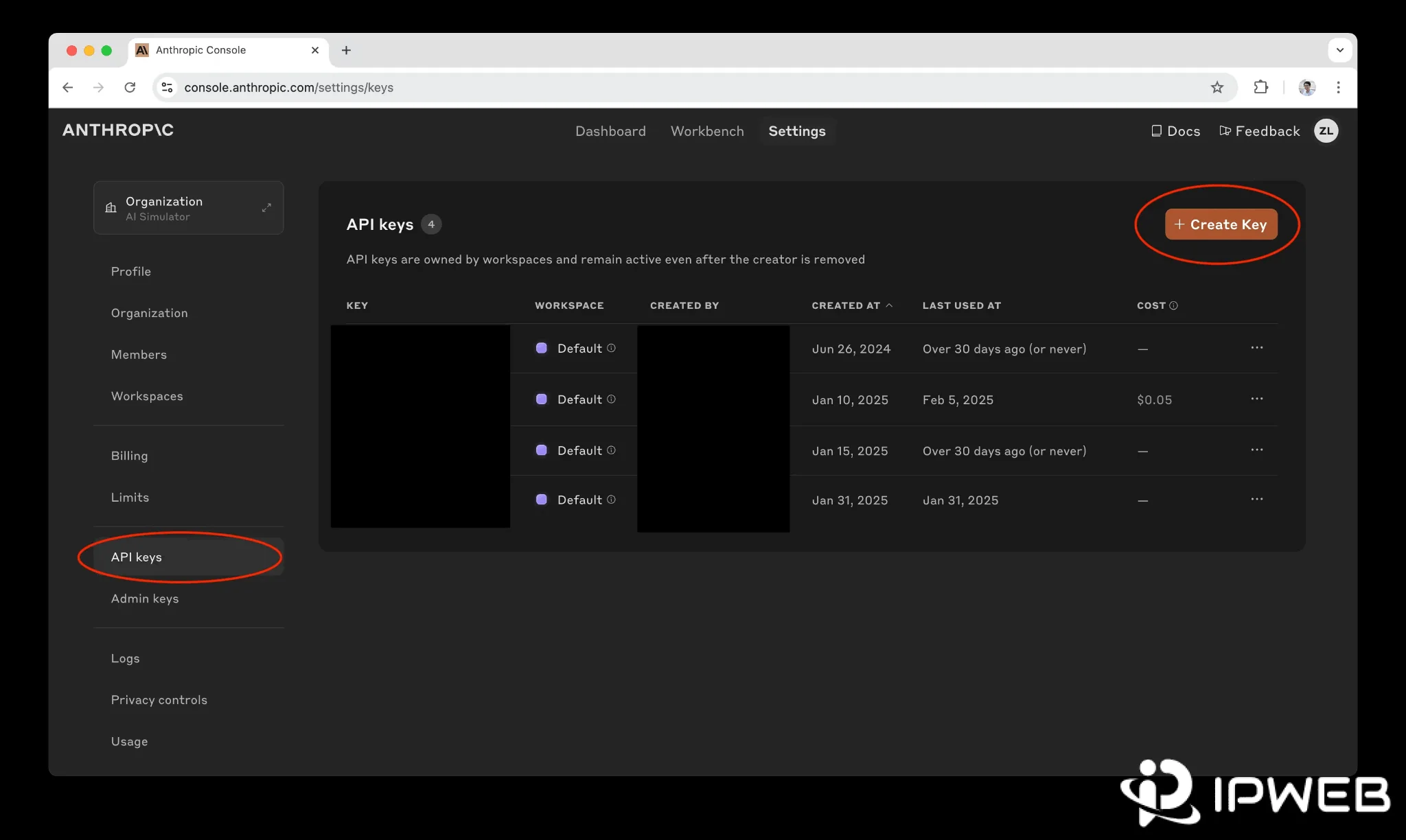
Current Claude API keys can be scoped to a single workspace or can act across multiple workspaces according to the identity's access. If a key is not scoped to one workspace, Anthropic requires the anthropic-workspace-id header on each request. Omitting it returns a 400 invalid_request_error, not a 401 or 403.
curl https://api.anthropic.com/v1/messages \
  -H "Authorization: Bearer $ANTHROPIC_API_KEY" \
  -H "anthropic-workspace-id: YOUR_WORKSPACE_ID" \
  -H "anthropic-version: 2023-06-01" \
  -H "content-type: application/json" \
  -d '{
    "model": "claude-sonnet-5",
    "max_tokens": 16,
    "messages": [
      {"role": "user", "content": "Reply only with OK"}
    ]
  }'
If the workspace header is malformed, Anthropic also returns a 400. If the workspace does not exist or the key's identity cannot access it, the API can return a 404 not_found_error. These are useful distinctions when a deployment works under one workspace but fails under another.
Use the Request ID as Verifiable Evidence
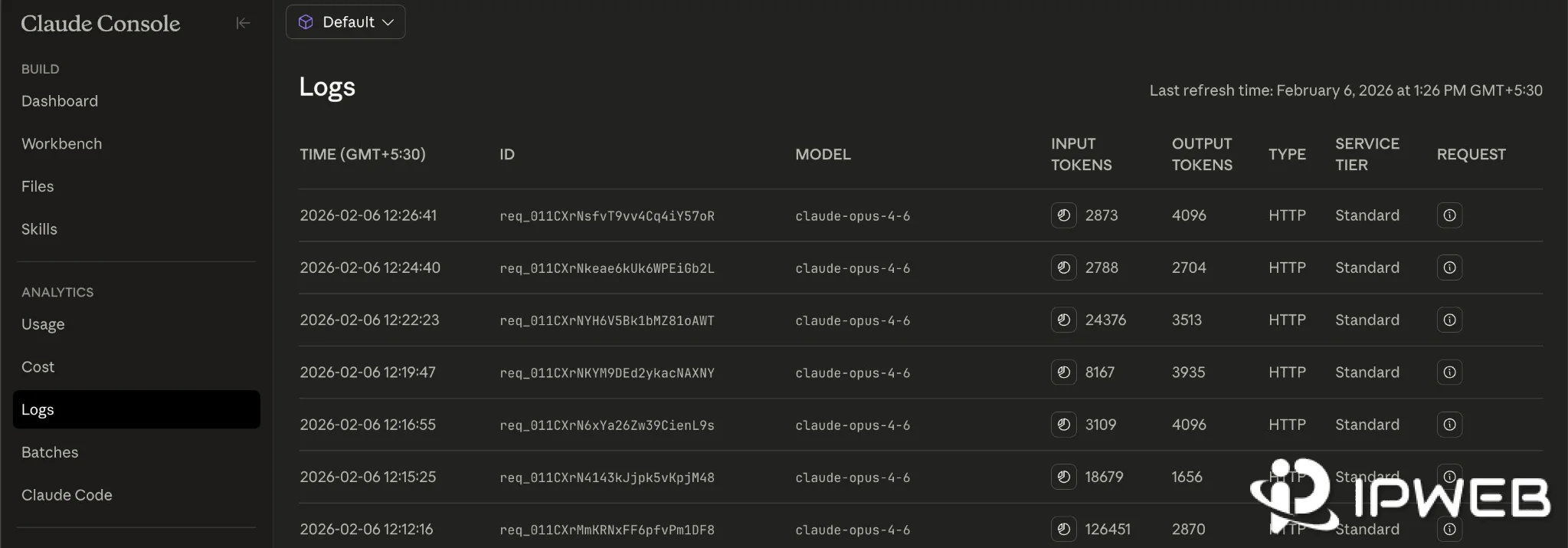
Every Claude API response includes a unique request-id response header. Error bodies also include the same identifier as request_id. Save that value with the status, error type, endpoint, runtime version, and timestamp so the failure can be traced without exposing the credential.
curl -i https://api.anthropic.com/v1/messages \
  -H "Authorization: Bearer $ANTHROPIC_API_KEY" \
  -H "anthropic-version: 2023-06-01" \
  -H "content-type: application/json" \
  -d '{
    "model": "claude-sonnet-5",
    "max_tokens": 16,
    "messages": [
      {"role": "user", "content": "Reply only with OK"}
    ]
  }'
On an error response, compare the request-id header with the JSON request_id field. When contacting Anthropic support about one request, include the ID rather than a screenshot containing a secret.
Isolate Transport Only When the Error Is Transport
If the minimal request fails before any HTTP response is returned, investigate DNS resolution, TLS trust, firewalls, proxy authentication, and gateway behavior. That is a transport branch, not a Claude API 401/403 branch.
If a proxy is already configured, first confirm that the same runtime making the Claude API request actually uses it. IPWeb's proxy validation guide explains how to verify the visible route, country, ISP, ASN, protocol, credentials, and test environment.
If the network issue belongs specifically to Claude Code's HTTP_PROXY, HTTPS_PROXY, TLS, or corporate-proxy configuration, continue with the separate Claude Code proxy setup guide. Do not copy those proxy settings into a server-side API client unless that client is actually the process being diagnosed.
A route comparison can confirm whether DNS, TLS, or transport changes across approved network paths. It cannot validate a revoked key, pay a billing balance, grant workspace permission, or turn a 403 into authorized access.
Build a Redacted Error Record
A useful support record includes the HTTP status, Anthropic error type, request_id, endpoint family, workspace context, SDK and runtime version, timestamp, and whether the minimal request reproduces. Exclude API keys, Authorization headers, cookies, full environment dumps, and private prompt or response content.
Frequently Asked Questions
401 authentication_error?Anthropic currently uses 401 when the API key has an authentication problem, such as a malformed, revoked, or expired key. Check the header, key state, expiration, and the secret source used by the running process.
403 permission_error mean?It means the authenticated API key does not have permission to use the specified resource. Check organization access, workspace settings, and the identity or service account behind the key.
No. Anthropic currently documents billing and payment problems as 402 billing_error. A 403 is a permission error, so billing and permission should be investigated separately.
x-api-key?Yes. The legacy x-api-key header is still supported, but current direct-HTTP documentation uses Authorization: Bearer <key>. Avoid sending conflicting values through both headers.
anthropic-workspace-id?If an identity-backed API key is not scoped to a single workspace, requests must include the workspace ID. Omitting or malforming that header can return 400 invalid_request_error.
If the API key is scoped to a single workspace, you do not need to send the anthropic-workspace-id header because the workspace is already determined by the key's scope. The header is needed when the key can access multiple workspaces and the request must identify which workspace to use.
No. A 401 needs authentication repair and a 403 needs permission repair. Automatic retries are more appropriate for transient connection, rate-limit, and server errors when the retry policy and response headers support them.
Every response includes a request-id header, and error JSON includes the same identifier as request_id. Save it with the timestamp and error type for reproducible debugging and support.
Final Thoughts
Claude API 401 and 403 errors become much easier to fix once authentication, billing, workspace selection, permission, rate limits, and transport are treated as separate branches. Start with one minimal request, preserve the exact error type and request ID, and change only the layer the response actually points to.
Use network or proxy diagnostics only when the evidence is transport-related. A valid API credential and the correct Anthropic permission context still have to be resolved at the API and account layer.