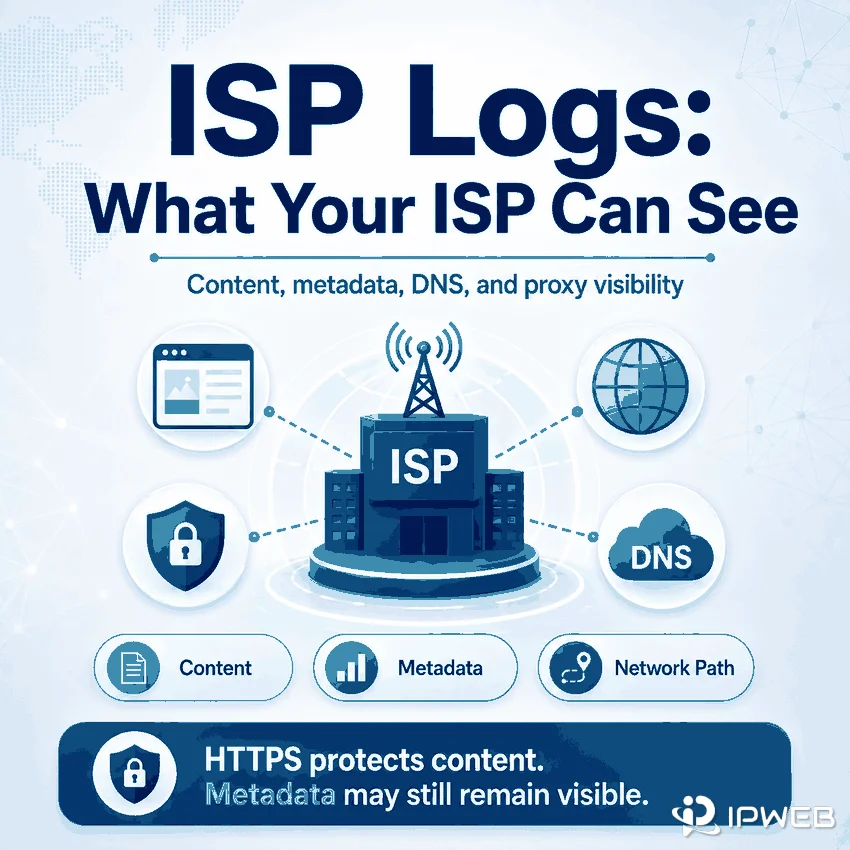
Questions about ISP logs usually start with a simple concern: how much of your internet activity can an internet service provider actually observe or retain? The answer depends on the connection type, encryption, DNS configuration, application routing, and the provider's own policies. It is more accurate to separate visible content from connection metadata than to assume an ISP either sees everything or nothing.
ISP logs are operational, security, billing, and compliance records that an internet service provider may keep about a subscriber's network connection. Depending on the network and policy, these records may include assigned IP addresses, connection times, DNS activity, destination IP addresses, traffic volume, and account information. In a normal HTTPS connection without TLS inspection, the ISP cannot read the page content, full URL path, form fields, or passwords. It may still observe connection metadata, and a proxy or VPN changes which endpoint is visible rather than eliminating every log.
- ISP logs usually contain connection and account metadata, not a complete readable copy of every encrypted page.
- HTTPS protects request and response content, but destination IPs, timing, and traffic volume can remain visible.
- DNS over HTTPS can hide DNS queries from the local network, while Encrypted Client Hello can reduce direct exposure of TLS hostname information when both sides support it.
- An application-level proxy changes the route only for configured traffic; a device-wide VPN usually covers more applications.
- There is no universal ISP log-retention period. Policies vary by provider, record type, contract, country, and legal requirement.
- What ISP Logs Actually Are
- What Your ISP Can See at a Glance
- What HTTPS Hides and Exposes
- How Encrypted DNS and ECH Change Visibility
- What Changes When You Use a Proxy
- Proxy vs VPN: What the ISP Sees
- How Long ISPs May Keep Logs
- What Routing Tools Do Not Hide
- Practical Network Checks
- Frequently Asked Questions
- Final Thoughts
What ISP Logs Actually Are
An ISP operates the access network that connects a home, office, or mobile device to the wider internet. To run that service, the provider may create records for address assignment, authentication, billing, fault diagnosis, capacity planning, abuse response, security, and legal compliance.
Possible records include the public IP address assigned to an account, the time a session started and ended, the amount of data transferred, modem or access-point identifiers, DNS resolver activity, destination network addresses, routing events, support tickets, and customer account details. These records are not necessarily stored in one database or kept for the same period.
The term ISP browsing history can therefore be misleading. Some network signals may indicate which service or domain a device contacted, but properly encrypted web content is different from readable page history. The exact visibility also changes when encrypted DNS, ECH, a proxy, a VPN, or enterprise TLS inspection is involved.
What Your ISP Can See at a Glance
The following matrix summarizes typical visibility. It is a practical guide, not a guarantee for every network. Device configuration, IPv6, application-specific DNS, proxy fallback, TLS inspection, and provider architecture can change the result.
| Data or signal | Plain HTTP | HTTPS | HTTPS with encrypted DNS and ECH | Encrypted proxy or VPN tunnel |
|---|---|---|---|---|
| Subscriber account and assigned access IP | Visible to the ISP | Visible to the ISP | Visible to the ISP | Visible to the ISP |
| Connection time and traffic volume | Visible | Visible | Visible | Visible as tunnel metadata |
| Destination IP address | Visible | Usually visible | Usually visible | Local ISP typically sees the tunnel endpoint instead |
| DNS query | Visible when ordinary ISP DNS is used | Visible when ordinary ISP DNS is used | Encrypted between the client and chosen resolver | Depends on whether DNS is routed inside the tunnel |
| Domain name | Directly visible in the request | May be exposed through DNS or TLS signals | Less directly exposed when both encrypted DNS and ECH work | Usually hidden from the local ISP when name resolution stays inside the tunnel |
| Full URL path and query string | Visible | Encrypted | Encrypted | Depends on destination encryption, but not normally visible to the local ISP |
| Page content, forms, and passwords | Visible | Encrypted without TLS inspection | Encrypted without TLS inspection | Still requires HTTPS for end-to-end content protection |
What HTTPS Hides and Exposes
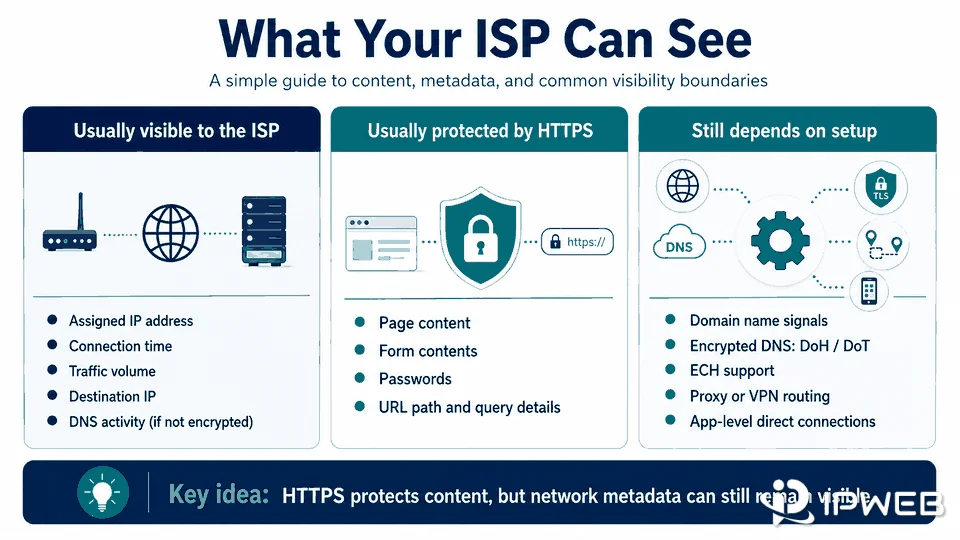
HTTPS encrypts the HTTP request and response between the client and the TLS endpoint. In a normal connection without TLS interception, this protects the page body, full URL path, query parameters, cookies sent inside the encrypted request, form entries, passwords, and response content from ordinary inspection by the access network.
HTTPS does not make the connection invisible. The ISP still carries packets to an IP address and can generally observe the connection time, duration, direction, and amount of data transferred. A destination may also share an IP address with many domains, so the IP alone does not always identify the exact website. In other cases, the destination network may make a likely service easier to infer.
Domain visibility depends on more than HTTPS itself. A traditional DNS lookup can expose the requested hostname to the DNS provider and potentially the local network. A TLS handshake may also expose hostname-related information unless Encrypted Client Hello is available and working. This is why the statement “HTTPS hides everything except the IP address” is too simple.
There is also an important enterprise exception. A managed device or corporate gateway may install a trusted certificate and perform authorized TLS inspection. In that environment, the gateway terminates, inspects, and re-encrypts HTTPS traffic. That is different from ordinary ISP-level observation and should be addressed through workplace policy and security documentation.
How Encrypted DNS and ECH Change Visibility
DNS over HTTPS and DNS over TLS
Traditional DNS commonly sends queries without transport encryption. DNS over HTTPS, defined by IETF RFC 8484, carries DNS queries and responses through HTTPS. DNS over TLS provides a similar encrypted transport using a dedicated TLS connection.
These protocols can prevent the local network from reading the DNS query in transit, but they do not remove DNS from the workflow. The selected resolver still processes the domain request, and the local ISP still sees the IP address of the encrypted DNS service and the later destination connections. Encrypted DNS should therefore be understood as a change in who can observe the query, not the elimination of all network metadata.
Encrypted Client Hello
Encrypted Client Hello encrypts sensitive parts of the TLS ClientHello under a server public key. The final ECH specification is described in IETF RFC 9849. When the client, server, DNS records, and network path support ECH, the hostname is less directly exposed in the TLS handshake.
ECH is not a universal switch. A site or client may lack support for ECH, configurations can break, and destination IP, connection timing, and traffic volume still remain visible. Even with encrypted DNS and ECH, traffic analysis or shared network information may allow limited inference. The accurate conclusion is that these technologies reduce direct hostname exposure; they do not make a connection unobservable.
What Changes When You Use a Proxy
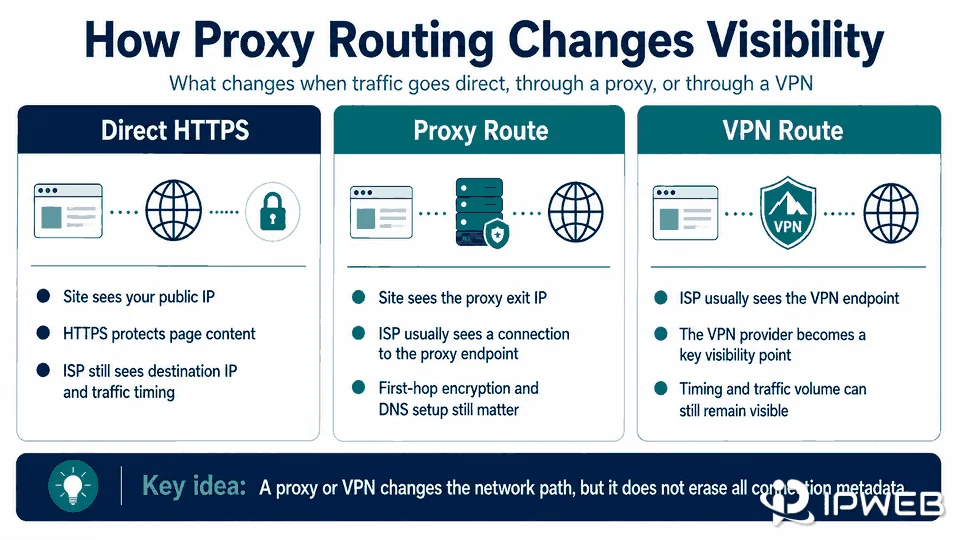
A proxy adds an intermediary between an application and the destination. The target website normally sees the proxy exit IP as the network source, while the local ISP sees a connection from the subscriber to the proxy endpoint. This can support controlled routing, regional QA, repeatable network testing, and permitted public web data workflows.
The privacy boundary depends on the proxy protocol and how the client reaches the proxy. A proxy label alone does not prove that the first hop is encrypted.
| Configuration | What the local ISP may see | What the proxy provider may see |
|---|---|---|
| Plain HTTP website through an HTTP proxy | Proxy endpoint and potentially readable first-hop traffic if the proxy connection is not encrypted | Destination, request content, and connection metadata |
| HTTPS website through an HTTP CONNECT proxy | Proxy endpoint, timing, volume, and potentially the CONNECT destination when the first hop is not encrypted | Requested destination and tunnel metadata; HTTPS content remains encrypted unless intercepted |
| SOCKS5 without an encrypted transport | Proxy endpoint and potentially SOCKS negotiation details; SOCKS5 alone does not encrypt traffic | Destination and connection metadata |
| TLS-encrypted connection to a proxy service | Proxy endpoint, connection timing, and traffic volume | Destination-side metadata according to the service architecture and policy |
The HTTP CONNECT method asks a proxy to establish a tunnel to a named destination. It is commonly used for HTTPS through an HTTP proxy. The tunnel protects the HTTPS payload between the client and website, but the first-hop proxy connection and DNS behavior still determine which metadata the local network can inspect.
A second limitation is scope. A browser proxy may cover only that browser. Background services, desktop applications, DNS requests, QUIC traffic, or software that ignores system settings may use a direct route. A proxy can pass a generic checker while the intended application still sends some traffic outside the configured path.
For permitted workflows that need a more stable route and longer session persistence, IPWeb Dynamic Long-term ISP Proxies may be a better fit than a frequently rotating pool. The product changes the outbound network path, but it does not remove the logging, DNS, application, or compliance boundaries described above.
Proxy vs VPN: What the ISP Sees
A proxy and a VPN can both change the internet-facing IP observed by a destination, but they usually operate at different scopes. A proxy is often configured for one browser, application, or protocol. A VPN typically creates an encrypted device-level tunnel and routes a broader set of traffic through the VPN provider.
| Factor | Application-level proxy | Device-wide VPN |
|---|---|---|
| Traffic coverage | Only configured applications or protocols | Usually most device traffic, subject to split tunneling and exclusions |
| Local ISP sees | Connection to the proxy plus any direct traffic outside it | Connection to the VPN endpoint plus timing and traffic volume |
| DNS handling | May remain local unless explicitly proxied | Often routed through the VPN, but configuration must be verified |
| Main operational risk | Application bypass, proxy fallback, or DNS leakage | Split-tunnel exclusions, tunnel failure, or provider-side logging |
Neither option removes the need to trust another provider. The proxy or VPN operator may process destination metadata, authentication records, timestamps, and service diagnostics according to its architecture and privacy policy. For sensitive business decisions, review the provider's current terms, logging statement, jurisdiction, retention policy, and security controls rather than relying on a “no logs” slogan alone.
How Long ISPs May Keep Logs
There is no single retention period that applies to every ISP. Address-assignment logs, billing records, customer-service notes, security events, DNS data, and aggregated analytics may each follow different schedules. The result can vary by provider, country, product type, legal process, contract, and the operational purpose for which the record was created.
The U.S. Federal Trade Commission's report on major ISP privacy practices found that providers collected and combined substantial categories of customer data and used different retention approaches. The report supports a cautious conclusion: a universal number of days would be misleading. Readers should check the provider's current privacy notice, data-retention section, law-enforcement guidance, and available data-access or deletion procedures. See the FTC ISP privacy report for the underlying review.
Organizations should also distinguish legal retention from internal operational retention. A provider may retain some records for billing or incident response even when other data is deleted or aggregated sooner. For compliance work, document the exact data category and jurisdiction instead of asking only, “How long are ISP logs kept?”
What Routing Tools Do Not Hide
HTTPS, encrypted DNS, proxies, and VPNs address different parts of a network path. None of them automatically removes identifiers stored above the network layer.
- Cookies and account sessions: A website can associate activity with a logged-in account regardless of the visible IP.
- Browser and device signals: Screen size, fonts, storage, application telemetry, and browser characteristics may remain available to the service.
- Destination-side logs: The website, API, proxy, VPN, DNS resolver, and cloud provider may each create their own operational records.
- Application leaks: An app may ignore proxy settings, fall back to a direct connection, or resolve DNS outside the intended route.
- Policy and authorization: A different network route does not replace permission, authentication, licensing, or compliance requirements.
Incognito or private-browsing mode also does not change what the access network carries. It mainly reduces local browser history, cookies, and session persistence after the private window closes. The ISP, employer-managed gateway, destination service, and other network providers may still observe the metadata available at their position in the path.
Practical Network Checks
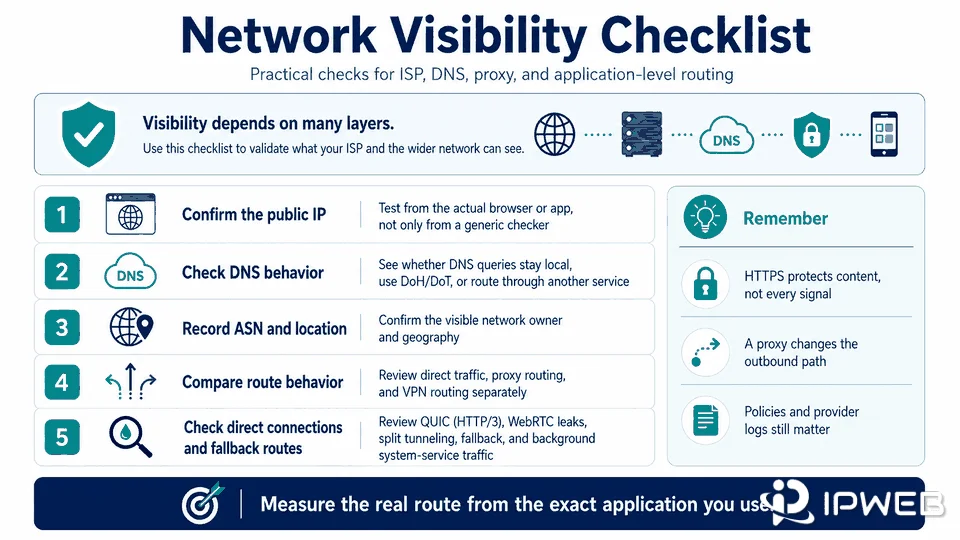
The most useful test is performed in the exact browser, application, or script that will run in production. A generic website can confirm one visible IP, but it cannot prove that every protocol, background request, and DNS query follows the same path.
- Confirm the public IP from the actual application, not only from a generic browser checker.
- Record the ASN, network owner, country, and whether IPv4 and IPv6 use the expected route.
- Check which DNS resolver answers the request and whether DNS stays inside the proxy or VPN path.
- Test the intended website or API rather than relying only on a generic IP checker.
- Review proxy fallback, split tunneling, QUIC (HTTP/3), WebRTC leaks, and background system-service behavior where relevant.
- Compare client, gateway, proxy, and destination logs only for systems you own or are authorized to inspect.
- Repeat the test after reconnecting, changing networks, or restarting the application.
For a focused proxy-routing check, use the proxy validation guide. The goal is not merely to see a different IP. It is to verify that the intended application, DNS path, IP family, and destination request all use the expected route.
Frequently Asked Questions
Final Thoughts
ISP visibility is not all-or-nothing. HTTPS protects page content, while DNS configuration, TLS behavior, destination IPs, timing, and traffic volume determine which metadata may remain visible. A proxy or VPN changes the network path, but the real privacy boundary depends on protocol encryption, application coverage, DNS routing, provider policies, and the logs created by every service involved.