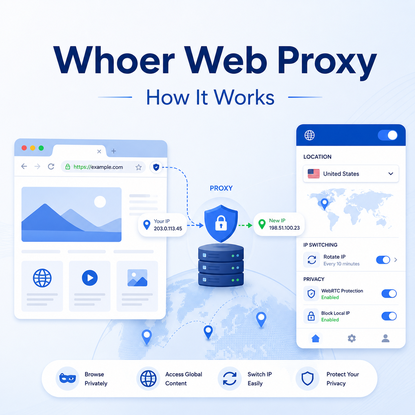
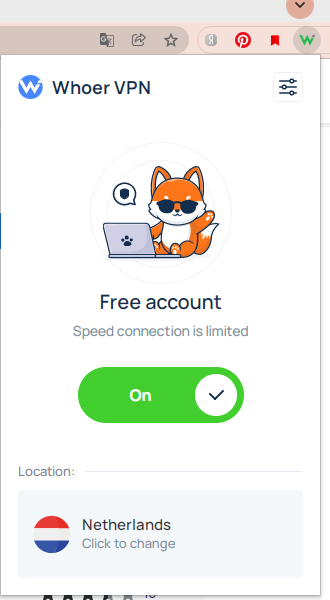
Whoer Web Proxy is a browser-based proxy option from Whoer.net. Its current setup is delivered through browser extensions for supported browsers, allowing traffic from that browser to use a different network route without configuring a proxy separately in every website.
That makes it useful for quick browser-level checks, but it is not the same as Whoer's IP checker and it is not a replacement for a configurable proxy endpoint used by scripts, automation tools, desktop applications, or system-wide network settings.
Whoer Web Proxy routes supported browser traffic through Whoer's proxy service so websites see the proxy connection instead of the browser's normal public route. Whoer currently provides the service through browser extensions. It is designed for browser use, while a configured proxy server can be applied to browsers, applications, scripts, or other clients that accept proxy settings.
- Whoer Web Proxy is a browser-level service, not the same thing as the Whoer IP checker.
- Whoer currently documents browser extensions for Chrome, Firefox, Opera, Yandex, and other supported browsers.
- The proxy route applies to the browser where the extension is active; other apps and scripts do not automatically inherit it.
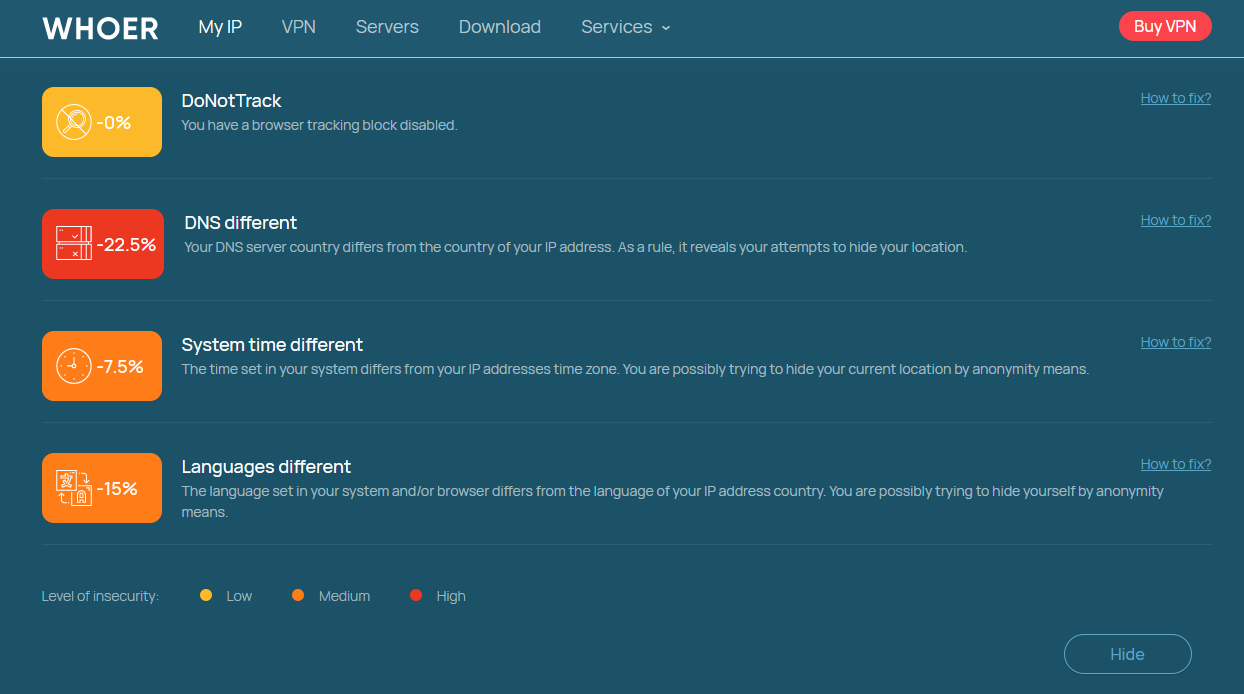
- A web proxy can change the visible browser IP, but cookies, account region, browser language, timezone, and website-side logic remain separate signals.
- Use a configurable proxy endpoint when you need broader client support, location control, session behavior, or repeatable application-level routing.
What Is Whoer Web Proxy?
Whoer Web Proxy is the browser-proxy service published by Whoer.net. The official Whoer Web Proxy page currently directs users to install a browser extension, connect through the extension, and browse with the proxy route enabled.
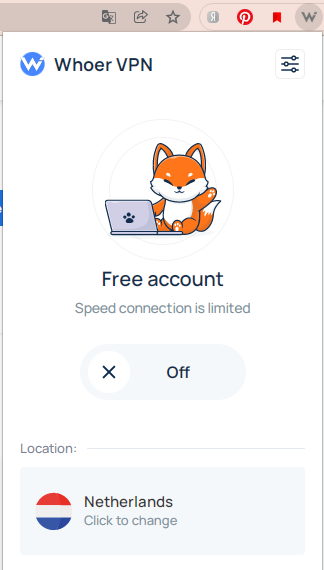
The important detail is scope. The extension changes the route used by the supported browser. It does not automatically turn every application on the device into a proxied application.
This is different from the broader concept of an anonymous web proxy. A generic web proxy may be a website where you enter another URL, a browser extension, or another browser-focused intermediary. For the underlying architecture, see IPWeb's anonymous web proxy guide.
How Whoer Web Proxy Works
Without a proxy, the browser normally connects to a destination using the device's ordinary network route. With the Whoer extension active, supported browser requests are sent through the proxy service first. The destination website then sees the proxy-side connection rather than the browser's normal public route.
| Stage | What Happens | What to Check |
|---|---|---|
| 1. Browser | The browser extension is enabled for the current browser profile. | Confirm you are testing in the same browser where the extension is active. |
| 2. Proxy route | Supported browser traffic is sent through the proxy service. | Check whether the visible IP changes. |
| 3. Destination | The destination receives the connection from the proxy-side route. | Compare IP, country, ISP or ASN, and page behavior. |
| 4. Browser state | Cookies, account state, browser settings, and other local signals remain part of the session. | Do not assume a changed IP resets every browser or account signal. |
A changed IP is therefore evidence that the browser route changed, not proof that every visible signal changed. A website can still respond to cookies, login state, language, timezone, account history, or other application-level context.
Whoer IP Check vs Whoer Web Proxy
Whoer's IP checker and Whoer Web Proxy solve different problems. The IP checker is diagnostic: it shows what IP and related network signals are visible. The Web Proxy changes the browser route.
| Feature | Whoer IP Check | Whoer Web Proxy |
|---|---|---|
| Main purpose | Inspect visible IP and network or browser signals. | Change the network route used by the supported browser. |
| Changes the connection | No. It reports what it sees. | Yes, when the browser extension is connected. |
| Traffic scope | No routing scope; it is a diagnostic page. | Browser-level traffic handled by the active extension. |
| Best question | "What does this browser connection look like?" | "Can I route this browser through another connection?" |
If you already ran the checker and need to understand IP, DNS, WebRTC, ISP, ASN, or proxy-related signals, use the Whoer IP Check guide instead.
Whoer Web Proxy vs a Configured Proxy Server
A browser web proxy is convenient because the browser extension handles the setup.
A configured proxy server gives you a host, port, authentication method, protocol, and sometimes location or session controls that can be entered directly into compatible software.
That distinction matters when the traffic does not come from a normal browser.
A Python request client, Playwright browser, desktop application, crawler, or another tool will not automatically use the route from an unrelated browser extension. The proxy must be configured in the client that actually sends the traffic.
For HTTP proxying, HTTPS connections are commonly carried through a tunnel created with the HTTP CONNECT method defined in RFC 9110. Other proxy types, such as SOCKS5, use different connection behavior.
| Capability | Browser Web Proxy | Configured Proxy Server |
|---|---|---|
| Setup | Usually through a browser extension or browser-focused interface. | Host, port, credentials, and protocol are entered into the client. |
| Browser use | Simple when the extension supports the browser. | Works when the browser or profile accepts proxy settings. |
| Scripts and apps | Not automatically shared with other software. | Can be used by compatible scripts, apps, browsers, and tools. |
| Location control | Limited to options offered by the browser service. | Depends on the proxy provider and plan. |
| Session control | Usually simplified or hidden behind the extension. | May support rotating, sticky, or fixed-IP behavior. |
| Protocols | Handled by the extension or service. | May expose HTTP, HTTPS, SOCKS5, or other supported protocols. |
What Whoer Web Proxy Can and Cannot Route
The most common misunderstanding is assuming that a browser proxy changes the entire device. It does not. If Whoer Web Proxy is active in one supported browser, another browser, a terminal command, a desktop client, or a separate script may still use the original network route.
- Other browsers: a proxy extension in one browser profile does not automatically configure another browser.
- Scripts and command-line tools: requests from Python, Node.js, curl, or similar clients need their own proxy settings.
- Desktop and mobile apps: they may follow system proxy settings, app-level settings, or no proxy at all.
- Cookies and account state: changing IP does not erase existing cookies, logins, saved region preferences, or account history.
- Browser signals: language, timezone, WebRTC behavior, and other environment settings are separate from the visible IP route.
Whoer states that its browser extension can change IP and DNS behavior. Even so, DNS should be checked from the same browser environment after the connection changes. Browser secure-DNS settings, local configuration, and the extension's own routing behavior can affect what the test reports.
When a Browser Web Proxy Is Enough
A browser web proxy is most useful when the task stays inside one supported browser and does not require detailed proxy configuration.
- Checking how a public page looks from the browser's proxy route.
- Comparing the visible IP before and after enabling the extension.
- Running a quick browser-only regional or localization check.
- Separating a temporary browser test from the device's normal connection.
It is less suitable when the workflow spans multiple tools or depends on exact session behavior. In those cases, convenience becomes less important than knowing exactly which client is using which endpoint.
When a Configured Proxy Makes More Sense
A configurable proxy is the better fit when you need the network route to work outside one browser extension or when you need more control over location, session behavior, and client integration.
- You need the same proxy setup in a browser, script, crawler, or application.
- You need country or city selection for legitimate regional QA.
- You need rotating or sticky sessions instead of a simplified browser connection.
- You need HTTP, HTTPS, or SOCKS5 endpoints that can be entered into compatible tools.
- You need repeatable tests where the proxy configuration is explicit and easy to verify.
For workflows that need location targeting, session controls, and standard proxy endpoints, IPWeb's Dynamic Residential Proxies provide HTTP(S) and SOCKS5 support with rotating or sticky residential routes. Use them only for permitted commercial and technical workflows and follow applicable site terms and policies.
How to Check the Connection After Switching
Do not judge the connection from the extension icon alone. Verify the route inside the same browser profile where Whoer Web Proxy is enabled.
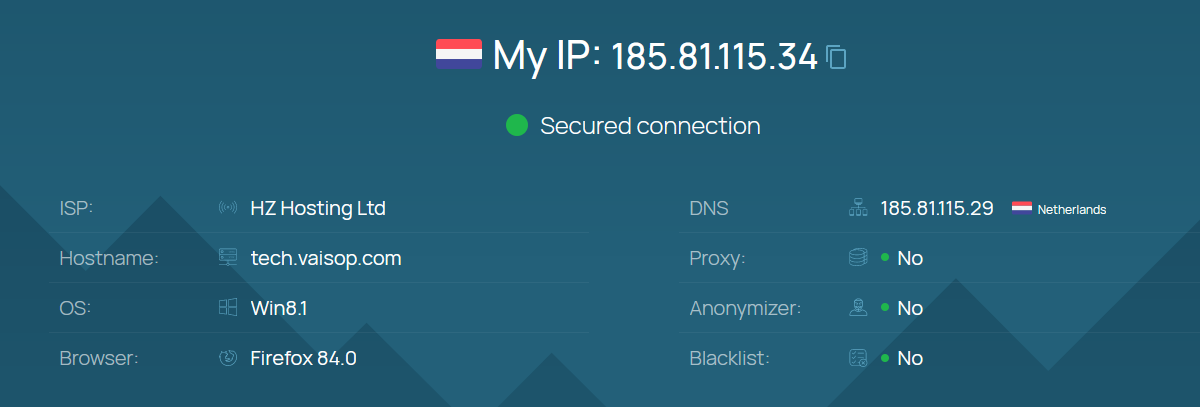
- Check the original IP. Note the visible IP, country, ISP, and ASN before enabling the proxy.
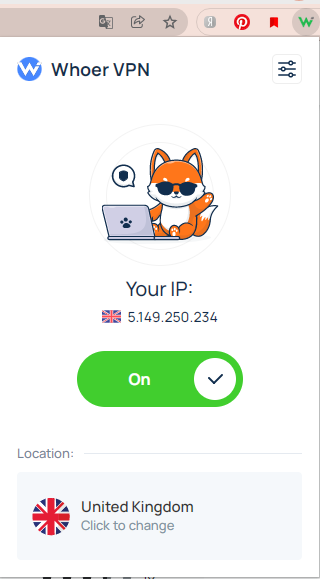
- Connect the Whoer extension. Make sure the extension reports an active connection.
- Reload the IP checker in the same browser. Do not switch to another browser for the test.
- Compare the visible network details. The IP should change if the proxy route is active.
- Check DNS and browser signals separately. A changed IP does not guarantee every signal matches.
- Test the actual page or workflow. The final website may use cookies, account state, localization settings, or other signals beyond the IP address.
If the visible IP does not change, follow IPWeb's proxy testing workflow and confirm the browser, profile, credentials, protocol, and active route before changing several settings at once.
Frequently Asked Questions
Final Thoughts
Whoer Web Proxy is useful when you want a quick browser-level proxy route without manually entering proxy details into the browser. Its main limitation is also its main strength: the setup is centered on the supported browser, so it stays simple but does not automatically extend to every application or workflow on the device.
Keep the three roles separate. Use Whoer Web Proxy when you want to change the supported browser route. Use Whoer IP Check when you want to inspect what the connection exposes. Use a configurable proxy endpoint when you need explicit routing across browsers, scripts, applications, or other compatible clients.