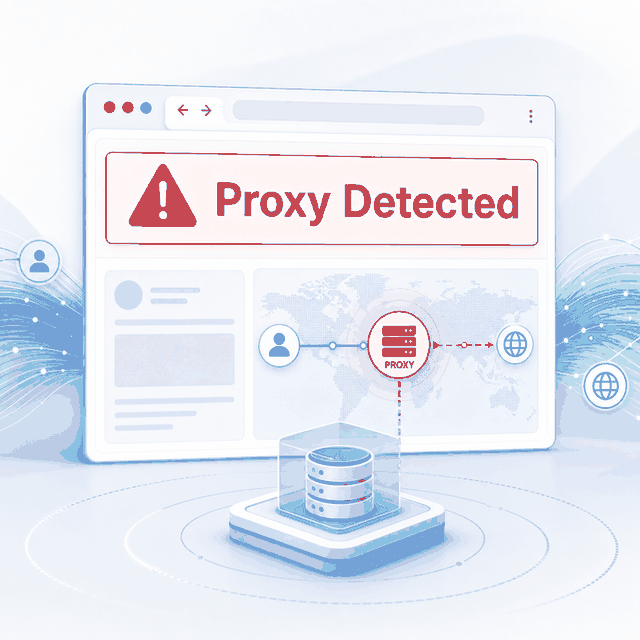
If you encounter an anonymous proxy detected warning while browsing, testing a website, or running an application, it does not automatically mean the proxy has failed.
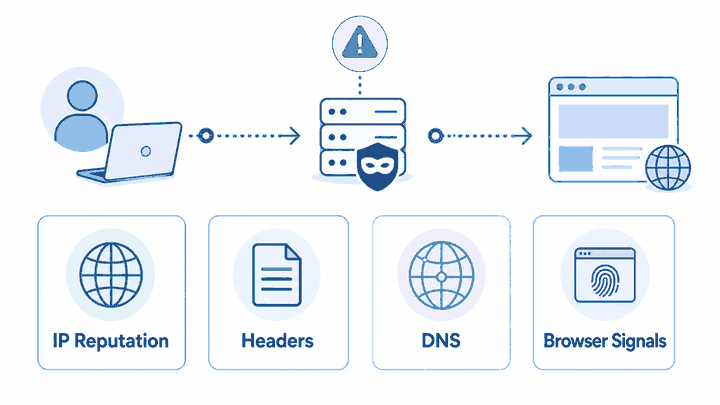
The message usually means the destination website, fraud-prevention platform, or IP intelligence service has classified the connection as proxy-like. Some systems rely mainly on IP reputation, ASN, and network-category databases. More advanced platforms may also consider request headers, browser signals, DNS behavior, session history, and traffic patterns.
The most useful next step is not to change every setting at once. First identify which layer may have produced the classification, then verify whether the connection is working as intended for the approved use case.
“Anonymous proxy detected” means a website or IP intelligence service has classified your visible connection as proxy-like. It does not automatically mean your real IP leaked or the proxy failed. First verify the visible IP and ASN, then check IP reputation, DNS, WebRTC, forwarding headers, and session behavior if needed.
- The warning is a classification signal, not a complete root-cause report.
- Some detection tools rely mainly on IP reputation and network-category databases.
- DNS behavior, browser information, forwarding headers, sessions, and traffic patterns may also matter on more advanced platforms.
- A changed visible IP and a proxy-detection label can both be true at the same time.
- Check one layer at a time before changing the proxy provider or network type.
- A proxy changes the network route but does not override account rules, website policies, or compliance requirements.
What Does Anonymous Proxy Detected Mean?
An anonymous proxy detected message means the destination website or a third-party risk system has identified one or more characteristics commonly associated with proxy traffic.
The system may not know the original user identity or physical location. In many cases, it is making a network classification based on the visible IP address, ASN, hosting category, known proxy records, or previous observations linked to the IP range.
More advanced systems may combine network classification with browser, request, session, and behavioral information. The exact method varies by website and detection provider, so the warning alone does not reveal which signal caused the result.
It is also important to separate three related concepts:
- Private browser mode: Changes how local history, cookies, and storage are retained.
- Proxy server: Changes the network route and visible source IP of a request.
- Proxy-detection label: A website’s classification of the connection it observes.
For broader privacy and browser-mode concepts, see the guide to anonymous browsing. The sections below focus on diagnosing proxy-related connection signals.
Why a Website May Flag a Proxy
A website may flag a connection because the visible IP address is listed in a proxy, VPN, hosting, or anonymous-network database. It may also belong to an ASN or IP range commonly associated with datacenters, shared gateways, public proxy services, or high-volume automated traffic.
This can happen even when the proxy is routing traffic correctly. A working proxy changes the visible route, but the new IP may still be recognizable as a proxy endpoint.
Some platforms perform broader consistency checks. Depending on the application, they may compare network location, browser locale, session history, request headers, DNS behavior, TLS characteristics, or request timing. These are possible signals rather than universal checks used by every website.
IP intelligence providers also use different classification models. MaxMind's GeoIP Anonymous IP documentation describes databases for identifying proxy, VPN, hosting, and other anonymous IP addresses, while its residential-proxy data adds signals such as confidence, provider information, and when an IP was last observed in a residential proxy network. IPinfo's privacy-detection documentation similarly exposes separate VPN, proxy, Tor, relay, and hosting classifications and describes using internet measurements, IP behavior, and network metadata.
Because providers use different data, methods, and update cycles, the same IP can receive different labels across services. For a deeper explanation of the detection mechanisms themselves, see how websites detect proxies.
Forwarding headers are another source of confusion. The standardized Forwarded header and the commonly used X-Forwarded-For header can describe clients and proxy chains when added by gateways, reverse proxies, or load balancers.
The presence and reliability of these headers depend on the infrastructure path. Values outside a trusted proxy chain can also be incomplete or user-supplied, so they should not automatically be treated as verified identity information. MDN specifically warns that untrusted X-Forwarded-For values may be spoofed or malformed and that security-sensitive decisions should rely only on addresses added by trusted proxies.
Detection Signals to Check First
Start with signals that are easy to verify, and separate IP classification from DNS, browser, header, and session behavior.
| Signal | What It May Suggest | How to Check | What to Do Next |
|---|---|---|---|
| IP reputation | The visible IP may be classified as a proxy, VPN, hosting network, residential proxy, or other anonymizing route. | Compare the visible IP, ASN, organization, network type, and approximate location across more than one lookup source. | Confirm whether the result matches the proxy type you expected before changing the endpoint. |
| ASN or network category | The IP may belong to a datacenter, carrier, enterprise network, or range commonly associated with proxy traffic. | Review the ASN and registered organization behind the visible IP. | Decide whether that network category is appropriate for the authorized workflow. |
| Unexpected DNS route | The resolver path may differ from the visible proxy route, although this does not by itself prove that the original IP is exposed. | Compare visible IP and DNS resolver information from the same browser or application environment. | Review whether DNS is handled by the operating system, browser, proxy client, network gateway, or encrypted DNS provider. |
| Forwarding headers | A trusted gateway, reverse proxy, or load balancer may be adding information about the connection chain. | Inspect outbound request headers from the application and review the trusted infrastructure path. | Confirm that headers are being added as intended. Do not remove them without understanding the application, logging, and security impact. Improperly trusted or manipulated X-Forwarded-For values can also be abused by malicious clients, so only rely on forwarding headers from trusted infrastructure. |
| Browser information | Locale, timezone, WebRTC information, extensions, or other browser settings may not match the expected test environment. | Retest with a clean browser profile and review unexpected ICE candidate or WebRTC network information. Results vary by browser and privacy settings. | Use a clean test profile, default privacy controls, consistent locale settings, and no unrelated extensions. |
| Traffic and session pattern | Repeated requests, rapid retries, frequent session resets, or inconsistent cookies may contribute to a risk classification. | Review request intervals, retry behavior, session persistence, cookies, and response status patterns. | Use reasonable request rates, limited retries, and consistent session handling within the source’s rules. |
Bottom line: start with the visible IP, ASN, and reputation classification, then investigate DNS, WebRTC, forwarding headers, browser context, and session behavior only when the first checks do not explain the warning.
For browser-based tests, MDN's RTCIceCandidate address documentation notes that ICE candidate address information can reveal network-topology or location-related information and may contribute to fingerprinting. Treat unexpected WebRTC information as a separate browser signal rather than automatic proof of an original-IP leak.
Anonymous Proxy Detected vs Real IP Leak
A proxy-detection label and a real-IP leak answer different questions. A service can correctly see the proxy exit IP and still classify that exit as proxy-like. A real-IP leak means traffic or another network signal exposes information outside the route you intended to use.
| Result | What It Usually Means | Best Next Check |
|---|---|---|
| Proxy detected, visible IP changed | The proxy route is working, but the exit IP or ASN is classified as proxy-like. | Compare reputation and network classification across more than one provider. |
| Original public IP still visible | The tested browser, app, or request may not be using the intended proxy route. | Verify proxy configuration, credentials, protocol, and the exact application being tested. |
| DNS route differs from the expected setup | Name resolution is following a different resolver path. | Check whether DNS is controlled by the OS, browser, proxy client, gateway, or encrypted DNS service. |
| Unexpected WebRTC information appears | The browser is exposing additional ICE candidate or network information. | Review WebRTC behavior in the same browser profile and network environment. |
| Unexpected ASN or network type | The endpoint does not match the network category you expected. | Confirm the proxy endpoint, provider route, and selected proxy type. |
Bottom line: a proxy-detection label and a real-IP leak are not the same result. Verify routing first, then interpret classification and browser/network signals separately.
What to Do When You See “Anonymous Proxy Detected”
Effective diagnosis requires changing one variable at a time. If you replace the proxy, browser profile, DNS configuration, session, and request rate simultaneously, you will not know which change affected the result.
If the visible IP does not change when the proxy is enabled, stop the detection analysis and first confirm whether the proxy is actually working in the same browser, application, or script.
- Return to the same browser profile, application, or client session that produced the warning.
- Check the visible public IP with a lookup page such as What Is My IP.
- Confirm that the visible IP differs from the direct connection when a proxy is expected.
- Record the ASN, organization, country, and network category associated with the visible IP.
- Compare the result across more than one IP intelligence or geolocation source.
- Check the DNS resolver path from the same browser or application environment.
- Review WebRTC or ICE candidate information when the workflow uses a real browser.
- Inspect whether the application, reverse proxy, gateway, or load balancer adds forwarding headers.
- Review request intervals, retries, cookies, and session reuse.
- Retest with one controlled change and document whether the warning changes.
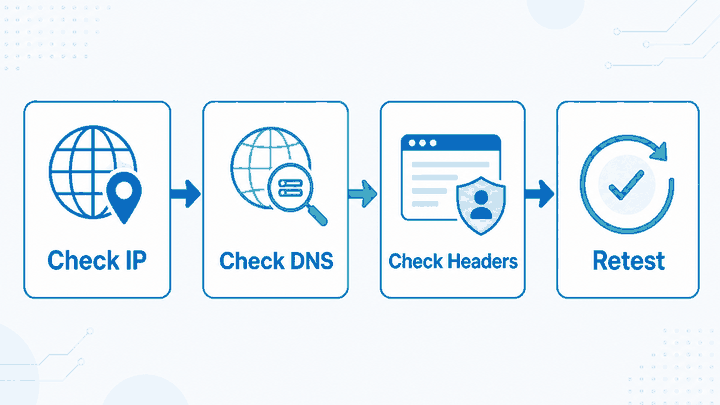
A practical test should separate two questions:
- Is the proxy routing traffic? Verify that the visible IP and network path changed as expected.
- Is the visible IP classified as a proxy? Check how IP intelligence services categorize the exit IP or ASN.
For a structured review of visible IP, ASN, DNS, WebRTC, forwarding headers, reputation, and browser context, follow IPWeb's proxy anonymity checker workflow.
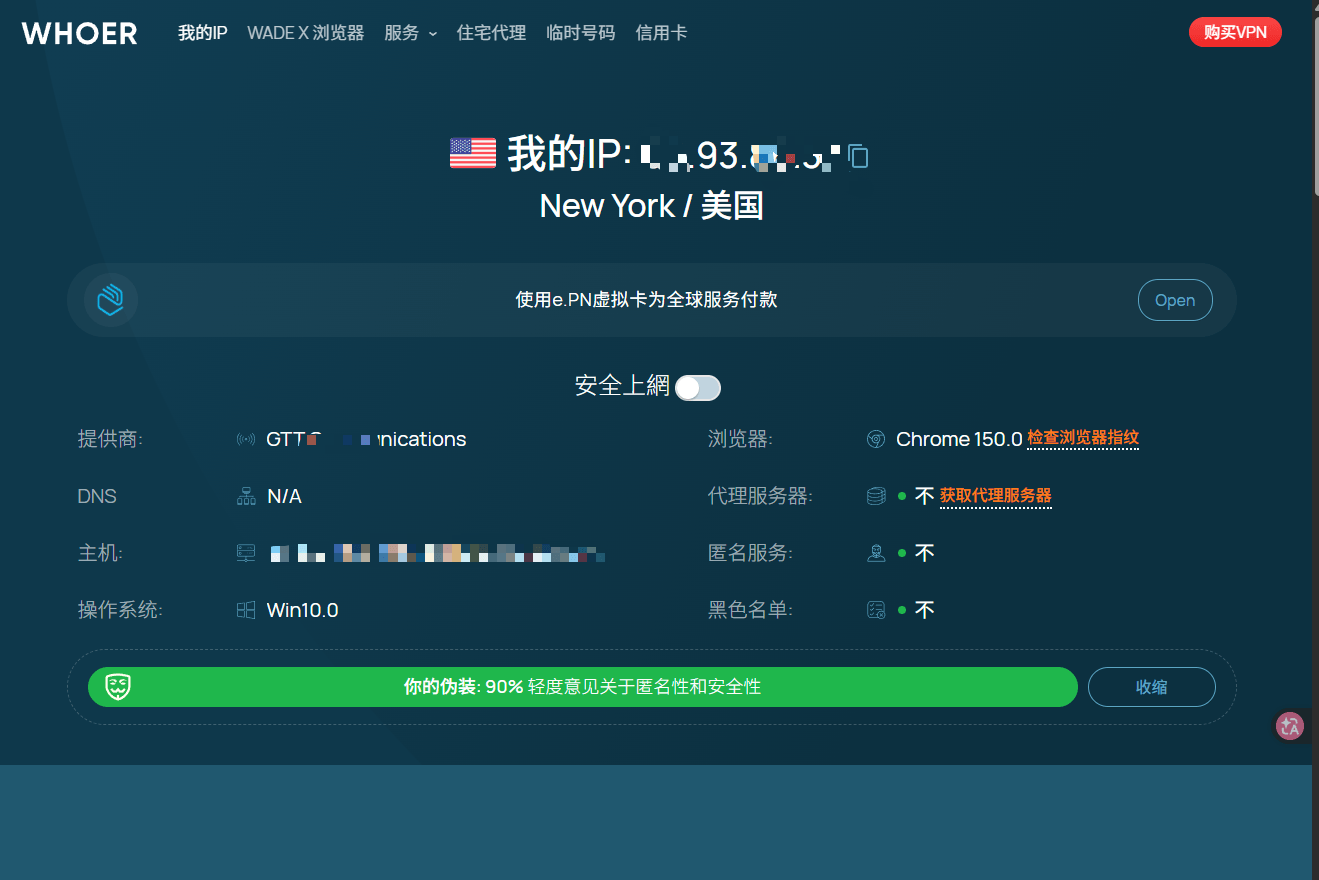
A proxy can pass the first test and still receive a proxy-detection label in the second.
If you are using Whoer for this check, see how to read a Whoer IP check before treating one proxy, DNS, WebRTC, or anonymity flag as a final verdict.
Cross-Check the Same IP Across More Than One Tool
Use the same visible IP, browser or application, and test window when comparing classification services. Record the proxy/VPN result, ASN or organization, network type, country, and test time. If the services disagree, keep the disagreement as evidence instead of choosing whichever result looks more favorable.
| Check | Tool A | Tool B | What to Compare |
|---|---|---|---|
| Proxy / VPN classification | Record result | Record result | Whether both providers classify the IP the same way |
| ASN / organization | Record result | Record result | Whether the network owner is consistent |
| Network type | Record result | Record result | Residential, hosting, carrier, enterprise, or another category |
| Country / region | Record result | Record result | Whether the geographic classification is broadly consistent |
This comparison is a diagnostic method, not a universal score. Different providers may disagree because their datasets, observation windows, confidence thresholds, and update schedules are different.
What Not to Assume
Do not assume that an anonymous proxy detected warning means the proxy is unusable. Some websites apply conservative labels to entire IP ranges, ASNs, datacenter networks, VPN providers, or known proxy pools.
The label may also come from an outdated or broad classification database. IP ranges can change ownership, usage, and network category faster than every detection database updates.
Do not assume that private or incognito browsing changes the network identity. Private mode affects local browser data, but the website can still observe the external IP, browser request information, DNS behavior, and session activity.
Do not assume that changing DNS will automatically remove a proxy label. DNS is only one possible layer, and many classifications are generated directly from the visible IP, ASN, or network category.
Finally, do not treat a proxy as a way to override account restrictions, access rules, source policies, or regional requirements. A proxy changes the network route, but it cannot correct every account, browser, application, or policy issue.
When to Change Proxy Type or Routing
Changing the proxy endpoint or network type is reasonable when the evidence points to IP reputation, ASN classification, routing quality, or an unsuitable network category.
Even high-quality residential proxy pools can receive proxy-detected labels because of past traffic history associated with the shared IP range or pool. In that case, the classification may reflect historical database records rather than a current routing failure.
It is less likely to help when the warning is connected to:
- Unexpected browser settings or extensions.
- DNS configuration outside the proxy route.
- Forwarding headers added by trusted infrastructure.
- Expired cookies or inconsistent sessions.
- Rapid requests or repeated retries.
- Account-level or platform-level restrictions.
When an authorized regional QA or public-page testing workflow genuinely requires changing residential routes, dynamic residential proxies may be more suitable than a fixed datacenter endpoint.
If you want to test a different route before choosing a paid plan, IPWeb also offers a 1GB, 24-hour free proxy trial with no payment method required. Trial proxy types and locations depend on current availability.
Confirm the cause first. Changing the IP address will not necessarily resolve DNS, browser, header, session, or application configuration issues.
Frequently Asked Questions
Final Thoughts
An anonymous proxy detected warning is a classification signal, not proof that the proxy route failed or that the original IP was exposed.
Start by verifying the visible IP, ASN, and network category. Then review DNS routing, browser behavior, forwarding headers, sessions, and request patterns as separate layers.
Change the proxy route only when the evidence points to IP reputation, network category, or routing quality. A different endpoint will not correct unrelated browser, account, session, or application configuration issues.