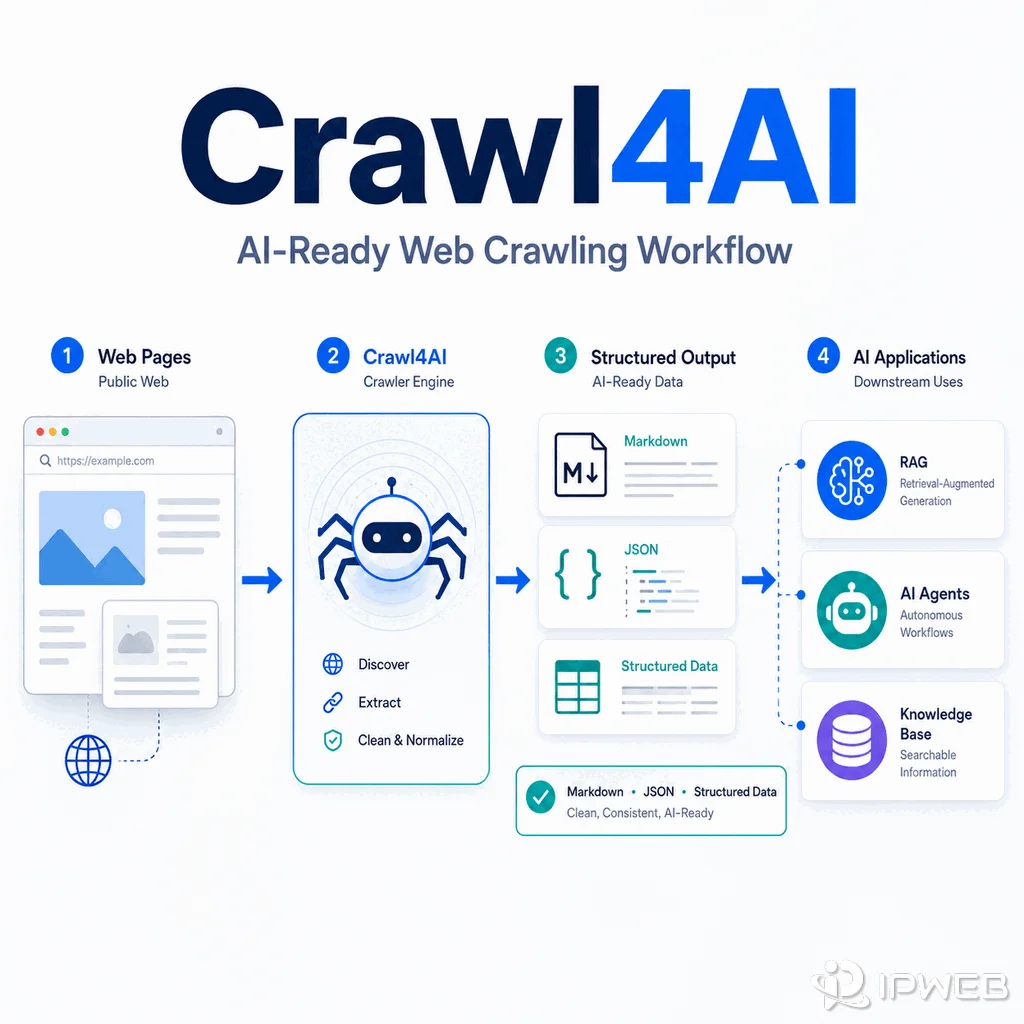
Crawl4AI is an open-source Python crawler and scraper built for AI-oriented web data workflows. It uses browser automation to load pages and can return clean Markdown, HTML, or structured content for LLM, RAG, agent, and knowledge-base pipelines.
The practical question is not whether Crawl4AI replaces every crawler. It is whether your workflow benefits from an AI web scraper that combines page rendering, content cleanup, and extraction in one Python tool.
Crawl4AI is an open-source Python tool for crawling pages and preparing web content for AI systems. It can render JavaScript, generate clean Markdown, and extract structured fields with CSS, XPath, or optional LLM-based strategies. It still requires source permission, error handling, output validation, and responsible request controls.
- Crawl4AI is most useful when the final output will feed an LLM, RAG system, AI agent, or knowledge base.
- Basic crawling and Markdown generation do not require an LLM or an LLM API key.
- Crawl4AI can render dynamic pages, but waits, clicks, sessions, and page-specific interactions still need configuration and testing.
- Scrapy remains a strong choice for deterministic, high-throughput crawling, while Crawl4AI reduces the cleanup work required for AI-ready content.
- A managed scraping API may be easier when a team does not want to operate browser workers, retries, proxy routing, queues, and monitoring.
What Is Crawl4AI?
Crawl4AI is designed around a simple problem: AI systems usually need cleaner input than raw page HTML. Its asynchronous crawler can load a page in a browser, convert the result into readable Markdown, and expose content, links, media, metadata, or extracted fields for downstream processing.
Unlike an LLM scraper that may focus narrowly on preparing text or chunks for a model, Crawl4AI covers more of the crawling workflow. Its current documentation includes browser configuration, JavaScript execution, content filtering, deep crawling, multi-URL concurrency, sessions, proxies, and both deterministic and LLM-assisted extraction.
You do not need an LLM for the basic workflow. Crawl4AI can generate Markdown and use CSS or XPath extraction without an LLM call.
For less predictable content, Crawl4AI also supports an optional LLM extraction strategy that can map content into schema-oriented JSON. Use it when semantic interpretation adds value; for stable page structures, CSS or XPath extraction is usually faster and easier to validate.
Install Crawl4AI
The official installation flow uses the Python package followed by the setup command that prepares the browser dependencies:
pip install crawl4ai
crawl4ai-setup
Minimal Python Example
This example loads a permitted public page and prints the first 500 characters of the Markdown output:
import asyncio

from crawl4ai import AsyncWebCrawler


async def main():
    async with AsyncWebCrawler() as crawler:
        result = await crawler.arun(url="https://example.com")

        if result.success:
            print(result.markdown[:500])
        else:
            print(f"Crawl failed: {result.error_message}")


if __name__ == "__main__":
    asyncio.run(main())
The example is intentionally small. A production workflow should also set request limits, timeouts, caching rules, logging, retries, validation, and clear stop conditions. Because Crawl4AI changes quickly, verify installation and API details against its official GitHub repository and documentation before deployment.
Where Crawl4AI Fits in a Web Data Workflow
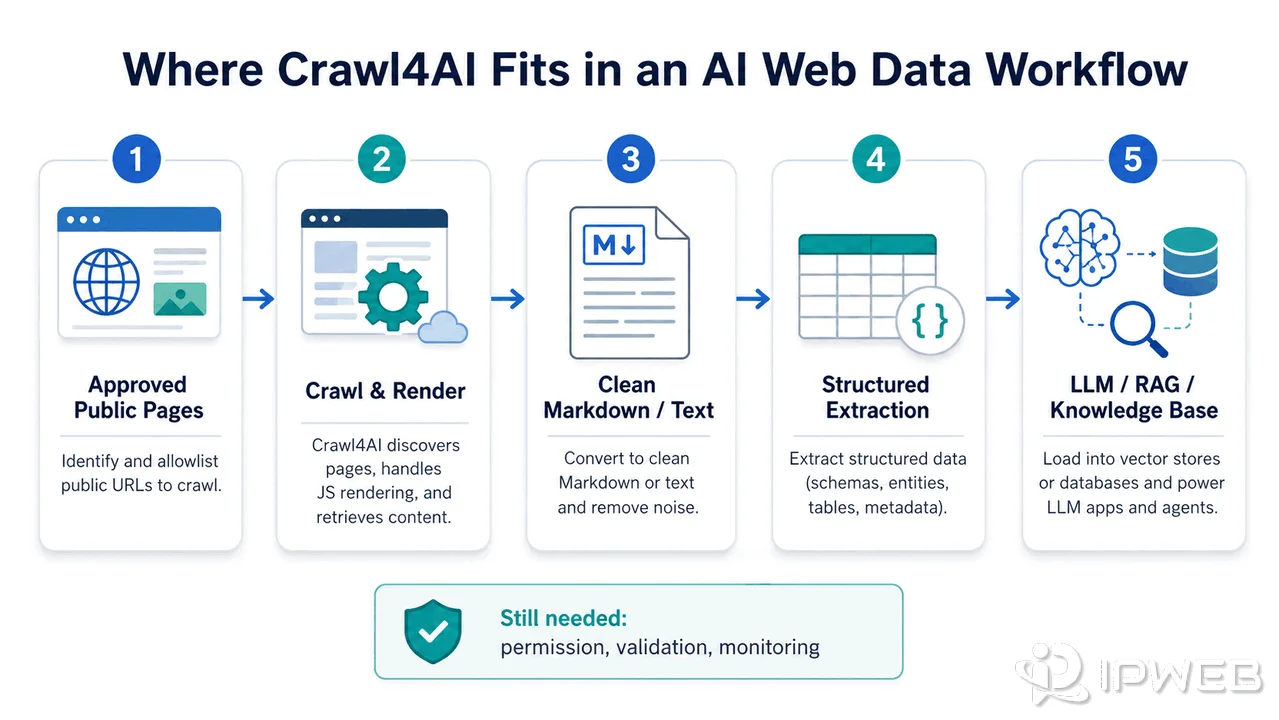
Crawl4AI fits after source selection and before LLM, RAG, agent, or knowledge-base ingestion. It can handle several workflow layers, but it does not remove the need for source governance or output checks.
| Workflow stage | Role of Crawl4AI | What still needs attention |
|---|---|---|
| Source selection | Crawl approved public URLs or scoped domains | Permission, robots guidance, intended use, and crawl boundaries |
| Page loading | Open pages in a browser and render JavaScript when required | Wait conditions, clicks, sessions, authentication, status codes, and timeouts |
| Content cleanup | Convert page HTML into cleaner text or Markdown | Boilerplate, duplicated blocks, missing sections, and content filters |
| Structured extraction | Use CSS, XPath, or optional LLM-based strategies to produce fields | Schema design, field types, missing values, and sample review |
| AI ingestion | Send cleaned content into RAG, agents, or knowledge bases | Chunking, freshness, source URL, timestamps, and traceability |
Dynamic pages are supported through browser automation, but the crawler still needs page-specific instructions when content appears after a click, scroll, delayed request, or authenticated session. Review the separate guide to web scraping dynamic content when the page does not expose the required data in its initial HTML.
Crawl4AI vs Scrapy
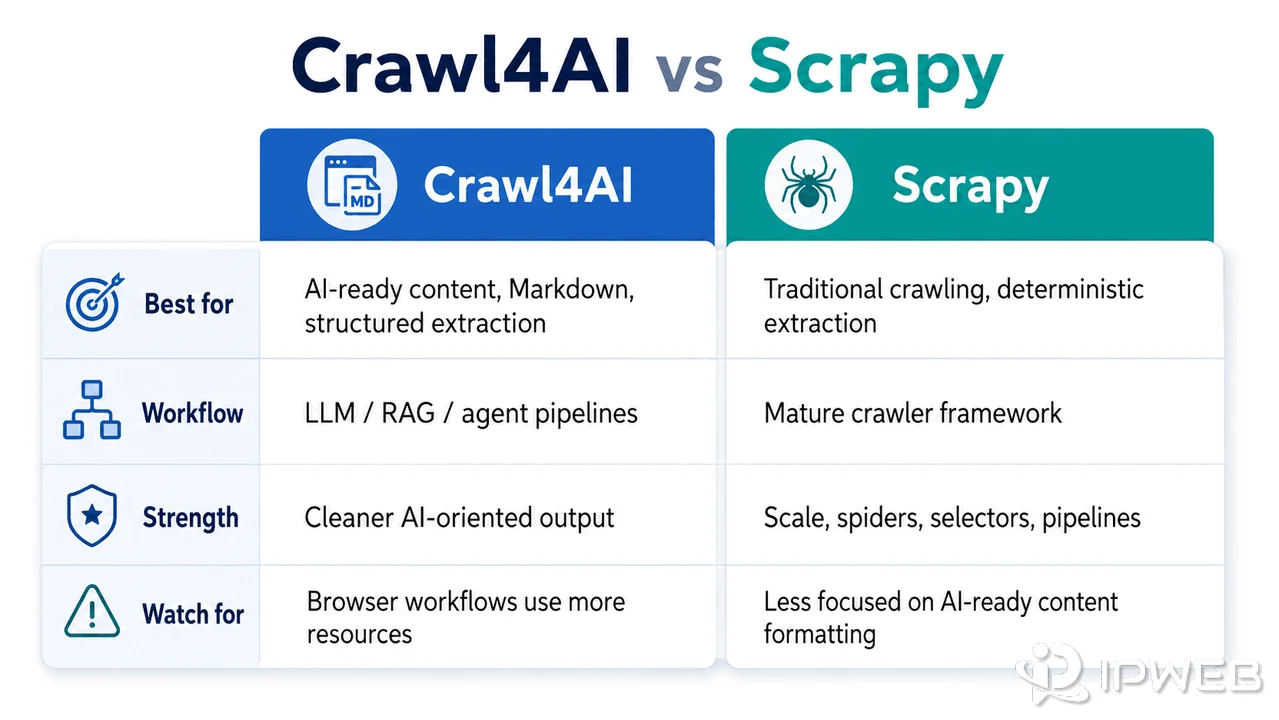
Crawl4AI and Scrapy overlap, but they optimize different parts of a web data project. Scrapy is a mature crawling framework built around spiders, requests, selectors, pipelines, and middleware. Crawl4AI is more opinionated about browser-rendered pages and outputs prepared for AI systems.
| Decision point | Crawl4AI may fit when... | Scrapy may fit when... |
|---|---|---|
| Main output | You need clean Markdown, AI-ready text, or structured content | You need deterministic records produced by selectors and pipelines |
| JavaScript rendering | Browser rendering is part of the normal workflow | Most required data is available in responses or static HTML |
| Extraction strategy | You want CSS, XPath, content cleanup, or optional LLM extraction in one tool | You want full control over spiders, selectors, items, middleware, and pipelines |
| Scale and operations | You accept higher CPU and memory use from browser workers, with lower practical concurrency than a pure HTTP crawler | High-throughput HTTP crawling or distributed deterministic pipelines are the priority |
| Final consumer | The result goes into RAG, an AI agent, summarization, or a knowledge base | The result goes into a conventional database, feed, or data-processing pipeline |
This is not a winner-takes-all choice. A team may use Scrapy for URL discovery and high-throughput crawling, then pass selected pages to an AI-focused cleanup or extraction layer. Another team may use Crawl4AI end to end because the browser and Markdown output reduce development work for its specific sources.
When Crawl4AI Is a Good Fit
Crawl4AI is worth evaluating when the final consumer of the crawl is an AI system and clean content matters more than raw HTML. Good use cases include:
- Building a knowledge base from permitted public documentation.
- Creating a RAG pipeline that needs headings, links, source URLs, and readable Markdown.
- Prototyping an AI research assistant that inspects public pages.
- Extracting article-like content for summarization or classification.
- Producing schema-based records from pages with varied layouts.
It may be a weaker fit when an official API already provides the required data or stable pages are cheaper to parse with exact selectors. Browser-based crawling also uses more CPU and memory than pure HTTP fetching, which can reduce practical concurrency on the same hardware.
It may also be the wrong operational choice when your team does not want to maintain browser dependencies, worker capacity, retries, queues, and monitoring.
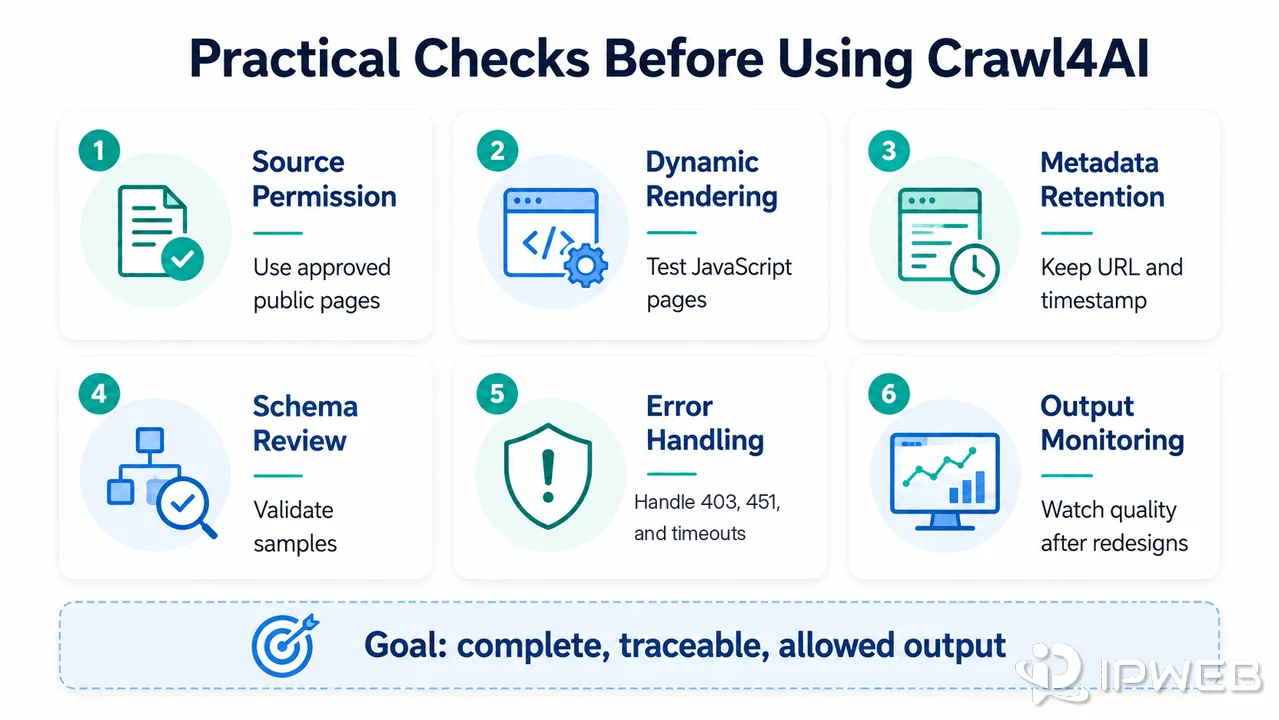
Practical Checks Before Using Crawl4AI
Test Crawl4AI against representative target pages before choosing it for production. A feature list does not prove that the resulting content is complete or reliable.
- Can the page be used within its legal, authentication, and policy limits?
- Does the crawl capture the main content rather than navigation and boilerplate?
- Does the selected strategy require CSS/XPath rules, an LLM, or both?
- Can the output preserve the source URL, timestamp, title, and extraction version?
- Do JavaScript waits, clicks, scrolling, or sessions work on the real page?
- What happens when the page returns 403, 451, 502, 503, or a timeout?
- Can you detect layout drift and review a sample of high-value records?
These checks should use permitted sources and a documented data-use policy. Review web scraping legality and source rules before collecting or storing production data.
Where Proxies and Scraping APIs Fit
Crawl4AI supports a self-managed crawling workflow, so infrastructure choices remain your responsibility. Its current proxy configuration supports request-level settings through CrawlerRunConfig(proxy_config=...), including authenticated proxy definitions.
Proxies can support permitted regional QA, stable routing, or network diagnostics. They do not fix extraction errors, grant permission, or change account and platform rules.
A managed web scraping API may be more practical when the difficult part is operating browser workers, handling retries, managing request delivery, or scaling across many jobs. Crawl4AI may be more attractive when your team wants Python-level control and is prepared to operate the crawler itself.
Frequently Asked Questions
Final Thoughts
Crawl4AI is a strong candidate when a Python workflow needs browser-rendered pages converted into clean Markdown or structured data for AI use. Choose it for the output and control it provides, not because it removes every crawling problem.
Page-specific rendering, source permission, operational capacity, validation, and monitoring still determine whether the final dataset is reliable.