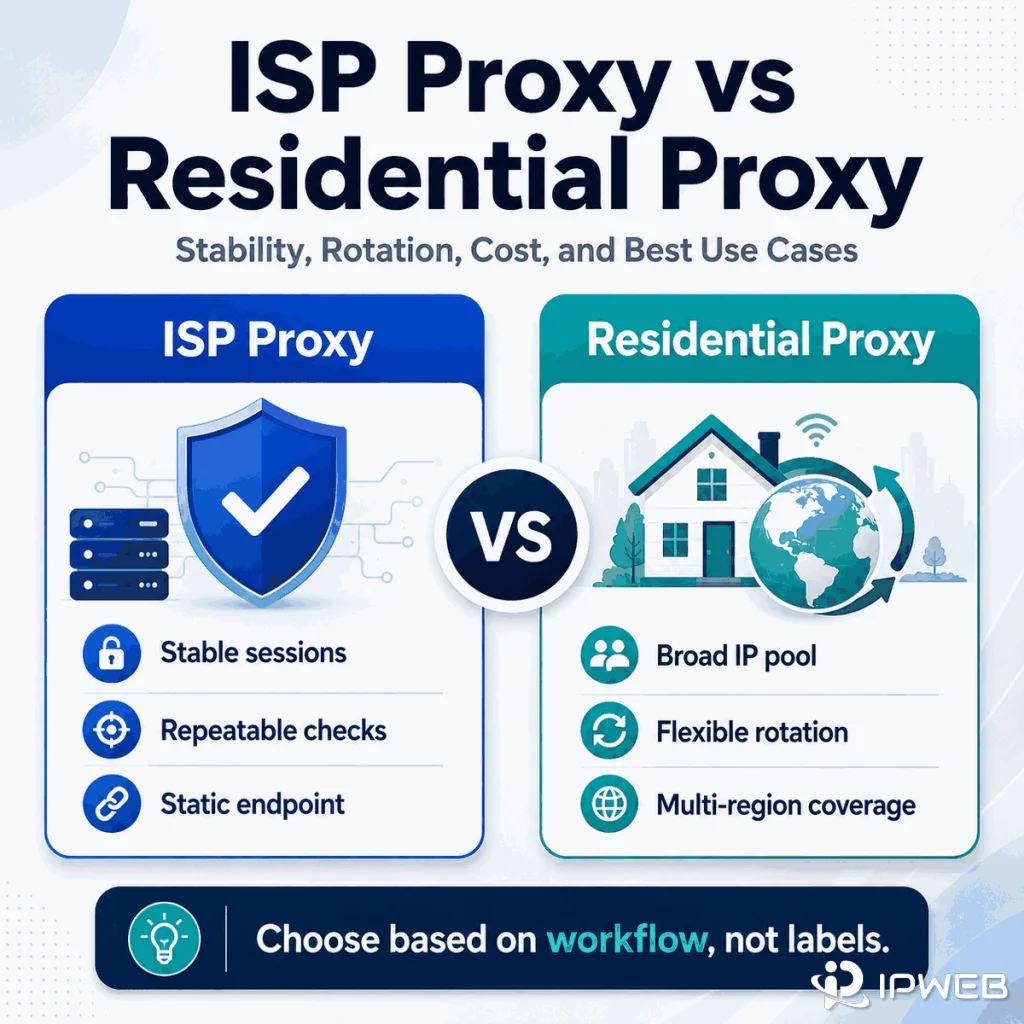
The phrase ISP proxy vs residential proxy looks like a simple product comparison, but it often mixes two different questions: where the outgoing IP comes from and how long that IP stays assigned to a session. Separating those two questions makes the choice much easier.
An ISP proxy is usually built around an ISP-associated IP that remains stable for an extended period. A residential proxy service usually emphasizes access to a larger pool of residential IPs, with rotation or sticky-session controls. However, provider terminology is not standardized, so the product name alone does not tell you whether an endpoint is shared, dedicated, static, sticky, or automatically rotated.
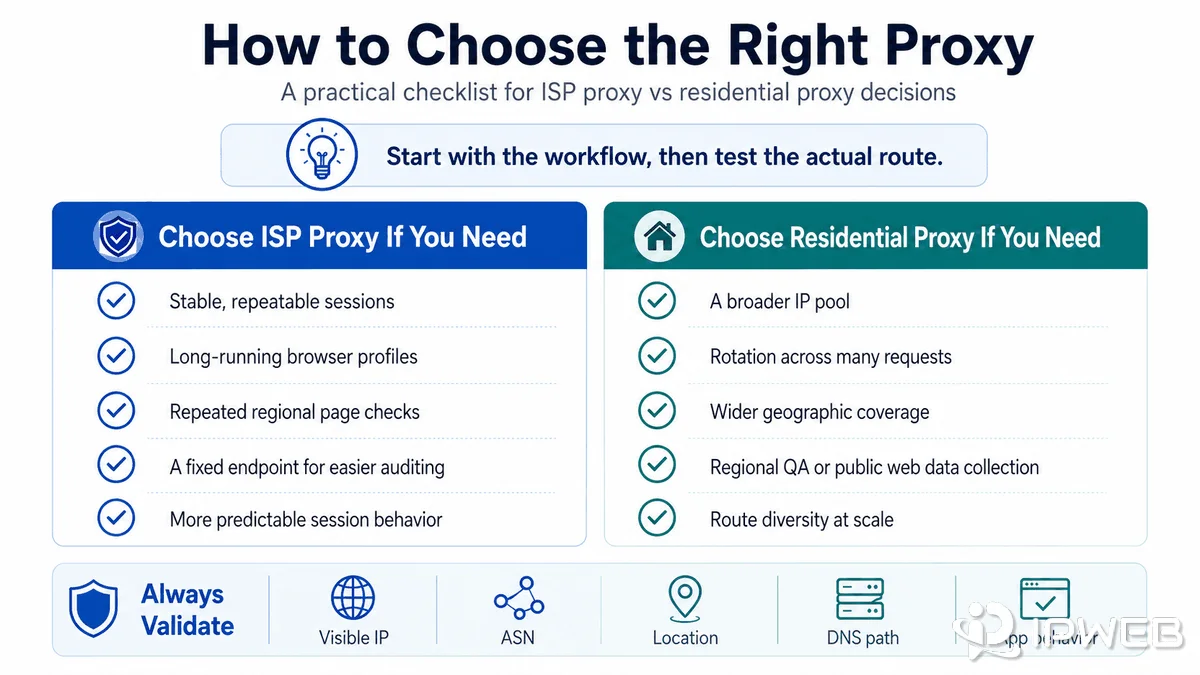
Choose an ISP proxy when your workflow needs the same ISP-associated IP, predictable sessions, and easier endpoint-level auditing. Choose a residential proxy pool when you need broader geographic coverage, more available IPs, or controlled rotation across many endpoints. Before buying either, verify the IP source, session behavior, sharing model, location options, billing method, and performance in the exact browser, script, or application you plan to use.
- ISP and residential describe the network or IP-source category; static, sticky, and rotating describe session behavior.
- Many providers use “ISP proxy” and “static residential proxy” interchangeably, but this is a market convention rather than a universal technical standard.
- ISP proxies usually fit stable, repeatable sessions; residential pools usually fit geographic breadth and route diversity.
- Residential does not always mean rotating, and ISP does not always mean permanently static.
- The correct choice depends on the real workload, not a generic claim that one proxy type is always faster, safer, or more reliable.
Quick Comparison
The shortest practical answer is that ISP proxies usually optimize for endpoint consistency, while residential proxy pools usually optimize for IP availability and location diversity. That distinction is useful, but it is not complete. A good comparison also checks whether the IPs are shared or dedicated, how sessions are controlled, how the service is billed, and what the target application actually sees.
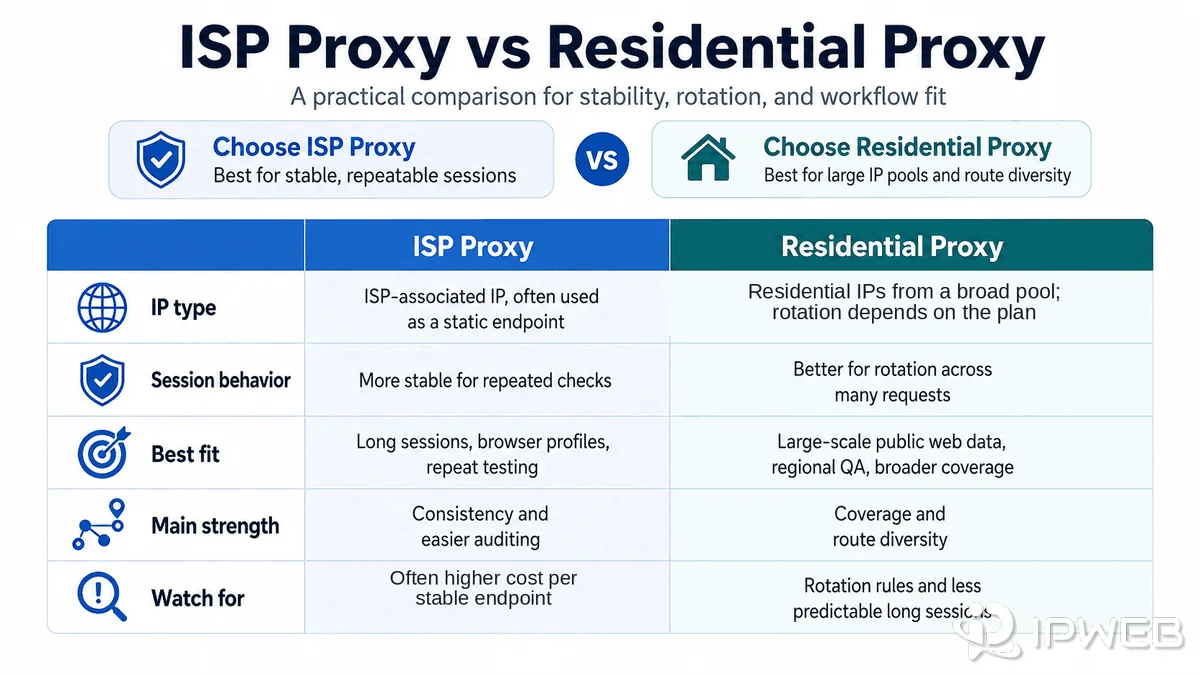
| Decision factor | ISP proxy | Residential proxy |
|---|---|---|
| IP category | Usually uses IP space associated with an ISP or consumer network. | Uses IPs associated with residential internet connections or residential networks. |
| Typical session model | Often static or long-session, but provider designs vary. | Often rotating, with sticky-session options available on many services. |
| Endpoint consistency | Usually easier to keep the same IP across repeated requests. | Depends on rotation rules, session pinning, and node availability. |
| Pool size | Usually smaller and more controlled. | Usually larger and distributed across more networks and locations. |
| Location coverage | May be limited to the provider’s available fixed inventory. | Often supports broader country, region, city, or ISP selection. |
| Sharing model | Can be shared, private, or dedicated. | Usually pooled, although dedicated or exclusive options may exist. |
| Common billing | Often priced per IP, endpoint, port, or fixed plan. | Often priced by transferred bandwidth, although unlimited plans also exist. |
| Best fit | Stable regional QA, long sessions, repeatable checks, and endpoint-level control. | Large-scale public data workflows, broad geo sampling, and controlled route diversity. |
| Main operational risk | A small inventory can make replacement and location scaling harder. | Rotation and node availability can interrupt long multi-step sessions. |
| What to verify | ASN, organization, dedication, replacement policy, and session duration. | Pool sourcing, sticky-session rules, location precision, and rotation triggers. |
IP Source vs Session Behavior
This is the distinction that many comparison pages skip. Proxy-related labels describe multiple separate traits — and these traits are not interchangeable.
| Label | What it describes | What it does not prove |
|---|---|---|
| ISP proxy | An IP associated with an ISP or ISP-style network allocation. | Whether it is shared, dedicated, static, or automatically rotated. |
| Residential proxy | An outgoing IP associated with a residential internet network. | Whether the same IP will remain available for one request, one hour, or one month. |
| Static proxy | An IP that stays assigned for an extended period. | Whether the IP belongs to a residential, ISP, datacenter, or mobile network. |
| Sticky session | A temporary session rule that attempts to keep the same outgoing IP. | Permanent ownership or guaranteed lifetime availability of that IP. |
| Rotating proxy | A service that changes the outgoing IP by request, time, failure, or session rule. | The network category, location precision, or reputation of each exit IP. |
What is an ISP proxy?
In commercial proxy terminology, an ISP proxy usually uses an IP range registered to or associated with an internet service provider while delivering the endpoint through stable server infrastructure. This is why many providers also call it a static residential proxy: the IP presents ISP or residential-network characteristics while remaining available for a longer period than a typical rotating residential node.
However, “ISP” describes the network classification more than the session rule. A provider can offer a fixed dedicated ISP endpoint, a shared ISP pool, or a long-session ISP product that eventually changes IPs. Read the session and allocation rules instead of assuming every ISP plan is identical.
What is a residential proxy?
A residential proxy routes selected traffic through an IP associated with a residential internet network. Residential services often provide a large distributed pool and allow the outgoing IP to change according to a rotation rule. Many also support sticky sessions, which keep one IP for a limited period so that multi-request workflows do not immediately change routes.
Residential therefore does not automatically mean “one new IP for every request.” The actual behavior depends on the provider’s gateway format, session identifier, rotation interval, node availability, and replacement logic.
How can you verify the network classification?
Start by checking the visible IP, organization, ASN, and registration details. An ASN identifies an autonomous system used in Internet routing; Cloudflare’s ASN overview explains the concept. For registration data, ARIN’s RDAP documentation explains how RDAP queries return structured information about IP resources.
These checks are useful, but they are not absolute proof of the commercial product type. An ASN lookup can show the registered network or organization; it does not by itself prove where a server is physically hosted, whether the address is dedicated, how the provider sourced it, or how long it will remain assigned.
How ISP and Residential Proxies Differ
1. Session consistency
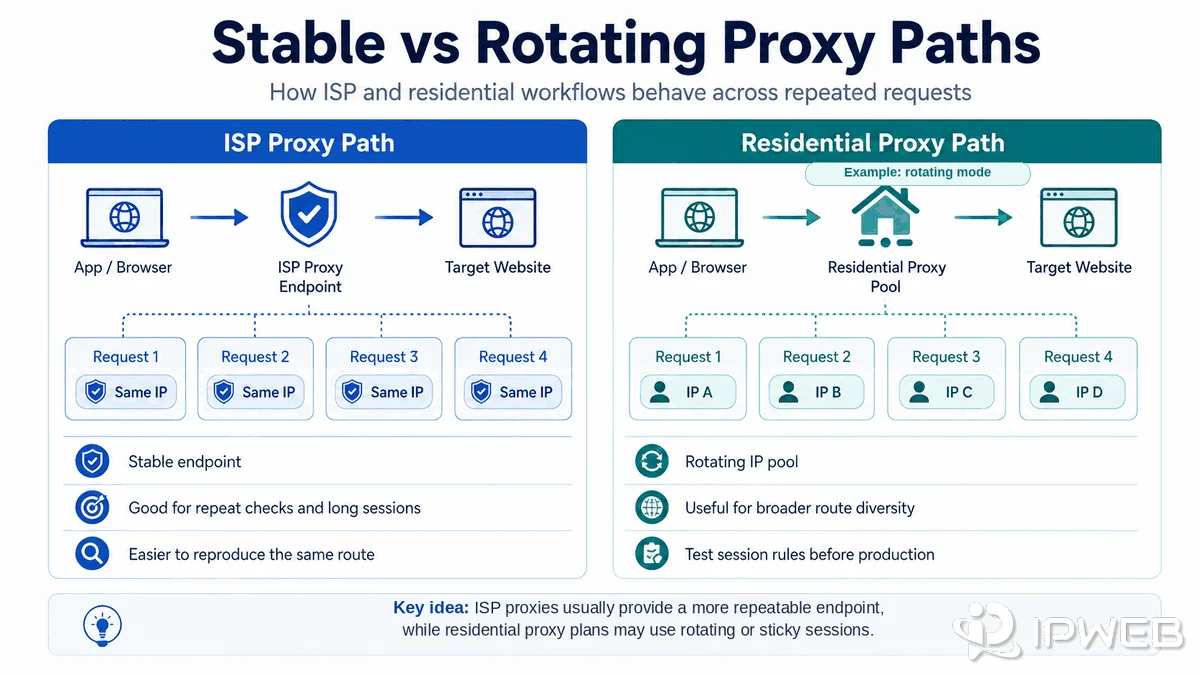
ISP proxies are usually the easier option when the same endpoint must remain visible across repeated requests. That matters for long-running browser sessions, regional regression testing, dashboard checks, or any workflow where changing the IP would make results difficult to compare.
Residential pools can also support stable sessions through a session token or sticky parameter. The difference is that the provider may need to replace the exit node if it becomes unavailable. A sticky residential session is therefore a controlled temporary assignment, not necessarily the same as a fixed dedicated ISP IP.
2. Pool depth and geographic coverage
Residential networks usually offer more route diversity because their value comes from a distributed pool of IPs across many networks and locations. This can be useful when a permitted public-data workflow needs samples from many countries, regions, cities, or ISPs.
ISP inventory is usually more limited because each stable endpoint must be provisioned and maintained. It may provide excellent coverage in priority markets without matching the geographic depth of a large residential pool. Check the exact countries, regions, cities, and carriers available rather than relying on a global coverage headline.
3. Speed, latency, and reliability
ISP proxies often run on managed server infrastructure, so they can provide consistent latency and long uptime. Residential performance can vary more because the route may depend on a broader set of nodes, networks, and geographic paths.
That does not mean an ISP proxy is always faster. Distance to the target, provider routing, congestion, proxy gateway load, protocol, TLS negotiation, and the target website all affect performance. Compare median latency, p95 latency, timeout rate, and successful response rate in the real workload. A single speed-test result is not enough.
4. Shared, private, and dedicated allocation
Proxy type and allocation type should be evaluated separately. A dedicated ISP IP assigned to one customer gives more endpoint control than a shared ISP IP. A residential pool may contain exit IPs used by multiple customers at different times, which means another user’s earlier activity can affect how a target system treats that IP.
Ask the provider whether an IP is dedicated, concurrently shared, sequentially reused, or drawn from a common pool. Also check replacement rules and whether an endpoint can change during a subscription.
5. Location precision
Residential pools often provide more granular selection because they contain more IPs across more local networks. ISP products can provide precise fixed locations where inventory exists, but the available city or carrier list may be narrower.
Remember that IP geolocation is database-based. Country results are generally more stable than city-level labels, and different databases can disagree. Test the databases that matter to your application instead of assuming one lookup represents every website.
6. Application and protocol behavior
Both proxy types may support HTTP, HTTPS, or SOCKS5, but protocol support does not guarantee that every application is using the intended route. Browser extensions, operating-system settings, automation frameworks, containers, and command-line tools can each apply proxy settings differently.
A proxy changes the network path selected by the configured application. It does not automatically change cookies, account history, browser fingerprints, DNS behavior, authentication state, or platform permissions. Those layers should be tested separately.
Cost and Billing Models
There is no universal answer to whether ISP proxies or residential proxies cost less because they are commonly sold using different units.
| Billing model | Basic estimate | Usually easier to forecast when | Cost risk to watch |
|---|---|---|---|
| Per IP | Active endpoints × monthly price per endpoint | You need a known number of stable IPs. | Paying for idle endpoints or extra locations. |
| Per GB | Transferred data × price per GB | Request volume and response size are measurable. | Large pages, images, browser assets, and retries increasing traffic. |
| Per port or bandwidth plan | Plan fee based on concurrent access or throughput | Traffic is heavy but concentrated through a controlled setup. | Concurrency limits, fair-use rules, and peak bandwidth. |
| Unlimited plan | Fixed fee within policy limits | Monthly usage is consistently high. | Fair-use limits, restricted domains, or capped concurrency. |
A per-IP ISP plan may be more predictable for ten stable regional test endpoints. A bandwidth-based residential plan may be more efficient when a workflow needs thousands of changing IPs but transfers relatively small responses. Browser automation can consume much more bandwidth than direct HTTP requests because pages may load images, scripts, fonts, video, and third-party resources.
For an IPWeb-specific comparison, Static Residential / ISP Proxies are designed around fixed, stable endpoints, while Dynamic Residential Proxies use a broader rotating residential model. Check the current plan page for the latest billing unit, included traffic, location inventory, and session rules before estimating cost.
Which Proxy Fits Each Workflow?
| Workflow requirement | Likely starting point | Why | What to confirm |
|---|---|---|---|
| Repeat the same regional check every day | ISP proxy | A fixed endpoint makes comparisons and audit logs easier. | IP replacement policy and location accuracy. |
| Maintain a long browser session | Dedicated ISP or static residential proxy | The outgoing IP is less likely to change during the session. | Dedicated allocation, session duration, and browser routing. |
| Collect permitted public pages across many regions | Rotating residential proxy | A larger location pool supports broader sampling. | Rotation control, country/city availability, and bandwidth cost. |
| Run multi-step requests while still using a large pool | Residential proxy with sticky sessions | A session token can keep one IP temporarily without requiring a permanent endpoint. | Maximum sticky duration and failover behavior. |
| Compare a small set of controlled network routes | ISP proxy | Stable endpoints reduce route variation between tests. | ASN, organization, DNS path, and endpoint exclusivity. |
| Sample many ISPs or cities | Residential proxy | Distributed inventory usually provides more network and location combinations. | Actual inventory depth rather than advertised location count. |
| High traffic through a few stable routes | ISP, port-based, or unlimited plan | A fixed-price model may be easier to forecast than per-GB billing. | Fair-use policy, concurrency, and bandwidth limits. |
| Permission, authentication, or account-policy problem | Neither by itself | Changing the network route does not grant authorization or remove platform rules. | Permissions, credentials, terms, and application configuration. |
How to Test Before Production
Do not choose a proxy type from a generic label or a homepage feature list. Run the same small, repeatable test against both options in the actual application.
- Confirm the visible route. Open a trusted IP lookup in the same browser, script, container, or tool that will run the workflow. IPWeb’s What Is My IP guide explains how to read the visible IP, ISP, ASN, and location fields.
- Check registration and classification. Compare the ASN, organization, RIR registration, and multiple geolocation databases. Record disagreements instead of forcing one label.
- Measure session persistence. Send a controlled sequence of requests over the intended session length. Record whether the IP changes by request, time, failure, or reconnect.
- Test the real target workflow. Measure successful responses, median latency, p95 latency, timeout rate, connection resets, and error codes in the exact application.
- Test browser route consistency. Confirm that DNS, browser requests, background workers, and automation contexts use the intended proxy configuration.
- Estimate total cost. Include transferred page assets, retries, idle endpoints, replacement IPs, concurrency requirements, and any fair-use policy.
A proxy may pass generic online checks yet break within your target application. Also, IP-lookup databases often classify an IP differently compared to the target site you are accessing. The relevant result is the behavior of the complete workflow, not one label from one database.
For a broader diagnostic process, use the proxy validation checklist to confirm that the intended application is actually using the configured route.
Using Both Types Together
Some teams do not need to make a permanent either-or choice. A hybrid design can use a small set of stable ISP endpoints as a control group and a residential pool for broader location sampling.
For example, a regional QA workflow can repeat the same checks through fixed ISP endpoints to detect page changes over time, then run a second sample through rotating residential locations to compare broader market visibility. A public-data workflow can use sticky residential sessions for multi-step pages and reserve fixed ISP endpoints for debugging or reproducible tests.
Define the role of each route in advance. Automatically switching proxy types whenever a website returns an error can hide the real cause, increase cost, and make logs harder to interpret. First separate network failures from application errors, permissions, authentication, rate limits, and target-side availability.
Common Mistakes
Treating provider terminology as a technical standard
“ISP proxy,” “static residential,” “dedicated residential,” and “long-session ISP” may overlap, but providers can implement them differently. Read the allocation and session documentation.
Assuming residential always means rotating
Residential describes the outgoing network category. The service may be static, sticky, or rotating.
Assuming ISP automatically means dedicated
An ISP endpoint can still be shared. Verify whether another customer can use the same IP concurrently or later.
Comparing only headline speed
One latency test cannot represent a production workload. Measure distribution, not just the fastest result, and test against the real target.
Ignoring bandwidth created by browser assets
Per-GB plans can become expensive when a browser loads media and third-party resources. Use request blocking only where it does not change the page behavior you need to test.
Using a proxy as a substitute for permission
A different route does not authorize access to private data, remove login requirements, or override a website’s terms and applicable laws.
Frequently Asked Questions
Final Thoughts
The useful comparison is not simply “ISP equals stable” and “residential equals rotating.” First identify the IP-source category, then check session behavior, sharing model, location inventory, billing unit, and application routing.
Start with the smallest representative test. If the workflow needs a known endpoint that remains consistent, an ISP or static residential proxy is usually the stronger starting point. If it needs many locations or controlled route diversity, a residential pool is usually more flexible. The final decision should come from measured behavior in the real workload, not from a provider label alone.