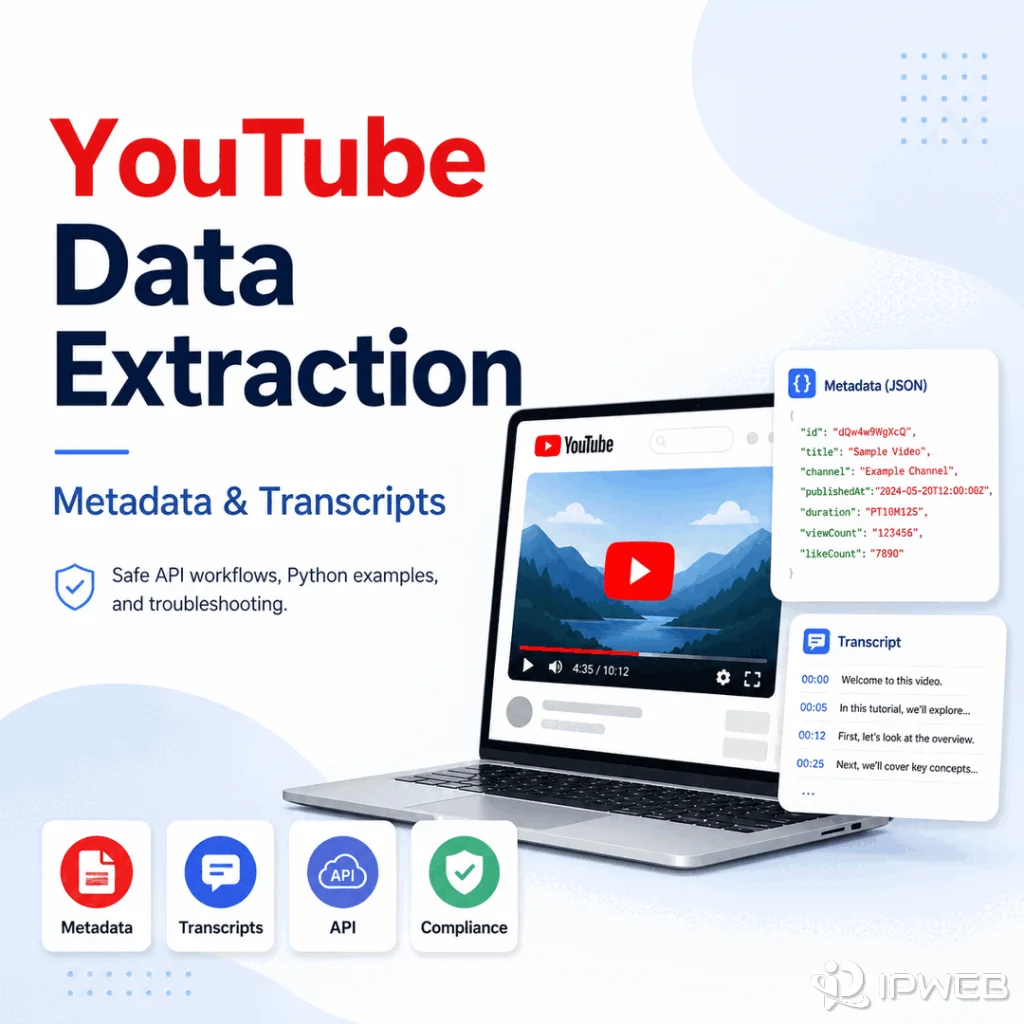
If your data workflow needs public YouTube information, the hard part is not only getting a response. The harder part is knowing which data you are allowed to collect, which source is reliable, why an API call failed, and whether a proxy is helping with a real network problem or just adding noise.
YouTube data extraction should be treated as a controlled public-data workflow, not as an access workaround. The clean path is to use official APIs or authorized sources for metadata, check transcript or caption availability carefully, validate IDs and quotas, and keep proxy use limited to routing checks or regional QA.
YouTube data extraction means collecting allowed public video, channel, playlist, metadata, and available transcript or caption data through official APIs or authorized methods. A proxy can help test network routing or regional response differences, but it cannot override YouTube access rules, API quotas, account requirements, content permissions, or platform policy.
- Start with the YouTube Data API or another authorized source for structured metadata, and add custom collection only when the use case requires it.
- Metadata and transcripts are different data types; a public video can expose metadata while captions or transcripts remain unavailable.
- Separate request, quota, permission, content-availability, and network failures instead of treating them as one problem.
- Proxies are useful for network diagnostics and regional QA, not for bypassing platform controls or account rules.
- Keep a compliance record of source URLs, request purpose, fields collected, and retention rules.
What YouTube Data Extraction Means
YouTube data extraction is the process of turning public YouTube pages or API responses into structured data that a workflow can store, compare, or analyze. Typical outputs include video IDs, titles, channel IDs, publish dates, descriptions, tags where available, statistics where permitted, thumbnails, playlist relationships, and caption or transcript data when it is available through an authorized path.
The phrase often gets mixed with unsafe access language, especially in keyword lists that mention proxies or blocked websites. For IPWeb content, the safe business angle is narrower: public metadata research, workflow validation, API troubleshooting, and route-quality checks for teams that already have a legitimate reason to collect public web data.
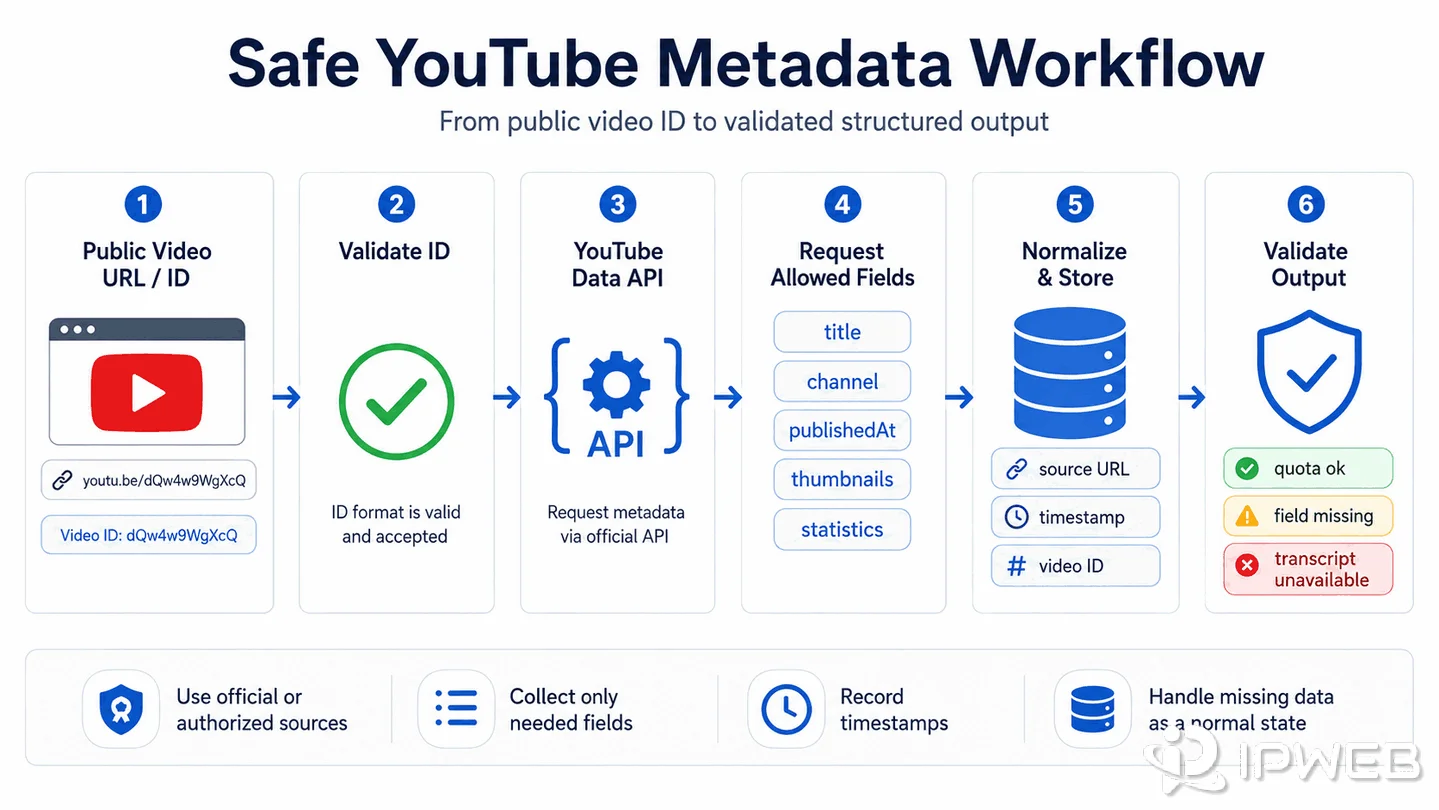
If you are building with Python, the basic shape is usually simple: collect video IDs, request allowed fields, normalize the response, store source metadata, and validate the output. The operational details matter more than the language. A reliable workflow should be repeatable, rate-aware, and able to explain why each field was collected.
What Data Can Be Collected Safely
Start by separating data types. YouTube metadata, captions, transcripts, comments, search results, and channel statistics have different availability rules and different failure modes. Treating them as one bucket leads to broken scripts and risky assumptions.
| Data Type | Safer Source | Common Limit | First Check |
|---|---|---|---|
| Video metadata | YouTube Data API videos.list |
Field availability and quota | Confirm the video ID and requested parts |
| Channel metadata | YouTube Data API channel endpoints | Permission and public visibility | Confirm the channel ID and public fields |
| Playlist data | YouTube Data API playlist endpoints | Pagination and quota | Store page tokens and deduplicate IDs |
| Captions or transcripts | Official or authorized caption paths where available | Captions may be disabled, unavailable, or permission-limited | Confirm caption availability before building the workflow around it |
| Statistics | YouTube Data API where exposed | Some counts can change or be unavailable | Store collection timestamp with every record |
Official API collection and direct page scraping can expose some of the same public facts, but they carry different operational and compliance risks. An official API gives you documented authentication, quota, resource fields, and service terms; direct page extraction depends on rendered content and requires additional review of site terms, access controls, request rates, privacy or copyright concerns, and applicable law. Public visibility does not automatically mean unrestricted reuse, so prefer the documented API when it covers the data you need and use direct page collection only for a legitimate gap that has been reviewed.
For a compliance-aware workflow, keep the minimum data necessary for the task. A monitoring job that checks public video metadata does not need account data. A transcript enrichment workflow should not assume every video has a transcript. A search or discovery workflow should preserve source URLs and timestamps so downstream users can trace where each record came from.
YouTube API, Metadata, and Transcript Options
The YouTube Data API is the first place to check for structured metadata because it provides documented endpoints, field names, quota behavior, and response formats. Google's videos.list reference is the natural starting point for video-level metadata.
For a Python workflow, think in stages rather than in one large script:
- Collect or receive a list of public video IDs.
- Request only the fields your workflow needs.
- Normalize nested API responses into a consistent schema.
- Record source URL, video ID, response timestamp, and API method.
- Handle quota, invalid IDs, and unavailable fields as expected states.
How to Extract YouTube Video Metadata with Python
For public video metadata, the official YouTube Data API is a practical starting point. The example below uses the Google API client for Python to request a video's title, channel, publish time, duration, and available statistics.
Replace the API key and video ID with values from your own authorized workflow. Install the client library with pip install google-api-python-client, then run:
from googleapiclient.discovery import build

API_KEY = "YOUR_API_KEY"
VIDEO_ID = "YOUR_VIDEO_ID"

# Create a YouTube Data API client.
youtube = build("youtube", "v3", developerKey=API_KEY)

# Request only the resource parts needed for this workflow.
response = youtube.videos().list(
    part="snippet,contentDetails,statistics",
    id=VIDEO_ID
).execute()

# Handle an unavailable or invalid video ID explicitly.
if not response["items"]:
    raise ValueError("Video not found or unavailable")

video = response["items"][0]
snippet = video["snippet"]

# Normalize the response into a simpler record.
metadata = {
    "video_id": video["id"],
    "title": snippet.get("title"),
    "channel_id": snippet.get("channelId"),
    "channel_title": snippet.get("channelTitle"),
    "published_at": snippet.get("publishedAt"),
    "duration": video.get("contentDetails", {}).get("duration"),
    "statistics": video.get("statistics", {}),
}

print(metadata)
This is metadata extraction, not transcript extraction. Keep missing fields explicit, store the collection timestamp separately, and handle invalid IDs, quota errors, and permission-limited resources as distinct states in production.
Transcripts and captions require extra care. A keyword such as youtube transcript api sounds like a single universal endpoint, but there is no unrestricted official transcript-download endpoint for arbitrary public videos. YouTube's captions.list method requires OAuth 2.0 authorization, and captions.download requires the caller to have permission to edit the video. Transcript or caption availability can also depend on the video's caption tracks, language, settings, and permissions. The practical approach is to check which authorized caption path applies, then treat unavailable transcript text as an expected result rather than a failure to force around.
For broader public web collection, compare the API-first path with IPWeb's guide to web scraping APIs. For legal and policy boundaries, review IPWeb's article on whether web scraping is legal, along with YouTube's quota guidance and API Services Terms of Service.
Where Proxies Fit in a YouTube Data Workflow
Proxies can help validate the network path of a request, but they are not a substitute for API permission, quota, or platform compliance. This distinction is important because many high-volume keywords in this group point toward unblocking or bypassing access. That is not the article boundary here.
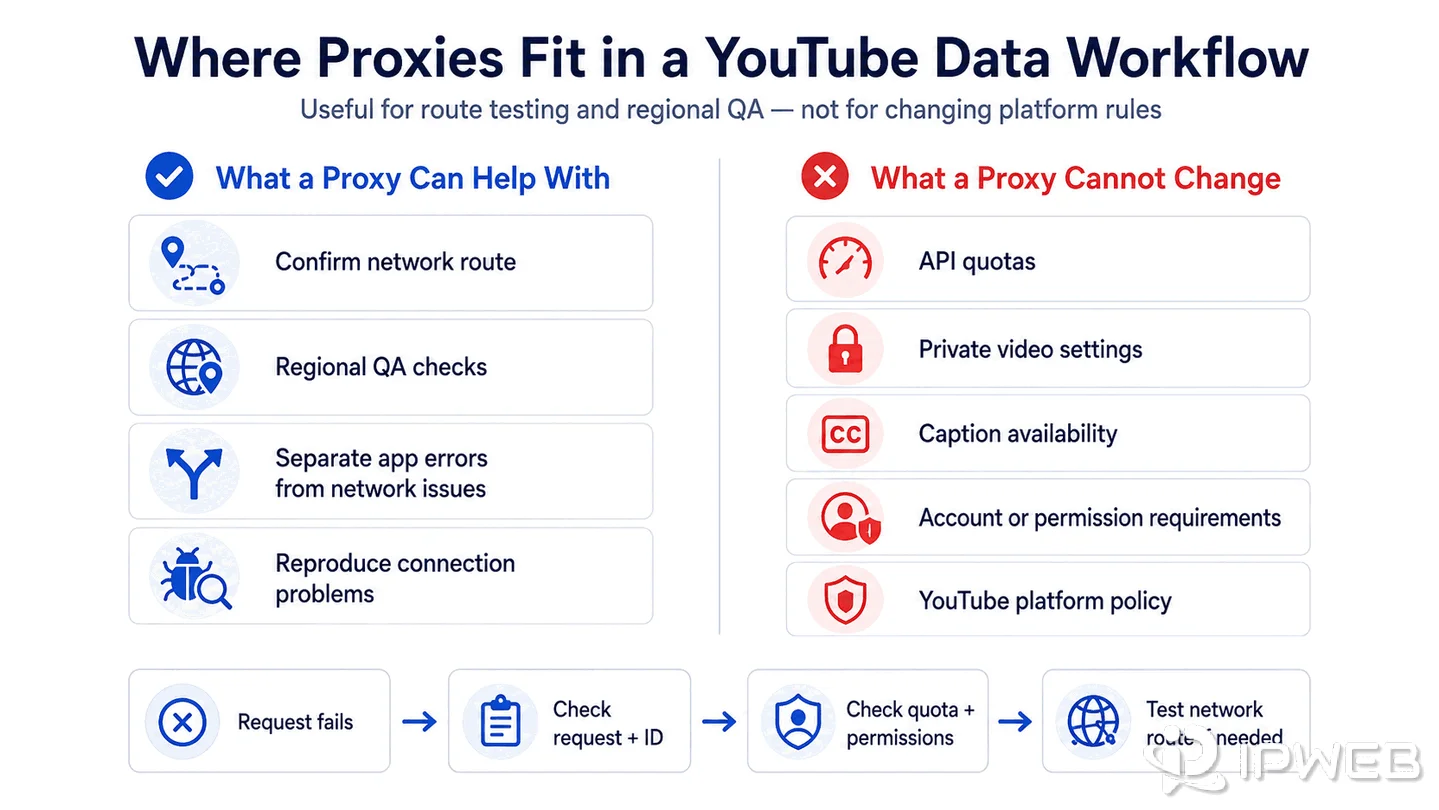
In a legitimate data workflow, a proxy may help confirm whether a request is leaving through the expected network route or compare public response behavior from different test regions for QA. For controlled regional testing, dynamic residential proxies can provide location-specific residential routes without changing YouTube API permissions, quotas, or platform rules.
It can also help separate application errors from local network problems or reproduce a customer-reported connection issue in a controlled environment. Keep those tests focused on network diagnosis rather than changing platform access rules.
It will not fix a missing caption track, a private video, an invalid API key, a quota-exceeded response, an account restriction, or a policy limit. If your first question is whether the proxy itself is working, start with IPWeb's guide on how to check if a proxy is working.
Troubleshooting API, 400, and 503 Errors
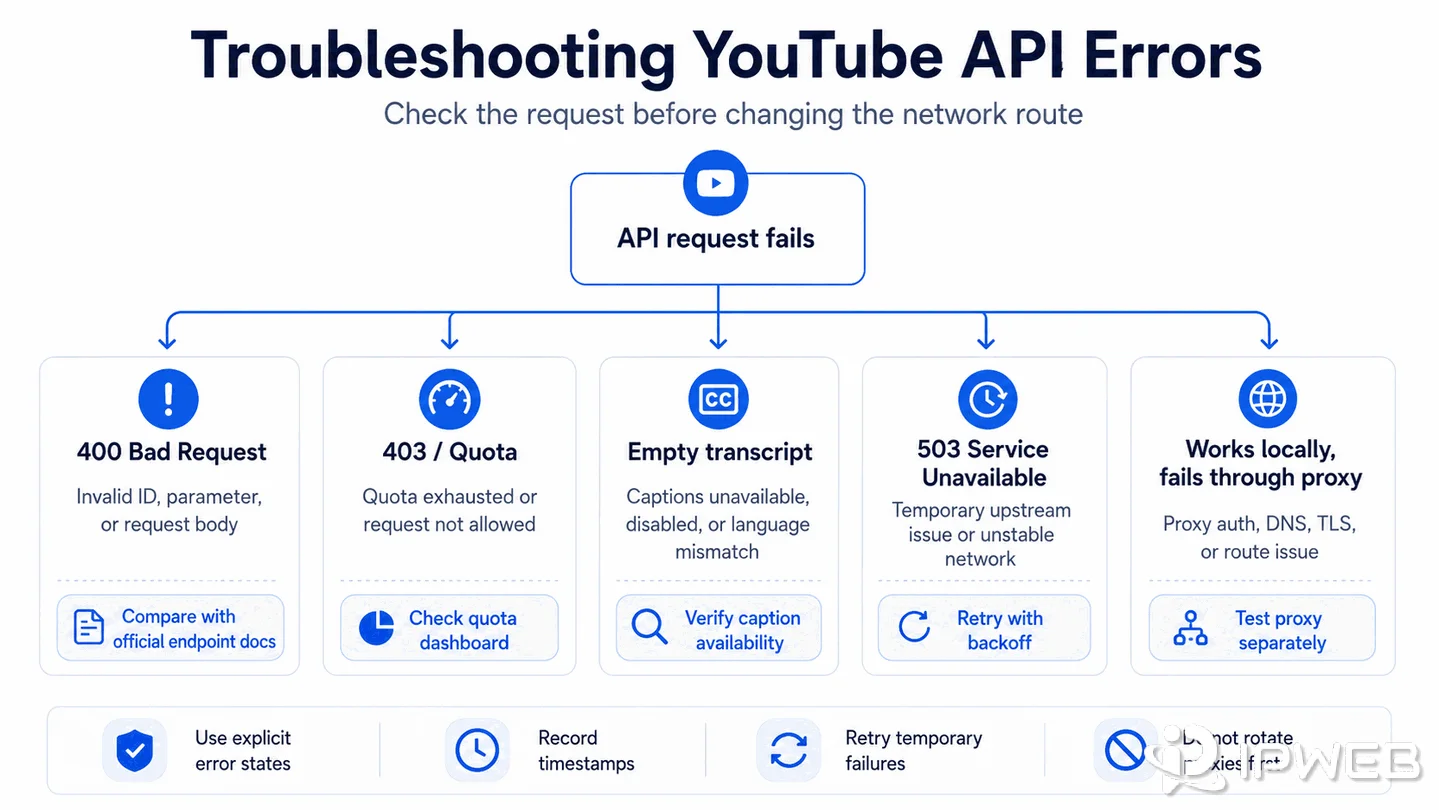
Most YouTube workflow failures should be debugged from the request outward: request format, video or channel ID, API key, quota, permissions, response body, then network route. Jumping straight to proxy rotation often hides the real issue.
| Symptom | Likely Cause | How to Check | What to Do Next |
|---|---|---|---|
| 400 Bad Request | Invalid parameter, malformed ID, unsupported part, or bad request body | Compare the request with the official endpoint reference | Fix parameters and retry with one known valid ID |
| 403 or quota-related message | Quota exhausted or request not allowed for the key | Review the API response body and quota dashboard | Reduce fields, batch responsibly, or wait for quota reset |
| Empty transcript result | Captions disabled, unavailable, permission-limited, or language mismatch | Check whether captions exist and whether the selected language is available | Store a "transcript unavailable" state instead of retrying forever |
| 503 Service Unavailable | Temporary upstream issue, overloaded service, or network instability | Retry later, check status patterns, and compare with a clean network route | Add backoff and avoid treating 503 as a data-quality result |
| Works locally but fails through proxy | Proxy authentication, DNS, SSL, or route issue | Test the proxy separately and inspect timeout or TLS errors | Fix proxy configuration before changing extraction logic |
For production jobs, use backoff and explicit error states. A clean pipeline should know the difference between "video not found," "caption unavailable," "quota exhausted," and "network timeout." Those states lead to different fixes and different reporting.
A Safe Workflow Checklist
Use this checklist before turning a YouTube data extraction script into a scheduled workflow.
- Confirm that the use case is based on public or authorized data.
- Use official YouTube API documentation for endpoint behavior and allowed fields.
- Request only the fields needed for the workflow.
- Store source URL, video ID, collection timestamp, and method for traceability.
- Handle missing transcripts, private videos, invalid IDs, quota limits, and temporary errors as separate states.
- Use proxies only for network route validation or regional QA, not for access circumvention.
- Review retention, redistribution, and platform-policy requirements before sharing the dataset.
A strong workflow is boring in the best way: predictable inputs, documented sources, clear limits, and recoverable errors. If a field is not available through an authorized source, treat that as a real result rather than a problem to force around.
Frequently Asked Questions
captions.list call. The method returns metadata about caption tracks rather than the caption text itself, so quota planning should treat caption discovery and any authorized caption download as separate steps.Final Thoughts
YouTube data extraction is safest when it is treated as a documented public-data workflow: choose an authorized source, request only needed fields, validate the response, and record why a value is missing. Proxies can support route checks and regional QA, but they do not change API rules or content permissions.
If your current job fails, do not start by adding more proxy complexity. First confirm the video ID, endpoint, quota, permissions, transcript availability, and response body. Once those checks are clean, a proxy test can tell you whether the remaining problem is actually in the network path.