A VPN detection API sounds simple: send an IP address, get back a label, and decide whether to trust the traffic. In real workflows, the answer is rarely that clean. VPN, proxy, hosting, residential, mobile, and corporate networks can overlap in ways that make a single "block" decision risky.
A VPN detection API checks an IP address against IP intelligence signals such as ASN, hosting provider, known VPN or proxy ranges, residential or mobile network patterns, geolocation consistency, reputation, and recent observations. The result should be treated as a risk signal, not absolute proof. Good teams validate the API output against business context, user history, and false-positive impact before using it for hard blocks.
- VPN detection and proxy detection overlap, but they are not always the same signal.
- A detection API may classify IP type, ASN, hosting network, proxy/VPN usage, geolocation, risk score, and confidence.
- One lookup cannot prove user intent, account quality, or fraud by itself.
- False positives are common enough that high-impact decisions should use layered rules.
- For e-commerce, payments, ads, and account security, detection output should guide review, step-up checks, rate limits, or risk scoring rather than automatic denial in every case.
What Is a VPN Detection API?
A VPN detection API is an IP intelligence service that returns signals about whether an IP address appears to be associated with a VPN, proxy, hosting network, anonymizer, or another network category. A typical lookup sends an IP address and receives fields such as ASN, organization, country, network type, VPN/proxy status, and sometimes confidence, service name, or observation timestamps.
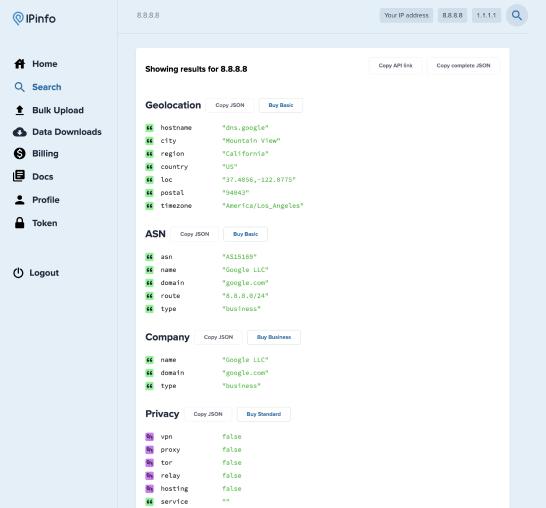
Field-level output is more useful than a single verdict. IPinfo's Privacy Detection documentation, for example, describes separate VPN, proxy, Tor, relay, hosting, service, and—on some products—freshness or confidence fields. That separation matters because one address can be both a VPN exit and part of hosting infrastructure.
A fixed or dedicated IP does not change that distinction. “Static,” “dedicated,” and “residential” describe different properties of an IP service. Static VPN vs Static Residential Proxy explains how IP persistence, exclusivity, network classification, and routing scope differ.
Minimal API Demo
The examples below use IPinfo's documented /anonymous lookup pattern. Set your own API token first, then replace the sample IP with an address from your test set. The provider's plan determines which privacy fields are available.
export IPINFO_TOKEN="YOUR_TOKEN"
export TARGET_IP="89.187.171.166"

curl -sS \
"https://api.ipinfo.io/lookup/${TARGET_IP}/anonymous?token=${IPINFO_TOKEN}"import os
import requests
token = os.environ["IPINFO_TOKEN"]
ip = os.getenv("TARGET_IP", "89.187.171.166")
url = f"https://api.ipinfo.io/lookup/{ip}/anonymous"
response = requests.get(
url,
params={"token": token},
timeout=10,
)
response.raise_for_status()
data = response.json()
print(data)A response can contain fields such as is_vpn, is_proxy, is_tor, is_relay, and a detected service name. Do not map one boolean directly to fraud. Store the raw response, lookup time, provider, and the action your system took so you can audit false positives later.
The API still sees only part of the picture. It evaluates network-level data and the provider's observations; it does not know the user's intent, account history, payment context, or whether a corporate security gateway is expected in that workflow. Two vendors can also classify the same IP differently because their data sources and refresh cycles are not identical.
Treat the result as decision support. For low-impact events, logging may be enough. For high-impact events such as checkout, payout, password reset, or account recovery, the IP signal should be combined with other evidence before a hard deny.
VPN Detection vs Proxy Detection
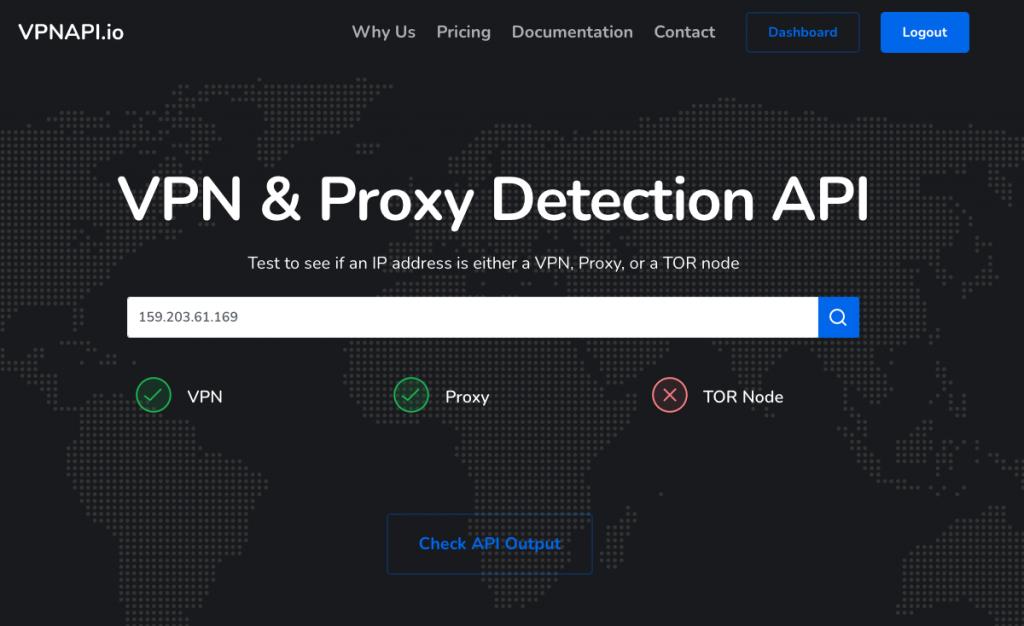
VPN detection and proxy detection overlap because both can involve traffic that exits from a network path different from the user's original ISP connection. But the categories are not identical.
If you are comparing the routing models themselves rather than interpreting a detection result, see Residential VPN vs Residential Proxy for the differences in routing scope, session control, and browser-level configuration.
| Category | What It Usually Means | Why It Matters | Main Limitation |
|---|---|---|---|
| VPN detection | The IP is associated with a VPN service, VPN exit node, or VPN-like routing pattern | Useful for risk scoring, licensing rules, location checks, and fraud review | Some VPNs use residential, mobile, or mixed infrastructure that is hard to classify |
| Proxy detection | The IP appears to be a proxy endpoint or is known to forward traffic for multiple users | Useful for account protection, request-quality checks, and abuse prevention | A proxy label does not prove malicious intent |
| Hosting/datacenter detection | The IP belongs to a cloud, hosting, or datacenter network | Useful for separating consumer access from server-originated traffic | Some legitimate businesses and remote workers use hosted infrastructure |
| Residential or mobile classification | The IP appears to belong to an ISP or mobile network | Useful for understanding traffic type and geolocation confidence | Residential-looking does not guarantee trust or compliance |
| Anonymous IP or anonymizer flag | The IP is associated with privacy, forwarding, or traffic-masking infrastructure | Useful as one risk layer | Vendor definitions vary, and the same IP may change category over time |
In short: VPN and proxy detection overlap, but a reliable IP intelligence API should expose separate network categories instead of reducing every anonymous connection to one binary flag.
Use each label as evidence, not as a verdict. A VPN flag, proxy flag, and elevated risk score together carry more weight than one isolated mismatch. When only one field looks unusual, validate the network and account context before escalating the response.
Signals a Detection API May Use
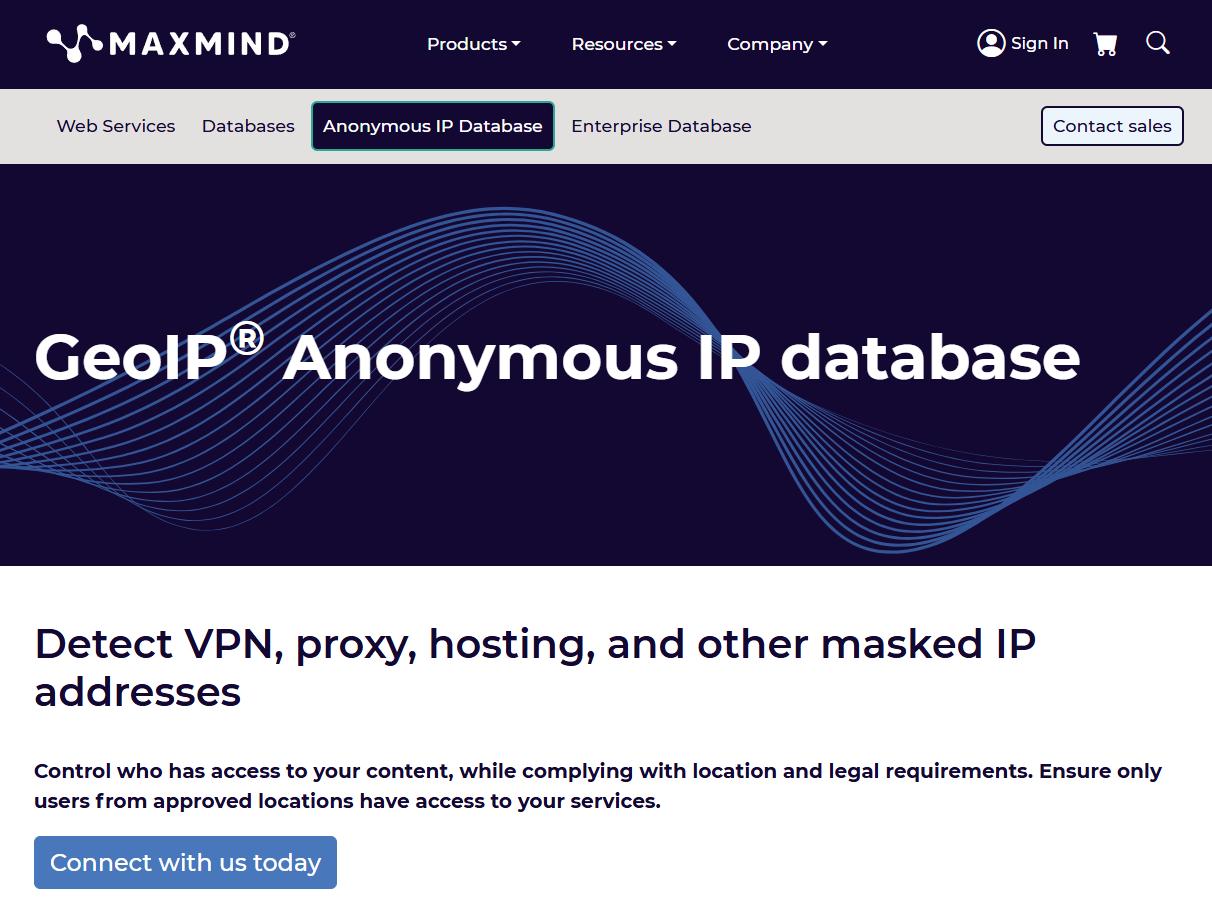
Most VPN and proxy detection APIs combine several data sources. The exact methods vary by vendor, but the output often includes these signals. MaxMind's GeoIP Anonymous IP documentation, for example, describes data used to identify proxy, VPN, hosting, and other anonymous IP addresses.
- ASN and organization: whether the IP belongs to a consumer ISP, mobile carrier, hosting provider, enterprise network, or known VPN provider.
- IP type: residential, mobile, datacenter, hosting, VPN, proxy, Tor, or mixed/unknown.
- Geolocation: country, region, city, time zone, and confidence level.
- Reputation: abuse reports, spam history, suspicious traffic, or historical risk.
- Blocklists or watchlists: a VPN proxy blocklist or other known VPN/proxy range list may identify previously observed exit nodes, but list age and scope matter.
- Connection context: whether the IP appears in many accounts, locations, payment attempts, or sessions in your own system.
- Freshness: when the vendor last observed or updated the IP classification.
The freshness field is easy to overlook. IP ownership and use can change. A residential IP can be reassigned, a hosting provider can move ranges, and a proxy endpoint can stop being active. If your workflow depends on accurate classification, ask how often the data is updated and how confidence is represented.
What the API Output Can and Cannot Prove
A VPN detection API can help answer network questions. It can suggest that an IP belongs to a VPN provider, a proxy service, a hosting network, a residential ISP, or a mobile carrier. It can also help spot inconsistencies, such as a billing country that does not match a session country or a login from a high-risk network.
It cannot prove why a person used that network. A VPN or proxy flag does not automatically mean fraud. Some users connect through privacy tools, corporate networks, travel routes, mobile hotspots, accessibility tools, or security software. Blocking every flagged IP can create unnecessary support tickets and lost legitimate traffic.
It also cannot replace application-level evidence. Account age, payment behavior, device consistency, velocity, address changes, failed login patterns, and transaction history may matter more than the IP label alone. The API is most useful when it contributes to a layered risk model.
How to Evaluate VPN Detection Vendors
The "best VPN detection API" for an e-commerce platform or risk team is the one that performs well on your actual traffic, not the one with the boldest marketing claim. Build a small evaluation set before committing to hard-block rules.
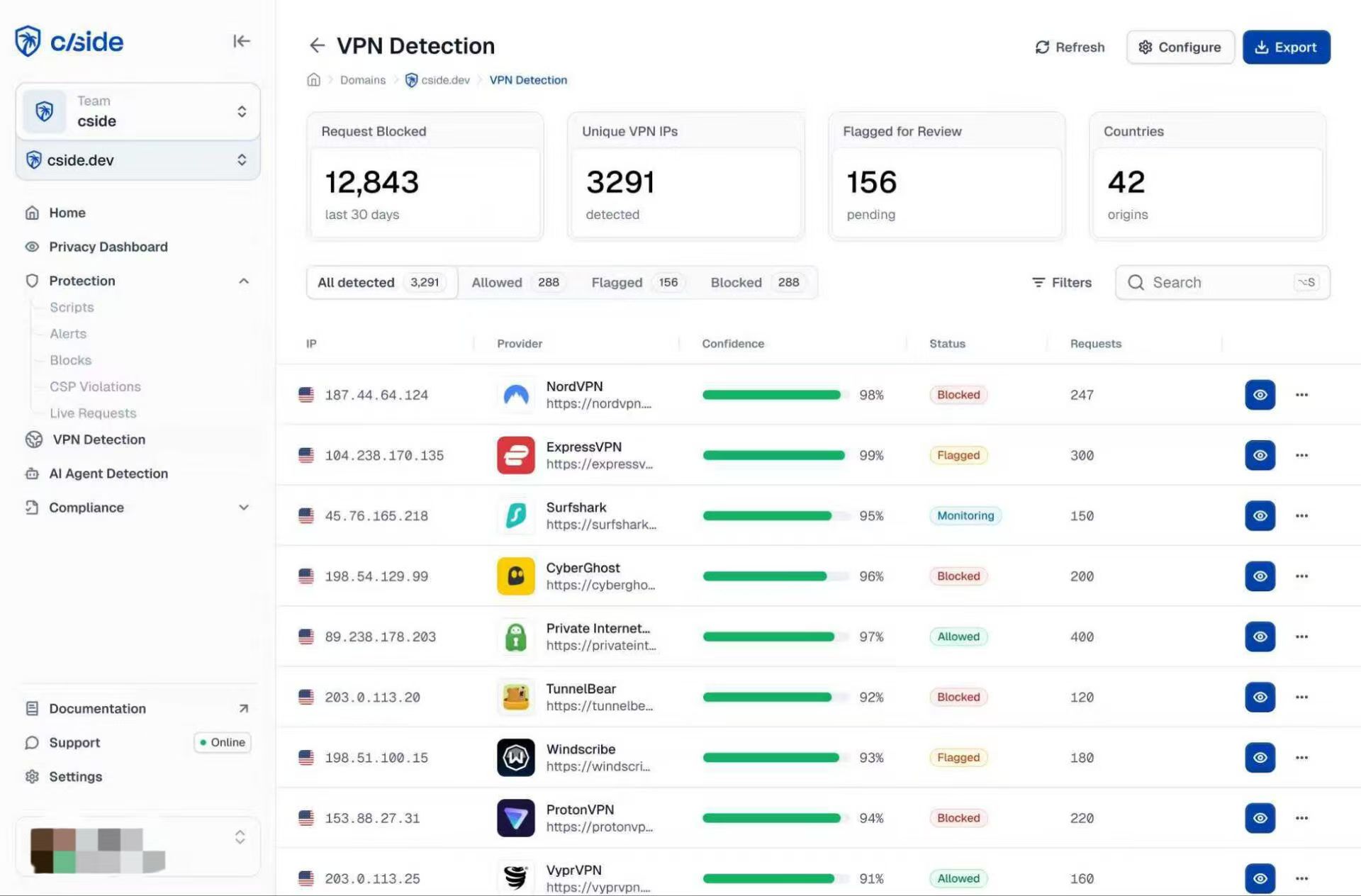
Use this checklist:
- Test known clean residential, mobile, corporate, datacenter, VPN, and proxy IPs.
- Compare output fields, not only the final score.
- Check whether the API separates VPN, proxy, hosting, Tor, residential, and mobile labels.
- Look for confidence scores or evidence fields.
- Check whether the vendor explains why an IP was classified instead of returning only an opaque score or boolean.
- Review data freshness and update frequency.
- Test global geolocation coverage in the countries that matter to your business.
- Measure false positives and false negatives against your own user outcomes.
- Decide what action each risk band should trigger: allow, review, step-up verification, rate limit, or block.
Do not copy another company's threshold. A gaming site, marketplace, payment flow, ad platform, and public data dashboard have different tolerance for false positives. The right rule depends on the cost of abuse and the cost of blocking a real user.
Build a VPN Detection Test Matrix
A vendor test needs labeled traffic, not a handful of convenient IPs. Start with roughly 10–20 current addresses per class and refresh the set before each evaluation cycle. Avoid copying random IPs from public lists when you cannot verify what they are today.
| Test Class | How to Build the Sample | Expected Baseline | What to Measure |
|---|---|---|---|
| Clean residential | Use controlled home or office ISP connections from your own team or approved testers. | Residential/ISP; no anonymous-network flag in most cases. | False-positive rate, ASN accuracy, country/region accuracy. |
| Corporate VPN or secure web gateway | Use company-managed VPN, SASE, ZTNA, or secure-web-gateway egress addresses that are known to be legitimate. | May appear as VPN, enterprise, hosting, or shared egress depending on the vendor. | Whether legitimate enterprise traffic is over-classified as high risk. |
| Datacenter | Create short-lived test VMs in providers such as AWS, Google Cloud, or DigitalOcean and record their public IPs. | Hosting/datacenter classification. | Hosting detection, ASN accuracy, latency, and consistency across regions. |
| Commercial VPN | Use your own test accounts with several mainstream VPN services and collect current exit IPs in more than one country. | VPN=true or equivalent; hosting may also be true. | VPN catch rate, service identification, location accuracy, and freshness. |
| Residential proxy | Collect exits from an approved residential proxy test pool. For IPWeb users, dynamic residential proxies can provide controlled regional samples. | Residential/ISP classification; some vendors may also identify residential-proxy use. | Residential-proxy coverage, false negatives, ASN/location consistency, and changes over time. |
| Tor exit | Pull current exit addresses from the Tor Project's official exit-list service immediately before the test. | Tor/anonymous classification. | Tor catch rate, update lag, and whether stale exits remain flagged. |
In short: the benchmark should test both detection coverage and the cost of mistakes. A tool that catches every Tor exit but repeatedly flags clean residential or corporate VPN traffic may still perform poorly for a B2B or e-commerce product.
How to Reduce False Positives
False positives often come from shared networks, corporate VPNs, mobile carrier routing, remote-work security tools, stale reputation data, or broad network lists. The expensive mistake is not the misclassification itself; it is turning that classification into an irreversible action without checking context.
Separate detection from enforcement. A low-risk page view may only need logging. A medium-risk login can trigger an extra verification step. A high-risk payout or account-recovery event can justify a stricter response, but the IP result should sit beside device, account, payment, velocity, and behavioral evidence.
A Real False-Positive Pattern: Enterprise Egress Changes the Signal
In a May 2026 Microsoft Q&A report, users working from India were being detected as if they were in Dublin because their traffic exited through Cisco Umbrella infrastructure. The report said the users were then blocked at the identity-risk layer. It is a customer-reported case rather than a Microsoft incident bulletin, but it shows how an enterprise gateway can alter IP and geolocation signals enough to trigger a false-positive access decision.
An internal allowlist or enterprise-egress registry helps with this class of problem. If trusted business users, partners, QA testers, or employees regularly use known corporate gateways, store that context and review it separately from anonymous high-velocity signups. Do not assume that every VPN-classified address represents the same risk.
Practical Workflow for E-commerce and Web Risk Teams
For e-commerce and web risk teams, the most reliable workflow is layered:
- Collect the IP address at the point of login, checkout, signup, or request.
- Query the VPN detection API and store the raw fields, timestamp, and provider.
- Normalize the fields into internal categories such as residential, mobile, datacenter, VPN, proxy, unknown, and high-risk.
- Combine the IP category with account history, device consistency, order value, payment risk, velocity, and location changes.
- Apply graduated actions instead of one universal block.
- Review false positives and false negatives weekly until thresholds are stable.
This creates an audit trail. When a customer is challenged or blocked, the team can see whether the decision came from a VPN label, ASN category, country mismatch, payment signal, or several signals acting together.
For Crawler and Data Teams
For crawling, public-data collection, and regional QA, a VPN detection API can be used as a diagnostic layer for your own exit routes. Before scaling a job, sample several exit IPs and log the visible IP, ASN, country, VPN/proxy/hosting classification, lookup timestamp, target URL, and HTTP outcome. If 403 or 429 responses rise after a pool change, compare the classification history with request rate, session behavior, and target-side limits instead of assuming the IP label alone caused the response.
Repeat the same lookup after a provider or route change. A pool that was classified as residential last week may contain newly reassigned or differently labeled addresses today. For controlled regional tests that need changing residential exits, IPWeb dynamic residential proxies can supply the route; keep the detection result attached to each session so you can compare route quality and classification over time.
If a test route is flagged and you need to diagnose the label from the user side, the separate guide on what “anonymous proxy detected” means covers visible IP, ASN, DNS, browser, and session checks.
Frequently Asked Questions
Final Thoughts
A VPN detection API earns its place in a production workflow when its output can be explained and measured. Network type, ASN, geolocation, VPN/proxy status, freshness, and confidence are useful inputs, but they should remain separate from the final business decision.
Before shipping a rule, make sure the team can reconstruct why a request was allowed, reviewed, challenged, or blocked. If the audit trail ends at “the API said VPN,” add more context before turning that signal into enforcement.