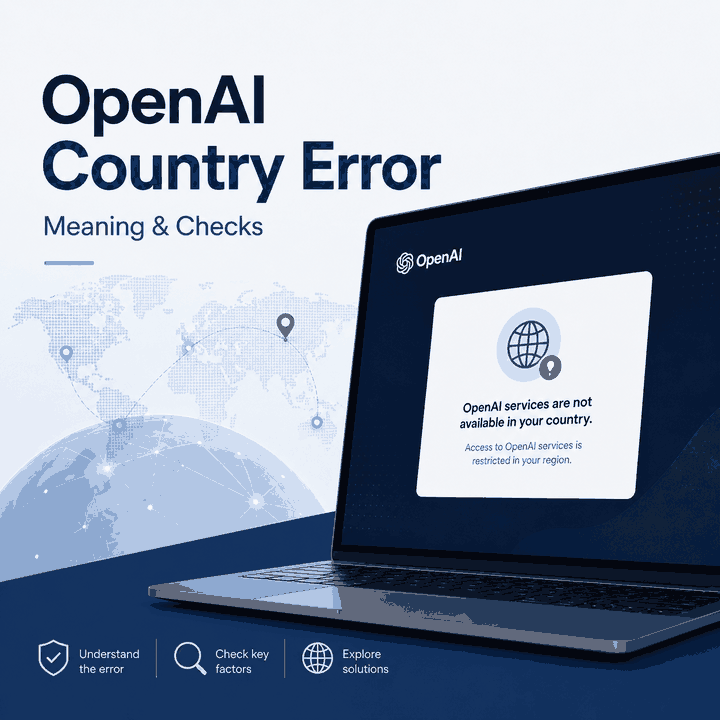
Many users encounter the “OpenAI services are not available in your country” warning when signing up, creating an API key, or trying to access ChatGPT. The message looks like a simple location error, but the correct next step depends on where it appears and what the account or network is actually doing.
Before changing browser settings or network routes, record the exact wording and identify the workflow that failed. An explicit unsupported-country error, a country-detection failure, a normal login problem, and an API authorization error are not the same condition.
“OpenAI services are not available in your country” usually means the country or region detected for that OpenAI workflow is not currently supported, or the session is producing inconsistent country-related signals. Check OpenAI's current supported-country documentation first. If the country should be supported, then compare the visible IP country, browser state, account context, billing context, and—when the error comes from an API workload—the actual public egress region of the application making the request.
- An OpenAI country warning is different from an ordinary page-load, login, authentication, or rate-limit error.
- OpenAI maintains separate supported-country documentation for ChatGPT and API access.
unsupported_countryand “Country, region, or territory not supported” belong to the same broad regional-availability problem family, but the exact workflow still matters.- If the detected country looks wrong, check public IP location, ISP or ASN, IPv4/IPv6 behavior, browser state, and the application's actual egress route.
- A network-route comparison can help diagnose inconsistent location signals, but it cannot change OpenAI's official country eligibility or account rules.
What Does “Country, Region, or Territory Not Supported” Mean?
OpenAI uses explicit regional-availability errors in some workflows. Its API documentation lists a 403 “Country, region, or territory not supported” error when an API request originates from a country, region, or territory OpenAI does not support.
On other OpenAI flows, users may instead see wording such as “OpenAI services are not available in your country” or an error=unsupported_country token. The visible wording may differ, but the first diagnostic question is the same: where did the message appear?

unsupported_country.Do not automatically treat every country-related message as proof that the user's physical location itself is unsupported. The error tells you the service is rejecting the country or region context it sees for that workflow; it does not reveal every location, account, browser, billing, or routing signal involved in that decision.
ChatGPT, API, or Model: Where Does the Country Error Appear?
The same regional theme can appear at different stages, and those stages should not be combined into one generic fix.
| Where You See It | What It Points To | Best First Check | Keep Separate From |
|---|---|---|---|
| ChatGPT web or app | ChatGPT availability or the location context of the current session | ChatGPT supported countries and OpenAI service status | Wrong login method or browser-session problems |
| Account sign-up | The detected location may not be supported for account creation | OpenAI unsupported-country guidance | Email, SSO, or password-reset failures |
| API-key creation | API access or key creation may not be supported for the detected region | API supported-country list and platform account state | 401 authentication and 429 rate-limit errors |
| API request returns 403 | The request may be originating from an unsupported country, region, or territory | The application's actual public egress IP and region | The developer's personal browser IP |
| Model or feature says it is unavailable | The restriction may be product-, model-, account-, or region-specific | The exact OpenAI product documentation and account context | A generic connection failure |
| Subscription checkout | Billing region, payment method, or subscription eligibility may be involved | Billing and payment context | Basic ChatGPT page access |
For example, a browser cache reset can help with a stale web session, but it does not make an unsupported country supported. Likewise, changing an API key does not explain why the server sending the request exits through an unexpected region.
Check the Supported-Country List First
Use OpenAI's official documentation as the factual baseline instead of relying on copied country lists or old screenshots.
- For ChatGPT, check OpenAI's ChatGPT supported countries and territories.
- For developer workloads, check OpenAI's API supported countries and territories.
- For sign-up or API-key creation errors, use OpenAI's unsupported-country guidance.
Then compare those rules with the environment involved in the failure:
- your physical country or territory;
- the country reported for the visible public IP;
- the account or billing context;
- the app-store region when a mobile app is involved;
- and, for APIs, the public egress location of the server or edge platform sending the request.
If OpenAI officially does not support the country involved, local browser or route changes do not alter that service-availability boundary.
Why OpenAI May Detect the Wrong or Unknown Country
A supported user can still see a wrong-looking or unknown country result when the network and session context do not line up cleanly. IP geolocation is database-based rather than GPS-based, and different services can map the same IP range differently.
Common sources of mismatch include:
- a corporate network whose public traffic exits in another country;
- a mobile carrier route registered differently from the device's physical location;
- a VPN or proxy exit located somewhere other than expected;
- IPv4 and IPv6 using different network paths;
- an application server or edge worker running in a different region from the developer;
- browser cookies, cached sessions, or account context left over from another region;
- DNS or other network infrastructure that does not match the visible public route.
If an IP lookup reports an unexpected city or country, IPWeb's Why Is My IP Location Wrong? guide explains why IP databases, reassigned ranges, ISP routing, and network ownership can produce inconsistent geolocation results.

This kind of message should not be treated as identical to unsupported_country. One says the detected region is unsupported; the other indicates that the service could not determine a usable country context.
That distinction matters because the next test is different. For an unknown-country case, the useful question becomes: does the visible network route and browser session produce a consistent country context?
How to Diagnose the Error Without Guessing
Change one variable at a time. If you change the IP, browser profile, DNS settings, account, and device together, even a successful result does not tell you which change mattered.
- Save the exact error text, timestamp, workflow, and any visible error token.
- Do not treat
unsupported_country, a 403 regional API error, and an unknown-country message as the same condition. - Check the relevant official OpenAI supported-country page.
- Check OpenAI Status before blaming local configuration.
- Record the visible IPv4 address, IPv6 address if present, country, ISP or organization, and ASN.
- If the location looks wrong, compare it with a second IP-geolocation source.
- Test the same account and browser on another normal network before changing the browser profile.
- Then test a clean browser profile on the original network.
- For API access, record the public egress IP and region of the server, worker, or edge platform sending the request.
- Separate API, ChatGPT, account sign-up, and billing failures instead of forcing them into one diagnosis.
IPWeb's What Is My IP? guide explains the public IP, ISP, ASN, and location fields that are useful when documenting a network-origin problem.

If the country error disappears in a clean browser but remains in the normal profile, browser state deserves more attention. If the result changes only when the network changes, the route becomes more relevant. If the same official regional error follows the account across clean browsers and networks, the supported-country or account context deserves more weight.
When a Network-Route Test Is Actually Useful
A network comparison is useful when the location should be supported but the error appears only on one connection, or when an IP lookup shows an unexpected country, ISP, or ASN.
Keep the account, device, browser, and action unchanged. Record the first result, change only the network route, then repeat the same test. This isolates route-specific behavior from browser or account changes.
For permitted regional QA and network-path comparison, IPWeb Dynamic Residential Proxies provide residential routes across multiple locations so teams can compare visible IP location and route-specific web behavior under controlled conditions. This type of test does not change OpenAI's supported-country rules, account eligibility, billing requirements, or guarantee access to an OpenAI service.
If you use a proxy as part of a legitimate diagnostic test, first confirm that the browser, script, server, or other application is actually using the configured route. IPWeb's proxy testing guide explains how to compare the visible IP, country, ISP, and ASN before interpreting the result.
For API workloads, do not assume the developer's own laptop represents the request origin. A cloud server, edge function, CI runner, worker, or other infrastructure component may send traffic from a different public region.

When the Problem Is Not a Network Issue
Not every country-related OpenAI failure should lead to more network testing.
A proxy or route change is not the right fix when:
- the country or territory is officially unsupported for the requested service;
- the account has been suspended or restricted;
- the user is using the wrong authentication method;
- the problem occurs only during payment or subscription checkout;
- the API organization, project, billing, or permissions are misconfigured;
- OpenAI is reporting a broader service incident.
OpenAI's ChatGPT login troubleshooting guidance also recommends browser, authentication-method, cookie, network, and verification checks for login problems. For Cloudflare verification loops, it specifically recommends disabling VPN or proxy services while troubleshooting.
The practical boundary is straightforward: use network testing to understand network behavior, not to reinterpret an official availability rule.
Safe Next Steps
Once the failure is classified, the next action should follow that layer.
| Confirmed Situation | Next Step | Do Not Keep Repeating |
|---|---|---|
| The country is officially unsupported | Follow OpenAI's supported-country guidance | Network changes intended to alter official eligibility |
| The country is supported but one browser fails | Clear relevant site state or test a clean browser profile | Changing the entire network |
| The country is supported but one network fails | Record IP, country, ISP/ASN, DNS, and route differences | Changing account credentials |
| An API request returns a regional 403 | Inspect the application's actual egress country and OpenAI API support list | Checking only the developer's local browser IP |
| The error remains after returning to a supported region | Follow OpenAI's travel guidance: clear browser state, try another browser or incognito, then contact Support if needed | Repeated uncontrolled route changes |
If the issue specifically involves mainland China, see IPWeb's ChatGPT in China: Availability & Login Issues guide. That page focuses on China-specific availability, travel, login, and network symptoms, while this page remains focused on the OpenAI country-error family itself.
Frequently Asked Questions
unsupported_country the same as ChatGPT not loading?Final Thoughts
“OpenAI services are not available in your country” is best treated as an error family rather than a generic connectivity problem. First identify whether the message appears in ChatGPT, sign-up, API-key creation, an API request, a model workflow, or billing.
Then compare the result with OpenAI's current supported-country documentation. If the location should be supported, move to controlled checks of browser state, public IP location, network route, account context, and—where APIs are involved—the actual egress location of the infrastructure sending the request.
Network testing is most useful when it produces a repeatable difference under controlled conditions. If the evidence points instead to official country availability, account eligibility, billing, or a platform incident, stop changing network settings and follow the corresponding OpenAI process.