You published a new page, searched for it on DuckDuckGo, and then discovered there is no obvious place to submit the URL. Unlike Google Search Console or Bing Webmaster Tools, DuckDuckGo's public help documentation does not currently provide a dedicated webmaster console or direct site-submission workflow.
That does not mean site owners have no practical path. DuckDuckGo says it maintains its own crawler and indexes, while most traditional links and images in its search results are largely sourced from Bing. The useful question is therefore not simply "Where is the DuckDuckGo submit URL form?" but "Which discovery signals can help my pages become visible in the sources DuckDuckGo uses?"
DuckDuckGo does not currently document a public webmaster console or direct URL-submission tool comparable to Google Search Console. DuckDuckGo says it maintains DuckDuckBot and its own indexes, but most traditional web links in its results are largely sourced from Bing. For site owners, the practical workflow is to keep pages crawlable, verify the site in Bing Webmaster Tools, submit an XML sitemap, and use Bing-supported discovery methods such as IndexNow or manual URL submission when appropriate. These steps can improve discovery, but they do not guarantee that a page will appear or rank on DuckDuckGo.
- DuckDuckGo's public help pages do not document a dedicated Search Console or webmaster URL-submission dashboard.
- DuckDuckGo maintains DuckDuckBot and its own indexes, while most traditional links and images are largely sourced from Bing.
- Bing Webmaster Tools, XML sitemaps, IndexNow, and Bing URL submission are practical discovery channels for site owners.
- IndexNow should be treated as a Bing and participating-search-engine discovery method, not as a documented direct DuckDuckGo submission endpoint.
- Submitting a URL can help discovery, but submission, indexing, and ranking are separate stages.
- Use DuckDuckGo's
site:search as a spot check, not as a complete indexing report.
Does DuckDuckGo Have a Search Console?
DuckDuckGo's current public help documentation does not document a site-owner platform equivalent to Google Search Console or Bing Webmaster Tools. In other words, there is no documented DuckDuckGo dashboard where publishers verify a domain, submit a sitemap, inspect an individual URL, and review index coverage in the same way they can on Google or Bing.
| Search engine | Public webmaster platform | Site-owner submission workflow |
|---|---|---|
| Google Search Console | Site verification, sitemap submission, URL inspection, and related webmaster tools | |
| Bing | Bing Webmaster Tools | Site verification, sitemaps, IndexNow reporting, and URL submission |
| DuckDuckGo | No equivalent public console documented | No dedicated DuckDuckGo site-submission workflow documented |
The practical takeaway is simple: do not waste time looking for a hidden DuckDuckGo Search Console. Focus instead on the crawl and discovery systems that feed the search experience.
If your goal is to retrieve DuckDuckGo search data programmatically rather than get your own pages discovered, see our guide to whether DuckDuckGo has a Search API. That is a different workflow from publisher submission.
Where Do DuckDuckGo Search Results Come From?
Understanding DuckDuckGo's result sources explains why there is no single submission button to rely on. DuckDuckGo says it uses many specialized and crowd-sourced sources for Instant Answers, maintains its own crawler called DuckDuckBot, and maintains multiple indexes. It also says that traditional links and images in its results are largely sourced from Bing.
This distinction matters. It would be inaccurate to say "DuckDuckGo is just Bing," because DuckDuckGo combines several sources and operates its own crawler. It would also be inaccurate to ignore Bing when planning traditional web visibility, because Bing remains an important source for the regular links users see.
For publishers, the safest model is therefore: make the site technically crawlable, give Bing strong discovery signals, and avoid assuming that any one submission action guarantees DuckDuckGo visibility.
How to Submit a Site So It Can Be Discovered
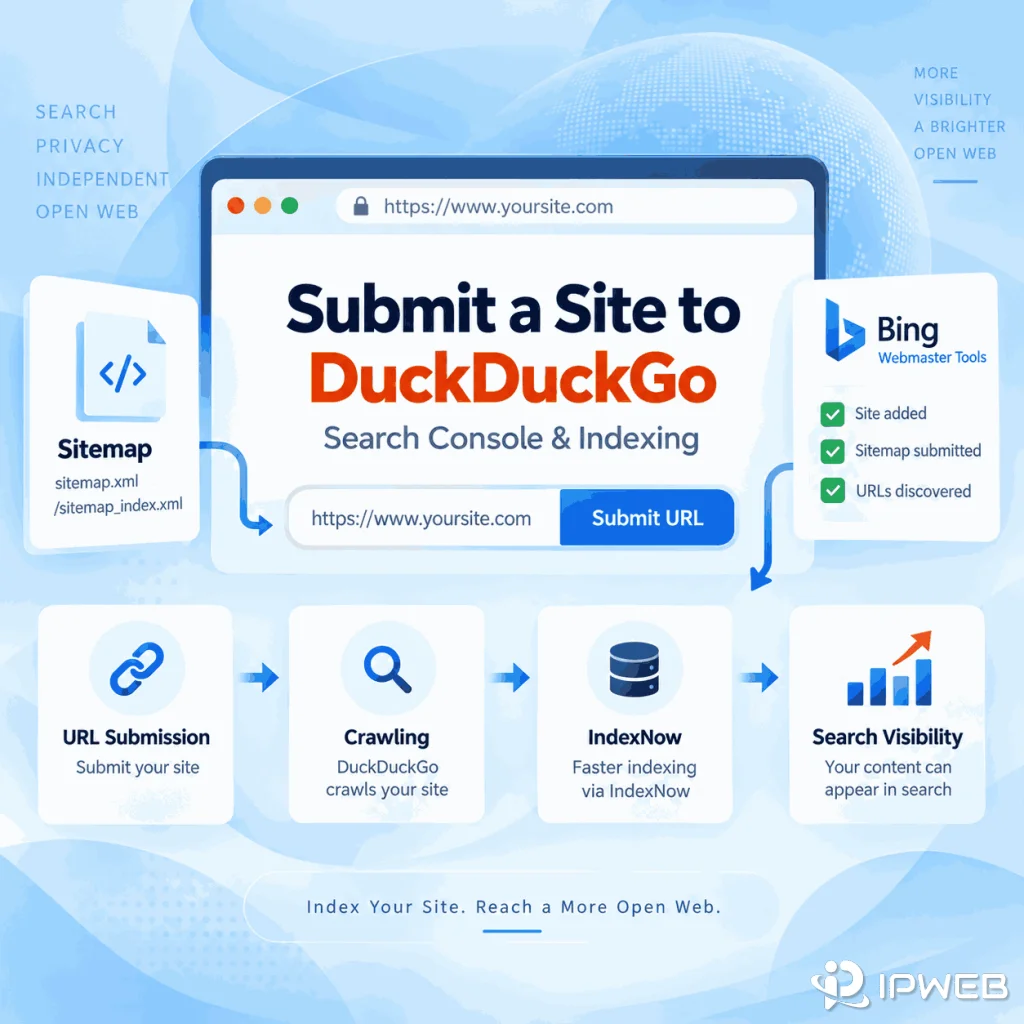
There is no documented one-click DuckDuckGo submission form, so use a sequence that improves discovery across the systems that matter.
Verify Your Site in Bing Webmaster Tools
Start by verifying the domain in Bing Webmaster Tools. This gives you access to Bing's site-owner tools and lets you inspect whether Bing is discovering and processing your URLs. Because DuckDuckGo says most traditional links are largely sourced from Bing, Bing visibility is relevant to the DuckDuckGo workflow without being a guarantee of inclusion.
Submit Your XML Sitemap
Submit a clean XML sitemap that contains canonical, indexable URLs. Keep it updated when important pages are added, changed, redirected, or removed. A sitemap is a discovery signal: it helps a crawler find URLs, but it does not force the search engine to index or rank them.
For larger sites, also make sure important pages are reachable through crawlable internal links. A sitemap should support a sensible site structure, not replace one.
Use IndexNow for New and Updated URLs
IndexNow can notify Bing and other participating search engines when URLs are published, updated, or deleted. Bing currently recommends IndexNow as its preferred automated submission path for keeping content fresh.
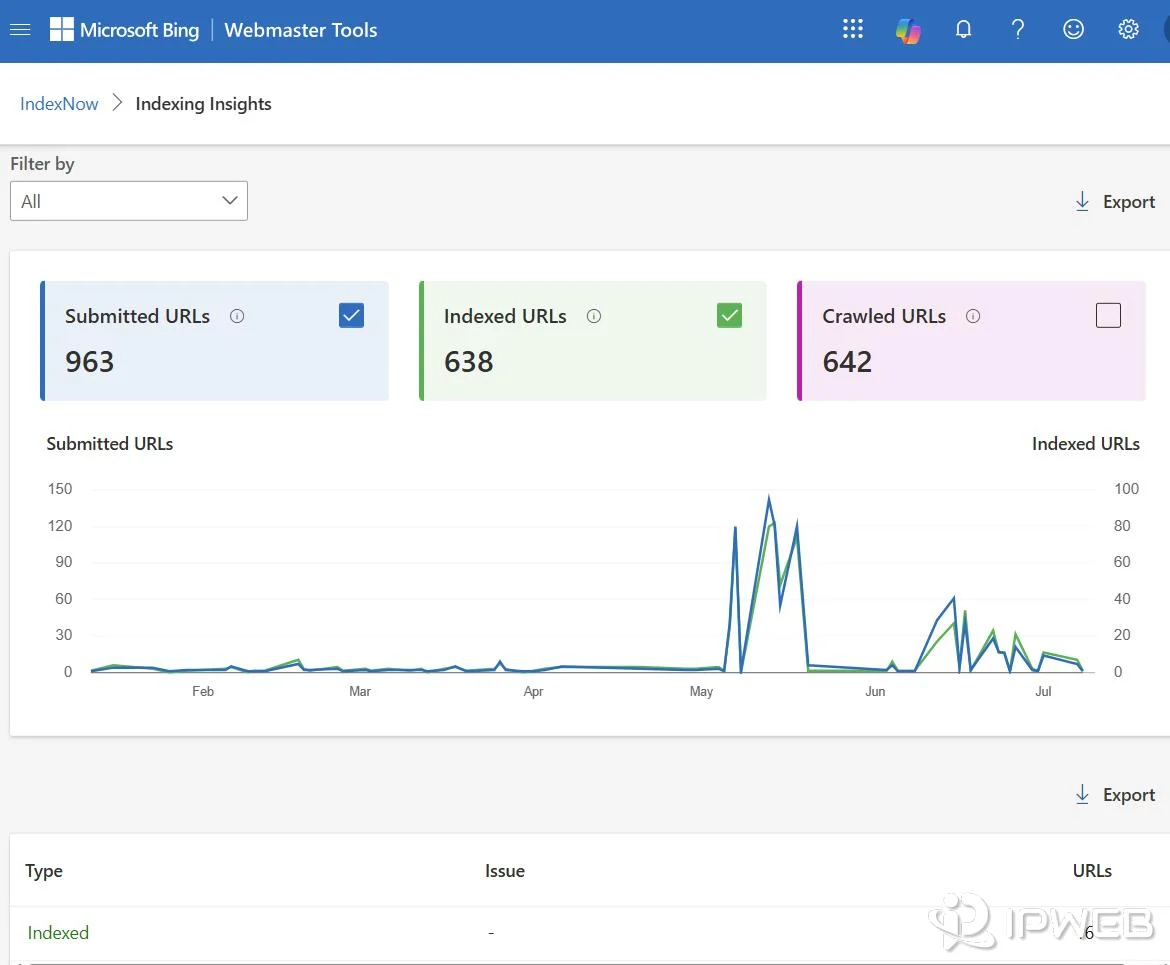
Treat IndexNow as a Bing and participating-search-engine discovery mechanism in this workflow. DuckDuckGo's public documentation does not present IndexNow as a direct DuckDuckGo submission endpoint, so do not describe an IndexNow ping as "submitting the URL to DuckDuckGo."
Use Bing Manual URL Submission When Needed
For a small number of important URLs, Bing's URL Submission tool remains available. Bing also states that repeated manual submissions do not accelerate indexing, so resubmitting the same page over and over is not a useful strategy.
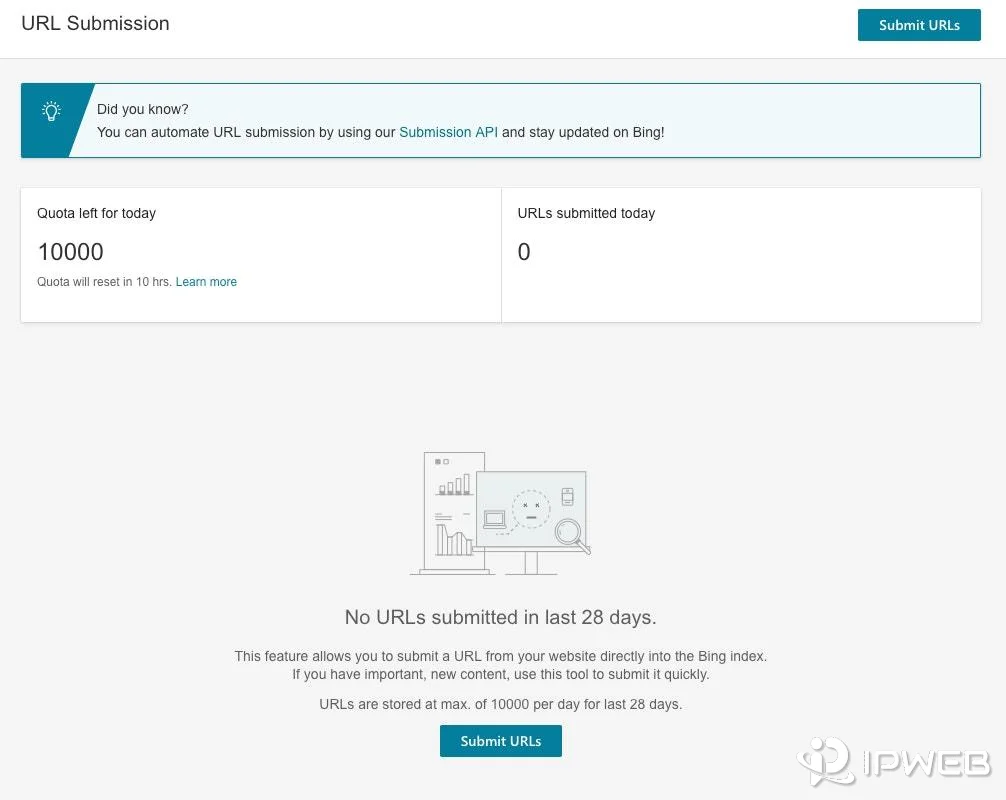
The most reliable workflow combines crawlability, internal links, a valid sitemap, and appropriate Bing submission methods instead of depending on a single button.
What Is DuckDuckBot, and Should You Allow It?
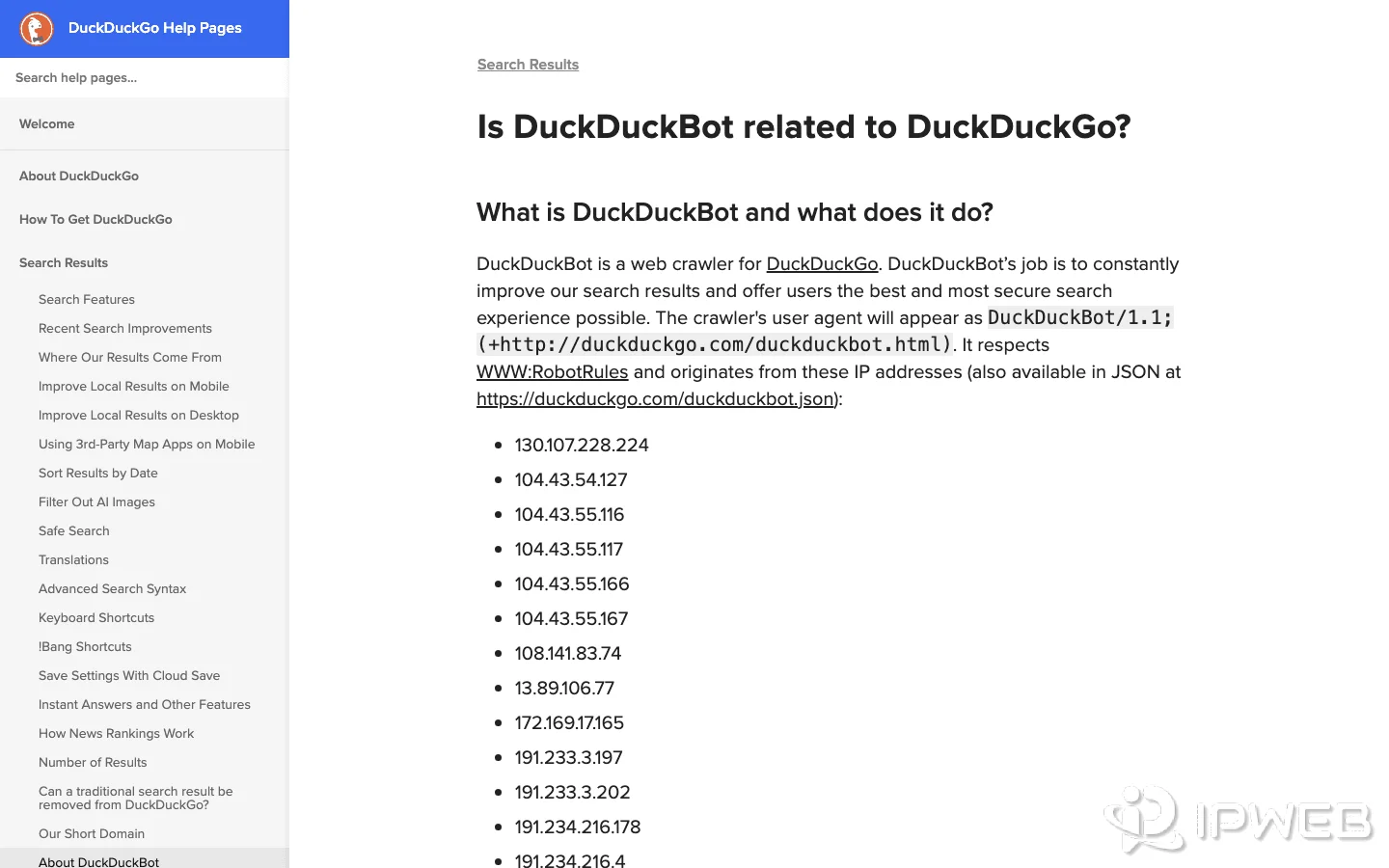
DuckDuckBot is DuckDuckGo's own web crawler. DuckDuckGo says the crawler is used to improve its search results and follows robots rules. If you want your public pages to be discoverable, check that your robots.txt, server rules, CDN, or security configuration is not accidentally blocking DuckDuckBot.
DuckDuckGo also documents a separate crawler called DuckAssistBot for AI-assisted answers. DuckDuckGo says publishers can opt out of DuckAssistBot without affecting organic search rankings. That means the two crawlers should not be treated as interchangeable.
| Crawler | Main purpose | What publishers should know |
|---|---|---|
| DuckDuckBot | Web crawling for DuckDuckGo Search | Avoid accidental blocking if you want public pages available to DuckDuckGo's crawler |
| DuckAssistBot | Real-time crawling for AI-assisted answers | DuckDuckGo says opting out does not affect organic search rankings |
For ordinary search visibility, prioritize normal crawlability and do not create special content just for one crawler.
Does IndexNow Submit Directly to DuckDuckGo?
Not as a documented DuckDuckGo-specific submission method. IndexNow is a protocol used by participating search engines, and Bing actively supports it. In this DuckDuckGo workflow, its relevance comes from helping Bing discover fresh URLs more quickly—not from a documented DuckDuckGo IndexNow console or endpoint.
This distinction prevents a common SEO mistake. If a plugin says it has sent an IndexNow notification successfully, that confirms the notification was accepted by the relevant IndexNow workflow. It does not prove that DuckDuckGo has indexed the URL or that the page will appear for a particular query.
How to Check Whether Your Page Appears on DuckDuckGo
Because DuckDuckGo does not provide a public index-coverage report for publishers, use search queries as spot checks. Two useful checks are:
site:example.com/page-slugto look for a specific URL or path."Exact Page Title"to see whether DuckDuckGo can surface the page by its title.
Do not treat a site: query as an authoritative index count. DuckDuckGo itself notes that some advanced search syntax does not operate perfectly for every query. A missing result can therefore be a signal to investigate, but it is not the equivalent of an index-coverage error in a webmaster console.
If you compare DuckDuckGo results across regions, keep the query, language, device, and other test conditions consistent. Network routing can also affect the IP-based location signal, so a repeatable regional check should document the route used for each market. For a practical validation workflow, see our guide to checking regional SERP results under a controlled search context.
If the page already appears in Bing and you want to measure whether its ranking is changing over time, use a consistent query, location, language, device, and timestamp. Our guide to checking Bing rankings explains that measurement workflow separately.
Why a Submitted Page May Still Not Appear
Submitting or exposing a URL does not guarantee visibility. If a page is still missing, check the technical and content signals before repeatedly resubmitting it.
- Confirm the page returns a normal successful response and is publicly reachable.
- Check for a
noindexdirective or an accidental robots block. - Verify that the canonical points to the URL you actually want indexed.
- Make sure the page is included in the current XML sitemap when appropriate.
- Add crawlable internal links from relevant indexed pages.
- Check whether Bing has discovered or indexed the URL.
- Review whether the page is duplicate, very thin, outdated, or otherwise low-value.
- Allow time for crawling and processing instead of repeatedly submitting the same URL.
A technically discoverable page can still be excluded from an index or fail to rank. Discovery is only the first stage.
Submission vs Indexing vs Ranking
These terms are often mixed together, but they describe different events.
| Stage | What it means | What it does not guarantee |
|---|---|---|
| Submission or discovery signal | The search system is notified that a URL exists or has changed | That the URL will be indexed |
| Indexing | The search engine processes and stores the page for possible retrieval | That the page will rank for a target query |
| Ranking | The page is selected and positioned for a particular search query and context | Stable placement across every query, location, device, or time |
The short version: submitting helps discovery, indexing makes a page eligible to appear, and ranking determines whether it is actually shown for a search.
Frequently Asked Questions
site: query or search the exact page title as a spot check. Because DuckDuckGo does not provide a public site-owner index-coverage report and notes that some advanced syntax can be imperfect, these searches should not be treated as a complete index report.Final Thoughts
There is no documented direct DuckDuckGo webmaster submission workflow to rely on. The better approach is to understand how DuckDuckGo builds its results: it operates its own crawler and indexes, while traditional links are largely sourced from Bing.
For site owners, that means keeping pages crawlable, maintaining a clean sitemap and internal-link structure, using Bing Webmaster Tools and appropriate Bing discovery methods, and then checking visibility without confusing submission with guaranteed indexing or ranking. That workflow is more accurate than searching for a nonexistent DuckDuckGo Search Console button.