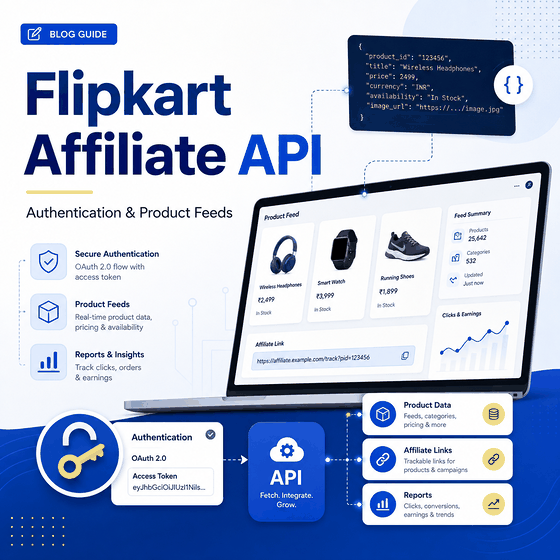
The Flipkart Affiliate API can provide registered affiliates with structured product, price, availability, seller, offer, and tracking-link data. The public documentation is still accessible, but it is old enough that you should verify API access in your Affiliate account before building a new integration.
Use the Flipkart Affiliate API when you have an eligible Affiliate account and need approved product or offer data for affiliate use cases. Authentication uses an Affiliate Tracking ID and private API token sent in the Fk-Affiliate-Id and Fk-Affiliate-Token HTTPS headers. Start with the Product Feed Listing API, follow the current feed URLs returned by Flipkart, and avoid hardcoding signed feed URLs because they expire.
- Affiliate API access requires a registered Affiliate account, an Affiliate Tracking ID, and a private API token.
- Flipkart documents only one active Affiliate API token per affiliate account; generating a new token disables the previous one.
- The Product Feed Listing API returns category-specific feed URLs and available API variants.
- Product feeds can include price, special price, stock state, product URL, seller data, shipping information, and product attributes.
- Feed URLs can expire, so integrations should follow the current URLs returned by the API rather than copying old sample URLs.
- Flipkart's public Affiliate API release notes were last updated in 2016, so confirm current account access and supported endpoints before depending on the API in production.
What Is the Flipkart Affiliate API?
Flipkart describes its Affiliate APIs as interfaces for registered Affiliate Program users to access relevant product and offer information across actively marketed categories. The documented use cases include custom websites, shopping-comparison experiences, mobile applications, and niche content.
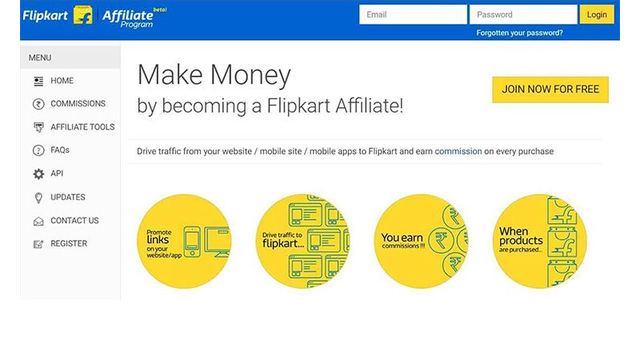
The Affiliate API is separate from Flipkart Marketplace Seller APIs. Affiliate APIs are designed around affiliate product, offer, and reporting workflows, while Seller APIs support eligible marketplace seller operations. If the main question is which data source fits a particular workflow, see IPWeb's Flipkart API vs Scraper API comparison.
Check Access Before You Integrate
The public Affiliate API documentation remains available, but its release notes state that the developer guide was created in January 2016 and last updated on July 27, 2016. The same release notes mark unversioned Product Feed, Delta Feed, keyword search, and product-ID search endpoints as deprecated in favor of versioned APIs.
That makes an account-level check important before implementation. Do not assume that every endpoint or example URL in an old documentation page is currently enabled for a new account.
- Confirm that your Flipkart Affiliate account is active and eligible for API access.
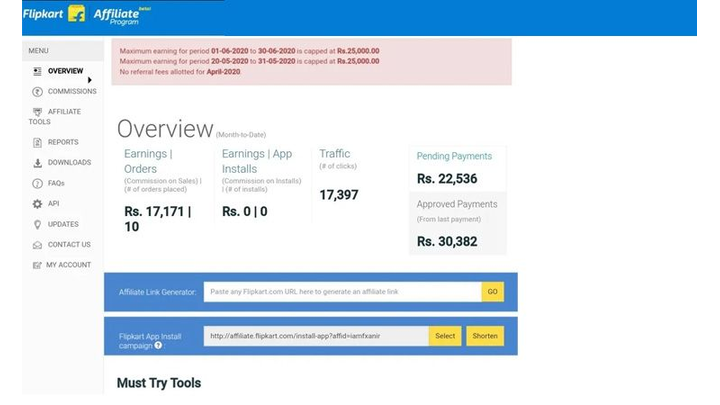
- Open the Affiliate dashboard and verify that API Token and API Status options are available.
- Generate or confirm the current Affiliate API token.
- Use the API directory or feed URLs returned for your own Tracking ID instead of copying a sample user's URL.
- Prefer the documented versioned feed variant when the directory provides both old and newer variants.
- Review the current Affiliate API Terms of Use before putting the integration into production.
Flipkart's Affiliate API release notes and API Terms of Use are the best starting points for checking these boundaries.
How Flipkart Affiliate API Authentication Works
Registered affiliates authenticate requests with two HTTPS headers:
| Header | Value | Purpose |
|---|---|---|
Fk-Affiliate-Id | Your Affiliate Tracking ID | Identifies the affiliate account making the request |
Fk-Affiliate-Token | Your private Affiliate API token | Authenticates API access |
Table takeaway: Both the Tracking ID and private API token are required for authenticated Affiliate API requests.
Flipkart documents one API token per affiliate account. Generating another token disables the old one, so token rotation should be coordinated with any application already using the previous credential.
Minimal cURL Request
The Product Feed Listing API is a useful first call because it returns the categories and feed links available for your Tracking ID.
curl \
  -H "Fk-Affiliate-Id: $FLIPKART_AFFILIATE_ID" \
  -H "Fk-Affiliate-Token: $FLIPKART_AFFILIATE_TOKEN" \
  "https://affiliate-api.flipkart.net/affiliate/api/$FLIPKART_AFFILIATE_ID.json"
Keep the token on the server side or in a secret-management system. Do not expose it in browser JavaScript, public repositories, screenshots, or client-side configuration.
Minimal Python Request
import os
import requests

affiliate_id = os.environ["FLIPKART_AFFILIATE_ID"]
affiliate_token = os.environ["FLIPKART_AFFILIATE_TOKEN"]

url = (
    "https://affiliate-api.flipkart.net/affiliate/api/"
    f"{affiliate_id}.json"
)

headers = {
    "Fk-Affiliate-Id": affiliate_id,
    "Fk-Affiliate-Token": affiliate_token,
}

response = requests.get(url, headers=headers, timeout=30)
response.raise_for_status()

directory = response.json()
print(directory["title"])
The example intentionally requests the API directory first. Category feed URLs can contain signatures and expiry values, so the safer pattern is to discover the current URL from the directory response instead of hardcoding an old signed URL from documentation.
How to Get Product Feed URLs
The Product Feed Listing API returns a directory of catalogue categories. Each category can include links for a full product feed, a delta feed, and available API variants.
- Authenticate to the Product Feed Listing API with your Tracking ID and API token.
- Read the returned
apiListingsobject. - Select the category you need.
- Inspect its
availableVariants. - Use the current
getURL returned for the supported version. - Follow
nextUrlfor additional batches when the feed contains more products.
Flipkart's documentation says the API URLs are valid for a limited period and that each Product Feed API response contains up to 500 items. This is another reason not to store a signed feed URL as if it were a permanent endpoint.
The official Product APIs reference documents the Product Feed Listing API, Product Feed API, Delta Feed API, product search interfaces, and feed downloads.
Important Product Feed Fields
The versioned Product Feed documentation exposes more than a single current price. Depending on the category and response, the record can include product identity, multiple price fields, stock state, product URL, seller information, shipping data, and category-specific attributes.
| Field | Meaning | Validation note |
|---|---|---|
productId | Unique Flipkart product identifier | Keep it with every stored observation |
title | Product title | Useful for display, but do not use title alone as identity |
maximumRetailPrice | Maximum retail price | Do not confuse MRP with the active selling price |
flipkartSellingPrice | Documented selling price after discount | Store the amount and currency together |
flipkartSpecialPrice | Documented special price after additional offers, when applicable | Keep offer context when comparing prices |
productUrl | Product URL associated with affiliate tracking | Preserve the generated tracking parameters |
inStock | Stock state | A price without availability can create a misleading comparison |
sellerName | Seller name | Seller changes can explain price changes |
shippingCharges | Shipping charge information | Consider total cost, not price alone |
productFamily | Related product variants | Useful for avoiding variant mismatches |
Table takeaway: A useful affiliate product record should preserve product identity, price type, seller, stock state, variant context, and timestamp rather than storing only one numeric price.
Pagination and Delta Feeds
Flipkart documents a batch size of 500 products for Product Feed API calls. When more records are available, the response includes a nextUrl that can be followed to retrieve the next batch.
For update-oriented workflows, the Delta Feed API is designed to return products that changed after a particular category version. The documented changes can include products that were added, updated, or deleted. Deleted products can appear with isAvailable set to false.
A practical ingestion process therefore separates three jobs:
- initial category discovery through the Product Feed Listing API;
- full or paginated Product Feed ingestion for a baseline dataset;
- Delta Feed checks for later changes when the current account and endpoint support them.
Do not modify signed expiry or sig values on a feed URL. Refresh the directory or feed link when it expires instead.
Offers API
The Affiliate documentation also includes Offer APIs. The documented All Offer API can return active offers with fields such as title, description, URL, category, start and end times, image URLs, and availability. A Deals of the Day interface is documented separately.
These offer records should be kept separate from the core product-price fields. A temporary promotional offer can change the effective price without changing the product's underlying MRP or standard selling-price field.
See Flipkart's Offer APIs reference for the documented request and response fields.
Common Response Codes
Authentication problems, expired URLs, bad request parameters, and server failures should be handled as different states instead of being collapsed into a generic “no data” result.
| Code | Documented meaning | What to check |
|---|---|---|
| 200 | Successful call | Validate the response body before storing it |
| 202 | Request being processed | Do not treat it as a completed dataset |
| 400 | Bad request | Review parameters and URL format |
| 401 | Unauthorized | Check the API token and Affiliate Tracking ID |
| 403 | Forbidden / tampered URL | Use an untouched current URL returned by the API |
| 404 | Not found | Confirm the requested resource or endpoint |
| 410 | URL expired | Refresh the feed URL instead of retrying the expired URL indefinitely |
| 500 / 503 | Server error / service unavailable | Retry with bounded backoff and preserve the error state |
| 599 | Connection timed out | Retry safely and distinguish timeout from an empty feed |
Table takeaway: A 401, 403, 410, or 5xx response describes a request or service state, not a product becoming unavailable.
Affiliate API vs Seller API vs Scraper API
These data sources solve different problems and should not be treated as interchangeable.
| Source | Best fit | Access model | Main boundary |
|---|---|---|---|
| Affiliate API | Approved affiliate product, offer, and reporting workflows | Affiliate Tracking ID + API token | Fields and access depend on the Affiliate Program and documented APIs |
| Marketplace Seller API | Eligible seller marketplace operations | Registered seller/partner application authorization | Not a general public product-price database |
| Third-party data API | Normalized external product observations | Vendor-specific | Requires source, freshness, and compliance validation |
| Public-page scraper workflow | Permitted page-state validation | Page access rather than Affiliate authentication | Must respect source rules and handle layout or page-state changes |
Table takeaway: Use the Affiliate API for eligible affiliate workflows; choose another source only when the job falls outside that access model and the alternative is permitted.
For a deeper decision framework, use the Flipkart API vs Scraper API guide.
If a permitted public-page validation workflow also needs location-specific routing, dynamic residential proxies can support regional product-page and availability checks across selected locations.
Using Affiliate Data for Price Tracking
An Affiliate Product Feed can provide price-related fields, but a current feed response is not automatically a price-history database. Historical tracking requires storing comparable observations over time.
For each observation, keep at least the product ID, relevant variant attributes, price type, seller when available, stock state, currency, source URL, and collection timestamp. If the record changes, compare like with like before calling it a price drop.
For quick browser-based price checks rather than a structured feed integration, see the Flipkart Price Tracker Extension guide to compare extension-based history checks, alerts, and validation steps.
This is the same distinction behind IPWeb's Flipkart price tracker guide: a price graph is useful only when the observations are comparable. For a broader multi-product monitoring design, see the e-commerce price tracking API guide.
Frequently Asked Questions
Fk-Affiliate-Id for the Affiliate Tracking ID and Fk-Affiliate-Token for the private API token. The account must be eligible for Affiliate API access.nextUrl to continue through additional batches.Final Thoughts
The Flipkart Affiliate API is most useful when an eligible affiliate needs structured product or offer data through an approved interface. Start by confirming current account access, authenticate with the Tracking ID and private token, discover current feed URLs from the API directory, and store enough product context to validate every downstream comparison. Because the public documentation is old and some legacy endpoints are explicitly deprecated, build around current account responses rather than old sample URLs.